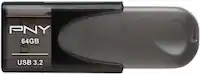
A:Answer You have two Options to transfer photos from cell to a flash drive. One get a OTG "On The Go" USB adapter that fits your cell phone , plug it in to the charging slot and then insert the drive , next go to your files folder not the gallery . Select the files and move to the external drive . NOTE: once done , wait 30 sec to 1 min and then go to the storage in settings for example on android and you have to drill down to the drive and then unmount ( eject ) the drive to properly stop it from being recognized on the cell phone and then remove the drive and OTG connector. If you don't disconnect it , once the flash drive is connected to the computer it will ask to have the drive checked if it does go ahead and scan and fix any errors it is a fluke issue with using flash drives and cell phones.
Second is to use the Data cable for cell phone and transfer photos from phone to computer and then move to a flash drive also connected to the computer , I know you can just move from phone thru computer to the drive but I would first move to a folder on the computer as a safety measure so that you have a back up copy in case the transfer messes up which can happen when using a computer as a bridge from cell to another drive