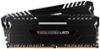
“is this compatible so it maybe be used with alienware x51 r3?”
Answer This Question
1-5 of 5 Answers
Only way to find out is to buy it and test or contact Dell support/sales. Retail motherboards, on the other hand, you can check their product support pages.
Sorry, there was a problem. Please try again later.Hello, not sure if you have the same motherboard as me (Alien 51 R2) but if you do it will not work. I would take a wild guess and say you have the same motherboard I do with 16GB of DDR3 ram (older ram with different pin size) if you have 4X 4GB sticks of ram it’s a no go..: that’s why im planning on upgrading my motherboard soon
Sorry, there was a problem. Please try again later.Should be its a standard ddr4 dimm but as allways check with ur manufacturer
Sorry, there was a problem. Please try again later.As long as your somewhat proprietary motherboard supports desktop DDR4 memory and 16GB capacity with two slots, yes. From what I've seen from pictures of that PC, it should (your PC seems to support up to 16GB of RAM). Due to global shortage, RAM is currently higher priced than it should be, so it's not a great time to buy. Also with the compactness of your PC, be wary of the clearance necessary to install RAM with heat spreaders such as these. You may not have enough physical space to fit them. But from a technical standpoint, this should work. I've included a recommendation for a lower-profile set from a more popular brand. These PNY Anarchy sticks can overclock up to 3.2GHz but your motherboard may only go to 2.1 GHz, meaning compatibility but wasted money and potential. RAM speed also does not have much impact on everyday performance. As long as it is DDR4 and no more than 16GB, and will physically fit, you could get any RAM.
I would recommend:
Sorry, there was a problem. Please try again later.You need an open USB 2.0 9-pin connector on your motherboard and a SATA power plug from your PSU
Sorry, there was a problem. Please try again later.