A:AnswerHi idmmm,
There are a few features that can help with the specific volume setting you are requesting.
1) Auto Volume automatically adjusts the sound to a certain level when changing channels or switching to another external input. Go to Settings > All Settings> Sound > Expert Settings > Auto Volume.
2) Adaptive Sound automatically adjusts to a specific volume level while watching TV. The TV analyzes your volume usage history by time period to automatically adjust the volume when you use an app or switch to an external input source. Go to Settings> All Settings> Sound> Sound Mode> Adaptive Sound.
~Samsung Advisor
A:AnswerHi Jadedeveroux,
The DU7200F TV is backed with a limited 1-year Manufacturer’s Warranty when purchased brand-new from an authorized dealer.
~Samsung Advisor

A:AnswerHi there,
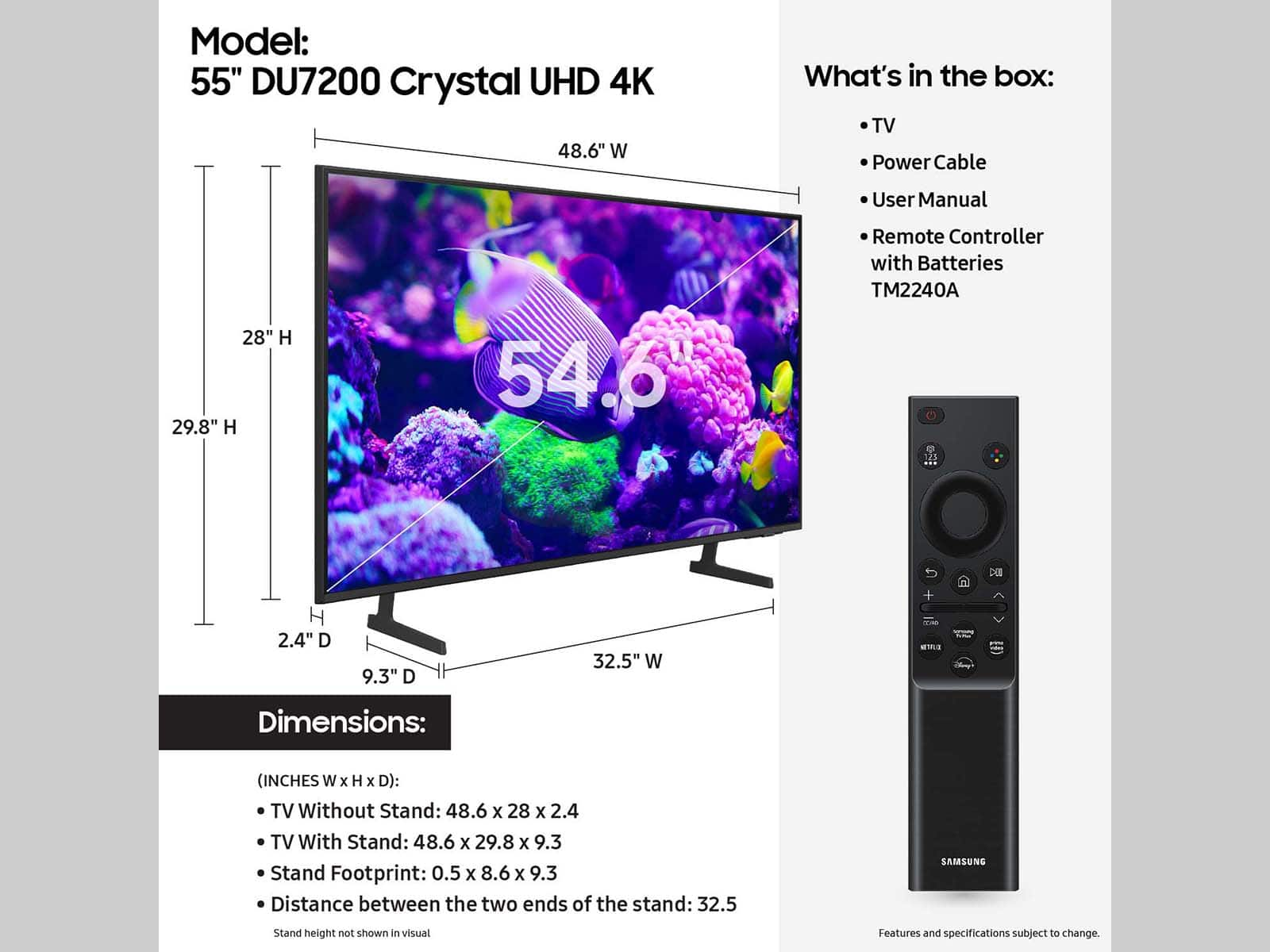
The 55" DU7200 TV utilizes a VESA pattern of 200mm x 200mm. The distance from the top VESA holes to the top of the TV is 8.1". The distance from the bottom VESA holes to the bottom of the TV is 11.8". You can see further setup diagrams by going to Samsung's site under Manuals & Software.
~Samsung Advisor
A:AnswerI saw one on display where the feet were moved in to accommodate a small footprint on a corner tv cabinet. From my memory they seemed like a few inches wider than 10 inches. I touched the unit and it seemed stable on the cabinet.