A:AnswerHi Janet - We’d like the chance to assist you further. Please contact Samsung Support at 1-800-SAMSUNG (available daily from 8 AM to 12 AM EST) or connect with us via live chat at Samsung Support: https://www.samsung.com/us/support/contact/
~ Samsung Specialist
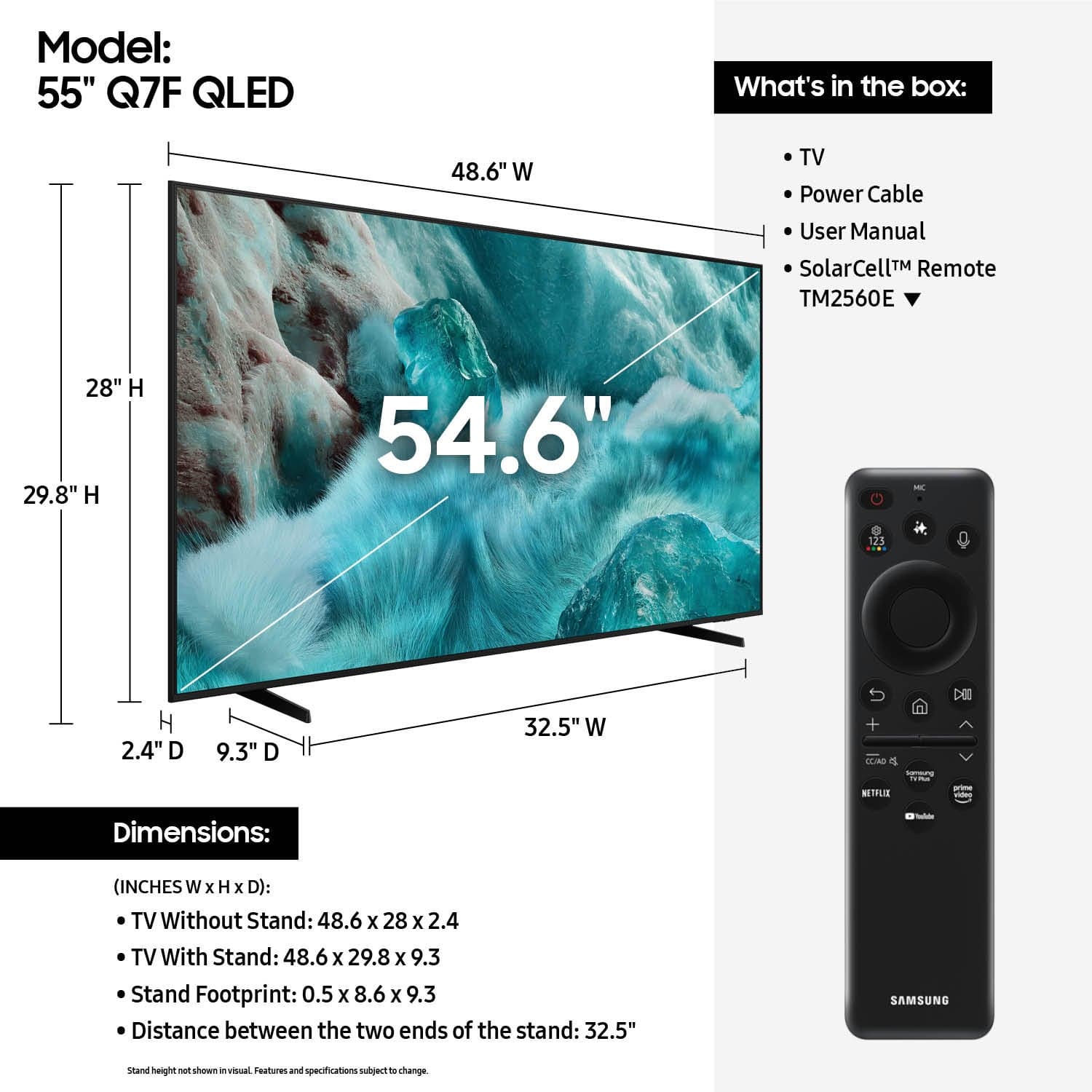
A:AnswerBill - While you can choose from and install hundreds of apps directly from the Q7F TV's Apps Home screen, the apps that come pre-installed on the TV are: SmartThings, Samsung TV Plus, Netflix, Prime Video, Disney+, Hulu, Apple TV, Peacock, Sling TV, YouTube, Bixby, and Internet.
~ Samsung Specialist

A:AnswerNo, the Q7F does not feature built-in Atmos. Built-in Dolby Atmos sound begins with our 2025 QN70F Neo QLED 4K Series and higher.
~ Samsung Specialist
A:AnswerHi Gary - Yes! The Q7F TV's included Solar Cell Remote features a microphone button for voice commands - no additional equipment necessary; just an internet connection!
~ Samsung Specialist
A:AnswerHi Ron - The apps pre-installed on the 2025 Q7F are: SmartThings, Samsung TV Plus, Netflix, Prime Video, Disney+, Hulu, Apple TV, Peacock, Sling TV, YouTube, Bixby, and Internet. You can browse and download hundreds of additional apps directly from the Apps Home screen. We continue to expand offerings with our content partners, so check back regularly to explore the latest available options.
~ Samsung Specialist
A:AnswerHi Vicki - We are currently working with the appropriate entities to get this spec corrected. The Q7F does indeed feature a coax (RF) antenna input.
~ Samsung Specialist

A:AnswerPlease give us the opportunity to better assist with this by reaching Samsung Support at: 1-800-SAMSUNG, 8AM - 12AM EST, 7 days a week, or Chat with us on Samsung.com: https://www.samsung.com/us/support/contact/
~ Samsung Specialist

A:AnswerPlease give us the opportunity to better assist with this by reaching Samsung Support at: 1-800-SAMSUNG, 8AM - 12AM EST, 7 days a week, or Chat with us on Samsung.com: https://www.samsung.com/us/support/contact/
~ Samsung Specialist