“When in vertical mode can you choose 3 windows tabs from your PC? Or does the two additional screens have to be apps from the monitor?”
Answer This Question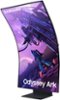
1-8 of 8 Answers
No you can have as many Windows open as long as they all come from the same connection.
Sorry, there was a problem. Please try again later.Forget about the split option. They made it so limited, as to be pointless. You cant use multiple inputs and you cant use streaming apps. Just use it with a PC and use windows to split the screen however you like.
Sorry, there was a problem. Please try again later.It will never be possible, because splitting the screen will break the HDCP encryption and the apps won’t work anyway. Any protected content will give you an error. With that said, if I can’t run this from 3 different input sources, then it is a wasted product. Oh and using more than 1 input drops the refresh rate to 60 Hz, so at that point other monitors work far better for less money.
Sorry, there was a problem. Please try again later.You can do tabs though that has nothing to do with the monitor more of windows window layout stuff. And it can also be other apps but remember, currently 1 HDMI at a time
Sorry, there was a problem. Please try again later.Samsung products are engineered to the highest standards of performance and quality and we back this model with a 1-year limited manufacturer's warranty, if purchased brand-new from an authorized dealer. Multiview can support three views vertically and four views horizontally. Each view consists of one input (either embedded app or one HDMI Input). However, if you use your PC in full screen and depending on your PC’s capability, you can further divide the screen, but this will not be a function of multiview as your PC is driving the content. For further assistance or to begin warranty service, please contact Samsung Customer Support via: 1-800-SAMSUNG, available 8AM - 12AM EST (Mon-Fri) / 9AM - 11PM EST (Sat-Sun) Samsung is committed to providing the best possible product experience, quality, and value, and we are always here to help with any of your questions or concerns.
Sorry, there was a problem. Please try again later.You can only use BUILT IN apps. This is their lame "fine print" to exclude ALL the popular Streaming apps. So, the only content you can put in another view is YouTube, Web Browser, and Samsung TV (forgot name already). You can also mirror a wireless device. If you don't like those you may as well forget multi-view.
Sorry, there was a problem. Please try again later.Only apps in the other views and they can't be streaming apps. Vertical rotation is worthless unless you are a TikTok addict. Plus, activating multi-view disables Game mode so screen darkens by 75% and looks horrible.
Sorry, there was a problem. Please try again later.They have to be apps from the monitor
Sorry, there was a problem. Please try again later.