“setting up my laptop I want to transfer my desktop contents to my laptop and sync the two HOW? Dell dimension 4600 to a dell laptop. I have a wireless internet set-up. I have a sandisk cruzer 16gb”
Answer This Question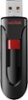
1-10 of 10 Answers
You can move the files you want to transfer into a shared folder, and connect your computers wirelessly within your home network, then transfer said shared folder to your laptop.
Sorry, there was a problem. Please try again later.Insert the jump drive into the USB port on your laptop. Copy and paste all of the files you want to transfer onto your laptop, up to the jump drive's capacity, and then do the same with the laptop, only copy or cut and paste the files from the jump drive to the laptop.
Sorry, there was a problem. Please try again later.If both computers are on the same network you could enable file and print sharing and that would be way faster and easier than using a 16gb flash drive specially if you have large files.
Sorry, there was a problem. Please try again later.Easy Computer Sync lets you quickly and easily synchronize data between two computers using a USB 2.0 Easy Transfer Cable. Designed specifically for Laptop users, it provides the highest possible transfer speeds for most Laptops and Tablets. Just plug in the Easy Transfer Cable, and go. There are no network settings, firewalls or passwords to deal with. The program also includes instructions on how to get an Easy Transfer Cable, if you don't already have one. You can quickly synchronize your data folders (such as 'My Documents' or 'My Music', or any other folders you choose) with an easy to use wizard interface. Not only is it easy to use, but it's also the fastest way to get data on or off of a Laptop. It also includes a Drag and Drop tool where you can manually drag and drop files between computers, a remote control tool where you can control the other computer's desktop, and a wizard for transferring all of your data to a new computer. What's new in this version: Version 2.0 adds Windows 8.1 support, a guided wizard to transfer all of your data to a new computer, remote connection tool, and a revised drag-and-drop interface for manually copying files between computers
Sorry, there was a problem. Please try again later.I would recommend you buy a My Passport by western digital they are usually 500 gb's and up a cheap one might cost 60 bucks its pricey but its better to have 2 back ups then just one.
Sorry, there was a problem. Please try again later.Windows 8, use File Explorer to view all of your folders and files. Earlier versions of Windows, it's called Windows Explorer (NOT Internet Explorer). In File Explorer, you will find a folder called "Desktop". This contains all of your desktop shortcuts, folders, etc. Insert the cruzer drive into your USB port. In File Explorer, it will show up as a new disk, perhaps lettered D, or E, or F....depending on what other disks you you already have on your PC. If you go to to the Desktop folder and right click on it, you'll get a menu that pops up. Click on "Copy". Then click on the cruzer drive in File Explorer. Then right click again, and click on "Paste". This will copy your desktop folder and contents to the cruzer drive. Remove the drive when done. On the new laptop, insert the cruzer drive, use File Explorer to copy the contents of the desktop folder on the cruzer drive to the "Desktop" folder on the laptop.
Sorry, there was a problem. Please try again later.If you have a wireless network just set up what folders you want to share and move the data over the network. You could copy files to the cruzer and upload them to your laptop but that would be much slower.
Sorry, there was a problem. Please try again later.Depends on what kind of computer you have but some computers can connect via bluetooth and then you can send files wirelessly that way.
Sorry, there was a problem. Please try again later.i suggest putting all of your desktop items into one folder. then finding out the total amount of disc space they use. If it is less than the 16 Gb memory stick you have, then they should all be able to be copied onto the memory stick, and then recopied onto your other computer. It is just a mater of copying the one folder you just put all your desktop files into, onto your memory stick. Then copying the same folder onto your other computer, and putting it on the desktop.
Sorry, there was a problem. Please try again later.You can try a free program like SyncToy or equivalent. Do a search on "sync software" and you'll find a bunch of options. SyncToy was developed by Microsoft programmers for the situation you describe. Although not a sanctioned Microsoft product, it does work reasonably well.
Sorry, there was a problem. Please try again later.