Early Black Friday DealsNew Doorbusters every Friday.Shop now

Main Content

Questions & Answers

Your price for this item is $419.99
The comparable value price is $499.99
Page Showing 21-40 of 98 questions
  • QuestionCan I download Prime, Tubi etc? I see no mention of these.

    Asked by Andrew.

    • Answer yes. i use firestick plug in because i am used to it but that is not required.

      Answered by CovidKing

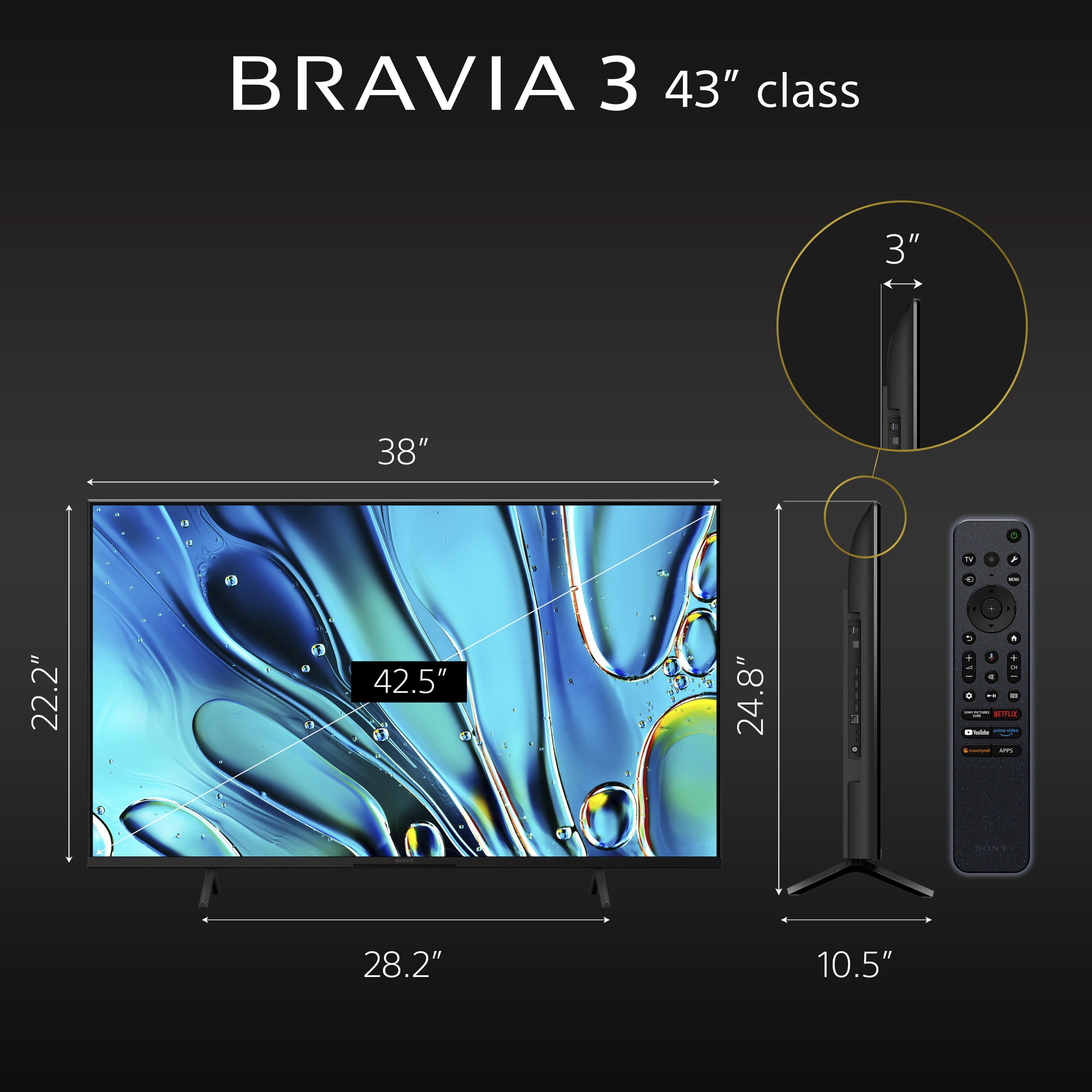
  • QuestionWhat is the distance between the 2 feet ,( stand) it has to fit on my small table Thank you

    Asked by Fenwick.

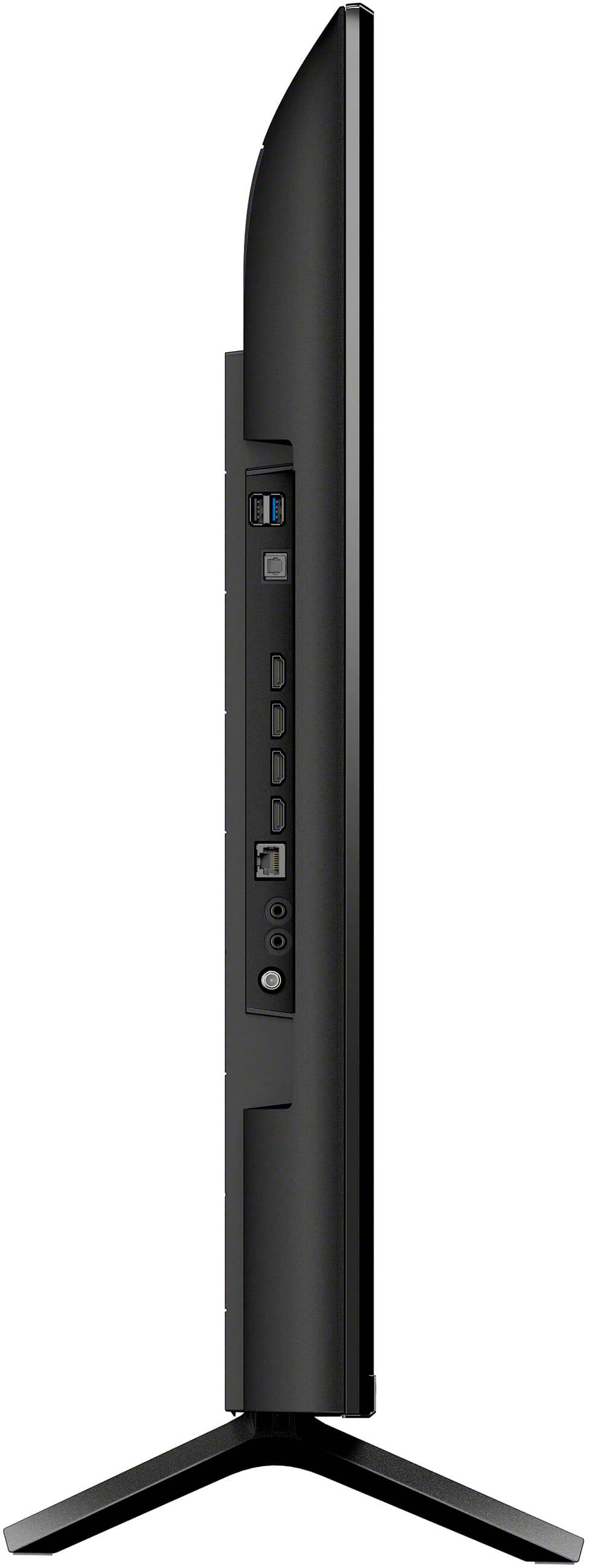
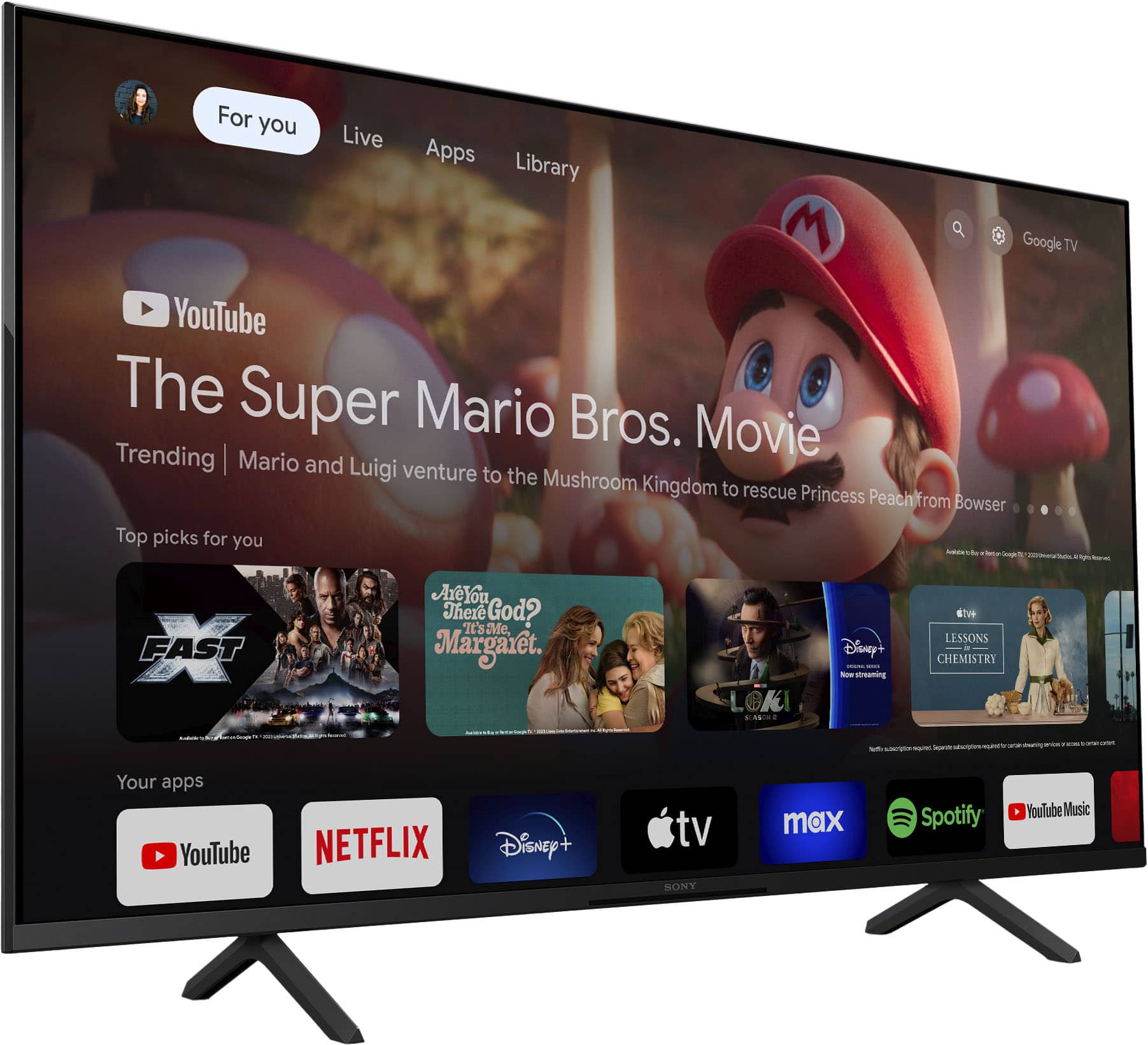
    • Answer Hi Fenwick, Great question! The stand legs of our 43" BRAVIA 3 have an end-to-end distance of approximately 28 1/4 inches (715 mm) and approximately 10 1/2 inches (266 mm) deep. Smart TV for everything you watch. The BRAVIA 3 Smart TV is exceptionally easy to use with a variety of all-in-one smart features for stress-free viewing. With a large screen, detailed pictures full of color and dynamic sound, everything you love feels so much more exciting. I hope you find this answer helpful, and thanks again for your inquiry! Best regards, Romeo

      Answered by SonyListens

  • Questiondoes this tv have picture freezing capability?

    Asked by george.

    • Answer HI george, The BRAVIA 3 does not have a dedicated "Picture Freeze" or "Still" button feature on the remote or in the main menus, as that is a specialized feature not typically found on smart TVs. However, if you are looking to display a static image, you can use the TV's Ambient mode to show photos or art as a screensaver. Thanks for choosing Sony. Best regards, Eliab.

      Answered by SonyListens

  • Questiondoes it have an ethernet port

    Asked by vrg627.

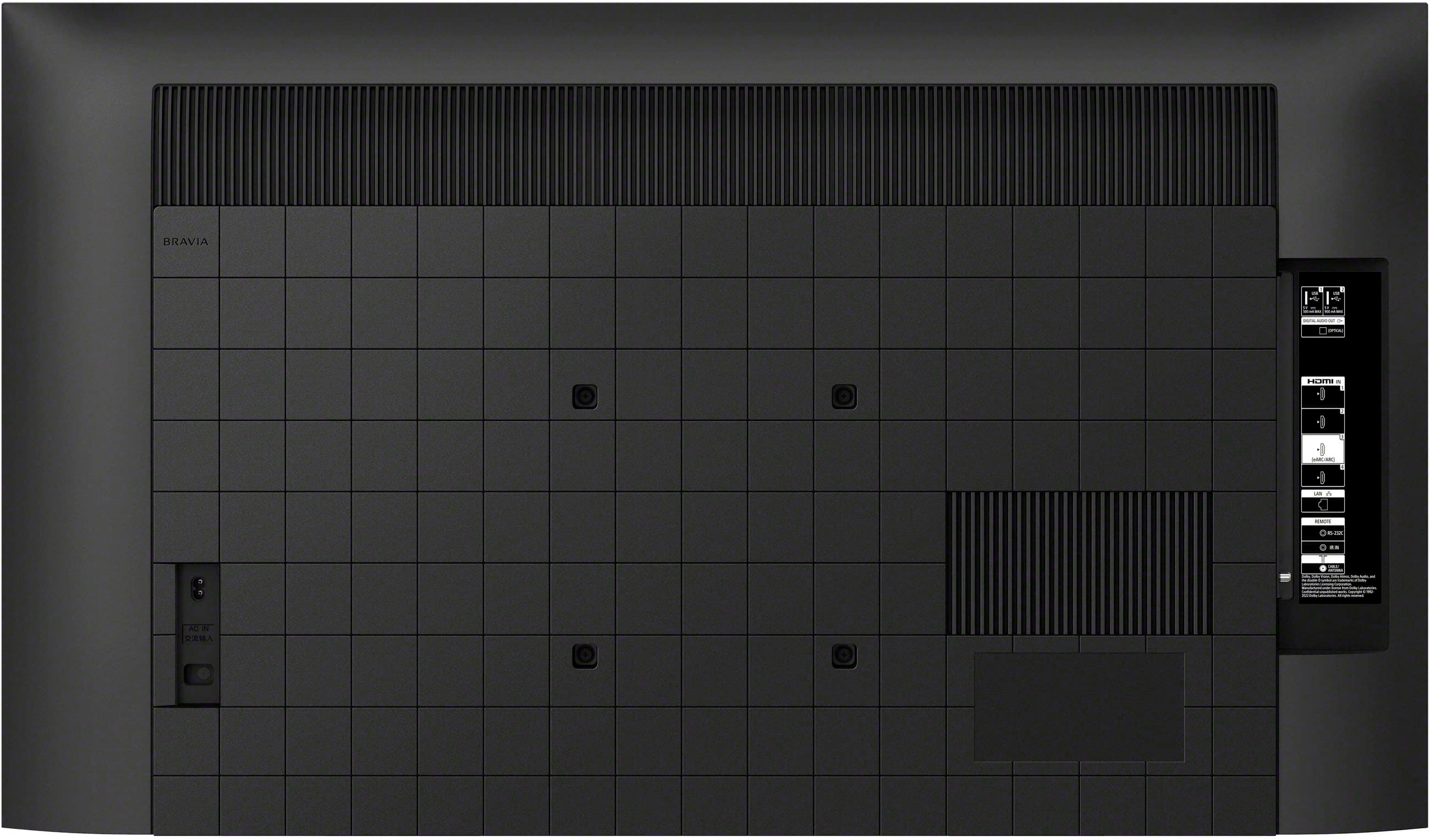
    • Answer Hi Vrg627, Thank you for your question! Yes, the Sony - BRAVIA 3 does include an Ethernet (LAN) port. This allows you to connect the TV directly to your router with a wired connection, which can provide a more stable and reliable internet experience. Thank you for considering Sony products! Regards, Dominick

      Answered by SonyListens

  • QuestionI read that the remote has a lot of problems. Can you explain further? Does it take a lot of button pushing to succeed? Does it constantly act up? I have carpel tunnel so I don’t want to be pressing a lot. Are simpler remotes available for this model?

    Asked by KIP.

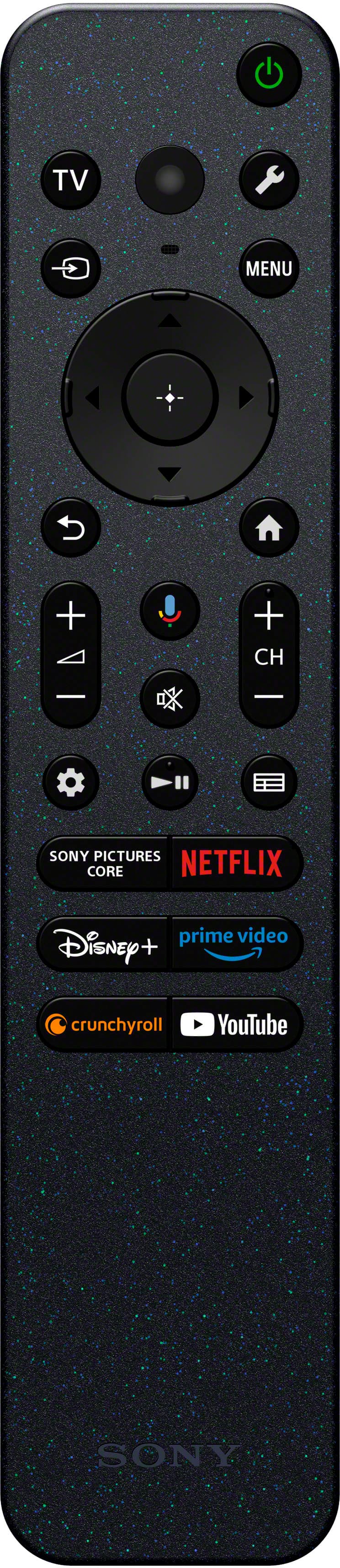
    • Answer Hi KIP, Thank you for your question about the remote for the BRAVIA 3 TV. You'll be happy to know that the remote is a great part of the experience. It's built to be very easy and intuitive, making navigation simple and quick, and we've received excellent feedback on its design and performance. The option to use the Sony | BRAVIA Connect app on your smartphone is available for extra convenience, but the remote itself is an outstanding tool for daily use. Thanks for choosing Sony. Best regards, Eliab

      Answered by SonyListens

  • QuestionI bought Sonos - Beam (Gen 2) 5.0 Channel to go with my Sony Bravia 3 4K. Im having an issue with the TV speaks playing at the sametime as my sound bar. On the TV I selected audio speakers in setting. This is creating an echo sound. Any ideas?

    Asked by MIKESC.

    • Answer Hi MIKESC, Thank you for your question! We're sorry to hear that your BRAVIA 3 and Sonos audio system are creating an echo sound. We understand this can be frustrating to deal with. Here are some steps that may help: 1- Power reset the TV and your audio system by unplugging both devices from the power for about 2 minutes and then plug them back in. 2- Make sure your TV is up to date withe the latest version by going to settings > system > about > system software update > update your TV software. If after performing these steps the issue persists, we highly suggest contacting our technical support team so that they can investigate and provide a solution. You reach them here: https://us.esupport.sony.com/support/s/support-contact?language=en_US&category=tv Thank you for considering Sony products! Regards, Dominick

      Answered by SonyListens

  • QuestionCan I connect my Sennheiser wireless headphones to this Sony - 43" Class BRAVIA 3 LED 4K UHD Smart Google TV (2024)?

    Asked by nonicknames.

    • Answer Hi Nonicknames, Thanks for the question and the interest in Sony products. Regarding your concern, The BRAVIA 3 is completely able to connect to headphones via Bluetooth. The headphones would need to start the pairing process and the TV should be able to detect the unit on the list of nearby Bluetooth devices. Although, for more detailed information, we can recommend contacting Sennheiser to confirm if the device would completely work alongside a TV. We hope this information comes in helpful. Thanks for considering Sony products! DiegoV

      Answered by SonyListens

  • QuestionThis TV is not Energy Star certified. Auto shut off and/or timed shut off are not listed. Can auto shut off be programmed?

    Asked by brightnina.

    • Answer Hi Brightnina, Thanks for your question about the BRAVIA 3 television's power-saving features. Sony is committed to energy efficiency, and all our TVs are designed with several features to help you save power. Regarding your question about auto shut-off, YES, the TV can be programmed to turn off automatically. There are two primary features for this: 1) Idle TV standby: This feature can be programmed to automatically turn the TV off after a set period of inactivity—like if no one is watching or using the remote. You can find this setting by going to Settings > System > Power and Energy > Idle TV standby. 2) Sleep Timer: This allows you to set the TV to turn off after a specific amount of time has passed, such as 30 minutes, 1 hour, etc. This is perfect for when you are going to sleep. You can usually find the sleep timer in the quick settings menu. We hope this resolves your concerns. Once you have your TV you can contact our Sony Support team to help you set it! Here's the link: https://us.esupport.sony.com/support/s/support-contact?language=en_US&category=tv Thanks for your interest in our Sony televisions! Sincerely, Jenn | Sony North America.

      Answered by SonyListens

  • QuestionDose it have Bluetooth capability foe earbuds

    Asked by Rusty.

    • Answer Hi Rusty, Thank you for your interest in the Sony - BRAVIA 3! Yes, this TV does include Bluetooth connectivity, which allows you to pair compatible Bluetooth devices such as earbuds or headphones. This feature is especially convenient if you'd like to enjoy your favorite shows, movies, or games privately without disturbing others, or if you prefer a more immersive listening experience. Thank you for considering Sony products! Regards, Dominick

      Answered by SonyListens

  • QuestionDoes this Sony TV have a California warning label on it?

    Asked by gina.

    • Answer Yes

      Answered by MarkM

  • QuestionHow do you dust or clean the screen?

    Asked by Lynn.

    • Answer Hello Lynn, Thank you for asking about how to properly care for a BRAVIA 3. For dusting and cleaning your TV screen, here is the recommended procedure: Always turn off the television and unplug it from the power outlet before cleaning. This is for both safety and to make it easier to see dust and smudges on the dark screen, and use a soft, dry cloth to gently wipe the screen in circular or side-to-side motion to remove dust—make sure to not apply pressure! If there are fingerprints or smudges that a dry cloth won't remove, don't spray water or any liquid directly onto the screen! You can slightly dampen the microfiber cloth with water and Gently wipe the affected area, then immediately follow up with a separate dry section of the cloth. Don't use any cleaning agents like soap, alcohol or other harsh chemicals and avoid using paper towels, tissues, or rough fabrics. Following these simple steps will help ensure your BRAVIA 3's picture remains clear and brilliant for a long time. Thanks for your interest in our Sony televisions! Sincerely, Jenn | Sony Social Media Team.

      Answered by SonyListens

  • Questiondoes this tv have bluetooth and a 3.5mm headphone jack?

    Asked by Bill.

    • Answer Hi Bill, thank you for your question and interest in the Sony - BRAVIA 3. Yes, this TV does come equipped with Bluetooth 5.3 connectivity. This allows you to wirelessly connect compatible devices such as Bluetooth headphones and soundbars for a more convenient and wire-free entertainment experience. However, it does not include a built-in 3.5mm headphone jack for wired headphones. We hope this answers your question, and thank you for considering Sony products! Best regards, Dominick

      Answered by SonyListens

  • QuestionWhat are the built in apps does this have?

    Asked by Bostonblackie.

    • Answer Hi Bostonblackie, Thanks for the question and the interest in Sony products. Regarding your concern, the BRAVIA 3 TV will include built in apps such as Netflix, Disney+, Prime Video, YouTube, BRAVIA Pictures Core (depending of the region), Google Play Store, Chromecast Built in, and much more. Keep in mind that the Google Play Store will allow you to download the apps that you might be looking for, such as Hulu, Max, Apple TV, Crunchyroll and more! We hope this information comes in helpful. Thanks for considering Sony products! DiegoV.

      Answered by SonyListens

  • QuestionHi, is this TV compatible with Sony multi channel AV receiver (STR-DH590)?

    Asked by J.

    • Answer Hi J, that's a great question! Yes, absolutely! The Sony BRAVIA 3 TV is fully compatible with the Sony STR-DH590 multi-channel AV receiver. You've got excellent options for connecting them for fantastic sound: HDMI eARC/ARC: Both devices have HDMI ports that support Audio Return Channel (ARC), which is the primary and best way to send audio from the TV to the receiver using just one HDMI cable. Optical Connection: For a reliable alternative, both also feature optical digital audio ports for a direct audio connection. We hope this answers your question and thank you for considering Sony products! Regards, Dominick

      Answered by SonyListens

  • QuestionDoes this tv have web browser

    Asked by Tony.

    • Answer Hi Tony, thank you for your question and interest in the Sony - 43" Class BRAVIA 3! The TV doesn't come with a pre-installed web browser, but it does give you access to the Google Play Store where you can choose from a wide variety of browsers to download directly onto the TV. We hope you find this information helpful and thank you for considering Sony products! Regards, -Dominick

      Answered by SonyListens

  • QuestionWill this TV work with a Roku devide

    Asked by Roku.

    • Answer Hi Roku, thank you for your interest in the Sony - BRAVIA 3! Yes, this TV does work with a Roku device, you can connect it to one of the HDMI ports located at the back of the TV and then with the Sony remote select the input in which you connected it, and that's it! You'll be able to enjoy your Roku and the astonishing picture quality of the BRAVIA 3. Thank you for considering Sony products! Regards, -Dominick

      Answered by SonyListens

  • QuestionWhat is the length of the power cord?

    Asked by MIKESC.

    • Answer Hi MIKESC, thank you for your interest in the Sony - K43S30! This TV comes with a 63-inch (1600mm) power cord. We hope this answers your question, and thank you for considering Sony products! Regards, -Dominick

      Answered by SonyListens

  • Questionwhat is standard geek squad protection for a tv?

    Asked by Anonymous.

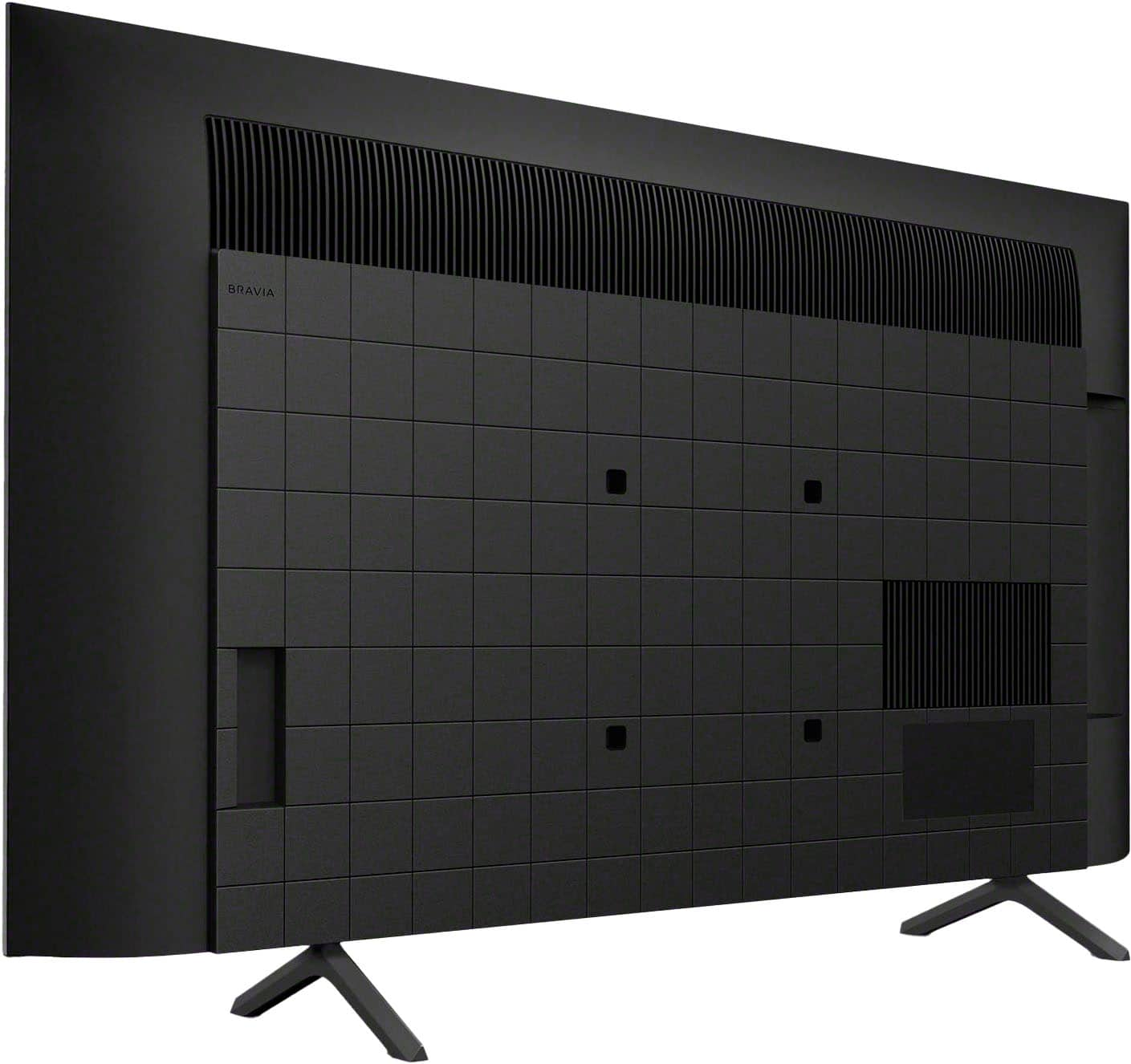
  • QuestionCurrently have my old tv mounted on wall with adjustable wall mount. What are measurements for bolting to my current mount on this 43” Bravia Tv, 2024 model? Thanks!

    Asked by Bing.

    • Answer Hi Bing, thank you for your interest in the Sony - K43S30. The screw hole distance measurement for mounting your TV to a wall using a wall mount bracket is (W x H) 200 x 200 mm. For further details and specifications you can check: https://www.sony.com/electronics/support/res/manuals/5057/6f886eab7672aa25d76333080e2acd6f/50579301M.pdf Thank you for considering Sony products! Regards, Dominick

      Answered by SonyListens