Questions & Answers
- Model:
- 55S425
- |
- SKU:
- 6319333
Q: QuestionDoes this TV have Closed Captioning and Bluetooth?
Asked by CINDYJ47.
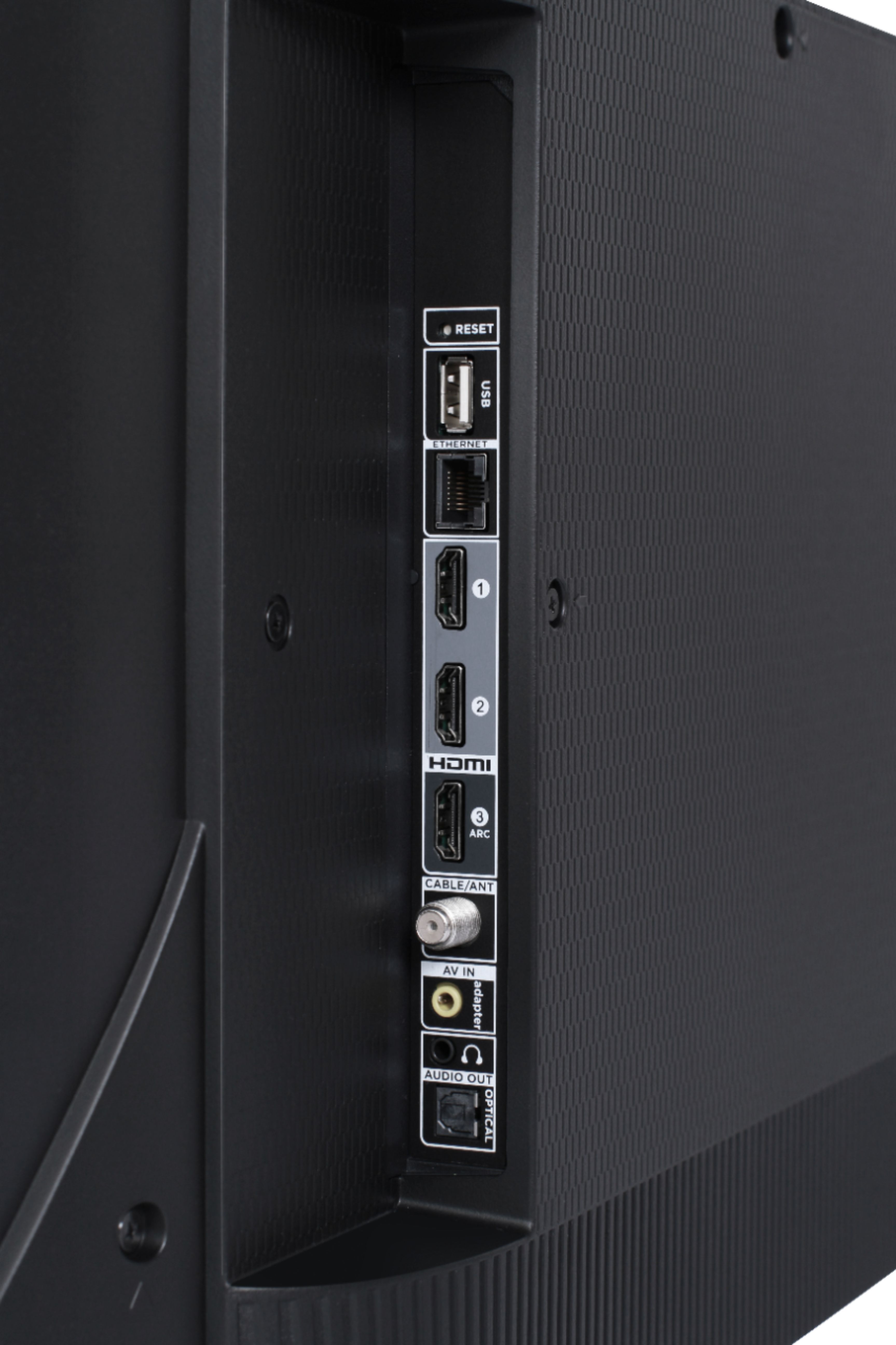
- A:Answer Closed Captioning settings can be found in the Accessibility settings. Additionally, most streaming channels and external devices also have their own Closed Captioning settings. Currently, our Roku TVs do not support Bluetooth. If you are trying to connect a sound bar or speakers you can use the Optical port, or the HDMI ARC port. For Headphones, there is a Headphone jack on the back of the TV, or you can download the Free Roku app for private listening. Hope this helps! Thank you, TCL Customer Support
Answered by TCLExpert

Q: QuestionIs there a port for headphones
Asked by Terry.
- A:Answer This TCL Roku TV does indeed feature a 3.5mm headphone jack located on the back of the TV. Hope this helps! Thank you, TCL Customer Support
Answered by TCLExpert

Q: QuestionCan I use wireless earbuds with it?
Asked by Kdeee.
- A:Answer Our TCL Roku TVs do not currently support Bluetooth. However, you can download the free Roku app on your smart phone or tablet to use voice search, voice control, and experience private listening. To enjoy private listening you simply click private listening in the app, and attach headphones to your smart phone or tablet. Or you can use the 3.5 mm headphone jack in the back of the TV to connect standard headphones. Hope this helps! Thank you, TCL Customer Support
Answered by TCLExpert

Q: QuestionI have spectrum and they told me if I have a smart tv I’m able to download the app is this tv comprable?
Asked by Cynthia.
- A:Answer The Spectrum TV streaming channel is one of the thousands of streaming channels offered through the Roku Channel Store. You can also visit www.roku.com/whats-on to see other streaming channels Roku offers. Hope this helps! Thank you, TCL Customer Support
Answered by TCLExpert

Q: QuestionDoes this TV have an either net connection?
Asked by Rob.
- A:Answer This TCL Roku TV has the ability to connect to the Internet via WiFi or through Ethernet. Hope this helps! Thank you, TCL Customer Support
Answered by TCLExpert

Q: QuestionCan you turn off status indicator so it doesn’t light up when tv is off.
Asked by GoingBlind.
- A:Answer You can turn off the Standby LED by going to Home>Settings>System>Power>Standby LED>Off. Hope this helps! Thank you, TCL Customer Support
Answered by TCLExpert

Q: QuestionI've never had a 4k TV before. Do you need to buy a special HDMI cable - or can you use a standard one?
Asked by Melissa.
- A:Answer Any newer standard HDMI cable should work. Hope this helps! Thank you, TCL Customer Support
Answered by TCLExpert

Q: QuestionDoes this TV have access on the back to attach a standing mount?
Asked by Squirrel.
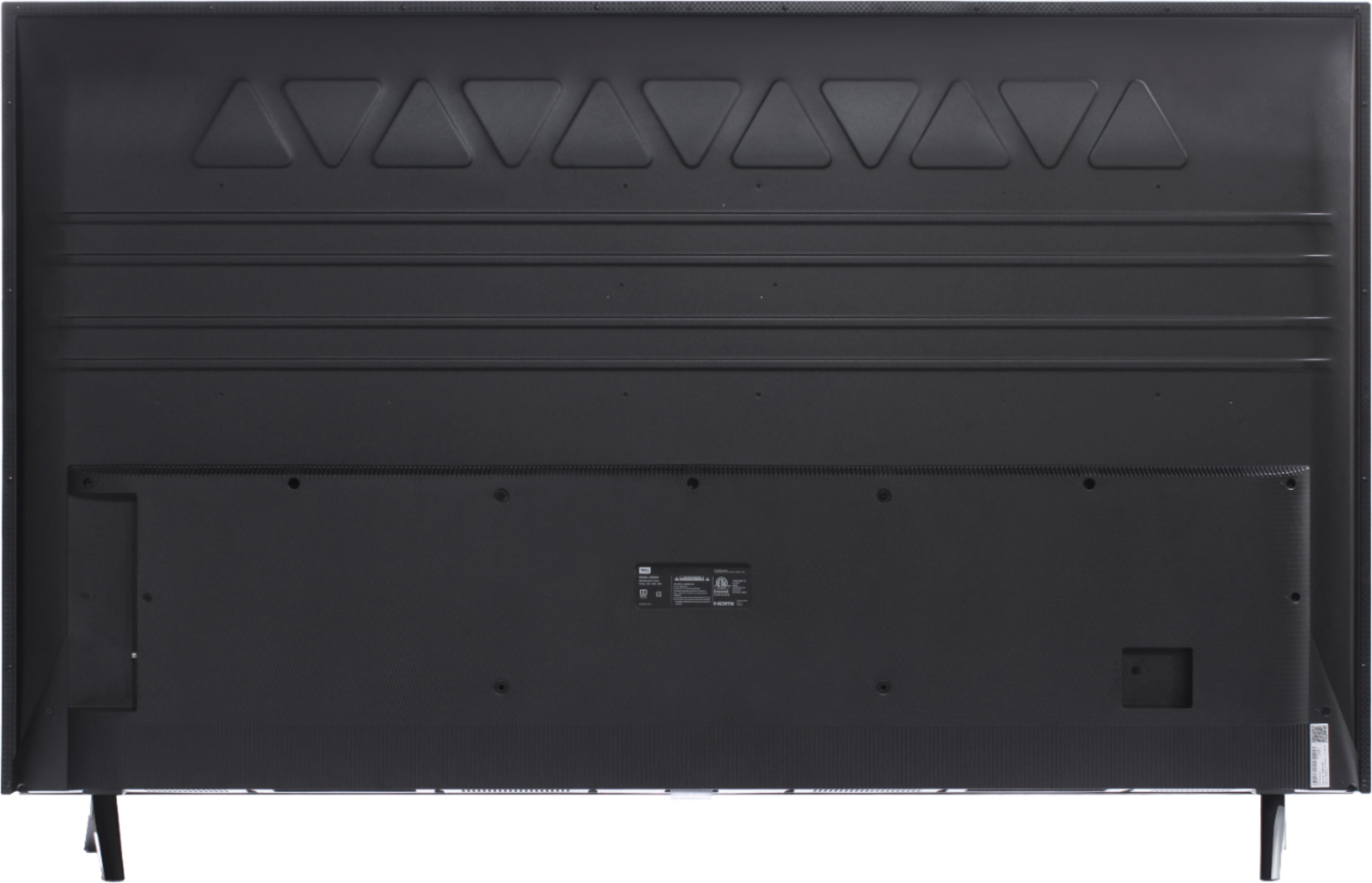
- A:Answer This TCL Roku TV is compatible with most wall mounts and stands that support a 200mm x 200mm VESA mounting pattern. Hope this helps! Thank you, TCL Customer Support
Answered by TCLExpert

Q: QuestionIs the actual (diagonal) size of the 55" TCL 55 inches or 49 inches?
Asked by Jonah.
- A:Answer Mine is exactly 55". I was pleased because most 55" TV's are actually only 54" or 54 1/2"
Answered by Customer
Q: QuestionWhat is the outside dimension of this TV / width and height?
Asked by Kathy.
- A:Answer Without the feet attached, the dimensions of this TV are as follows: (W x H x D) 49.0" x 28.4" x 3.1". Hope this helps! Thank you, TCL Customer Support
Answered by TCLExpert

Q: QuestionCan I hook my Roko box into my 55 tv
Asked by Anonymous.
- A:Answer All of our TCL Roku TVs have a Roku operating system built-in. It is not necessary to connect an external Roku. However, there are 3 HDMI ports that can be used to connect one if you want to. Hope this helps! Thank you, TCL Customer Support
Answered by TCLExpert

Q: QuestionIs this model able to watch off the antenna live air tv ?
Asked by Carl.
- A:Answer This TCL Roku TV has a coaxial located on the back of the TV near the other inputs. By connecting an antenna you can receive over-the-air channels. However, the reception depends on the signal strength. Hope this helps! Thank you, TCL Customer Support
Answered by TCLExpert

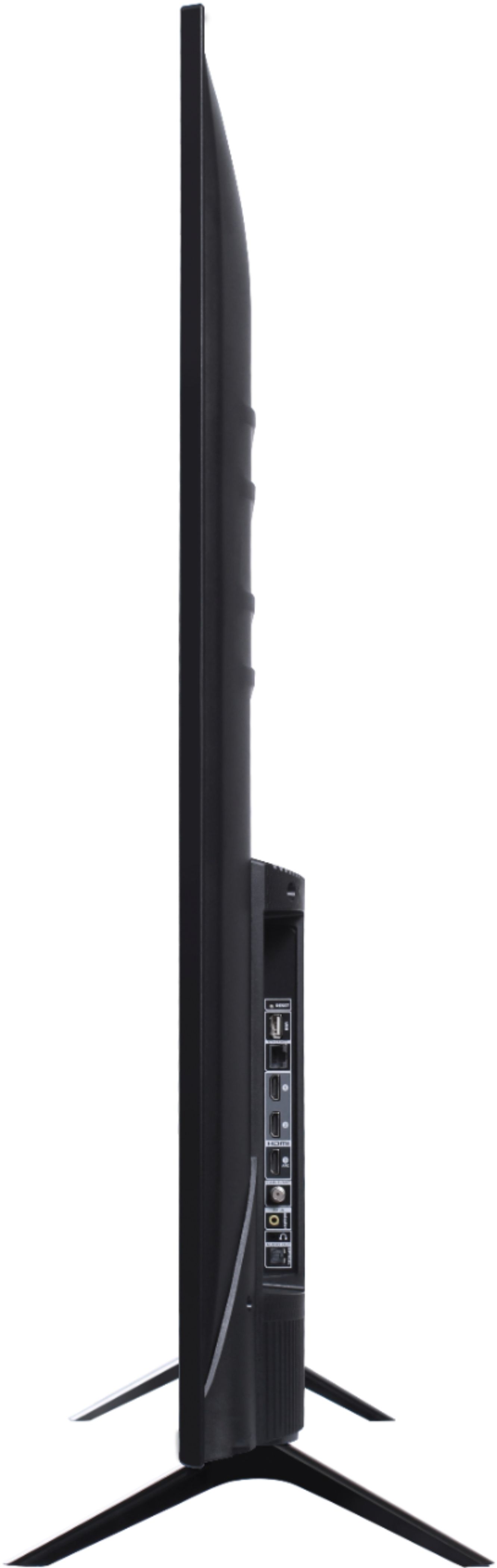
Q: QuestionIs it possible to adjust the feet to less than 42.3 inches? That’s too wide to fit on my stand.
Asked by Anonymous.
- A:Answer I don't believe the feet have more than one mounting position so, the answer is no.
Answered by Tfd71
Q: QuestionDoes this TV have preloaded or can I download the FUBO.TV app?
Asked by rcmedic.
- A:Answer You can go to www.Roku.com/whats-on to see what streaming channels and apps are offered through the Roku Channel Store. To search for a specific channel you would simply want to enter that information into the search section. Hope this helps! Thank you, TCL Customer Support
Answered by TCLExpert

Q: QuestionCan you hook up a VCR? Does it have components to hook up the VCR?
Asked by MikeMan.
- A:Answer Yes, you can hook up a VCR.
Answered by CommunityAnswer
Q: QuestionDoes TCL Series 4 work with Bluetooth headphones?
Asked by Marc.
- A:Answer Our TCL Roku TVs do not currently support Bluetooth. However, you can download the free Roku app on your smart phone or tablet to use voice search, voice control, and experience private listening. To enjoy private listening you simply click private listening in the app, and attach headphones to your smart phone or tablet. Or you can use the 3.5 mm headphone jack in the back of the TV to connect standard headphones. Hope this helps! Thank you, TCL Customer Support
Answered by TCLExpert

Q: QuestionI want to use a flash drive with this TV to display information, the screen won't change. Will the TV time out if there is no movement?
Asked by Sparky.
- A:Answer There are both screensaver and power settings you can change to best suit your needs. You can find screensaver settings by going to Home>Settings>Screensaver. Power settings can be found by going to Home>Settings>System>Power. Hope this helps! Thank you, TCL Customer Support
Answered by TCLExpert

Q: QuestionI want to use a flash drive to display information with this TV, my question is will the screen time out?
Asked by Sparky.
- A:Answer There are power saving settings in the TV that can be turned off. To access the power settings, you would go to Home>Settings>System>Power. Hope this helps! Thank you, TCL Customer Support
Answered by TCLExpert

Q: QuestionDoes this TV have audio output for separate speakers?
Asked by TVquestioner.
- A:Answer This TCL Roku TV is compatible with most soundbars and speakers and can be connected via HDMI ARC, Optical Audio Out, or the 3.5mm Headphone Jack. Hope this helps! Thank you, TCL Customer Support
Answered by TCLExpert

Q: QuestionDoes this TV come with a headphone jack on the remote like some of the roku remotes do? If not is there a Roku remote that i can buy separately that can control this tv and has a headphone jack ?
Asked by QUESTIONASKER.
- A:Answer This remote does not feature a headphone jack. The TCL Roku TVs are specifically designed to be used with the TCL Roku remote that comes with it. However, you can download the free Roku app on your smartphone or tablet to use with your TCL Roku TV. Through the Roku mobile app, you gain access to power toggle, volume toggle, private listening, voice search, and more. Hope this helps! Thank you, TCL Customer Support
Answered by TCLExpert

Most-viewed items
- $1,299.99$1,299.99The price was $2,999.99
- $149.00$149.00The price was $399.00
- $329.99$329.99The price was $469.99
- $599.99$599.99The price was $1,299.99
- $159.99$159.99The price was $179.99
- $249.99$249.99The price was $379.99
- $122.00$122.00The price was $129.99