Customer Ratings & Reviews









- Model:
- ADO951800F146
- SKU:
- 6366187
to a friend
Customers are saying
Customers appreciate the ease of use and powerful video editing capabilities of Photoshop Elements 2020 & Premiere Elements 2020. Many also highlight the software's extensive features and the creative possibilities it unlocks, while some users found the installation process challenging and noted a learning curve. The affordable price point is another frequently cited positive aspect.
This summary was generated by AI based on customer reviews.
- Pros mentioned:Ease of use
Great product for photographers.
||Posted . Owned for 1 month when reviewed.This reviewer received promo considerations or sweepstakes entry for writing a review.Been using photoshop for years. This new version is great for all levels of photographers to improve, enhance or modify your photos. Very easy to use.
I would recommend this to a friend - Pros mentioned:Ease of use, Video editing

A necessity for video and photo editors
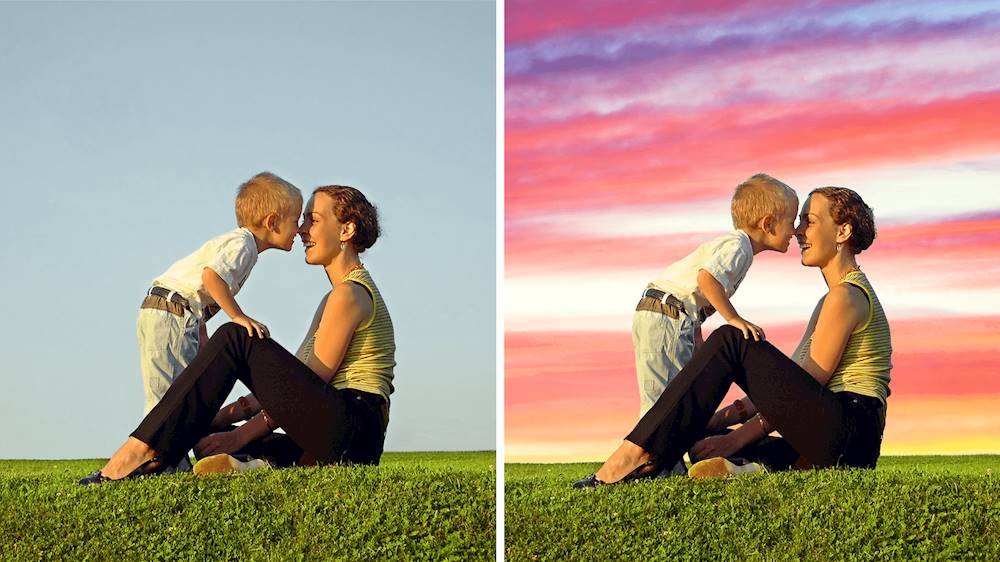
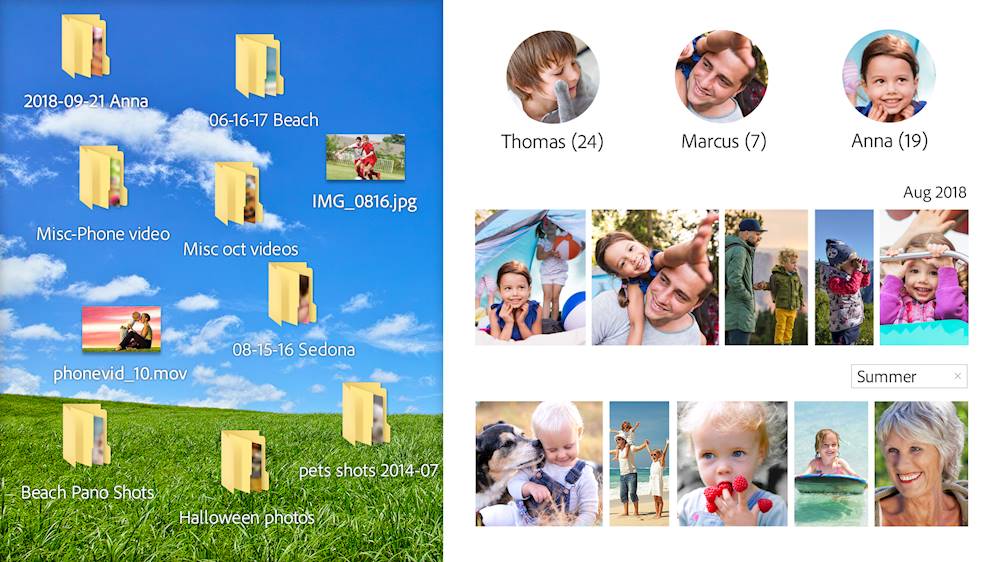
|Posted .This reviewer received promo considerations or sweepstakes entry for writing a review.Adobe Photoshop Elements 2020 Review Photoshop Elements 2020 is the newest edition of the flagship photo editing software by Adobe. Even though I’m not a graphic artist, I do create graphics on a daily or weekly basis for social media for my business, so I need the tools that do the job as efficiently as possible. Photoshop Elements 2020 is arguably the most powerful photo editing software on the market. You can color correct, remove/add and change backgrounds more intelligently than ever before. If you have a collection of black and white photos, you can automatically colorize them. You even get multiple color options to choose from. It doesn’t matter whether you’re a beginner or professional, this software gives you the ability to choose between easy and advanced modes, to make sure that everyone has a pleasant experience, editing their photos. Being able to automatically remove a subject from a background is wonderful, but it doesn’t always work smoothly with a busy background, but one day we’ll get there, I’m sure. The power of Photoshop is so limitless that you might want to consider taking a class or two to really benefit from this software. Of course, YouTube and the internet might be just as helpful. I also want to mention the Adobe Organizer that organizes all of your photos for you with tags, locations and facial recognition. I had 20,000 photos to analyze, which took a full work day to finish. I’m not looking forward to having to do that again. Overall, a great product, and it’s hard to recommend anything else for photo editing. Adobe Premiere Elements 2020 Review Premiere Elements 2020 is the newest edition of the flagship video editing software by Adobe. I’ve been a Final Cut user for a decade, but many of my video editor friends have jumped ship to Adobe Premiere. This is my first hands on experience with Premiere, so it’s interesting so see what the fuss is all about. My first impression is that Premiere has a clean interface with no clutter. If you’re a beginner, you can create quick little videos easily with templates and guides, and if you’re a seasoned veteran, you have every tool you need to edit a professional video, from start to finish. As a Final Cut user, I’m happy to see that adjusting in/outs are much easier in Premiere. This has become such a hassle in Final Cut, especially when you’re trying to sync multiple layers of videos. Premiere also has a collection of graphics you can use, even though I don’t see myself using them a whole lot. Overall, this is definitely the video editor you should start with. There might be a day that you need a program for specific purposes, but until then, Premiere should take care of all your video editing needs. By getting this bundle you even save $50, so this is a spectacular deal!
I would recommend this to a friend - Pros mentioned:Ease of use, Features, Performance
Powerful software, classic Photoshop quality
|Posted .This reviewer received promo considerations or sweepstakes entry for writing a review.I used to use Adobe Photoshop when I was younger. I have since lost touch with fixing photos and have moved onto making short videos on iMovie. I now have a powerful Adobe suite for both photos and video editing. Installation is a breeze, you are just installing software from the website then entering the product registration code. The first page that opens up is a nice helpful screen that lets you explore walk through guides and search for help on what you want to do. Very convenient. You then select which program you want to use and you launch it. The program launched pretty fast on my new gaming laptop and it runs very smooth. The first thing I played around with was Photoshop. I am already pretty familiar with this program so it was pretty much pick up and play for me. I tested most of the features and it did not disappoint. I decided to remove my kid's leg from a photo of my Walter. You can see it in my photo uploads. Hey, it was my first attempt after several years! I then launched the video editor and started to experiment with it. It is like iMovie on steroids. You actually get the feel you are professionally editing a movie. You can add special effects, create moving objects, and use many different audio samples. You can add your own audio file, which is not radically new, but still cool nonetheless. I just messed around with a quick video I took around my office and tried to use as many features as possible. I honestly don't even think I tapped the surface. I look forward to digging very deep into these features later. So far I am very impressed and think it is user friendly enough to pick up and put out quality videos. I will take some time to try and make an all out video that I will be happy to share with family and friends. I am also going to make a department video for my job that we are able to do every year.
I would recommend this to a friend Its not as easy to use
||Posted . Owned for 1 month when reviewed.This reviewer received promo considerations or sweepstakes entry for writing a review.Disappointing on how hard install and use was. I would of different choose if I knew. It's very limited but that it does have it's very nice
No, I would not recommend this to a friendLow-cost gateway drug to high-powered Adobe world
|Posted .This reviewer received promo considerations or sweepstakes entry for writing a review.I've been a long-time user of Adobe Photoshop, going all the way back to version 5.0. When I was in grad school (13 years ago now), I toyed around with creating my own custom spanning DVD case covers--I wasn't half bad for a while there, making shelf-friendly case art for my wife's Bible studies or turning my collections of Star Trek, James Bond, and X-Files DVDs into showcases of panoramic spanning images that could pass for factory-printed...from a few feet or more away. Still, time marches on and those skills started to atrophy--plus, I was only ever really good enough to be dangerous--I always had trouble with special effects filters, knowing when to apply a gaussian blur or utilizing a layer mask, knowing which direction to draw my paths to create subtle fades and transparencies...it was all very imposing, especially when I could picture the results I wanted in my head, but the labor and time and study and trail-and-error necessary to get there was quite substantial. It was fun for a while, just time consuming. More than a decade later, I still have some professional-level Adobe products lying around either at home or in the workplace; in fact, I have Photoshop CS6 installed on the same PC I later installed my copies of Photoshop and Premier Elements. But in truth, I really have no earthly idea what to do with all that power any more (or even a good idea of how to use most of it anymore), nor do I have the time or patience to dig back into the tutorials and then start agonizing over every darned pixel in my images to make my work look as perfect as possible within the limits of my meager skills. Here's the thing...I know you can get better photo and imaging results than with the pack-in software that comes with a throw-away inkjet printer or Black Friday special flatbed scanner because I've seen it before; but for those of us who are NOT print professionals or graphic artists, how do you get those results with lower effort and less time, especially if you lack the skills or experience to even know where to begin? Enter the Adobe Essentials family--a truly bargain basement priced software package (for what you get) that legitimately delivers about 85-95% of the functionality (basic and advanced) of Adobe's storied high-dollar Photoshop and Premier packages, but in a much more accessible and user-friendly package. And the irony is that you can leverage all that functionality utilizing an interface that is just about as newbie-friendly as those pack-in editors I mentioned earlier! I'll start with Photoshop Elements; its interface is divided into three main conceptual buckets: 1. The "Quick" bucket is a collection of graphical-buttons and sliders that gives the user an array of "common" photo editing, retouching, and fun, creative, or enhancing capabilities: - Adjustments: auto fix, color, brightness, lighting, sharpening, etc. - FX: turning color photos B&W, simulating pencil sketches, vintage coloring, etc. - Textures: simulating backgrounds of stone, weathered copper, cloth, starbursts, etc. - Frames: scrapbook-style round, rectangular and embellished frames 2. The "Guided" bucket is where most of the program lives. This is a HUGE collection of more than 50 advanced wizards for photo enhancing features. The Guided page starts you off with a brilliant set of mini-images, each with a slider to demonstrate the before-and-after that you'll be working towards under each guided wizard's path. Here's where you do things like retouch skin blemishes, fix photo flaws, add creative text backgrounds and cutouts, add watercolor and painting effects or motion blur simulations...the list really does go on and on. And talk about accessible--sure, you really CAN do all those same things, and a little more, with Adobe's higher-priced Photoshop platform, but if you weren't sure where to begin or how to get there, would you rather start with Elements on the left of the attached image below, or in that blank starting workspace of Photoshop CS6 is on the right? 3. The "Expert" bucket drops the wizards and the "what would you like to do today?" vibe for an in-your-face, all-access pass to every menu item, slider, and adjustment setting that anyone familiar with Photoshop should instantly recognize. In fact, other than the colorway and some more accessible iconography for some of the toolsets, the Expert interface in Elements features darned near all the same readouts, displays, menu selections, and options as those found in Photoshop proper. I imagine most beginners and non-professionals will spend their time in the Quick and Guided sections of Photoshop Elements--with relatively low overhead and effort, it's actually very quick and easy to create professional looking pictures as well as a multitude of creative and truly fun photo/imaging effects that will keep you as engaged or as in-and-out speedy as you want to be while working with your photos and digital imagery. But here's the cool thing: the "Guided" tab walks the user through the operations necessary to achieve the desired results, everything from object selection to brush size and more--so anyone brave enough to venture into the expert tab can always jump back over to a guided "mini refresher" on how to achieve a particular effect until they're proficient enough to simply grab the proper controls in the Expert interface and go to town. Photoshop Elements strikes me as the perfect software platform for scrap-bookers, budding photographers, photo and graphic design hobbyists, and other non-"prosumer" level image editors who want to rest easy in the comfort that they have the CAPABILITY in hand to, either now or eventually, achieve truly professional looking digital photos and other imaging products even if some of them may not yet posses the ABILITY to produce those same results on the screen...I think this program will definitely help them get there in the end! All that said, I have virtually no familiarity using Premier as I've never been much of a content creator--we don't have a YouTube channel or anything like that so our demand for a full-fledged video editor has been light. Still, Premier has been a part of my Creative Suite packages over the years so I'm at least familiar with what the "advanced" interface looked like and its essential functions in producing a video render. Fortunately, the same design philosophy Adobe applied to Photoshop Elements was used here in Premier Elements and the results feel pretty similar. Again, the user is treated to three very different conceptual starting blocks for their activities, each of which is kind of goal-based: 1. The Quick tab gives you the option to trim an existing video clip or combining photos and videos into a movie 2. The Guided tab presents more wizards for 23 different functions covering video and audio functions like color correction, transitions and fades, video filters, audio track mixing, time-lapse videos creation, video clip splicing, slow or fast-motion effects, etc. 3. The Expert tab interestingly gives you a timeline view of your project with slots for what looks like mixing three different video/audio tracks with a music and a vocal/narration track, but also a menu of additional options to create a templated movie (i.e. let's make a movie about your vacation, or your birthday party) or add motion titles to your project, with another link called "learn video editing" which actually brings the user back to some of the wizards on the Guided tab. In practice, the Premier Elements interface and step-by-step guided features for video creation allowed me to quickly trim some time off my daughter's cheer competition video, add a cool video title at the front and a fade the ending to cover up the rather abrupt spot at which I simply hit the stop button, and let me add a cool little glass pane effect near the end when the girls where doing their end-of-cheer pose. Was it fun and pretty easy to assemble--absolutely! Do I see myself becoming a budding videographer because of this experience--um, no, not really. But I could certainly see where someone looking to create some fun, engaging videos to share with friends or family could have a great time with the Premier Elements package, and probably even exercise enough precise control over the soundtrack, editing, and other aspects of the production to pull off some pretty professional-looking results for someone looking to be a content-creator on a budget. So how does this year's Elements stack up against last year's and is it worth the upgrade--I have absolutely no idea. But I can tell you that at least from my experience using Photoshop these past several years, Photoshop Elements is giving you just about everything you could possibly want from Adobe's far pricier program in a much more consumer/user-friendly package that actually makes working with digital images more fun than a chore; I would have to imagine that the story with Premier Elements is much the same. For the price you pay for all the horsepower under the hood, and for all the pains Adobe clearly took to ensure that their technologies and capabilities were more easily accessible to a larger audience, picking up this package is truly a no-brianer; DEFINITELY RECOMMENDED!
I would recommend this to a friendGood suite but not quite perfect
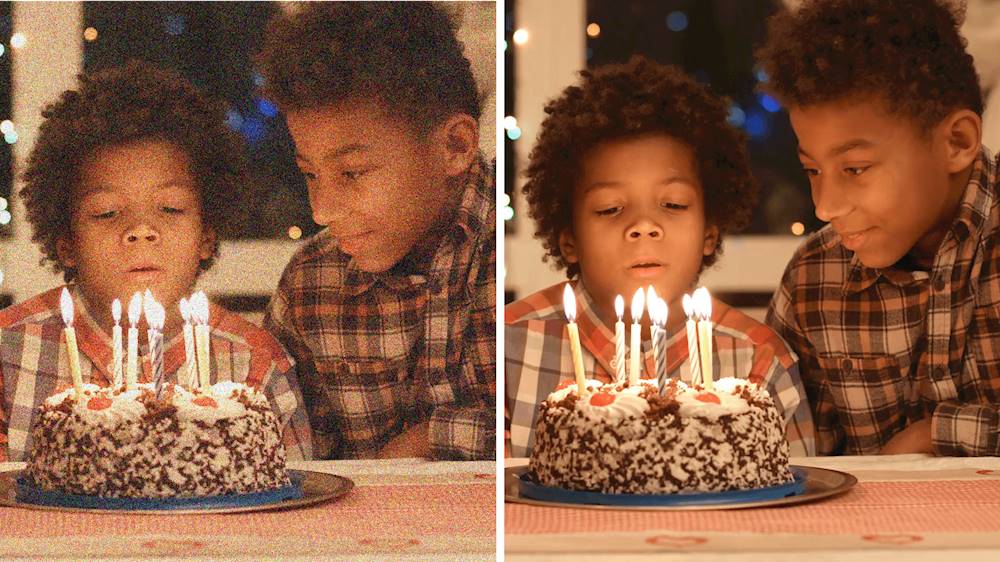
|Posted .This reviewer received promo considerations or sweepstakes entry for writing a review.Adobe’s latest consumer suite is here in one bundle for a discounted price for those who want to do both Photo and Video editing. Adobe is promising several new features for the hobbyist or digital scrapbooker, and in this review we’ll run through a few of them and see if they work as advertised. First, a bit of background, I’m not a professional photographer or content producer, but I have been editing videos and photos for years using software such as Lightroom and video editors from some other companies, so I know my way around exposure and editing suites. I have cameras beyond a cell phone to test a variety of photo types and video formats with this new Adobe Suite. My PC is a Core i7 9700 with 16gb RAM and a GTX 1080 and all solid state drives, it’s not a slow machine and we’ll see how the new suite performs as we dig through it. One thing that strikes as soon as you install one of the two products, either Photoshop Elements (PSE) or Premier Elements (PE) is that when starting either app you are presented with a launcher page with suggestions, tips, and guides on how to use the tools. This is a nice way to show new users (or returning users) how to get the most out of the new features in the suite. The only caveat here is that if you didn’t buy both products, you might see things that will be for PSE or PE and not for the product you own…another advantage of the bundle. First we’ll take a look at Photoshop Elements 2020. Adobe is claiming several new features, such as automatic subject selection that then allows for things like background replacement, adding depth of field blur, and other nifty effects. It also has a number of automatic and manually tunable corrections, along with effects and several filters. The guided modes are really useful for new users, and some of the automatic corrections actually do a really decent job. For example, in two clicks I took a picture that had a washed out bluish tone and made it have proper colors and much better clarity, just using the automatic levels and remove haze options. (Before and after attached to the review) Unfortunately, I found the automatic subject selection to be wildly inaccurate. This has always been the bane of photo editors and shows the one area that our human brains are still better than a machine – we can instantly tell what the subject of a photo is and where it ends, but the automatic tools here leave a lot to be desired. It frequently missed the mark and included areas well outside of the subject or would miss things like small gaps around arms, cut off ears, or the feathers of bird in flight against a monotone blue sky. Since this is a key feature that a lot of other effects need to work correctly, it brings down the entire suite that it doesn’t work very well. One area that this suite really shines and has been an Adobe feature for a long time is the ability to “photoshop” an image and remove blemishes or unwanted elements from a photo..or even entire people. The spot healing brush is here in its full power, just brush over something you don’t want and it will usually completely vanish. If there is something it has more trouble with, the clone stamp tool is also available to help copy other samples from your photo (such as grass, sky, or skin) over the area you want to make disappear, and it will be gone. This bundle also includes Premier Elements 2020, which is designed around video editing. The suite is pretty straightforward with some helpful guides and different modes for users of different skill levels. To really test it, I pulled out some really old, horribly grainy and underexposed video from over 10 years ago and let the auto enhancements and noise reduction go to work. They actually did a pretty good job of pulling up the details and reducing the grain and the end result was better than what was there before. I also tested it against modern 4k footage from a new camera and 2.7k 60fps footage from an action camera. Both resulted in clean and well produced video. Exporting is easy, with presets designed to match most of the desired output formats (4k, 1080p HD, etc)… But exporting is slow. Most of the rendering is software only, so while my CPU fan is cranked to full speed, my fancy GPU is sitting around doing nothing, which is sad. Some other effects, such as shake reduction, take an incredibly long time. Running shake reduction on a 2min 20 second 4k video at 30fps took over 40 minutes! The end result was kind of weird too, with almost wave like ripples in the video or sudden moments where it got very soft, even in parts of the video that weren’t shaky. Some other nifty features are the ability to reduce the fishbowl effect from action cameras and some powerful corrections for consumer software. It also has a good library of transitions for making those family montages to subject everyone to at Christmas. Overall, this is a very capable suite for most hobbyist home users. A couple of misses around the subject auto selection in Photoshop Elements and some very slow effect and rending times in Premier elements keep it from a perfect score, but for users looking to do more with their photos and videos than can be done on a smart phone, this bundle is a good value that will provide a lot of useful tools.
I would recommend this to a friend- Pros mentioned:Ease of use
Don't sleep on the Sensei - Adobe AI is amazing!
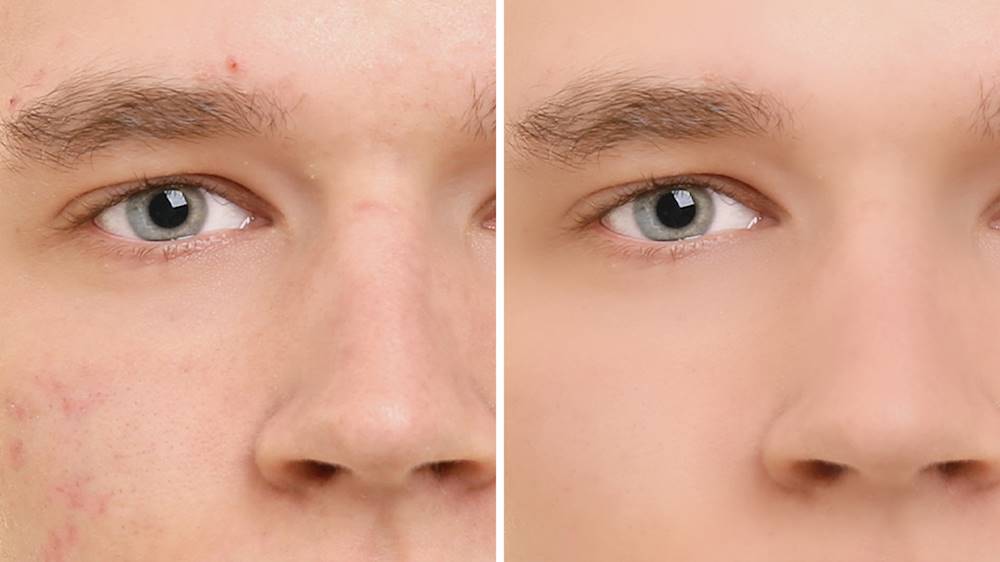
|Posted .This reviewer received promo considerations or sweepstakes entry for writing a review.New to Photoshop & Premier Elements in 2020 is Adobe Sensei AI technology - basically your inclination to be creative - or organized, is richly enhanced by simple to use, intuitive software from the masters of photo and video editing - A D O B E. Both Element versions include additional guided tutorials if you choose, or - simply type what you want to do and the application starts to work its magic. "What would you like to do today?" PS Elements offers 55 guided effects, while Premier offers 23. Try each of these! WOW. Auto creations in Photoshop are unreal too. If you thought the filters in original PS were powerful, you have to try these. They alone justify the additional cost beyond a Adobe Creative Cloud subscription if you ask me. Skin smoothing (especially for someone not-so-photogenic, like myself) is spectacular. If you are like me, where you enjoy photography, but the post-shoot work may inhibit you to get creative - tools like this, and more importantly how well it works, and how quickly - WOW. Elements is the number one way to benefit most from the extremely powerful Adobe software applications in Photoshop and Premier.
I would recommend this to a friend Gets the Job Done at a Reasonable Price
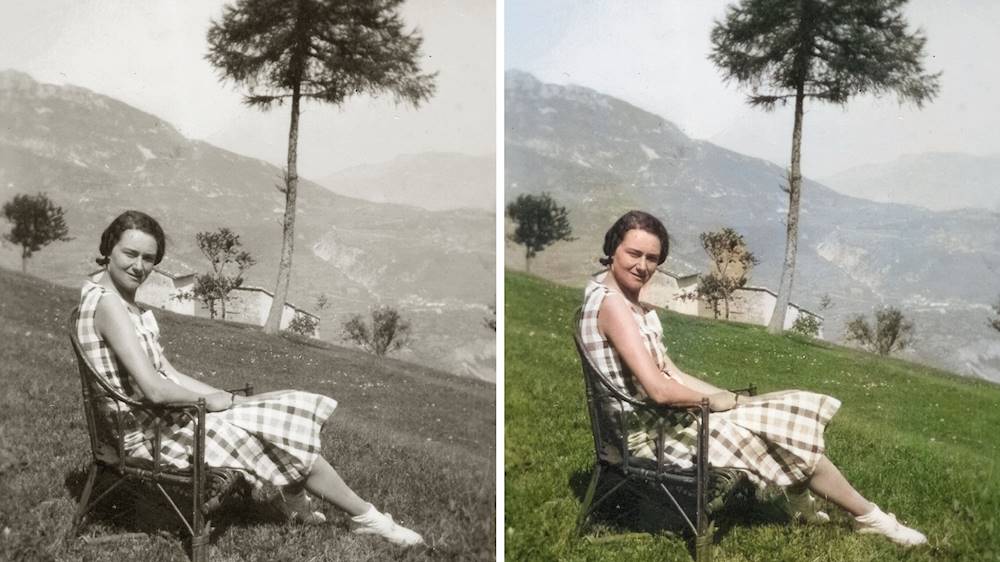
|Posted .This reviewer received promo considerations or sweepstakes entry for writing a review.Video and Photo Editing software can be difficult to use, and quite time-consuming to learn which makes it hard to evaluate. What works well for one person may not work for another, and while one feature might stand out, others may be lacking. Adobe's Photoshop Elements and Premier elements are geared toward the non-professional or novice user. In that respect, the user interface is easy to navigate. From the Home menu, there are may options for "guided" editing, using Adobe's Sensei technology which is Adobe's brand of AI. While it's a toned down version of their flagship software, it offers many advanced features. One-touch edits such as photo cleanup is available. You can see the attached photo with side-by-side before and after photos of cleaning up and old 60 year old photo of my parents (Unfortunately it's difficult to see the difference as it's displayed at such a small size here, but it's very noticeable at full size). The result was pretty satisfactory, especially given the little time to accomplish it. Both Photoshop and Premiere Elements offer a what they call "Guided edits" which takes you through the edit rather than simply doing it all at once, allowing you to actually learn what it going on. For example there is on that guides you through removing unwanted objects in a photo. There are also more advanced modes available as you get familiar with how to use the software. I tried colorizing the b&w photo using the guided edit, but I couldn't get the results I wanted -- or at least I couldn't figure it out yet. I was able to add color manually, however. The result is the last photo attached. It took about 30 minutes (mainly because I'm not familiar with the software) and I was pretty happy with the results. It definately added new life to a 60+ year photo. Like the Guided edit mode in Photoshop Elements, Premiere Elements takes a task-based approach. This means that you’re presented with a selection of jobs such as ‘Get started’, ‘Trim and split clips’, ‘Add transitions between clips’, ‘Add titles’, ‘Fix brightness, color and contrast’, and ‘Add an adjustment layer’. Video editing can be a very complicated process. I have been taking a lot of mountain biking videos the past year, and have been using Wondershare Filmora. Unfortunately I don't have as much time to spend on editing video as I would like, so I've been slow to learn. Still, I've had some excellent results. Working for a bit with Premiere Elements, I've found that while rendering if a bit faster, I still prefer Filmora. The most likely reason is that I've used it awhile and know to some extent what I need to do in order to get the results that I want. I'm also not a huge fan of "templated" video editing, however Premiere Elements does a good job of breaking it down. If you're new to video editing, the Guided edits are well done and easy to follow. Even though the controls are fairly easy to use, the software still provides some powerful features. Overall I was more impressed with Photoshop Premiere, but with some practice, I think I will definitely be able to create some first-rate videos.
I would recommend this to a friend- Pros mentioned:Video editing
Adobe Fan with Hesitations
|Posted .This reviewer received promo considerations or sweepstakes entry for writing a review.I’m an Adobe fan, have always been but this software still needs revamping. On my tablet I have a application that outdoes this on my computer. I really wanted to play with the features so here goes. The top feature is that the application remixes photos for me with added filters and tricks! It is intuitive but misses the mark on some pictures and messes them up entirely. I do like that the software has an algorithm which helps to organize photos. I take lots of pictures so that was quite helpful. My two qualms were loading time, because it can’t be my new laptop so something about the application delays it. I am also underwhelmed with the interface entirely as it stands. It is not pretty nor does it push the envelope for me enough. I mean I have the software but Adobe has done some beautiful tablet applications and that’s what I was hoping for here!
No, I would not recommend this to a friend - Pros mentioned:Ease of use, Video editing
Easy to use, does about everything you need
||Posted . Owned for 1 month when reviewed.This reviewer received promo considerations or sweepstakes entry for writing a review.I have used Photoshop Elements in the past and didn't think it was necessary to keep buying new editions. I bought the 2020 edition and have no regrets. It is much more advanced then the older versions. A friend of mine took his family on a vacation and borrowed one of my small point and shoot cameras to use. They were disappointed in the outcome of their shots, but they lacked experience. I fixed about a hundred of their photos using PSE. I was able to give them good photos which had before been worthless.
I would recommend this to a friend - Pros mentioned:Ease of use
Powerful and Easy to Use
||Posted . Owned for 3 weeks when reviewed.This reviewer received promo considerations or sweepstakes entry for writing a review.I'm annoyed at Adobe as I write this. I only bought this product because they no longer support my Adobe Lightroom 5 and I refuse to buy in on their over-priced subscription service. My older Lightroom won't open RAW images from my latest camera...not sure why so I bought this instead. Despite my annoyance with Adobe's business model, I acknowledge that their products are quite good, thus the 5 star rating here. Interestingly, I've barely used the Photoshop Elements. It's functional but not as easy to use or as powerful as my older Lightroom, in my opinion. Fortunately, I discovered early on that I can pull the RAW images into Photoshop, save them in Adobe's proprietary RAW format and then my old Lightroom recognizes them just fine so I'm still mostly using Lightroom for editing. However, I did use Photoshop enough to say that it is quite good and, if I didn't already have Lightroom, I would be perfectly happy with Photoshop. I've played a little bit with the video editor. It was surprisingly powerful and very easy to use. I did quite a bit of video editing ~15-20 years ago and very little since. Needless to say, things have gotten better and the Premiere Elements video editor is fast and easy without the glitchiness I remember from all the editors I used in the past.
I would recommend this to a friend - Pros mentioned:Ease of use, Video editing
Easy to Use
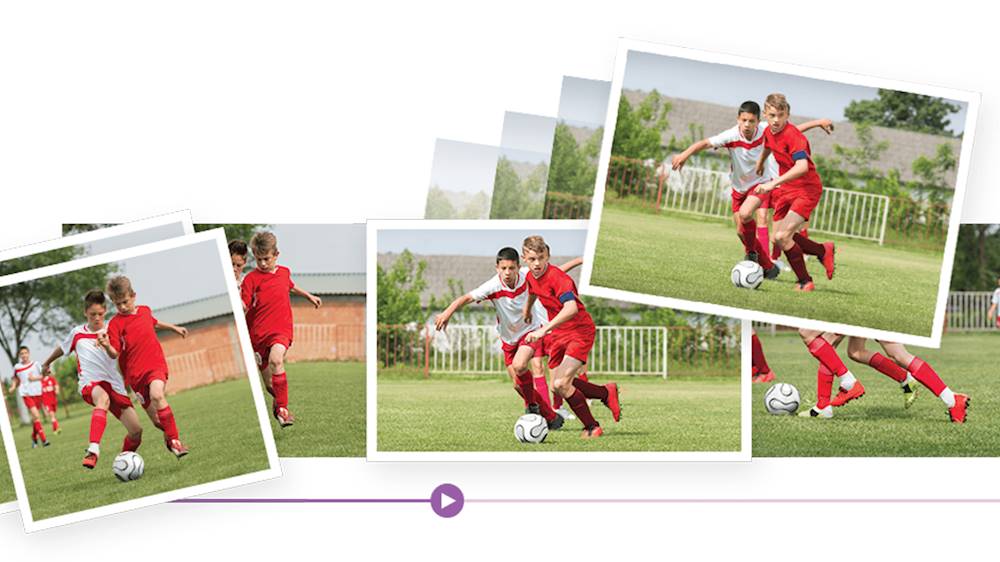
||Posted . Owned for 3 weeks when reviewed.This reviewer received promo considerations or sweepstakes entry for writing a review.I love both Adobe Photoshop & Premiere Elements. Both are very easy to use with a lot of pro features. e.g., Premiere Elements can edit multi-track video & audio simultaneously. With multiple tracks, I can sync-up and edit multiple video cameras down to the frame level so the sound will come out perfectly. I highly recommend both Photoshop & Premiere Elements for both beginners and professional for quick and easy creative editing of their content.
I would recommend this to a friend - Pros mentioned:Ease of use, Video editing
Photoshop alternative...!
||Posted . Owned for 1 month when reviewed.This reviewer received promo considerations or sweepstakes entry for writing a review.Adobe Photoshop is for professionals - Elements provides similar functions for novice users that do not want to go through the hassle of learning a complex piece of software. Same goes for Premier. There was a promotion during New Years and I bought it a great price below $100. Get it and you’ll be satisfied for photo and video manipulation and creation tasks. Thanks BB for another great product...!
I would recommend this to a friend - Pros mentioned:Ease of use, Video editing
Upgrade for Photoshop
||Posted . Owned for 3 weeks when reviewed.This reviewer received promo considerations or sweepstakes entry for writing a review.A Christmas gift for my husband but he couldn"t wait to open so he installed it as soon as we came home with it! He's very happy with it, says it's better than the previous edition. He loves to play around and make videos of various trip pictures. Says adding special effects is fairly easy too. He's also very happy that photoshop is still available on a CD.
I would recommend this to a friend - Pros mentioned:Ease of use, Features
Great software
||Posted . Owned for 11 months when reviewed.This reviewer received promo considerations or sweepstakes entry for writing a review.I just use this for personal use. I am not a professional photographer. It is very user friendly. It has a lot of preset features and edits. So it is easy for anyone at any skill level to use. I highly recommend it. There is beginning editing, intermediate and professional editing areas to help guide you through the program.
I would recommend this to a friend - Pros mentioned:Ease of useCons mentioned:Installation
Great editing programs
||Posted . Owned for 1 week when reviewed.This reviewer received promo considerations or sweepstakes entry for writing a review.I love the editing programs, I find it very easy to use and the quick fix makes editing easier. I did have a little trouble installing the program, the serial number was not listed on the sleeve and had to use reference number to find serial number, still not a big issue, could have just been user error. I am very satisfied with both programs.
I would recommend this to a friend - Pros mentioned:Video editing
Overall, it does what it says.
||Posted . Owned for 1 month when reviewed.This reviewer received promo considerations or sweepstakes entry for writing a review.I’ve only used the photo side of the software. I’ve used the organizer and have all my pictures organized by people, locations and dates. Life is so much easier being organized. The photography software has been used pretty good! I have had older versions and didn’t really use it as I just didn’t understand how to use it. There aren’t any real instructions with it but it does have help feature. What worked best for me was online tutorials (YouTube). I found one that made sense and now I’m taking the ball and running with it! The cons... you need a fast computer to handle it, my computer is somewhat cheap and older. This does slow me down slightly but I can work with it for now. I liked going the premier route rather than pay for the monthly service. I just don’t take enough pictures to need a monthly subscription. In closing, get it and be patient and keep trying. It does get easier and I’m happy with my pictures.
I would recommend this to a friend - Pros mentioned:Ease of use
Second purchase for this software
||Posted . Owned for 1 month when reviewed.This reviewer received promo considerations or sweepstakes entry for writing a review.This was my second purchase of the same software due to the first purchase done in Louisville, KY, was empty. I, of course, didn’t even try to activate the software for several weeks because I had ordered a Microsoft Surface and waited to receive that and was in the area on a work assignment, so did not always have a stable wifi connection. Any hoo, come to find out, I was caught in a loophole of not getting assistance from Adobe because I had purchased through a vendor, such as Best Buy and Best Buy couldn’t help because I was outside of the allowable purchase window. I did purchase a second copy and installed without incident after purchasing from Amarillo, TX Best Buy. It was a hard lesson learned on my part, but love the Photoshop Elements offered because this is cheaper than Photoshop itself and allows me the tools that I’d use regularly on photos.
I would recommend this to a friend - Pros mentioned:Ease of use, Price
Great program
||Posted . Owned for 1 month when reviewed.This reviewer received promo considerations or sweepstakes entry for writing a review.Easy to use. Can quickly add photos and videos to edit. Add music and texts. Great price when on sale. I imagine there are more expensive programs with more possibilities but this program meets my needs. Recommend.
I would recommend this to a friend - Pros mentioned:Ease of use
Like our Adobe
||Posted . Owned for 1 month when reviewed.This reviewer received promo considerations or sweepstakes entry for writing a review.Have used the Adobe Photoshop products for 20 years. I keep coming back for the quality and ease of use. This year the install was probably the worst ever. I ran into several "missing file" errors that really was a Windows problem but it took a couple hours of fixing to get the program running. I would hope Adobe would provide an easier solution for this but I could not find one. Finally, after install the program is working and I imported all my files over the previous years.
I would recommend this to a friend