Customer Ratings & Reviews









- Model:
- ADO951800F146
- SKU:
- 6366187
to a friend
Customers are saying
Customers appreciate the ease of use and powerful video editing capabilities of Photoshop Elements 2020 & Premiere Elements 2020. Many also highlight the software's extensive features and the creative possibilities it unlocks, while some users found the installation process challenging and noted a learning curve. The affordable price point is another frequently cited positive aspect.
This summary was generated by AI based on customer reviews.
Old versions were better
||Posted .This reviewer received promo considerations or sweepstakes entry for writing a review.Very annoyed that premiere elements 2020 does not support burning high def or Blu-ray DVD's. This is my fourth version ( 2,7,10, 2020 )
No, I would not recommend this to a friendPhotoshop Activation issue
||Posted . Owned for 1 month when reviewed.This reviewer received promo considerations or sweepstakes entry for writing a review.The purchase went smoothly & the sales rep was helpful. However, when I tried to activate my program, I got a message that the code is not active. I tried to return the program and was informed that programs cannot be returned and that the code looks to be active. I have a program that will not work. Very unhappy.
No, I would not recommend this to a friendnot for beginners
||Posted . Owned for 3 weeks when reviewed.This reviewer received promo considerations or sweepstakes entry for writing a review.I don't think it's for beginners. I had to look at YouTube how to videos to understand how things work. maybe it's just me.
No, I would not recommend this to a friend- Pros mentioned:Ease of use

Awesome editing tools for beginners
|Posted .This reviewer received promo considerations or sweepstakes entry for writing a review.I haven’t been editing photos and videos seriously since I graduated from college. Recently I got myself a GoPro and have been looking for something easy to start editing videos again. My wife on the other hand has been photo editing for quite some time. So it was an easy decision to get the Adobe Photoshop and Premiere Elements combo package, since the price is quite affordable, while getting some of the magic of Photoshop and Premiere with minimal effort. The Elements edition are lighter edition of the full package, and for beginners it is absolutely perfect. Both Photoshop and Premier has a similar uncluttered interface. There are basically three modes: Quick, Guided and Expert. As the name suggests, Quick mode takes out all the work of editing photos or videos. For Photoshop it boils down to selecting an image and try out some filters to enhance it. There are some basic tools to straighten, crop, do some minor cloning. For Premiere, it basically lets you combine/trim videos to make a single movie file. The smart trim feature can find the interesting bits and pieces for you, but I had mixed results with it - but they can be a good starting point to get rid of boring parts of the video, and then you can work your way up to include the portions it has missed. It is a great timesaver if you just want to share something quickly. Next is the guided mode, which is a more involved, and is a nice way to start some actual photo/video editing. In Photoshop Elements it has more preset options, and lets you do comparatively advanced stuff. Merging several shots, changing the exposure, and creating good monochrome outputs are some of the things you can do. It has helpful guidelines/instructions to follow, so you get some more insight on what the tools are. Same thing applies for Premiere Elements: it has a more task-based structure, so you get more involved in fixing brightness, trimming different portions, adding some transition effects and texts. They are nicely grouped and quite intuitive. This is where I think most beginners should spend time to get the hang of things. Finally you have the Expert Mode, though hardcore Photoshop users may not pleased the available tools. Still, it offers even more tools to work with, and gives much more control on all the aspects of the edit. It still offers a ton of help. A lot of them are cross-linked to the Guided Mode, so you can get back to comfortable territory if you’re feeling inundated. All in all, Adobe Elements offer a very good package to dip your toes into the rich world of photo and video editing. I have tried a bunch of lightweight video editing tools in the recent past, and though some of them offer a lot more tools to work with, and even cheaper, they lack the level of easiness and help that Elements offers. A lot of times the hurdle of learning these tools turn off people in a short time, but Elements offers a level of simplicity that elicits confidence. If you want to start photo/video editing, you should definitely give it a go. There’s also a trial version available which is great.
I would recommend this to a friend - Pros mentioned:Ease of use, Features, Price
Huge
|Posted .This reviewer received promo considerations or sweepstakes entry for writing a review.Affordable. Easy. You can’t go wrong. There are many photo and video editing tools out there but I really like using Adobe. It just makes you feel like you’re in control. I haven’t began to reach the boundaries of this software yet because of so many features available. I’ve used it to make presentations for church, making memes for fun, and even letting my kids play around with photos. I haven’t been able to test the movie portion yet but I’m betting it isn’t difficult. I normally use Google photos and iPhone photos app for organization but I just may start using this. I will update this review as I continue to explore.
I would recommend this to a friend Has software issues - Doesn't perform all feature
||Posted .This reviewer received promo considerations or sweepstakes entry for writing a review.This software has issues. It does not perform all the functions that it should. But the functions that it does perform is user friendly. Also the program tends to auto close from time to time. We had it checked out and it is not our hardware it is the software for sure.
No, I would not recommend this to a friendBest in class photo and video tools
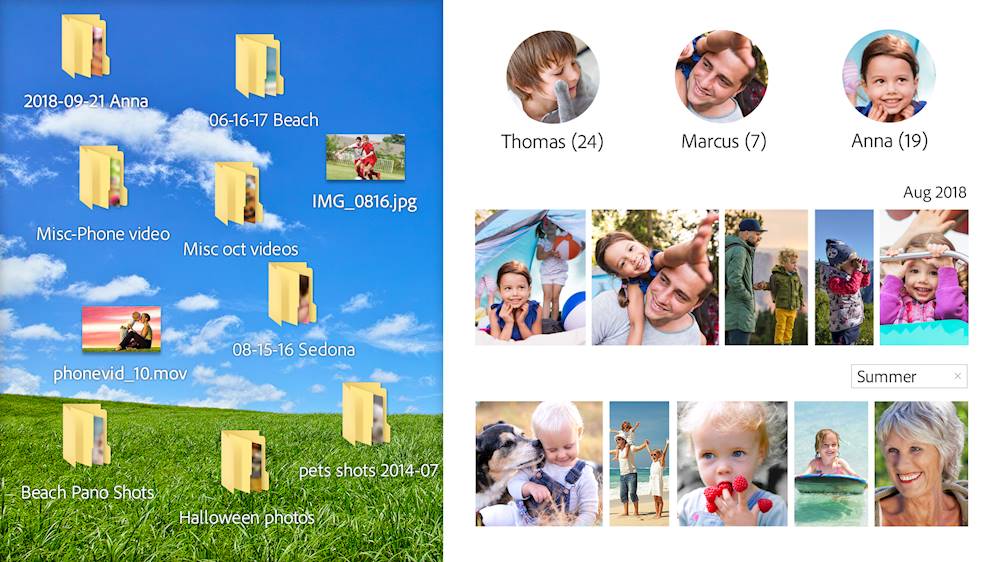
|Posted .This reviewer received promo considerations or sweepstakes entry for writing a review.Adobe Photoshop and Premiere are industry leaders when it comes to photo and video editing. Photoshop Element 2020 and Premiere Elements 2020 are the latest versions designed for use by everyone from the novice to professional user. They are built on the same base code as their full blown cousins but at a small fraction of the price. Adobe uses a common interface to organize your photos and videos for use in these apps. It’s call Organizer. It allows you to sort and search your media files by keywords and tags. You can organize your media files then select which of the two applications you want to open. When you open a file in Photoshop Elements 2020 you are presented with 3 tabs; “Quick”, “Guided” and “Expert”. Each mode is progressively more advanced than the previous. In “Quick” mode you are presented with all of the basic functions of the app. This mode is easiest to use and has a short learning curve. “Guided” mode presents with more complex functions and steps you through the processes one step at a time. It’s a great way to learn some of the more advanced features of the application. “Expert” mode as you would probably guess, is more advanced and allows the user to use the full functionality of the application. Photoshop Elements utilizes the Adobe Sensei AI. This AI makes intelligent decisions on applying auto effects and creating collages. It uses machine learning to accelerate tasks and workflow, helping you make informed decisions and better target your market. Premiere Elements 2020 uses a very similar interface and utilizes the same 3 tabs as Photoshop Elements 2020. The tabs work the same way as they do in Photoshop Elements 2020. It’s very easy to use and create your videos regardless of your experience level. I do find that the “Auto Creations” are sometime interesting, but it would be nice to have a simple way to turn the feature off, since it can become a bit of a resource hog. With the latest versions of these apps, Adobe continues to provide users with the best interface and most functionality for these types of apps. You can’t go wrong with either of them.
I would recommend this to a friendIt good for beginners, but a little complicated
||Posted . Owned for 3 weeks when reviewed.This reviewer received promo considerations or sweepstakes entry for writing a review.Its good to start.. but its i little complicated to use it
I would recommend this to a friendMeh...
||Posted .This reviewer received promo considerations or sweepstakes entry for writing a review.I love some of the Adobe applications, but this bundle is trash... I thought I'd get more useful apps but I am disappointed in what this particular bundle has to offer. Premiere Rush was one of the apps that were included in this bundle and it is the best thing this bundle has to offer (if you're only planning on editing quick cellphone videos to post on social media)... I made this purchase HOPING to receive Premiere Pro (for extreme/professional video editing), but unfortunately it wasnt included. Photoshopped was another app I was hoping to receive, and again - nope! I can go on about why NOT TO BUY this bundle but... Meh...
No, I would not recommend this to a friend- Pros mentioned:Ease of use, Video editing
Adobe does it again! Fresh & Fun photo editing
|Posted .This reviewer received promo considerations or sweepstakes entry for writing a review.To start off i'm coming from using the full version of Photoshop CS5.1 and Lightroom 3.6 where there were tons of drop down lists to select the tools you wanted to use. One of the biggest and best things about these new suites is that instead of the text selections there's actual pictures and tiles to show exactly what each selection does before you get started. It makes the projects so much easier and user friendly. You don't need to take a college course on how to use these haha. They're also integrated to use with your social media accounts with ease for sharing your projects with friends and loved ones. It has guided tutorials to direct you on exactly how to manipulate and edit pictures. Once you go into photo editor it's more like a watered down version of Full Photoshop. Allowing you quick tools and basic editing processes. There's 3 different options at the top, Quick, Guided, and Expert. When picking Guided it also gives you another 6 distinct selections to edit and manipulate your photos. Guided is the selection with the visual tiles to show exactly what you're pictures will look like and what your selection will do. These are great for someone who wants to take and effort to make their pictures look great, wonderful for scrapbooking, family trees, and a multitude of other things. It's like full Photoshop "light" I'd highly recommend to others
I would recommend this to a friend Upgrade Money Trap
||Posted . Owned for 10 months when reviewed.This reviewer received promo considerations or sweepstakes entry for writing a review.I purchased this last year for use with a professional camera. I was able to use it for about a month and a message comes up telling me my computer is incompatible with this software and I would have to repurchase to upgrade. Called Adobe and they said I could downgrade my OS or pay again to be able to use it. What?!? So, this is my first experience with Adobe software and I feel buying it was a set up to just have to pay 100+ each year for an upgrade. That is dishonest and unfair. I’ll look into other options for sure.
No, I would not recommend this to a friend- Cons mentioned:Compatibility
Would not load
||Posted . Owned for 3 weeks when reviewed.This reviewer received promo considerations or sweepstakes entry for writing a review.Try to load it on my new dell XP’s and would not load. Spent hours with dell and Adobe still no luck.
No, I would not recommend this to a friend - Pros mentioned:Ease of use, Performance
Adobe just gets better each year
|Posted .This reviewer received promo considerations or sweepstakes entry for writing a review.I got this for my wife to use so she can enhance and edit pictures that she takes not only for her personal business but also of our kids. Installing it was a bit of a pain but she was finally able to get both of the apps installed on her computer and since getting them installed she's been very happy so far. One thing she liked was the guided features that kind of walk you through what you trying to do and help you enhance your pictures in an even easier way than previous versions. These new features that help give your pictures a more professional level of detail are made really easy in this version of the software. With the little bit of time she's used it so far she's very happy in comparison to previous versions of Adobe Photoshop and Elements that she has used in prior years. Overall it is a very powerful editing app for novices all the way up to professional graphic designers and I wouldn't expect anything less from Adobe.
I would recommend this to a friend - Cons mentioned:Compatibility
Purchase the 2021 not this one
||Posted .This reviewer received promo considerations or sweepstakes entry for writing a review.worthless if your Mac upgraded to Big Sur. Adobe has not been helpful at all
No, I would not recommend this to a friend - Pros mentioned:Video editingCons mentioned:Installation
USEFUL PHOTO EDITOR
|Posted .This reviewer received promo considerations or sweepstakes entry for writing a review.I found that the Adobe Photoshop Elements 2020 software was very useful for enhancing photos that I had taken. The software was very easy to use and intuitive. The enhanced photos were amazing. The product had lots of options and I tried nearly all of them. I will definitely use this product frequently! My only issue was the downloading and installation of the product. I had to download 3 times in order to get a clean product that would install. Then during installation, the install dialog box was so big that I could see the buttons at the bottom. I had to attempt installation multiple times before it was actually successful. Once installed and activated, Photoshop was really terrific! Definitely a BIG HIT with me! I didn't use the Premiere Elements 2020 because it was primarily for video editing which I never do.
I would recommend this to a friend No subcriptions, no expiration. Does not work now!
||Posted .This reviewer received promo considerations or sweepstakes entry for writing a review.It says that it is not a subscription. However. I am just downloading this software now because I have been busy since I received it. It does not say it expired, it just says it's no longer available/active and I am not able to redeem the code to download! Waste of about $80! unless they could fix this and I can still edit my personal photos/videos!
No, I would not recommend this to a friend- Pros mentioned:Ease of use
Don't Expect Too Much & It Won't Let You Down
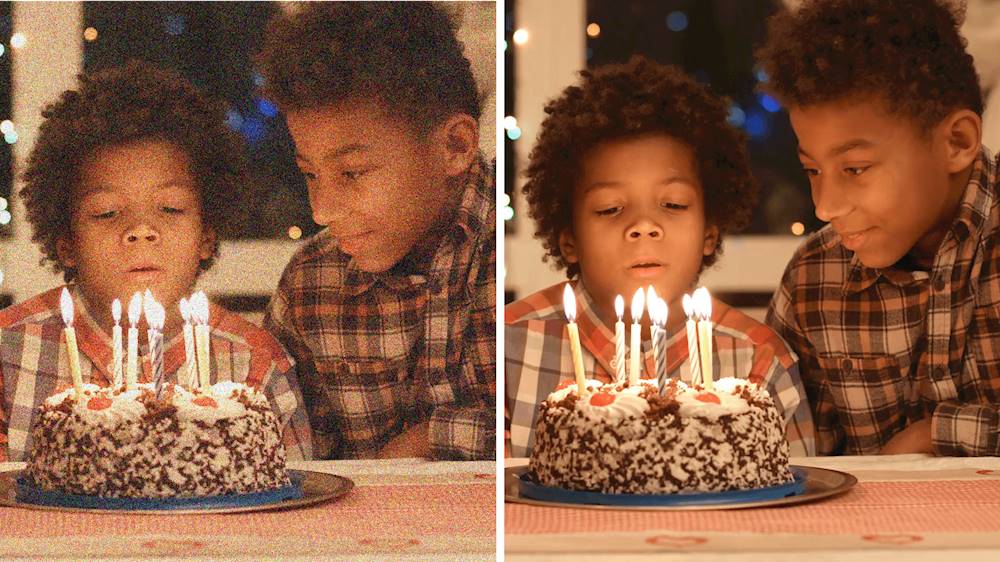
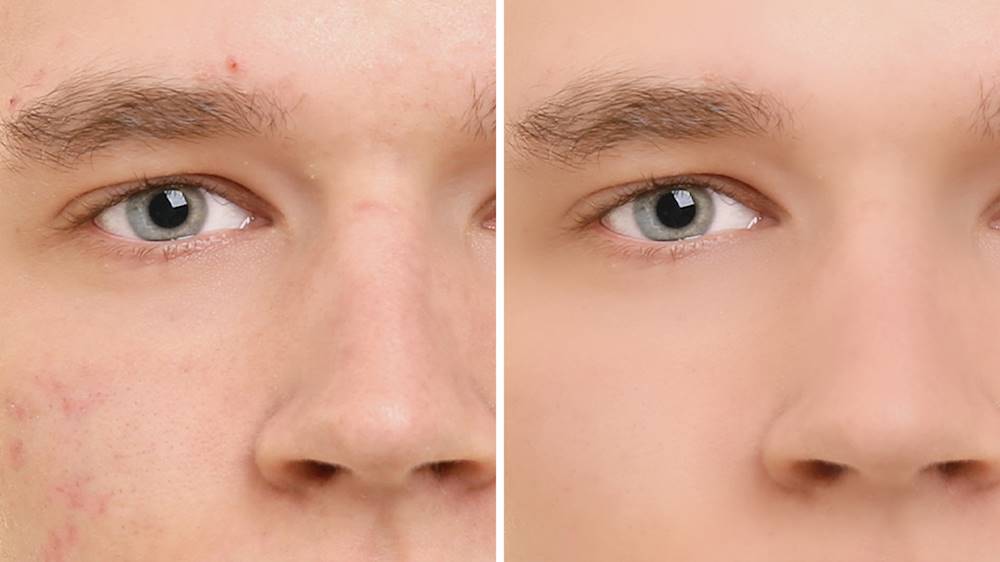
|Posted .This reviewer received promo considerations or sweepstakes entry for writing a review.THE GOOD -MUCH cheaper than full Adobe CC -No subscription required -Includes most the key functionality of full-version Photoshop and Premiere -Guides, wizards, and walk-throughs for people just learning THE BAD -Doesn't do a whole lot more than other cheaper or free alternatives -Some limited tools by design -Limited GPU acceleration -Slow to launch THE DETAILS If you've ever used the full Adobe suite before, maybe a work or discounted student license, it's hard to adapt to other software. For those people that want more capability in editing their pictures or videos than built-in apps on Windows or MacOS, Adobe offers the much cheaper Elements version. The good news here is that a lot of the functionality from the full versions remains. Most of the tools in Photoshop remain the same, level and contrast adjustment layers are still there, layer masks are useful as ever, and a lot of the filter effects are still available. Elements even supports drawing tablets. Understandably, Adobe has removed some features and functionality to differentiate Elements from Creative Cloud. Photoshop Elements brush tool has an airbrush mode, but you can't control flow level. The burn and dodge tools are also gone. Premiere Elements final render doesn't have near the control or customization. And neither support any hardware GPU acceleration beyond basic Intel QuickSync. The UI has also been redesigned to be more beginner friendly, which is somewhat annoying to power users used to full Adobe CC. So the question is whether this is worth the $150-ish price tag. For professionals and prosumers, no, it's not powerful enough to replace a normal Adobe CC license. And the average person wanting to touch-up their cell phone photos and videos can usually get by with various free software out there, like GIMP. Other free software, like Handbrake, Blender, and FFMPEG are far more powerful and flexible than Premiere Elements and they're free to boot. However they're not nearly as easy for beginning users to learn. If you just want to edit and crop your cell pictures and videos a bit, chances are the built-in apps on your phone and computer are more than adequate. But if you want to be a serious dabbler and plan to do some moderate editing and creating and are willing to pay for some good tutorials and guided wizards, Elements can serve pretty well, even if it is a little more than you want to pay.
I would recommend this to a friend Adobe !
||Posted . Owned for 1 year when reviewed.This reviewer received promo considerations or sweepstakes entry for writing a review.Never got the swing of using this software. Gotta blame the user. Bad was no instructions
No, I would not recommend this to a friendNot worth it
||Posted . Owned for 3 months when reviewed.This reviewer received promo considerations or sweepstakes entry for writing a review.I've tried to give it the benefit of the doubt. But it has less features than some better FREE software out there. Premier is barely better than windows movie maker, and Photoshop can be outdone by free chrome websites like pixlr. Just disappointing for the price. Either use free software or get the Adobe Creative Cloud.
No, I would not recommend this to a friend- Pros mentioned:Ease of use
The Winner and STILL Champ ....
|Posted .This reviewer received promo considerations or sweepstakes entry for writing a review.Adobe Photoshop Elements 2020 & Premiere Elements 2020 has been the hands down winner of digital editing since pretty much the advent of digital photography. The reason is simple. The package is a wonderland of creativity whose only limits are that of the user. Whether it's simple touchups or color correction or a full blown artistic adventure Adobe Photoshop Elements 2020 & Premiere Elements 2020 does not disappoint. Take your time, watch some of the lessons and be patient. You will be rewarded if you do. Adobe can be a little overwhelming because it allows so much creative freedom. Will you be able to the next Avedon or Annie Leibovitz? I dunno, with Photoshop 2020 anything is possible. Cheers!
I would recommend this to a friend