Customer Ratings & Reviews









- Model:
- ADO951800F146
- SKU:
- 6366187
to a friend
Customers are saying
Customers appreciate the ease of use and powerful video editing capabilities of Photoshop Elements 2020 & Premiere Elements 2020. Many also highlight the software's extensive features and the creative possibilities it unlocks, while some users found the installation process challenging and noted a learning curve. The affordable price point is another frequently cited positive aspect.
This summary was generated by AI based on customer reviews.
- Pros mentioned:Ease of use, Video editing

Edit those photos and videos like a pro
|Posted .This reviewer received promo considerations or sweepstakes entry for writing a review.I was impressed with the ability that this software offers to customize and touch up your photos and videos. It's jam packed with features to help you get that right look to your photos. At first it can seem overwhelming for a novice, but it's easy to learn and play around with. For the expert level user, you'll easily pick right up where you know how to navigate through and add or delete effects to your photos. Tune in to exactly what you want your already well taken photo to be. Add effects, take out objects, adjust lighting, and just about everything else. Great software to enhance and beautify your media.
I would recommend this to a friend NOT HAPPY
||Posted . Owned for 1 month when reviewed.This reviewer received promo considerations or sweepstakes entry for writing a review.This software is not user friendly. NOT HAPPY and would like to return for something better. This was a purchase over $3000.00 The Mac I bought was amazing but the extra software that was suggested by your staff is not up to standards and I'm upset as I will most likely never use and have to purchase something else
No, I would not recommend this to a friendwrong advertising
||Posted . Owned for 3 weeks when reviewed.This reviewer received promo considerations or sweepstakes entry for writing a review.I search for Adobe Photoshop for my MAC and ordered online. When I picked it up, it was a dvd, even tho it clearly states Mac/Windows. My MAC doesn't have a DVD player, and I couldn't return it because its software, even tho I never took it out of the package. Complete waste of money
No, I would not recommend this to a friend- Pros mentioned:Ease of use, Video editing
Great product for all users!
|Posted .This reviewer received promo considerations or sweepstakes entry for writing a review.This is truly a great program for those who don’t need the technical aspects of Photoshop or other heavy hitting editing programs. Elements is Photoshop Lite, but it’s in no way an inferior product. I’m able to quickly edit pictures and go about my day, as well as edit videos to post online. Having images be automatically tagged has also made my workflow more efficient as I can easily find a specific photo in a big group. Being able to order prints right from Elements is also beneficial as I don’t need to go through the hassle of uploading them to another website and possibly losing resolution.
I would recommend this to a friend - Pros mentioned:Ease of use
Very nice upgrade
|Posted .This reviewer received promo considerations or sweepstakes entry for writing a review.Photoshop has always been scary to get into for novice creators, but this has made everything very easy to manage. The interface is user-friendly and the detail is spot-on accurate. Makes touching up photos a breeze. Elements has a quality that has outmatched other video editing software. With the same interface as Photoshop, it makes it easier for a beginner to not feel so intimidated to start editing. Definitely worth the buy!
I would recommend this to a friend - Pros mentioned:Ease of use
Adobe, simple but effective
|Posted .This reviewer received promo considerations or sweepstakes entry for writing a review.I used to toy around in photoshop for fun on my friends computer but never really got into it enough to buy. I don't shoot with a professional grade camera, but I do take photos and videos of the kids while out and about. This combo pack was a nice little offer as you get the software to modify both video and image files for a reasonable cost. Installing you download the software from the webpage and enter your provided license, once completed you can launch either application to be greeted by a sorta welcome page that you can choose to work on either a photo or video. I do welcome the Elements edition as for a beginner getting back into it, the layout is very minimal while all of your photo editing tools are on the left hand side of the screen. As mentioned before, the software is minimal but very capable for home use. The Premiere elements is more of my first dabble into a more legitimate software, I've used basic freeware but nothing to this caliber. I jumped in and opened a video I had on hand, toyed with settings a little but just to get a feel for the software. My sons birthday is coming up and I am planning to record some footage so I can actually get into trying to stitch a little home movie together. With the Guided Edits and Adobe Sensei technology I am looking forward to getting a collection of photos and videos together so I can start putting some memories together. This software does require a little time to learn, luckily elements seems to have us non-professional home users in mind, giving us the ability to create professional grade photos and videos at home for a reasonable cost.
I would recommend this to a friend Difficult to load
||Posted . Owned for 3 weeks when reviewed.This reviewer received promo considerations or sweepstakes entry for writing a review.After loading program, they would not run. Difficult after paying that much for the program. Would have tried to return, but know they would take it back after I tried to run it,
No, I would not recommend this to a friend- Pros mentioned:Ease of use
Very user friendly and great price!
|Posted .This reviewer received promo considerations or sweepstakes entry for writing a review.I have been using Adobe Photoshop for the last 5 years and I have never been disappointed. I recently got the Photoshop and Premiere Elements for my PC because my wife and I love to take pictures and now most recently video. Our pictures don't always turn out, but when they don't we don't worry because we know that we can play around with photoshop to make them better. I would highly recommend that you buy the bundle because who doesn't do video now-a-days. As always the program is easy to download and install on your computer. Once it is installed the program will help navigate you depending on your needs. Once you have found what you are looking for, the program will guide you on how to accomplish what you want to do with your picture. One of the major pluses for Adobe has always been how user friendly their programs are and the 2020 version is no different. If you are a novice, then you will find that working with this program is easy to use. The program provides a search bar where you can type in what you want to accomplish and it will take to the adobe website where they provide either step by step instructions or a video to show you how to accomplish your task. How much easier can it get! Second, you can't beat the price for this bundle. Adobe provides you with so many tools for photos and videos at a great price. Whether it is your first time with editing software or you are a pro, you can't go wrong with getting the Adobe Photoshop and Premier Elements.
I would recommend this to a friend Photo and Video editing powerhouse
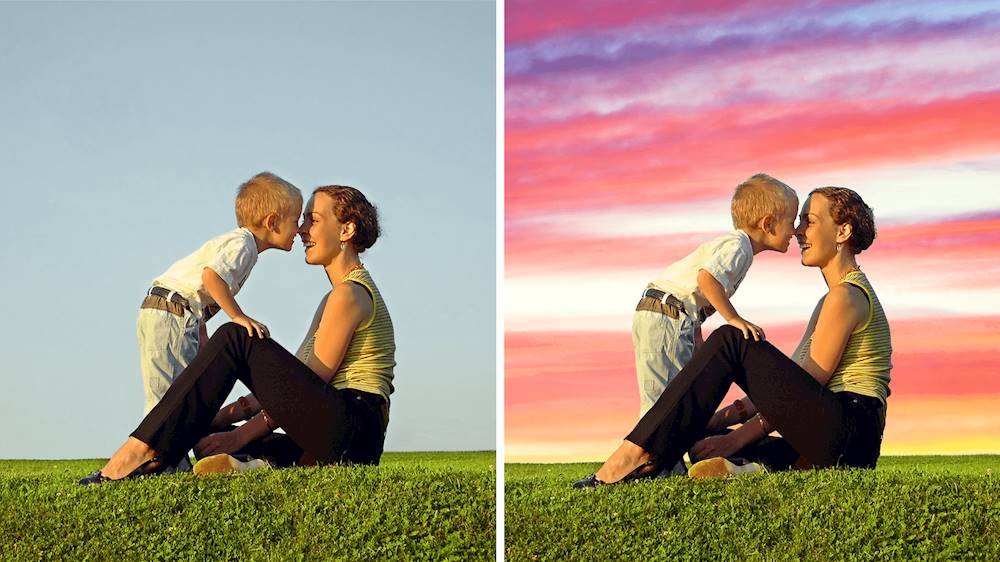
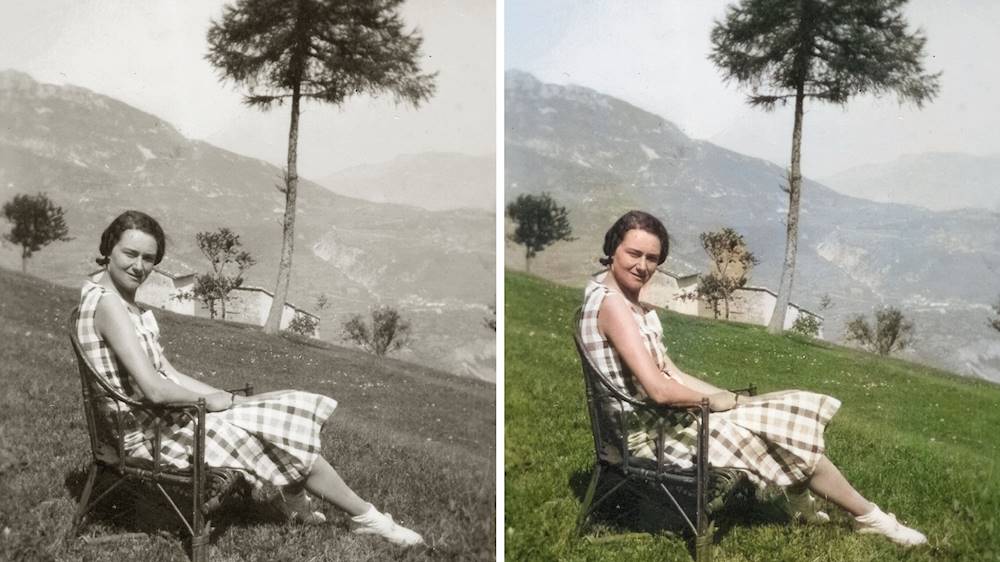
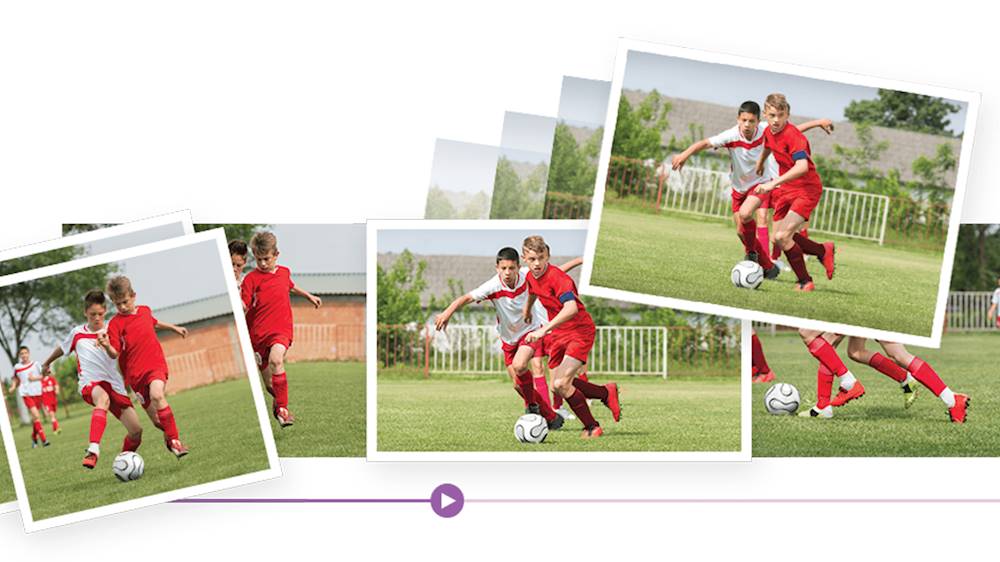
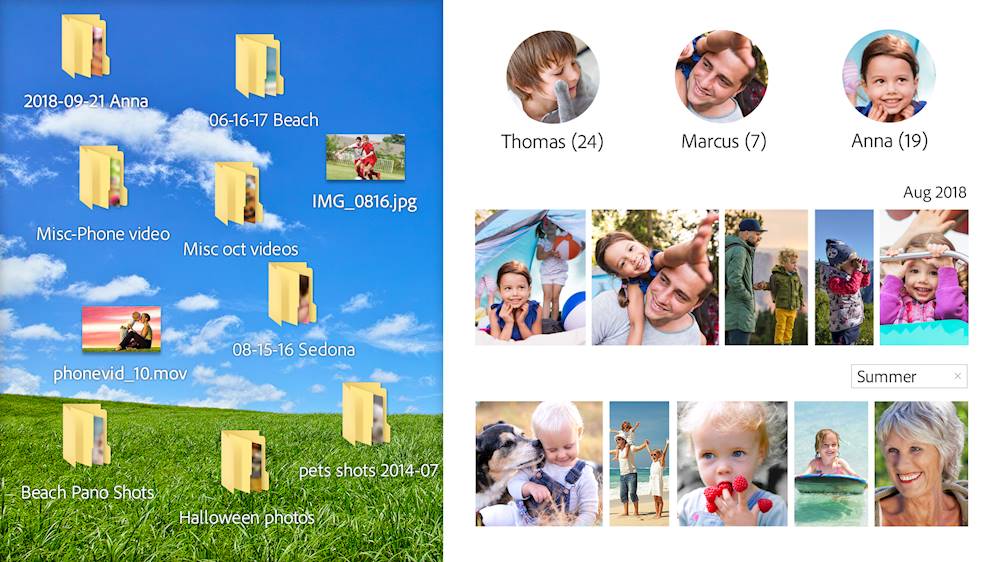
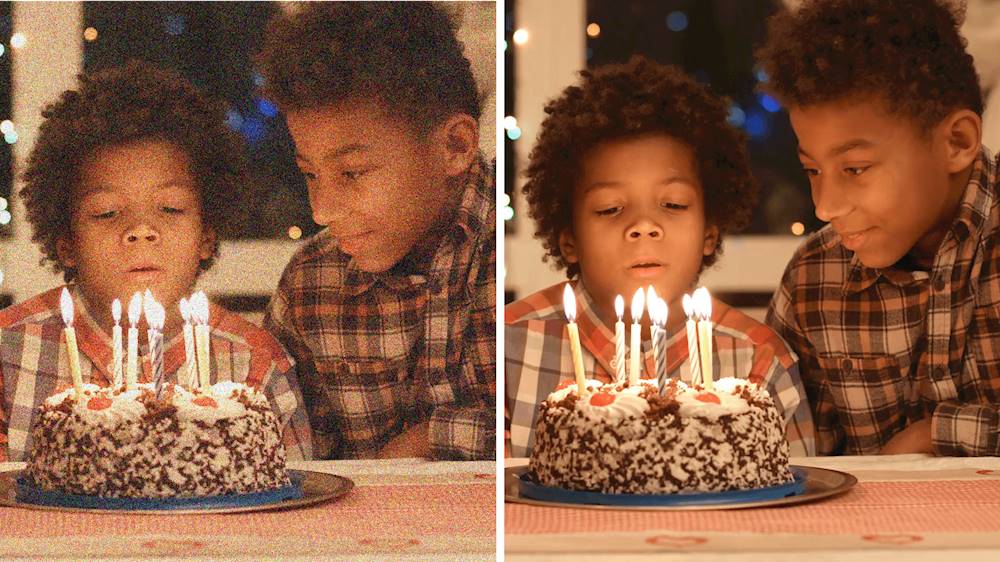
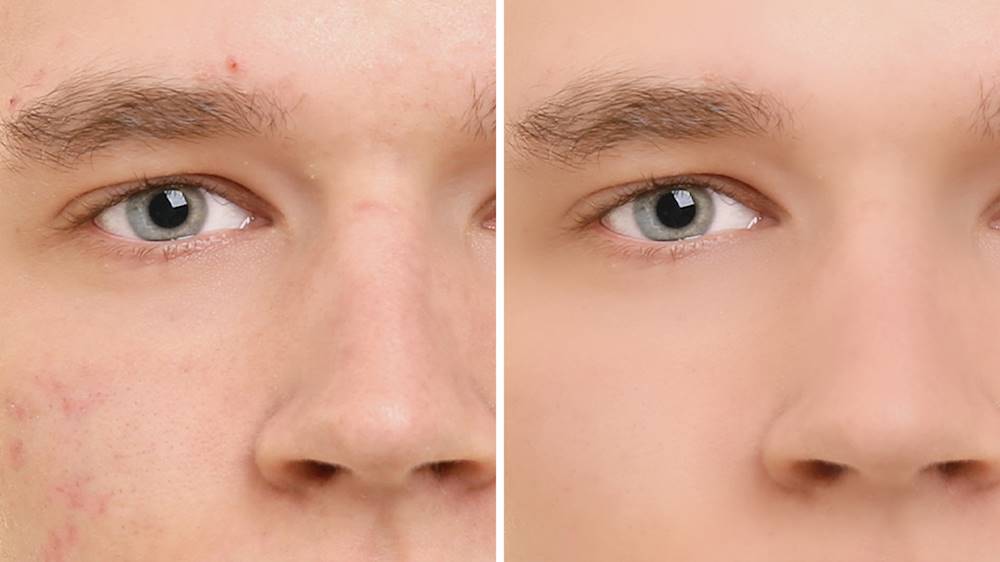
|Posted .This reviewer received promo considerations or sweepstakes entry for writing a review.Photoshop Elements 2020 and Premiere Elements 2020 Photoshop Elements and Premiere Elements are Adobe's 2020 is the updated suite for regular people who want to improve, edit and make great creations from our photos and videos. The Photoshop Elements 2020 has some great features most exciting are the are Adobe AI they call Adobe Sensei AI. AI Sensi does some incredible things including automatic object selection, skin smoothing, colorization. New for this version Auto Creations where great looking photo presentations are created automatically and available for preview on the homepage ready for you to save or share to your social media or send to your friends and family. The effects are great, here are what they do. The guided edits are great and make very complex Photoshop effects easy for non professionals. The guided edits will also teach you and you can graduate to the expert mode as you get the hang of things or use the guided edits to start off and finish in the expert mode. Each guided edit allows you to save or continue editing in quick or expert mode. Alot of the effects start with Automatic subject selection, a great and very accurate tool allows you to apply many special effects by effortlessly isolating the selection for the effect or removal. Pattern Brush lets you add cool patterns on top of your photos like stars, hearts or spheres 15 in all. B&W Selection changes parts of your picture black and white to emphasize your subject and give it an artsy effect. Depth of Field lets you keep the subjects in focus while blurring the background creating depth in your photo. Painterly effects for Auto Creations adds artistic effects to your photos by allowing you to change your photo into a pseudo painting. You can isolate the subject with brushes add a background canvas with texture Colorizing of black-and-white images brings life to old black and white photos giving you several colorized options to automatically change those old photos into color creations. Automatic skin smoothing remove blemishes and wrinkles from you subjects to make them look their best. Object removal, you took the perfect photo right! What about the stuff you didn’t want, well now you can easily remove them with stunning results to turn you photo into a masterpiece memory. Background replacement with a different one, this lets you move your subjects off the original photo and add them to any background. Premiere Elements 2020 There are basic tools that let you clean up and enhance video color, contrast, brightness and sharpness, Again Adobe has great guided editing tools most of us will start here then use the basic or expert mode to finish editing. The guided tools I use are the simplified noise reduction tool that can make grainy video more clear this works especially well for dark video. The animated sky replacement tool lets you add moving sky to your photos, this can replace a grey or dark boring sky or create crazy effects. With the time lapse tool You can easily turn images and videos into dynamic time-lapses or video presentations with custom music and transitions. You can use color pop to make the video black and white with a color object remaining like a scarf or a hat. Your can slow down the video for slow motion effects. You can take vertical video like cell phone video and add effect to fill a full horizontal screen. You can add a bounce effect that forwards and reverses the video. In the expert mode you can do much more as you learn to use Premiere Elements. The only thing to take note of is multi-cam or 3D editing is not included you will need to purchase Adobe’s Professional tools. The other new features for the 2020 edition are support for HEIF images and HEVC videos was added for Windows users formally only available in the IOS version. Organizer now has AI powered tagging for specific people even in videos using Adobes Sensei's face-matching capabilities. If you live in the USA you can order several items through Fujifilm Prints and Gifts service all adorned with your photo creations. If you want the most advanced photo and video enhancement tools packaged for ease of use at a great price Adobe’s Photoshop elements and premiere elements 2020 bundle is for you.
I would recommend this to a friendSoftware
||Posted . Owned for 2 months when reviewed.This reviewer received promo considerations or sweepstakes entry for writing a review.I wouldn't even use this software for videos because it really is not worth it and it just makes things way too overcomplicated then they need to be
No, I would not recommend this to a friend- Pros mentioned:Ease of use
Easy to use, great for the hobbyist
|Posted .This reviewer received promo considerations or sweepstakes entry for writing a review.I was pleasantly surprised how easy it is to use Adobe Photoshop Elements and Premier Elements. This software is aimed at the hobbyist or casual user, and the feature set reflects that emphasis, with a rich user interface and easy to understand tools. You can work in one of three modes: "Quick" "Guided" or "Expert". The expert mode opens up some tools that are not obvious in the quick or guided modes and offers more control. I was pleasantly surprised to see that custom made user actions created under other versions of Photoshop can be imported and used in Elements. A feature that is new for me is the Adobe Organizer, which works wonderfully. Using Adobe Sensei the software can easily and quickly identify people and objects in your images and videos, making it far easier to find and organize images. I was shocked when the software correctly identified baby pictures of my kids from images of them as teenagers. Cool! One big disappointment is that while Elements can open 16bit images, the software does not edit or save in 16bit. This isn't an issue for most people, but in my use case it does present some challenges. Most of the above comments apply to Premier Elements also, but I spent much more time evaluating the photo editing software (Photoshop Elements) than the video editing software (Premier Elements).
I would recommend this to a friend - Pros mentioned:Video editing
Need nothing more...
|Posted .This reviewer received promo considerations or sweepstakes entry for writing a review.First let me start out by saying, I'm not picture professional but my wife and I document our kids lives with pictures. This software makes a lot of the photos come out amazingly. We struggled early on when we first tried to do the download. Part of it was my fault for not understanding that Photo Elements and Premiere Elements are two separate purposes. After that mistake we still struggled with the download but eventually got everything installed and up and running. The software does start slowly even on a new more powerful machine. It's just the way it's designed. We really liked the organizing feature but I can see how some would not like it, especially if it categorized something differently but we found it easy to navigate and use. The options for the photo editing are pretty standard but worked well and seemed to have a lot of degrees to which an edit will adjust. Probably the best thing is the video editor/maker. You can put together some pretty quality slide shows and video edits with some pretty simple button clicks. Overall its a nice software and a major upgrade from what we were using before.
I would recommend this to a friend Frugal versions of photo/video editing standards
|Posted .This reviewer received promo considerations or sweepstakes entry for writing a review.Adobe makes the best tools out there for photo and video editing, at least at the consumer level. After all to "photoshop" is verb these days. As a drone hobbyist and a parent who takes pictures of my kids, I find both Photoshop and Premiere Elements to be exactly what I need for editing the video and photos that I create. Heavier users might find themselves bumping up against the limitations of the Elements versions, but you get an AWFUL lot of value in these products compared to the price of the full-featured versions. New for 2020 the Adobe AI has been updated with lots of new tools that are designed to make some standard edits and functions automated, and it goes a little above and beyond just red-eye reduction for 2020, with tools like automated smile replacement. I used to be opposed to paying for lots of software with the world of freeware that's out there, but this is one area where I will always go to these products, as they are purpose-built and backed by the industry leader. I would recommend the combo over an individual purchase, as it's the best value for the dollar.
I would recommend this to a friend- Pros mentioned:Ease of use
Easy to use, great editing tool
|Posted .This reviewer received promo considerations or sweepstakes entry for writing a review.This is a great editing tool for every user. The guided mode makes it easy to accomplish most any task even if you aren't overly familiar with Adobe products. The expert mode lets more experienced users make changes and edits in a familiar interface often seen in more robust Adobe products.
I would recommend this to a friend Adobe Photoshop
||Posted . Owned for 2 months when reviewed.This reviewer received promo considerations or sweepstakes entry for writing a review.Avoid this product. Adobe provides absolutely no customer support for their product.
No, I would not recommend this to a friend- Pros mentioned:Video editing
Everything you should expect
|Posted .This reviewer received promo considerations or sweepstakes entry for writing a review.As a long time, yet still novice, user of Photoshop on a Mac, I must admit that I stuck with Photos for editing despite its limitations because it was so much easier to use. The same is true with iMovie over Premiere or Final Cut. However, after going through the tutorials of Premiere and Photoshop I have to say I am very impressed. This suite does FAR more than the average user would need to help create professional looking results. Don't get me wrong, I still don't think it's easy to use, and instruction is required if you're a novice like me. But so far the built in tutorials and the tips I've learned from quick Google searches have shown that these two applications should be all I ever need for photo and video editing. I strongly recommend taking the time to go through the tutorials and use the boards on Adobe because whatever it is you're trying to do, these apps can do it.
I would recommend this to a friend Adobe
||Posted . Owned for 1 month when reviewed.This reviewer received promo considerations or sweepstakes entry for writing a review.Thought I was paying for the program but not so! It didn’t produce what it represented!
No, I would not recommend this to a friendNeeded for anime
||Posted . Owned for 1 year when reviewed.This reviewer received promo considerations or sweepstakes entry for writing a review.Not worth the money. Too many hoops to jump through to install and use
No, I would not recommend this to a friendProduct very complicated
||Posted . Owned for 3 weeks when reviewed.This reviewer received promo considerations or sweepstakes entry for writing a review.Program was not user friendly. I would not recommend this product ever.
No, I would not recommend this to a friend- Pros mentioned:Ease of use
Always loved PhotoShop!
|Posted .This reviewer received promo considerations or sweepstakes entry for writing a review.I always loved the real photoshop but this consumer version is perfect. It has everything one needs at home and more. I uploaded a few photos and it was a breeze to edit and make them look the way I want. I have a dslr so this will go right in hand with it. I even uploaded some old photos and I was easily able to make them appear better with a few adjustments. I think adobe made the right step here. I have used older consumer photoshop before and was not impressed but now I am impressed. I’m not a big video maker but Premiere is really easy and simple to use. It’s kind of a novelty to me as my phone now has so much capabilities. Those who need an editing software just for video I would look else where for a higher quality software. The photo software though is right on!
I would recommend this to a friend