Customer Ratings & Reviews









- Model:
- ADO951800F146
- SKU:
- 6366187
to a friend
Customers are saying
Customers appreciate the ease of use and powerful video editing capabilities of Photoshop Elements 2020 & Premiere Elements 2020. Many also highlight the software's extensive features and the creative possibilities it unlocks, while some users found the installation process challenging and noted a learning curve. The affordable price point is another frequently cited positive aspect.
This summary was generated by AI based on customer reviews.
- Pros mentioned:Ease of use

Let the creative juices flow
|Posted .This reviewer received promo considerations or sweepstakes entry for writing a review.I have used some different photo shop / video editing software's (including older version of Adobe) for everything from schoolwork to real world business marketing. Every program has its own nuances, some easy but not worth everything and others are too complicated but excel when used correctly. I tip my hat to Adobe for finding a nice mix. These software's can-do basic editing for the novice or intense graphic design for the educated. I have had a blast toying around recreating and improving videos and photos. They are as these packages tend to be computer hogs and require suitable CPU guts to run. That said please make sure your PC meets (BEATS) computer required minimums.
I would recommend this to a friend - Pros mentioned:Ease of use
Hard To Beat The Best
|Posted .This reviewer received promo considerations or sweepstakes entry for writing a review.If you've done any type of photo or video editing then you know all about these programs. Photoshop has become a verb in the photo editing world. Premiere is the Photoshop of video editing. If your new to photo or video editing then this is a great place to start. They are both easy to use and provide plenty of guided help or you can just jump straight into editing when you are more comfortable. Photoshop & Premiere have been around for quite a while for a reason the programs are seemless, easy to use and can automate most common photo and video effects. The subscription based software is much more powerful, but the elements programs are a great place for beginners to start!
I would recommend this to a friend - Pros mentioned:Ease of use
Great software, user-friendly
|Posted .This reviewer received promo considerations or sweepstakes entry for writing a review.Its been awhile since I've used Premiere Elements. I had it on a previous computer which has long since died so its probably been 7-8 years or so since I last used the software. I just finished putting together my first video and this version of Premiere Elements is vastly superior, very user-friendly and intuitive. The software provides lots of tips to help you as you are putting your clips together. Once completed the rendering process was MUCH faster than I remember it being on the previous version I used, and sharing/uploading my work was also quick and easy. Although I've only used the software for 2 videos so far I am very impressed.
I would recommend this to a friend Good editing software
|Posted .This reviewer received promo considerations or sweepstakes entry for writing a review.I have used Adobe Production Premium cs5.5 for years, after my PC crashed and broke down, I was no longer able to use that program. So I needed an alternative for the software without breaking the bank. So I decided to try Adobe Elements, only because I was already familiar with Adobe's editing suite and didn't feel like learning a new program. To my Surprise Premier Elements is actually pretty good. It has almost all of the basic features, as well as a few advanced editing tools available. My biggest concern was if I was going to be able to edit with multiple audio/video tracks on my timeline, indeed I am. You can add as many tracks as you want. This is a key feature for me because I like to cut out pieces of my movie and place them on another track, so I don't lose track of it. The way you edit in this program is the same way you edit in the full version. You have your timeline with all your clips, you have your effects panel with transitions etc, then you have your preview screen in the top center of the screen. So far I am very pleased with premier elements, as it has all the tools I need to edit and works really good. Photoshop Elements is where I'm a little skeptical about. The idea is there, plus they added a lot of cool features to the latest release, but the execution and performance are lacking. I found my MacBook Pro lagging pretty bad when using this program, and it also got extremely hot. Some of the new features in the auto creations are great idea..Like the black and white enhancer, and the depth of field functions. When I did try to use some of the built-in auto creations, I didn't have very much luck. I tried to use the color correction option and it didn't do anything but make the photo lighter or darker. The problem with Photoshop Elements, is that it takes away many of the important features of the full program, and turns it into a program with basic photo features. Overall, I am truly impressed with Premiere Elements, as it saves me a ton of money and gives me all the tools that I need. On the other hand, I didn't really care for Photoshop Elements all that much. That's not to say it's entirety useless..It actually has a lot of cool features. It's just not for me. I would definitely recommend this software for anyone looking for an editing program without breaking your bank.
I would recommend this to a friend- Pros mentioned:Ease of use
Easy To Use
|Posted .This reviewer received promo considerations or sweepstakes entry for writing a review.Elements has everything I need in a much easier-to-use format. There's a lot of guided edits that are super easy and fun! But if you want to do a full edit, the most oft-used functions are still available. There's also a nice organizer to keep your photos easily accessed, rated, and filtered. I take all of my photos in RAW format, and the program has no trouble reading those files. I know professionals prefer having the online subscription for Photoshop and Lightroom, but as an amateur, I prefer to buy a standalone product where I don't have to shell out money every month. I love it!
I would recommend this to a friend - Pros mentioned:Ease of use
Great, Easy to Use Software for Photos and Video
|Posted .This reviewer received promo considerations or sweepstakes entry for writing a review.Let me start by saying I am not a Photoshop expert (not even close). I will say though that using the Adobe Photoshop Elements 2020 and Premiere Elements 2020 software is relatively easy. There are guided tours that help you understand the controls and quickly learn everything the software can do. If you are intimidated by Photoshop or overly complicated video editing software, check out Adobe Photoshop Elements and Premiere Elements 2020. You will be up and running in no time.
I would recommend this to a friend Between "Free & Easy" and "Professional"...
|Posted .This reviewer received promo considerations or sweepstakes entry for writing a review.No question that Adobe has some excellent software. This package falls between the "free and easy" versions you can find and the "professional" versions costing much more and having a very steep learning curve. This package is a good "tool kit" for managing photos and videos, and one of its strong points is the ability to handle just about any format for photo/video and to combine photo/video files in one presentation. As with all Adobe (and other) software for photo/video editing, there is a learning curve to get good results. Fortunately there are several levels of interaction with the software, started with "guided" with lots of step-by-step instruction going all the way to "free form" that starts with a blank palette and lets you do your thing. For both the photo and video editing and effects, there is a good library of tutorials, including videos and "step by step" instruction, so the most frequently used techniques are well documented and once you go through them a time or two, pretty easy to remember for the next go round. One of the best benefits to me of this package is the license that comes with it that allows an "I own this" installation that does not have to be supported by a monthly or annual subscription. Also the package can be installed on several computers, as long as they are not in use at the same time you are OK to have on home desktop, travel laptop, and work desktop. Kind of "old school" for this type of software, but nice to have something that stands alone and does not have to be renewed on a regular basis. Having tried this package for a few weeks, there are still many features and functions that I haven't had a chance to try out. Each time I use it I will try something new to see how it works and how it looks, and have found many interesting effects for both photo and video editing. Looks like this will be all I need for just about anything needed. Overall both the photo and video software meet most needs for basic editing and creating pretty nice photo albums and videos. I don't have a problem with learning how to use and get the most out of this editing package, as I believe it will meet most of my personal and work needs without having to learn several different software programs from several different companies. It's hard to go wrong with Adobe products.
I would recommend this to a friendMixed review
|Posted .This reviewer received promo considerations or sweepstakes entry for writing a review.This is review of 2020 versions of Adobe Photoshop Element and Adobe Premiere Element for Mac and Windows. Not being specialist on photo and related design editor the review is mixed but doesn't mean to underestimate its full value as software. Respective application has the commonly used functionality allowing to process quick editing or organization in automated fashion via smart fixes, or manually go in deep to work pixel by pixel and allowing to use a spectrum of options from colors to lightings and exposure. The video edition allow to trim or add tracks, and adjust, add/remove sequence, music. What I find give benefit is a single organization capability to have or find essays assets created or imported, and easily interact during edit and processing phase. In term of using in Windows and Mac, the experience is bit mixed and not the same. This is term of processing that while opening the application, in Mac feels the cpu time going to put 3.3 gb and hearing the fan noise. Meanwhile in Windows takes CPU usage is minimum. Similar experience while editing. Naturally, the comparison is not apple to apple due to differences of hardware versions, but considering both big machines, bit unexpected. Following comparison is based on following hardware configuration: - MacPro 2017 15" 3.1 GHz Quad-Core Intel Core i7/ 16 GB 2133 MHz LPDDR3 / Intel HD Graphics 630 1536 MB / Catalina - Dell Inspiron Intel Core i7-10510U CPU @ 1.80GHz 2.30GHz / 16GB Ram / 64-bit / Touchscreen / Pen / Windows Home - In both machines have only adobe photoshop and premiere 2020, and basic default applications of each OS. The recommendation and rating is based on its wide range functionality and integrated capability to have assets to organize and capability to share easily to multiple online platform and known services.
I would recommend this to a friendThe best features of the full version
|Posted .This reviewer received promo considerations or sweepstakes entry for writing a review.When first opening up either Premiere or Photoshop Elements, I was greeted by a welcome-screen which features a series of tutorials which I explored a little and found helpful -- and on the lower right of the window were links to the tools: a photo organizer, photo editor ("Photoshop Elements"), and Video Editor ("Premiere Elements"). Naturally, depending on whether you've installed both (separate installer for each) one may not be available yet. When I went to the video editor and explored, I noticed the "Expert" mode made me feel more comfortable as someone who has used Premiere Pro for a few years for home movies primarily. Premiere Elements seemed to have the tools I would need and was somewhat familiar with. I imported some clips easy enough, dragged them to the timeline, and enjoyed exploring the features. A few features of the Pro version I thought I needed were missing, but I found ways to work around them in Elements to accomplish what I needed with alternate tools. The video editor offered a variety of export option ranging from 4k TV format down to animated GIFs. The "Expert" mode in the photo editor had most of the tools that I was familiar with in the Creative Cloud "full" version of Photoshop (such as the Healing Brush, Magic Wand, and other tools), and everything worked as expected. Perhaps my favorite tool is the Healing Brush which allows you to edit things out of pictures with ease. Adobe is the gold-standard company in this kind of creative software, and Elements seems aimed more at people (yes, like myself) who may not be full-time paid creative professionals but need to do some amount of photo/video manipulation/creation (and who doesn't!). In many ways, these two software packages let me work a lot quicker than I did in the full version software which had a lot of extra tools on the screen which I mostly never bothered learning about due to lack of necessity for my personal projects. I find this software is near perfect for my needs, and does not seem to require continual monthly subscription fees like the full "Creative Cloud" versions.
I would recommend this to a friendAdobe does it again!
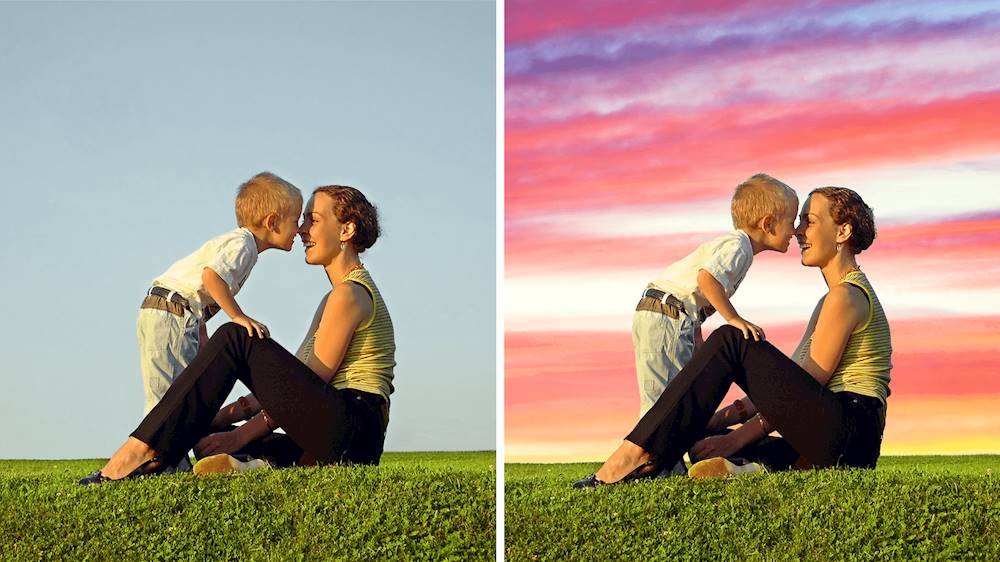
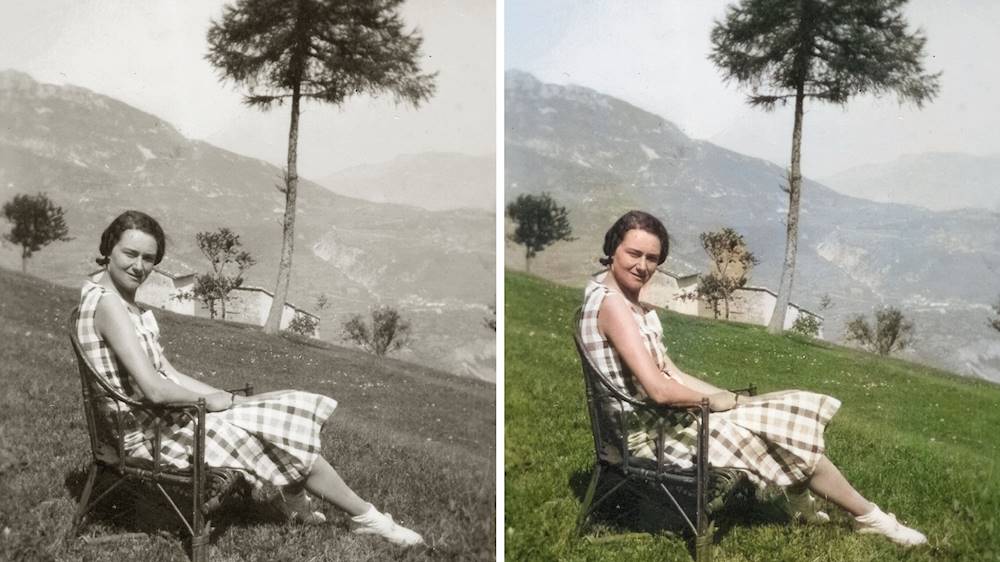
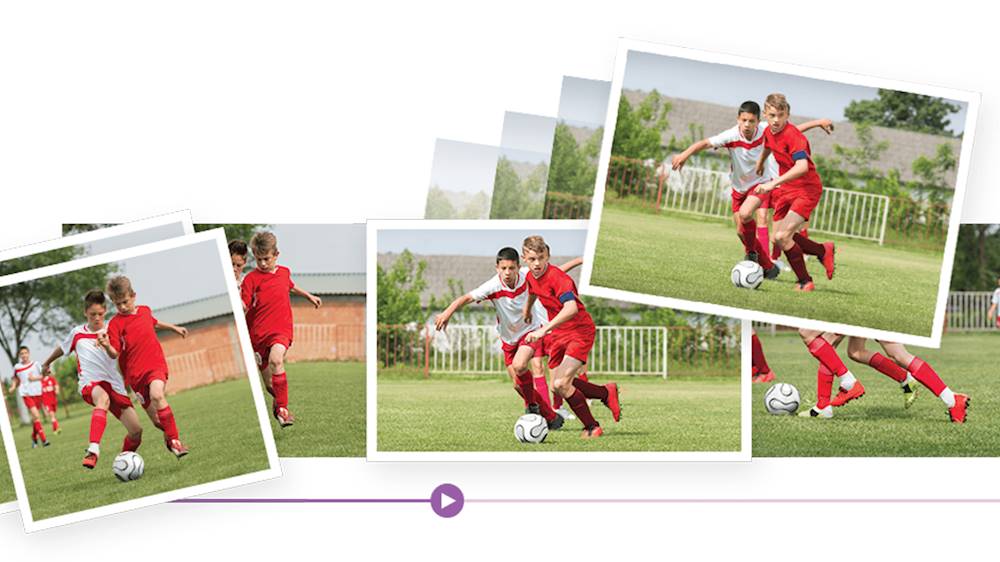
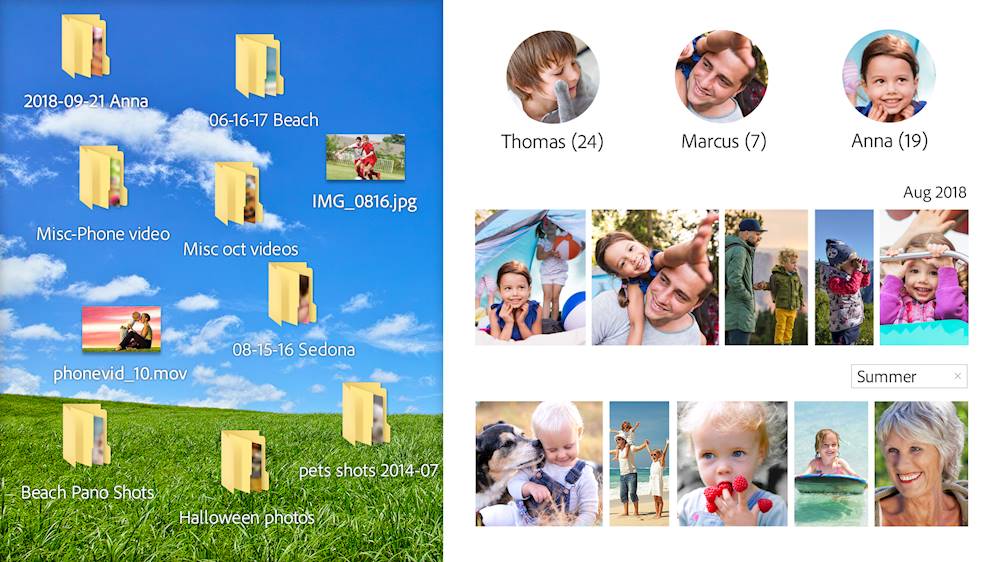
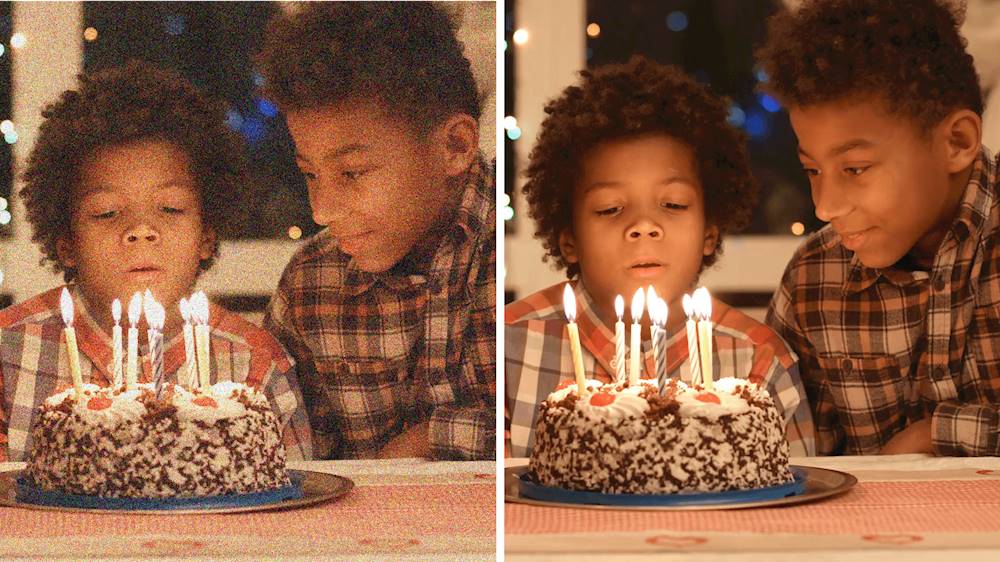
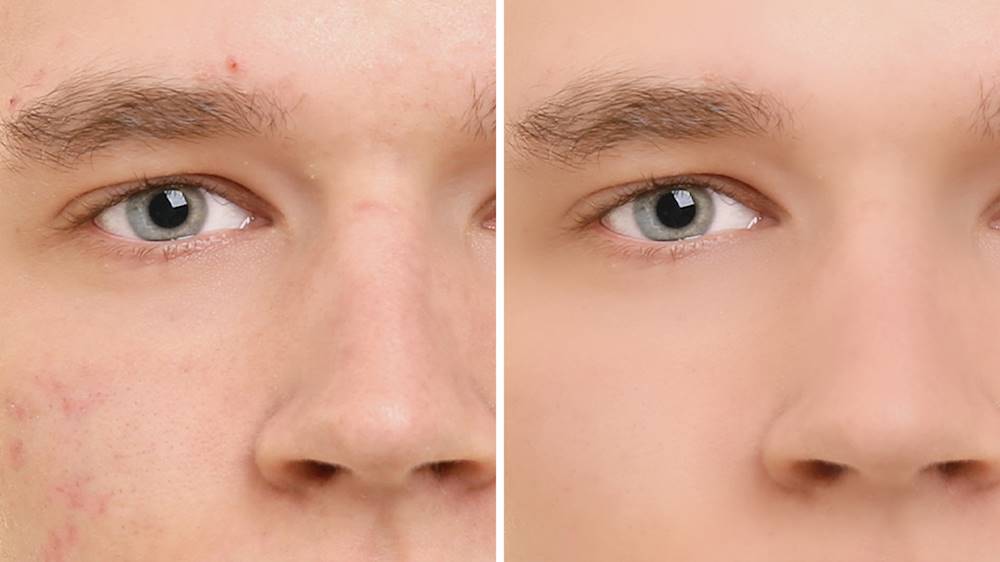
|Posted .This reviewer received promo considerations or sweepstakes entry for writing a review.Adobe Photoshop Elements and Premiere Elements are the gold standard when it comes to photo and video editing. As a long time Photoshop user I believe Adobe has continually focused on improving the user experience. Adobe Photoshop Elements: The Adobe Sensei technology is truly stunning. It now allows even the most novice user to edit and create the most amazing photos. You can apply photo effects such as black and white selection and depth of field effects with ease. If you have a black and white photo you can now add color to it with automatic colorization. They offer one-click subject selection so you can cut out a subject and either remove the background or take the subject and place it in a different picture. Do you have bad acne or a pimple you want removed? They have a skin smoothing option which works great. Lastly, have you ever taken a photo you thought was perfect only to find out there was a random person in the background ruining the moment. Well you are in luck! You can make those unwanted objects vanish. What happens if you get stuck? There are guided tutorial videos as well as a large community support system. You are only limited by your imagination. Adobe Premiere Elements: Some of the best videos are taken in low light settings. A birthday party, a wedding reception, or fireworks on New Years. These videos can be grainy and really detract from the memory. A new feature of Premiere is to fix the noise with a simple drag and drop. I used my iPhone to take a low light video and was able to make it look much more crisp with a few simple steps. There are also some really cool features such as animating the sky and creating time lapse videos. Each of these has a guided tutorial. I went through several of the guides and the steps are explained well allowing for a great user experience. Both of these products have a smart tagging system to easily organize and find photos/videos. The bottom line - if you are a novice or a professional this software offers endless possibilities. Adobe really focused on the user experience.
I would recommend this to a friend- Pros mentioned:Ease of use
Great for Beginners
|Posted .This reviewer received promo considerations or sweepstakes entry for writing a review.I have experience editing photos through Adobe Lightroom, but no video editing experience. Adobe Photoshop and Premiere Elements 2020 is a great tool for beginners to jump into photo and video editing. They provide step by step instructions and videos on how to do things, which I found to be quite helpful. Overall I am very pleased with these programs. I'm able to do the basic editing that I need for my media. I would definitely recommend to beginner and intermediate experienced photographers.
I would recommend this to a friend - Pros mentioned:Ease of use
Great features, no degree required
|Posted .This reviewer received promo considerations or sweepstakes entry for writing a review.I really like Photoshop, but I could never use it effectively. it always took me far more time than it should have to do what I was trying to do, even simple things. Enter Photoshop Elements and Premier Elements. Photo retouching, creating new images, whatever you need to do, all in a much simpler to use package. I’ve even been able to use it with the pen on my HP Spectre. Highly recommended for anyone who wants to do anything from simple edits to complex creative projects.
I would recommend this to a friend Perfect product for a beginner
|Posted .This reviewer received promo considerations or sweepstakes entry for writing a review.I have found photoshop and video editing tools to be intimidating. Both editors allow you to modify pictures and video quickly. I found myself using the smart fix feature and the "select subjects" tool a lot. There are extremely helpful demo videos created by adobe which guide you through the most useful tools.https://www.adobe.com/products/photoshop-elements/whats-new.html#x If you are a visual person like I am, then this will be a great tool to use. For example I have an old black and white picture of my grandparents that I loaded into the photo editor which worked its magic and turned the black and white picture into a colored one! I wouldn't have known about that feature if I didn't go through the video demo. I am not the best photographer or videographer, however my pictures are now looking much more polished and fun (when needed) without that much more effort. If i am able to make my pictures and videos look as nice as they do now with this software then you can too.
I would recommend this to a friend- Pros mentioned:Ease of use
A Great Product Gets Better
|Posted .This reviewer received promo considerations or sweepstakes entry for writing a review.This is hands down the best software for photos and videos. I like making memes to make fun of people and now it's a lot more easier. Ha ha. This beats any other software out there, I can't go back to the free software I used to use.
I would recommend this to a friend Great Program
|Posted .This reviewer received promo considerations or sweepstakes entry for writing a review.After testing and extensively trying out these programs I highly recommend them. If you are looking to take your creativity to the next level on your photos then this will suit your needs!
I would recommend this to a friend- Pros mentioned:Ease of use
Another Great Adobe Product
|Posted .This reviewer received promo considerations or sweepstakes entry for writing a review.As a graphic designer, I couldn't do my job without the Adobe Creative Suite. I love how easily they interact with each other and I can seamlessly go between them with a single file.
I would recommend this to a friend perpetual license is the way to go.
|Posted .This reviewer received promo considerations or sweepstakes entry for writing a review.I don't use a photo or video editing program regularly so a subscription based app is not economically reasonable for my use. I have used free based apps in the past but there was much to be desired. This perpetual license is perfect for me or anyone who only occasionally uses. There is a learning curve but for the most part it is intuitive and the processing of photos are relatively quick and simple. It's incredible how the automatic features saves so much time and gives beautiful results that look great.
I would recommend this to a friend- Pros mentioned:Video editing
Amazing - I am addicted to photoshop
|Posted .This reviewer received promo considerations or sweepstakes entry for writing a review.I never understood why people like to photoshop until I got this product. I love taking pictures and being able to edit them to look professional. Great product.
I would recommend this to a friend Really good video and photo editing software
|Posted .This reviewer received promo considerations or sweepstakes entry for writing a review.Well my review is gonna be pretty straightforward 1 you can do so much editing to loks like it could be done professionally and I'm a complete beginner. 2 if you take your time you can have great results the totorial help not the best but they do help. 3 make sure for video editing you have a pretty good computer this thing can slow down a new i5 and decent video card. But overall experience is nice. Can't wait to make more money look better. That's my main point I use it for.
I would recommend this to a friend