Customer Ratings & Reviews



Customer reviews
Rating 4.6 out of 5 stars with 647 reviews
(647 customer reviews)Rating by feature
- Value4.7
Rating 4.7 out of 5 stars
- Quality4.6
Rating 4.6 out of 5 stars
- Ease of Use4.8
Rating 4.8 out of 5 stars
Customers are saying
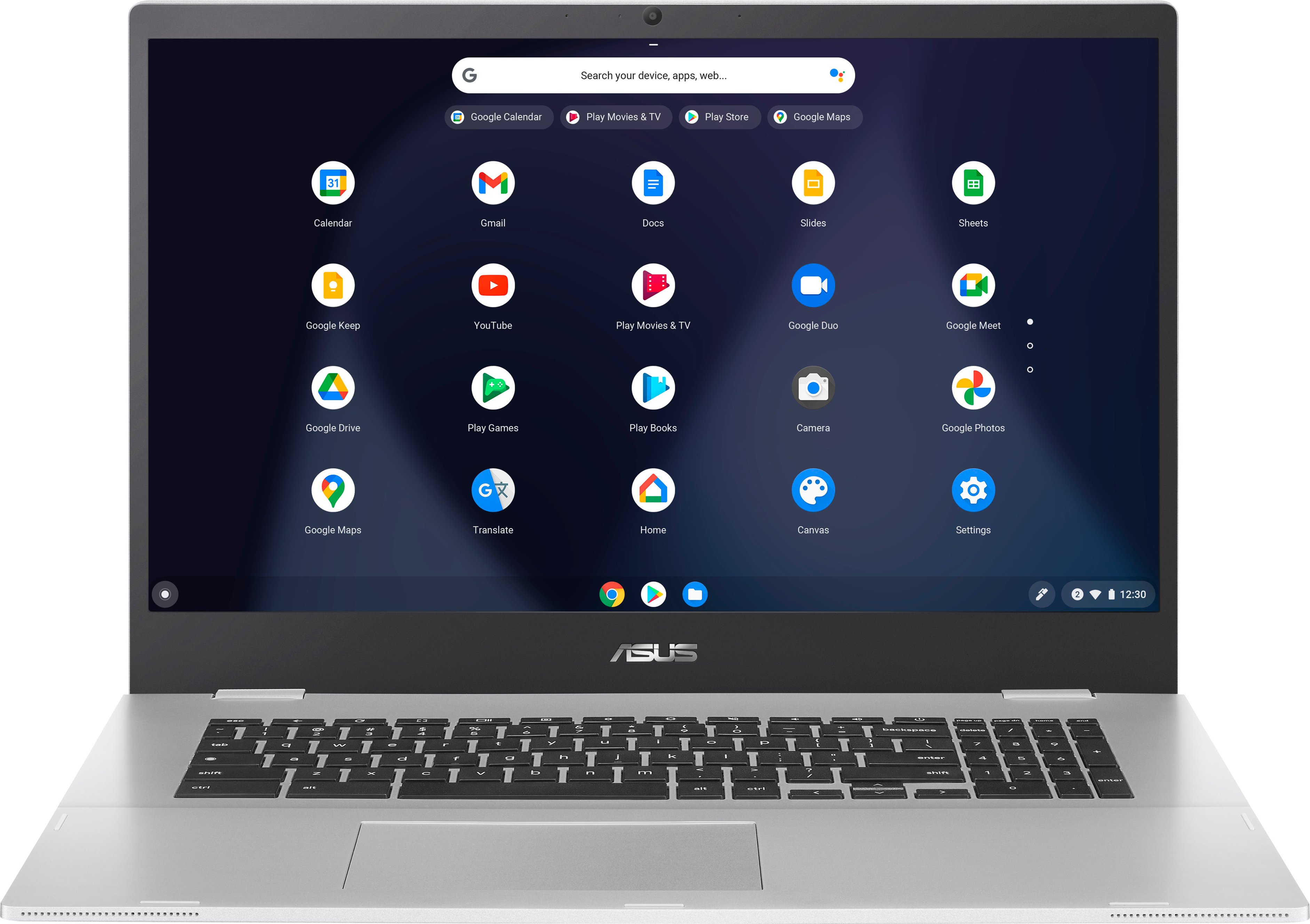
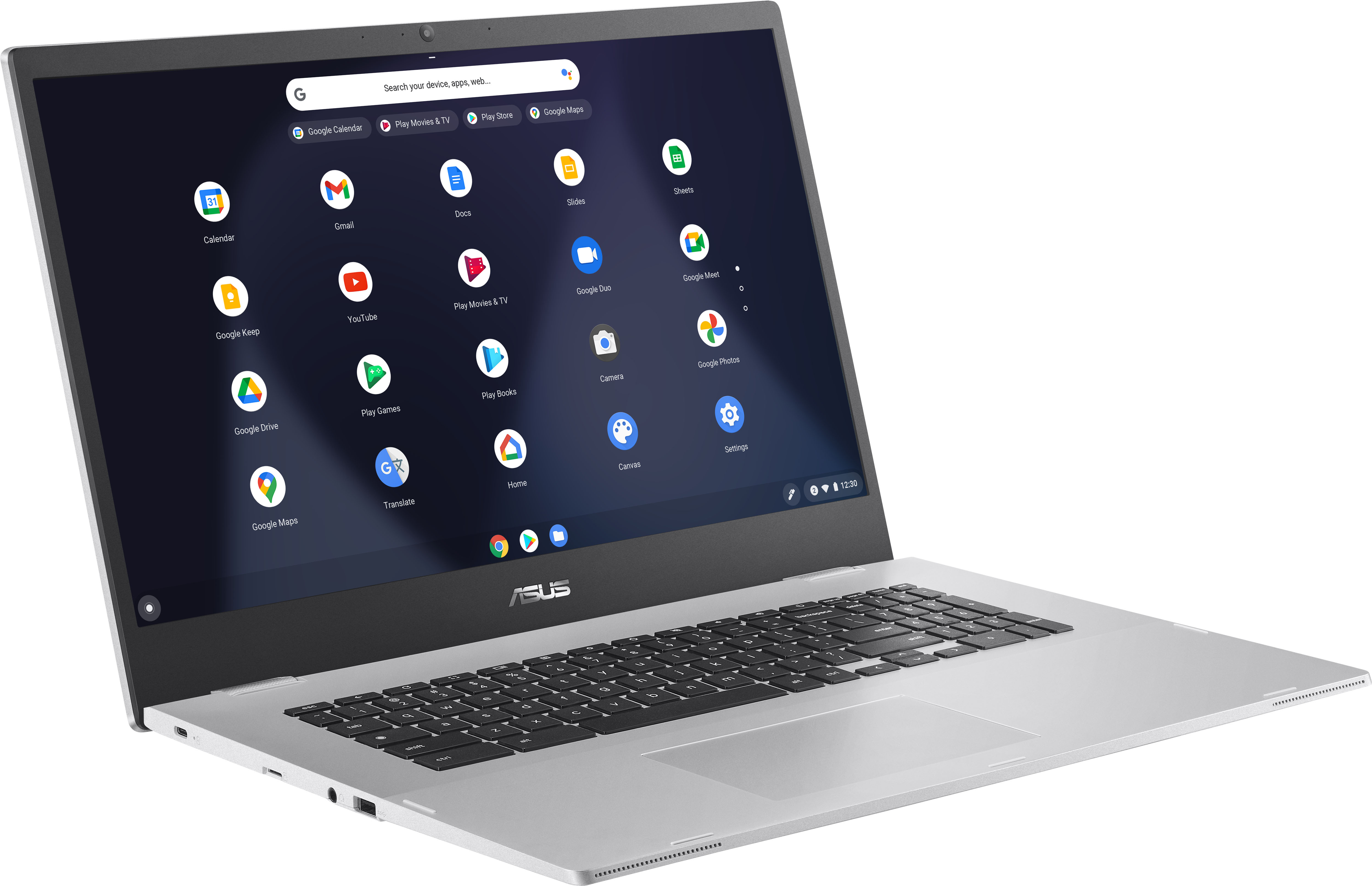
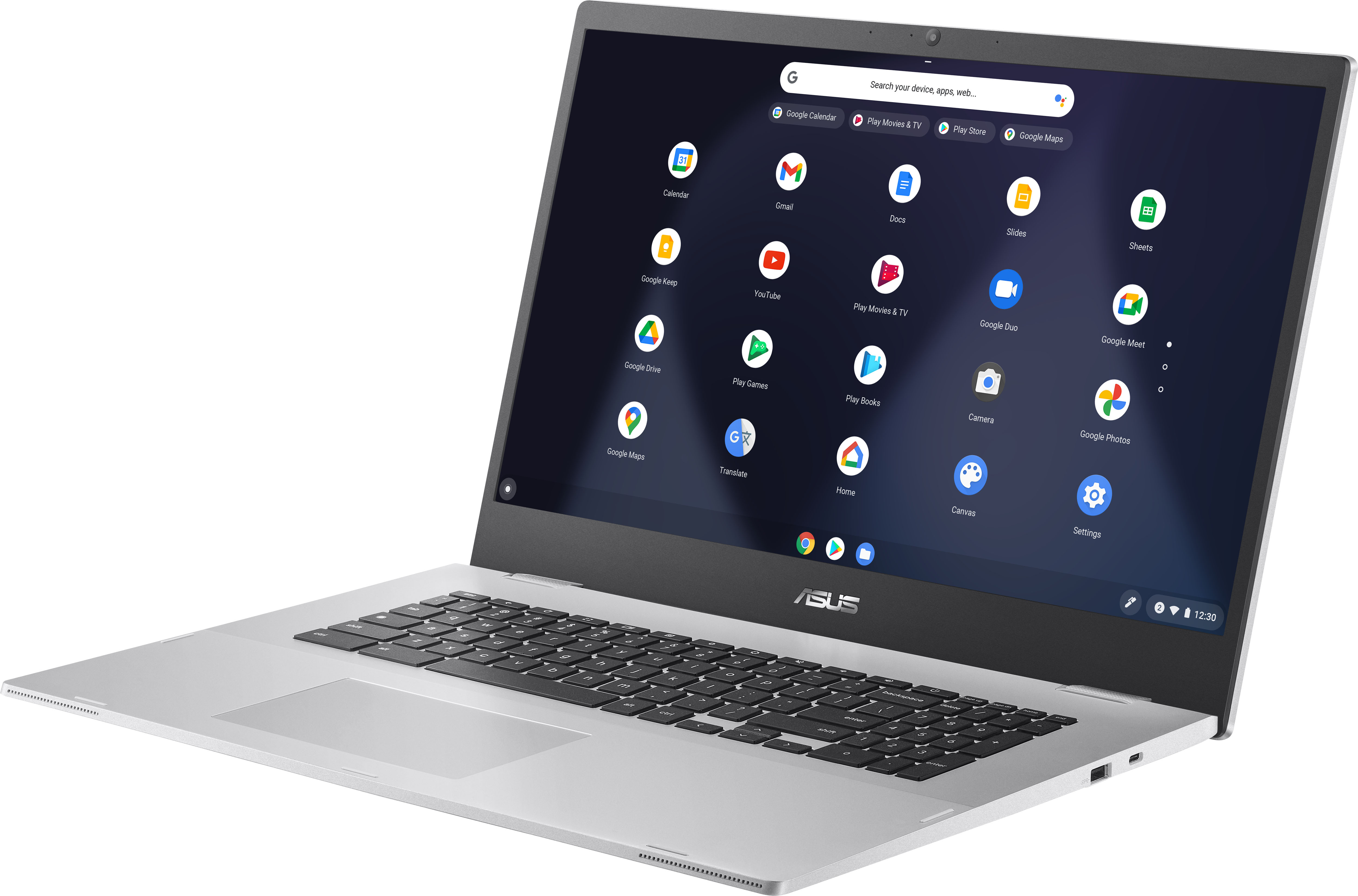
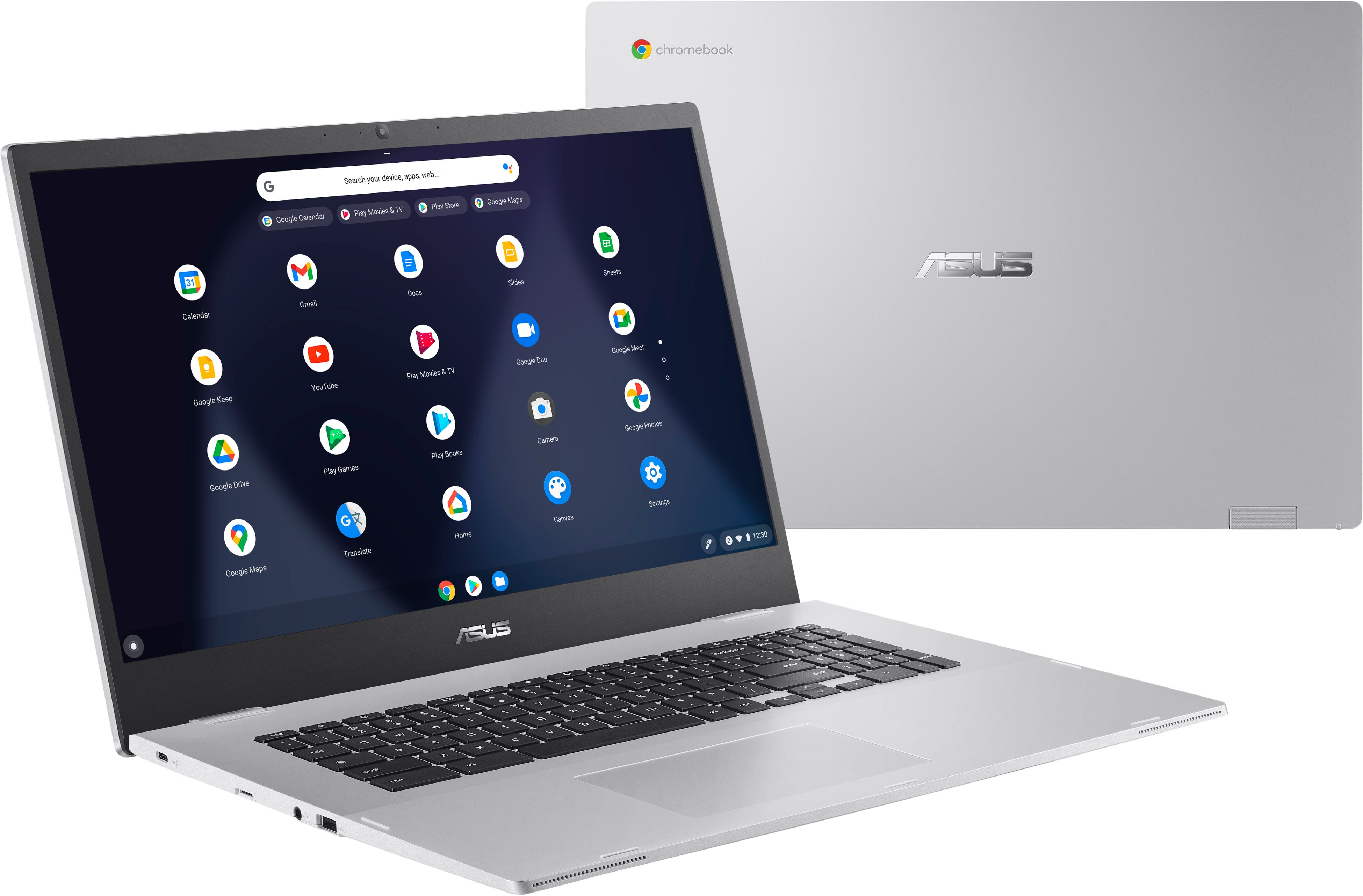
Customers are enthusiastic about the large screen size and ease of use of the 17.3" Chromebook. Many appreciate its affordable price and excellent battery life, while some find the performance adequate for their needs. However, a few customers noted that the weight, limited storage, and RAM could be improved.
This summary was generated by AI based on customer reviews.
- Pros mentioned:Battery life, Screen sizeCons mentioned:Ram
Rated 5 out of 5 stars
Incredible value for $200
||Posted . Owned for less than 1 week when reviewed.This reviewer received promo considerations or sweepstakes entry for writing a review.It’s incredible what $200 can get you these days in a laptop, if you can snatch up this Asus Chromebook on sale anyway, the 17.3” 1080p IPS screen is crisp with good viewing angles, great for web-browsing, writing, analyzing dense stock charts (my hobby), and, of course, watching movies; all basic task that the dual-core Intel Celeron N4500 processor powering this Asus Chromebook is more than enough for, and with a generous 67WHr battery, the energy sipping 6w tdp processor is easily capable of lasting all day in mix usage, so no need to drag the charger with you on the go. Granted with only 4GB of RAM, multi-tasking and having a lot of tabs open can take a hit, so I tend to be more focused with singular tasks when using this Chromebook, which can also be a great way to cut down on needless distractions anyway, when you’re trying to get work done. Some other cons with this Chromebook I would say, is the screen could be brighter, max brightness is definitely much lower than 300 nits (can’t find the specs online), so it’s a bit dim to watch movies in a bright room, the colors won’t pop out as much, so wait for evening cinematic viewings would be my advice. For sound quality, the stereo speakers are great for casual music listening, and the volume is good enough to fill out a room, especially over my loud portable air filter, but it could be louder, especially when I’m doing chores listening to music or a podcast, but there’s always bluetooth earbuds to fall back on. Also, one last con, while I love the full-sized keyboard for writing, the 10key numpad has ridiculously slim keys that are clumsy to number-crunch fast on, hard not to end up making mistakes, so if that’s a major use case for you, probably would be a best to buy a separate full-sized keypad to work with. Overall, this Asus Chromebook represents incredible value for the price, even more so if you can get it on sale for $199 like I did, so if all you do online is browse the web, do light office task, and stream videos, this laptop gets the job done with aplomb, and with a glorious 17.3” 1080p screen so you don’t have to squint through it.
I would recommend this to a friend - Pros mentioned:Screen size
Rated 5 out of 5 stars
Big screen!
||Posted . Owned for more than 2 years when reviewed.This reviewer received promo considerations or sweepstakes entry for writing a review.It's a pretty good computer. I love the screenshot feature. Ive had it for 2 years now and still works in perfect condition. Do note that this is cromebook and windows is not installed. But there are microsoft word app available if needed.
I would recommend this to a friend - Pros mentioned:Battery life
Rated 5 out of 5 stars
Love this chromebook
||Posted . Owned for 1 year when reviewed.This reviewer received promo considerations or sweepstakes entry for writing a review.Love the look, size, feel of the chromebook. Display looks very nice. Battery time is good too. One downside is finding a case, bag that fits this huge size. Aside from that, I am happy I got it.
I would recommend this to a friend - Pros mentioned:Screen size
Rated 5 out of 5 stars
Great
||Posted . Owned for 5 months when reviewed.This reviewer received promo considerations or sweepstakes entry for writing a review.Bang for the buck. Large screen to browse web and check email
I would recommend this to a friend - Pros mentioned:Battery life
Rated 5 out of 5 stars
Decent laptop for $120 value
||Posted . Owned for 2 weeks when reviewed.This reviewer received promo considerations or sweepstakes entry for writing a review.At $120 price point, this is a great laptop if you use it for light-weight entertainment/workload. What you got: - a great IPS panel. You are definitely expecting an Macbook level screen but it definitely much better than a lot of TN panel. - a great front facing speaker. It's not studio quality audio but it's loud and clear - decent battery life. I can easily have 6-8 hours battery life. Decent enough for me for any after-work entertainment - Android capability, allow you to install a lot of app-only (no web) applications. I personally use messenger/whatsapp that are not really available on web. It's not a Core or Ryzen CPU so dont expect to much performance out of it but again if you just use it for watching some video, writing some doc. This machine wont disappoint you, especially at $120 price point.
I would recommend this to a friend - Pros mentioned:Screen size
Rated 5 out of 5 stars
Terrific value for the price I paid 125$
||Posted . Owned for 1 month when reviewed.This reviewer received promo considerations or sweepstakes entry for writing a review.Terrific value for the price I paid 125$ - speedy time to boot, large screen, great camera for web meetings
I would recommend this to a friend - Pros mentioned:Screen size
Rated 5 out of 5 stars
Get You One!
||Posted . Owned for less than 1 week when reviewed.This reviewer received promo considerations or sweepstakes entry for writing a review.Should bought me one of these a while ago. Great response time, instant start up. BEAUTIFUL clear and bright screen. Love it,
I would recommend this to a friend Rated 5 out of 5 stars
I like it!
||Posted . Owned for 3 weeks when reviewed.This reviewer received promo considerations or sweepstakes entry for writing a review.I’ve always used Windows-based computers and I needed an Internet interface in an upstairs office. Very nice to just have this sleek unit on the desk with no box or peripherals. Sleek and elegant and appears to be well constructed with nice materials. The 17.3 inch display is very nice, perfectly suitable for websites, banking and financial programs. All display and sound functions are on the keyboard as well. Also, I like having a separate number keypad, so that is a great feature. My Apple AirPods connected instantly via Bluetooth so sound for music and movies isn’t affected by the typical laptop speakers yet they are fine for quick videos, etc. The trackpad is a good size and I find it very pleasant to use as I learn the various gestures for it. I won’t even bother with a mouse. I’m not doing any heavy lifting with it so as a web portal it’s perfect for me as I am mostly just opening the chrome browser and going to all of my key sites which populated as soon as I signed in with my Google password. I have about a 225 MBPS Wi-Fi signal coming to it and everything functions nicely. At the discounted price it seemed too good to pass up and I would say it is more than worth the price I paid.
I would recommend this to a friend- Pros mentioned:Screen size
Rated 5 out of 5 stars
The Bom.Com
||Posted . Owned for 1 week when reviewed.This reviewer received promo considerations or sweepstakes entry for writing a review.Big Screen , Low Price , Fast Boot Up. Just to start . More Bang , Less Buck. You gotta Love it!!¡
I would recommend this to a friend - Pros mentioned:Price, Screen size
Rated 5 out of 5 stars
Great Deal
||Posted . Owned for 1 month when reviewed.This reviewer received promo considerations or sweepstakes entry for writing a review.I buy this for my son to use in school. I like the big screen and the price is affordable.
I would recommend this to a friend Rated 4 out of 5 stars
Cheap decent chromebook
||Posted . Owned for 10 months when reviewed.This reviewer received promo considerations or sweepstakes entry for writing a review.Cheap, decent chromebook Sufficient for pre-collegian needs
I would recommend this to a friendRated 5 out of 5 stars
One Sixty worth
||Posted . Owned for less than 1 week when reviewed.This reviewer received promo considerations or sweepstakes entry for writing a review.Worth every $ and every Minute spent on Youtube regarding upgrading my technical and personal skills when I get bored! Battery last more than 2 days
I would recommend this to a friendRated 5 out of 5 stars
I love this chromebook
||Posted . Owned for 3 weeks when reviewed.This reviewer received promo considerations or sweepstakes entry for writing a review.I love this chromebook. I get all of my work done with no problems and I love the price too.
I would recommend this to a friendRated 5 out of 5 stars
Laptop
||Posted . Owned for 3 weeks when reviewed.This reviewer received promo considerations or sweepstakes entry for writing a review.I really like this laptop it’s affordable and good quality
I would recommend this to a friend- Pros mentioned:Screen size, Speed
Rated 5 out of 5 stars
Outstanding value; very good performance
||Posted . Owned for less than 1 week when reviewed.This reviewer received promo considerations or sweepstakes entry for writing a review.This chromebook has very adequate performance for everyday use. I have quite a few of them, and this is one of the better performers. Especially at the sale price that I paid which was half of the MSRP. The screen is very nice. Colors are subdued. To fix that, adjust the warmness of the display 'night light' setting to about half way. Fiddle with it until its the way you like it. Non skid rubberized bottom, no vent holes and no fan in the system means you can safely put this in your lap, on a bed, on a couch, and you won't overheat the system. Nice. Performance from the dual core celeron is plenty, and the 4GB of ram is adequate. Since the vast, vast majority of chromebooks are sold in this same 4GB/32GB configuration, Google will likely keep chrome os running well in it. The old spec was 2GB. You can add a huge microsd storage card to the included slot, to increase storage beyond the 32GB. Just put your card in and set the slider in settings under 'external storage' to 'on', and your media and downloads will go there while the primary 32GB can be used for apps. Chrome OS has really come into its own over the years. This comes capable of chrome web browser stuff, offline office and productivity apps you can use without internet, it has the full google play store and runs most android apps, and by turning on the linux subsystem you can develop and test linux applications on it. That makes this the swiss army knife of computers. Far better than a tablet (has a keyboard, full desktop browser, much larger screen) or a laptop (most of those won't run android apps very well, if at all and many use Windows which needs much more expensive hardware). Note that the Asus rep here on BB has answered quite a few questions incorrectly. This does in fact have bluetooth, linux and google play store android apps. They said no to all of those. Speaking of bluetooth, with the right android phone the chromebook will automatically unlock if you're near the phone, and you can get and reply to phone messages like texts and google voice messages/voicemails. You can also turn on the ability to click on a phone number on a web page on the chromebook and it'll automatically call the # using your nearby phone. This is quite a media consumption machine. Big screen, and it folds completely flat with very robust hinges on the screen. Speakers are bottom mounted nearest to you, with front vent grills. The bass isn't boom boom-y, but the sound is good for music and movies. I ran my usual video torture tests (a good one is the youtube video you can find by looking for 'costa rica 4k'). That really puts the video play capabilities of a computer to the test. At 4K resolution with 60 frames per second and persistently changing scenery, its hard on many computers. Runs on this without a problem. It should stream just about anything that you throw at it. Many ask if it can run windows or linux or something else and the answer is generally no, and you probably wouldn't want it to. The performance wouldn't be very good. This is laser tuned for chrome OS. These are being discounted into the basement due to the emergence of new cpus that will bring revolutionary performance to the laptop market at a great price. But these at a sale price are still an excellent buy for the next year or two.
I would recommend this to a friend - Pros mentioned:Price, Screen size, SpeedCons mentioned:Storage
Rated 4 out of 5 stars
Great value esp. when on sale
||Posted . Owned for less than 1 week when reviewed.This reviewer received promo considerations or sweepstakes entry for writing a review.At $70 off list it's a deal. At $170 off list it's a steal; that's almost half price. Outside of that, why you should buy it: excellent display and processor. Plus, it's about the largest display you can get in a laptop (if that's important to you, say, as a desktop replacement). The trackpad is almost centered on the keypad--a little to the right of where it should be, but only a little (which is better than some other laptops which don't even have a numpad). The display has wide viewing angles top to bottom and side to side--might even be IPS. The Jasper Lake processor seldom makes you wait. While more memory than 4GB might be helpful, few will need more. Only 32GB of storage is definitely paltry, but it's probably enough for those who use an SD card to add auxiliary storage. Ports aren't a problem either. Audio is passable--fine for video chats but not really good for music. Now, for the first one I bought--for someone else as a gift--the trackpad was completely defective (#1 complaint I hear about ASUS laptops). This didn't really matter much, though, since the person who'd be using it isn't good with trackpads, so I was going to connect a mouse to it anyway. When the price dropped another $100 off, I got one for myself since I'd been waiting and waiting for a Chromebook with a Jasper Lake processor that wasn't expensive to replace one of my older ones already past its AUE date. This one is easily faster than the old one (as should be expected), so I'm quite happy with it. Tl;dr: no real drawbacks, good display, good processor. It's a laptop, but it's also big and heavy, so plan to set on your desk or table and leave it there like you would a desktop system.
I would recommend this to a friend - Pros mentioned:Battery life, Screen sizeCons mentioned:Memory, Storage
Rated 5 out of 5 stars
Should I keep it or return it??
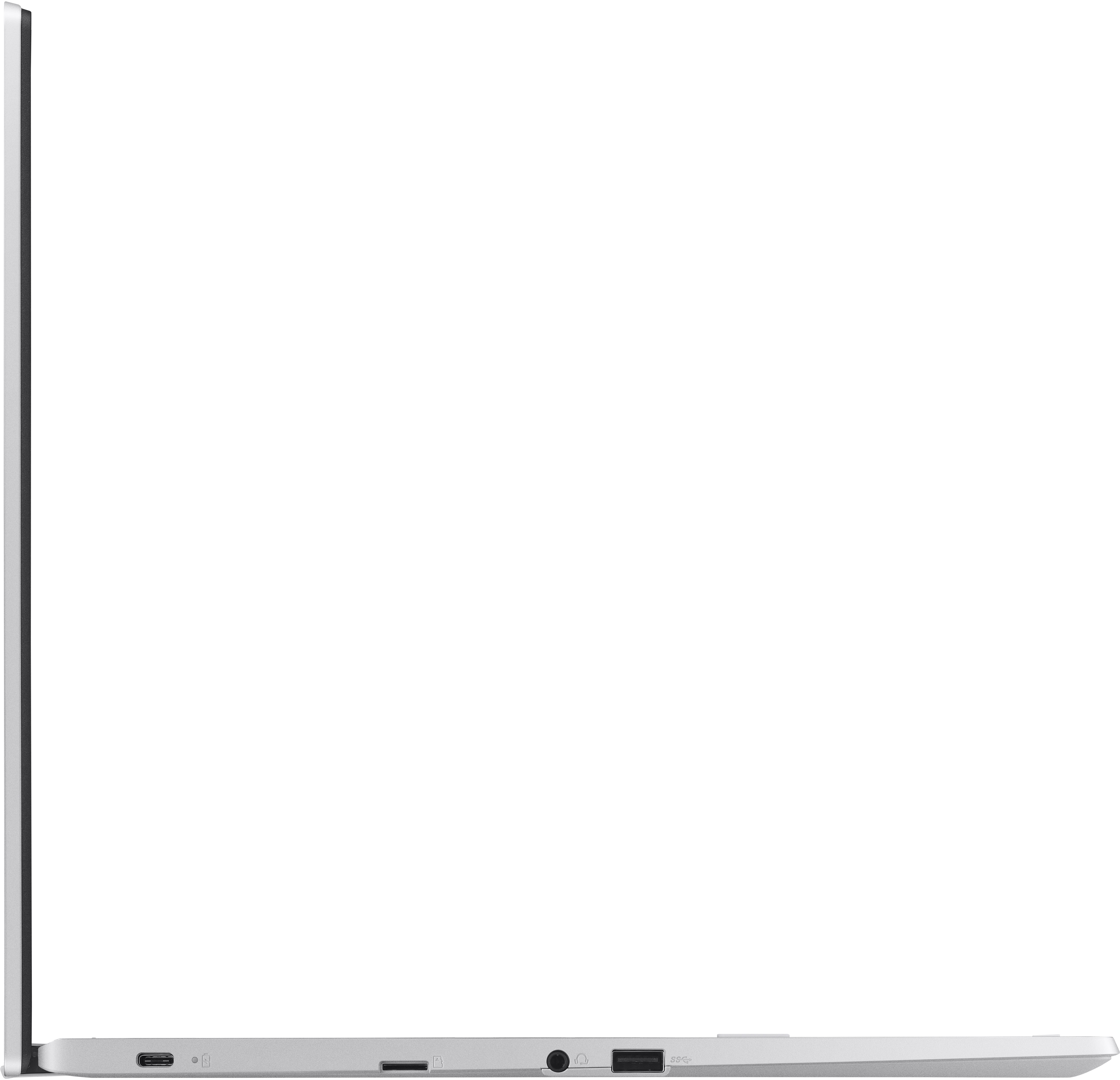
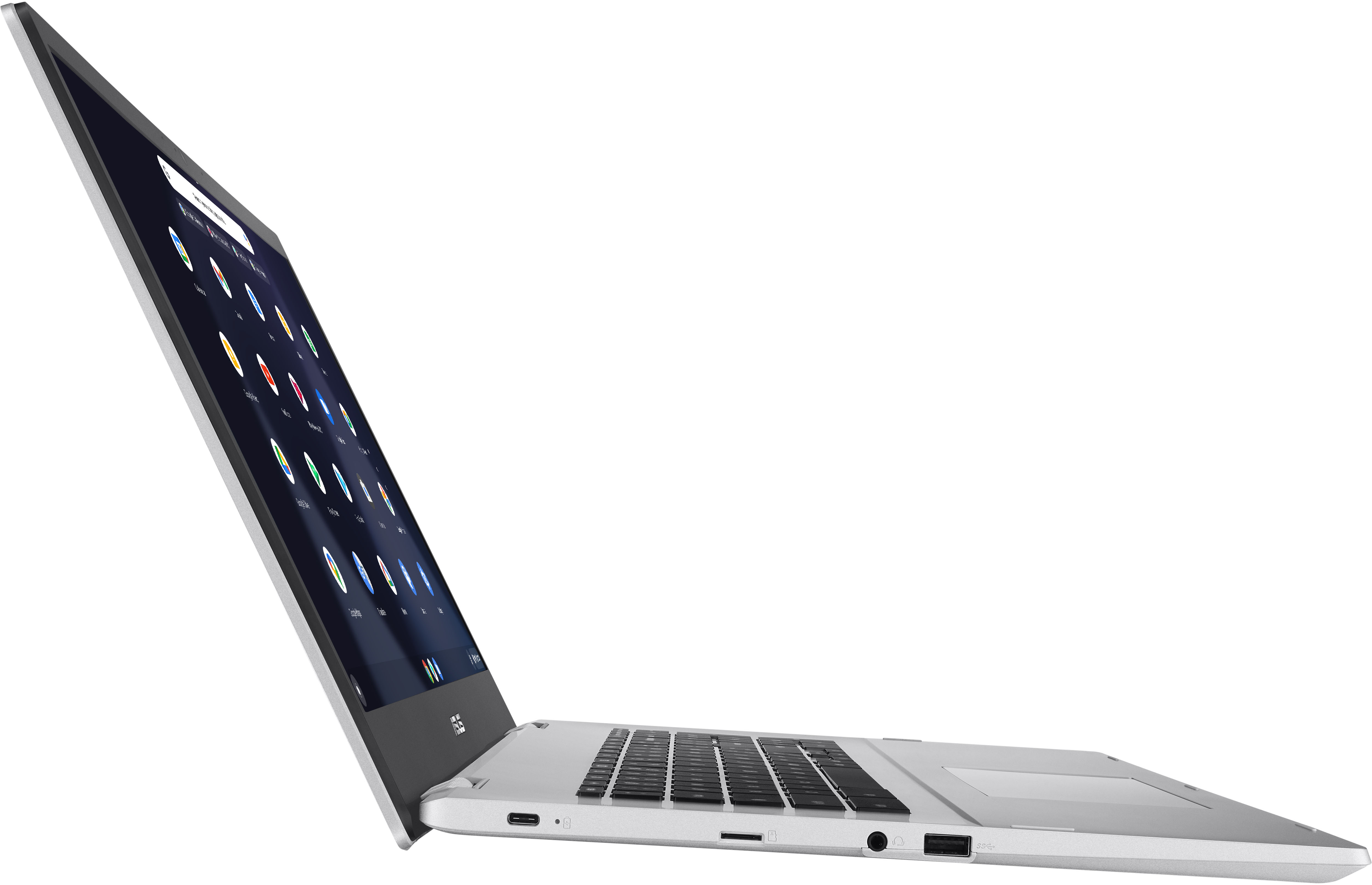
||Posted . Owned for 2 weeks when reviewed.This reviewer received promo considerations or sweepstakes entry for writing a review.This is a different kind of machine. Even among chromebooks. The processor is pretty capable, keyboard is decent, build quality for a plastic frame is great, not to mention the large IPS screen - which wants you to do more with it. Read below for my AHAs and my (not very valid) gripes. Processor This is a fairly new Celeron processor. It’s decent for ChromeOS. The Octane score is like 20k. It’s snappy got things that you already have in memory. Heat is not an issue. You can absolutely use it on your lap. But it struggles with video decoding (at least on my test files). If you cannot play the file on the default player, you’ll struggle with things like VLC or other web app players. Durability ASUS rates it as a military grade build. I have no reason to suspect it for the non-screen portions of the device. I cannot comment on this working out when you consider non-kid use cases and this laptop is not travel friendly obviously. Memory The laptop is pretty good for your workflow upto 3 tabs. Any more and it constantly reloads the tab when switching. 4GB in 2021/22 should be banned by law. It makes an otherwise nice device pretty limited. Keyboard and Trackpad They just work well. Future suggestion- get rid of the numpad. No one other than accountants use it. This allows you to center the trackpad and keyboard to the frame. Storage ChromeOS takes up half the storage of the 32GB eMMC. This is bad if you want more than a handful of Google Drive files to be offline or download large files. There is a Chrome flag to enable SD cards to be the default. But they would be slower than eMMC. Again, 128 should be the minimum for ChromeOS. ChromeOS The OS is pretty capable for my general workflow. Linux Container Containerized Linux is amazing in concept. Unfortunately, this machine is gimped in processor, memory, and most importantly storage. I tried GIMP and a couple of others but the machine didn’t do so well. This would make it a great productivity machine. Play Store If you plan to use it with Play Store being a primary part of your strategy, stop right now. I tried browser apps, file browsers, and streaming apps. None of them worked well. The apps keep ‘refreshing’/‘blinking’. It’s just annoying. Play Store Browser apps (In case I need more than 1 account session on the same website) are not designed for the desktop and the rending is just awful. To be fair, you get a warning before you resize to the ‘custom’ device format. Screen The screen’s pretty good for this price. It’s matte, which I like. Matte of course mutes the color vibrancy. But it’s a trade-off. Could also use a few more nits. Ports Has a nice selection of USB-A and USB-C ports. Micro-SD card is available but is something we take for granted. This is setup so that the card doesn’t project outside the frame of the laptop. Battery Life and Charging I can’t say for sure but I think it lasted close to 10hrs on regular ChromeOS usage. USB-C charging is the future and the included 45W charger is plenty fast. Overall, I’d buy this for a non-power user scenario. It’s extremely user friendly and works great for the out of the box ChromeOS use cases. Very good value upto $200. As to whether I’m keeping it will depend on how well it runs a live Linux of the latest Ubuntu LTS.
I would recommend this to a friend - Pros mentioned:Battery life, Screen size, SpeedCons mentioned:Security
Rated 4 out of 5 stars
Overall, pretty good.
||Posted . Owned for 1 year when reviewed.This reviewer received promo considerations or sweepstakes entry for writing a review.Like the big size, how long the battery lasts, and how fast it is. But I do NOT like it asking for my gmail password and additional security info every time I attempt to login.
I would recommend this to a friend - Pros mentioned:Battery life, Screen size, Speed
Rated 5 out of 5 stars
Big bang little buck
||Posted . Owned for more than 2 years when reviewed.This reviewer received promo considerations or sweepstakes entry for writing a review.Big bang for your buck. My daughters call it my big screen tv, that I carry around. Good battery and good processor keeps it running smooth . I use it for videos and web browsing, and it works flawless. Would def buy again
I would recommend this to a friend - Pros mentioned:Screen sizeCons mentioned:Ram, Storage
Rated 4 out of 5 stars
A Premium Chromebook Hiding In Plain Sight
||Posted . Owned for 3 weeks when reviewed.This reviewer received promo considerations or sweepstakes entry for writing a review.What the Lenovo Chromebook Duet did for tablets this CX1700 does for big screen Chromebooks. The main thing that is going to harped on is the price. $200!!! Sometimes, it is even $10-20 less. The screen is phenomenal (1920x1080) which means it is FULL HD. It has great viewing angles, great for web browsing, writing e-mails, reading, this quality of the screen alone should be enough to entice you to buy this. The main flaws most people will have with this device are 4GB of RAM, only 32GB of storage, no backlit keyboard, and there may not be enough ports to their liking. However, the storage and port issues can be solved with the addition of a HUB or using extended memory of your choice (microSD, external hard drives) In conclusion, this Chromebook is an incredible value. Don’t be discouraged due to it lacking in certain areas. There are ways/methods around them. If all you need is a decent device to surf the web, do light office tasks, stream videos, and replying to the occasional e-mail this Chromebook has you covered from top to bottom.
I would recommend this to a friend