Customer Ratings & Reviews

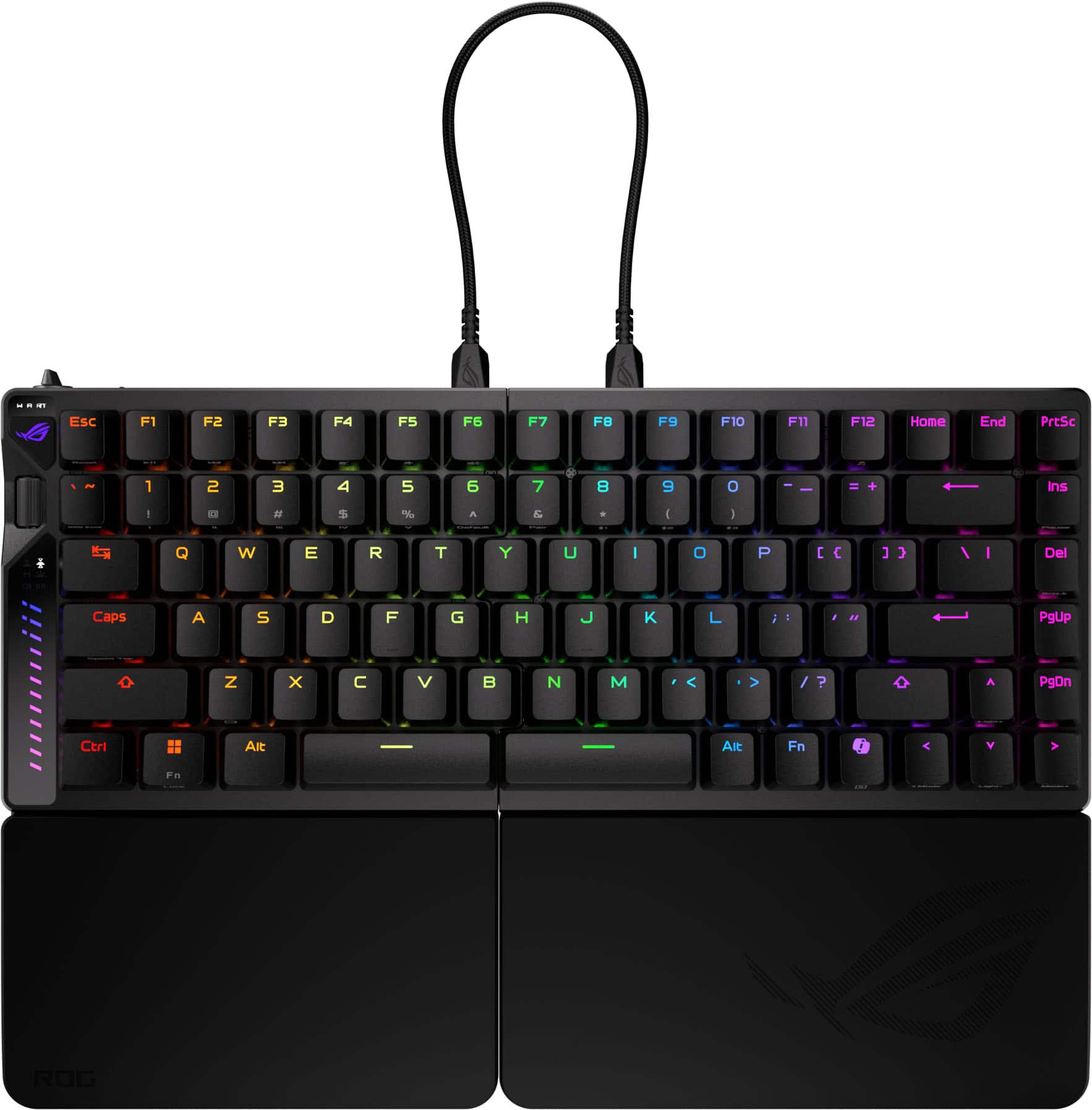
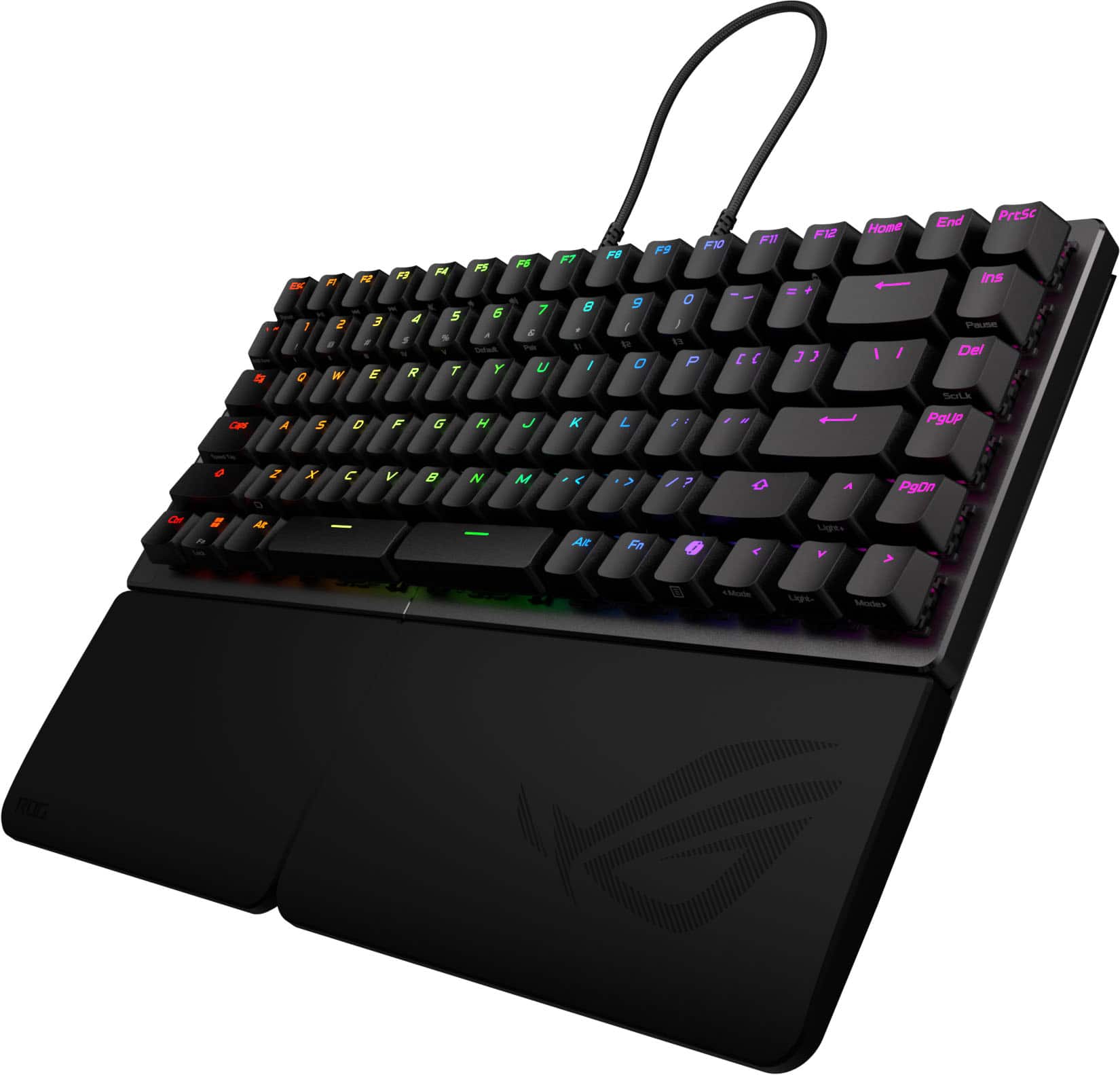
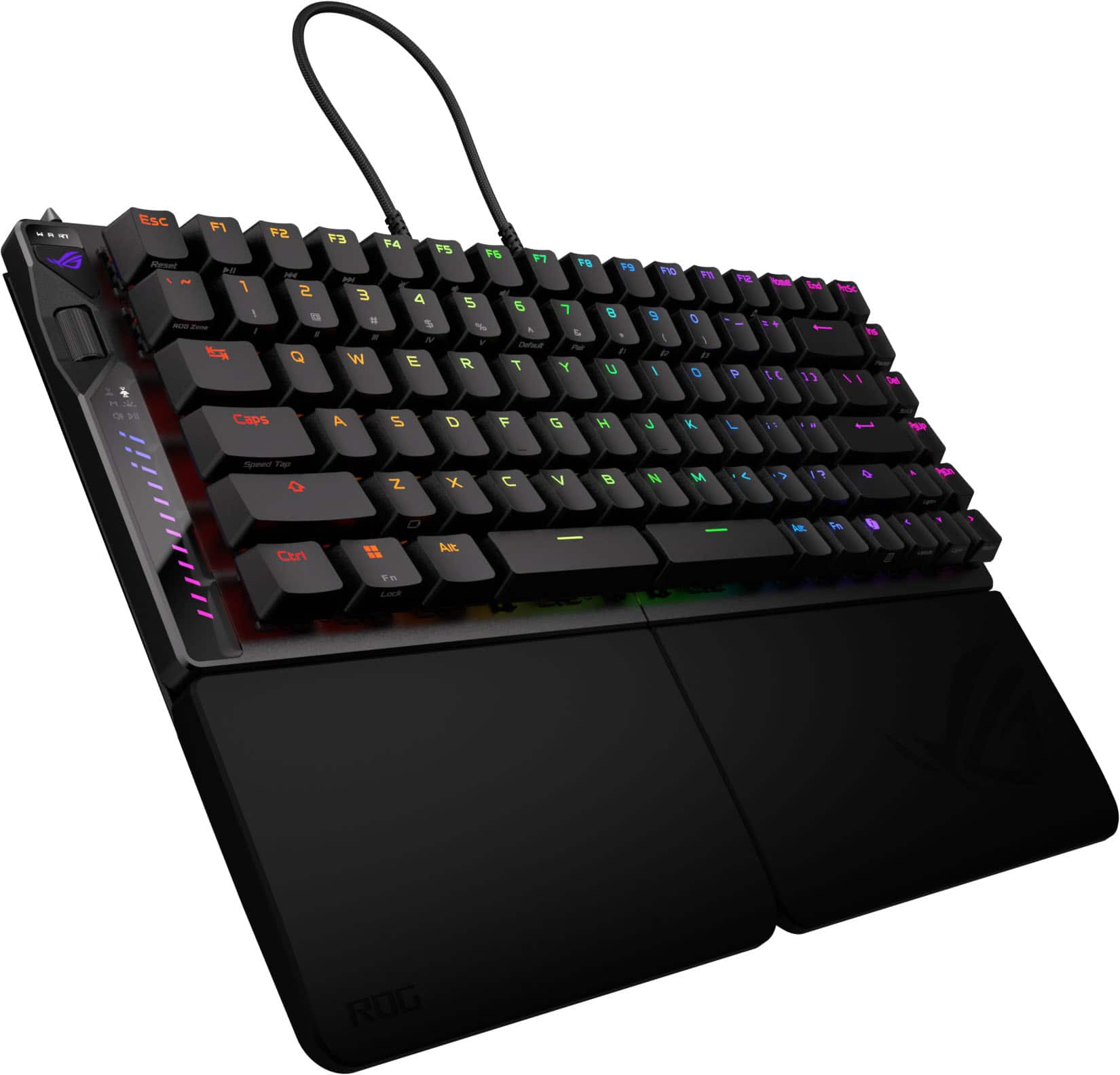
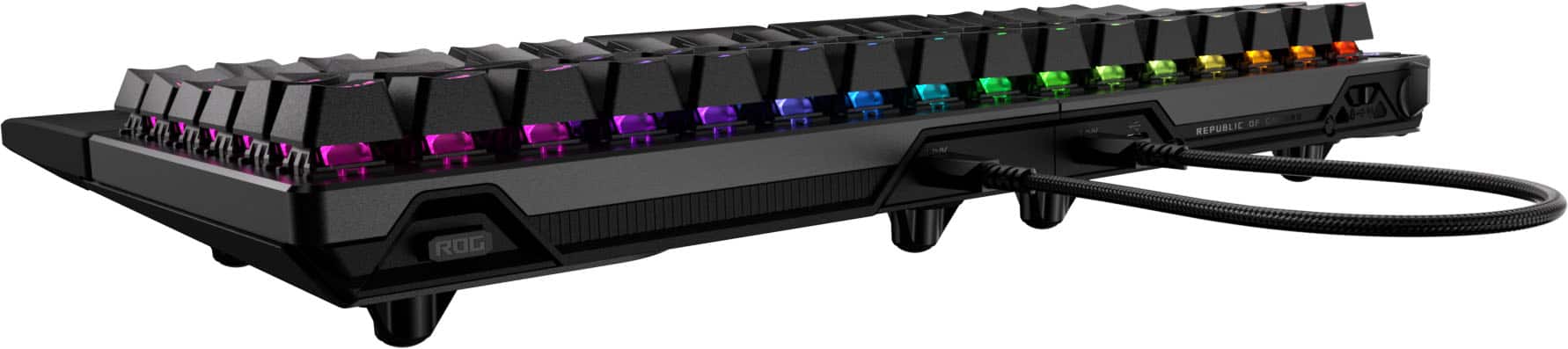
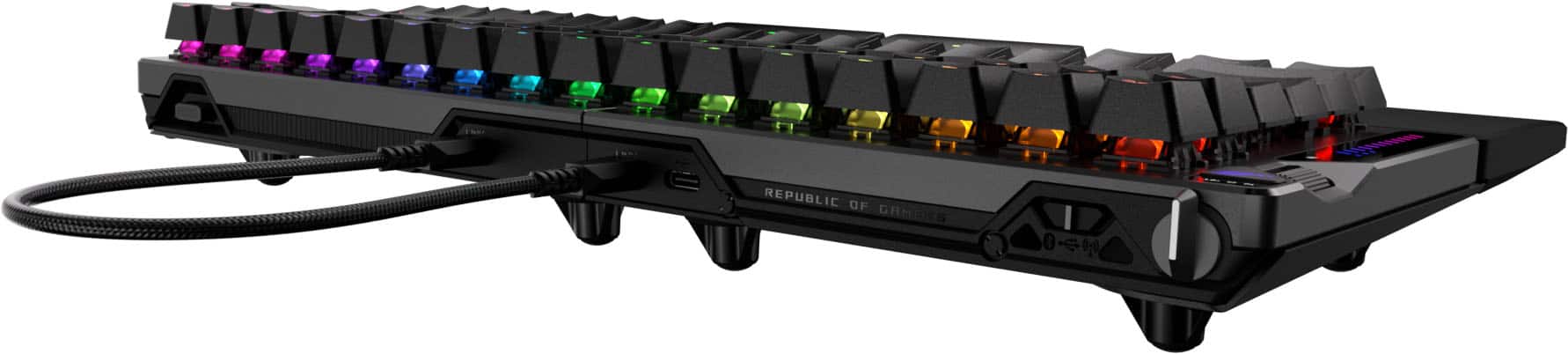

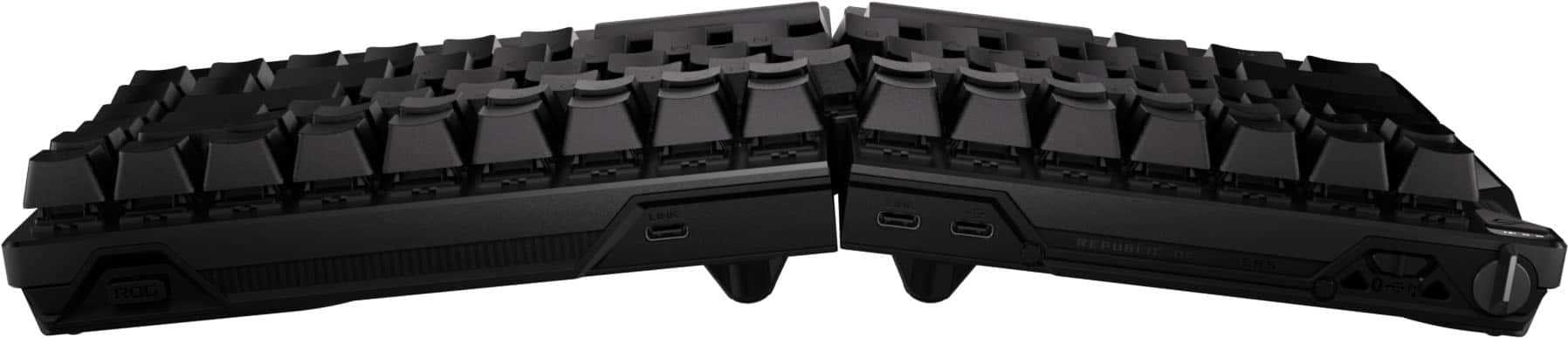

- Model:
- M703 ROG FALCATA/HFXV2/CA/PBT
- SKU:
- 6633436
Rating by feature
- Value
Rating 3.7 out of 5 stars
- Quality
Rating 4.8 out of 5 stars
- Ease of Use
Rating 4.3 out of 5 stars
Customers are saying
Customers are pleased with the superb build quality and the comfortable ergonomic design of this keyboard. Users frequently highlight the smooth performance of the switches and the versatile connectivity options available. Additionally, the device is praised for its quiet operation, excellent battery life, and aesthetic RGB lighting that integrates well with other components.
This summary was generated by AI based on customer reviews.
- Pros mentioned:Build quality, Ergonomics, Switch performance
Absolutely incredible!
||Posted .This reviewer received promo considerations or sweepstakes entry for writing a review.The keyboard's comprehensive feature set is impressive, encompassing Hall effect switches, rapid trigger, speed tap, and an 8000Hz wireless polling rate. The split keyboard design enhances user comfort, a feature that quickly becomes indispensable. The build quality is of a high standard. A notable advantage is the minimal reliance on Armoury Crate, with driver updates being its primary function, while Gear link provides alternative configuration options. While some users have noted a sharpness in the space bar design, this does not appear to be a universal experience. This keyboard is highly recommended for consideration.
I would recommend this to a friend - Pros mentioned:Ergonomics, Noise level
Amazing keyboard! Definetly recommend trying it
||Posted .This reviewer received promo considerations or sweepstakes entry for writing a review.Such a great keyboard. I love the fact that I can adjust the angles howver I want, whenever I want. The pain I've had with my wrists is going away using this keyboard. I love the fact that you can adjust the trigger points (I'm no FPS gamer), but allows me to adjust the typing experience how I want it. Quiet clicks too! I recommend only getting it on sale though, the MSRP is a bit steep.
I would recommend this to a friend By far the best keyboard
||Posted . Owned for 3 weeks when reviewed.This reviewer received promo considerations or sweepstakes entry for writing a review.I type all day due to my job, and regular flat keyboard would strain my hands so bad to the point i couldnt sleep due to the pain. What i love about this keyboard is the ergonomical angle that it has. It has help minimize the pain on my hands. Another thing i love about this keyboard is how light the keys are, it helps me type a lot faster…i truly recommend this key board: its ergonomical, light, and looks great.
I would recommend this to a friendPricy but the only keyboard of its kind
||Posted . Owned for 2 weeks when reviewed.This reviewer received promo considerations or sweepstakes entry for writing a review.There really isnt another keyboard that is 75%, wireless, and split. Thats what I was looking for. I needed something also with light keys since my work is like 95% typing. Stiffer, harder switches causes fatigue for me. This keyboard is great for me bc it meets all those things I wanted. It was definitely more expensive than I wanted to pay, but im happy with the keyboard in the end and it saves my wrists and fingers from pain.
I would recommend this to a friendGreat product concept, poor execution
||Posted .This reviewer received promo considerations or sweepstakes entry for writing a review.First, as much everyone else hate the armory crate, I hate the gear link as well, as it never saves ur setting, everytime i try to make a change and save, it automatically reverse it back a few seconds later. Without a always on 8Khz input, the battery saving mode(even tho I'm always using it wired), has significantly way more input latency compared to a normal 8khz mechanical keyboard(like their own strix flare II animate I'm using together). Also, the wired connection is not stable sometimes, everytime I start/restart my PC, there's a chance it doesnt recognize the keyboard(im using a rog X870E Crosshair Hero motherboard, it would recognize all my other ROG peripherals, just not this one sometimes). And per HE magnetic keyswitches, they feel extremely mushy, and even worse than those Kailh red/gateron white linear switches, just subpar typing experiences even in games. In Wuthering Waves, an action combat RPG, it's so hard to realize if a key is sucessfully pressed or not... So far i wouldn't recommend it, and probably not the upcoming Azoth HE 96 which uses the same switches. The worst part is that this switch, ROG specifically co-designed with TTC, that is so limited in terms of functions(comapred to Kailh and Gateron HEs, heck, even Glorious HE with the click bar is better than this).
No, I would not recommend this to a friendBrand response from ASUS Answers
Posted .Dear Ryle,
Thank you for sharing your detailed feedback on the ASUS ROG Falcata Gaming Keyboard. We sincerely apologize for the difficulties you have experienced, including issues with Gear Link settings, input latency in wired mode, connection stability, and the typing feel of the HE magnetic switches. Your feedback regarding software functionality, connection stability, and switch performance will be forwarded to our product team for review.
To assist with troubleshooting the issues described, we recommend following the steps outlined in our FAQ guide linked below. If the issue continues, please contact our support team at https://www.asus.com/us/support/CallUs so we can assist you further.
We stand behind our products and continuously strive to improve our products and processes to achieve customer service excellence. For more information, email us at customerloyalty@asus.com and include the case number "N2509028794-0006" as a reference. We will do our best to resolve your case quickly. Your feedback is very important to us and enables us to improve our support channels. Thank you for choosing ASUS.
Best Regards,
Chantae
ASUS Customer Loyalty US Support
[Windows 11/10] Troubleshooting - External Keyboard/USB Keyboard/Wireless Keyboard Issues - https://www.asus.com/support/faq/1047955/
- Pros mentioned:Build quality, Connectivity, Ergonomics

A Competitive Edge - Solid - Cool
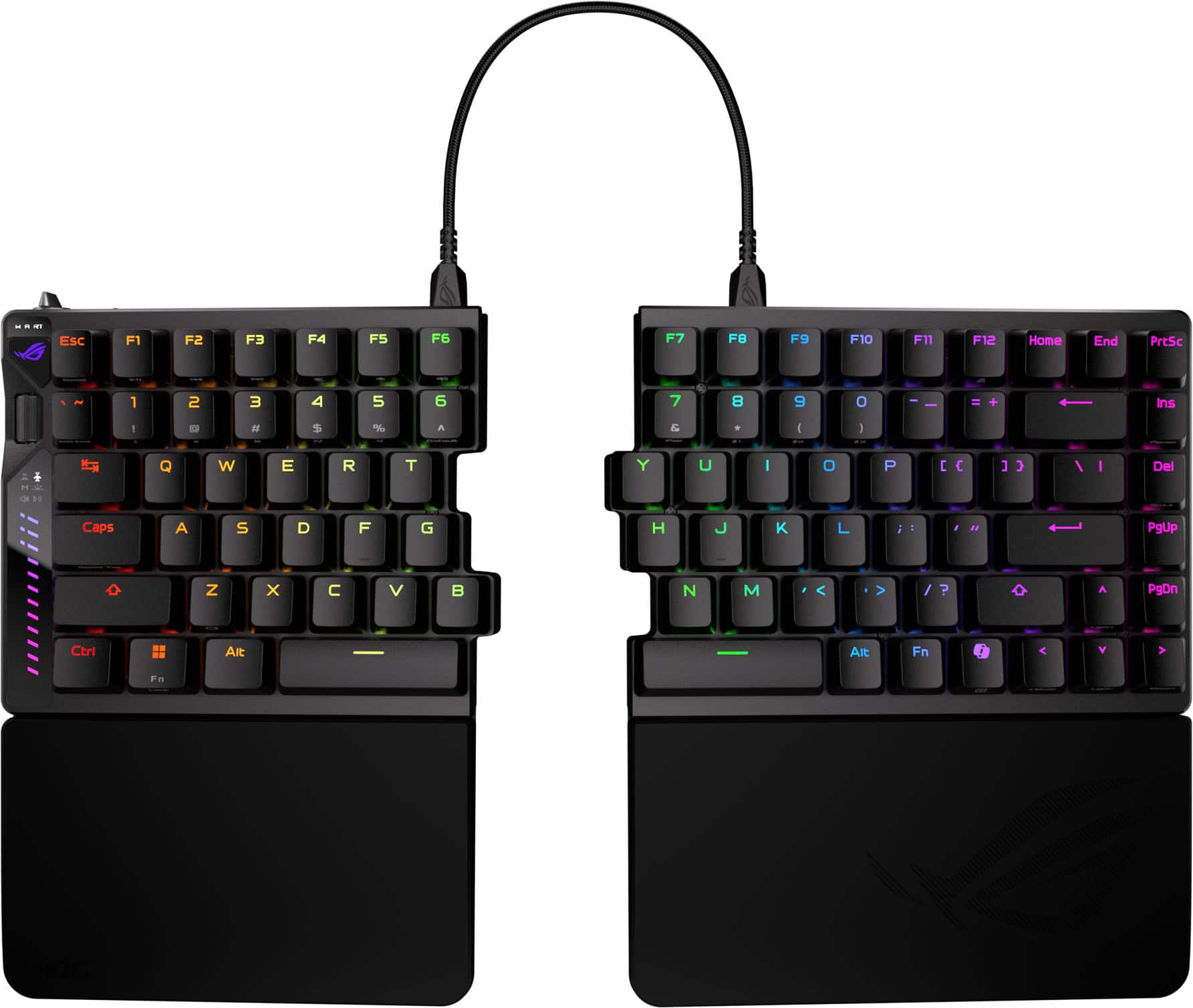
|Posted .This reviewer received promo considerations or sweepstakes entry for writing a review.The ASUS ROG Falcata 75 came nicely packaged, mostly cardboard, which I like, with everything inside wrapped neatly and organized. You get the two keyboard halves, detachable silicone wrist rests, a few different cables, a dongle extender, and a USB-C adapter. There are even some cool stickers. Right away you can tell this isn’t just another keyboard. The box is heavy, the parts are heavy, and it all feels solid before you even plug it in. Setup did require a few different steps and the documentation was not very helpful with tiny print and confusing diagrams, but you should be able to get it figured out. Luckily, the keyboard is pretty much plug-and-play with the included dongle and/or cable. To connect via Bluetooth you do need to read that part of the instructions, which tell you to hold the function key and the number seven at the same time for 3 seconds, but it doesn’t say you need to hold the function key on the right keypad, which took me a few tries to figure out. Other than Bluetooth you can connect using the dongle, or the included long USB-C cable. ASUS included multiple cable lengths, 2 for connecting the keyboard halves and 1 for charging and connecting to the computer. I do wish one of the cables to connect the 2 halves was extra long so you could really spread the halves out, like even running them onto chair armrests for the ultimate comfort setup, but I don’t think they’d work with a cable that long. The main selling point is the split design. That’s the feature that makes this keyboard stand out. You can angle the halves however you like, give your mouse more space, and line up your wrists in a way that feels way more natural than a standard board. Gaming with WASD feels great because I can push the right side back and keep the left side close. Typing on a split keyboard does take some practice, but honestly, I’ve been waiting for something like this for years, and I picked it up quickly. When I was younger, and learning to type, I used to practice with pretend keypads in each hand, now that’s real! This is my first Hall Effect keyboard and it’s going to take some getting used to. The keys are extra sensitive.. If you brush against them, you’ll trigger inputs you didn’t mean to. You have to type with your fingers at attention. Sloppy typing won’t cut it here. But once you get the feel for it, the switches are smooth, fast, and accurate. Rapid Trigger and Speed Tap are absolute game-changer features for gaming. They make inputs fire quicker than any other keyboard I’ve ever used. If you’re into competition and shaving off those last milliseconds, this is the tech that gives you the edge. The Gear Link software is another big win. You don’t download anything, you just open it in your browser. Ba-da-boom, ba-da-bing. Change your lighting, remap your keys, set macros, or adjust actuation points right there. It’s simple, clean, and it works. Honestly, I wish every brand did it this way. Not only is the Falcata a standout gaming keyboard, I think it’s going to work great for daily use. The build quality is top tier. Aluminum on top, solid plastic underneath, no flex issues, just pure stability. It feels extremely solid. The control hub feels great with its scroll wheel and button, and the LED sidebar that lights up when you’re adjusting volume or lighting is a cool little touch. The battery life has been excellent too. I’ve been using it daily with RGB on, and it feels like it just goes forever without needing a charge. The lights are so fun to watch and really make my whole setup feel more immersive somehow. The wrist rests are smooth and comfortable, and I like that they’re detachable for easy cleaning. The overall design is sleek, all-black with RGB that pops, and it looks awesome on my desk.. Just a few nitpicks: I’m going to miss having a number pad since I use the 10-key often, but hopefully I’ll get used to working w/o it. The home row bumps could stick out a bit more for finger placement, they feel pretty smooth, and I wish the halves connected w/o the cable. Overall, this is just an awesome keyboard. Expensive, yes, but if you want a premium build, cutting-edge switches, split ergonomic design, and features that give you a true advantage in gaming, this is it. Perfect for competitive gamers, tech lovers who want something flashy and different, or anyone who just wants a keyboard that feels as premium as it looks and is.
I would recommend this to a friend - Pros mentioned:Connectivity, Ergonomics, Switch performance
Relief for the Wrists
|Posted .This reviewer received promo considerations or sweepstakes entry for writing a review.I spend a very large portion of my time sitting with a keyboard in front of me, and once in a while, when I'm doing something where I'm not typing for a given amount of time, I notice that my arms and wrists are resting in a natural and comfortable state, which just so happens to line up better with a split keyboard than a traditional one. Then as soon as I need to start typing, I watch my wrists snap into a bend and think, "I really need to try out a split keyboard". That's where this Asus Falcata comes in. This is my first experience using a split keyboard, and wow, does it make a difference in comfort, although that does come with a caveat, at least for someone like me. Almost everything about this Falcata is different from what I'm used to, so this review will be from that perspective. Going to an ergonomic split keyboard for the first time is a weird feeling, and one that I'm still getting used to. My arms and wrists have never been more comfortable while just sitting at my desk. I can start typing away instantly too since my hands at rest are already in the correct position, no more bending my wrists uncomfortably. You can especially feel this after long stretches of typing. The caveat is that it's taking some time to get used to typing with my hands in this different position. The main rows of letter keys aren't as much of a problem as the further away keys are, especially the backspace key for me. I keep accidentally hitting the slash key instead. I have no doubt though that this will get better as I get more experienced with this style keyboard. You can't talk about keyboards without talking about the keys themselves, and this is another area that is completely different than what I'm used to. For many years now I've been using a keyboard with "clicky" style switches, whereas this Falcata is a linear switch. Not having that tactile feedback is another thing I have to get used to. That said, these aren't your typical linear switches, they're hall effect switches, something else that is completely new to me. If you're going to make a switch to a different switch, having this feature is the way to go. The biggest issue I'm having with adjusting is that I keep 'side-swiping' un-intended keys. With my old clicky style switch, this wasn't much of a problem because those keys wouldn't get enough pressure to actuate them past the tactile mechanism. These switches are much more sensitive. With the hall effect though, and the web interface Asus has for managing keyboard functionality, makes it extremely easy to adjust how much travel each individual key has to go before hitting the actuation point. Again, each INDIVIDUAL key! This is kind of a game changer for me. This means I can keep minimal actuation distance on the harder to reach keys, and a longer distance on the keys I like to 'hit with confidence'. But also, those keys that I tend to side-swipe more often than others? I can set the actuation point further down so that when I do side-swipe them, they won't actuate. That takes me to another great feature that I absolutely love, the web interface. Asus did away with software you have to download and just created the web based Gear Link tool. I always hated having to download software just to manage an accessory and hope others follow Asus's lead on this. Plus you never have to worry about keeping the software up to date either. Asus made it really easy to connect to the device through the web tool also, and the user interface is fairly intuitive. I was able to dive right in and start making different adjustments. It also let me easily re-map a couple keys to the way I'm used to. With everything setup, this keyboard has been handling all my use cases with ease. Of course this is primarily geared towards gamers, and for that it has some great features, like my favorite which is the speed tap that makes moving around in games so much smoother! Another great feature is the fact that you can use just the left half of the keyboard by itself! For games where you're mainly using WASD, just disconnect the right half and now you can keep your mouse hand naturally closer! You don't have to be a gamer to use this keyboard though either. I use it for software development as well as video editing. The fact that this keyboard isn't set in a permanent split position is great too. When I am video editing, I'm not using the keyboard in a traditional way, it's more about key short-cuts. So for that, I found it easier to just move the 2 halves together. While the halves aren't magnetic or attach physically, the rubber base, and overall weight, holds them firmly in place. I also need to mention the proprietary cable to link the 2 halves. I've seen other reviews hate on the fact that it's proprietary, even though they use a usb-c style connector. I don't think this is really that much of an issue. They do include 2 of these so you at least have one back-up in case you lost one, but honestly, even if you game with only the left half, there's no reason to remove the cable from the right half, and if you don't game, you'll probably never remove the link cable, so it's not like a charger cable that you could more easily misplace. Another feature I'm enjoying thoroughly is the multi-function button and wheel along the left side. You can easily manage the lighting effects or event the overall hall effect sensitivity through this wheel without having to connect through a web browser. You could also control media playback with it, but my favorite part that I always keep it set to is the audio control. I love how easily I can control audio volume without even thinking about it, and the wheel is within reach where it's still comfortable and easy to get to and use. Last couple things I want to talk about is battery and connectivity. I love that this keyboard gives you every option. You can keep it wired directly, you can use the usb wireless receiver (which is conveniently stored along the top of the right half), or you can use bluetooth. I started out using the usb wireless receiver. Response time was mostly good, but I did have a stretch where i was experiencing severe lag. I don't know if that's the keyboards fault, or the fact that I plugged the usb receiver into a usb hub that's embedded into the back side of one of my monitors, but it was frustrating. I was also keeping watch of the battery, which I noticed was draining at a noticeable rate. With how much I'm sitting at my computer, I felt I would have to plug it in every few days, so I opted to just keep it wired to make things easier. You can imagine I no longer experienced any issues with responsiveness. One thing to take note about the battery, each half has it's own, and using the 'fn + z' key combo will show you the general charge levels of each half using the number row key lights, but when connected to the Gear Link tool, it only shows one level. So when I first plugged the keyboard in to charge it, after a while Gear Link showed it to be at 100%, but if you checked manually with 'fn + z', you'd see only the left half (which gets priority in charging) was at 100, while the right half was only around 60-80%. Hopefully this is an easy update for Asus to make on Gear Link, which still shows to be in Beta. Overall it's an excellent keyboard and has made life simpler in many ways, and more comfortable and ergonomic. I do wish there were some way to add different options for key switches, but I'm not sure that's possible given the hall effect, which I guess does make up for that in a way. It's also not cheap, but you do get what you pay for. Finally when it comes to my rating, the only thing that brings it down for me is the fact that it's taking some time for me to get used to not just a split keyboard, but the keys themselves. If I were someone that prefers linear switches, this keyboard would be a 5 out of 5 star rating all day, and that's why I decided to give it just that. If I were to base it on personal preference, I might knock off a star, but I don't believe that would be fair, but at the same time I wanted to share my full experience for those who are coming to something completely different like I did.
I would recommend this to a friend - Pros mentioned:Build quality
Solid, Elite gaming keyboard.
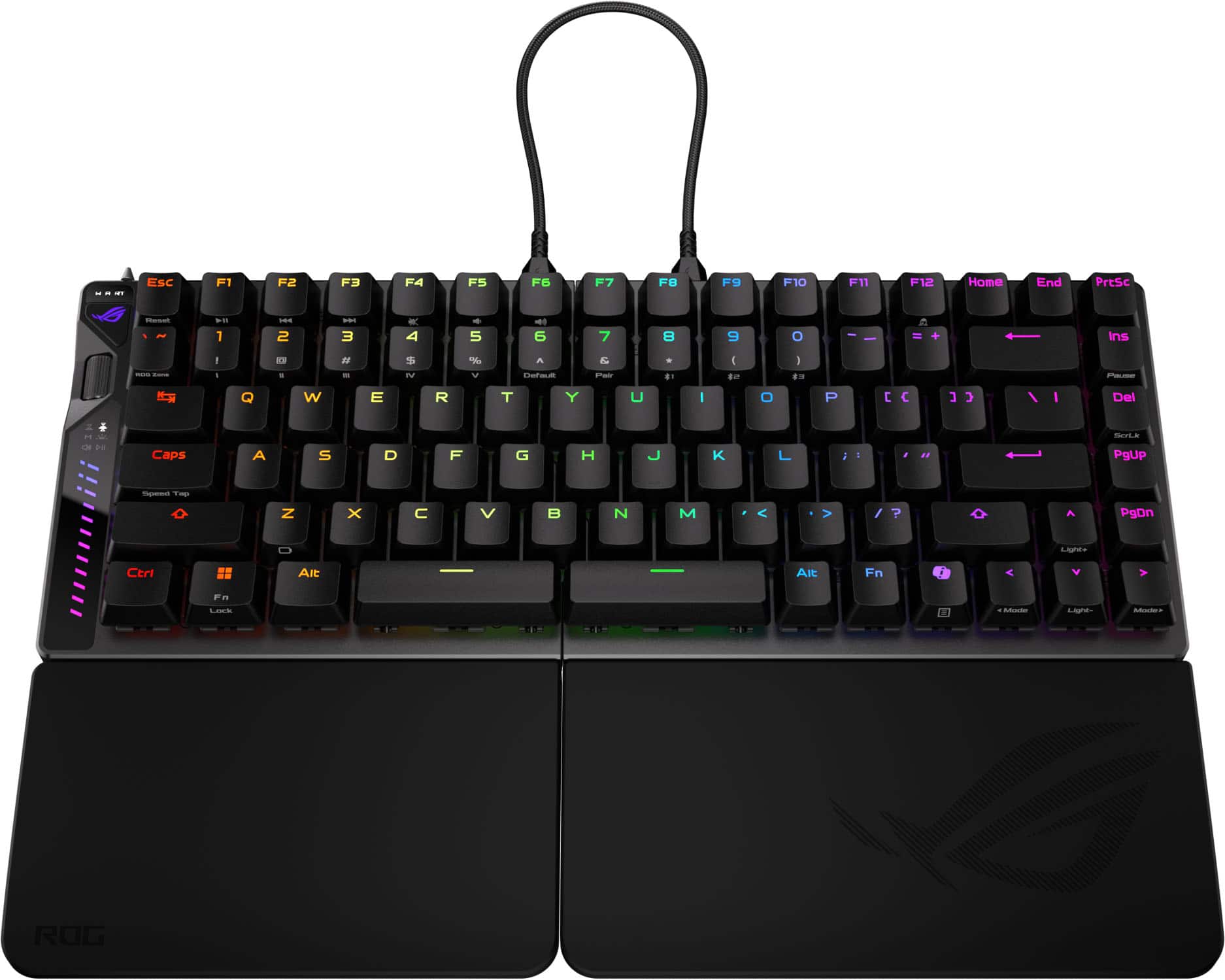
|Posted .This reviewer received promo considerations or sweepstakes entry for writing a review.The ROG Falcata is a very smooth gaming keyboard and I had a great experience playing with it. The settings can be adjusted via a web portal, so it's nice you don't need to install any hardware. The web portal gives you lighting, actuation point, speed tap, rapid trigger, power settings and switch calibration. The actuation point is really sensitive, so typing words with the gaming settings can be quite frustrating because barely touching keys triggers them. I had to reduce actuation level to give me a good normal feel. The keyboard feels good on the fingers, and the little screwing raisers allow you to set the angle however you want. The wrist pad is firm but provides good support. The split capability is nice, but the right side of the keyboard is not wireless so it does need to be connected to the left via USB-C cable. If you're going to be trying to save space by splitting it but you require lots of normal typing or chatting, it's not as convenient having to constantly put the keyboard back together. The splitting is more useful for, say, extended gaming sessions. Build quality is solid. The keyboard is heavy and it comes with a dock or frame (with the wristpad) that you can attach to the keyboard. When you put both sides together, they come together magnetically and it's seamless, so it does feel like a single keyboard. The left side of the keyboard has multiple functions you can toggle with the ROG switch, which makes the scroll wheel serve multiple functions (volume, lighting, pause/player, etc). I did notice a difference with gaming, especially by experimenting with the actuation sensitivity. Movement is quicker, reaction time improved, and you can adjust it by key depending on how your fingers interact with the keyboard If you're a serious gamer, consider this keyboard. If you're a regular gamer, this keyboard may be overkill.
I would recommend this to a friend - Pros mentioned:Build quality, Connectivity, Ergonomics
Insanely Good keyboard with ton of features!
|Posted .This reviewer received promo considerations or sweepstakes entry for writing a review.The ROG Falcata is a new style of keyboard for me and I’m not looking back to traditional keyboards. With its split design and myriad of features it’s a game changer for me when it comes to PC gaming. For me it’s less about the space saved for my mouse hand but the fact I can avoid misinputs due to my larger hands and long fingers reaching too far and accidentally hitting the wrong buttons in competitive games. I’m by no means a competitive gamer but the Falcata assists me when I play those types of games. But you’re not here for how this keyboard helps me, you’re here for the sweaty gamer specs. It has magnetic switches, hall sensors, a multifunction wheel and button to control actuation points, trigger sensitivity, volume, media, and lighting of the keyboard. There’s also a myriad of connectivity options with Bluetooth, wireless dongle or wired all to take advantage of the 8000Hz polling rate. Overall, the ROG Falcata offers a lot of features, insane build quality and flexibility (literally) for any style of gamer out there. The only downside is that the Falcata only works with the included USB-C cables.
I would recommend this to a friend - Pros mentioned:Connectivity
Serious keyboard made well
|Posted .This reviewer received promo considerations or sweepstakes entry for writing a review.This is my very first gaming keyboard that splits into. After feeling how heavy the device is, I am 100% sure that this is an intense keyboarding set. It does come separated you can put together the keypad with the palm rest. It comes with small keyboard legs to lift For extra support so within this keyboard set, you have additional features that creates a very versatile yet comfortable feeling. It looks absolutely in line with the ROG series for aces and the actual keys have a really heavy firm feeling, which means you were pushing that button intentionally. They come with separate power cords, and then there is a multi function control feature on the side with Lighting bar, which is smooth to the touch and can be adjusted. All of these features are new to me again. This is my first gaming keyboard. It is very reactive very quick, super connectivity and I don’t feel like I am lacking anything with this keyboard. I tried it both without the palm, rest and width and since I have female hands I prefer it with the palm rest.
I would recommend this to a friend - Pros mentioned:Connectivity, Ergonomics
Fantastic Keyboard
|Posted .This reviewer received promo considerations or sweepstakes entry for writing a review.The Asus Rog Falcata 75% split keyboard is a fantastic ergonomic device with many great features. • Unboxing – The keyboard comes nicely packaged and includes the keyboard with wrist rests, wrist rest screws with wrench, screwable feet in two different sizes, keycap puller, USB-C to USB-C connecting cable (short and long), USB-C to USB-C keyboard cable, USB-C to USB-A adapter, a wireless dongle, and a sticker sheet. • Keyboard – The keyboard has a multifunction control wheel, rapid trigger toggle, and a connection mode toggle. It offers a great typing experience with a cushioned feel. The silicone wrist rests are removable and washable. There are two USB-C ports on the keyboard, one to connect each side of the keyboard together and one to connect the keyboard to the computer. One thing that kind of concerns me is that the bundled link cable for connecting each side together appears to be “proprietary” given that no other third-party USB-C cables are supported. If the included link cable(s) became damaged or lost/forgotten and a replacement was not readily available at a major local retailer the keyboard is no longer completely usable. Additionally, one thing I wish the keyboard had was a latching system of some sort for when you want to use it together/move it; although I do understand it was designed to be a split device. • Ergonomics – I really like that the feet are screwable rather than magnetic for stability and being able to angle the keyboard in a way to take pressure off my wrists. Note, the manual lacks any helpful tips/information on how to best install the feet. • Connectivity – The keyboard offers up to 8K polling rate which eliminates lag when used wirelessly. It can also be connected via wired USB and Bluetooth. • Software – Gear Link is available online and allows you to update the keyboards firmware as well as customize it without the need to download anything. Overall, I have really enjoyed using the Asus Rog Falcata keyboard and highly recommend it.
I would recommend this to a friend - Pros mentioned:Ergonomics
Awesome split design - setup not so awesome
|Posted .This reviewer received promo considerations or sweepstakes entry for writing a review.There are times when you try new things and it ends up pretty ‘meh.’ Then there are other times where you try new things and question how you ever lived without them. The ROG Falcata falls in the middle but leans toward the right in this case. The product itself is incredible - like I never knew how much difference a split keyboard like this could make in both the comfort and quality of gaming. The design makes you feel like you’re really in control of something versus tapping away on your computer. Unless you have giant monster hands beyond all proportion, the longer of the two link cables gives you plenty of room to spread the two halves and find an ideal typing position. There’s also a very high degree of configurability - and that’s where things leaned back toward the left. The ‘instruction manual’ was a fold up brochure with a font that required reading glasses I don’t own and in multiple languages, which should give you a clear indication of how useful it was. I’m a big believer that if your product has buttons lights scroll wheels and switches all at the same time, you need a better introduction. The first challenge was installing the wrist rests, which if I’d done as indicated would have wobbled like a chair at a 50’s era diner. Fortunately the pieces provided told a slightly different story and I was able to get it nice and solid. Then I found myself frustrated because something was causing every key on the keyboard to be trigger happy - not useful when you’re trying to type a quick response to your boss and it looks like you’re on the sssssttttrruuuugggggle bus. I magically figured that one out on my own by playing around with the controls but what may be intuitive to some is not to me. I will say that ASUS provides great support if you do need to reach out - it just shouldn’t be a point of having to call someone or dig around online. Final score is a 4 because the product really is great and outweighs my disappointment in the lack of clear directions
I would recommend this to a friend - Pros mentioned:Build quality
Over the top awesome keyboard!!
|Posted .This reviewer received promo considerations or sweepstakes entry for writing a review.This review is for the ASUS - ROG Falcata 75% Wireless Magnetic Hall Effect RGB Ergonomic Gaming Keyboard with Hot-Swappable ROG HFX V2 Switches - Black. This is a premium high-end keyboard, And you get the feel as soon as you start unboxing, even the packaging is very nice. The build quality and look of this keyboard is great. Coming with a detachable silicone wrist rest for both sides. And multiple legs that you can screw in on the back side of the keyboard to get a setup that is just right for you. I love the feel of the keystrokes when typing and the sound. One of the key features of this wireless keyboard is that it splits in half. Freeing up some space if you need it. Also no software needed to use this. All the keys are backlit and are fully customizable. The rapid trigger is easy to turn on and off in the blink of an eye. Only the left side has a battery so you need to use a link cable to the right side. And they give you two differ size cables. A short one if you don't plan on separating the two sides and a longer one if you do. This keyboard with help you take your gaming to the next level
I would recommend this to a friend Recommended! An ergonomic gaming keyboard first?
|Posted .This reviewer received promo considerations or sweepstakes entry for writing a review.This keyboard is super impressive, both for casual everyday use and competitive gaming. As a gamer who also spends plenty of time on massive amounts of typing and production tasks, this keyboard feels like it’s built for versatility without sacrificing comfort or speed. The split-keyboard design is a standout feature; it’s easy to adjust your setup for the best wrist ergonomics, which really cuts down on fatigue after long sessions of writing and editing. Whether I’m gaming intensely or just working at my desk, the split design keeps my hands comfortable and helps with posture. Which makes me sad to say that the connecting portions of this keyboard are less than perfect. The magnets are not strong enough to snap the keyboard into place. With the world used to things snapping together like the Nintendo Switch 2, this keyboard is a little less impressive because of its lackluster snap function. Further, the rubber connectors between the keyboard and the screw covers always fall off. I’ve already lost one because they are small and don’t stay in place. They are needed to keep the typing action from sounding hollow on your desk. It really makes a difference in the sound and finish of this keyboard so I’m a little disappointed that the build is not a full swing like I’m used to from Asus. The hot-swappable switches are keeping me in the keyboard. I don’t change my switches often, but I’d definitely go for a set of brown switches over these red style switches. I like to have the tactile snap versus the smooth touch that this keyboard has. So, I live with the keyboard action for now since I know I can change them out later. You can customize actuation tuning slightly. Keypresses are fast and smooth for playing games. Inputs feel instant. This is definitely a competitive gamer keyboard that will serve you if you are twitch gaming but it won’t be good if you are a touch typer that cares about positive click feel for your typing. The keys were still comfortable but my WPM did suffer using this keyboard in the sense that it’s a Switching profiles is easy because of the multi-function wheel and controls. The connectivity options definitely reflect a keyboard that is top-tier: wired USB, Bluetooth, and USB wireless, supporting up to five device connections at once. I do wish it had more profiles because I could easily use eight. Typing is ultra-quiet, thanks to the dampening, and the detachable silicone wrist rests match the tilt angles perfectly for lasting comfort. The wrist rests are not magnetic. The keyboard sits in holes in a metal bracket. I wasn’t a fan at first but now I really like it because once you put the keyboard in the bracket, it isn’t ever going to accidentally come out of it. Overall, this is a great great gaming keyboard and a fairly good production keyboard/typist’s board. However, with the skinny options for ergonomic keyboards, getting a gaming focused one is SUPER unique and cool so it gets a RECOMMEND from me.
I would recommend this to a friend- Pros mentioned:Build quality, Ergonomics, Switch performance
ASUS ROG Falcata: Fast, Fancy, and Pricey
||Posted .This reviewer received promo considerations or sweepstakes entry for writing a review.The ASUS ROG Falcata is a premium split gaming keyboard that feels fast and super smooth thanks to its Hall Effect switches. The split design is nice for extra mouse space, though it’s not a big ergonomic upgrade. Wireless performance is excellent and doesn’t feel laggy at all. It’s really well built, but the price is high, so it’s mostly for serious gamers who want the latest tech.
I would recommend this to a friend - Pros mentioned:Noise level
Not what I expected
|Posted .This reviewer received promo considerations or sweepstakes entry for writing a review.So when I first opened this I didn't realize that you needed to put this thing together, you need a tiny hexagon screwdriver for this which it doesn't come with so that is one of the reasons for 3 stars. Once I'd put all the screws in that are required I moved on to the spaces for the keyboard feet but they don't supply enough feet for all the spaces so you're left with 2 empty areas. It’s weird as it leaves holes. Also if you want to separate the keyboard you would have to start removing feet which is kind of annoying. Once it was put together it was already charged which is nice. While it’s technically wireless you do have to have this small cable that connects both sides for both sides of the keyboard to work. It looks really nice when powered on and the keys are very quite when typing which I love as I hate loud clacking keyboards Overall it’s a decent keyboard with some short comings like spending 20 mins putting it all together at first, then the small cable to power both sides, and the empty spaces for feet. Also if you want this to be a one piece keyboard there is a magnet but it’s not strong enough
No, I would not recommend this to a friendBrand response from ASUS Answers
Posted .Dear English D,
Thank you for sharing your experience with the ASUS ROG Falcata keyboard. We sincerely apologize for the inconvenience caused during setup and understand your concerns regarding the assembly process, missing feet, and cable connection. Your feedback is valuable and will be shared with our product team to help improve future designs.
We stand behind our products and continuously strive to improve our products and processes to achieve customer service excellence. If you require any further assistance, please email us at customerloyalty@asus.com and include the case number "N2509028794-0001" as a reference. We will do our best to resolve your case quickly. Your feedback is very important to us, and it enables us to improve our support channels. Thank you for choosing ASUS.
Best Regards,
Chantae
ASUS Customer Loyalty US Support
- Pros mentioned:Switch performance
Only 1 let down with this keyboard.
||Posted . Owned for 2 weeks when reviewed.This reviewer received promo considerations or sweepstakes entry for writing a review.This is a good split keyboard with HE switches and it's only downside is it's software. I was using the wooting 80he before this keyboard and the software is the only thing that I miss from the wooting, in performance it's on par and the fact that I can just use half the keyboard for gaming and save up space one ups the wooting for me.
I would recommend this to a friend - Pros mentioned:Ergonomics, Noise level
Good ergonomics, quiet, but extremely sensitive.
||Posted . Owned for 2 months when reviewed.This reviewer received promo considerations or sweepstakes entry for writing a review.The separation of the keyboards allow you to adjust the angle, making it ergonomic for most most people. The keys are quiet when you type, but extremely sensitive. This keyboard is not for beginners as the keys only require a light tap on them, otherwise you may end up double tapping as you type.
I would recommend this to a friend Amazing Split Keyboard Whether Gaming or Not
||Posted . Owned for 2 weeks when reviewed.This reviewer received promo considerations or sweepstakes entry for writing a review.Set up for this keyboard is super easy and there are so many ways to connect it that I was blown away. It's crazy that in addition to the hardwired connection and the high speed wireless dongle you can pair three bluetooth devices. Do most people need that? Do I need that? Not really but it's awesome. The bigger features I'm impressed by are the web configuration UI like some other hobbyist keyboards and all those sweet per-key gaming settings. Not having to deploy proprietary software on my PC to configure the keyboard is well worth the price tag on its own to me. The battery life and rotary dial + small display are also superb. I haven't needed to charge it yet and it has been 3 weeks. Maybe the only thing I don't like as much is the wrist rests and the relatively fixed configurations. Coming from a Glove 80 where the tenting is configurable by simple tightening or loosening the screws it's a bit of a downgrade. On the other hand, this design does make the keyboard substantially more stable. All in all, great keyboard. I'd recommend it to anyone who can tolerate a split keyboard.
I would recommend this to a friend- Pros mentioned:Build quality
Amazing Keyboard. Insane price.
||Posted . Owned for 2 weeks when reviewed.This reviewer received promo considerations or sweepstakes entry for writing a review.The keyboard is very well made. Keys feel great. Love that it includes a wrist rest. The metal backplate makes it feels sturdy. I do wish it included a longer link cable. The two that are included are a little too short. Easily the biggest downside is the price. $420 for a keyboard is way too much for that is prebuilt and mass produced. If you really wanr this keyboard, wait for a sale.
I would recommend this to a friend