Customer Ratings & Reviews
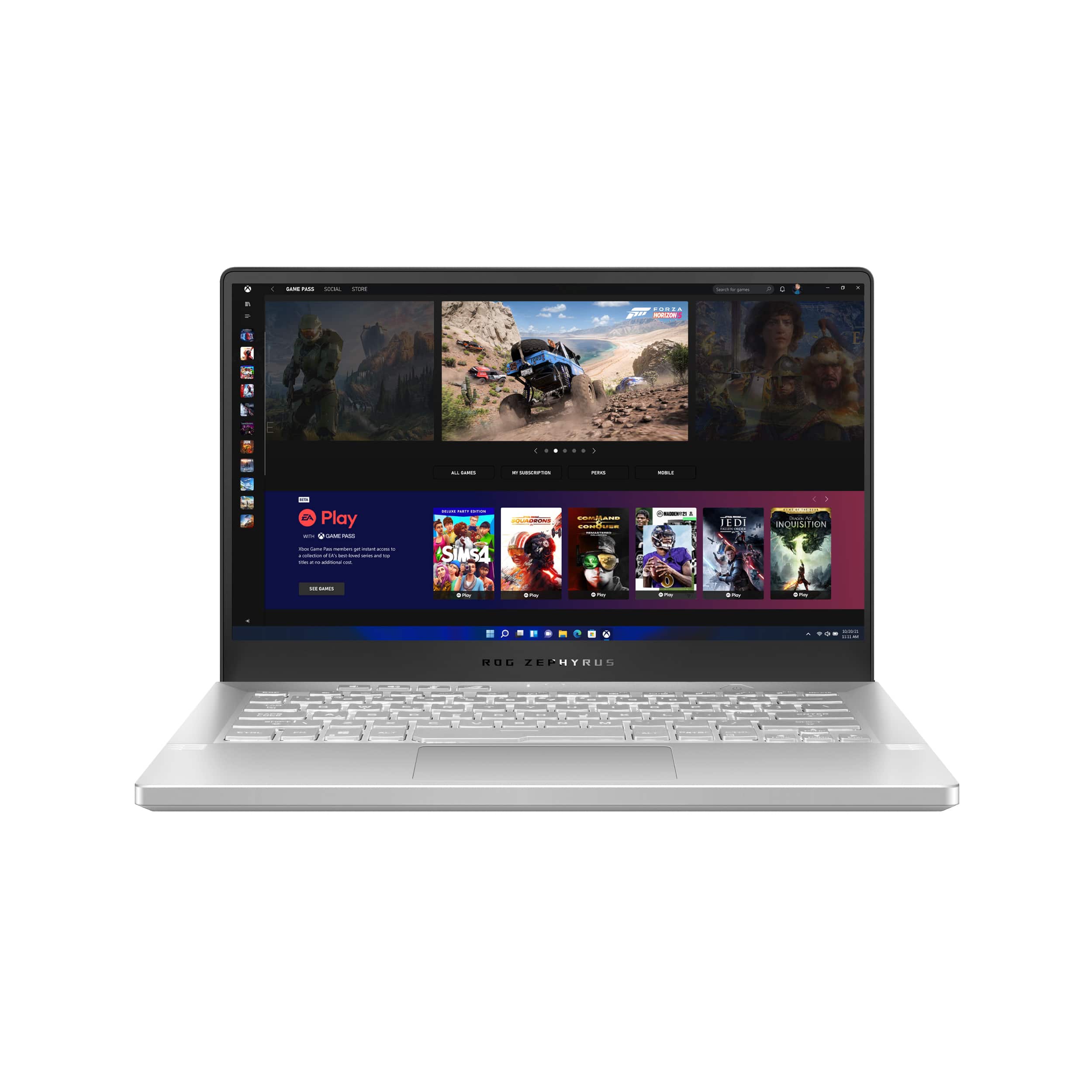
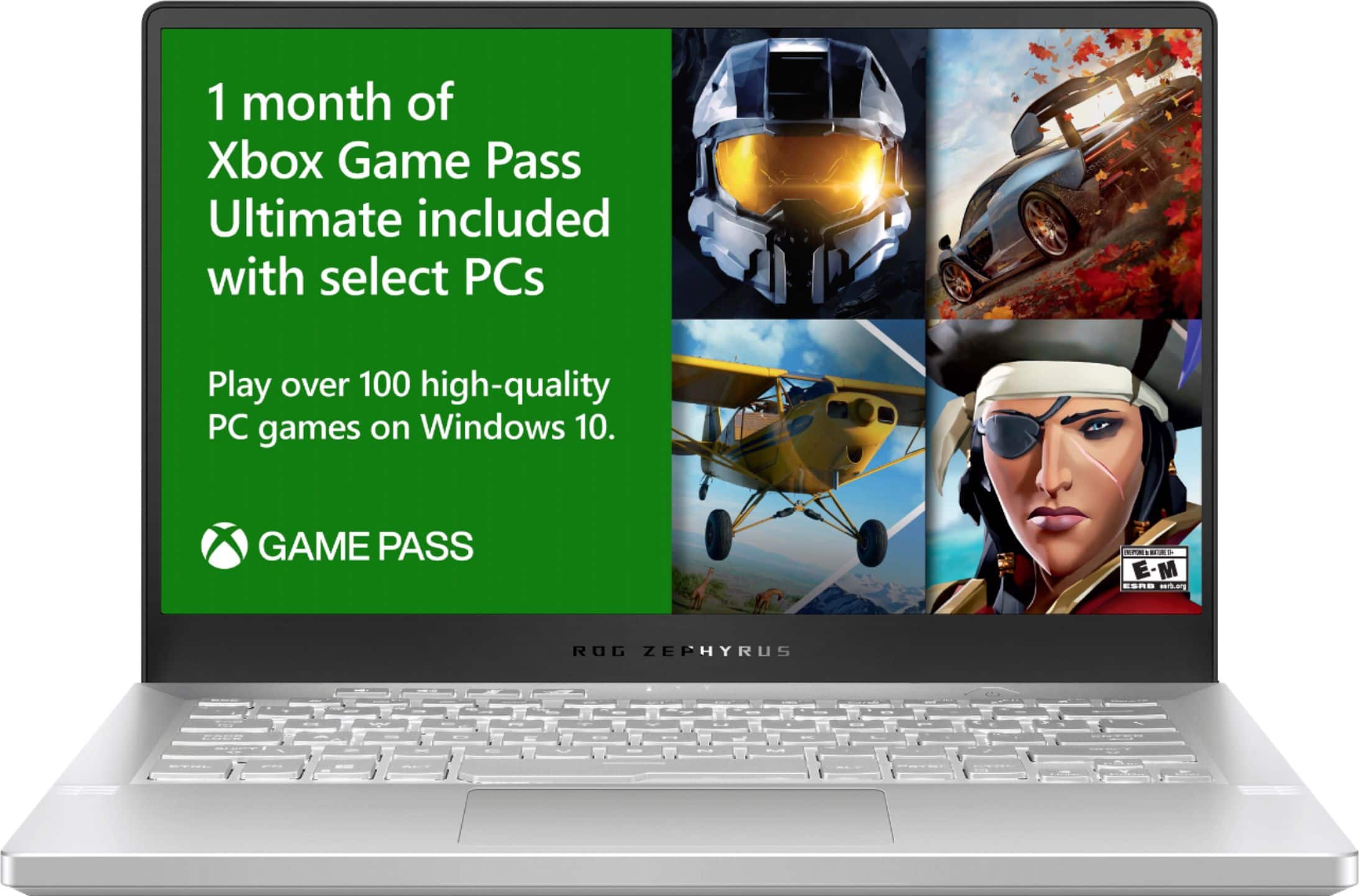
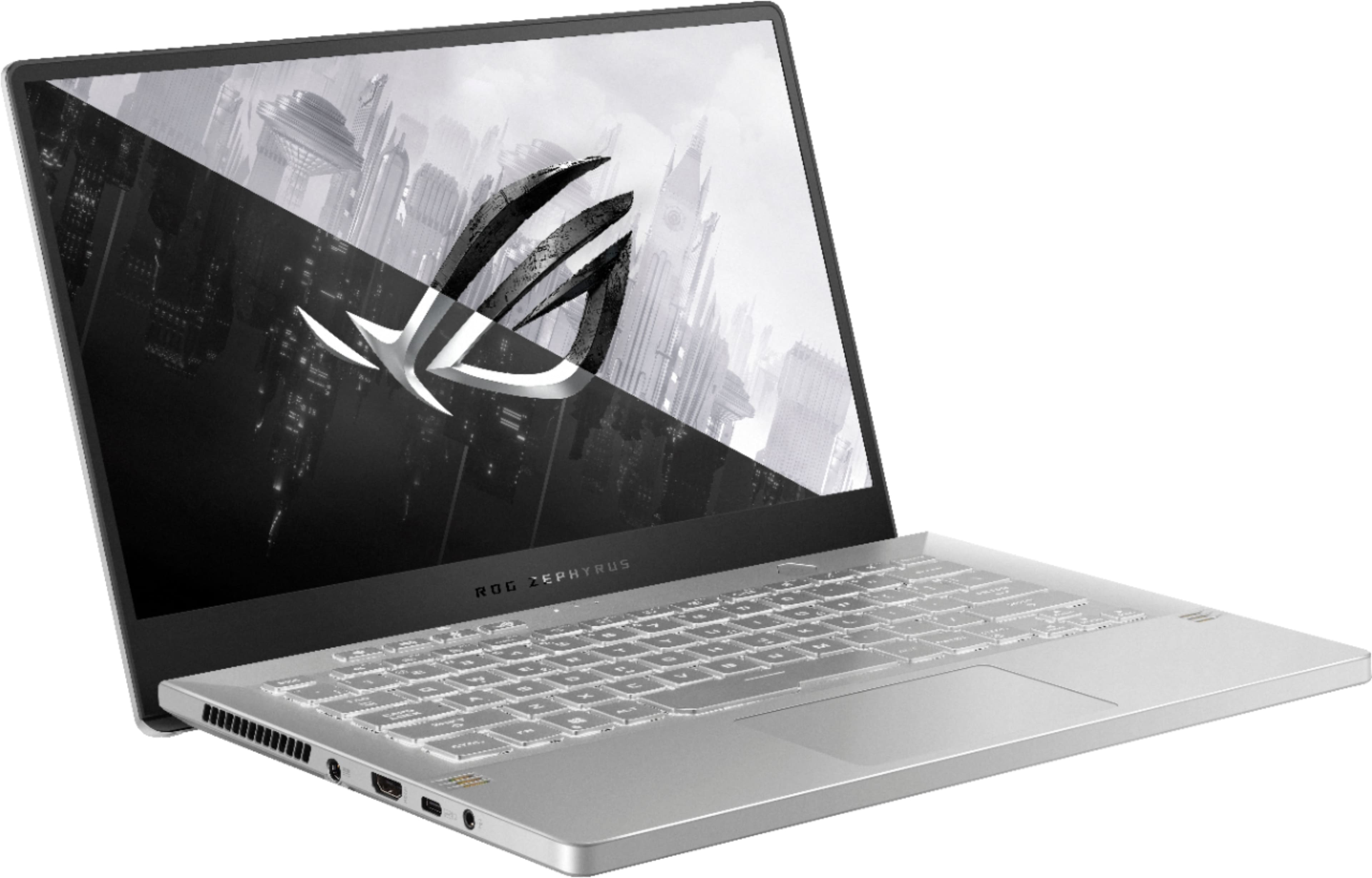
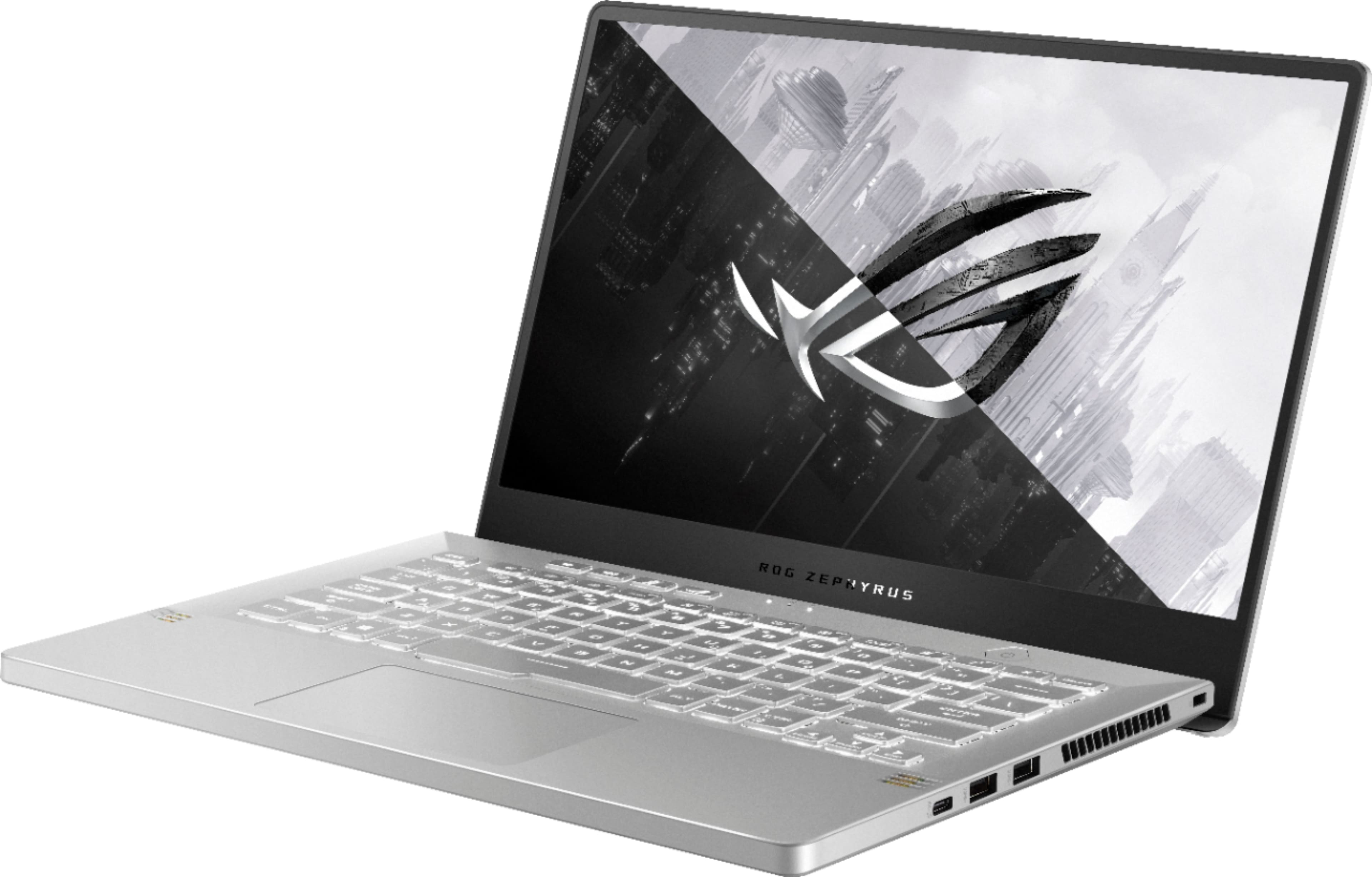

- Model:
- GA401QM-211.ZG14
- SKU:
- 6452913
Rating by feature
- Battery Life
Rating 4.3 out of 5 stars
- Speed
Rating 4.7 out of 5 stars
- Display
Rating 4.4 out of 5 stars
Customers are saying
Customers are impressed with the ROG Zephyrus 14" Gaming Laptop's performance, graphics capabilities, and long battery life. Many appreciate its compact size, portability, and lightweight design, making it ideal for those on the go. However, some users note that the device can get warm and produce noticeable fan noise during use. The lack of a webcam and some concerns about the keyboard backlight are also mentioned.
This summary was generated by AI based on customer reviews.
Awesomely made
||Posted . Owned for 3 weeks when reviewed.This reviewer received promo considerations or sweepstakes entry for writing a review.Aside from the graphics and everything running very well, my only dislike is how hot it gets in the amount of time. Cooling pad is 100% a must
I would recommend this to a friendGreat first time user
||Posted . Owned for 5 months when reviewed.This reviewer received promo considerations or sweepstakes entry for writing a review.First time having a gaming laptop definitely worth it. I play COD and Apex good quality and for the 3060 graphics card I run roughly 120 to 140 FPS
I would recommend this to a friend- Pros mentioned:Graphics
Works fine but perhaps the wifi driver is shoddy
||Posted . Owned for 1 month when reviewed.This reviewer received promo considerations or sweepstakes entry for writing a review.I bought this laptop two months ago and it was working fine - smooth graphics, ran games and heavy programs well, and the fans aren't too loud. But starting about 2 weeks from today, the wifi driver kept either failing to work, failing to start up, or disappearing altogether. Sometimes, it even blue screens when I'm trying to fix the issue. I have gone through wifi driver troubleshooting steps over and over, and even done a factory reset, but the problem continues to return. I suspect the wi-fi driver was either installed poorly or is just poor quality. Perhaps I got unlucky.
No, I would not recommend this to a friendBrand response from ASUS Answers
Posted .Dear Yurika,
It's regrettable to hear that the wifi network adapter failed to work. All our products do go through an intensive quality control testing process to ensure that customers get units that are in proper working condition, what you've experienced was not intentional and this was a random case. Have you tried to re-install the driver from our website? Please attempt these steps from the FAQ below. For further troubleshooting, feel free to reach out to me at customerloyalty@asus.com and provide this link for reference. I'll do my best to provide a quick resolution to your case. Your feedback is important as it helps with improvements to ASUS Support channels.
Thank you for choosing ASUS!
Best Regards,
Jamalie,
ASUS Customer Loyalty US Support
Troubleshooting - https://www.asus.com/us/support/FAQ/1015073/
She Loved It!!
||Posted .This reviewer received promo considerations or sweepstakes entry for writing a review.My Wife Loved Her Gaming Computer, she takes it work and every where she goes. The only downside to it is that it gets hot really fast and the fans are a bit noisy. Overall she loves it.
I would recommend this to a friendFantastic buy!
||Posted . Owned for less than 1 week when reviewed.This reviewer received promo considerations or sweepstakes entry for writing a review.Really enjoying this laptop so far! Battery life with the Ryzen isn’t that great, but it’s expected. I caught this on sale & don’t regret the purchase at all!
I would recommend this to a friend- Cons mentioned:Fan noise
Bad asus
||Posted . Owned for 1 month when reviewed.This reviewer received promo considerations or sweepstakes entry for writing a review.Great laptop for gaming but had some issues with the plastic frame holding the screen, it peels off when the laptop gets to hot and one of the fans makes a really loud noises when gaming, not to mention the Terrible keyboard lighting layout this laptop has. This laptop is Not worth 1600$ In my opinion
No, I would not recommend this to a friendBrand response from ASUS Answers
Posted .Dear Nick,
We do understand your disappointment with the quality of the product and the inconvenience this may have caused.
The plastic frame peeling off is a random issue not will not be caused by heat. It is normal for the fan to spin at full-throttle and generates noise louder than normal while the laptop is under heavy load like gaming, especially during the initial WINDOWS setup and WINDOWS Update installation. Also, the fan noise will be louder while antivirus software or malware are running continuously in the background. Please make sure the system was not compromised by viruses or malware by doing a full system scan using an internet security software or application. When system resource utilization is high, this will generate more heat than normal and tends to trigger the fan to spin at full-throttle and noise will be louder than normal. It does decreases or normalizes once utilization goes down.
Should you need further assistance with the product, please email me at cl-rodel@asus.com and I would be more than happy to help. Or, you can speak to an ASUS live support agent 24/7 at http://bit.ly/AsusLiveChat.
Thank you for choosing an ASUS product.
Regards,
Rodel
ASUS Customer Loyalty
ROG
||Posted . Owned for 3 weeks when reviewed.This reviewer received promo considerations or sweepstakes entry for writing a review.Another additional to my Asus craziness. My daughter loves it. She spent 3 hours to play Valorant. Great product and Best Buy.
I would recommend this to a friend- Pros mentioned:Battery life
It was doing good, until last week.
||Posted . Owned for 1 month when reviewed.This reviewer received promo considerations or sweepstakes entry for writing a review.The laptop was good before it started breaking. I knew something was up with it when the screen started flickering and was staying black until I rebooted it. I was using it for both school and gaming and it was working really good, until last week. That’s when the laptop screen started to flicker, the screen started to develop what looks like white bubbles/circles in the screen. When you reboot the laptop, the screen stays black and then returns to the normal screen. And today the screen just randomly went black while using it. Pros: Powerful laptop when it was working properly Great battery life Cons: Screen is essentially broken
No, I would not recommend this to a friendBrand response from ASUS Answers
Posted .Dear Jmmcc18,
We're sorry to hear about the unfortunate experience you're having with the display on this model. Please allow us to make your experience with ASUS a better one. We would recommend that you follow the steps in the FAQ below.
For more information send us an email at customerloyalty@asus.com and provide the link of this review for reference. We’ll do our best to provide a quick resolution to your case. Your feedback is important as it helps with improvements to ASUS Support channels. Please copy a link to this post as a reference.
Thank you for choosing ASUS.
Best Regards,
Joan
ASUS Customer Loyalty US Support
[Notebook] Troubleshooting - Notebook cannot power on and shows black screen: https://www.asus.com/support/FAQ/1014276/
Great laptop.
||Posted . Owned for 6 months when reviewed.This reviewer received promo considerations or sweepstakes entry for writing a review.What an amazing laptop purchase it was. Really great value for money.
I would recommend this to a friendBest computers
||Posted . Owned for 1 month when reviewed.This reviewer received promo considerations or sweepstakes entry for writing a review.Excelente conditions de service , the shipping time is so fast and the product is in perfect condition
I would recommend this to a friend- Cons mentioned:Fan noise
Defective on arrival
||Posted . Owned for less than 1 week when reviewed.This reviewer received promo considerations or sweepstakes entry for writing a review.Pros: Runs almost every game at a solid 60fps in 1080 on high or ultra Very fast for browsing and everyday tasks Cons: The GPU was fried on day 1 Every game has non stop artifacts displaying on the screen making it impossible to play anything Games run fine but when you can’t see 70% of your screen is doesn’t matter Fans run loud although the laptop doesn’t get too terribly hot White backlight on grey keys makes it very hard to see what you’re hitting in certain lighting Overall: Probably a pretty solid gaming laptop if you don’t get defective hardware, design looks cool and sleek but is usually loud and has poor keyboard lighting
No, I would not recommend this to a friendBrand response from ASUS Answers
Posted .Dear Austin,
Thank you for bringing this to our attention and I certainly understand your frustration. We certainly value your feedback on this matter, and I will be letting the related department know about the issues you are experiencing for continuous improvements to the product line. If you need any assistance, feel free to contact me at cl-adrian@asus.com, and I will help you to the best of my abilities. I am here to assist our customers with our products and dedicated in bringing a resolution to all issues that they may come across. Your case for reference is N2107002130-0010.
Thank you for choosing ASUS!
Best Regards,
Adrian
ASUS Customer Loyalty – US Support
good design
||Posted . Owned for 1.5 years when reviewed.This reviewer received promo considerations or sweepstakes entry for writing a review.nice laptop for playing games one of the best laptop i had
I would recommend this to a friend- Pros mentioned:Graphics

A Well Balanced Portable
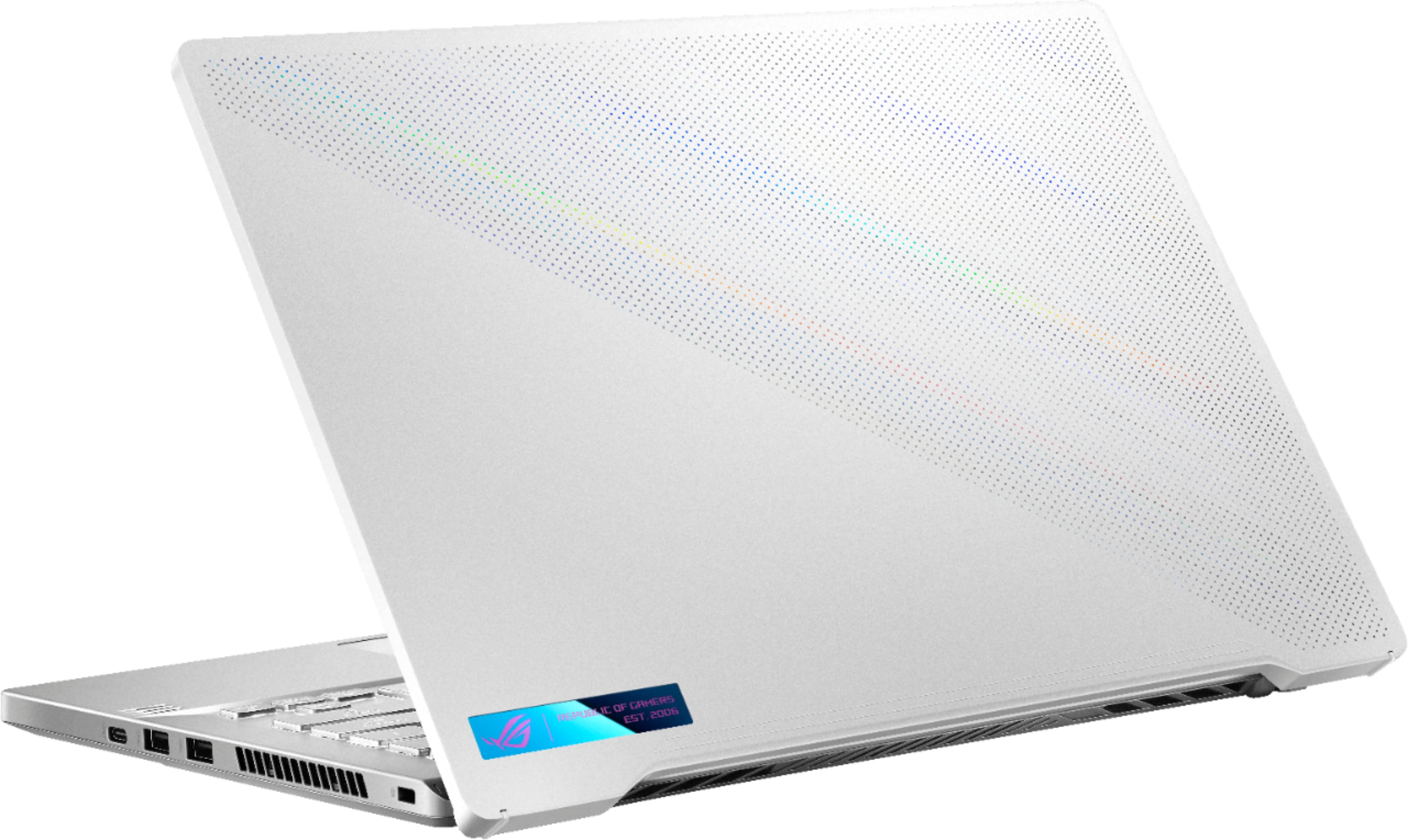
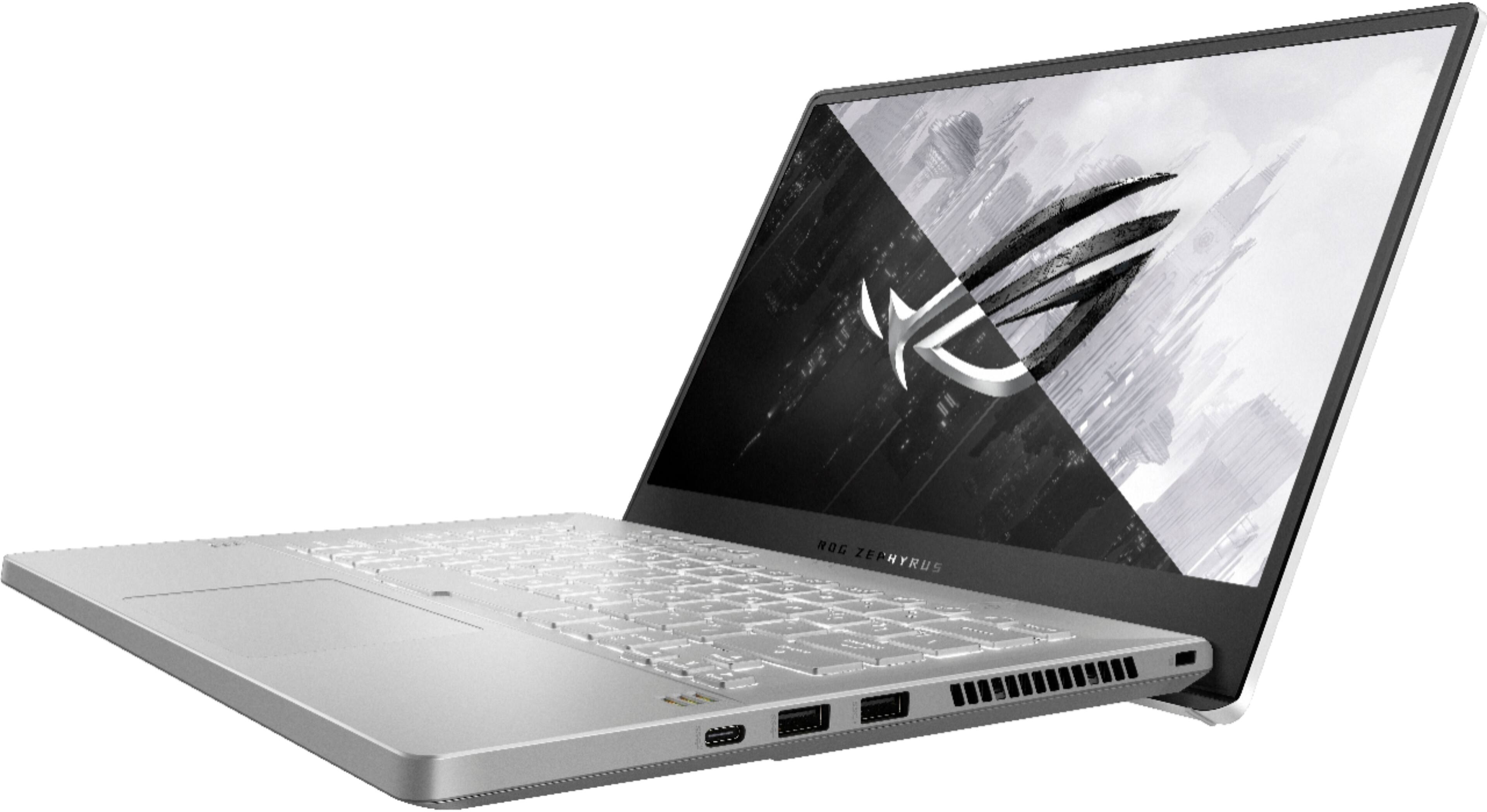
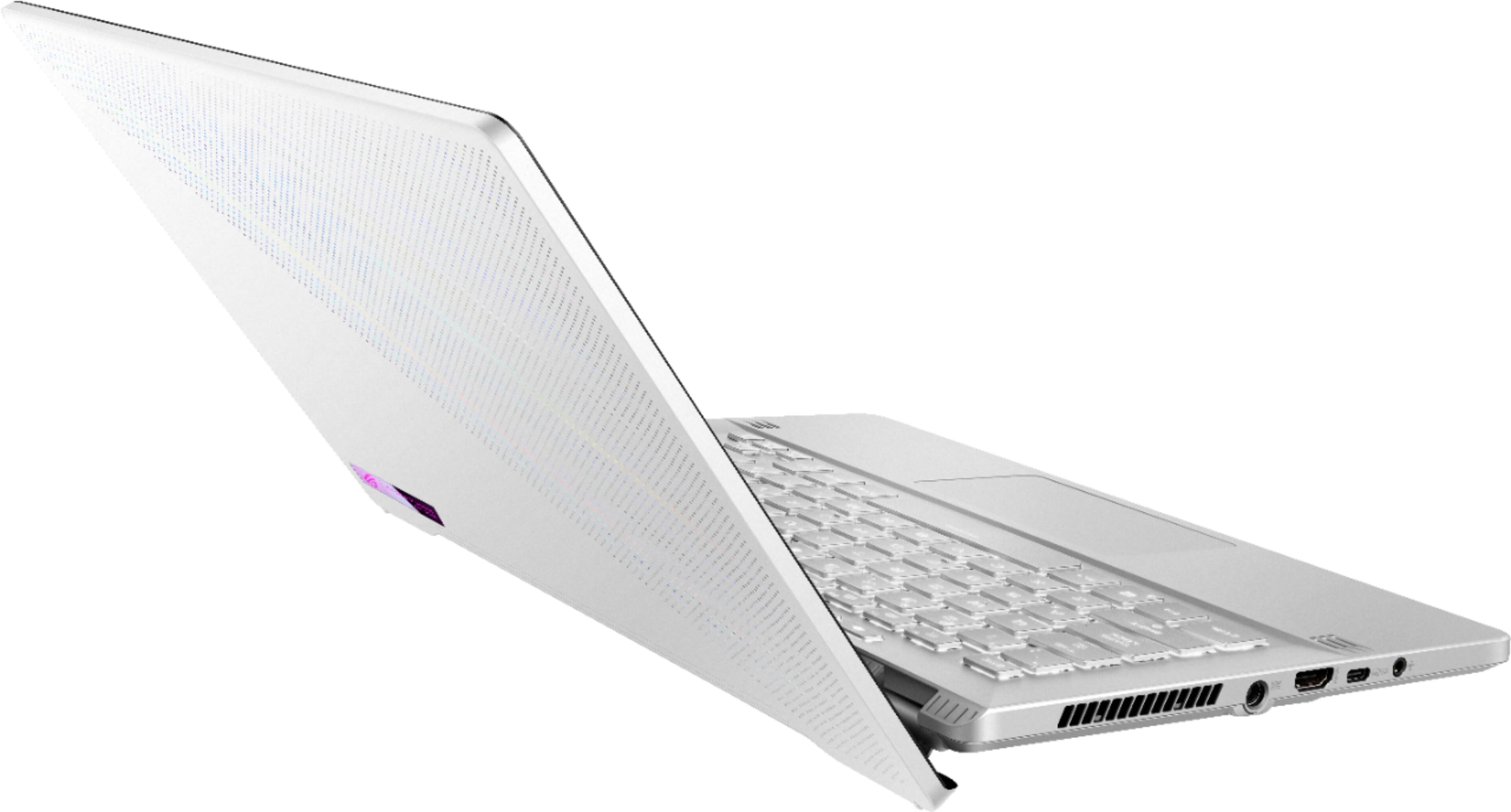
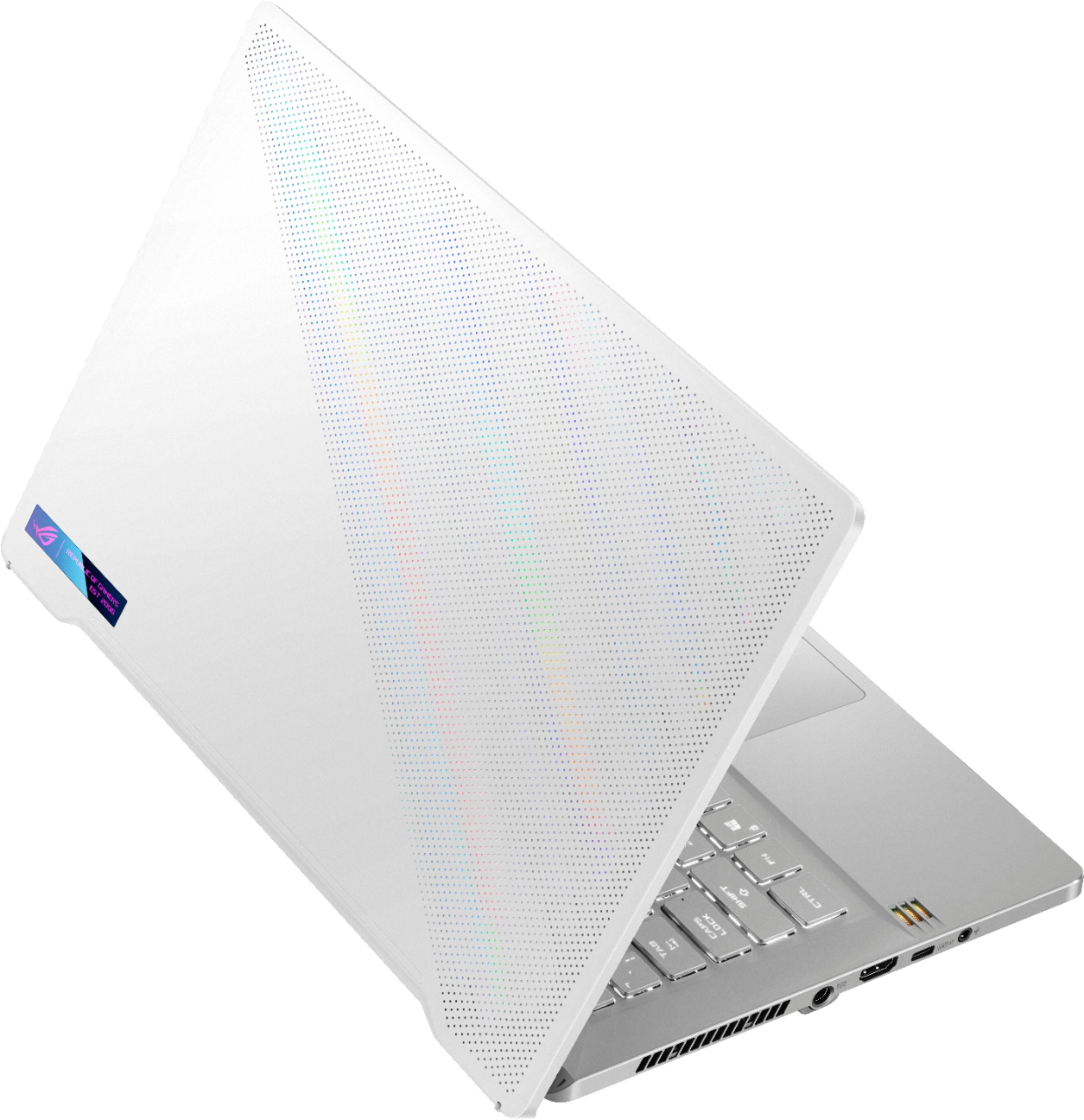
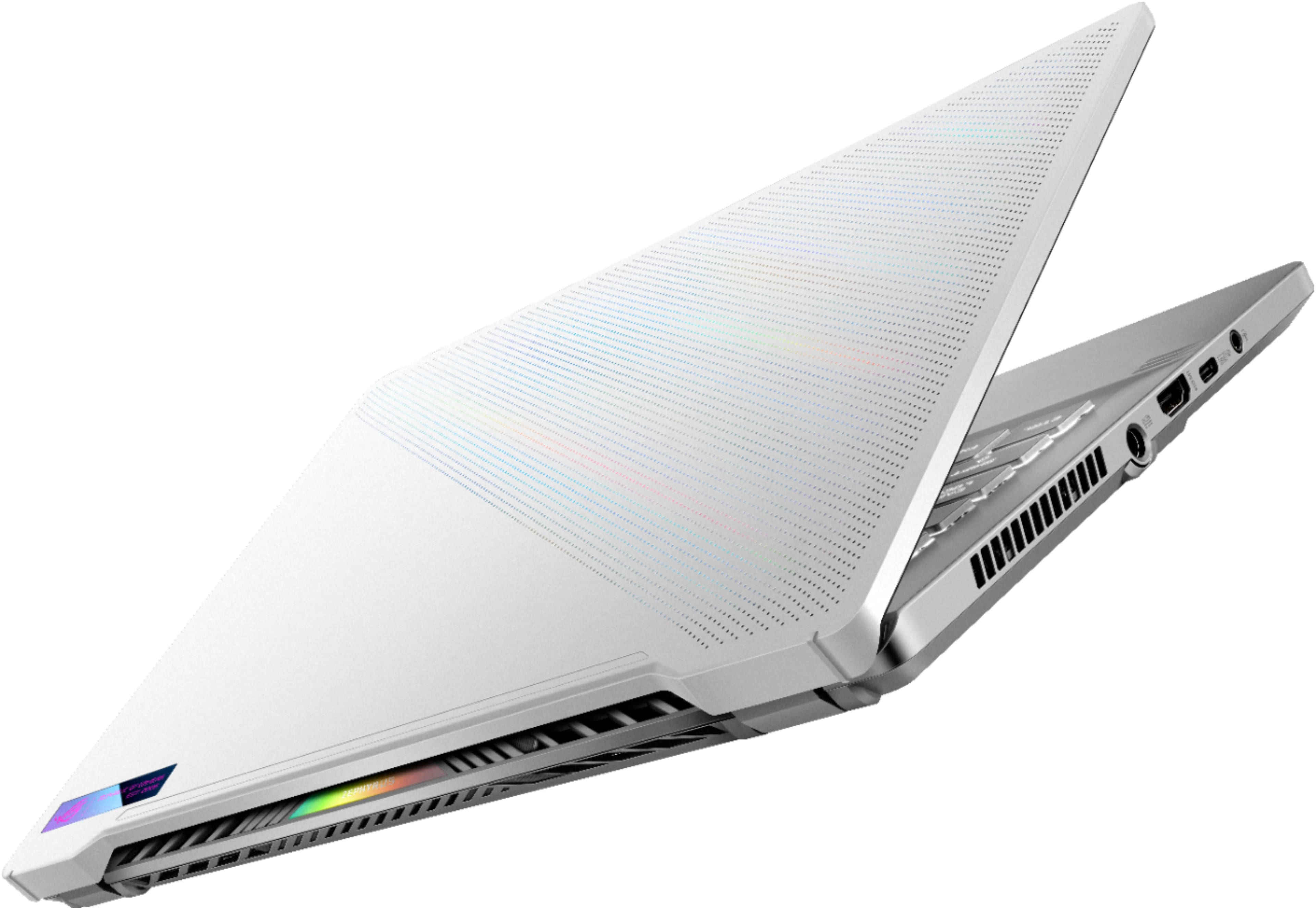
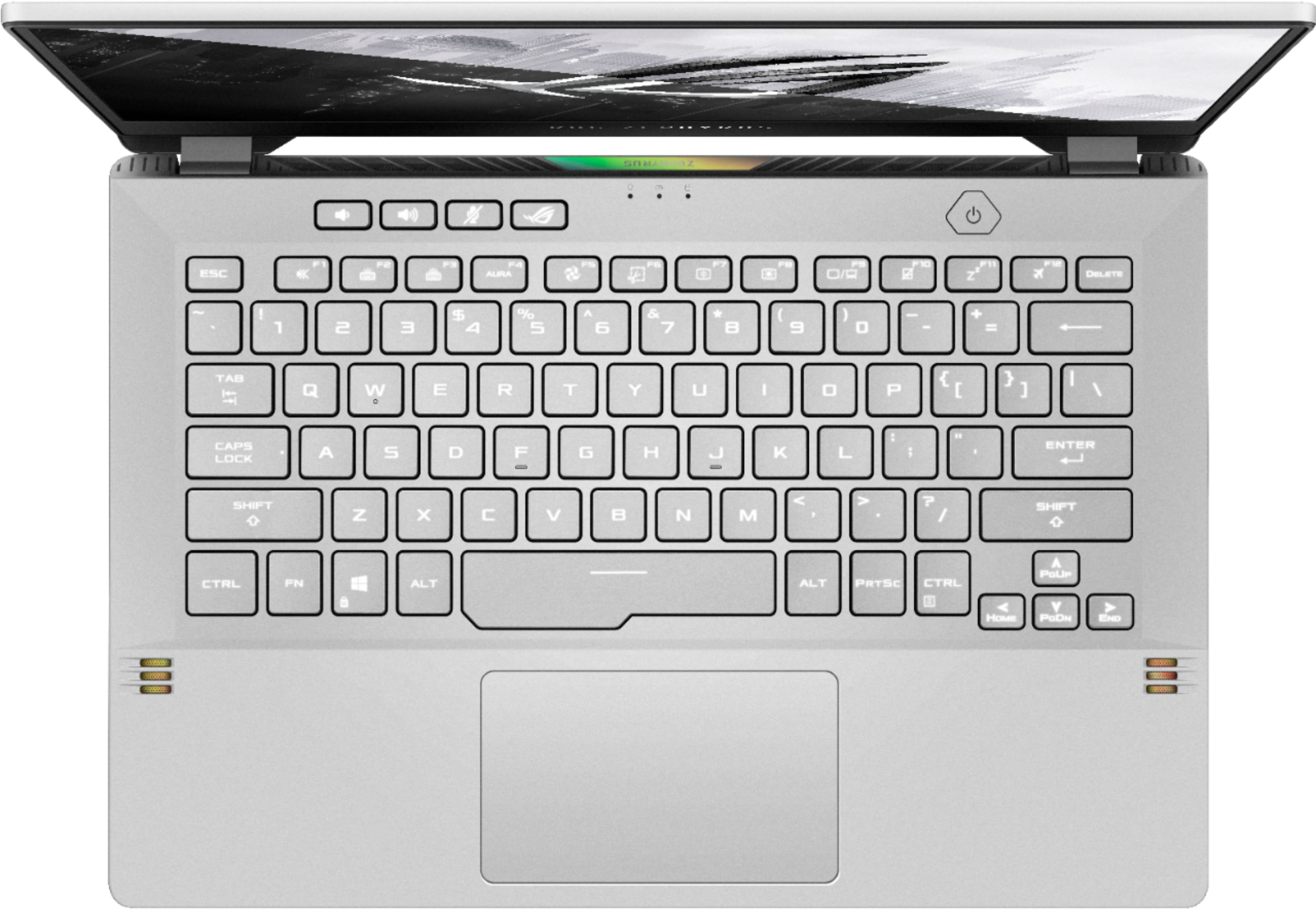
|Posted .This reviewer received promo considerations or sweepstakes entry for writing a review.The laptop market is dominated by systems that are powered by Intel CPUs. This is no surprise because of how well their CPUs run and its battery life and performance. But along the way, things have started to shift and Intel is, in my opinion, losing grounds on this market segment. With AMD eating away at Intel’s CPU market dominance, I’m happy to be able to test this laptop that features one of AMD’s latest in the mobile market. The model number and name is the ROG Zephyrus 14 GA401QM-211.ZG14. This model is an outlier where you don’t find an official product from ASUS themselves. Instead, this model is a blend of specs that is built specifically for a store. In this case, it’s for Best Buy. There are ups and downs to this. For one thing, a mix blend means that there are some aspects that make sense to have for performance. But at the same time, it means that you cannot easily view the full hardware specs at ASUS’s website because it doesn’t exist in their catalogue. So here are the nitty gritty specs that will either clarify things or confuse you more. AMD Ryzen 9 5900HS Zen3 8 core, 16 thread APU nvidia GeForce RTX 3060 6GB GDDR6 dedicated on 192bit bus, GA106 core 16GB RAM consisting of 8GB PC4-3200 DDR4 SODIMM and 8GB soldered onboard memory SK Hynix HFM001TD3JX013N 1TB NVMe M.2 SSD Windows 10 Home comes installed with the laptop with the 20H2 update. At the time, this is the latest major release but 21H1 (and beyond) isn’t too far off from release. Also, despite other and similar laptop models from ASUS promoting its recommendation to use Windows 10 Pro instead, I won’t be deducting a point for this. The reason is that this is a laptop model specific to a store and is outside the scope of ASUS’s Windows recommendation. Setting up the laptop is a breeze. Depending on whether or not you have a Microsoft account, and how you set up your account security, the amount of time setting up your account for Windows will vary. I was able to set up my Microsoft account very quickly using a Yubikey 5 security key. It did not prompt me for a username or password. Simply a PIN associated with the key and physically authenticating. After all the small updates were finished, I toured around the desktop to see what’s there. Thankfully, there’s little 3rd party bloat. There’s no McAfee or Norton and it saves me the headache of having to remove either of these from the system. But should you need a security software over Microsoft’s built-in Windows Defender, the option is there for you to install one of your choice. Office 365 is available to try but I’ve opted to remove that. For the hardware side of things, there is no webcam. This is a hit or miss to me. While it’d be nice to have one, it isn’t necessary. Yet at the same time, if there isn’t a webcam, why does the laptop have a microphone? Voice communication is fine for a laptop but if you’re out in public, you’re bound to have ambient noise leaking in. If voice communication is needed, you’re better off using a proper headset that provides better noise reduction and lessen the pickup of ambient noise. The keyboard is quite interesting, as it has quite a bit of travel and isn’t like the other laptop keyboards I’ve tried before. There is backlighting for the keyboard which has 3 levels of brightness and off. The trackpad is also smooth and the buttons have a decent tactile click to it -- not bad. The trackpad can be disabled on the fly should you opt for a mouse instead. Sound is surprisingly decent. Speakers are placed just below the keyboard and to the side, so all the sounds are front firing and sound better than ones that are bottom firing or use low quality speakers. Networking is handled entirely by an Intel AX200 WiFi 6 adapter. While it’s capable of WiFi 6 (11ax) connectivity, I do not have an appropriate router or access point to test it. However, I did test transferring files using the 11ac specification. Using the 5GHz band, I was able to transfer a 50GB file in around 10 minutes with an average speed of around 640Mbps. Gaming performance is satisfactory. While the GPU itself isn’t a top tier part, it should handle anything being thrown at it (limited by a 1080p display). Games tested are Guild Wars 2, Genshin Impact, Ni no Kuni - Wrath of the White Witch Remastered, Hard Reset (benchmark only), and Battlefield: Bad Company 2 (single player campaign only). In Guild Wars 2, a game that is limited in CPU speed than in GPU power, panning the camera around a crowded area nets me a range of 45-60+fps. In the open world where a boss fight is happening, framerate would be above 50fps with random spikes of 70fps. GW2 is an odd case where the more crowded and more effects on screen, along with more player models rendered, the higher the CPU demand. Many people can get away by finding a balance between visual fidelity and “good enough” framerate. In Genshin Impact, the game wasn’t demanding. With all the settings turned on except for Bloom and Motion Blur, anti-aliasing set to SMAA, and Render Resolution set to 1.2, framerate for the game seemingly never dipped below 60. Granted, the game is limited to either 60 or 30fps. Render Resolution setting can only go up to 1.5. But I found no visual difference between the two (at least at first glance) so I opted for 1.2 for a balance. I have attempted a few times to provide load for the RTX 3060 in random battles. But nothing seem to push it far enough for it to break a sweat. Hard Reset is a nice first person shooter which once pushed GPUs very well. While it does not consistently push it, it still has some parts in its benchmark system that can throw the GPUs off. Attempting to see how far the RTX 30 series can go, I set everything to its highest: 144Hz refresh rate and “Ultra” detail settings. The end result was amazing. With MSI Afterburner running to provide me with framerate data and other hardware info, I never saw the flyby scene go below 60. However, the benchmark itself said its lowest was 56.3fps, with a peak of 259.8, and an average of 122.8. It’s no Crysis or Microsoft Flight Simulator. But it can provide a GPU a good workout. Granted, the time where the framerate drop towards 60 were moments where the GPU was being taxed the most by the benchmark. Battlefield: Bad Company 2 is another first person shooter. With today’s generation (and perhaps even previous generation) of GPUs, it should be more than enough to handle the game at its highest visual settings. With those settings in mind, framerate is well above 100 in almost every case. Granted, the game itself is old enough to not pose any problem. But setting a variety of visual extras, such as high anti-aliasing and HBAO, tend to push GPUs to work harder. While I would like to have given its multiplayer a quick run, account setup as well as fixing all keybinds to personal preference would have been too time consuming. The last game on the list could be considered a light load game: Ni no Kuni - Wrath of the White Witch. Even with all settings set to its maximum value, the 3060 barely broke a sweat. With that in mind, I set the game to render on the integrated GPU (Radeon). With the same setting, it was able to consistently run above 90fps. Knowing this can be useful in figuring out what games are capable of running with just the integrated GPU instead of the 3060. Lastly some of the little bits and pieces that I couldn’t dedicate a section for. For one thing, the power button doubles as a fingerprint reader. This is great for easy authentication and getting into Windows without having to type out the password or PIN every time. While WiFi performance is adequate on either band for the majority of tasks out there, heavy network traffic is hindered by the fact that there is no RJ45 (ethernet) port. It’s a bit of a shame that this is omitted and I felt that something could have been done to keep it around. And while there are a decent amount of USB ports to use (2 Type-C and 2 Type-A), the USB Type-C port next to the HDMI can also serve as a charging port to charge up the laptop battery. This is great for times when you happen to forget the laptop charger itself. The power input seems to be rated for 20V 5A for up to 100W power. The charger itself is rated for up to 180W (20V at 9A) so using the Type-C port won’t be as quick. Still, the option is at least there. Overall, this laptop is a good performer. It uses AMD’s Zen3 architecture, something that I would prefer using over Intel’s current crop of CPUs. There’s nvidia’s RTX 3060 GPU which should strike a nice balance on being powerful enough and not overly powerful that it eats up battery power fast. The speakers are a surprise. And the keyboard is actually comfortable to type on. The display is fast and the 144Hz refresh rate is a new and refreshing experience. Not having a RJ45 ethernet port is a downer. And it can be worked around by using 11ac and 5GHz band. It’s not ideal if you’re constantly transferring large files. But if you’re transferring large files once a while then this should suffice. Is the price for the laptop worth it? It’s hard to say to be honest. At the time of review, it is difficult to get the latest AMD CPUs for desktop. It is also very difficult to find a GPU from either side -- AMD and nvidia. If you’re seeking something akin to a desktop replacement, then this is not likely suitable for that. But if you desire something that is decently powerful yet portable, then this is a good candidate to purchase. It’s probably best to shop around for similarly spec’d laptops to see if this is worth the asking price. Verdict: (unbiased) Undecided; (biased) buy it because AMD is winning and Intel lags behind PS: If you wondered why I did not test anything for RTX/raytracing performance, it's because I do not have any games that utilizes it. Sorry.
I would recommend this to a friend Asus rog g14
||Posted . Owned for 1.5 years when reviewed.This reviewer received promo considerations or sweepstakes entry for writing a review.Great computer play all my games on high resolution
I would recommend this to a friend- Cons mentioned:Keyboard backlight
Finally a real gaming laptop, but with trade-offs
|Posted .This reviewer received promo considerations or sweepstakes entry for writing a review.I'm primarily a Mac user, have an iPhone, iPad, and iMac. There's one thing that I miss being able to do and that's play some good PC games. I've had some other gaming rigs in the past, both towers and laptops and there's been some significant trade offs that have made sticking with them unviable. So I was skeptical about the buzz I'd heard about the new Asus ROG Zephyrus laptop as a killer gaming laptop. Asus has been a brand that I've had good experiences with since my days of building my own PCs back in college, so I felt a little reassured that the machine would be of good quality. From a performance aspect, this thing so far has blown me away with the amount of power Asus has been able to cram in a 14 inch laptop, but there have been some noticeable trade-off's in my experience that keep it from being a perfect product. The over design of the machine is very nice. The hinge on the back folds easily with one hand, yet feels sturdy enough that it's not shaky. On the left-hand side of the device, you have the power jack, HDMI output, USB-C port that also supports charging with an appropriate USB-C power supply, and an AUX headphone jack. On the right side, you have 2 USB-A ports as well as another USB-C port. I haven't tested the USB-C charging ability since the laptop comes with a traditional power brick and power cord setup, nor have I tested any Thunderbolt certified devices, so your mileage may vary there. The keyboard is my first major gripe - the layout and spacing is fine, but the backlight is so minimal that the white letters are barely legible from the silver keys. If there's a way to increase the backlight of the keys, I haven't found it yet. It would be nice to be able to clearly see the keys since this device is designed to be enjoyed using it's beautiful screen. The screen itself boasts a 1080p display at 144Hx. But because the device has got so much in the way of muscle under the hood, you can actually use the Radeon software to push the display higher. I've left mine at the 2560x1440 setting because that's what I'm used to seeing on my desktop display. Playing games like Doom 2016 have been buttery smooth in respect to screen responsiveness. You can easily forget that you're only viewing a 14 inch screen! The other trade offs I noticed were in battery life and the trackpad. It's no surprise to anyone that trackpads can't hold a candle to the responsiveness of a good mouse when it comes to gaming, but I was amazed at how quickly I died trying to do simple things like navigate a hallway playing Doom. Once I hooked up a good, wired mouse, we were cooking! The jury is still out for me on battery life - I have a lot of older PS2 games in my Steam library that I like to play from time to time, one of them being Soul Reaver 2. I had made it through the opening cinematic and past some of the opening dialog and the battery was already below 60% coming off a full charge. I could also hear the fan quite well over the speakers. Not sure if there's some tweaking that I need to do or not - but I wouldn't recommend trying to do too much gaming on the battery, I'd stick to gaming while it's plugged in. Speaking of the speakers, pun intended, this thing boasts some nice sound from a small package. The speakers are Dolby ATMOS enabled, so watching movies and playing games sounds much better and cleaner that my older laptop could produce. I wouldn't go so far as to say this thing can power your home theater setup, but for gaming on the go, it's awesome. Another nice feature of the ROG Zephyrus is the versatility - you can use this as a gaming laptop, or by using the NVidia software, you can pull down different drivers that are more focused on content creators. The price point is high - this laptop clocks in at $1500 regular price, so if you're looking for a daily driver machine to check emails and surf the web, this is certainly overkill. But, if you're a gamer and / or someone who dabbles in creating your own content, then the device hits a nice sweet spot where it's strong enough to easily handle fast-paced games, but also well equipped for video editing and creation. There's also an app called Armoury Crate where you can customize the Zephyrus's performance and either use settings optimized for Windows, Performance, or Silence. For gaming, I use Performance and for most other situations, I use Silence. Bottom line - I expect this thing to hang around for a while and power the bulk of my PC gaming rather than my older tower rig or older PC laptop. I'm not quite ready to make the switch full bore back to Windows from Mac, but the Asus ROG Zephyrus is certainly a very nice, and very powerful machine.
I would recommend this to a friend - Pros mentioned:Battery life, Build qualityCons mentioned:Fan noise
Great for gaming on high settings
||Posted . Owned for more than 2 years when reviewed.This reviewer received promo considerations or sweepstakes entry for writing a review.I've had it 2 years now and it's been nothing but great. It honestly still feels like the first time I used it. I don't do a lot of video editing or VR, but I constantly play games (old and modern) with the highest settings it can handle (note: not the highest, but still high) and it's never let me down. I'm sure the newer versions of this laptop can handle even better settings. Its battery has never been a problem since it's set to not charge beyond 80% when it's plugged in, which is about 90% of the time. I've never had a problem typing on the keyboard, and I have big hands. The backlight is fine--not the best but not terrible. Honestly I mostly use the laptop as a hub connected to external monitors, mouse, keyboard, and some other stuff (e.g., webcam since it's doesn't come with one, but that's not a deal breaker for me; a couple hard drives; an Xbox controller adapter; etc.), so I also don't directly touch the laptop itself, but I never feel weird when I do. It's a nice build. I also watch a lot of high quality blu-ray/4k movies and shows I ripped from my physical discs, and they play extremely smoothly. When it's connected to my TV, I forget I'm watching through my laptop and not the smart TV itself, as there's no lag or other bitrate issues. I believe newer versions have the option to come in bigger sizes, but this 14 inch is great for those who travel with it or go to public spaces for whatever reason. It's lightweight but doesn't feel fragile, so you don't have to worry too much about it being in your bag. It's a decent size for planes, too. Just keep in mind most plane outlets don't take chargers that have a voltage higher than 75w, which means most laptops' default chargers don't work on them, including this one. You'll have to get a separate USB-C charger 75w or less to plug into its USB-C charging port. The laptop itself does get a bit loud when you do heavier stuff like games, but it's not so loud that it's distracting from the game volume, especially if you wear a headset.
I would recommend this to a friend Highly DISAPPOINTED, and i don't recommend
||Posted . Owned for 1 month when reviewed.This reviewer received promo considerations or sweepstakes entry for writing a review.Don't recommend. Had to exchange after 1 week (would've been after the first day, but had to work and wait for weekend to come back around), the laptop wouldn't recognize the rtx3060 GPU, even after factory resetting several times, and would only run off the Ryzen 5900HS' built-in graphics and wouldn't go passed the loading screens of games...so gaming laptop that can't game, 2 thumbs down... The 2nd unit, first thing I did after setting up was install Fortnite and it ran with no problems at all, the GPU was definitely running with no issues, so i was a half camper. I installed my main programs and games, and used it for the passed 3 weeks. Today however we a different story, while downloading a game, the screen went to sleep while I was in next room as, so when i came back i pressed the space bar to wake up the laptop and the bottom portion of the screen was not working properly. You could tell it was recreating the imagery, but it wasn't recreated properly. Laptop hasn't been dropped or mishandled, just stopped working properly... So i will be returning it tomorrow and getting something different this time around instead... I had really high expectations, I've built my desktops off Asus motherboard and parts and never had issues with Asus, plus have happily used Asus smart phones, so I know it's a good brand, but this being my first Asus laptop and my first gaming laptop (and after these back to back experiences) I will definitely not buy an Asus laptop again, nor do I recommend this particular model.
No, I would not recommend this to a friendBrand response from ASUS Answers
Posted .Dear Leumas,
We do understand your disappointment and the inconvenience if you are experiencing issues with the laptop.
Regarding the laptop not recognizing the GeForce RTX3060 GPU, by default, Windows will utilize the integrated GPU, if more GPU performance is required, the OS will automatically switch to the RTX3060. To check if the GeForce is working properly, please go to the Device Manager, Display Adapters. If it's not showing, Windows an the video driver need to be updated. This will also resolve the stability issues, not loading the homepage after the laptop wakes up from sleep mode.
Keeping Windows updated will maintain optimum system stability and performance. If theeses were already performed to no avail, please try to run a diagnostics or optimization test using the "My ASUS" utility software or application. If this is not pre-installed on the laptop, please download the application at the Microsoft Store. For details on how to use "My ASUS", please go to: https://www.asus.com/support/FAQ/1041686/. Also, while accessing online games and web applications, please ensure the laptop has access to an established router and internet service is working properly since since poor internet conncetion will definitely affect system speed and performance.
If you need further assistance, please let me know and I will be more than happy to help. Or, you are always welcome to call Product Support Hotline at: 1(888) 678-3688. Also, you can chat with an ASUS live support agent at: http://bit.ly/AsusLiveChat.
Thank you for choosing an ASUS product.
Regards,
Rodel
ASUS Customer Loyalty
Disappointed but not surprised
||Posted .This reviewer received promo considerations or sweepstakes entry for writing a review.Ordered this laptop online a few days ago and just received it last night. It was delivered very quickly, which was exciting. But that excitement didn’t last for long as I soon realized that one of the keys did not work. I troubleshooted with Asus, YouTube, and I even reinstalled windows twice… but had no such luck fixing the issue. So today I drove 2 hours to the nearest Best Buy store to exchange the product thinking it was just bad luck. I just made the 2 hour drive back home and once again the laptop which I exchanged for has more issues! This time even worse than before. This one has a broken screen. Not just a few dead pixels but literal lines down the screen which take up a quarter of the display. All together I’m very disappointed and frustrated at this point and will be returning the laptop most likely getting a refund. I know it isn’t Best Buy’s fault that these products are defective but it’s still frustrating. I was very excited because this product was on sale for cyber Monday and now I’m going to be forced to return it. And if I’d like something similar I’ll be paying the premium for it.
No, I would not recommend this to a friendBrand response from ASUS Answers
Posted .Dear Houston,
We're sorry to hear about the disappointment you're having with this model. We do value our customers and take negative customer service experience very seriously. This is not the quality of service expected from ASUS. We do stand behind our product and we continuously strive to improve our approach and processes in order to achieve customer service excellence. Rest assured we will passed this review on to our team.
If you wish to discuss this matter with us, please send us an email at customerloyalty@asus.com and provide the link of this review for reference. We’ll do our best to provide a quick resolution to your case. Your feedback is important as it helps with improvements to ASUS Support channels. Please copy a link to this post as a reference.
Thank you for choosing ASUS.
Best Regards,
Joan
ASUS Customer Loyalty US Support
- Pros mentioned:Battery life, Build quality, Graphics
Excellent Laptop, Quality of Life Improvements
||Posted . Owned for 1 week when reviewed.This reviewer received promo considerations or sweepstakes entry for writing a review.You can look at reviews for the Zephyrus g14 and you will find that many of them are about the base RTX 2060 max-q model. They practically all say the same thing, ridiculous performance in a light form factor, no camera, great build quality, easy to upgrade ram or storage, and amazing battery performance. I am happy to say that it all transfers to their RTX 3060 model with added fixes such as better performance, better key lighting, and a better screen. Though I am not here to say the same things, rather, I want to talk about some minor flaws about the gpu, the application, and the cpu and some fixes to these flaws. Overall to call this laptop a game changer is quite literal and appropriate, but it is still a laptop at the end of the day and that means the user must consider optimizing. When it comes to the laptop version of the RTX 3060, there is considerable amount of confusion when trying to determine which variation this laptop comes with, and that’s because Nvidia decided to give all versions of the GPU the same name. People online have been determining the type of GPU they have by comparing the wattage which seems to be the best way to differentiate them currently. When starting this laptop and opening Armory Crate the application states its TGP (Total Graphics Power) is 60w. According to Nvidia and other sites, the 60w version seems to be the lowest end of the RTX 3060. In contrast, a YouTube reviewer went into manual settings and manage to get the GPU to go over 70watts. Still, unless you plan to overclock the GPU, I think it is safe to assume that it is the low-end version. Overall, it is still a great GPU that can handle any media creation tools and games, I just wish the application to optimize its performance were just a little bit better. Do not get me wrong, this laptop comes with powerful tools that help you configure and monitor the laptop’s performance, but it can be cumbersome at times. When it comes to battery settings, screen settings, performance settings, and drivers I always find myself juggling between My Asus, Armory Crate, Nvidia GeForce Experience, and Windows Settings. For example, I love the battery limiter from My Asus which maximizes its longevity, though it could have been integrated with Armory Crate since that application has majority of the features, plus it would be one step closer to being a one stop shop for everything. Speaking about Armory create, I absolutely love its Scenario Profiles. In the application, you can create your own scenario that changes screen settings and performance settings along with other things, and technically you can also change the settings when the laptop is plugged in or not. Though as much as you try to configure settings on Amory Crate you will still have loud fans and toasty temps when playing games unless you go a little extra. If you are like me, you bought this laptop to take on games, or maybe you do 3D modeling, or even media. Either way this laptop can take it, but you will notice the temperatures and fans. I noticed the fans hitting 4000-5000rpms which is loud even with headphones, and even though they brought down my CPU temps to averages of 75c for 144hz low settings for Valorant, the keyboard was still hot to touch. I was just as puzzled as you are, and for the longest time I dared not think of raising the graphic settings. Then I did some research and found a thread on reddit called r/ZephyrusG14. It was there that I realized, my temps were so high because of the CPU. Apparently, the CPU was taking things out of proportion and aggressively boosting every time I started a game for any performance settings I had on Armory Crate. Furthermore, it did not help that the CPU and GPU shared a heatsink. The thread on Reddit taught me how to disable boosting and when I went to play Valorant again I was still hitting 144hz on low settings, but now my CPU temperature was 60c and my fans ran around 2000-3200 rpms. That’s a huge improvement without changing any in game settings. The main person controlling the reddit thread did note that there might be a 1-5% decrease in performance once you limit the CPU, but I personally have not experienced it yet. If you run applications and games that support multithreading, which currently most do, then I am sure you will see no huge performance drop. Though, if you use single threaded application then stick with the CPU boosting. After a little bit of fixing, I can see the potential, power, and efficiency of this laptop. Lowering the settings slightly will most likely prolong its life expectancy. It is truly a great investment, and a glimpse for the possible feature in laptops. Did I also mention it is lightweight?
I would recommend this to a friend a lot of money for just a laptop
||Posted . Owned for 3 weeks when reviewed.This reviewer received promo considerations or sweepstakes entry for writing a review.a lot of paperwork for an article, the laptop did not bring the HDMI cable, the antivirus and the subscription to xbox games is done online and it is also downloaded, if you don't have internet you screwed up. the computer works fine, although the battery does not last as long as the announcement says. "a lot of money for just a laptop that has no accessories or warranty"
No, I would not recommend this to a friendBrand response from ASUS Answers
Posted .Dear Valued Customer,
Thank you so much for the feedback, I will be letting the related department know about this concern for continuous improvements to the product line. To improve your battery life, please refer to the FAQ below. For further troubleshooting, feel free to reach out to me at customerloyalty@asus.com and provide this link for reference. I'll do my best to provide a quick resolution to your case. Your feedback is important as it helps with improvements to ASUS Support channels.
Thank you for choosing ASUS!
Best Regards,
Jamalie,
ASUS Customer Loyalty US Support
Troubleshooting - https://www.asus.com/support/FAQ/1043914/