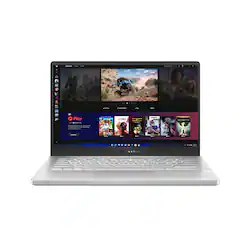
ASUS - ROG Zephyrus 14" Gaming Laptop - AMD Ryzen 9 - 16GB Memory - NVIDIA GeForce RTX 3060 - 1TB SSD
- Key Specs
- Screen Size: 14 inches (Size of the screen, measured diagonally from corner to corner.)
- Screen Resolution: 1920 x 1080 (Full HD) (Screens come in a range of resolutions (measured in pixels, horizontal x vertical). The higher the resolution, the greater the picture quality.)
- Touch Screen: false (Touch-screen devices make navigating more intuitive. Using a touch-screen display, you can do things such as tap to select, hold and drag to move items, swipe to scroll, and pinch to zoom.)
- Refresh Rate: 144Hz (The number of frames per second the device can produce natively without enhancement. Higher rates help produce smooth, seamless pictures.)
- Processor Model: AMD Ryzen 9 5000 Series (Your computer's processor is like its brain. Working in combination with system memory, the power of the processor determines the complexity of software you can run, how many programs you can have open at the same time, and how fast those programs will run. Most computers feature an AMD, Intel or Snapdragon processor.)
- Storage Type: SSD
- Total Storage Capacity: 1000 gigabytes
- System Memory (RAM): 16 gigabytes (Random-access memory (RAM) is a computing device's short-term data storage, which allows active information to be accessed quickly. The size and type of RAM determines how efficiently the device can handle large amounts of information at one time. For example, gaming or video editing requires more RAM for optimal performance.)
- Graphics: NVIDIA GeForce RTX 3060 (Often referred to as a "graphics processing unit" (GPU), this device is responsible for displaying image content and decoding/encoding video content in programs and games.)
- 2-in-1 Design: false (A laptop and a tablet combined in one lightweight, portable device. Sometimes referred to as "convertible" or "hybrid" laptops, these devices deliver the processing power and keyboard of a laptop. When you're ready to play, either detach the screen or fold your 2-in-1 into tablet mode to comfortably watch movies, play games, read an e-book and more.)
- Backlit Keyboard: true (Integrated lights allow for visibility of the keys in low-light conditions.)
- General
- Product Name: ROG Zephyrus 14" Gaming Laptop - AMD Ryzen 9 - 16GB Memory - NVIDIA GeForce RTX 3060 - 1TB SSD
- Brand: ASUS
- Model Number: GA401QM-211.ZG14
- Year of Release: 2021
- Display
- Screen Size: 14 inches (Size of the screen, measured diagonally from corner to corner.)
- Screen Resolution: 1920 x 1080 (Full HD) (Screens come in a range of resolutions (measured in pixels, horizontal x vertical). The higher the resolution, the greater the picture quality.)
- Touch Screen: false (Touch-screen devices make navigating more intuitive. Using a touch-screen display, you can do things such as tap to select, hold and drag to move items, swipe to scroll, and pinch to zoom.)
- Refresh Rate: 144Hz (The number of frames per second the device can produce natively without enhancement. Higher rates help produce smooth, seamless pictures.)
- Processor
- Processor Brand: AMD
- Processor Model: AMD Ryzen 9 5000 Series (Your computer's processor is like its brain. Working in combination with system memory, the power of the processor determines the complexity of software you can run, how many programs you can have open at the same time, and how fast those programs will run. Most computers feature an AMD, Intel or Snapdragon processor.)
- Processor Model Number: 5900HS
- Storage
- Storage Type: SSD
- Total Storage Capacity: 1000 gigabytes
- Solid State Drive Capacity: 1000 gigabytes (The amount of data that can be stored on the device's solid state drive (SSD). SSD is a flash-based storage with faster speeds than a hard disk drive (HDD).)
- Solid State Drive Interface: PCIe (Connects the solid state drive to the host system. PCI and SATA interfaces are the most common; PCI interfaces are typically faster, but SATA interfaces are compatible with a wider range of systems.)
- Memory
- System Memory (RAM): 16 gigabytes (Random-access memory (RAM) is a computing device's short-term data storage, which allows active information to be accessed quickly. The size and type of RAM determines how efficiently the device can handle large amounts of information at one time. For example, gaming or video editing requires more RAM for optimal performance.)
- Type of Memory (RAM): DDR4 (Each type of RAM delivers a different level of speed, bandwidth, energy efficiency and performance.)
- System Memory RAM Speed: 3200 megahertz (How fast the information-storing hardware operates. The faster the RAM, the faster memory can be transferred to other system components. Ultimately, faster RAM improves operational efficiency.)
- System Memory RAM Expandable To: 24 gigabytes (Adding more random-access memory (RAM) to a computer speeds up performance and improves efficiency. Upgrades to memory are limited by the number of expansion slots for additional RAM and existing RAM installed on the device.)
- Graphics
- Graphics Type: Dedicated (Dedicated graphics uses a separate graphics card for processing video images. Because it does not use memory from the system's RAM, there is no extra burden on the CPU and graphics are processed more efficiently. Integrated graphics shares system RAM to process video images.)
- GPU Brand: NVIDIA
- Graphics: NVIDIA GeForce RTX 3060 (Often referred to as a "graphics processing unit" (GPU), this device is responsible for displaying image content and decoding/encoding video content in programs and games.)
- Compatibility
- Operating System: Windows 11 Home (The operating system manages all software and hardware, including files, memory and connected devices. Most importantly, it lets you interact with your device and your programs in a visual way; otherwise, you'd be typing computer code to get anything done.)
- Power
- Battery Cells: 4-cell
- Camera
- Front-Facing Camera: false
- Features
- 2-in-1 Design: false (A laptop and a tablet combined in one lightweight, portable device. Sometimes referred to as "convertible" or "hybrid" laptops, these devices deliver the processing power and keyboard of a laptop. When you're ready to play, either detach the screen or fold your 2-in-1 into tablet mode to comfortably watch movies, play games, read an e-book and more.)
- Backlit Keyboard: true (Integrated lights allow for visibility of the keys in low-light conditions.)
- Media Card Reader: true (A hardware device that allows for access to data on a memory card and enables the transfer of its files to a computer. These devices may have one or multiple slots for various types of memory cards, and may be integrated into the computer or available as an external device.)
- Audio Technology: Smart AMP Technology
- Speaker Type: 2x 2.5W speakers
- Dimensions
- Product Height: 0.7 inches (The out of box height of the item. Height is measured as the vertical distance from the bottom of the item to the top as it would be primarily used or placed.)
- Product Width: 8.74 inches (The out of box width of the item. Width is measured as the horizontal distance from one side of the item to the other as it would be primarily used or placed.)
- Product Depth: 12.76 inches (The out of box depth of the item. Depth is measured as the distance from the front of the item to the back as it would be primarily used or placed.)
- Product Weight: 3.64 pounds (The out of box weight of the item.)
- Certifications Listings & Approvals
- ENERGY STAR Certified: false (Devices carrying the ENERGY STAR service mark, such as computer products and peripherals, kitchen appliances, and other products, generally use 20% to 30% less energy than required by federal standards.)
- EPEAT Qualified: false (The Electronic Product Environmental Assessment Tool (EPEAT) was designed to provide an environmental assessment tool for purchasers. In order to qualify for EPEAT, a product must meet all 23 required criteria.)
- Included
- Optical Drive Type: None (An optical disk drive (ODD) uses a laser light to read data from or write data to an optical disc. These discs include CDs, DVDs, and Blu-ray Discs. This allows you to play music or watch movies using prerecorded discs.)
- Numeric Keypad: true
- Other
- UPC: 195553013987
ASUS ROG Zephyrus Ultraportable Gaming Laptop. Enjoy everyday gaming with this ROG notebook PC. The AMD Ryzen 9 processor and 16GB of RAM let you run graphics-heavy games smoothly, while the potent NVIDIA GeForce RTX 3060 graphics produce high-quality visuals on the fast 14-inch 144hz FHD display. This ASUS notebook PC has 1TD SSD that shortens load times and offers ample storage.
- Windows 11 Operating System: Windows 11 has all the power and security of Windows 10 with a redesigned and refreshed look. It also comes with new tools, sounds, and apps. Every detail has been considered. All of it comes together to bring you a refreshing experience on your PC.
- 14" FHD display with 144Hz refresh rate: The 1920 x 1080 resolution with 100% sRGB boasts impressive color and clarity. Energy-efficient LED backlight.
- 16GB system memory for intense multitasking and gaming: Reams of high-bandwidth DDR4 RAM to smoothly run your graphics-heavy PC games and video-editing applications, as well as numerous programs and browser tabs all at once.
- 1TB Solid State Drive (PCI-e): Save files fast and store more data. With massive amounts of storage and advanced communication power, PCI-e SSDs are great for major gaming applications, multiple servers, daily backups, and more.
- NVIDIA GeForce RTX 3060 graphics: Backed by 6GB GDDR6 dedicated video memory for an ultrafast, advanced GPU to fuel your games.
- Virtual Reality Ready: This computer has the required specs to run Virtual Reality hardware and software and is compatible with Oculus Rift, HTC Vive, and Windows Mixed Reality Ultra.
- Four speakers powered by Dolby Atmos technology: Lush Dolby Atmos audio from six speakers with force cancelling woofers put you in the center of the action.
- Weighs 3.64 lbs. and measures 0.70" thin: Thin and light for maximum portability, featuring a 14" screen size and omitting the DVD/CD drive to achieve the compact form factor. 4-cell lithium-ion battery.
- HDMI output expands your viewing options: Connect to an HDTV or high-def monitor to set up two screens side by side or just see more of the big picture.
- Wireless/Wired connectivity (WiFi 6 - 802.11 ax): Flexible, dual-band connectivity w/ greater reliability thanks to two data streams and antennas. Connect to a Wi-Fi router to experience GB Wi-Fi speeds nearly 3X faster vs. standard Wi-Fi 5 w/ improved responsiveness for even more devices.
- Chiclet White Light Keyboard Backlight: Allows you to enjoy comfortable and accurate typing, even in dim lighting.
- Basic software package included: 30-days trial of Microsoft Office 365.
- Additional port: Headphone/microphone combo jack. Note: This laptop does not include a built-in DVD/CD drive.
- Two-Way AI Noise Cancelation with 3D Mic. Array: Two-Way AI Noise Cancelation clarifies upstream and downstream audio, filtering out unwanted noise to make voice communication clearer.
- Built-in fingerprint reader: Streamlines security settings for quick, typo-free access.
- Xbox Game Pass Ultimate - Discover your next favorite game: 1 month of Xbox Game Pass Ultimate included. Play over 100 high-quality games on Windows 10, console and mobile. Includes new day one titles, iconic Bethesda games and EA Play on PC
Whats Included
- ASUS ROG Zephyrus GA401QM-211.ZG14
- 4-cell battery
- Power adapter
Q: What gpu this has? I know the nvidia geforce rtx 3060,but is it the ti or max q?
A: It A Max Q variant of the 3060 with 60 TDP boosting up to 80-85 With dynamic boost.
Q: Hello, What model is this so I can look it up on asus’s website
A: The exact model is "GA401QM-211.ZG14". The general series would be "GA401Q" but you will not find this model on ASUS's website. This particular model is built specifically to be sold by Best Buy and only available at Best Buy. If you're looking for detailed specifications... AMD Ryzen 9 5900HS Zen3 8 core, 16 thread APU nvidia GeForce RTX 3060 6GB GDDR6 dedicated on 192bit bus, GA106 core 16GB RAM consisting of 8GB PC4-3200 DDR4 SODIMM and 8GB soldered onboard memory SK Hynix HFM001TD3JX013N 1TB NVMe M.2 SSD 1920x1080 144Hz refresh rate, matte coating 2 USB 3.x Type-A ports 2 USB 3.x Type-C ports (the port next to the HDMI can be used to charge the laptop using USB-PD, it's rated for 20V 5A, aka 100W) 1 HDMI 1 3.5mm headphone+microphone jack Intel AX200 WiFi 6 There's no RJ45/ethernet port so all your networking will be done via WiFi. Windows 10 Home is installed and is running on 20H2 at first boot.
Q: Does this variant have the anime matrix?
A: NO, this version doesn't haves the AniMe Matrix. It should come with a metallic sheet with that reflects light trough the small holes in different colors with an iridescent effect.
Q: Whats the difference between last years model and this new one (besides the 3060 gpu) ?
A: Aside from the 2060 Max Q to 3060 Mobile (~40% faster) it also has a Ryzen 5900HS instead of the Ryzen 4900HS.
Q: Is this computer plastic or aluminum?
A: It is neither. The chassis is made of magnisium alloy, which is lighter than aluminium.
A: It has 8GB of soldered/onboard RAM. The other 8GB is a PC4-3200 DDR4 SODIMM made by Samsung. I cannot find any information for it online despite Googling the supposed model number.
Q: Does this have global warranty?
A: Yes it does, its actually better than best buys because they cover even for a replacement (if needed)
Q: is this a legit 3060 or a 2060 typo? i cant seem to find this model on asus website even.
A: new 2021 is 3060 and 5900HS (GPU/CPU) respectively