Customer Ratings & Reviews

- Model:
- GA401QM-211.ZG14
- SKU:
- 6452913
Rating by feature
- Battery Life
Rating 4.3 out of 5 stars
- Speed
Rating 4.7 out of 5 stars
- Display
Rating 4.4 out of 5 stars
Customers are saying
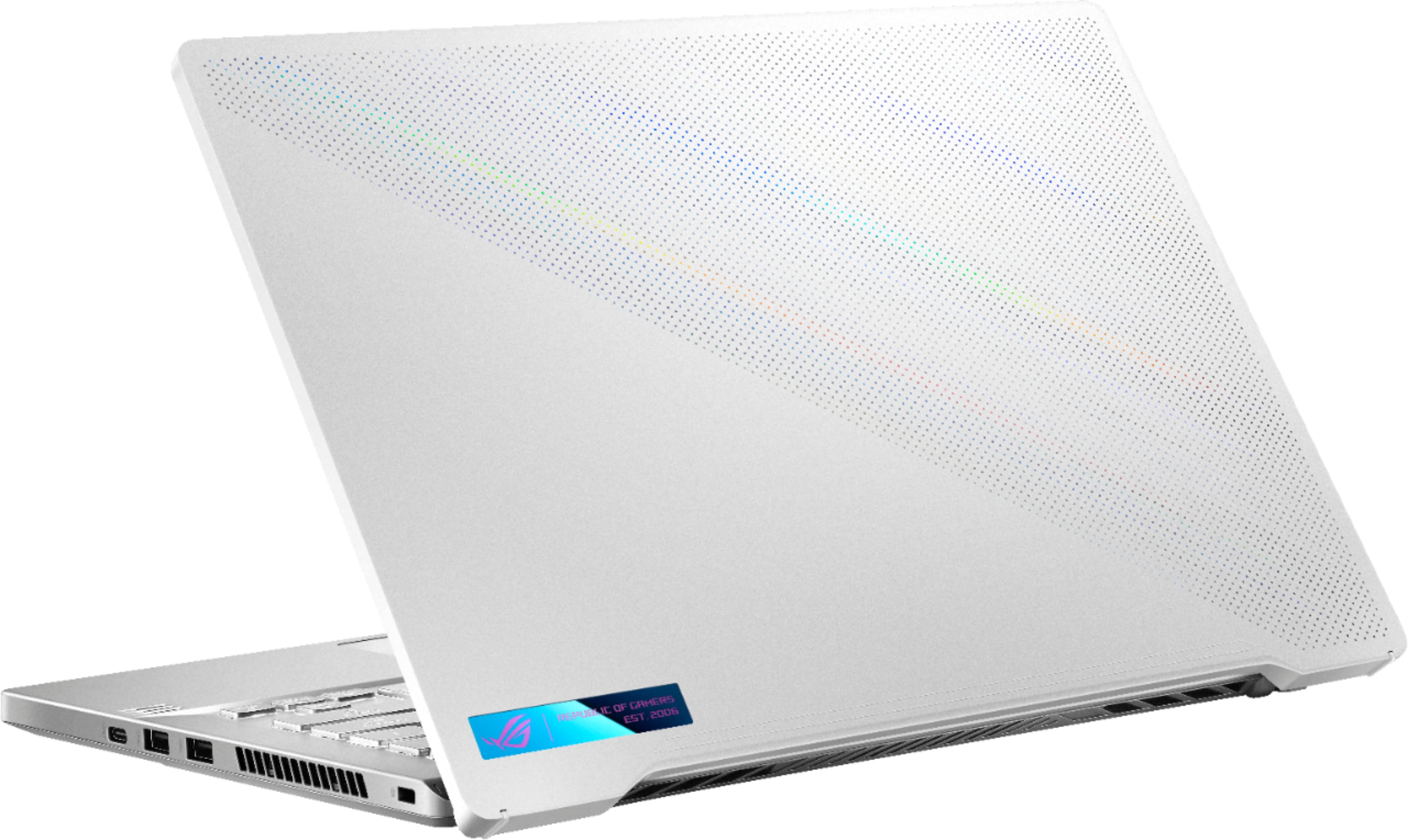
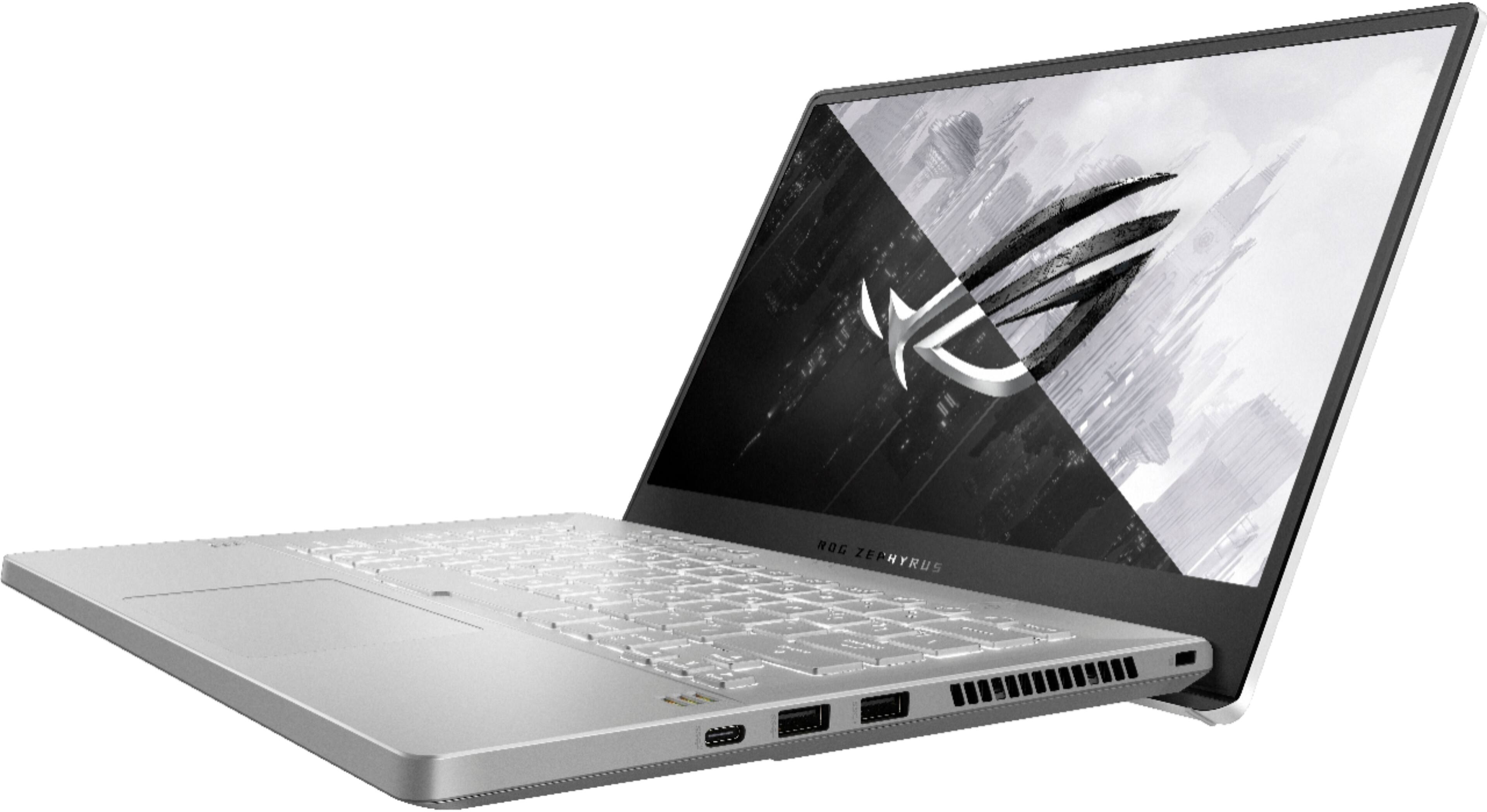
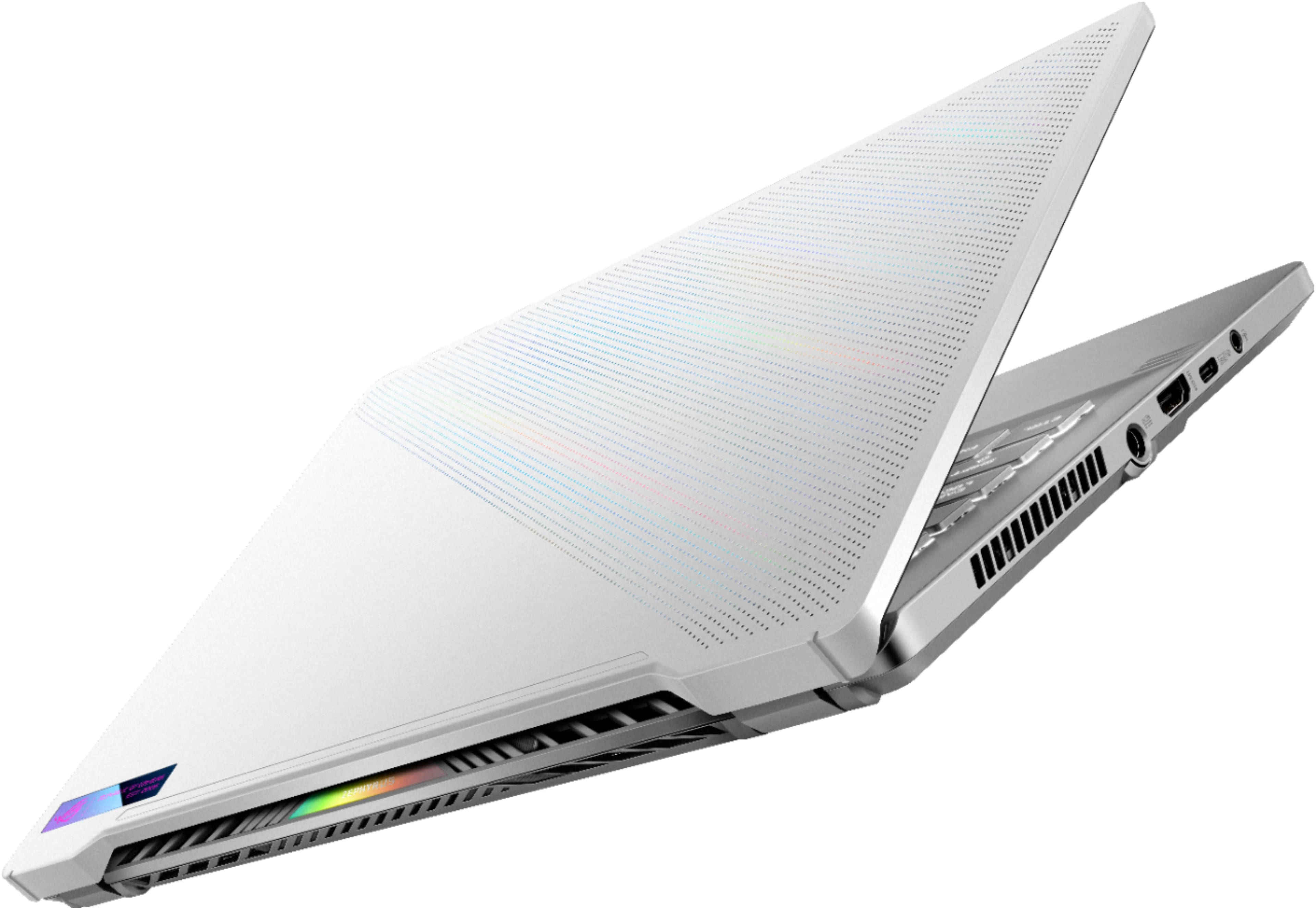
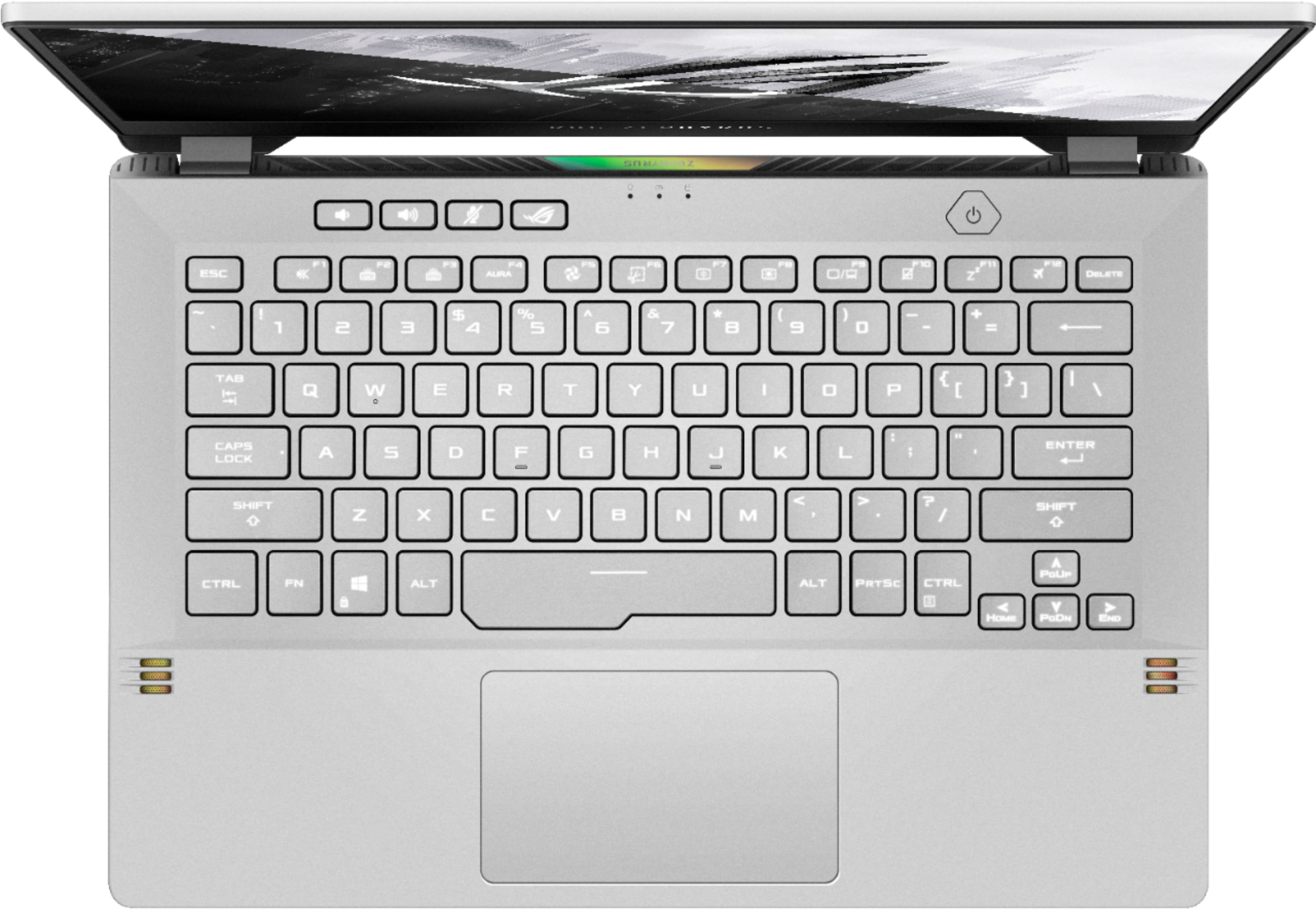
Customers are impressed with the ROG Zephyrus 14" Gaming Laptop's performance, graphics capabilities, and long battery life. Many appreciate its compact size, portability, and lightweight design, making it ideal for those on the go. However, some users note that the device can get warm and produce noticeable fan noise during use. The lack of a webcam and some concerns about the keyboard backlight are also mentioned.
This summary was generated by AI based on customer reviews.
Display too small for me
||Posted . Owned for 3 weeks when reviewed.This reviewer received promo considerations or sweepstakes entry for writing a review.Screen is too small. Probably would be good for a business laptop or gaming laptop with a screen
No, I would not recommend this to a friendDisappointed , returned
||Posted . Owned for 1 week when reviewed.This reviewer received promo considerations or sweepstakes entry for writing a review.Felt cheap.. honestly like a 1200 dollar toy. It’s small and compact and powerful if that what you want but the screen is so small. And battery life bad. I rather just cloud game on my surface 4 15 inch.. to me that a perfect laptop . And feel worth the price
No, I would not recommend this to a friendBrand response from ASUS Answers
Posted .Dear MODERNDRU1D,
I'm sorry to hear that you returned the unit because of the battery life and you are not pleased with the screen. We do take these negative product experiences very seriously and we will pass this over to our product team for further improvements. If you have any concerns about another model, feel free to reach out to me at customerloyalty@asus.com and provide this link for reference. I'll do my best to provide a quick resolution to your case. Your feedback is important as it helps with improvements to ASUS Support channels.
Thank you for choosing ASUS!
Best Regards,
Jamalie,
ASUS Customer Loyalty US Support
Too hot, constant freezes, no fixes.
||Posted . Owned for 1 month when reviewed.This reviewer received promo considerations or sweepstakes entry for writing a review.Do not buy - there are much better laptops out there for less $$$. The actual performance is good, but there are other issues. The case gets ridiculously hot where I can't even keep my fingers on WASD for more than a couple minutes (even the lower keys around the spacebar get extremely warm and uncomfortable). This happens no matter what graphics settings I use/no matter what game is being played. Random freezing happens multiple times per day where the only option is to hold down the power key and reboot. This freezing only happens when using a web browser - tried Chrome, Edge, and Firefox and happened with all three. I have reinstalled Windows a couple times, made sure updates for all software are good, etc. Talked to Asus and they are aware of the heat issues, but had nothing to say about constant freezing and gave no guidance. Again, the actual performance in games is pretty good, but the other issues that seem to have no fix override the performance completely.
No, I would not recommend this to a friendBrand response from ASUS Answers
Posted .Dear OnwardGibbon,
We do understand your concern about thermal issues.
It is normal for the laptop to generate more heat than normal while under heavy load especially during gaming, WINDOWS Update and antivirus scan. When system resource utilization is high, this will generate more heat than normal and tends to trigger the fan to spin at full-throttle. Please ensure the air ventilations are free from obstructions in order to have an efficient air flow for better heat dissipation. While gaming, please ensure no resource hungry applications are running in the background, this will definitely speak the temperature. The heat or temperature does decreases or normalizes once system resource utilization goes down. If the laptop is running with an older BIOS, please update to the most current version posted at the ASUS Support webpage.
Should you need further assistance with the product, please email me at cl-rodel@asus.com and I would be more than happy to help. Or, you are always welcome to call Product Support Hotline at: 1(888) 678-3688. Also, you can chat with an ASUS live support agent at: http://bit.ly/AsusLiveChat.
Thank you for choosing an ASUS product.
Regards,
Rodel
ASUS Customer Loyalty
I like it
||Posted . Owned for 3 weeks when reviewed.This reviewer received promo considerations or sweepstakes entry for writing a review.I’m a little upset that it didn’t come with the anime matrix… big reason I was buying it.
I would recommend this to a friend- Pros mentioned:Battery lifeCons mentioned:Heat

Amazing
|Posted .This reviewer received promo considerations or sweepstakes entry for writing a review.This laptop is a 10/10. It runs games like Minecraft, Valorant, Fortnite and so much more at 240 FPS. The laptop is amazing. The speakers are excellent as well. The sound quality is better than any other laptop I’ve had. The 144Hz monitor is very clear and outputs great quality. Is it very compact and easy to pack up and take anywhere. The battery life is great and lasts for hours with continuous game play, but if it’s left plugged in it gets really hot and needs to be left to cool down. This is hands down the best laptop I’ve had and I highly recommend it for anyone who loves computer gaming.
I would recommend this to a friend Mined NVIDIA 3060 GPU.
||Posted . Owned for 1 month when reviewed.This reviewer received promo considerations or sweepstakes entry for writing a review.The graphics card is being mined. It says it's deactivated in bios. I bench marked it and it said it had a AMD Vega 5000 1 gig card in it. It benched at 20%. Very poor. The AMD RYZEN CPU R9 5900 HS Is awesome. Very fast. Other than gaming the laptop works great. But you can't game on it unless you want to play solitaire.
No, I would not recommend this to a friendBrand response from ASUS Answers
Posted .Dear KrystiyanKovokets,
To change the graphics controller from AMD to Nvidia, right-click anywhere from the desktop and go inside the Nvidia Control Panel or you can find Nvidia icon from the Notification bar from the Taskbar. Select "Manage 3D Settings" from" 3D Settings", click the "Program" tab and select the program you want to use the graphics card from the drop down menu. From the "preferred graphics processor", select "High-performance graphics processor. After completing the setup, please try to run the benchmark utility again. Please ensure, Windows, chipet and video driver are up to date before running the utility software.
If you need further assistance, please let me know and I will be more than happy to help. Or, you are always welcome to call Product Support Hotline at: 1(888) 678-3688. Also, you can chat with an ASUS live support agent at: http://bit.ly/AsusLiveChat.
Thank you for choosing an ASUS product.
Regards,
Rodel
ASUS Customer Loyalty
does not turn on after 1 month
||Posted . Owned for 1 month when reviewed.This reviewer received promo considerations or sweepstakes entry for writing a review.This laptop will not turn on after purchasing one month ago. It's been used a couple times for our swimming pool business designs. It turned off in the middle of an important estimate with customers. We have never had this issue with this brand before. Best buy refuses to let us return it even though it's clearly broken after hardly any use. We won't be purchasing for personal or business needs after this experience from best buy.
No, I would not recommend this to a friendBrand response from ASUS Answers
Posted .Dear Valued Customer,
It's unfortunate to hear that the unit failed to turn on after a month of usage. What you've experienced was not intentional and this was a random case. Have you tried a hard reset?
If not, please attempt the steps:
1. Unplug the charger
2. Press and hold the power button for 1 full minute
3. Plug in only the charger and press the power button to start up normally
For further troubleshooting, feel free to reach out to me at customerloyalty@asus.com and provide this link for reference. I'll do my best to provide a quick resolution to your case. Your feedback is important as it helps with improvements to ASUS Support channels.
Thank you for choosing ASUS!
Best Regards,
Jamalie,
ASUS Customer Loyalty US Support
Display goes black when using WebCam via USB
||Posted . Owned for 1 month when reviewed.This reviewer received promo considerations or sweepstakes entry for writing a review.Thought this would be a great machine, specs are great for the price. Unfortunately, when I attempted to use a WebCam via the USB, the entire display when black (not just the Camera App), and the laptop locked after 2 or three flashes of the display. On one occasion I had to reboot to unfreeze the display. Attempted two different WebCams to ensure it wasn’t a camera problem (also they work fine on my desktop). Not sure if this is a one-off problem, but returned it and going to buy something else given there is no easy exchange progress….and I don’t want that frustration. Hopefully the return goes smoothly.
No, I would not recommend this to a friendBrand response from ASUS Answers
Posted .Dear Valued Customer,
It's unfortunate to hear that the screen gets black while the USB camera is plugged in. This is not the kind of experience we want any of our customers to have. Have you tried to reinstall the camera driver? Are you having the same issue with other USB devices? If you have not returned it as yet, feel free to reach out to me at customerloyalty@asus.com and provide this link for reference. I'll do my best to provide a quick resolution to your case. Your feedback is important as it helps with improvements to ASUS Support channels.
Thank you for choosing ASUS!
Best Regards,
Jamalie,
ASUS Customer Loyalty US Support
Could be better
||Posted . Owned for 2 weeks when reviewed.This reviewer received promo considerations or sweepstakes entry for writing a review.Came quick, never messaged me that it was ready for pickup though
No, I would not recommend this to a friendBrand response from ASUS Answers
Posted .Dear Valued Customer,
Thank you so much for the feedback, if you have any technical concerns with the unit, feel free to reach out to me at customerloyalty@asus.com and provide this link for reference. I'll do my best to provide a quick resolution to your case. Your feedback is important as it helps with improvements to ASUS Support channels.
Thank you for choosing ASUS!
Best Regards,
Jamalie,
ASUS Customer Loyalty US Support
- Cons mentioned:Keyboard backlight
Your basic terrible PC experience
||Posted . Owned for 1 month when reviewed.This reviewer received promo considerations or sweepstakes entry for writing a review.Had the computer about a month and the wifi card stop working… The keyboard flashing can’t really be turned off… my first PC since 2006 and I’m already missing the MacBook… this is hilariously bad
No, I would not recommend this to a friendBrand response from ASUS Answers
Posted .Dear Valued Customer,
I'm sorry to hear that the wireless adapter and the keyboard are not working correctly. What you've experienced was not intentional and this is a random case. Have you re-install the driver and updated the Windows OS? Please attempt the steps below. For further troubleshooting, feel free to contact me at customerloyalty@asus.com and provide this link for reference. I'll do my best to provide a quick resolution to your case. Your feedback is essential as it helps with improvements to ASUS Support channels.
Thank you for choosing ASUS!
Best Regards,
Jamalie,
ASUS Customer Loyalty US Support
Troubleshooting - https://www.asus.com/us/support/FAQ/1015073/
Nice
||Posted .This reviewer received promo considerations or sweepstakes entry for writing a review.Nice but but need to get used to it sometimes invidia crashes
I would recommend this to a friend- Pros mentioned:Battery life, Build quality, Speed
The G14 - A powerhouse that needs some work
Posted .This reviewer received promo considerations or sweepstakes entry for writing a review.Generally, this laptop is the do-all machine that many are looking for. It’s very powerful, light, relatively thin, has an excellent keyboard and trackpad, has solid build quality, has great battery life, and is pretty aesthetically pleasing, all at a relatively fair price. However, due to the amount of work the user will need to put into the laptop to get it working like the dream it could be alongside a few issues that plague the laptop without any apparent way to fix them, I had to knock a star off. But overall, if you need a portable yet powerful laptop that can operate as a desktop replacement, the 2021 Zephyrus G14 certainly can be that. **From this point onward, I will be mostly dumping information from the notes I've taken. I've chosen to not include performance/benchmark numbers as there is a surplus of information about such things already.** *Starting with the bad, here are my issues with the laptop (Issues that can be fixed/bypassed will be marked with a (!)): (!) - Though this might not be due to the laptop itself, the laptop randomly exits sleep regardless of whether the lid is closed or not. Therefore, unless you can tolerate random wakeups and will utilize the G14 as a desktop replacement, you are essentially forced to hibernate the laptop and stop it from sleeping. (Set laptop to never sleep when closing the lid/after inactivity through Control Panel) (!) - This is standard practice across any laptop that can produce a lot of heat, but never use the G14 with the lid closed since you otherwise will damage the screen rather quickly. (!) - By default, the speakers will randomly pop while on battery and in silent mode. This is due to the fact that the wireless adapter is set to medium power savings when on battery while in silent mode. (As a fix requires a registry edit, visit the Zephyrus G14 subreddit to find the guide on how to disable this) (!) - (Likely not applicable to models with the Intel AX200) From my experience the Mediatek MT7961 that comes with the G14 is rather finicky with WiFi 6, with random drops when in voice calls through discord or intermittent rubberbanding when playing games. (For a potential fix, in device manager find “Network Adapters” and right-click on the MT7961. Click “Properties” and go to the “Advanced” tab. Change the property of “802.11ax/ac/n” to “802.11ac” to have it operate on Wifi 5. If your router supports a 5GHz Wifi band, I’d suggest changing the “Preferred Band” property to “Prefer 5GHz Band” and then connect to the 5GHz band) (!) - When the RTX 3060 is active and silent mode is set in ASUS Armory Crate, “Whisper Mode” is active and caps your framerate to at most 60FPS in games. Though you can disable it, it becomes re-enabled without any way to keep it disabled on every reboot or switch to silent mode from another profile in Armory Crate. Personally, I am not bothered by the fan noise created in performance mode, so you could bypass having to deal with whisper mode entirely by always being in performance mode whenever the RTX 3060 is active. (!) - Battery boost is enabled by default in GeForce Experience, but this (thankfully) can be disabled indefinitely. (!) - Temps on this laptop can get uncomfortably hot. From a few 1+ hour sessions, I recorded temps of 90+C CPU / 85C GPU. While these temperatures are well within specifications, disabling the processor from boosting saw drops of around 10C for both components with a minuscule drop in frames. (Again, this could be resolved by cranking the fans up and perhaps limiting CPU wattage to ~20W in manual mode, but disabling boost is the route I took. On that note, you can find how to disable boost through registry edits in the Zephyrus G14 subreddit) (!) - On the topic of heat, due to the compact nature of the laptop, the laptop becomes very hot to touch when gaming, though mostly near the function keys. This can be resolved by cranking up the fans in manual mode, but the fans can get too loud for my liking. - Maybe just my unit, but my laptop suffers from random second-long freezes, but only when right-clicking or middle-clicking on desktop and never when interacting with an application. I haven't been able to find what exactly is causing this issue, but it’s never bothersome as it very rarely happens. - Though it seems to have strangely fixed itself a week ago, for a while the fingerprint scanner wouldn't function when the laptop woke from sleep/hibernate. From event viewer, it was described as "offline due to a user-mode driver crash." - Maybe just my unit, but both USB-A ports on the laptop are VERY tight, so it is rather difficult to unplug and replug USB-A devices. This causes me to worry about the longevity about these ports when the friction causes visible marks on USB-A connectors. - There is a faint coil whine whenever the keyboard backlight isn’t on the bright setting or when the screen is dimmed, so whatever caused the coil whine in the 2020 G14 hasn’t been resolved here. However, it’s so faint that it’s really a non-issue. - The screen, while pleasant to look at due to its color accuracy, has slow pixel response times. Ghosting is definitely quite prevalent on this screen. If you know you can’t stand ghosting, you’ll either have to hook the laptop up to an external monitor or will have to pass this laptop up entirely. *Now onto what makes this laptop excellent: - Incredibly powerful and efficient hardware in such a thin and light package, especially concerning the processor. The 5900HS gives you desktop-class performance while consuming little power, especially when boost is disabled. The RTX 3060, while definitely gimped compared to its desktop counterparts and even to its higher wattage counterparts, is still excellent and far outstrips my desktop GTX 1060. Overall, if you have a system that is on parity or slightly better than my Ryzen 2700 and GTX 1060 desktop system, then you can definitely use the G14 as a full-blown desktop replacement, which is hugely impressive given the size and weight. - Temperatures drop quickly after load due to the liquid metal used in place of standard thermal paste. CPU temperature is sub-50C at idle with the GPU put to power saving mode. - Though this is common in modern laptops, you can rest assured as the battery is electrically disconnected once the laptop is fully charged. This means that if you plan to keep the G14 indefinitely plugged in, the battery will not undergo charge cycles and degrade over time. In addition, you can apply an 80% or 60% charge limit through the MyAsus application which can slow the degradation of the battery and thus increase its lifespan. - The left USB-C port of the laptop supports both 100W charging and DisplayPort that connects directly to the RTX 3060. With the former, this means you can easily charge the laptop at a reasonably quick rate with a 100W Charger (However, keep in mind that the battery will not be electrically disconnected like it would if it were charging with the provided AC adapter). With the latter, you can bypass Optimus (which can give you a sizable FPS increase) and game on your preferred monitor of choice, though this lower wattage RTX 3060 will likely begin to struggle at anything higher than 1440P/144hz at higher graphical settings. - As stated before, the screen’s color accuracy is apparent and is nice to look at. - The speakers sound decent and can get very loud when maxed out without popping or noticeable distortion. In addition, you can increase the max volume of the speakers by opening the “Dolby Access” application and selecting the “Dynamic” option in settings. - Although I’ve seen mixed feelings about ASUS Armory Crate, I’ve found it to work almost flawlessly, including the automatic refresh rate switching and dGPU disabling features. - Flawlessly switches between Performance and Silent modes when plugged in and on battery respectively. (Have to manually set these modes, but saves your choice) - Silent mode is excellent with the fans never spinning on idle or on light loads like browsing. When the RTX 3060 is disabled, you can easily use the laptop on your lap without being bothered by either heat or fan noise. - The keyboard has excellent tactility and a satisfying amount of travel. It also has n-key rollover, so there should be no issues with pressing multiple keys at once. - In my model, the keyboard backlighting appears decently uniform, but I’ve seen some complaints from other 2021 G14 owners about the backlighting, so be wary about variance. - The touchpad, while small, tracks similarly to the ones put into MacBooks, so otherwise excellent. - The fingerprint reader is excellent and almost never fails. As a bonus, your fingerprint is read the moment you press the power button, so you can press the power button once and you’ll immediately bypass sign-in. - Bluetooth connections are stable and don't start dropping until you are quite far away from the laptop.
I would recommend this to a friend Okay
||Posted . Owned for 2 months when reviewed.This reviewer received promo considerations or sweepstakes entry for writing a review.Nice product!!! Easy to use for little & big kids!
I would recommend this to a friendThis isn't the 14inch laptop you're looking for.
||Posted . Owned for 1 week when reviewed.This reviewer received promo considerations or sweepstakes entry for writing a review.I enjoyed it... a lot actually, one blue screen later and the wireless seems to have stopped working altogether. I used a wireless dongle to attempt to reinstall the adapter's driver to no avail. After which I checked the windows file system for corrupt images which it found none. Past that I reattempt the recovery image which wasted more of my time and failed. Oh, I forgot to mention this was after only having it for 3 days. I really would've given it a better review but having parts fail that early on sounds design-related more than just a stroke of bad luck. I can't in good heart give this a good recommendation. I returned it within a week of purchase. The potential was there for sure.
No, I would not recommend this to a friendBrand response from ASUS Answers
Posted .Dear Adaptus,
We're sorry to hear about the unfortunate experience you had with this model. We do value our customers and take negative customer service experience very seriously. This is not the quality of service expected from ASUS. We do stand behind our product and we continuously strive to improve our approach and processes in order to achieve customer service excellence.
For more information send us an email at customerloyalty@asus.com and provide the link of this review for reference. We’ll do our best to provide a quick resolution to your case. Your feedback is important as it helps with improvements to ASUS Support channels. Please copy a link to this post as a reference.
Thank you for choosing ASUS.
Best Regards,
Joan
ASUS Customer Loyalty US Support
Overpriced for lack of quality and performance.
||Posted . Owned for 1 month when reviewed.This reviewer received promo considerations or sweepstakes entry for writing a review.Backlit keyboard one of the worst. I've installed few battle.net games along Microsoft Office and this laptop has already hard locked up several times which required holding the power button four seconds. Would not recommened.
No, I would not recommend this to a friendBrand response from ASUS Answers
Posted .Dear Chuck,
We're sorry to hear about the unfortunate experiences you're having with this model. Please allow us to make your experience with ASUS a better one. We would recommend that you back up your data and perform a system reset. We do value our customers and take negative customer service experience very seriously. This is not the quality of service expected from ASUS. We do stand behind our product and we continuously strive to improve our approach and processes in order to achieve customer service excellence.
For more information, you can reach out to us at our Official ASUS North America Support twitter at AsusHelpUS. We’ll do our best to provide a quick resolution to your case. Your feedback is important as it helps with improvements to ASUS Support channels. Please copy a link to this post as a reference.
Thank you for choosing ASUS.
Best Regards,
Joan
ASUS Customer Loyalty US Support
Great Gaming Laptop
||Posted . Owned for 1 month when reviewed.This reviewer received promo considerations or sweepstakes entry for writing a review.Unfortunately, this gets two stars. It’s the 3rd one I’ve had since Black Friday and the network and Wi-Fi drivers keep disappearing. First time I took to Geek Squad and they weren’t able to get the drivers restored.
No, I would not recommend this to a friendBrand response from ASUS Answers
Posted .Dear Valued Customer,
It's unfortunate to hear that WiFi drivers kept disappearing. This is not the kind of experience we want any of our customers to have. Please attempt the steps from the FAQ below. For further troubleshooting, feel free to reach out to me at customerloyalty@asus.com and provide this link for reference. I'll do my best to provide a quick resolution to your case. Your feedback is important as it helps with improvements to ASUS Support channels.
Thank you for choosing ASUS!
Best Regards,
Jamalie,
ASUS Customer Loyalty US Support
Link: https://www.asus.com/us/support/FAQ/1015073/
Wi-Fi issues
||Posted . Owned for 1 week when reviewed.This reviewer received promo considerations or sweepstakes entry for writing a review.Wi-Fi stopped working. In the system it shows there is no Wi-Fi card installed. Asus does not provide support for it have to go through Bestbuy as this laptop is bestbuy exclusive. Reset network settings and then reset the PC but nothing same issue. Since there is no Ethernet connection then once Wi-Fi stopped working you are out of luck. Luckily I am still under the return period so taking it back to Bestbuy.
No, I would not recommend this to a friendBrand response from ASUS Answers
Posted .Dear Valued Customer,
Certainly, we understand your disappointment with the WIFI card failing to work. This is not the kind of experience we want any of our customers to have. Have you tried to re-install the driver from our website? If not, please refer to the links below. For further troubleshooting, feel free to reach out to me at customerloyalty@asus.com and provide this link for reference. I'll do my best to provide a quick resolution to your case. Your feedback is important as it helps with improvements to ASUS Support channels.
Thank you for choosing ASUS!
Best Regards,
Jamalie,
ASUS Customer Loyalty US Support
Driver: https://rog.asus.com/laptops/rog-zephyrus/2021-rog-zephyrus-g14-series/helpdesk_download
Steps to install: https://www.asus.com/support/FAQ/1015597/
Decent but buggy
||Posted . Owned for 4 months when reviewed.This reviewer received promo considerations or sweepstakes entry for writing a review.The price to features are high but the product has so many issues beneath. I keep getting wifi issues, sound issues, and other minor issues now and then. Also, blue screen errors and many more
No, I would not recommend this to a friendBrand response from ASUS Answers
Posted .Dear Bala,
We're sorry to hear about the unfortunate experience you're having with the wifi, blue screen and sound on this model. Based on the issue you described, we would recommend that you hback up your data and perform a system reset. We do value our customers and take negative customer service experience very seriously. This is not the quality of service expected from ASUS. We do stand behind our product and we continuously strive to improve our approach and processes in order to achieve customer service excellence.
For more information send us an email at customerloyalty@asus.com and provide the link of this review for reference. We’ll do our best to provide a quick resolution to your case. Your feedback is important as it helps with improvements to ASUS Support channels. Please copy a link to this post as a reference.
Thank you for choosing ASUS.
Best Regards,
Joan
ASUS Customer Loyalty US Support
- Pros mentioned:Build qualityCons mentioned:Heat
Great powerful compact gaming laptop
|Posted .This reviewer received promo considerations or sweepstakes entry for writing a review.I really love this update from asus. When it comes to the unboxing it's very basic. It's package very very well but all you get is the charger, the laptop and a user guide. Not that it matters but if you were expecting more then you should ease those expectations. This version doesn't have the Animatrix lid, it has an iridescent panel under the holes which is a shame but it still looks good. The typig experience is nice, I find myself being able to type faster than usual on this keyboard. It has good key spacing and nice key travel. It's also backlit. It has windows hello and that's used via the built in fingerprint sensor on the power button, it's not the most accurate but gets the job done. When it comes to gaming then you'll be pleased with this. The Ryzen 9 and 3060 are really powerful. I'm getting a 30-40% increase in FPS in games. Flight simulator 2020 plays in high but beware, the laptop gets really hot, to the point the FP sensor can be uncomfortable to press. Warzone is easy work for the 3060 also Overall it's a really nice gaming laptop that's easy to travel with. The performance boost over the previous 2060 model is great. Other than the heat I'm sure you will love this thing.
I would recommend this to a friend - Cons mentioned:Webcam
Disappointed
||Posted . Owned for 1 year when reviewed.This reviewer received promo considerations or sweepstakes entry for writing a review.No camera. My wifi card went out within a year and I had to ship it in to get repairs. I heard clicking noise the week I got it.
No, I would not recommend this to a friend