Customer Ratings & Reviews

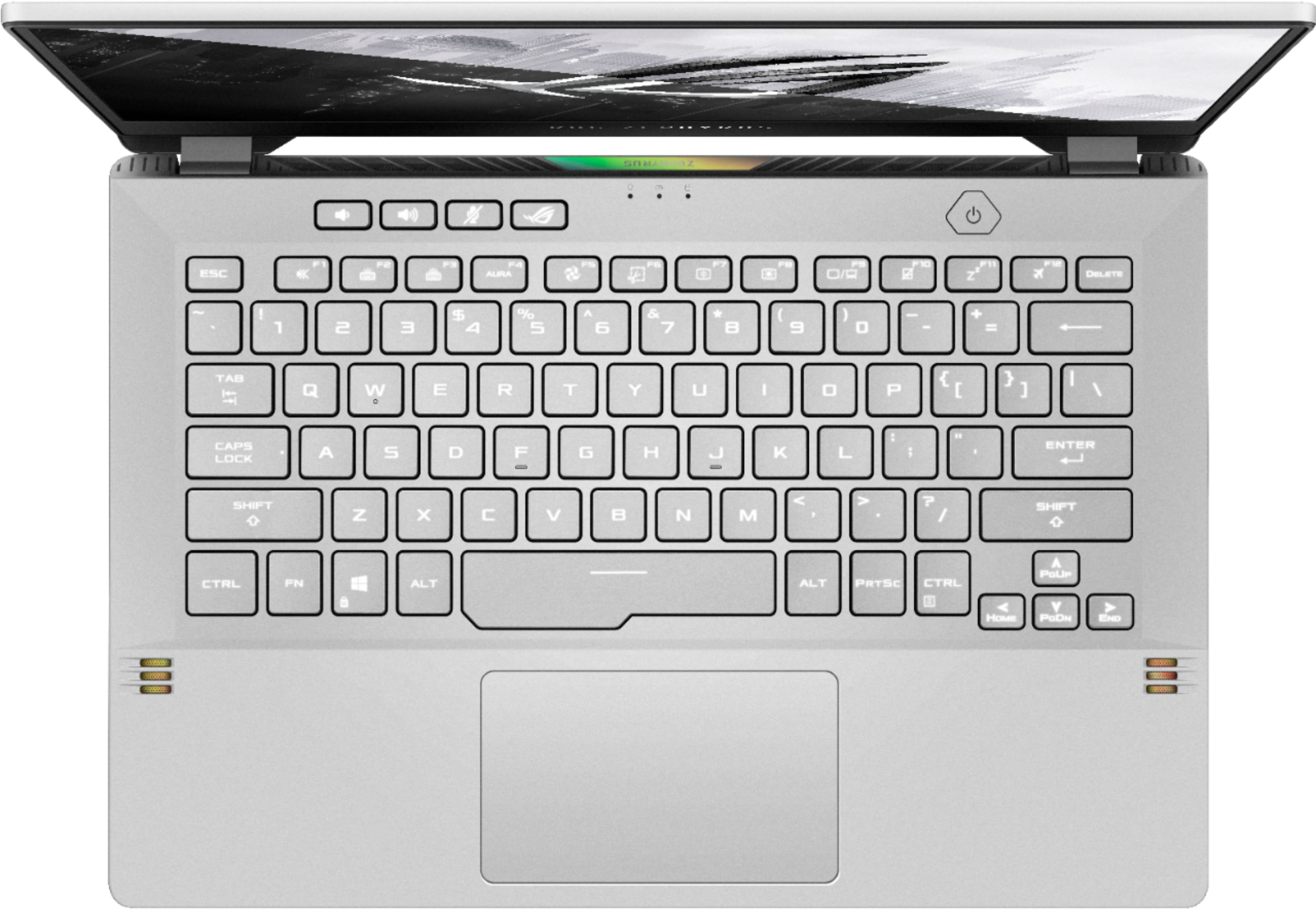

- Model:
- GA401QM-211.ZG14
- SKU:
- 6452913
Rating by feature
- Battery Life
Rating 4.3 out of 5 stars
- Speed
Rating 4.7 out of 5 stars
- Display
Rating 4.4 out of 5 stars
Customers are saying
Customers are impressed with the ROG Zephyrus 14" Gaming Laptop's performance, graphics capabilities, and long battery life. Many appreciate its compact size, portability, and lightweight design, making it ideal for those on the go. However, some users note that the device can get warm and produce noticeable fan noise during use. The lack of a webcam and some concerns about the keyboard backlight are also mentioned.
This summary was generated by AI based on customer reviews.
- Pros mentioned:Performance
perfect portable gaming laptop
Posted .This reviewer received promo considerations or sweepstakes entry for writing a review.i've had this laptop since 2021 and it's still running just as smooth and fast as day 1. it can handle any game i've thrown at it. it's light enough for me to carry in my backpack--still l generally leave it at home and only travel with it when i know i'm going to game somewhere else because ~3.5lbs adds up when i'm carrying other stuff. still incredibly portable. it can handle hours of gametime and doesn't get blistering hot. it's literally perfect. i cracked the screen on it recently though after 3 years and i like that there are affordable off brand screen replacements i can do myself. i've had practically no issues with this laptop. i will say i wish it wasn't so much of an energy drain, but i accept that it is a gaming laptop after all
I would recommend this to a friend Blue Screens
||Posted . Owned for 6 months when reviewed.This reviewer received promo considerations or sweepstakes entry for writing a review.Got this laptop for college and was very excited to work with it. Worked well for the first few months except it occasionally froze when streaming shows. The past month it has been blue screening constantly and has even had trouble turning back on after these instances. Very disappointed to be having these problems.
No, I would not recommend this to a friendBrand response from ASUS Answers
Posted .Dear Valued Customer,
It's unfortunate to hear that your unit is blue-screening constantly. All our products do go through an intensive quality control testing process to ensure that customers get units that are in proper working condition, what you've experienced was not intentional and this was a random case. Please attempt the steps from the FAQ below. For further troubleshooting, feel free to reach out to me at customerloyalty@asus.com and provide this link for reference. I'll do my best to provide a quick resolution to your case. Your feedback is important as it helps with improvements to ASUS Support channels.
Thank you for choosing ASUS!
Best Regards,
Jamalie,
ASUS Customer Loyalty US Support
Link: https://www.asus.com/support/FAQ/1042499/
DO NOT BUY THIS LAPTOP
||Posted . Owned for 7 months when reviewed.This reviewer received promo considerations or sweepstakes entry for writing a review.Absolutely the worst experience I’ve ever had with a laptop. You have to severely modify display settings to keep it from overheating, it can’t handle streaming videos without freezing (was told by ASUS support that a complete Windows reinstall MIGHT fix that problem), and now, at 6 months old the network adapter and Wi-Fi completely stopped working. For the amount of money spent, the problems with this laptop are completely unacceptable. I’m never buying an ASUS again.
No, I would not recommend this to a friendBrand response from ASUS Answers
Posted .Dear Loyd,
It's unfortunate to hear that your WIFI adapter not working and the unit is freezing. This is not the kind of experience we want any of our customers to have. Please attempt the steps below, there could be many factors that cause this issue. For further troubleshooting, feel free to reach out to me at customerloyalty@asus.com and provide this link for reference. I'll do my best to provide a quick resolution to your case. Your feedback is important as it helps with improvements to ASUS Support channels.
Thank you for choosing ASUS!
Best Regards,
Jamalie,
ASUS Customer Loyalty US Support
Troubleshooting - https://www.asus.com/us/support/FAQ/1015073/
Troubleshooting 2 - https://www.asus.com/support/FAQ/1042398/
Don't buy laptop from best buy.
||Posted . Owned for 7 months when reviewed.This reviewer received promo considerations or sweepstakes entry for writing a review.I bought it. It's great. But the problem is I tried to send the warranty with ASUS. They told me Best buy doesn't allow it. You have to get the warranty from them. I contactes Best buy All what they told me. You can only add the warranty within 14 days. Nobody ever explained anything or nothing. I even told the guy it's still with the original warranty. How come you guys can't extend it he said it's our policy wow what a policy. I will never buy anything from Best buy again
No, I would not recommend this to a friendBrand response from ASUS Answers
Posted .Dear Valued Customer,
Certainly, we understand your disappointment with the warranty process. This is not the kind of experience we want any of our customers to have. Seen that your unit wasn't repaired, feel free to reach out to me at customerloyalty@asus.com and provide this link for reference. I'll do my best to provide a quick resolution to your case. Your feedback is important as it helps with improvements to ASUS Support channels.
Thank you for choosing ASUS!
Best Regards,
Jamalie,
ASUS Customer Loyalty US Support
Poor quality and same issues as last generation
||Posted . Owned for less than 1 week when reviewed.This reviewer received promo considerations or sweepstakes entry for writing a review.Can’t say I’d recommend this laptop since it died about 4 days after I purchased it. In the middle of a not too GPU intensive game (Valorant) it completely crashed. Now it won’t turn on and the lights for charging don’t come on either. It’s completely dead. Looks like this laptop has the same faulty motherboard the last generation had, which is unfortunate. At the least, it’s bad quality control. At the most, it’s a design flaw that still exists. Either way, for $1500 this shouldn’t happen after 4 days.
No, I would not recommend this to a friendBrand response from ASUS Answers
Posted .Dear GTReady,
We certainly understand your disappointment with the quality of the laptop and the inconvenience this may have caused.
All ASUS products undergo intensive quality control testing and inspections, the laptop crashing and will no longer bootup is a random problem.
If the laptop will no longer boot up or it's just black screen, please do the following. Verify if the AC adapter is connected properly from the laptop to a known good power outlet or AC source. Try another power source. Try to press and hold down the power button to shut it down completely, just in case laptop is not in hibernate mode, wait for at least 10 seconds then power on. Please wait, if the system is applying updates in the System Registry, it will black screen temporarily. If it still black screen after a few minutes, at least 10 minutes, please repeat the power cycle process again. Also, please try to disconnect the power cable and let the unit drain for 24 hours to clear the memory. This will reset the hardware to default settings. After doing this, please reconnect your AC adapter then power on the unit.
If you need further assistance, please let me know and I will be more than happy to help. Or, you are always welcome to call Product Support Hotline at: 1(888) 678-3688. Also, you can chat with an ASUS live support agent at: http://bit.ly/AsusLiveChat.
Thank you for choosing an ASUS product.
Regards,
Rodel
ASUS Customer Loyalty
Display faulty after 2 1/2 months
||Posted . Owned for 2 months when reviewed.This reviewer received promo considerations or sweepstakes entry for writing a review.So disappointing after spending $1600 on this laptop only for it to become nearly just a paperweight. Laptop won't function properly without being connected to an external display, reinstalled windows twice, removed nearly all asus bloatware that came with the thing, and still the same issue, heck even went from windows 10 to windows 11 to see if that would fix the issue but nope. Ridiculous. Before the issues, the laptop was great, but unfortunately for me, now a total waste of money.
No, I would not recommend this to a friendBrand response from ASUS Answers
Posted .Dear Steven,
We certainly understand your disappointment and the inconvenience this may have caused you.
All ASUS products undergo intensive quality control testing and inspections, this is a random problem. Normally, ASUS provides one year warranty coverage, if product was purchased brand-new, in order to fix or repair any hardware or, part that stop working prematurely under normal usage.
If you need more information or further assistance with the warranty for the product, please email me at cl-rodel@asus.com and I would be more than happy to help. Or, you are always welcome to call Product Support Hotline at: 1(888) 678-3688. Also, you can chat with an ASUS live support agent at: http://bit.ly/AsusLiveChat.
Thank you for choosing an ASUS product.
Regards,
Rodel
ASUS Customer Loyalty
Not Happy
||Posted . Owned for 1 month when reviewed.This reviewer received promo considerations or sweepstakes entry for writing a review.A big disappointment. The fingerprint scanner rarely works. The touch pad works most of the time. The speed of the computer is very good which is why I purchased the computer in the first place. It works well with my AT&T fiber. I paid for Best Buy service package and that turned out to be useless. I thought they were going to help me get the most out of the computer but when I showed up for my appointment they said they couldn't do anything for me. COVID !
No, I would not recommend this to a friendBrand response from ASUS Answers
Posted .Dear Valued Customer,
We appreciate you sharing your feedback on this model. We're sorry to hear about the unfortunate experience you're having with this model. We would recommend that you back up your data and perform a system reset. We do value our customers and take negative customer service experience very seriously. This is not the quality of service expected from ASUS. We do stand behind our product and we continuously strive to improve our approach and processes in order to achieve customer service excellence.
For more information, you can reach out to us at our Official ASUS North America Support twitter at AsusHelpUS. We’ll do our best to provide a quick resolution to your case. Your feedback is important as it helps with improvements to ASUS Support channels. Please copy a link to this post as a reference.
Thank you for choosing ASUS.
Best Regards,
Joan
ASUS Customer Loyalty US Support
screen isn't bright enough
||Posted . Owned for 1 month when reviewed.This reviewer received promo considerations or sweepstakes entry for writing a review.overall it is a great gaming laptop for the size but its screen is not bright enough. for the price, I will go with another one with a better screen.
No, I would not recommend this to a friendBrand response from ASUS Answers
Posted .Dear Valued Customer,
It's unfortunate to hear that the screen is not bright enough. This is absolutely not the kind of experience we want any of our customers to have. Please ensure that adaptive brightness is disabled. I'm happy to assist you, feel free to reach out to me at customerloyalty@asus.com and provide this link for reference. I'll do my best to provide a quick resolution to your case. Your feedback is important as it helps with improvements to ASUS Support channels.
Thank you for choosing ASUS!
Best Regards,
Jamalie,
ASUS Customer Loyalty US Support
Ran into some issues
||Posted . Owned for 3 weeks when reviewed.This reviewer received promo considerations or sweepstakes entry for writing a review.came slightly bent not closing fully, had some issues with all wifi networks not being detected at one point, disconnecting intermittently later
No, I would not recommend this to a friendBrand response from ASUS Answers
Posted .Dear JDra,
We're sorry to hear that you recieved this unit broken. Please allow us to make your experience with ASUS a better one. Based on the issue you described, we would recommend that you reach out to Best Buy to get a replacement model. For more information send us an email at customerloyalty@asus.com and provide the link of this review for reference. We’ll do our best to provide a quick resolution to your case. Your feedback is important as it helps with improvements to ASUS Support channels. Please copy a link to this post as a reference.
Thank you for choosing ASUS.
Best Regards,
Joan
ASUS Customer Loyalty US Support
Has noise in speaker.
||Posted . Owned for 1 month when reviewed.This reviewer received promo considerations or sweepstakes entry for writing a review.It looks good but with noise in speaker. I have to return it. If new I can hear noise then when it becomes old the noise will louder.
No, I would not recommend this to a friendBrand response from ASUS Answers
Posted .Dear Valued Customer,
Certainly, we understand your disappointment with the noise, and you have to return it. All ASUS products undergo intensive quality control, testing, and inspections. What you've experienced was not intentional and this was a random case. If you have any concerns, feel free to reach out to me at customerloyalty@asus.com and provide this link for reference. I'll do my best to provide a quick resolution to your case. Your feedback is important as it helps with improvements to ASUS Support channels.
Thank you for choosing ASUS!
Best Regards,
Jamalie,
ASUS Customer Loyalty US Support
- Pros mentioned:Build quality

What a tiny little beast!
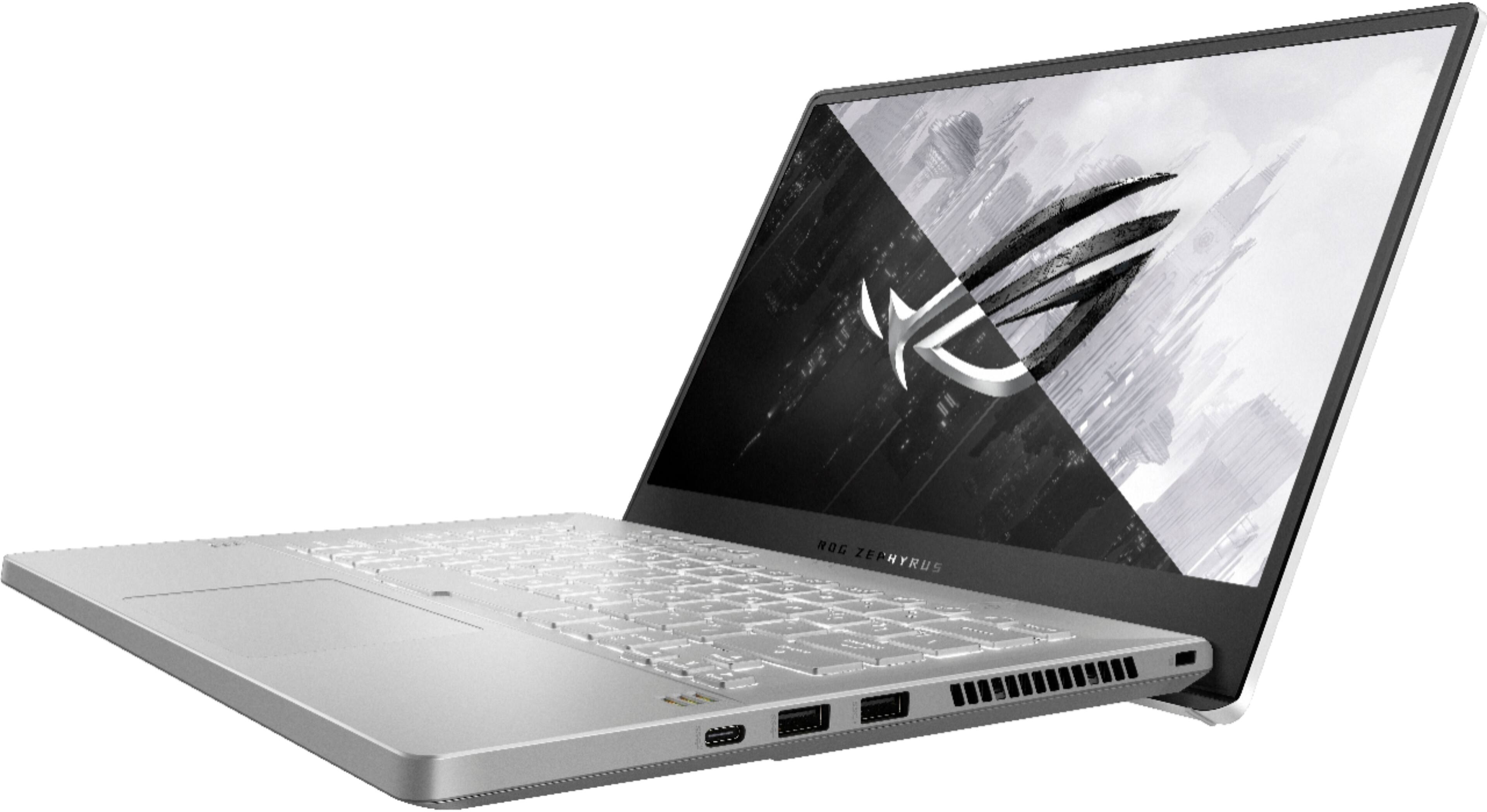
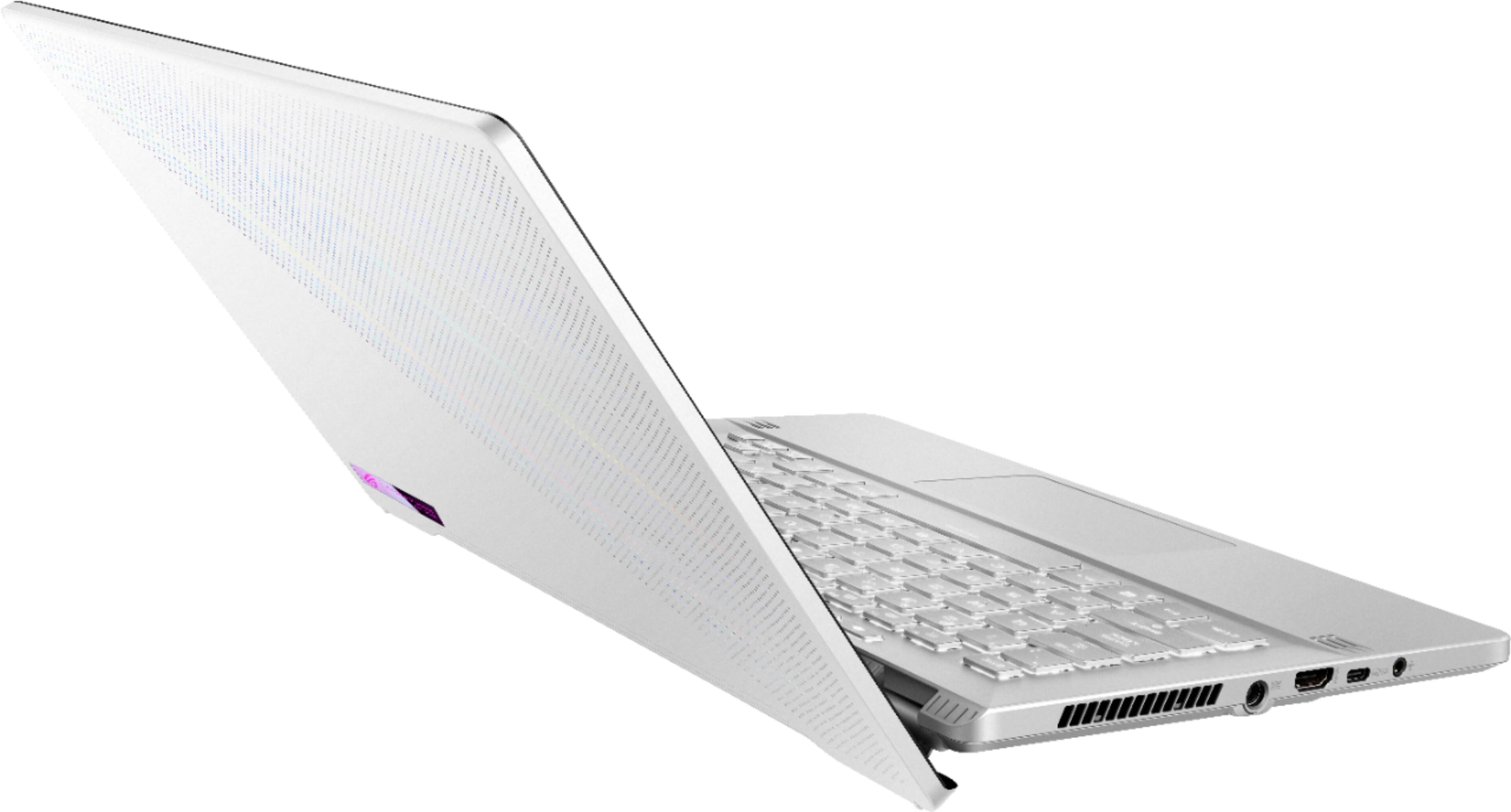
|Posted .This reviewer received promo considerations or sweepstakes entry for writing a review.I play games on a PC that I upgrade when I can and keep working well. I also stream from that PC. So I spend a lot of time gaming on a PC. So when I got this laptop with specs that rival (actually surpass by quite a bit) my main desktop PC, I really don't know what to think anymore. This thing is a beast in a tiny package. The tiny package probably being the only downside I can find. For starters, I think the only surprising thing to be was that the battery was completely dead when I opened it up. Not a huge deal but I'm used to at least seeing a little bit of juice in things right off the bat. Also, the packaging was top notch. I opened the box and the laptop lifted up to greet me. That said, the amount of empty space in the box was a little excessive. There is probably some cost savings going into using the same box for most of their laptops but this small guy could have comfortably fit in a much smaller box. Setup is as you'd expect. The normal Windows 10 setup questions. There wasn't a lot of bloatware that needed to be cleaned up which is always nice. I installed drivers for the NVIDIA GPU from nvidia so I knew I was up to date. Then it was on to installing some games to see what we could do! First things I tested out was Doom Eternal and was blown away. I maxed out all the settings and was rocking 120+ fps. The image was pretty crisp even though it's only a 1080p screen. The screen does have more pixels than a standard 1080p screen so the pixel density on such a small screen made things look very clear. I felt like I couldn't get away with testing the laptop without checking out Cyberpunk 2077. This was on the 1.1 patch so things could be even better now. I wasn't smoking the highest fps possible or anything but I was able to test something I can't do on my desktop PC which was turning on that magic RTX switch. With all settings maxed and RTX set to medium I was getting a very playable 50ish fps. Everything looked great. This was with DLSS on. I turned off DLSS and things dropped down to mid-20s to mid-30s which is still pretty crazy considering the size of this thing. It's got a 3060 in it which I am not expecting to be able to get 144 fps with all RTX settings maxed so I was just seeing how far I could push things and was still pretty surprised. Port wise, I would have enjoyed a couple more. You get 2 USB-A ports on one side of the laptop and then a USB-C port on the opposite side. I'm not usually a fan of ports on both sides especially if they aren't the same ports (giving me the same types of ports on both sides means I can do more to choose which side works better for me) since in this instance, I am forced to use the right to plug my USB-A stuff into. Stuff like my mouse dongle. Possibly my headphones. Right next to where my mouse will be moving. The only other option could be to get a hub to plug into the USB-C port to move those accessories to the left side. There's also an HDMI port so you can plug this into a full screen if you'd like. General hardware wise, everything is pretty good. The build quality of the machine feels nice. It's not super "gamer" flashy like a lot of things that try and appeal to "gamers". I like that this just looks like a laptop and doesn't scream "GAMER!" with weird angles and RGB everything. The keyboard is not full sized but still feels ok to use. The trackpad is one of the better ones I've seen on a Windows machine. I guess they're finally catching up with Apple in the trackpad department (it's still not close, but it's gotten a lot better and is much more usable than so many other Windows laptops in the past). Heat dissipation FEELS pretty good and might actually be an issue for you depending how you end up playing. If you have your mouse hand right on the side of the laptop, you might get a little toasty after extended sessions as you can feel a LOT of heat coming out of the upper side vents when gaming. I may actually end up using a larger screen with this because the screen size is currently my least favorite part of this laptop. That 1" between a 14" and 15" laptop doesn't sound like a lot but it's definitely noticeable. After seeing the screen size right away, the next thing I noticed was the smaller keyboard. This wasn't as much of an issue as I thought it was going to be but it feels a little weird right away. I got used to it pretty quick though. Would I recommend this machine to someone right now? I would say yes for the most part. It's a pretty good machine with higher end parts in a time where it's not super easy to find good parts to build a PC with. I also don't feel like the whole system is terribly overpriced for a compact laptop. If you're looking for a system you can max out most current games (aside from ray tracing) then this might be a good option if you're unable to find the parts to build something else. Just slap a larger screen on this and plug in a full sized keyboard and mouse and you have a really nice system to game on that you can pack up any time you want.
I would recommend this to a friend Unfortunate
||Posted . Owned for 3 weeks when reviewed.This reviewer received promo considerations or sweepstakes entry for writing a review.It runs decent well but the cpu gets hot fast and feels hot on the keyboard. Also when the cpu gets hot games freeze ans shutdown.
No, I would not recommend this to a friendBrand response from ASUS Answers
Posted .Dear Leviticus,
We do understand your concern about thermal issues.
It is normal for CPU to get hotter than normal while under heavy load especially during gaming, WINDOWS Update and antivirus scan. When system resource utilization is high, this will generate more heat than normal and tends to trigger the fan to spin at full-throttle. Please ensure the air ventilations are free from obstructions in order to have an efficient air flow for better heat dissipation. While gaming, please ensure no system resource hungry applications are running in the background, this will definitely speak the temperature and will cause system freeze, stability or performance issue. The heat or temperature does decreases or normalizes once system resource utilization goes down.
If you need further assistance, please let me know and I will be more than happy to help. Or, you are always welcome to call Product Support Hotline at: 1(888) 678-3688. Also, you can chat with an ASUS live support agent at: http://bit.ly/AsusLiveChat.
Thank you for choosing an ASUS product.
Regards,
Rodel
ASUS Customer Loyalty
If you get one that works, they are great
||Posted . Owned for 3 months when reviewed.This reviewer received promo considerations or sweepstakes entry for writing a review.Oddly enough I really like this computer. However, I had to get 3 of them before I found one that worked. The second one I opened in the parking lot of BB and tested it--didn't work. My company bought these for 5 employees. Including my 3, 5 of the 5 had to be returned. Very poor quality.
No, I would not recommend this to a friendBrand response from ASUS Answers
Posted .Dear Timepperson,
We're sorry to hear about the unfortunate experience you're having with this unit. Can you please provide us with more details on the issues you're having with this unit? We would love to have this issue resolved. We do value our customers and take negative customer service experience very seriously. This is not the quality of service expected from ASUS. We do stand behind our product and we continuously strive to improve our approach and processes in order to achieve customer service excellence.
For more information send us an email at customerloyalty@asus.com and provide the link of this review for reference. We’ll do our best to provide a quick resolution to your case. Your feedback is important as it helps with improvements to ASUS Support channels. Please copy a link to this post as a reference.
Thank you for choosing ASUS.
Best Regards,
Joan
ASUS Customer Loyalty US Support
I'd love to find out!
||Posted .This reviewer received promo considerations or sweepstakes entry for writing a review.So, don't freak out when you first plug it in and it doesn't turn on because the start guide says you should charge it for 3 hours before turning it on for the first time. You should definitely freak out when you're charging it with the included barrel charger and a type c charger from another computer for hourz on hours and hours and still it doesn't turn on. Garbage for $1700? Awesome!
No, I would not recommend this to a friendBrand response from ASUS Answers
Posted .Dear Valued Customer,
Thank you for sharing your feedback on this model. We're sorry to hear about the unfortunate experience you're having with this model. Please allow s to make your experience with ASUD a better one. Please perform a hard restart
1. Unplug the charger
2. Press and hold the power button for 1 full minute
3. Plug in only the charger and start up normally
If the issue persist, we would recommend that you reach out to Best Buy support. We do value our customers and take negative customer service experience very seriously. This is not the quality of service expected from ASUS. We do stand behind our product and we continuously strive to improve our approach and processes in order to achieve customer service excellence.
For more information, you can reach out to us at our Official ASUS North America Support twitter at AsusHelpUS. We’ll do our best to provide a quick resolution to your case. Your feedback is important as it helps with improvements to ASUS Support channels. Please copy a link to this post as a reference.
Thank you for choosing ASUS.
Best Regards,
Joan
ASUS Customer Loyalty US Support
Asus poor quality LCD display.
||Posted . Owned for 1 year when reviewed.This reviewer received promo considerations or sweepstakes entry for writing a review.After exactly 1 year with this 3060 laptop the display no longer works in 144hz, and needs to be replaced ($400) precisely when its out of factory warranty that ended 6.7.22. I had already returned an open box 2060 that continually locked up with blue screens. Word to the Wise: Check all the issues these have before purchasing.
No, I would not recommend this to a friendBrand response from ASUS Answers
Posted .Dear Valued Customer,
Thank you so much for the feedback, I'm sorry to hear that the display no longer works. This is not the kind of experience we want our customers to have. We do offer excellent out-of-warranty repair options. If you wish to have this resolved, feel free to reach out to me at customerloyalty@asus.com and provide this link for reference. I'll do my best to provide a quick resolution to your case. Your feedback is important as it helps with improvements to ASUS Support channels.
Thank you for choosing ASUS!
Best Regards,
Jamalie,
ASUS Customer Loyalty US Support
Not so great
||Posted . Owned for 2 months when reviewed.This reviewer received promo considerations or sweepstakes entry for writing a review.Returned this. It overheats and it’s just jot a good design and it isn’t powerful enough to justify 1500$
I would recommend this to a friendBrand response from ASUS Answers
Posted .Dear Legion5Owner,
We do understand your concern about thermal issues.
It is normal for the laptop, with the same hardware configuration and regardless of the manufacturer, to generate more heat than normal while under heavy load especially during gaming, WINDOWS Update and antivirus scan. When system resource utilization is high, this will generate more heat than normal and tends to trigger the fan to spin at full-throttle. Please ensure the air ventilations are free from obstructions in order to have an efficient air flow for better heat dissipation. While gaming, please ensure no resource hungry applications are running in the background, this will definitely spike the temperature. The heat or temperature does decreases or normalizes once system resource utilization goes down.
Should you need further assistance with the product, please email me at cl-rodel@asus.com and I would be more than happy to help. Or, you are always welcome to call Product Support Hotline at: 1(888) 678-3688. Also, you can chat with an ASUS live support agent at: http://bit.ly/AsusLiveChat.
Thank you for choosing an ASUS product.
Regards,
Rodel
ASUS Customer Loyalty
Bad screen. Googled and read this is VERY common.
||Posted .This reviewer received promo considerations or sweepstakes entry for writing a review.Very bumbed, opened it and noticed bottom left corner of screen was distorted. As if some pressure had been on the LCD screen for considerable time. I googled to see if my case of an oddball but thousands of results came back showing thousands of people had the same experience with this model. Obviously a manufacturing process is damaging the product.
No, I would not recommend this to a friendBrand response from ASUS Answers
Posted .Dear Valued Customer,
Certainly, we understand your disappointment with the screen. What you've experienced was not intentional and this was a random case. If you are still within the return time of your reseller. You can try to seek a replacement. If you have any concerns, feel free to reach out to me at customerloyalty@asus.com and provide this link for reference. I'll do my best to provide a quick resolution to your case. Your feedback is important as it helps with improvements to ASUS Support channels.
Thank you for choosing ASUS!
Best Regards,
Jamalie,
ASUS Customer Loyalty US Support
Network adapter issues.
||Posted . Owned for 1 month when reviewed.This reviewer received promo considerations or sweepstakes entry for writing a review.Netowrk adapter issues. Do not buy. Wait until they figure it out. Just so happens its not returnable 2 weeks later. Took me over 2 weeka to figure out the problem and work with support to diagnose it. Now i need to aend it to a support site and i cannot go without a laptop for days. 1000 percent will mever buy asus again
No, I would not recommend this to a friendBrand response from ASUS Answers
Posted .Dear Valued Customer,
I'm truly sorry to hear that the network adapter failed to work. Are you seeing an error code in the device manager? Please attempt the steps from the FAQ below. For further troubleshooting, feel free to reach out to me at customerloyalty@asus.com and provide this link for reference. I'll do my best to provide a quick resolution to your case. Your feedback is important as it helps with improvements to ASUS Support channels.
Thank you for choosing ASUS!
Best Regards,
Jamalie,
ASUS Customer Loyalty US Support
Troubleshooting - https://www.asus.com/us/support/FAQ/1015073/
Machine is garbage
||Posted . Owned for less than 1 week when reviewed.This reviewer received promo considerations or sweepstakes entry for writing a review.Received this yesterday. Everything looked beautiful and was running well until I tried playing a game on it. Played beautifully for all of 5 minutes then crashed to power off. Restarted the computer and thought it was a fluke. New machine and all. NOPE! Crashed and shut off within 5 minutes again. Will be returning this garbage.
No, I would not recommend this to a friendBrand response from ASUS Answers
Posted .Dear Valued Customer,
It's unfortunate to hear that your unit crashed while playing games. Is it overheating? What is the average temp while playing games? Please attempt the steps from the FAQ below. For further troubleshooting, feel free to reach out to me at customerloyalty@asus.com and provide this link for reference. I'll do my best to provide a quick resolution to your case. Your feedback is important as it helps with improvements to ASUS Support channels.
Thank you for choosing ASUS!
Best Regards,
Jamalie,
ASUS Customer Loyalty US Support
Troubleshooting - https://www.asus.com/support/FAQ/1015064/
Overheating..
||Posted . Owned for less than 1 week when reviewed.This reviewer received promo considerations or sweepstakes entry for writing a review.This device has overheating problems it burnt my fingers so im planning to return it
No, I would not recommend this to a friendBrand response from ASUS Answers
Posted .Dear tunati,
We're sorry to hear about the overheating issues you're having with this model. There's a possibility that there are background apps and Windows updates causing the unit to perform as it does. What we've observed with the Windows 10 operating system is that once the unit is not being used all background and installed apps including Windows updates will fire up. We would recommend that you check for and install updates. This will cause the unit to run a bit hotter than normal and in turn ramp up the fan speed. We would recommend that the user check for and install all updates for all installed applications. Multiple restarts are recommended to ensure all updates are installed.
For more information send us an email at customerloyalty@asus.com and provide the link of this review for reference. We’ll do our best to provide a quick resolution to your case. Your feedback is important as it helps with improvements to ASUS Support channels. Please copy a link to this post as a reference.
Thank you for choosing ASUS.
Best Regards,
Joan
ASUS Customer Loyalty US Support