Customer Ratings & Reviews
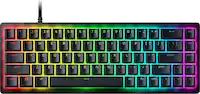
![ESC 1! 2@ 3# 4$ 5% 6^ 7& 8* 9( 0) - = + TAB Q W E R T Y U I O P [ ] \ CAPS A S D F G H J K L ;: ' ENTER SHIFT Z X C V B N M , < . > /? SHIFT CTRL ALT FN ALT CTRL](https://pisces.bbystatic.com/image2/BestBuy_US/images/products/fb45d967-e3b2-4557-bdfd-81cebccad467.jpg)
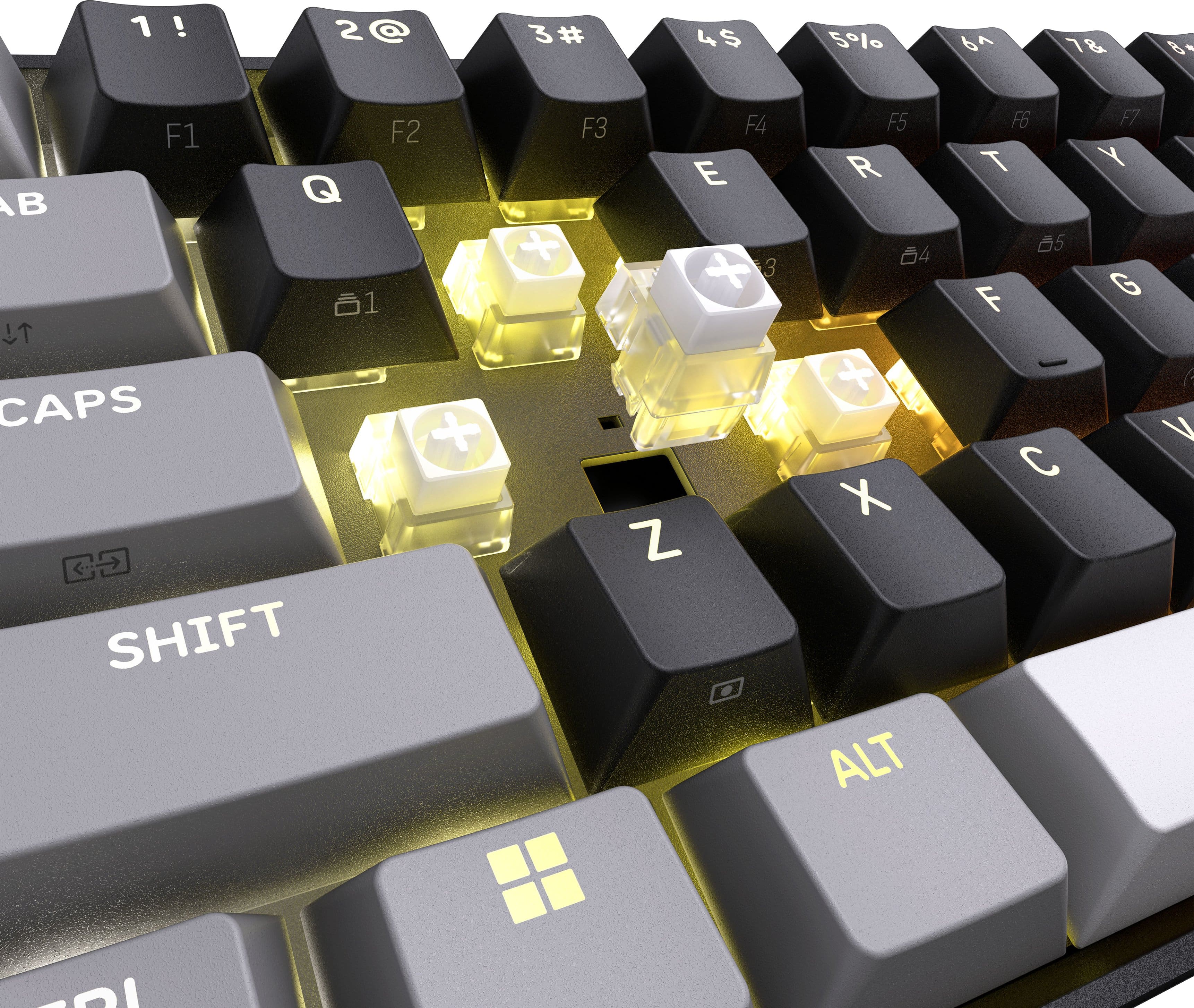
![BUILT FOR THE GRIND
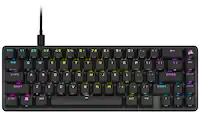
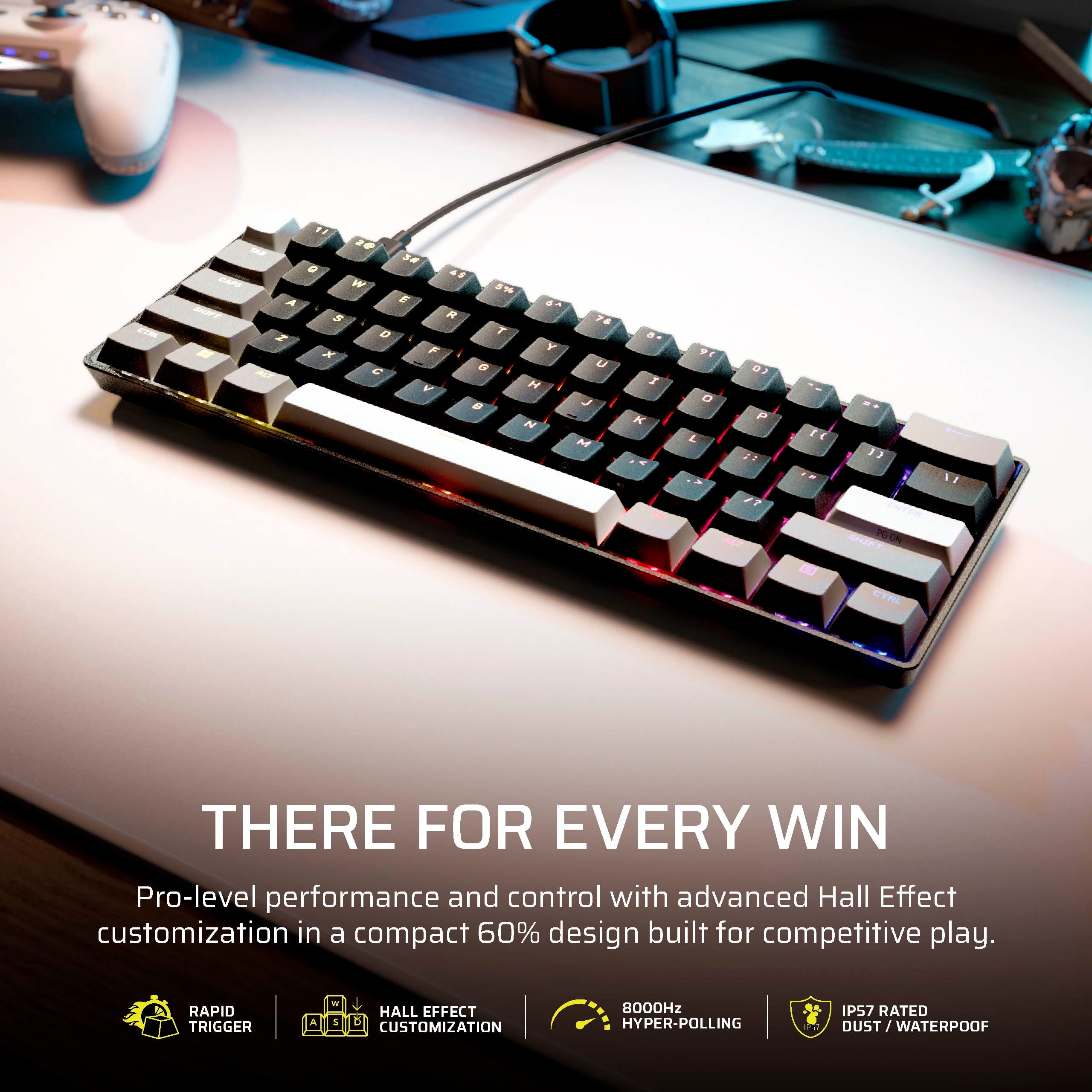
Lightweight, compact 60% design with IP57-rated durability made to survive spills, dust, and nonstop gaming sessions.
CTRL ESC 1 2 3 4 5 6 7 8 9 0 - =
TAB Q W E R T Y U I O P [ ] \
CAPS A S D F G H J K L ; '
SNIFT Z X C V B N M , . /
ALT
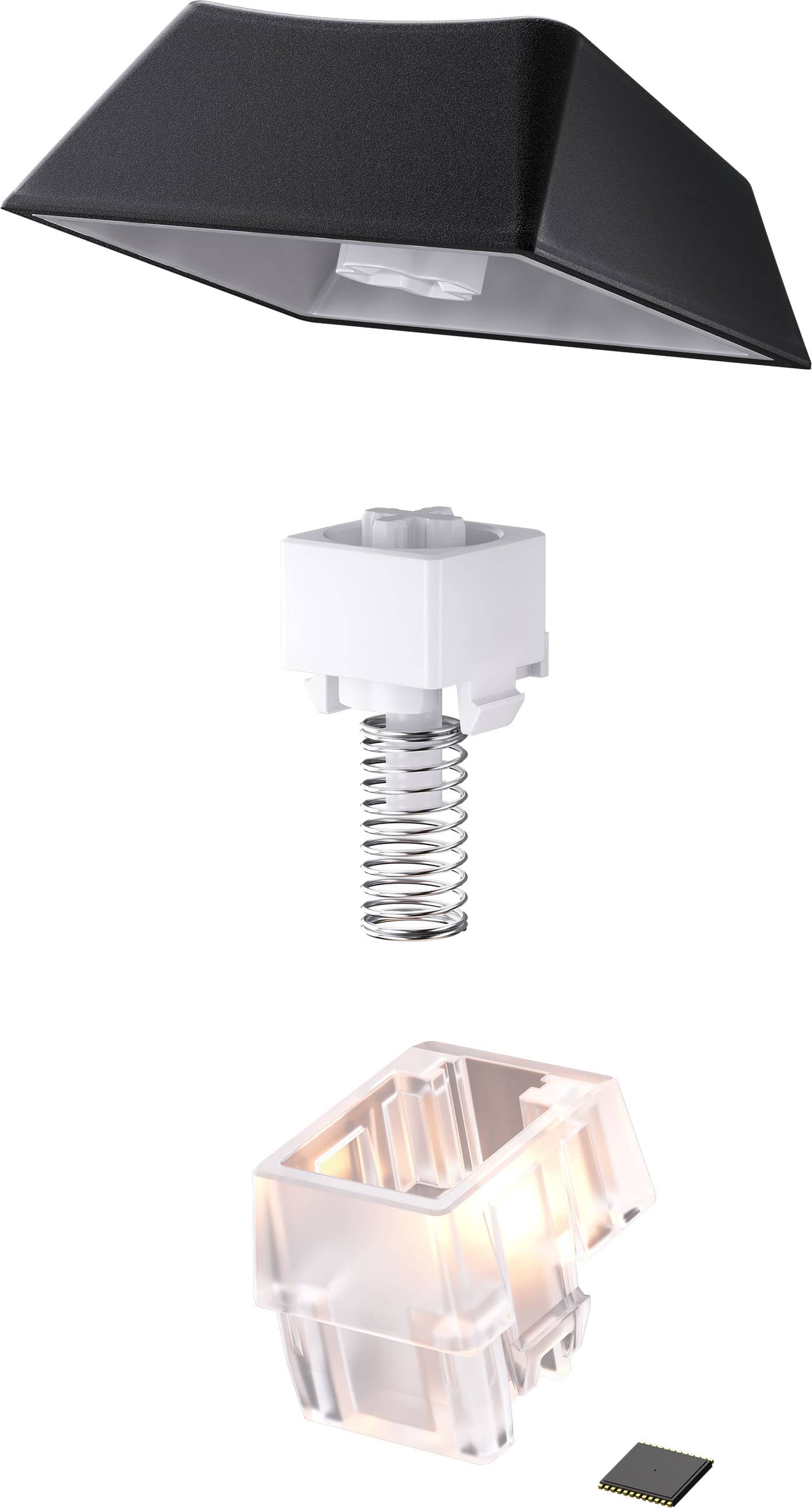
TWO-LAYER SOUND DAMPENING
WATERPROOF* & DUST RESISTANT
LIGHTWEIGHT & DURABLE
*Wait a minimum of 72 hours after submerging before resuming normal use. Drying time may vary.](https://pisces.bbystatic.com/image2/BestBuy_US/images/products/55c04779-b16a-4e99-af01-e798773741b0.png)
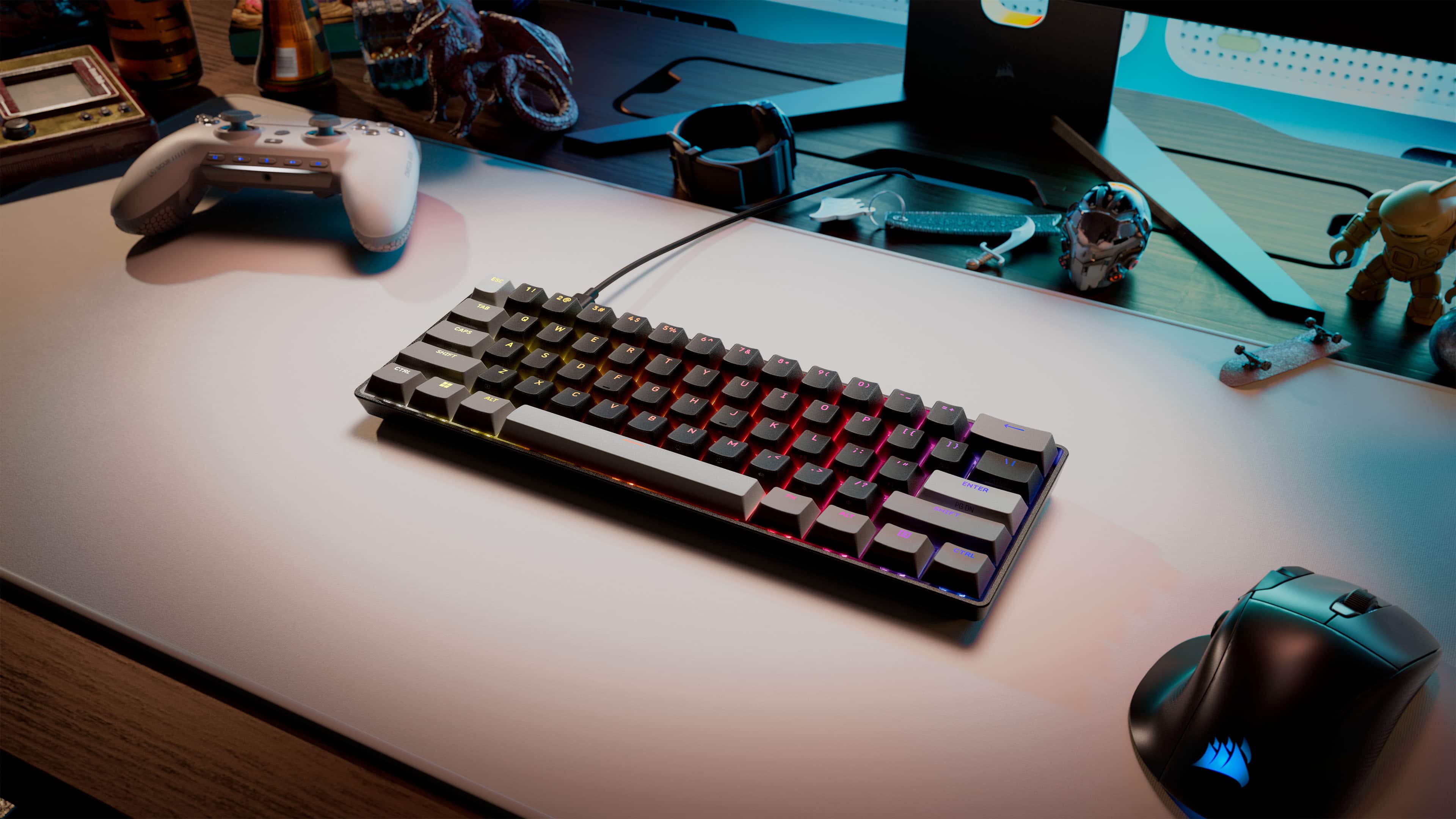
![f ESC 1! 2@ 3# 4$ 5% 6^ 7& 8* 9( 0) I - = + TAB Q W E R T Y U I O P [ { ] } CAPS A S D F G H J K L ; : " ENTER SHIFT Z X C V B N M .> /? SHIFT CTRL ALT FN ALT CTRL](https://pisces.bbystatic.com/image2/BestBuy_US/images/products/0edc7434-b964-42c4-aed0-98d4719f55e7.png)
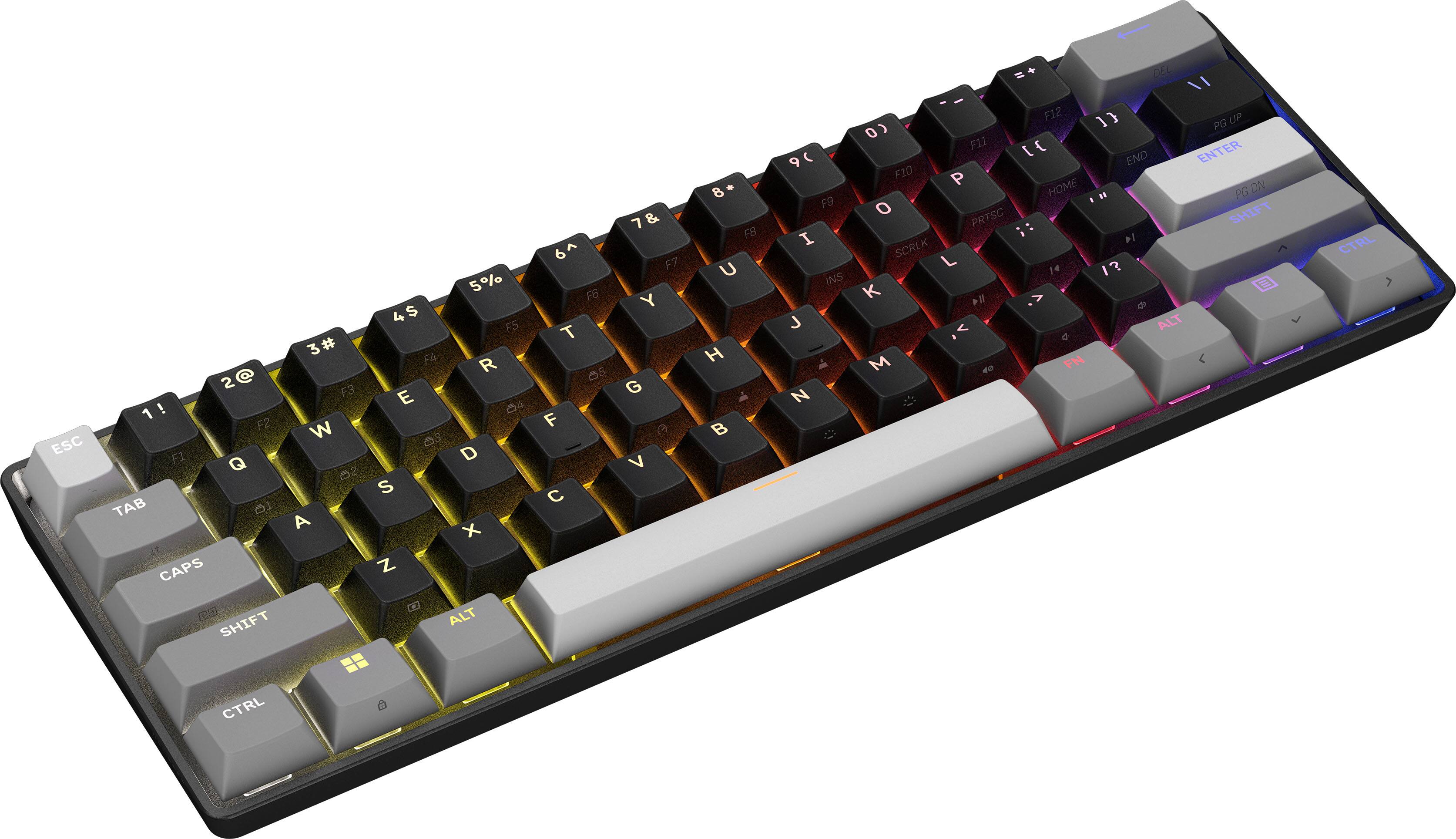
- Model:
- CH-979101J-NA
- SKU:
- 6674869
to a friend
Customers are saying
Customers are delighted by the excellent build quality and the highly portable, space-saving form factor of this keyboard. Users also frequently praise the satisfying typing experience, vibrant RGB lighting, and the added benefit of water resistance. While the overall performance and customization options receive positive feedback, some users noted that the lack of dedicated arrow keys can be a drawback.
This summary was generated by AI based on customer reviews.
I bought this as a last minute replacement
||Posted . Owned for 1 month when reviewed.This reviewer received promo considerations or sweepstakes entry for writing a review.This keyboard is so comfy and the thok is just right for me. The profiles are really nice too. I wish tje shortcuts came in manual, but they are easy tonfind on their site.
I would recommend this to a friendSuper solid
||Posted . Owned for 1 month when reviewed.This reviewer received promo considerations or sweepstakes entry for writing a review.Very reliable, comfortable and I’m overall super pleased the control hub is very configurable i’m super impressed
I would recommend this to a friendBEST MECHANICAL KEYBOARD LOW RESPONSE TIME
||Posted . Owned for 3 weeks when reviewed.This reviewer received promo considerations or sweepstakes entry for writing a review.It has an incredibly nice feeling and keys are smaller than a 75% so that’s super nice if you need to reach keys fast and like playing competitive games
I would recommend this to a friendvery good
||Posted . Owned for 1 week when reviewed.This reviewer received promo considerations or sweepstakes entry for writing a review.ultra low latency very nice software very silent build quality is alright but the performance is great
I would recommend this to a friend- Pros mentioned:Form factor, PortabilityCons mentioned:Key layout

The little keyboard that could.
|Posted .This reviewer received promo considerations or sweepstakes entry for writing a review.The Corsair Pro Mini 60 is the latest keyboard to come out from Corsair. So what can you expect from this company? First is that this keyboard has one of the smallest form factors for a gaming keyboard. Sized like any mini keyboard found in the market today, this is actually a gaming keyboard. So the first thing that one should test for literally any keyboard would be the spacing of the keys. I find it quite appealing that the spacing does not feel cramped. Most often keyboards this have cramped spacing which makes typing not as smooth. This is may suffice for casual typing but for touch typing especially gaming (This is a gaming keyboard!), this is a big deal. So far the Clipper Pro Mini is a win. There is however one drawback for me here. There are no dedicated arrow keys in this keyboard. But then again a lot of gaming keyboards don’t have them either. There is a a dedicated Fn button which you can use in conjunction with other letters so you can have arrow functions. For me this is a downer but may not be a big issue for others. Like most gaming keyboards, the Clipper Pro Mini is fully customizable. But unlike before where you need to download an app in order to customize the keyboard, Corsair has done away with that and customization can be done through the web. For me this is very convenient as for one you don’t need to install an app to customize the keyboard. But moreso, this truly adds to the portability of this keyboard. You can practically use this keyboard on any computer and customize it without installing any app. There are times that you may use (but not all the time) another person’s computer but you can still use and customize your keyboard to your liking. One thing Corsair touts with this keyboard is its IP57 rating meaning it is to certain degree waterproof. Of course, soda and coffee are things that can be spilled on a keyboard. But unfortunately, I am wary of finding out for myself. But one thing Corsair is really proud of this keyboard is its 8,000Hz hyper-polling meaning it’s input is really superfast. I can’t measure this scientifically, but all I can say that it is super sensitive that a little pressure on the keys may result in a typo. Novice gamers may have to adjust to this sensitivity. Overall, this keyboard has a very specific purpose. And if you are a serious gamer, this is a recommend.
I would recommend this to a friend - Pros mentioned:Build quality, Rgb lightingCons mentioned:Key layout
Endless Customization Possibilities and Great Feel
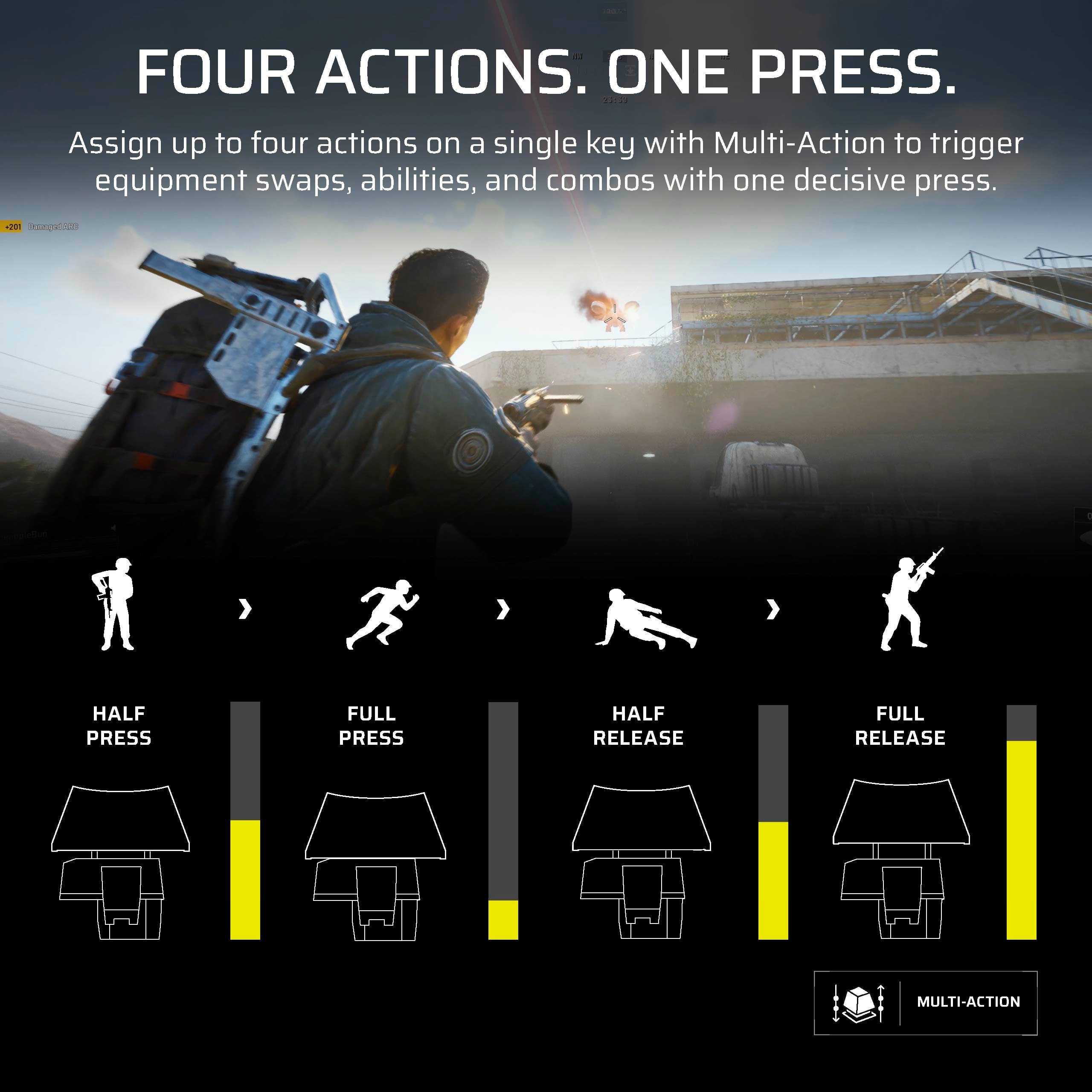
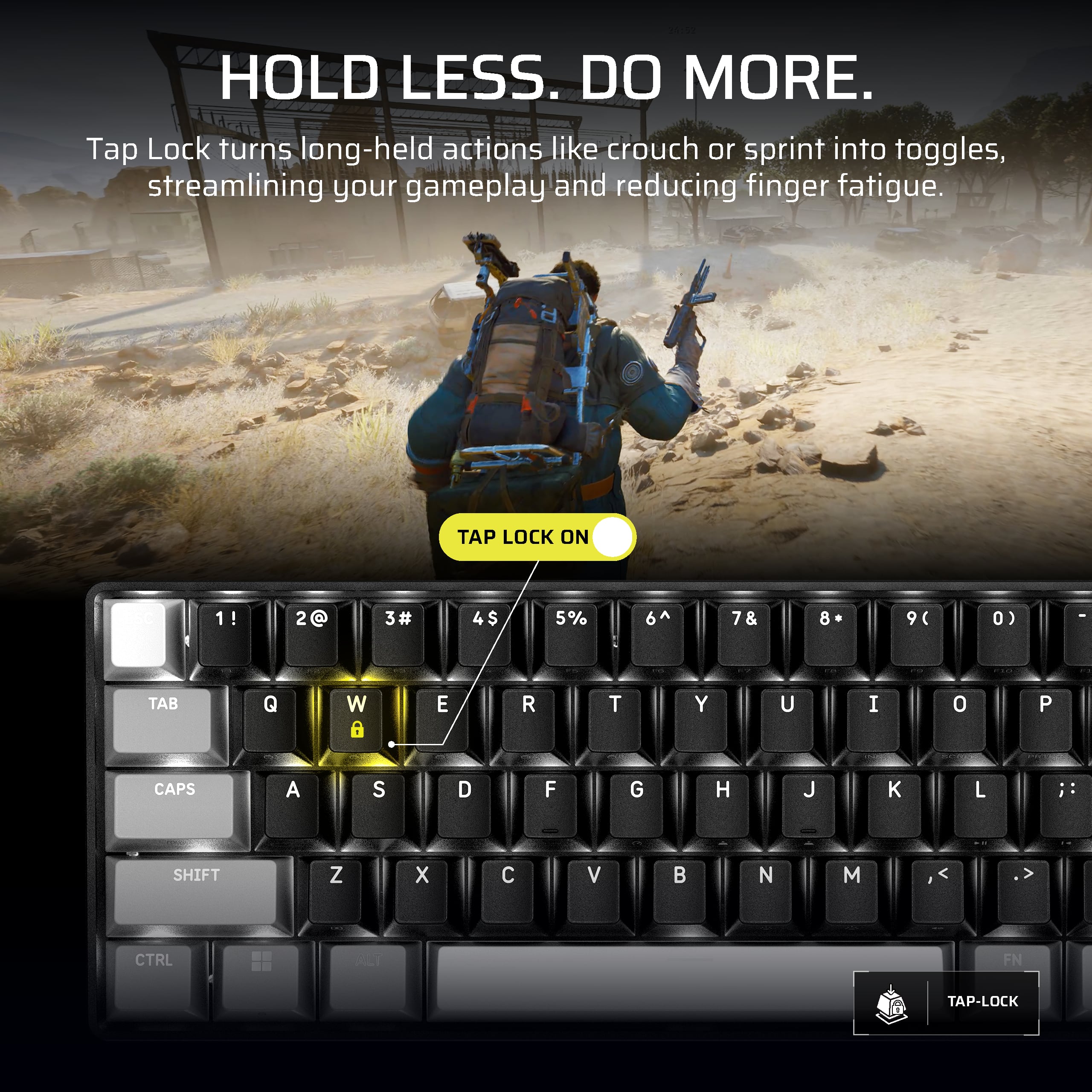
|Posted .This reviewer received promo considerations or sweepstakes entry for writing a review.This keyboard may be small and seem simple coming with basically just a cable and nothing else, but it functions just like the bigger keyboards and better in many ways, especially, if not obviously, for gamers. I think that my be the most surprising thing about this keyboard, which is just how well thought out it is in giving you all the options to use the keys that are basically missing from essentially chopping off 40% of a standard keyboard. Between the multi-function keys and remapping features, the only thing this little keyboard can't make up for is a 10-key number pad, but if you're only gaming with it that's not an issue. And if you do plan on using this keyboard for more than gaming and need one, you can always buy a stand-alone 10-key numpad separately (which is what I got). Customizing this keyboard is easy too and surprisingly doesn't even require you to download an app as it's all done through a web hub via your browser. You just have to give permission to let it find devices on your computer and voila, it shows up right away. The interface is easy enough to figure out and use too. Another thing I like about it is that I can easily change a key or a function, and if I don't like it, easily change it back. Like for example the feature that lets you lock the 'w' key so that you don't have to keep it pressed when you're just continuously walking. A feature that my daughter was excited to try out on Roblox but wasn't quite getting used to it so we just easily turned it off in a matter of seconds. I also found that I like to just keep the web hub up while I'm starting a new game, so that as I'm playing and learning the controls, if there's something I don't like or something I think would be easier if mapped differently, I just pause the game, switch to the web hub, and make whatever changes I want to try. The number of customizable options you get is honestly almost over-whelming. The fact that you can set functions to only pressing a key half-way down, or upon releasing a key, or even releasing only half-way up is kind of crazy to think about. Truthfully, I've used a clicky style keyboard for so long that only half-pressing keys is something I need to get used to, although I haven't really came across a game I play where that would be useful yet, for me at least. I'm sure that'll change though as I get more and more used to the hall effect style keys, which shouldn't take too long as I've been enjoying this keyboard so much it is now my dedicated gaming keyboard. Additionally, you can record macros, assign mouse functions to keys, even text phrases. The possibilities truly are almost endless. The lighting of the keyboard looks really good too and again, you have options for the lighting effects. I also like how when you hold the FN key to use the secondary key functions, it lights up only the keys that have a default secondary function like the arrow keys or F keys. The one thing I wish they did was make the secondary functions on the keys light up as well, because as it is, they are REALLY hard to see, which is honestly the only negative thing I've found with this keyboard so far. The build quality is excellent too. It feels very sturdy and solid. The keys feel good, and sound good. I have no doubt this keyboard will be able to withstand a lot of gaming abuse for a long time. Not only is this now my dedicated gaming keyboard, it's also now my daughter's dedicated keyboard. We rarely game at the same time so we just swap it back and forth. So I want to share her thoughts on this keyboard as well, being that she probably spends more time playing Roblox than I should probably be letting her. Before I got this Clipper Pro, she's just been using a full-size mechanical keyboard that came with her gaming desktop PC. After using this keyboard, let's just say if we did game at the same time, she'd probably rip it away from me, which she practically did the first time I took it to use and didn't connect it back to her PC. She now refuses to use any other keyboard. If that's not a testament to how awesome this keyboard is then I don't know what is. So if you're looking to get a 60% mini keyboard, I'd most definitely recommend going with the Corsair Clipper Pro.
I would recommend this to a friend - Pros mentioned:Build quality, Form factor, Typing experience
Amazing mini keyboard just feels right.
|Posted .This reviewer received promo considerations or sweepstakes entry for writing a review.PRODUCT CLIPPER PRO MINI 60 Hall Effect Gaming Keyboard QUICK REVIEW Amazing mini keyboard just feels right. REVIEW The Clipper Pro Mini is designed for ultimate programmability. Each key can support up to 4 actions based on pressure (hall effect). Lights, functions everything are configured by the Corsair software via the web. Yes, you read that correctly. Finally, you don’t have to fight with iCUE software to program your device (ASIDE: Corsair iCue software has kept me from selecting Corsair products for the past few years as it kept crashing my pc’s and nothing short of a full OS rebuild could remove iCue). Once the keyboard is set up it stays resident in the keyboard, so you can take it with you and be ready to go anywhere without any special drivers. I like the small size. It is highly responsive, even in everyday typing. I’m a touch typist and had no issue typing full speed with few errors. This means I can use it for dual purposes, gaming and typing. The keypress is very responsive and has a nice travel. The clicks are just right every time. The keyboard cable is nice and long. The price is just right, and the quality is even better than previous similar keyboards I have used. I’m not a “pro/competitive” game but I really like it overall. RECOMMENDATION I do recommend this keyboard 100%
I would recommend this to a friend - Pros mentioned:Form factor, Portability
Minimal but Solid Keyboard!
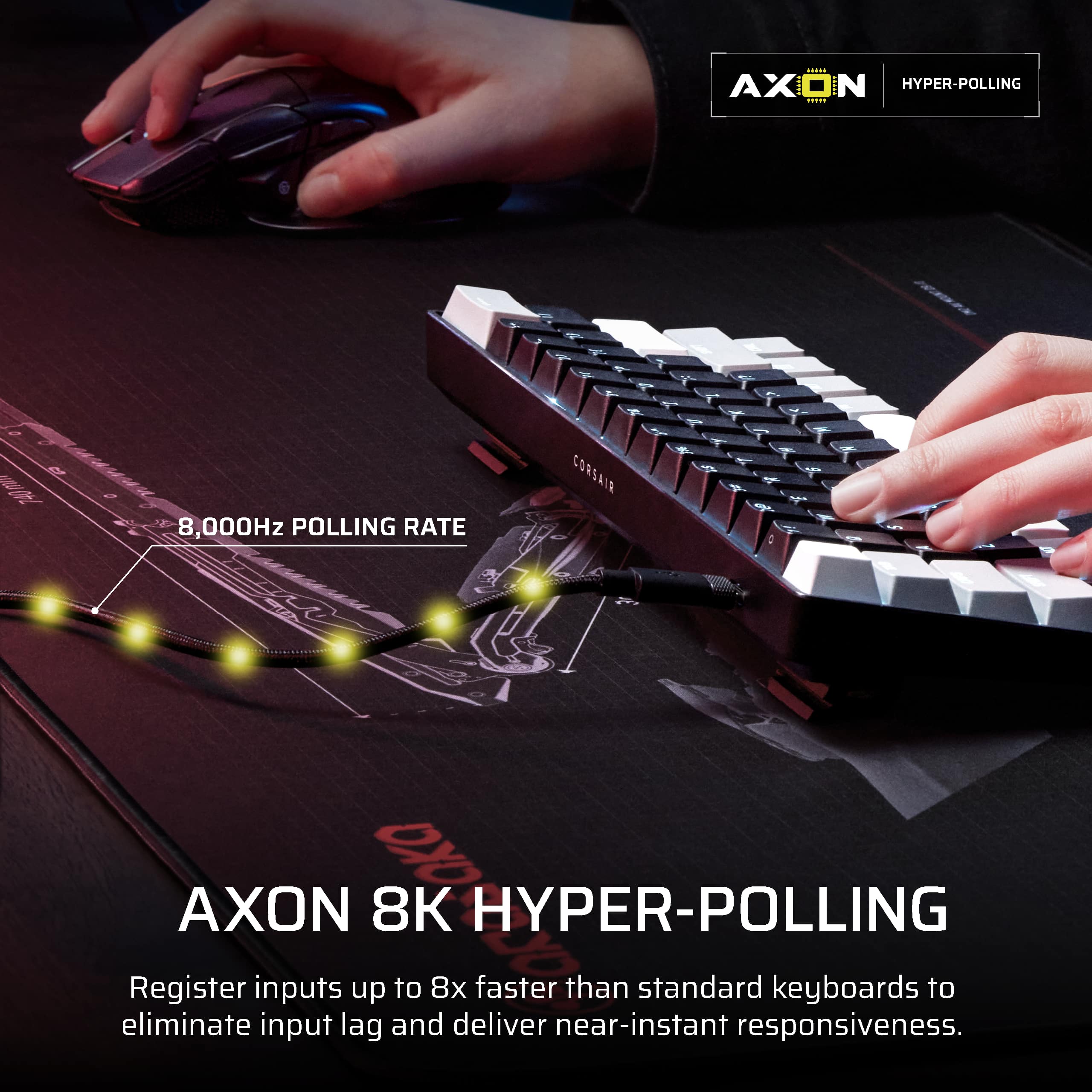
|Posted .This reviewer received promo considerations or sweepstakes entry for writing a review.The Corsair Clipper Pro mini 60 is a very nice, light, and portable keyboard. Pushing the keys is satisfying, with a smooth travel but a gentle click when pushing it all the way down. If you're traveling with the keyboard a lot and you're looking for portability, then this keyboard is perfect. I love that it is IP57, which means water resistant 1 meter for 30 minutes. I don't tend to keep drinks next to my keyboard, but accidents do happen and that gives me peace of mind. The keyboard boasts an 8,000hz hyper polling rate. This gives a much better responsiveness than the standard 1,000hz. I felt the difference in games like Fortnite and Rocket League. The Corsair Web Hub gives you further options to customize features like lighting and actuation points. Nobody likes to travel with gigantic, heavy keyboards, or cheaply built small keyboards. This one is the solution. The small form factor saves space and it looks good while doing it. I am very satisfied and not only will I use it for travel, it will be part of my permanent setup.
I would recommend this to a friend No More Dedicated Software. Sleeper KB??
|Posted .This reviewer received promo considerations or sweepstakes entry for writing a review.TL;DR First impressions are not the greatest, shell is not made out of the most premium material, its quiet, but the hall effect switches are pretty good on this one *****PROS***** - Newer Tech (Hall-effect) switches - Cool key cap color design - Quiet not as crunchy as other switches - Web based customization NO MORE ICUE!! *****CONS***** - Plastic Shell - Built in shortcuts can be hard to see and memorize - Lighting can be a hit or miss but does the job *****Op***** - Splash proof?? I guess it’s good for kids?? Or real gamers who drink the green sauce??? Out of the box you get… just your keyboard and cable and a pamphlet. Nothing fancy, all the budget went into the technology and it shows. Let me start by saying customization done through a browser, no proprietary software needed. What can be customized can be found on the corsair website and probably explained better than me. When it comes to sound, it is pretty soft and quiet, not as much as membranes but close. The pressure needed to press the keys is actually pretty good, not hard, as with other hall effect switches, I have tried. Responsiveness is also good, and if needed can also be adjusted through a web browser. Shell is decent, it is made of harder more polished plastic but does make it lack that premium look. I would say maybe this keyboard is aimed towards a younger audience? Maybe that is why they added that IP57 rating? But who knows. I have never spilled any liquids on any of my keyboards in the past, but maybe there are some stats out there that I have not researched. Anyways, I would recommend this if you are looking for a 60% keyboard with new technology, also the web-based customization is a plus for me.
I would recommend this to a friend- Pros mentioned:Build quality, Form factor, Typing experience
Fast, space saving and with a ton of functions!
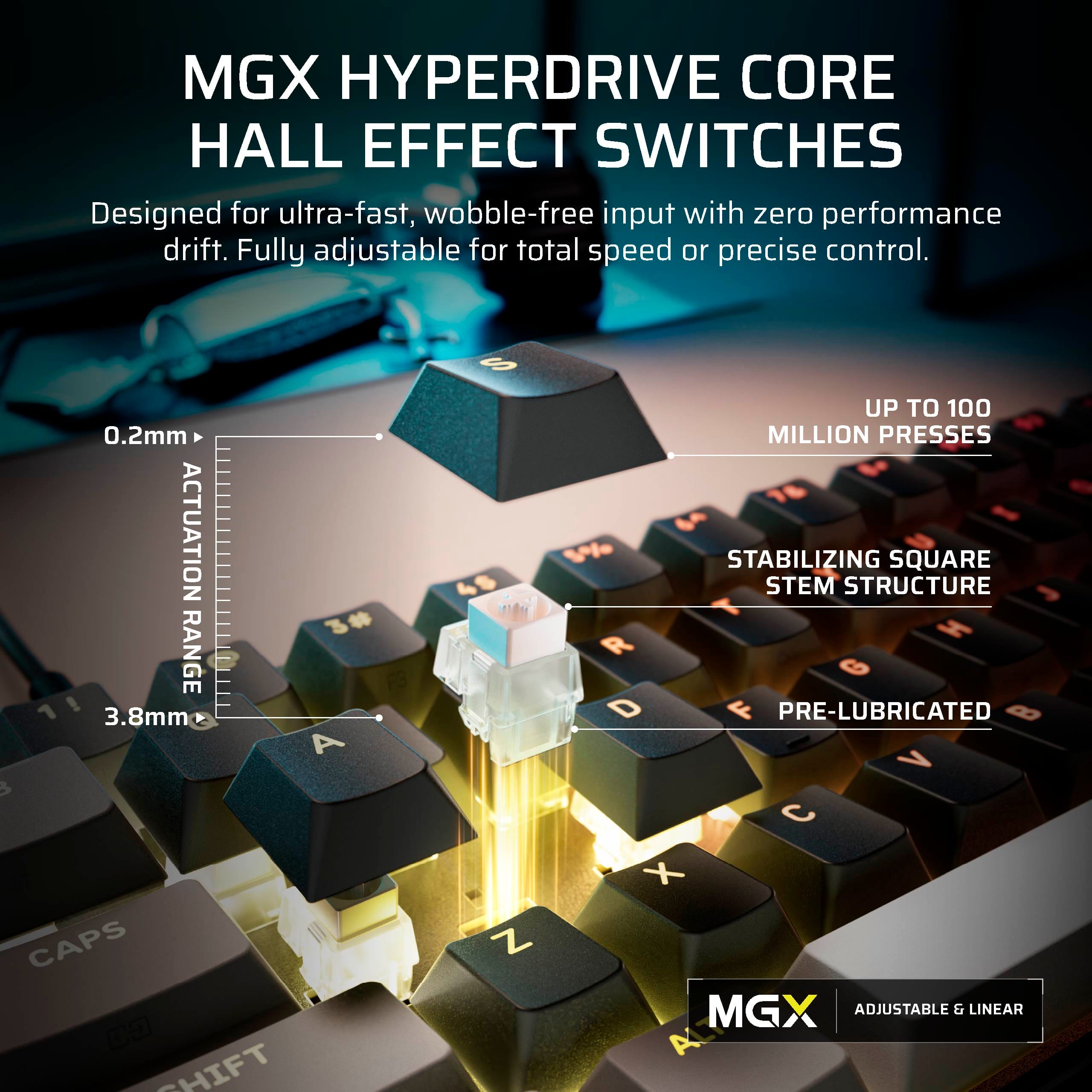
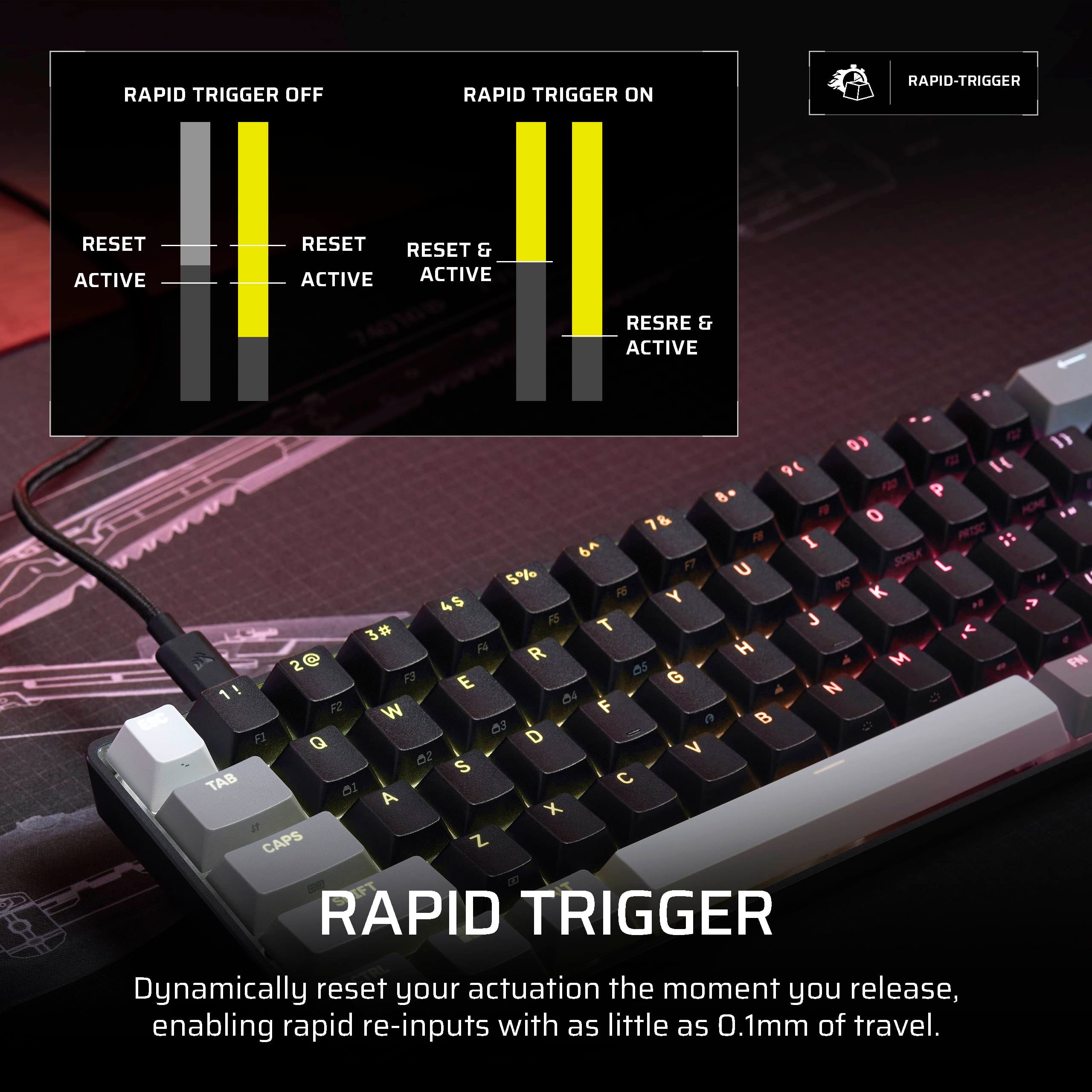
|Posted .This reviewer received promo considerations or sweepstakes entry for writing a review.Great 60% keyboard. Really nice build. Although its made all of plastic, Corsair has finally taken care of many things that I have not liked about their older ones. Mainly, padding inside the case to taper down pinging sounds. Typing feels finally great. The switches are magnetic and they are linear. Their sound I would say they have a clicky sound to them. Using the keyboard was super easy. I love that Corsair has finally moved out of having to use the keyboard with a resident app (like their iCue) on windows. They finally have a web hub, you just open Chrome, go to the Webhub address and you can start customizing it like that, once you are done, you can close it. Everything gets saved on the keyboard. It also has the option of creating a shortcut (they call it an app, but its mostly a browser shortcut to launch web hub right from your desktop). I love that you can also create profiles and switch them on the fly. This is important for magnetic keyboards. I have two main ones, one for typing, relaxed settings and one for gaming (if you don't want this, they also have a "game" mode out of the box). I can set individual actuation points and it has the main features we all love from magnetic keyboards (like their version of snap tap, mod tap, toggle etc). I mainly like the one you can have a key stay on and locked (I used this feature for the shift key, which is mainly the "sprint" key on many games, no need to hold it down all the time to sprint! I can just tap it, stays pressed down, until I tap it again). The RGB lighting is good and shows the legends on top good, however the secondary functions that have legends on the side are not RGB shine through, so its kind of tough to read them, just fyi. Thank god I have a monitor desk light, so I can see them). You can also choose the keyboard's polling rate, up to 8000hz! This will make the keyboard super fast, however its hard to notice, and they warm you it may increase CPU usage. I only toggle that on with the game mode or on my game profile. In all, great small form factor keyboard for the price and finally, just an web hub to customize, no more bloaty software running on the background!
I would recommend this to a friend - Pros mentioned:Build quality, Typing experience
Made for fun game but to reach performance
|Posted .This reviewer received promo considerations or sweepstakes entry for writing a review.Review of Corsair Clipper Pro Mini Hall Effect Gaming Keyboard Upon removing the keyboard from its packaging, I was immediately struck by its substantial weight and robust construction, which provided a secure and comfortable typing experience, even at high speeds. The keyboard is accompanied by a USB-C to USB-A cable and a user manual. Notably, it features a single USB-C port. Despite its wired connection, which offers low latency and stability, the keyboard eliminates the need for the installation of Corsair’s proprietary application on the PC. Customizable attributes and features are accessible through a web-based hub, which is then saved into the keyboard’s hardware. In accordance with the brand’s specifications, the keyboard utilizes “MGX HYPERDRIVE CORE magnetic switches,” which enhance the pooling speed compared to standard switches, increasing it from 1,000Hz to 8,000Hz. Key Features: 1. * Hyper Pooling of 8,000Hz 2. * Hall Effect 3. * IP57 4. * MGX Hyperdrive 5. Additional Considerations: 1. * Web-based hub 2. * Compatibility with PC, Mac, Xbox, and PlayStation 6. Typing Experience: The keyboard provides a comfortable typing experience, especially considering its mechanical design. It offers smooth and low-pitched typing noise. Potential Improvements: * While the keyboard is compatible with various platforms and operating systems, it includes a dedicated PC key for Windows. It would be beneficial to include replacement keys for different platforms and operating systems. * The inclusion of a wireless option, with the ability to select a reduced scanning speed, would enhance its versatility. Overall Impression: Despite minor design considerations, the Corsair Clipper Pro Mini Hall Effect Gaming Keyboard is a well-thought-out device. Its incorporation of advanced technology, such as Hyper Pooling and Hall Effect, aims to deliver faster speed and improved performance.
I would recommend this to a friend - Pros mentioned:Build quality
Very Cool LITTLE Gaming Keyboard!
|Posted .This reviewer received promo considerations or sweepstakes entry for writing a review.This a very cool LITTLE gaming keyboard! My first takeaway was how truly small and compact the keyboard. I was concerned it would be difficult to type on (yes, I realize it's a tageted gaming keyboard), but it wasn't. The feel was fanatastic! The typing feel was great, as was the gaming feel. For gaming, I prefer smaller keyboard. This one is one of my favorites. I have used several gaming keyboards, from ones that cast less than $100, to ones that are over $500. While you generally get what you pay for, I honestly believe this one is near the higher end. It's a high quality keyboard, for a good price. The lightong on it is pretty cool. As you can see from the pics, you have several patterns you can choose from, from color thesmes that "move", to solid color. Persoanlly, I prefer the solid colors. My 24-year-old US Navy Nuclear Engineer and avid gamer, likes the colors. This unit gives you both. This keyboard has "Hall effect" keys. Most people who would read this already know what Hall effect is, but for those who don't, Hall effect uses magnets and sensors, and not mechanical contact. The advantages? Keys will last a very long time, they are adjustable, no debounce (huge for hardcore gamers), and a smooth and consistant feel. Couple oif notes: This is a wired keyboard, and to get full value, download the Corsair app. The app is pretty clean, and easy to use. Not the deepest in the world, but clean, intuitive, and good enough. In all, this is an excellent keyboard, especially for the price and feature set. I woulkd reccomend to a friend.
I would recommend this to a friend - Pros mentioned:Portability
Excellent Quality, But Too Small for Everyday
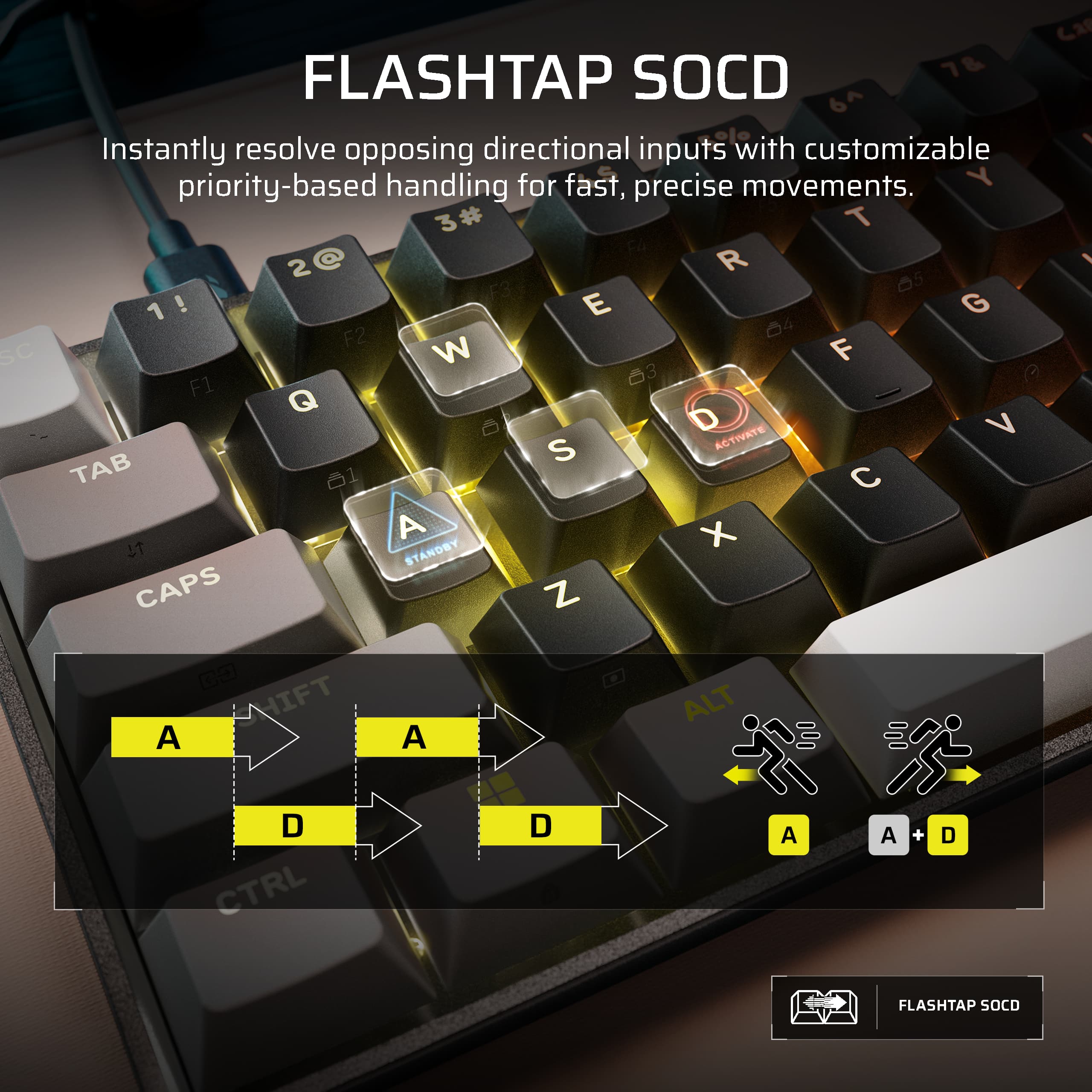
|Posted .This reviewer received promo considerations or sweepstakes entry for writing a review.TLDR: Awesome Customization Options & for Gaming, but too small as a daily driver PROS Numerous Key Customizations Smooth Hall Effect Switches 100 Million Keystrokes Reliability 8000Hz Refresh Rate CONS Web Interface not my favorite, but far superior to iCue Wired Only Connectivity 60% Form Factor Doesn't Have Room for Arrow Keys SET-UP & USE Corsair has finally moved passed their iCue software. For good reasons. It was very bloated and was growing long-in-the-tooth. Like other manufacturers, keyboard customization is now accomplished through a web-based GUI. Enter in a specific URL and then allow the browser to connect to the peripheral. It's simple and fairly straightforward but does take a bit of trial and error. Still, it is leaps and bounds better than iCue. What sets this keyboard apart from it competitors is the amount of customization Corsair has baked into their web interface. Corsair has unlocked 4 new customizations that I have yet to experience from my other gaming keyboards. These options include Rapid Trigger, Multi-Action, Tap Lock, and Smart Tap. The real star of the show here is the Multi-Action customization option. All of my other gaming keyboards, even the Hall-Effect keyboards, are limited to dual-action set-ups. Multi-Action takes it a step further and allows you to set commands based on the amount of key depress and release. For example, a half key press can be one action, a full depress another, the start of a release another, and then a full release yet another. It offers a lot of advantages of traditional dual action configurations. Corsair claims .2 to 3.8mm of total actuation travel, with full key travel of 4mm. There is a lot of range of motion in Corsair new switches. Tap Lock is the next big advancement in game playing. Tap Lock allows you to set a command to engage with the press of a key and not disengage until that key is pressed again. Corsair used the example of crouching on their website, so I had to try it. I can attest; some games require a constant key press to keep your player in a crouched position during movement. With Tap Lock, I can program a button to initiate and command, say a crouch, and maintain it without having to hold the key down, thus freeing up fingers for other commands and movements. It's slick. I've grown to really appreciate it. CONS There are too main cons for me. First and foremost is the 60% form factor. While I appreciate the compactness, it is so small that it lacks the dedicated arrow keys for navigation. I can do without a ten keypad, but arrow keys are WAY too important and handy for me. Yes, the Clipper 60 has them, but they are embedded with other keys and require a separate button to activate them. I don't use them often while gaming, but the arrow keys are so intertwined in my daily life, that I couldn't use the Clipper 60 for anything else but gaming. Same goes for the Delete key. It is just too important to do without. Second. As much as I like the Multi-Tap, it is also challenging. Remembering between which buttons are half-press, full-press, half-release, etc. programmed is exhausting. Also, when you are really into a game, how often do you really think about pressing down a key, let alone if you have to only press it half-way? I am constantly pressing too hard or not enough and it actually makes it harder to game in my book. I've tried and tried and tried to get used to the Multi-Action, but in the end, I've switched back to a more traditional dual action set-up. FINAL THOUGHTS If you are a fan of the 60% form factor, the Clipper should be on your shopping list. The hall effect switches feel very smooth and premium. As with all high-end gaming keyboards, RGB lighting is controllable per key or able to be defeated all together. Combine that with a full 8000Hz refresh rate and the Clipper Pro Mini adds up to a great gaming keyboard. However, EVERY single one of my other keyboards perform double duty. They game and I use them for typing on a day-to-day basis. I don't with the Clipper Mini. The lack of dedicated arrow buttons and a delete key make it a non-starter for a dual-purpose set-up. Would I buy the Clipper Pro Mini for myself? No. Would I recommend it to someone looking for a gaming keyboard with this specific form factor? Yes. It is a very good keyboard with premium features and performance. It's just not up my alley. RECOMMENDED
I would recommend this to a friend - Pros mentioned:Rgb lighting, Typing experience
Great Compact Keyboard
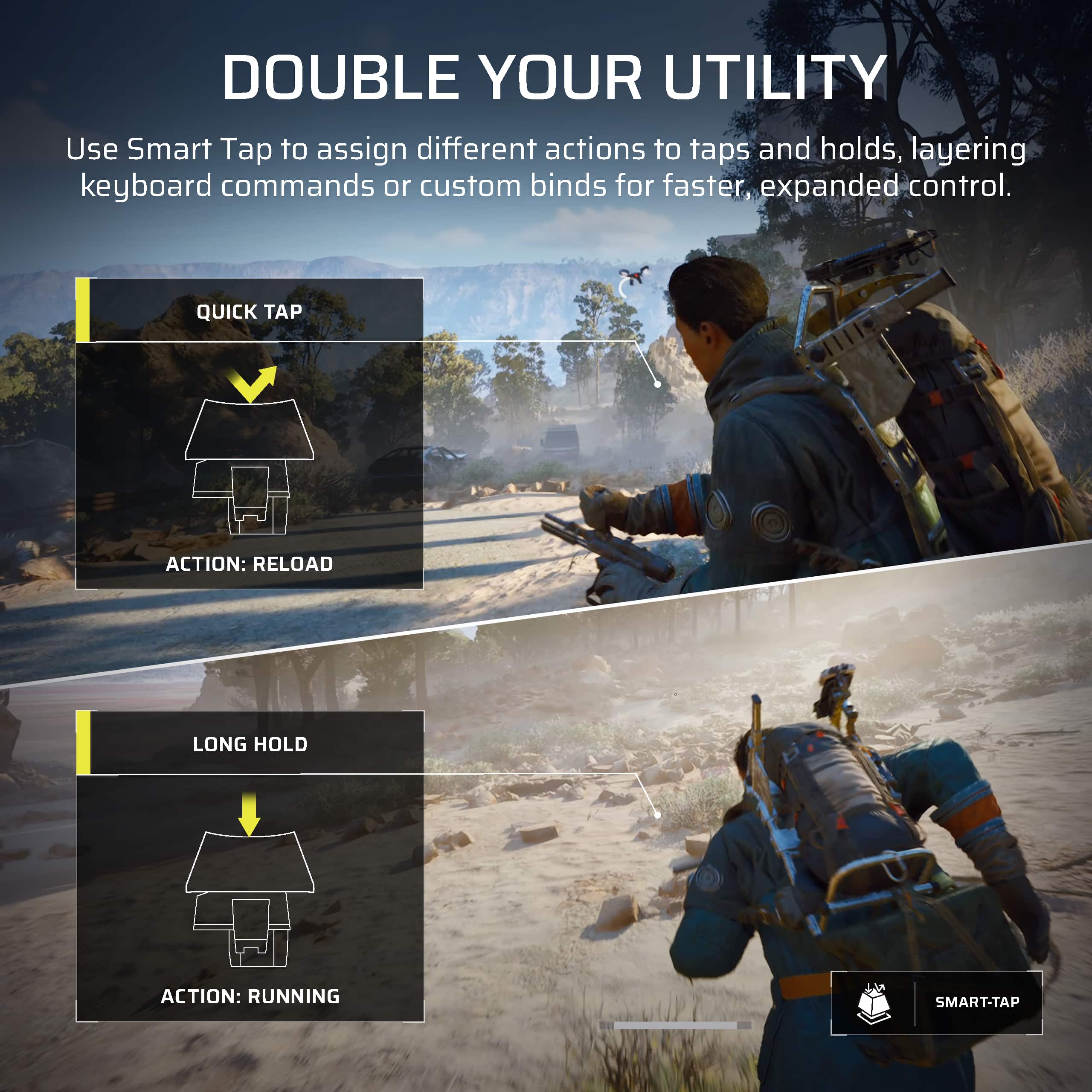
|Posted .This reviewer received promo considerations or sweepstakes entry for writing a review.With three teenage sons who are avid gamers, plus my own time spent at the PC, our household goes through quite a few keyboards. I was recently on the hunt for a more compact model to reclaim some desk space when I spotted the Clipper Pro Mini from Corsair. I swapped out another high-end gaming deck for this one, and I am seriously impressed with what Corsair has delivered. The overall typing feel is just phenomenal. Since I use my gaming setup for a lot of work tasks, I really value a keyboard that performs well in matches but is still a joy to use for productivity. I absolutely love the sound and tactile response of the keys. The internal dampening provides a satisfying low-end thump with every stroke. The keys themselves are incredibly smooth and responsive, exactly what you’d want from a board like this. The compact footprint is another huge plus; it has a very small profile and skips the unnecessary bulk. Plus, the color and RGB effects look fantastic on the desk. What really elevates this beyond a standard productivity tool and into a true gaming powerhouse are the integrated features. The response time is lightning fast for instant on-screen feedback, but you also get some clever tools to give you a competitive edge. Features like Smart Tap, Tap Lock, and Multi-Action let you customize key presses for specific in-game actions. I’ve been testing these out in Warzone and World of Warcraft lately, and those little tweaks have definitely made my play more efficient. Tap Lock is especially handy when I need to perform a repetitive task for an extended period. I’m thoroughly impressed with Corsair’s offering here. I own several keyboards that cost twice as much, yet this one holds its own while maintaining a sleek, minimalist design. The typing experience is a treat, and the wealth of features makes gaming sessions feel much more effective. I can easily recommend the Clipper Pro Mini. If you’re looking to gift this to a gamer, you’re definitely going to knock it out of the park.
I would recommend this to a friend Highly recommended and competitive gaming keyboard
|Posted .This reviewer received promo considerations or sweepstakes entry for writing a review.Hall effect is all the rage these days and how does this keyboard compare? Amazing! Opening up the product was straightforward, it was not “an experience.” Which I’m ok with, save the manufacturer cost to have a fr at product. The product is a keyboard and a USB-A to USB C wire, and a booklet instruction. The set up is very nice. You do not need the iCUE software installed, much like all the fancy keyboard these days, you update/settings are through a website then uploads to the onboard memory. So the lighting, the actuation/Hall effect, the rap tap, the function and macro keys etc are all through this website. If you missed it, it’s in the manual shows you to the website. Once I set it up, it was time to take it for a run. I do often play first person shooter games. I felt this was as good if not better than all other high level competitive Hall effect keyboards. You can set it to the most sensitive setting and if the game you play supports it, it definitely has a competitive edge. This is a competitive gaming keyboard in my opinion. There’s no fancy media dials, no pass through usb, etc. it is through and through a Hall effect keyboard, small form factor, ready for serious business. My only complaint is the weight. It may come to preference but if it is this serious of a Hall effect gaming keyboard, I wished it was heavier so it doesn’t slide around. It does have some decent backstand legs, but a little heft would really make it a perfect keyboard. Overall though, it is Hall effect, it works amazing, it is very sleek clean appearance, highly highly recommend it if you are getting into the Hall effect game.
I would recommend this to a friend- Pros mentioned:Portability
Works great
|Posted .This reviewer received promo considerations or sweepstakes entry for writing a review.I’ve had Corsair products before and I can honestly say I haven’t had any issues with any of them. They are decent products for gaming and work related projects. I’m not a professional gamer, but I do like to dabble every now and again so having a lightweight compact keyboard is a plus If I want more, I could add onto it, but this keyboard has more than enough function and ability to maneuver and the gaming world then I personally need I also use it for work when I travel because I am a Treu to feel type of person so when I’m typing a document, I want actual keyboard and again the compact corsair clipper pro mini is exactly that It fits inside of my suitcase, my large purse, my laptop, backpack, and I’m able to pull it out. Connect via Bluetooth or USB and instantly start working with no he Overall, this keyboard offers plenty of use with Little to no drawback. I’m extremely happy with this keyboard and I plan on using it for a long time And it actually looks pretty cool when you pull it out and start using
I would recommend this to a friend Great travel space saving gaming keyboard
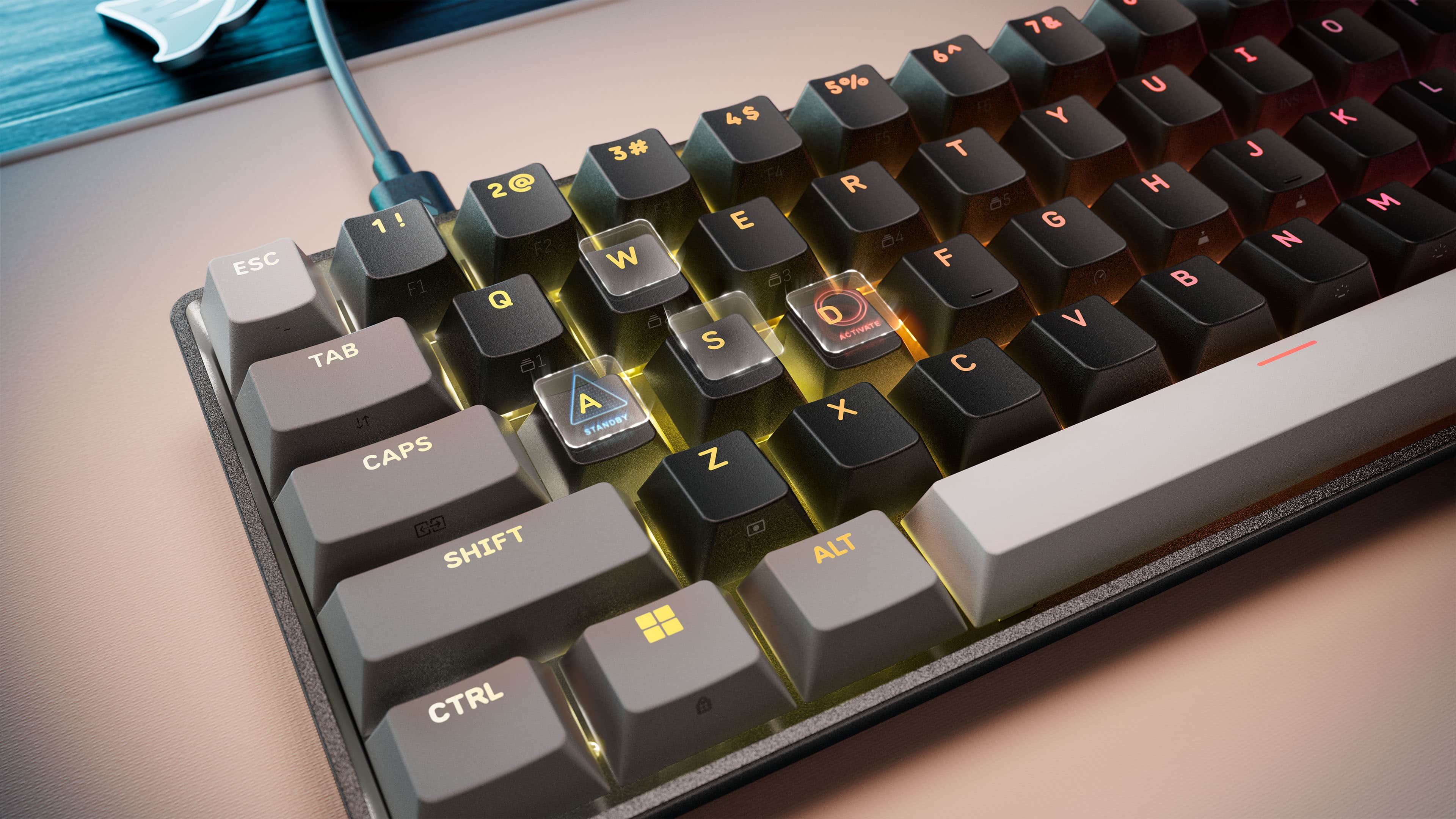
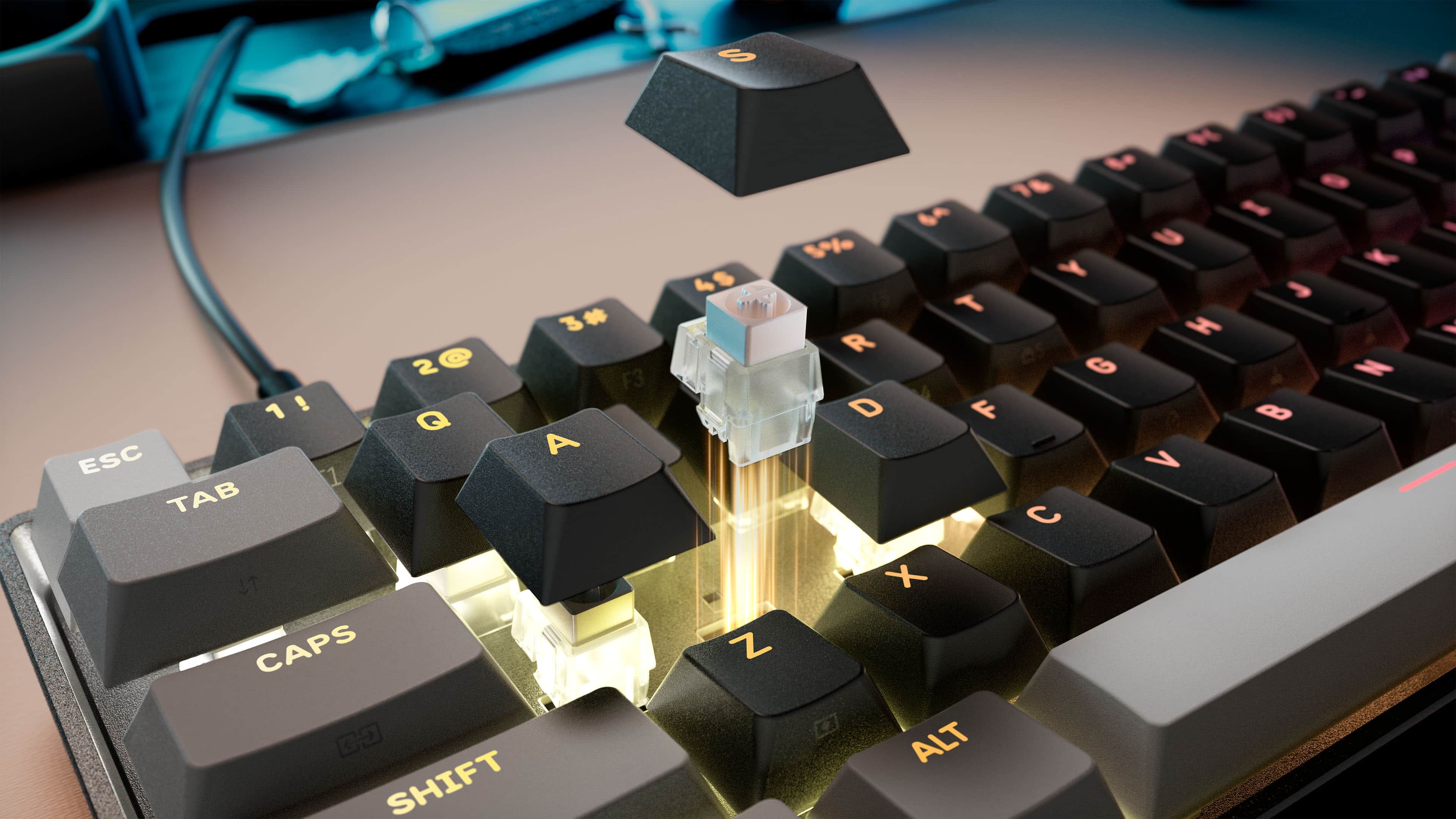
|Posted .This reviewer received promo considerations or sweepstakes entry for writing a review.The Corsair Clipper Pro Mini 60 gaming keyboard is a compact and portable keyboard that works really well for gaming. If you are trying to maximize your desk space while still having a keyboard with positive tactile feedback, you cannot go wrong with this model. The Clipper Pro Mini 60 has mechanical key properties, but without the noise or the wear of mechanical keys. All the keys are based on a modern magnetic field-sensing technology, which should last forever and not need any key replacements over time like mechanical ones do. Corsair designed the keyboard with multiple acoustic layers that enhance the sound feedback while still maintaining all the properties of magnetic keys. Those layers also act as a waterproof and dust-proof barrier, so there is no worry about spilling your drink on the keyboard, which makes it a great travel option. The keys have so many sensors that they pick up keypresses no matter how far the travel of the keys is set. You can set it to pick up a keypress with a minimal touch or a full press of the key. Also, Corsair implemented what they claim is an 8000Hz Hyper-polling technology, which means the keyboard will always pick up every keypress and not miss anything. Another cool, nifty feature is the software needed to customize the keyboard…there is none! Unlike with other keyboard manufacturers, you do not need to download and install any software. All you have to do is open a web browser, navigate to the Corsair Web Hub, and you can adjust all your settings, such as key travel sensing, LED color schemes, quick actions, and combos. Because it is such a small keyboard, a lot of the additional keys such as the arrow keys, Page Up/Down, and Fn keys are accessible through side-printed secondary functions. While this is a clever use of space, there are two annoyances. In order to use the side-printed secondary functions, you need to hold down the Fn key and press the corresponding keys. The Fn key is only located on the right side of the keyboard. More often than not, you have to use two hands to perform the secondary functions, meaning you have to take your hand off the mouse. It would have been nice to have a Fn key on both sides of the Space bar. Perhaps with enough training, you can eventually get to the point of only using one hand to navigate the secondary functions. In addition, a missed opportunity is that the side-printed secondary functions are not lit up by the LEDs. Therefore, if you play in a dimly lit room, you will not know which keys have the secondary functions. Unless you memorize all the side-printed functions, not being able to see them is a definite drawback. All in all, if you are looking for a travel keyboard or just need extra desk space, this is a great premium keyboard that will satisfy and exceed all your gaming needs. As a peripheral that is usually glued to your hands, you will not be disappointed. If you are trying to use this keyboard as a full-size replacement, be aware of the extra complexity of using the side-printed secondary functions, but it should work fine as a travel gaming keyboard.
I would recommend this to a friend- Pros mentioned:Portability
Competitive keyboard
|Posted .This reviewer received promo considerations or sweepstakes entry for writing a review.Corsair nails the specifications list with this compact 60% layout keyboard. One thing that I was very much impressed with right off the bat was the ability to adjust keyboard settings via the browser based Corsair Web Hub. Like not having to install a desktop app for something that should be simple to update on the fly is amazing. Being that this is built for gamers, the keyboard switches themselves feel great. 8000hz report rate is plenty quick. Hall effect magnetic switches that are customizable at the individual key level with their actuation distance is key to each key click for gaming. Rapid Trigger, Multi-Action, Tap Lock, and Smart Tap is also fully customizable for your style of game play. For the compact style and how solid this thing is built, I feel like the ip57 rating for dust and water elevates this. You'll be safe for those long gaming sessions. You'll easily be able to switch from 5 different onboard profiles. You also get a dedicated gaming profile. Also, a plus for the multi console, multi PC gamer, it is usable for a wide range of devices like PC, Xbox One, Xbox Series X|S, PlayStation 4, PlayStation 5.
I would recommend this to a friend Performance and portability in one solid keyboard.
|Posted .This reviewer received promo considerations or sweepstakes entry for writing a review.I’m used to — and prefer — hall‑effect controllers, but I wasn’t sure how that experience would translate to a keyboard. As it turns out, surprisingly well. The build quality here is excellent. Despite being small and lightweight, the keyboard feels sturdy and solid. The swappable keycaps feel great to the touch with no noticeable wobble, and the board never shifted or slid around during use. The water‑ and dust‑resistant design is a huge plus for me since I always have a drink nearby when gaming. Even though it’s a wired keyboard, the USB cable is fully replaceable, which adds to its longevity. The main reason to go with a 60% keyboard is gaming, and I’m happy to say this one delivers. I’ve been having a great time across all kinds of games, especially FPS titles. There is an adjustment period with hall‑effect sensitivity, but once you get used to it, it becomes an advantage—especially for quick peeks, micro‑adjustments, and twitchy movements. The high polling rate keeps inputs fast and accurate, and the compact size makes it easy to position the keyboard exactly how you want, even in tight spaces. For basic productivity, it performs better than I expected. I assumed the ultra‑smooth keys might lead to missed presses or accidental doubles, but that hasn’t been the case. Typing feels comfortable, stable, and pleasantly “thocky.” That said, the limited layout isn’t ideal for heavy typing sessions or number‑heavy work, but that’s expected for a 60% board. If the keys feel too sensitive or you find yourself missing strokes, the software offers deep customization. Features like smart tap, tap lock, and macros give you plenty of control to fine‑tune the experience. Overall, this is an excellent option for gaming and portability. I do wish it came with a carrying case, but even without one, I’d easily recommend checking it out.
I would recommend this to a friendNo physical function keys stops a perfect score
|Posted .This reviewer received promo considerations or sweepstakes entry for writing a review.First and foremost, let's get something out of the way. If you use or need independent function keys in any capacity, this keyboard is not for you. Period. Instead, they are an alt function of the number row (as are many other functions) using the Fn key on the bottom right. It also lacks independent arrow keys. Again, these are secondary function key enabled. This is a shame, as this would have most likely made this keyboard near perfect but it is what it is. I use and test many keyboards for various tasks. Big, hulking mechanical monstrosities on the desktop for gaming and on the go I like small, sleek mechanical keyboards that can game nearly as well as their desktop counterparts. I've tested many but I end up going back to my Keychron because it checks all the boxes time and time again so how does the Corsair stack up? Arriving in classic Corsair packaging, inside is a very small and surprisingly light 60% keyboard, an ample length USB-C to USB-A cable, and a small booklet. The keyboard itself has two levels of rear height elevation I like. It is nicely backlit and the keys are fully real sized, full travel hall effect keys which feel very nice to the touch and to type. The keys are just as nice, if not nicer, than most of the gaming keyboards I've tried over the years which is impressive stuff. It took me all of about five minutes to adapt for gaming and a few more for typing. It is a very nice compact keyboard for most gaming and I can readily see keeping it in my laptop bag to use with my gaming laptop for gaming only because it has too many limitations elsewhere. But as a small, compact pure mechanical gaming keyboard featuring the primary set of keys? Yeah, it's good. Since is uses a USB-C port to connect, I quickly disconnected my primary driver keyboard which is a SteelSeries Apex Pro and connected the Corsair and it was ready to go. I jumped right into some World of Warcraft to test and I was able to do my dailies and a nightmare prey hunt no problem. I do not use function keys when gaming usually so it wasn't a hinderance. Tactile feedback was high, responsiveness was there and multi-key input for commands was crisp. In short, it was performing exactly as a good hall effect gaming keyboard should perform. It also has a nice sound when striking the keys. I then did a few Invasions solo in Fallout 76 which have a high level of action and everything was smooth as silk. Everything felt good and natural. I like that Corsair boiled it down to a 60% sized gaming keyboard that is meant to excel at what it does. No more; no less. This means there is no Bluetooth or dongle wireless or extra functionality. It is a USB-C equipped small, compact gaming keyboard and that's it in the best way. In summary, fantastic gaming keyboard only held back by its lack of physical function and arrow keys. I can give the lack of arrow keys a pass, but function keys is a big hit. For example, my wife and daughter both use function keys for gaming including World of Warcraft. I let them both try the "fn" route of playing and they gave it a big thumbs down within five minutes. It just doesn't work. I tried to do some coding without actual function keys and trying to work with my shortcuts using the Fn approach was doable but non optimal when flowing. One workaround that has helped is remapping the Windows Key to Fn too so I am able to activate arrow and function (and other alt functions) less slower than just the singular Fn on the right being able to select Fn from either side of the keyboard depending on the task. After a solid weekm, this is definitely not a desktop replacement. Instead, my use case will be to take this on trips and vacations with my laptop or portable ITX system because of its compact size. For pure gaming, it really shines and I really do think that is what Corsair was aiming with the Clipper Pro Mini. No other fluff or features. Just a super small, compact full strike hall effect enabled keyboard with excellent response time, good travel and tactile response and PnP and ready to go. If it had physical function and arrow keys, this would have been an easy 5 star rating but lacking those features, it gets a much deserved 4.
I would recommend this to a friend