Customer Ratings & Reviews



- Model:
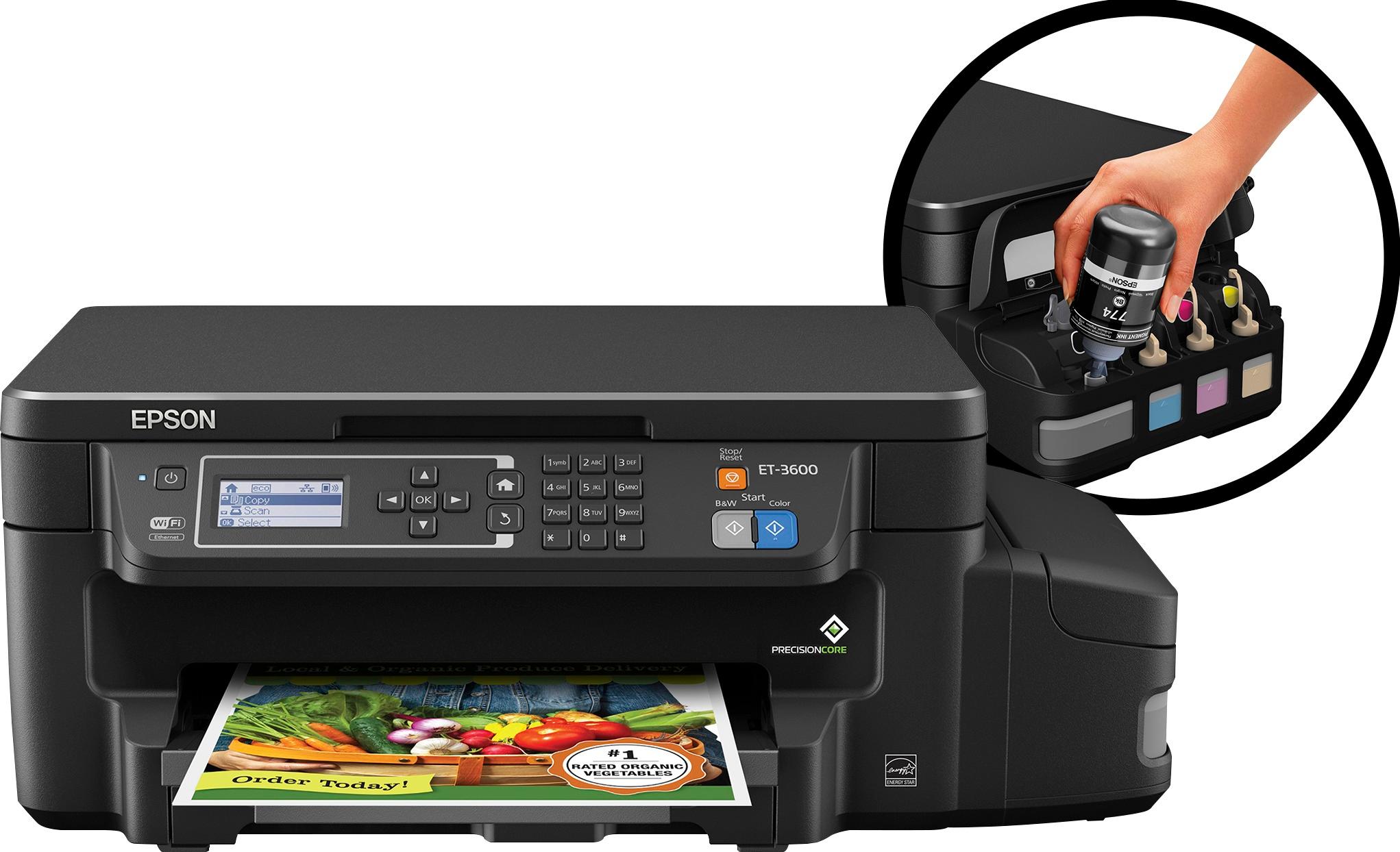
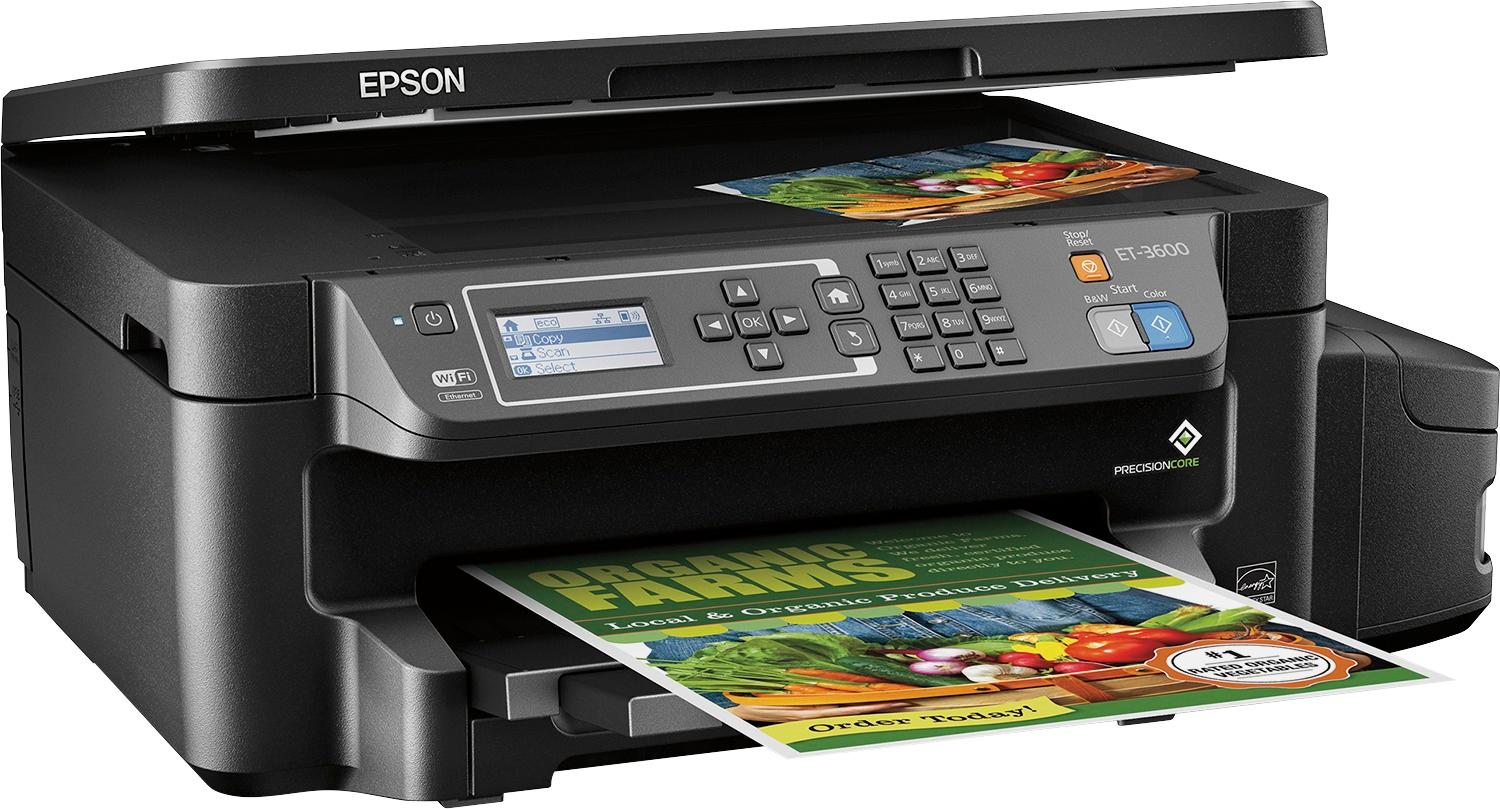
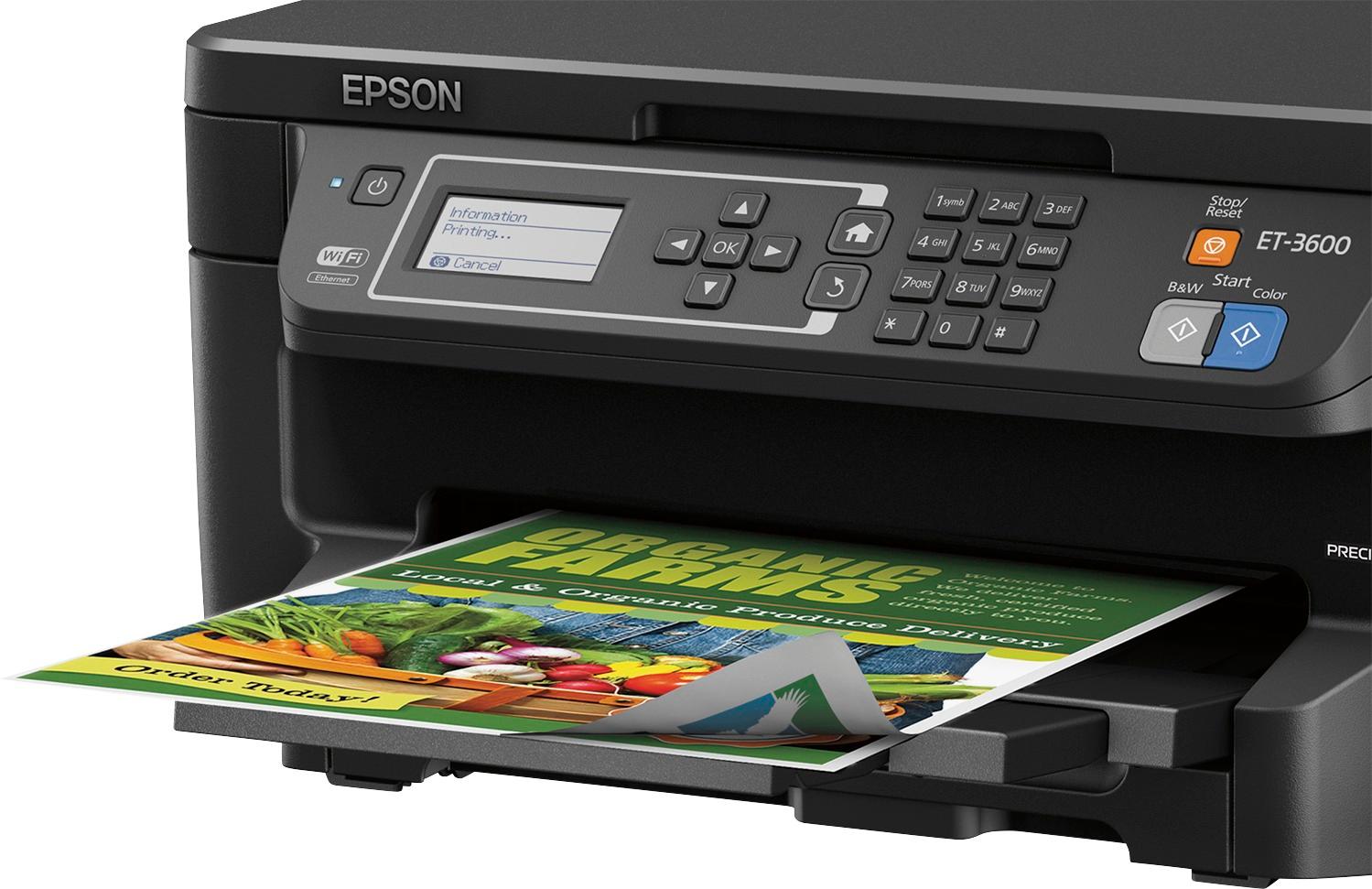
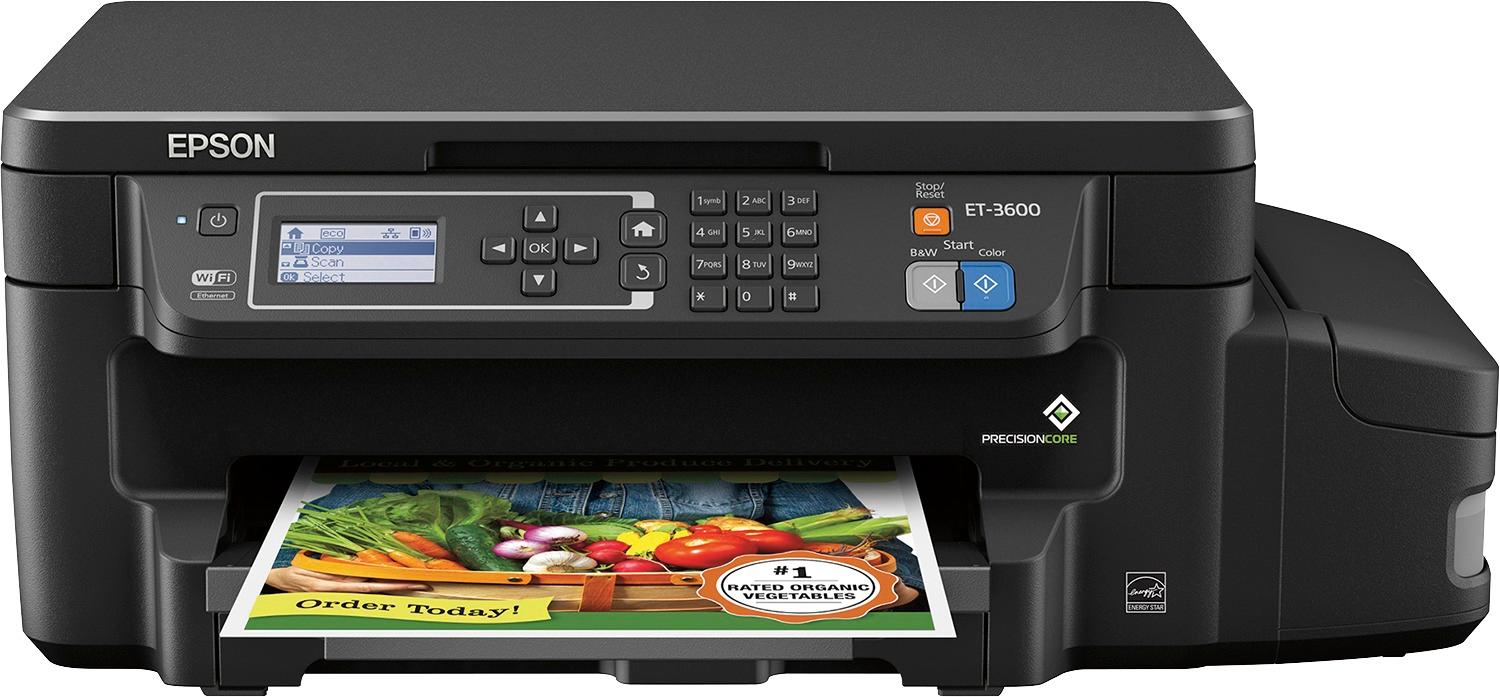
- ET-3600 ECOTANK C11CF73201
- |
- SKU:
- 5512400
Customer reviews
Rating 4.6 out of 5 stars with 432 reviews
(432 customer reviews)Rating by feature
- Value3.9
Rating 3.9 out of 5 stars
- Quality4.2
Rating 4.2 out of 5 stars
- Ease of Use4.1
Rating 4.1 out of 5 stars
Customers are saying
Customers are positive about the print quality, ease of use, and setup of the Expression® ET-3600 EcoTank® Wireless All-In-One Printer. On the other hand, customers are negative about the noise level, price, and lack of a document feeder.
This summary was generated by AI based on customer reviews.
- Pros mentioned:Ease of use, Print quality
Rated 5 out of 5 stars
Awesome Printer!
Posted .This reviewer received promo considerations or sweepstakes entry for writing a review.This is a great printer for your home personal use. The set up was super easy and fast. Print speed and quality is great. The ink that comes with the printer is supposed to last two years so I’m excited about that and curious to see if that really is true. The only downside is that you have to be very careful when filling the ink tanks not to spill. I’ve had other Epson all in one printers and this is a much improvement. This is a review for the Epson ET-16500 EcoTank that I received free of charge to do a beta test and review.
I would recommend this to a friend - Pros mentioned:Print quality
Rated 4 out of 5 stars
Great, Economical Printer
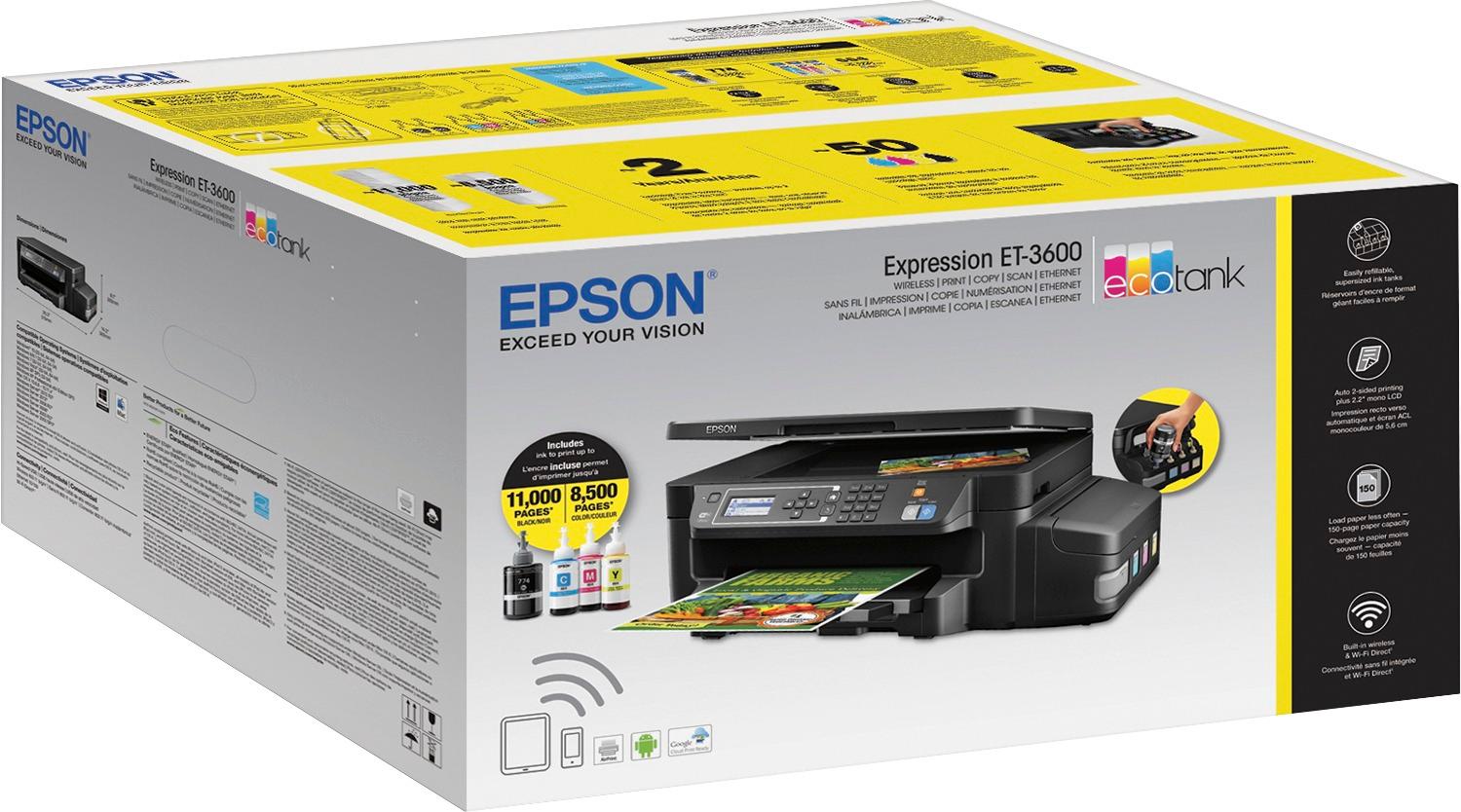
Posted .This reviewer received promo considerations or sweepstakes entry for writing a review.I have recently received, unboxed, and used the new Epson ET-3600 EcoTank Printer. It is a very sleek looking printer. It has the potential to print 11,000 black and white copies and 8,500 color copies with the ink provided in the box and will last up to two years. Our old printer only prints 600 black and white and 600 color per $45/ink cartridge set (on sale and online). This means that if we were to keep our old printer and print the full 11,000 black and 8,500 white I would have needed to spend almost $750 in ink alone (then add the cost of the printer). That is the equivalent of almost 2 full Epson ET-3600 EcoTank printers. Not only that, but the quality of the printing of this Epson printer is clean, clear, and crisp. Needless to say, I am quite satisfied with this printer. The only concerns I have with this printer are that the setup takes a long time and there is a potential of filling a particular well with the wrong color of ink. From start to finish it took around 40 minutes. It takes around 20 minutes for the ink to load to the ink jets. In the box, there are two sets of ink. I emptied just one set of ink into the wells. I was slightly nervous as there is a potential that I could have emptied the black ink into a color well or vice versa. Having said that, I would buy this printer several times over even given these two minor issues. This is a review for the Epson ET-3600 EcoTank that I received free of charge to do a beta test and review.
I would recommend this to a friend - Pros mentioned:Print quality
Rated 4 out of 5 stars
Good printer, love the EcoTank concept.
Posted .This reviewer received promo considerations or sweepstakes entry for writing a review.This is a review for the Epson ET-3600 EcoTank that I received free of charge to do a beta test and review. Summary After overcoming some initial hurdles with setup (see below) the printer has been performing well. It’s a little bigger than printers with comparable print capabilities but that’s 100% due to the ink tanks on the side, the tradeoff is well worth it for me. We print mostly text with some graphics but very few photos. After some initial tweaking the print speed in both B&W and Color is great. With our previous printer we were spending ~$60 on ink every three months on average so if you figure this is a $100 printer with $300 of ink built in then the breakeven point is just over a year for us - and that’s without factoring in the effort of keeping extra ink on hand in case we run out. Details Very first thing to note, they aren’t kidding around when they say to wear gloves when adding ink!!! I wore some Nitrile gloves and was as careful as I could be, I don’t see any way to avoid getting some ink on your fingers when pulling off the seals on the bottles. The rest of the setup went without a hitch until it came to printing via my home Wi-Fi network. Manually setting up and connecting the printer to Wi-Fi wasn’t a problem but neither the Epson software nor Windows could detect the printer on two different PCs. I went through all the usual hoops of turning off AV/firewalls, checking its IP address blah blah blah, wouldn’t work. I spent ~40 minutes on the phone to support to ultimately be told “Your network setup isn’t standard and sometimes it works and sometimes it doesn’t”. I have a the Luma wireless routers and it apparently the fact that there were three routers using the same network name threw it for a loop. This is rapidly becoming the new standard for home networking with all the major players releasing devices that work this way so in this reviewers’ opinion this is something that’s going to be a problem for more and more people unless they address it. I finally got it to work by enabling Wi-Fi direct on the printer. Once that was done both Windows and the Epson software were able to find the printer on my home network – even though I wasn’t connecting via Wi-Fi direct, go figure. Initial print speed was sub-par but turning on “Hi-Speed Printing” resolved this with little to no visible impact on print quality.
I would recommend this to a friend - Pros mentioned:Print quality
Rated 5 out of 5 stars
Great Printer!
Posted .This reviewer received promo considerations or sweepstakes entry for writing a review.This is a GREAT printer for the home and even the home-based business. Setup is extremely simple — unpack, fill the ink, add paper, connect via wi-fi or ethernet, add the printer in your computer’s settings, done. Anyone can set this printer up without a problem. I love the speed and print quality. Even in the “normal” setting, this printer is truly laser quality. Going to the highest quality setting will slow it down but I find normal quality to be excellent so that is all I use. The scanner is great… fast, accurate and crisp. The copies are excellent. And finally, the ink capacity is awesome. It will take a long time before I will need to refill the tanks. I only have one criticism of this printer and that’s with filling the ink. I love the idea of refilling with liquid ink because it lasts longer and I don’t have to swap costly cartridges. However, the method for filling the ink could be improved so there is no chance or concern with spilling, dripping or splashing. When filling the tanks you need to be very careful not to spill or drip. This is a review for the Epson ET-16500 EcoTank that I received free of charge to do a beta test and review.
I would recommend this to a friend - Pros mentioned:Print quality
Rated 4 out of 5 stars
Great printer for everyday use
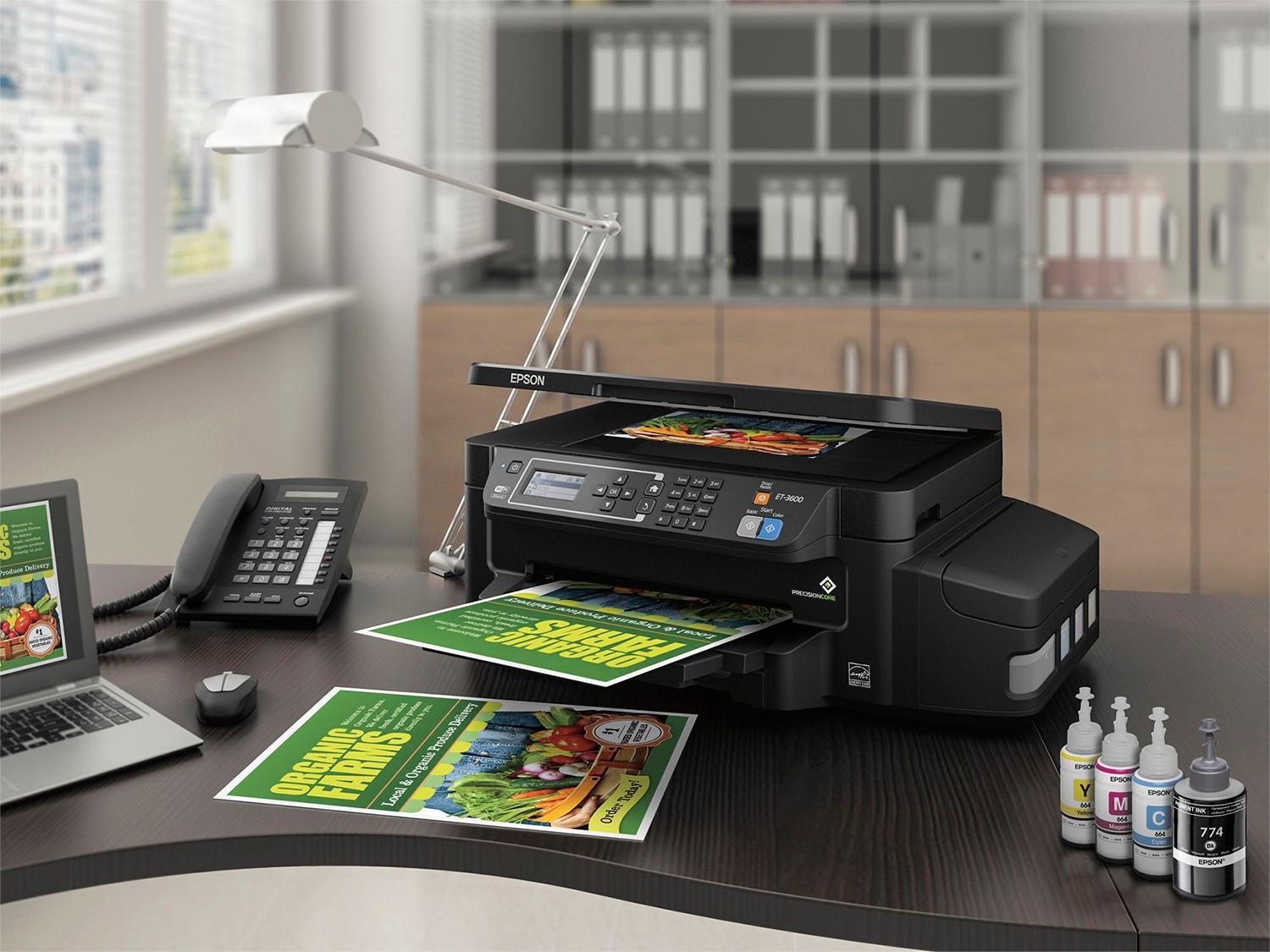
Posted .This reviewer received promo considerations or sweepstakes entry for writing a review.This is a review for the Epson ET-3600 EcoTank that I received free of charge to do a beta test and review. In addition to the printer, the box also contained 4 standard size bottles of ink and 4 bonus size bottles, a quick start guide and manual, the software CD, and the power cable. Setting up the printer was pretty straightforward. After unpacking the printer you will need to remove a few blue pieces of tape. The next step is choosing a place for the printer. You will want it to be easily reached to be able to fill the ink wells without having to move it to reduce the risk of spilling ink. Next comes filling the ink wells. This has the potential to be messy if you rush through it. Open the top on the ink well container. Each color has a rubber stopper that will need to be removed. The bottles of ink come in air tight packages that are opened with the standard “tear here” instructions. Break off the tip for the nozzle, unscrew the cap to the bottle and remove the protective foil, and screw the cap back on. Remove the rubber stopper, fill the ink well with the corresponding color, and replace the rubber stopper. The wells are semi-transparent which is great to get an accurate ink level reading. After you’ve filled the wells you will need to turn on the printer, set the date and time, and “prime” the ink. This will take about 20 minutes and does tell you that in the quick start guide. Once priming is complete you will then be able to complete the setup process and connect the printer to your network. The entire process took me about 35 minutes. Pros: I love the idea of refillable ink wells, especially if the estimated 11,000 BW/8,500 color prints is true. Very user friendly setup and use. Print quality is very good and it prints jobs quickly. Cons: I find the printer to be on the loud side. It is also much larger than my other printer. The upfront cost may be more than some people are willing to spend, however not having to buy ink cartridges all the time should certainly save you money in the long run. Overall I think this is a great printer for everyday use. I am looking forward to continuing to use it to see how long the ink really does last. I would definitely recommend this printer.
I would recommend this to a friend - Pros mentioned:Print quality, Setup
Rated 5 out of 5 stars
Easy Setup, easy to use!
Posted .This reviewer received promo considerations or sweepstakes entry for writing a review.This is a review for the Epson ET-3600 EcoTank that I received free of charge to do a beta test and review When I received the package, it was well protected and easy to unpack. Setup was a breeze, with simple, easy to follow directions. Setting up the ink tanks was simple and there were clear warnings about how to handle the ink. Once the ink was set up, the wifi connected with ease to my network. The time needed to charge the tanks aside (20 min), i was printing from my iphone within 5 minutes. I love the idea of being able to reload using ink and not wasting materials on cartridges. I definitely look forward to using this printer more often!
I would recommend this to a friend - Pros mentioned:Print quality
Rated 5 out of 5 stars
Nice small unit with tons of features!
Posted .This reviewer received promo considerations or sweepstakes entry for writing a review.I've been a die hard HP fan for my home office and family printing needs for years, but making the change to this EPSON was very easy and this compact baby does the job! I was apprehensive when I saw that I had to fill the ink colors from the bottles vs purchasing cartridges but this was a piece of cake. The tanks are simple to fill and with enough ink to fill 50 cartridge sets, I wont be needing ink for quite some time. In fact the entire unboxing, filling, set up and plug in was done very easily in about 15 minutes. The unit works great, printing wirelessly from several devices on my network and the print quality is perfect. I have to say this small, light weight machine has tons of features. It is perfect for those with limited space but needing more than just a printer. I had become accustomed to larger bulky all-in-one machines, but this baby does the trick. I was able to print photos and invitations quickly. The quality was wonderful, crisp and bright. I think this baby is going to make me kick the cartridge habit. This is a review for the Epson ET-3600 EcoTank that I received free of charge to do a beta test and review.”
I would recommend this to a friend - Pros mentioned:Print quality
Rated 5 out of 5 stars
Very happy with this printer!
Posted .This reviewer received promo considerations or sweepstakes entry for writing a review.The worst part of any printer, is having to replace the ink cartridge. I dread when the low ink light comes on, because I know I’m going to have to shell out another $50-80. Plus, my old printer wouldn't print anything if one of the ink colors was out, even if I was printing in Black and White. Which is why I was excited for the Epson ET-3600 with refillable ink tanks. I remember being in college and buying a new printer because it was cheaper than replacing the ink cartridge of my old one. It’s not something I would do nowadays but it goes to show how messed up the whole printer industry can be. Are they trying to make all their money off selling ink? Now that I’m older, I like to do my part to counteract the disposable mentality of society. I would much rather pay more upfront and not have to worry about those pesky cartridges anymore. I run a small business, and routinely print out intake forms for clients along with other materials. The built in wifi was easy to configure and I had no connection issues when printing, from either my PC laptop or iPhone. The printing speed was good, and great quality. It’s not as fast as a laser printer, and may be too slow for a large office. I liked the double-sided print feature. For my uses, this printer has been exceptional. Especially since I started printing more in color, which I avoided before due to the cost of cartridges. My forms look more professional now. I’ve also been experimenting with printing my own tri-fold brochures on different types of paper and am happy with the results so far. I don't need the fax feature of the more expensive models (who uses fax anymore?), but I would not mind a feeder tray.
I would recommend this to a friend - Pros mentioned:Print quality
Rated 5 out of 5 stars
Epson ET-3600
Posted .This reviewer received promo considerations or sweepstakes entry for writing a review.I've been in the printer business since '97 and have used a far range of printers over my time and this is by far one of the best. The long term investment of any printer should be the first thing someone looks at these days in printers and this is very economical. Days of laser printers being the cheapest to maintain are over. Print quality is great as well, the blacks are a deep dark black while maintaining good print speed. I had no issues getting it to work as Epson uses a 'universal' print driver, at least for Mac as it was the same driver as my last Epson printer. Wireless printing works just as well as if it were connected to USB. The down side, is bottles of ink that can be messy and opportunity to put the ink in the wrong tank, but if you are careful not a deal breaker. In order to get that kind of great long term savings, it's really the only way, since you aren't buying additional materials each time you purchase the ink. Manufacturing of cartridges are not passed down in the cost of the ink. Overall, great long term value and if you are printing large amounts, this is the printer to go with. This is a review for the Epson ET-3600 EcoTank that I received free of charge to do a beta test and review.
I would recommend this to a friend - Pros mentioned:Print quality
Rated 5 out of 5 stars
A vast improvement!
Posted .This reviewer received promo considerations or sweepstakes entry for writing a review.This is a vast improvement over the painfully slow 2550, both in speed and paper handling. I don't need the extra features -- I just need the kind of performance that the 2550 didn't provide. But the improved performance of the 3600 makes it worth the money. I will save much more than the cost of the printer just by not having to buy ink cartridges.
I would recommend this to a friend Rated 5 out of 5 stars
Good value for general printing
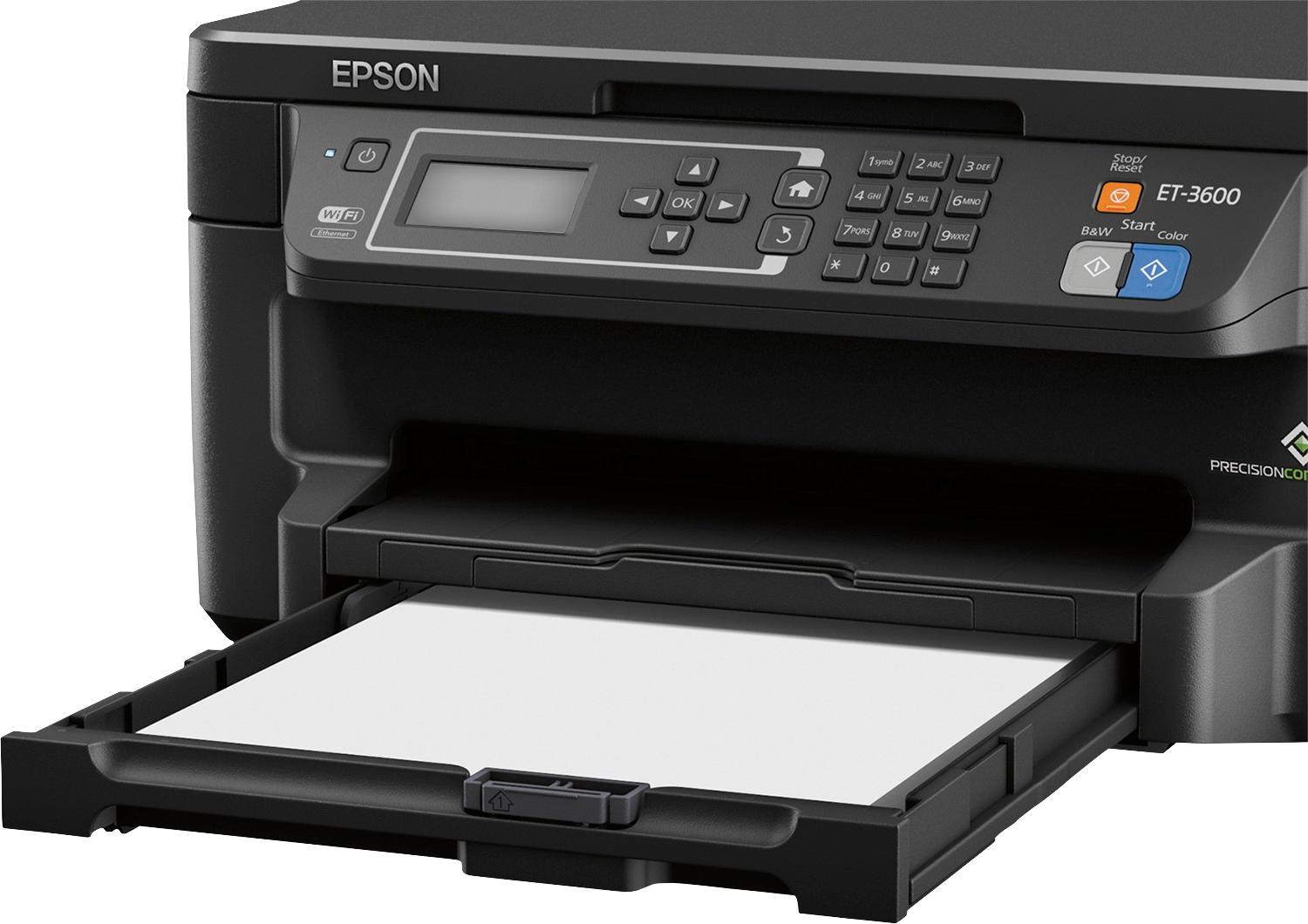
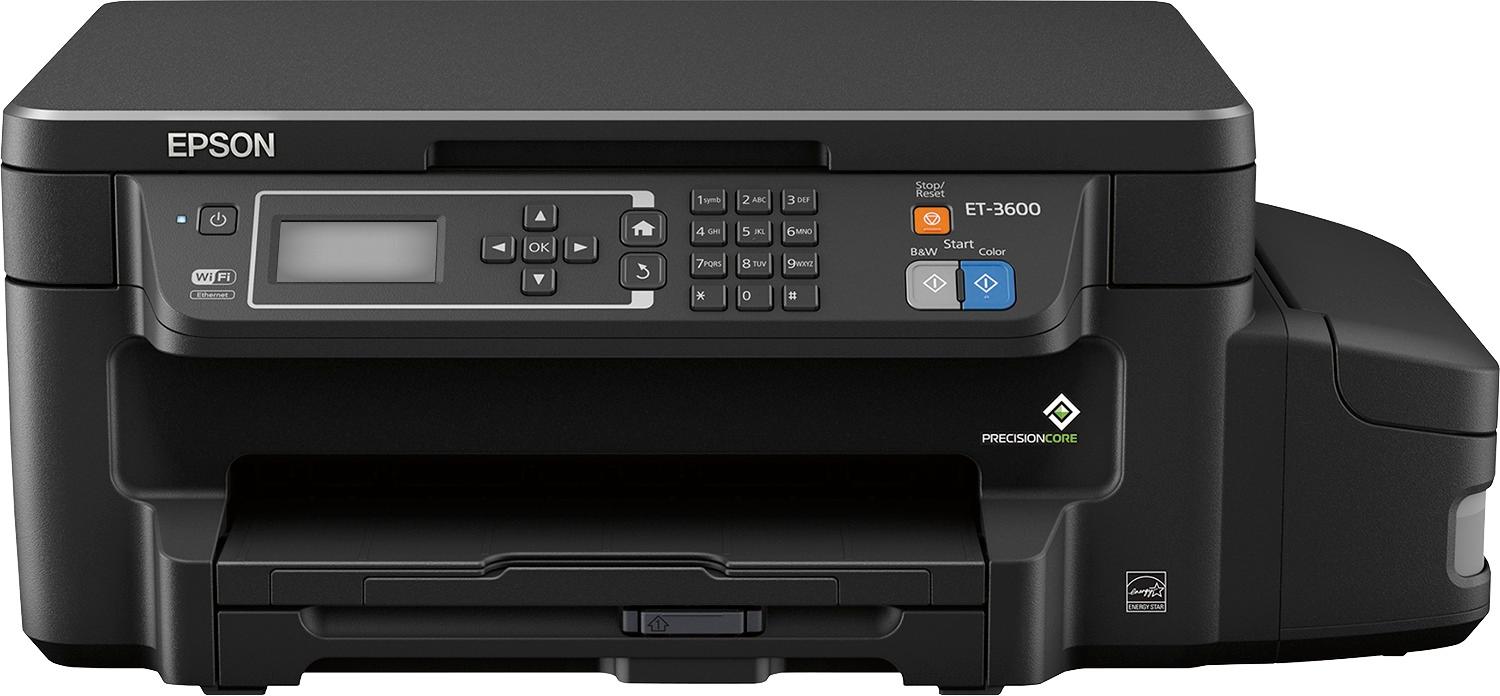
Posted .This reviewer received promo considerations or sweepstakes entry for writing a review.My family does not print a lot - fewer than 1000 pages (including 100 4x6 photos) per year on average - but even though ink cartridges last me a few months, I think I have bought about $250 worth of them over the past 3 years. So when I had the chance to test one of the EcoTank printers I'd been hearing advertised, I jumped right on it. I love the idea of saving money on ink, but also I love the idea of not having to worry about having spare cartridges on hand. This is a review for the Epson ET-3600 EcoTank that I received free of charge to do a beta test and review. It ended up rather long because I wanted to cover everything I'd personally want to know about. First, some general observations about the EcoTank system in general. The large ink capacity and quite inexpensive ink is naturally an attractive feature. But filling those ink tanks is a chore. I expected some really clever, foolproof, sealed way to get the ink into the tanks without worrying about making a mess, but there's not one. I did not actually make a mess, but between removing seals, dispensing the ink, and disposing of the empty bottles, the threat of spilling, or otherwise getting ink somewhere you don't want it is real. I also worried about putting the wrong color in one of the tanks (they are clearly marked, but still... one wrong drop and you have trouble). Fortunately this is not something we will have to do often, but Epson does recommend topping off the tanks once a year (which makes me wonder whether I will have to store partial bottles of ink). Once filled, naturally you have to be careful about moving the printer, and there's not really a way to drain the ink if you ever need to. One other downside is that the ink gauge shown on the printer is just an estimate and you are expected to visually monitor your ink levels (the ink tanks are translucent) - which is still at best an estimate. The ink system takes about 20 minutes to prime the first time, so the initial setup process is lengthy. Presumably the only time you'd need to do that again is if you allowed one of the tanks to completely run out. I initially thought some very common features seemed prominently missing - and I now realize these are all related to photos. This is NOT a photo printer. There's no USB or media card port, no dedicated photo paper tray, and the control panel is text-based (so you can't for example preview a scan on the printer itself). While it CAN print photos, and it does a decent job of it on good photo paper, I couldn't find any way to do borderless printing, and even the best quality prints do not quite approach the look of a printer that is more designed for photos. On the non-photo side, however, the printer is featureful - it can print 2-sided, it supports multiple cloud printing methods, multiple network print protocols, can scan directly to cloud services, has a web interface (just for printer settings, not for operation), and can get firmware updates. It can connect via wired ethernet, wireless (2.4GHz ONLY), or USB (cables not provided), something often missing from wireless printers these days. There are a multitude of settings available in the print driver on the computer, though some of them don't seem to make any difference. Setting up and using google cloud print and airprint (for printing from phone/tablets) and Epson Connect (allows things like email-to-printer) is easy. Operationally this is a capable, if not exceptional, printer. It is "fast enough", and it is a little loud when printing (it has a quiet mode that is not significantly quieter). Paper loading is somewhat inconvenient with a cassette you have to remove and fill, and you are expected to set the paper type on the printer itself in addition to selecting it on your computer. This model does not have a document feeder for the scanner, which I thought I would miss, but I didn't really use it on my previous printer because it didn't work all that great anyway. The menu system is a bit tedious to use, but logical, and you won't need it much (if you prefer, for example, you can temporarily connect the printer to your computer via USB in order to configure its wireless setup, rather than using the control panel). Separate buttons are provided for copying in b&w or color, a nice convenience - and there's a cancel button too. As for output quality: the print is slightly lighter (using default settings) than my previous printer, especially the colors - but there is a "standard - vivid" quality setting which makes the colors darker if that is your preference. The high quality mode added a lot to print time but to me is visually identical to the "standard - vivid" mode. "Draft" quality is so light as to be useless. Oh, and the ink is pretty waterproof. My last 2 HP printers were terrible in that regard. The scanner is pretty basic, capable of at most 1200 dpi scanning (which is really slow), so it is more suitable for documents than for photos. You can't initiate scanning to a computer from the control panel unless the printer is connected to that computer by USB, but if you set up Epson Connect you can scan to email or a few cloud services from the control panel. The bundled "Epson Scan 2" has somewhat limited functionality - the "Epson Scan" software I already had is not for networked scanners, but might work with USB. Ultimately this is a solid if unspectacular printer that should (even if you only get half the promised pages) pay for itself in savings on ink with even a moderate amount of printing, but at the cost of the relative ease and "neatness" of loading cartridges vs. filling tanks. It is not oriented toward photo printing or copying/scanning more than one page at a time, but it is more than capable for printing lots of web pages/documents and the occasional document scan, and features like duplexing and the wide array of connectivity options add a lot of value as well.
I would recommend this to a friend- Pros mentioned:Print quality
Rated 5 out of 5 stars
What a Great Idea for a Great Printer!
Posted .This reviewer received promo considerations or sweepstakes entry for writing a review.This is a review for the Epson ET-3600 EcoTank that I received free of charge to do a beta test and provide an honest review afterward. How many times have you had your printer tell you the cartridge is expired, and it is still full of ink? How about the printer telling you the cartridge is empty but you shake it, and there appears to be liquid still in there. Well, this is the answer. With this Epson EcoTank ET-3600 All-in-One Printer, you can see how full the tanks are and you fill it with bottles of ink. Finally, we have a way to make sure we get our money’s worth and we see the truth. Most importantly, this one doesn’t compromise on the Epson quality I’ve come to depend on over the years. I’ve been through many printers over the years. This one fully supports everything my household needs to print from! When I unpacked mine, I was impressed with the way it was packaged and the incredible amount of ink that came with it. I had it up and running in minutes, but I had to wait for the printer to process the initial fill of ink. It is well documented and takes about 20 minutes. I can tell you, this has replaced my aging and more expensive color printer I’m currently using. On top of that, no more worry that my cartridges will not be reused or recycled by the stores that collect them for us!!!
I would recommend this to a friend Rated 5 out of 5 stars
Great Printer with so much Ink!
Posted .This reviewer received promo considerations or sweepstakes entry for writing a review.Disclaimer: This unit was supplied at no charge to do an unbiased review. First things first considering the box contains a printer, 2yrs of ink, and the usual cables and such... it came in a fairly small box on par with your slightly smaller printers in general. Upon opening the box I found the printer, 4 "initial" ink bottles, and 4 "bonus" ink bottles. Per the documentation this is, roughly, the equivalent of 50 standard printer cartridges. The box states you'll get an estimated 11,000 BW / 8,500 Color prints with what's in the box! Now, if you print a decent amount this is amazing because not even counting the cost of all the cartridges we go through... the time to deal with said cartridges (ordering, replacing, etc) is a pain normally. Since my wife is a troop leader, and printing a lot, this seemed like the perfect printer for our home. Right off the bat i'll say READ THE QUICK START GUIDE! There's unique steps you don't find with other printers, since the fill is external and you're not just tossing a cartridge in and shutting a lid. I'll go through each section, but I wanted to note that the way this all works is there's ink tanks on the side of the printer. When the ink primes it fills matching ink cartridges inside the printer that are constantly kept filed by the ink reservoirs they're connected to. I was curious to how this all worked, and that answered it. It's essentially a constantly unit refilled ink cartridge. Smart stuff. Setup: Removing the printer from the box, and setting it up was fairly straight forward. The steps are essentially unpackage, placement, ink fill and then connect to your network/computer. #1. Unpackage: You usual foam packaging surrounds the printer. Remove it, then the ink, documentation, cables and printer. The printer is simply in a easy to remove bag (good to hold onto this if you plan to move the printer later). The printer has about 8 or so blue protective tape pieces to remove. That's it, honestly. Nothing special which is a good thing. #2. Placement: Once you've unpacked everything they ask you to place the printer in it's destination for use before anything else. This is due to the fact there's a chance you could spill ink moving it post-fill. I placed it on the printer stand, but left it unplugged. This is, by far, the most standard and quick portion. If you printer has to go in a location you can't really fill the ink, etc, after you set it there... then keep the packaging bag handy so you can carefully move it w/o risk of spill on your floor. #3. Ink Fill: This is the most time consuming, and risky portion, but it's actually pretty easy. I opened the side, and there are four rubber covers (one over each color) to remove. The ink came in air tight / sealed packages. I was instructed to remove the ink from the package (standard "tear here" spots), break off the top of the ink, carefully remove the cap and remove the seal between the cap / ink, and then place the cap back on. Simple. I was then instructed to pour the ink carefully into the container. This is simple, but as you're pouring ink there's always a chance of spill here. So take your time, and if you want put a towel in the area to be safe and prevent any chance of staining your desk / carpet / whatever. It took me about 10mins to do all four color sets as the nozzle is a bit small (good to prevent massive spills). I should note the Ink tanks are somewhat see through so you have an actual visual view of how much ink is left to go. This is REALLY nice as you see true amount of ink left, and you're not stuck hoping the ink cartridge electronics aren't lying to your printer. Once all was said and done you power on the printer, go through the usual date and time stuff and you'll get to a section where it "primes" the ink. This takes about 20 minutes, yes that's accurate, and it essentially fills the internal cartridges and gets everything setup to keep it running. When that's done you're ready to go through the traditional setup options. #4. Network / Setup: The setup is completely traditional. You go through your basic options, and connect to your wireless network. The Wireless is 2.4ghz, no 5ghz support, so keep that in mind but if you have 5ghz you generally have 2.4ghz setup too. I selected my 2.4ghz SSID, put in my password, and it auto-detected everything else, got a DHCP address from my router (Netgear R7000), and successfully connected. I saw it gave an option to print out all the network settings for your information so I chose that just so it's a "first print" test. It showed all my network info, and pass with all the settings. I noticed some text about my network, but since I had "pass" on everything I just went to the computer install. I ran the software, it prompted me for an update which I did... and when it started no printer was found. Whhhatttt? I did it again and same thing, I checked my DHCP on my router and the printer was there and the address responded w/ a web page. Weird. So I went to reset the network to be safe and saw that network specs paper, and it stated that it connected but a router issue was found and to reboot my router. Well, why not? I rebooted my router and low and behold the printer connected fine to the software. In retrospect that was quite nice that it saw something I didn't, since my devices already connected were fine, so definitely read the print out! Once the software was installed I checked for updates, and it found a firmware update. Loaded fine, rebooted the printer and all was good. The entire process beginning to end should take about 35mins, counting the ink prime. If I had read that paper that's what I would have been at, but it took about 50mins but ultimately it was pretty painless minus that final network snafu. The biggest point I can make it read the QUICK START guide that comes with the unit so you don't miss the ink prime step, etc, or you're going to be spinning some wheels. ACTUAL PRINTING: Since setting up the printer we've printed about 150 pages of paper in both B&W, and Color. The quality is solid, and so far I have no gripes. The printing is above my old printer, and it moves quickly. I've had no issues w/ disconnects, and the software seems solid on it's display of ink remaining. I know this section, in retrospect, is smaller than all the above... but honestly it's the most standard. We've printed a lot of items, and they've come out quite well. I'm not a professional photographer, or an elitist with things. So comparing it to my prior printer (Kodak Hero series) things are very similar, but it's quite a bit quicker to print. AFTERTHOUGHTS: The ECOTANK deal is that you can put a TON of ink in for low cost. Based on the price you're, in a way, front loading some of that cost... but if you're like me and keep your printer forever the unit is a value. The price point seems high when you compare it to other copier / scanner / printer units, but IMHO it's worth it. You don't have to keep extra cartridges around just in case, don't have to deal with trips to the store for or waiting a few days for an online shipment to come because you'll be set for quite a while even at pretty high usage. The "true" fill visibility on the side of the tanks is huge because you can see what's really "left in the tanks". Would I recommend the printer? If you print a decent amount, want a "setup and forget" type configuration for extended periods, and don't want to have to deal w/ the hassle of cartridges every month or two (we generally have to swap one per 45 days at least)... it's a great unit. Epson had a great idea with the EcoTank design and so far so good!
I would recommend this to a friend- Pros mentioned:Print quality
Rated 4 out of 5 stars
over all great printer
Posted .This reviewer received promo considerations or sweepstakes entry for writing a review.he Expression ET-3600 EcoTank wireless all-in-one offers revolutionary cartridge-free printing with easy-to-fill supersized ink tanks. It includes up to 2 years of ink in the box1. That’s an incredible amount of ink — enough to print up to 11,000 black/8,500 color pages, and equivalent to about 50 ink cartridge sets. The ET-3600 delivers an unbeatable combination of convenience and value. Save up to 80 percent on ink with low-cost replacement bottles , and save up to 50 percent on paper with auto 2-sided printing. This fast, user-friendly printer also features a 150-sheet paper capacity, and offers wireless printing from tablets and smartphones. it was i little hard to figure out how to link it to my computer but i did figure it out on my own . i like that there no cartridges but i would like there to be less chance off making a mess with the ink . screw on caps or screw in refill bottle or something like that. that was my biggest concern. with have kids that it that manger to knock it over its going to makew a mess . over all this was a great printer and im happy with buying it./
I would recommend this to a friend - Pros mentioned:Print quality
Rated 5 out of 5 stars
Great printer!!
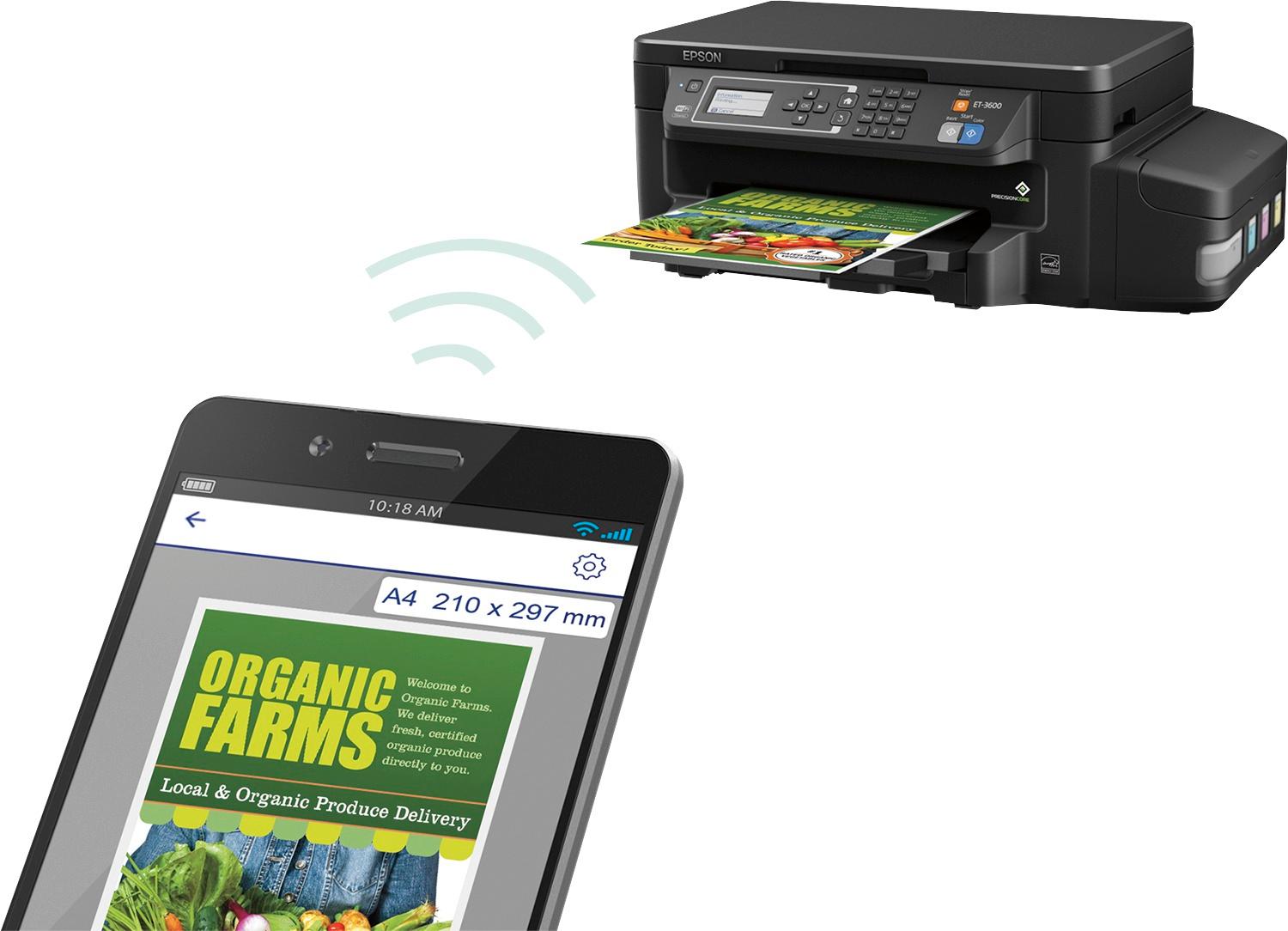
Posted .This reviewer received promo considerations or sweepstakes entry for writing a review.This is a review for the epson 3600 ecotank. I received this printer free of charge for a beta test and review. The setup on this printer is different from any other printer I have ever set up. There are no cartridges to constantly replace. The instructions tell you to wear gloves for the initial setup. It could get a bit messy. You have to pour 4 different colors into 4 different tanks in the printer. You do have to pay attention, because I can easily see someone pouring the wrong ink In the wrong tank. After you complete adding the ink, the printer has to prime the ink thru the printer. It says it take about 20 minutes, but I don't believe it took that long. As far as the printer working, that is flawless. It prints from my iPad, iPhone and computer with no problem. It prints quick and the quality of the print is great! You can set up this printer to print remotely. This means you can be anywhere and print something and it will be waiting in your printer for when you get back to your home or business. You actually give the printer an email address through the epson website. It is very easy to set up. I also did print photos using photo paper and I was not disappointed. You can use whatever paper you need to for which ever project you are working on. Overall I recommend this printer. At 399.00 it might be a bit more expensive then other printers. However you will make that up when you don't have to keep paying 50-60 dollars for color and black cartridges!! The ink bottles that you need cost between 10-18 dollars, and it says it will last up to 11,000 black copies and 6700 color copies. I do believe this could be the new way for printers to go!!
I would recommend this to a friend - Pros mentioned:Print quality
Rated 4 out of 5 stars
Feature packed printer
Posted .This reviewer received promo considerations or sweepstakes entry for writing a review.This is a review for the Epson ET-3600 EcoTank that I received free of charge to do a beta test and review. Pros: This printer is an all in one and allows you to connect directly via USB, through Ethernet and wirelelessly through software or the printer interface. Epson says the printer can print 11,000 pages in black and white and 8,500 in color, The printer is supposed to have ink that is usable for up to two years. These are both impressive figures, as my common problem with printers is that the ink dries out before I can use all of the cartridge. EPSON has individual bottles for each color that you fill yourself on the side of the printer. Cons: This printer took a long time for me to set up. It was about an hour from unboxing to printing a page. I consider myself tech savvy and it seemed to take longer than I would have anticipated, but, you do have a 20 minute snack break while the ink charges. I also had difficulty connecting my printer to my existing wireless network, but this was easily remedied by manually entering the information for the network. It was slightly awkward and messy to fill ink manually. I think this is something I would get used to in time, but it was new to me as most of my printers have used cartridges. Overall, despite the unexpectedly long setup, I would recommend this printer for personal use, or even for a small business. It packs a lot of features into a relatively small size and produces good quality prints.
I would recommend this to a friend - Pros mentioned:Print quality
Rated 5 out of 5 stars
Epson ET-3600 – Excellent printer, bottomless ink.
Posted .This reviewer received promo considerations or sweepstakes entry for writing a review.Okay, so not really bottomless, but there is a ton of ink that comes with this printer. According to the box the ink should last about 2 years. I have had printers that haven’t lasted that long. It is reported to print up to 11,000 pages in black and white or 8500 in color. I did not have time to print that many pages, however the feeling of being able to print without fear of running out if ink was very nice. The printer connects via wireless network or hardwire. I set mine up over wireless, and the process was really smooth. The only issue was keying in the wireless passcode. My fault for have a 26 digit passcode. The software allows you to set up the device so that you can scan to email, or even drop box. Nice touch. I had no issues getting either of these functions to work. Filling the ink tanks was pretty easy, I would recommend doing it over the box though in case you spill. My only complaint with the printer is that it is a flat bed scanner, and not sheet fed. It would be nice to put a stack of papers on it and have them all scanned to an individual PDF. While you can still scan multiple pages, you have to place them individually on the scanner. Small price to pay for a ridiculous amount of ink. The refill bottles are reasonably priced as well, especially if you consider you will likely only need to get them once every year or so. All in all, an excellent printer. This is a review for the Epson ET-3600 EcoTank that I received free of charge to do a beta test and review.
I would recommend this to a friend - Pros mentioned:Print quality
Rated 5 out of 5 stars
Fantastic printer for the family
Posted .This reviewer received promo considerations or sweepstakes entry for writing a review.“This is a review for the Epson ET-3600 EcoTank that I received free of charge to do a beta test and review.” After opening the box and removing the very well packed printer, it took bout 5 minutes from box to printing. Print quality is excellent and fast. I have two children at home in middle school and they print a lot of documents for reports and internet articles. Most print jobs consisted of a mixture of black and white and color. Printer was fast to initialize and print jobs came out fine and crisp. As the other review mentioned, the printer defaults to duplex, or two-sided printing, so if you do not want that make sure you change that setting. I have about 700 pages through the printer without any major issues. The large ink tanks are great for not having to worry about ink running out. Definitely a rock solid printer for home or small office use.
I would recommend this to a friend - Pros mentioned:Print quality
Rated 5 out of 5 stars
Finally, a Cartridge Free Printer
Posted .This reviewer received promo considerations or sweepstakes entry for writing a review.This is a review for the Epson ET-3600 EcoTank that I received free of charge to do a beta test and review. The printer is very simple to set up and includes an installation disc. The installation disc automatically installs everything that you need in order to utilize the printer. You will need to fill the ink tanks and be careful not to spill the ink as stated. As long as you're careful, it's not really that hard. It also comes with extra bottles of ink. Setting up to your home network is simple and easy to do either through an Ethernet cable or wirelessly. I also love the size. The tanks do add some extra length but still a win for me. The quality of print is far superior to what I've experienced with cartridges. You can print, scan and copy with ease. You can load up to 150 sheets of paper and the ink will last around an estimated 2 years. I have been looking for a cartridge ink alternative and this one is awesome! You can also print wirelessly using 4 different mobile solutions which work effortlessly. Great buy and you won't be disappointed.
I would recommend this to a friend - Pros mentioned:Print quality
Rated 5 out of 5 stars
So far so very good....
Posted .This reviewer received promo considerations or sweepstakes entry for writing a review.I picked up a 3600 et Epson printer because I'm doing a lot of printing these days and I was blowing through ink cartridges or paying 15 cents a copy for color elsewhere. Set up was easy and the printing results have been just fine for what I do. I've yet to try any photo printing, but I print out a lot of 65 lb card stock with no troubles. I have not tried duplex on 65 lb paper, and I probably won't risk it, returning batches to the printer to print the other side is no big deal for me. I'll be trying duplex prints with standard paper at some point. Speed? I'm running right at about 14-15 minutes to print out 50 sheets of full color on 65 lb card stock. Ink usage? I don't think I'm going to get 8500 full color prints out of what I'm printing before running out of the initial ink supply, largely because what I'm printing uses the yellow and magenta quite heavily. I don't know how fast I'll go through those two inks, but whatever it is it will be WAY less than what I've gone through on the other printers I've had. If I had to guess, I'd go with 4-5K prints before I run out of those two colors. Refills with this ink are cheap, so I'm thrilled. I don't need a fax so it'll do everything I need so far.
I would recommend this to a friend