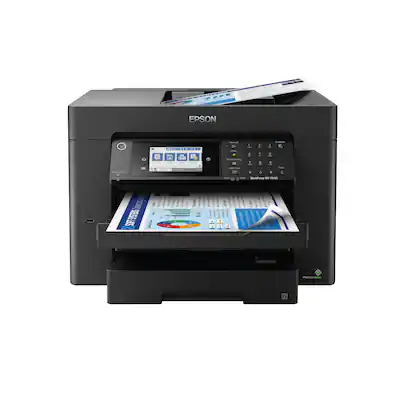
Customers frequently mention the WorkForce Pro WF-7840 Wireless Wide-format All-in-One Printer's very good print quality and ease of use. Many are pleased with its overall performance and appreciate the convenience of having two paper trays. However, some customers have noted the printer's surprising size and weight, and a few have experienced connectivity issues.
This summary was generated by AI based on customer reviews.
The vast majority of our reviews come from verified purchases. Reviews from customers may include My Best Buy members, employees, and Tech Insider Network members (as tagged). Select reviewers may receive discounted products, promotional considerations or entries into drawings for honest, helpful reviews.
Page 1 Showing 1-20 of 1,051 reviews
Pros mentioned:
Paper tray, Print quality
Cons mentioned:
Size
Rated 5 out of 5 stars
Big and heavy but works well
|
|
Posted . Owned for 3 weeks when reviewed.
This reviewer received promo considerations or sweepstakes entry for writing a review.
This printer is a beast. Much larger than other printers I have had. Can print 11x17 and 8 1/2x111 from two different paper trays. Easy to setup but there are a lot of settings in the control panel. One nice feature is you can push a button and the output tray goes back in. Them when you print it automatically comes back out. Very nice quality prints that do not run if they get wet with a little water. The scanner works great. By some spare ink, you will need it once you start printing.
I would recommend this to a friend
Pros mentioned:
Overall performance, Print quality, Setup
Rated 5 out of 5 stars
Great printer for Office!
|
|
Posted . Owned for more than 2 years when reviewed.
This reviewer received promo considerations or sweepstakes entry for writing a review.
This printer is GREAT. All in one that does everything. It was easy to setup, it is easy to print with. The scan feature is great! I recommend using the XL cartridges.
I would recommend this to a friend
Pros mentioned:
Overall performance, Print quality
Cons mentioned:
Connectivity
Rated 4 out of 5 stars
Worth the price
|
|
Posted . Owned for 2 months when reviewed.
This reviewer received promo considerations or sweepstakes entry for writing a review.
Overall this printer is fantastic. We’ve had a few issues with the wireless connection holding and down loading drivers. The print quality is really good for the price, and the overall capability for a small office works perfectly.
I would recommend this to a friend
Pros mentioned:
Ease of use, Paper tray
Rated 5 out of 5 stars
More Options Less Money - Epdon
|
|
Posted .
This reviewer received promo considerations or sweepstakes entry for writing a review.
They HP at work is totally cumbersome. I needed a printer, so I bought one that had all the features the the HP didn't. The big one being an 11x17 feeder, so I would have to copy one page at a time. This printer cost less than the HP, has more features, is way easier to use, and was $100 less to boot.
I would recommend this to a friend
Pros mentioned:
Ease of use, Print quality
Cons mentioned:
Size
Rated 5 out of 5 stars
Great multifunction printer
|
|
Posted . Owned for 3 weeks when reviewed.
This reviewer received promo considerations or sweepstakes entry for writing a review.
Easy setup. Probably more printer than I need for my home/office. I was looking for a multifunction printer with fax, scan, etc that did borderless photo prints, with decent size ink cartridges that I don't need to constantly replace. The ability to print larger size borderless photographs and prints is a nice benefit as well. Per the photos, it takes up a good amount of space on my desk. The software is a little clunky, not as nice as the HP that I had previously. Overall, it's probably the best all in one printer that I've had and will hopefully more than meet my needs for a long time.
I would recommend this to a friend
Pros mentioned:
Print quality
Rated 4 out of 5 stars
Nearly Perfect Color Matching
|
|
Posted . Owned for 3 weeks when reviewed.
This reviewer received promo considerations or sweepstakes entry for writing a review.
I'm very excited about this printer, so far! 5 stars for fantastic color matching (see photo), speed, and the wide range of print sizes it offers. Minus one star for somewhat unclear error messaging and imperfect photocopying.
For instance, when I put 13 x 19 paper into the rear feeder and selected A3+, the printer was happy, but when I added a slightly smaller document onto the flatbed scanner and pressed "copy," it kicked back an error saying I can't copy to that paper size. After fumbling around to figure out why my large-format printer was saying it can't print on large format paper, I finally digitally changed the paper size to A3 (keeping the original oversized paper in the feeder), and it worked fine. I'm docking the score because it was an unnecessary and confusing error that wasted time.
I've also had trouble enlarging standard copies (enlarging a business card onto 8.5x11). The option to enlarge is always greyed out, so I'm not sure what the trick is there. I'll read the instructions eventually, but something as simple as enlarging a copy shouldn't require it.
One major bonus: I'm very happy with the ink cartridge yield! I've printed 20-30 color and B&W documents over the past few weeks, then printed the large-format full-color doc in the attached photo--all from the original cartridges that came with the printer. I still haven't seen a low-ink warning, even after the full-color copy, so I'm very impressed there.
Regarding the attached photo: The original is a folded poster that came with an oversized puzzle. It's printed on very thin paper, so it's starting to tear and wrinkle. For preservation, I copied it onto Epson's A3+ Matte Premium Presentation paper, and as you can see, the color match is nearly perfect! Certain sections of the print are somewhat blurry (see the lower left 1/6th), which I'm assuming is because the original image is folded into 6 sections and that corner probably didn't lay flat against the glass. Maybe in the next version, the printer's foam backing needs to be a few millimeters thicker to compensate for damaged originals. However, note that not one of the wrinkles showed up on the copy. Nice!
Overall, I'm very glad I bought this printer. It's going to be lifesaver for printing client proofs before sending to the packaging printer.
I would recommend this to a friend
Pros mentioned:
Ease of use, Print quality, Setup
Rated 5 out of 5 stars
Great printer for the price!
|
|
Posted . Owned for 1 month when reviewed.
This reviewer received promo considerations or sweepstakes entry for writing a review.
Very professional quality printer. Easy to set up! Connected to all my devices wirelessly with ease. Recommend! I like super B paper option for large 13”x19” prints
I would recommend this to a friend
Pros mentioned:
Overall performance, Print quality, Setup
Rated 5 out of 5 stars
Love being able to scan 11x17 again!
|
|
Posted . Owned for 1 month when reviewed.
This reviewer received promo considerations or sweepstakes entry for writing a review.
Great printer, easy setup, love being able to scan in my 11x17 art work again and print quality is excellent.
I would recommend this to a friend
Rated 5 out of 5 stars
So Far, So Good
|
|
Posted . Owned for 1 month when reviewed.
This reviewer received promo considerations or sweepstakes entry for writing a review.
i spent a month or so searching for a wide-carriage printer after the transporter mechanism on my 14-year-old Canon PIXMA wide-carriage inkjet printer locked up (the resultant sound of the carriage trying free itself reminded me of a goat jousting with its mirror image.) I had scoped out this model online but needed to see it in person to understand how Epson arrived at a 38"x20" footprint - in reality the footprint is 20"x20" or 25"x20" if you count the front extension of the LED control panel and paper tray(s); add 3"-ish when using the rear, lift-up paper feeder.
I would recommend this to a friend
Pros mentioned:
Overall performance
Rated 5 out of 5 stars
Printer
|
|
Posted . Owned for 2 weeks when reviewed.
This reviewer received promo considerations or sweepstakes entry for writing a review.
Wonderful I love it great item to purchase really e
I would recommend this to a friend
Pros mentioned:
Print quality
Rated 3 out of 5 stars
Epson WorkForce WF-7840 Review
|
|
Posted . Owned for 3 weeks when reviewed.
This reviewer received promo considerations or sweepstakes entry for writing a review.
I purchased this printer thinking it was very similar to my old Epson WorkForce WF-7620 and that I could place it where my WF-7630 was located. Alas, that was not the reality since 13" x 19" Super B paper has to be loaded through a rear chute rather than a front loader tray. That caused me to locate the printer in another location to allow the paper chute's 13" x 19" paper to be leaned up against a wall. This works okay, but the paper is hanging out of the printer and one needs over a foot behind the printer when placed. The actual support of the paper chute doesn't adequately support the paper and it curls down in back of that support unless a wall is at the location. I've called Epson to express my concerns, but they stated that there is no other current solution to loading 13" x 19" paper, only 11" x 17" in either of the front loading trays. Since I'm an Architect and print half size drawings I use the Super B size since it works better than the 11" x 17" size. The printer works well and prints good prints even though it tends to use a lot of ink and that can get expensive. Costco previously use to fill up the ink cartridges at a lower cost than buying new, but they've discontinued that program. Evidently Epson felt that the front loader tray wasn't working as well as a chute for larger paper (and it did have problems at times) so they changed. I've had issues with the 13" x 19" front loader tray on my WF-7620, so I will just have to see how well the rear chute works over time. That's why I can only give the printer an average rating.
I would recommend this to a friend
Brand response from Epson
Posted .
Hi AceDuff28, we appreciate your feedback, and we'll forward this information to the relevant departments to help us improve the quality and performance of future Epson products. Your WF-7840 also includes a 1-year Limited Warranty, plus free lifetime tech support. If we can help you with anything else, our support team can be reached by phone at (562) 276-4382; Hours: Monday - Friday, 7 am - 4 pm PT. Once again, thank you. Sincerely, Kevin - The Epson Team.
Pros mentioned:
Print quality
Rated 5 out of 5 stars
Epson WF 7840
|
|
Posted . Owned for 1 month when reviewed.
This reviewer received promo considerations or sweepstakes entry for writing a review.
After 30 days of high production, I am pleased with the performance. The ink cartridges have lasted longer than I thought, while printing high quality graphic art cards. So happy with the wide format 11×17 scanner for artwork. Some how the initial configuration got a wrong IP address, but it is still functioning and all home devices can access and print.
I would recommend this to a friend
Pros mentioned:
Print quality
Rated 5 out of 5 stars
Epson (WF-7840)
|
|
Posted . Owned for 1 month when reviewed.
This reviewer received promo considerations or sweepstakes entry for writing a review.
I purchased this Epson printer(WF-7840) to replace and old Hp printer I had had for 5 or more years. I haven’t did a lot of heavy printing with it yet. It’s a large printer even though I wasn’t expecting it to be that big. The installation was easy. I love the print quality and it prints fast. Overall I’m happy to have this printer and I’m looking forward in doing much more with it.
I would recommend this to a friend
Pros mentioned:
Print quality
Rated 5 out of 5 stars
Best printer
|
|
Posted . Owned for 1 month when reviewed.
This reviewer received promo considerations or sweepstakes entry for writing a review.
All in one Epson is one of the best printers excellent quality fast printing quality 2 sided print and the faxing is very quick
I would recommend this to a friend
Pros mentioned:
Overall performance, Paper tray, Print quality
Cons mentioned:
Size
Rated 5 out of 5 stars
SUPERIOR WIDE FORMAT INKJET MULTI FUNCTION PRINTER
|
Posted .
This reviewer received promo considerations or sweepstakes entry for writing a review.
The Epson WorkForce Pro WF-7840 inkjet printer offers an impressive set of features. It is a Multi-Function Printer (MFP), which includes printing, copying, scanning and faxing functionality in a single device.
Most notably, the Epson WorkForce Pro WF-7840 incorporates wide-format printing, with paper handling capabilities up to 13”x19” (B+/Super B aka A3+/Super A3, which allows for printing a full bleed B/A3 with printer’s marks in the 1” margin). Very importantly, the WF-7840 also offers full-duplex scanning, copying and printing.
The WF-7840 has two, 250 sheet cassette paper trays, which can be configured for sizes up to 11”x17” (ledger/ tabloid), and a rear-feed tray with a 50 sheet capacity for up to 13”x19”. Borderless printing is available on paper sizes up to 11”x17”.
Scanning or photocopying from either the flatbed or the 50 sheet capacity, full-duplex (2-sided) auto-document feeder (ADF) accommodates sheets up to 11”x17”.
The WF-7840 supports 4800x2400 dpi print resolution. The scanner optical / hardware resolution is 1200 x 2400 dpi, with a maximum interpolated resolution of 9600 dpi. Input color depth is 48 bit, and output color depth is 24 bit.
Interfacing with the WF-7840 includes the Epson Driver and Utilities Package software for printing, scanning and faxing, front panel controls with a 4.3” color touchscreen, and the Epson Smart Panel App for smartphones. The “Epson Connect” service assigns an email address to the WF-7840 to allow printing via email.
The WF-7840 handles a wide variety of paper and card stock. The ADF is limited to plain paper of 17 lb. – 24 lb. weight. Printing on card stock of 25 lb – 68 lb basis is supported.
The WF-7840 is large and heavy. It measures 20.3” wide x 17.7” deep x 13.8” high, and weighs over 45 lbs.. Additional space is required for actually using the WF-7840. The automatic, power extendable/retractable output tray, when extended, results in an increased overall depth of 38.4”, and the rear paper tray, when extended increases the overall height to 20.5”.
The Epson Driver and Utilities software and the User Guide are supplied on a CD, and are also downloadable from the Epson website. The installation utility provides step-by-step guidance. It automatically downloaded and installed the Epson Fax Utility, which includes the option of Received faxes being saved to the PC, rather than being automatically printed or saved to the memory (6 MB / 500 pages) of the WF-7840. The WF-7840 fax functionality is robust and flexible.
Epson’s specifications list a print speed of 25 Pages Per Minute (PPM) for single-sided black only, and 12 PPM for single-sided color. Double-sided printing is 16 PPM for black, and 9 PPM for color. Epson does not list the First Page Out Time . Photocopying speed is listed as 23 Images Per Minute (IPM) for black, and 10 IPM for color.
Advertised printing speeds are based on ISO/IEC Standard 24734 and copy speeds are based on ISO/IEC 29183 which specifies detailed parameters for testing the performance of copiers and multifunction devices. Actual printing speeds are dependent upon what is being printed. Typically, more complex content on a page results in a longer print time. In use, the WF-7840 printing speeds were excellent for both single and double-sided sheets. Time for first sheet out, even for a very complex graphic page, was just seconds.
Epson recommends a monthly duty cycle of 2,500 pages.
The WF-7840 uses Epson 812 series ink cartridges. The 812I (Initial) ink cartridges which are shipped with the printer are intended for setting up the printer and “charging the printhead” (priming) and a period of initial use thereafter.
812 Standard cartridges are advertised to yield 350 pages for black ink, and 300 pages for color inks. 812XL high capacity cartridges will yield 1,100 pages for black and colors. 812XXL ultra capacity will be available for black ink only, and will yield 2,200 pages.
One of the attractions for procuring a large-format ink jet printer versus a large-format laser printer is the significant cost difference. Ink jets are far less expensive than large-format laser printers. A full set (Black, Cyan, Magenta, Yellow) of ink jet cartridges is typically significantly less expensive than a set of color laser toner cartridges. However, the true cost of printing is the Cost Per Printed Page.
Based on the page yields advertised by Epson (based on ISO pages) the cost per page for Standard ink cartridges is about $0.20/page. XL ink cartridges lower the cost to about $0.12/page. However, if all of the ink in the XL cartridges will not be used prior to them drying out (or within their six month usable lifespan, once opened), selecting the XL cartridges can prove to be false economy. These costs per page comport with the costs for many laser printer toners. However, laser toner has the advantage of not drying out within six months of the cartridge being unwrapped, as inkjet cartridges do. Laser printed pages also are less susceptible to printing defects including wet ink bleed or smudging due to handling or moisture. The 812 series ink dried reasonably rapidly and did not become smeared, with the drying time setting on “Standard”.
The WF-7840 is substantially less expensive than a laser printer with similar features, particularly business related features such as large format capability, auto-duplexing and ADF. However, the ongoing cost of operation is actually comparable. Resultantly, the WF-7840 is a very attractive, cost effective alternative for large format printing, particularly since it performs all MFP functions so capably.
The performance of the WF-7840 fully met and exceeded the very high expectations established by the impressive specifications, features and functions described by Epson.
Cold startup of the WF-7840 takes a couple of minutes, but waking from “sleep” is instantaneous. The drivetrain gears, belts and pulleys are somewhat noisy. The setup and configuration options are numerous and can be accessed through the touchscreen menus. Epson provides guidance and help screens when using the touchscreen.
The WF-7840 print quality is outstanding!
Close inspection, including under magnification of Epson Test & Sign-Off Print Samples confirmed the excellent print quality. The same samples were also printed on a color Laser-Jet for comparative analysis. Pantone color matching was not performed, but color accuracy with the WF-7840 prints was comparable to the laser.
Color saturation and gradation were excellent. Gray scale gradation was similarly excellent. Lines were sharp and definition was excellent. There was no color bleed, or banding. There were no printing defects observable, even under magnification. Photorealism was excellent.
Large format prints were of the same excellent quality as smaller sheets. The large format printing functionality is excellent for mechanical, technical and even portions of scaled architectural drawings, as well as other large format documents, when a plotter is not available.
Text was also outstanding on the WF-7840, with sharpness and clarity comparable to laser printed documents. Of course, there is a difference in reflectivity between ink or toner produced printing.
The output tray is power extendable/retractable and automatically extends when a print-job is initiated. However, the tray only retracts automatically when manually powering down the WF-7840, or with the use of the soft-button (icon) which appears on the touchscreen during printing operations.
Scanning operations were excellent and time efficient for both single-sided and double-sided documents. The duplexing ADF performs very well. No misfeeds or skewing occurred. The 50 sheet capacity and 11”x17” paper handling ability is great. The Utility and Driver package installs both TWAIN and WIA drivers. Epson Scan 2 and SmartScan software utilize the TWAIN drivers exclusively. SmartScan launches Scan 2, but provides additional enhanced features and functionality. SmartScan works really well and easily. The WIA drivers when used with Acrobat Pro DC limited scan resolution to a meager 300 DPI, while the TWAIN drivers support resolution up to 9600 DPI. Epson software supports saving scans in the common image file formats as well as producing PDFs and OCR searchable PDFs.
Photocopying is of course an operation which merges the scanning and printing functions, and its performance is equally excellent. The WF-7840 supports reduction, enlargement, density adjustment and collation.
Faxing is well supported by both the hardware and the excellent Epson FAX utility. Faxing from the scanner glass, ADF or from applications via the 7840 fax driver all function reliably and easily. Incoming faxes can be stored in printer memory, immediately printed upon receipt, forwarded to a shared folder on the network or saved as PDF files on the associated computer.
The Epson utility software is very good. In addition to the scanning and faxing utilities, there is also “Epson Photo+” for customizing photo printing.
Epson does not have a toll-free telephone support line. Technical support is overseas. If repair or replacement becomes necessary, the customer is responsible for shipping costs of the 50 lb. printer to Epson, according to the warranty terms.
The Epson WF-7840 is an outstanding Multi-Function Printer. It has a robust feature-set coupled with very impressive performance. The firmware supports a great deal of customization. Scanning, printing, copying and faxing functions all work great. Wide-format printing and duplex scanning and printing are extremely valuable distinguishing features which make the WF-7840 useful for both home and small business users. Printing quality is absolutely outstanding.
The Epson WF-7840 is an exceptional MFP that exceeds expectations! I certainly recommend the Epson WF-7840.
I would recommend this to a friend
Pros mentioned:
Print quality
Rated 5 out of 5 stars
Great quality printer
|
|
Posted . Owned for 1 month when reviewed.
This reviewer received promo considerations or sweepstakes entry for writing a review.
Great printer, excellent price. I needed a dual tray printer for my business as a Notary Public. At times I print 200-250 pages for one job offer. Having this printer with all the extras is a plus and a very important must-have. When picture was taken black ink was low; this is after a total of 278 copies.
I would recommend this to a friend
Rated 4 out of 5 stars
Epson 7820
|
|
Posted . Owned for 1 month when reviewed.
This reviewer received promo considerations or sweepstakes entry for writing a review.
This printers goes through ink fast with cartridges recommended company do with liquid ink . Cartridges are expensive
I would recommend this to a friend
Pros mentioned:
Ease of use
Rated 5 out of 5 stars
Get it now!!!
|
|
Posted . Owned for 3 weeks when reviewed.
This reviewer received promo considerations or sweepstakes entry for writing a review.
I am so happy that I made the decision to purchase this All-In-One Printer. I am the owner of a small home design business and this printer is perfect for quick on demand printing. The ease of being able to print from your Mobile Device is worth the cost. Great Choice.
I would recommend this to a friend
Pros mentioned:
Print quality
Rated 5 out of 5 stars
You Can't Go Wrong
|
|
Posted . Owned for 2 months when reviewed.
This reviewer received promo considerations or sweepstakes entry for writing a review.
LOVE LOVE LOVE this printer. Bought 5 times for different users. I love the auto shut off option, prints 11 x 17, fast printing and great quality.
I would recommend this to a friend
Rated 2 out of 5 stars
13x19 buyers BEWARE
|
|
Posted . Owned for 1 month when reviewed.
This reviewer received promo considerations or sweepstakes entry for writing a review.
As an owner of all the previous versions of this printer I knew it would be worse this time around with all the changes.
The ink cartridges have changed (harder to orient & insert), the infeed trays have changed (cheaper, less definitive insertion), the outfeed tray has changed (cheaper, no up-angle), etc.
However the WORST change, one I would argue is outright deceptive, is the loss of primary tray-fed 13x19 printing. Now the largest you can go is 11x17.
In previous generations we could print hundreds of 13x19 sheets without reloading paper because of the bottom tray fed nature of the system, but now they've shifted to using the rear feeder for 13x19 as if it's an afterthought. Just a handful of sheets at a time are possible before reloading paper, despite printing on the 13x19 on the box as if it's a core feature, and ALL previous iterations of the product being primary tray fed 13x19.
Could not be more disappointed with Epson here.