Customer Ratings & Reviews
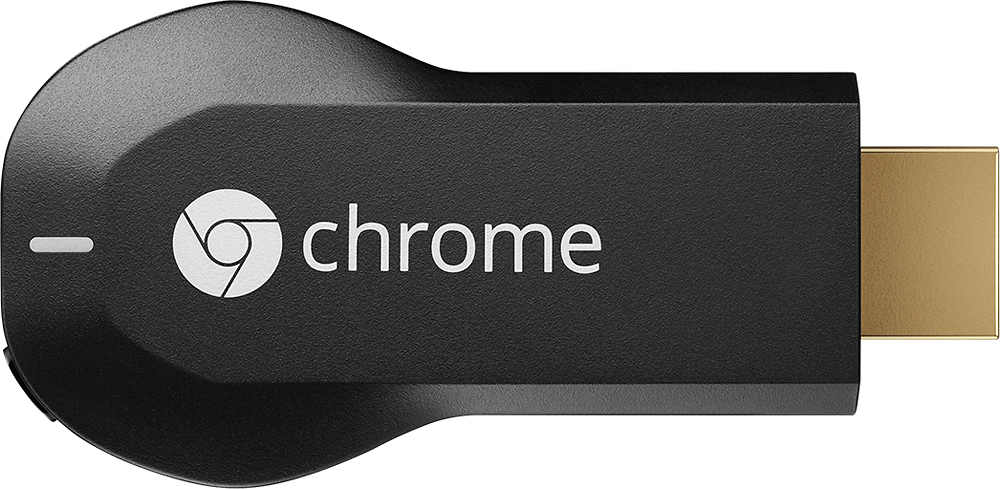
- Model:
- H2G2-42
- |
- SKU:
- 9071056
Customer reviews
Rating 4.4 out of 5 stars with 18769 reviews
(18,769 customer reviews)Rating by feature
- Value4.7
Rating 4.7 out of 5 stars
- Quality4.8
Rating 4.8 out of 5 stars
- Ease of Use4.6
Rating 4.6 out of 5 stars
Customers are saying
Customers consistently note the Chromecast's ease of use, excellent streaming capabilities, and reasonable price as significant advantages. Many also appreciate its simple setup and compact size. However, some users mention challenges with compatibility and connectivity issues. A few also point out limitations in app support and occasional lag.
This summary was generated by AI based on customer reviews.
- Pros mentioned:Ease of useCons mentioned:Lag
Rated 4 out of 5 stars
Good, will get better I think
||Posted .This reviewer received promo considerations or sweepstakes entry for writing a review.Chromecast is an awesome idea, but it needs to be refined a little. It works great on the apps that have an integrated Chromecast button (Netflix, YouTube, and Google Play). You're supposed to be able to "cast" any Chrome browser tab as well, but there is a huge amount of lag when trying to do that. For example, if you want to watch a video on Hulu, it lags so much that the video becomes unwatchable. I would still recommend getting one though. It's great for showing YouTube videos to several people without having to all be huddled around a laptop or phone.
I would recommend this to a friend - Pros mentioned:Ease of use
Rated 5 out of 5 stars
Very nice streaming device
||Posted .This reviewer received promo considerations or sweepstakes entry for writing a review.I was looking for a way to clean up my DVD and CD collection. I placed the AVI and MP3 files onto a Seagate NAS drive. I use an android tablet to stream the contents to the TV screen with the chrome cast device. Very easy to search movies with the tablet rather than finding the physical disk. The rewind and fast forward functions of and android tablet with AVI files is so much better than a DVD player. The best mode for chromecast is to duplicate the android screen rather than directly streaming to chromecast. That allows playing just about any movie type. This mode is also superb for showing power point slides with Polaris office. Streaming You Tube videos is very easy with either android or apple tablets.
I would recommend this to a friend - Pros mentioned:Price, Setup
Rated 5 out of 5 stars
Beat product ever!
||Posted .This reviewer received promo considerations or sweepstakes entry for writing a review.I have no complaints about the chromecast. I plugged in into the tv, downloaded the app and started watching tv all in 5 minutes! With the cost so low i now have one in every tv. Best tv investment I've made.
I would recommend this to a friend - Pros mentioned:Ease of use, Streaming
Rated 5 out of 5 stars
Absolutely love it.
||Posted .This reviewer received promo considerations or sweepstakes entry for writing a review.Awesome product. Very user friendly and easy to setup. I stream all my movies and videos with this casting straight from my tablet to my TV. Would highly recommend as I'm very satisfied with the Chromecast.
I would recommend this to a friend - Pros mentioned:Ease of use
Rated 4 out of 5 stars
great concept but a little buggy
||Posted .This reviewer received promo considerations or sweepstakes entry for writing a review.Love it! No more peering into each other's phones when I and my wife want to show each other our favorite videos, no more HDMI cables to hook up for watching our downloaded movies. This is a great device. Giving it 4, not 5 stars because about 3 times out of 10, it will fail until I restart either the TV or the app or my phone. Also Google support didn't do a great job of explaining how to change my router settings to get this to work. All you need to do is put WPS off by going on the router interface on your browser. Google support takes a 1000 words with complicated jargon to unsuccessfully explain this to you.
I would recommend this to a friend - Pros mentioned:Ease of use, Price
Rated 5 out of 5 stars
Great product for the cost
||Posted .This reviewer received promo considerations or sweepstakes entry for writing a review.This product is designed to be controlled by smart phones, tablets or computers and does not come with a remote. For the inexpensive price I okay with not having a remote. Very easy to setup out of the box.
I would recommend this to a friend - Pros mentioned:Price
Rated 4 out of 5 stars
Cause of TV binge
||Posted .This reviewer received promo considerations or sweepstakes entry for writing a review.This product can make any "dumb" TV become "smart." It can be controlled on tablets, iPhones, computers, etc. All you need it google chrome. I bought this for two people -- my boyfriend's sister and my friend. Both received the gift at the same time. My boyfriend's sister needed to replace her's after one year of usage. The reason is because the TV can no longer make sound when this is connected. My friend, however, is still working. It's weird, but it's true. Although it is a lot cheaper than the Roku or Apple TV, it may eventually need to be replaced. Also, you have to recharge the chrome cast -.-'
I would recommend this to a friend - Pros mentioned:Price, Streaming
Rated 5 out of 5 stars
Get this instead of a Smart TV
||Posted .This reviewer received promo considerations or sweepstakes entry for writing a review.I bought this to watch YouTube and surf the internet on my Samsung Smart TV. Googlecast works better for streaming, apps, and it's more affordable the a Smart TV. Plus I can take it with me when I travel.
I would recommend this to a friend - Pros mentioned:Hdmi, Streaming
Rated 4 out of 5 stars
Great for Netflix
||Posted .This reviewer received promo considerations or sweepstakes entry for writing a review.So easy to hook up to a stand-alone HDMI-ready TV. Works fantastic for Netflix, ok for web streaming, but since I bought primarily for next Netflix, very satisfied.
I would recommend this to a friend - Pros mentioned:Ease of useCons mentioned:Compatibility
Rated 4 out of 5 stars
Works as advertised
||Posted .This reviewer received promo considerations or sweepstakes entry for writing a review.Simple installation. Unfortunately my universal remote does not work with it so I have to use the app on my phone. Otherwise it is great for watching stuff on the TV.
I would recommend this to a friend - Pros mentioned:Ease of useCons mentioned:App compatibility
Rated 4 out of 5 stars
Android-Alternative to Apple TV / AirPlay
||Posted .This reviewer received promo considerations or sweepstakes entry for writing a review.Chromecast is pretty easy to set up and quite easy to use for those few apps that support it. Unfortunately only a few do support it (Netflix, Hulu, Youtube, Google Play) and you can probably already use your Smart TV or Blu-Ray player or game console to get these services on your TV. Hopefully there will be more apps to support Chromecast in the future, like most iOS apps support AirPlay these days. For those apps that do work, the main problem is that it takes a quite while for a stream to start and it is very noticable that Chromecast is only loosely coupled with the Android app. For example, when you close an app on iOS the AirPlay stream stops, but on Chromecast it keeps on going and you need to reconnect to the stream to control it (pause, ff, change volume etc), which can again take a while and can be a hassle if you just want to pause. The advantage of Chromecast is that you can, for example, start a stream with your phone and later control it with your tablet. But this process of starting the right app, waiting for the app to find Chromecast, and then confirming that you want to control Chromecast is is too slow to be a really smooth experience.
I would recommend this to a friend - Pros mentioned:Ease of use, Streaming
Rated 5 out of 5 stars
So easy to use
||Posted .This reviewer received promo considerations or sweepstakes entry for writing a review.Google has been continually upgrading the capabilities of Chromecast. Now (on supported devices) you can cast (mirror) the screen on your TV . If your device isn't supported to cast screen, you can still cast the applications that are supported. Its easy to setup and connect Chromecast usually takes <1min. Video and audio quality is very good. Picture quality is usually dependent on the TV your connecting to. Would highly recommend this to anyone with the latest Android device.
I would recommend this to a friend - Pros mentioned:Price, Streaming
Rated 5 out of 5 stars
Great and easy to use
||Posted .This reviewer received promo considerations or sweepstakes entry for writing a review.I love the google chrome cast. It is cheaper than an appleTV and has almost all the same features. As long as you have a tv that has HDMI plug ins and a tablet that can download the app, you are all set.
I would recommend this to a friend - Pros mentioned:Ease of use, Streaming
Rated 4 out of 5 stars
easy to setup
||Posted .This reviewer received promo considerations or sweepstakes entry for writing a review.one of the best product for home streaming. easy to setup, you can watch movie from your laptop direct into your TV with out any headache, or HDMI cable craziness
I would recommend this to a friend - Pros mentioned:Ease of use, Price
Rated 5 out of 5 stars
At this price, a great buy for the house!
||Posted .This reviewer received promo considerations or sweepstakes entry for writing a review.My kids use my video streaming accounts more than I do. The Chromecast has been a great tool for them and for is to control what, where, and when they watch movies. Easy to configure and a great buy at $35.
I would recommend this to a friend - Pros mentioned:Ease of use, Streaming
Rated 5 out of 5 stars
great little device
||Posted .This reviewer received promo considerations or sweepstakes entry for writing a review.Plug it in and go. I use my phone or Nexus 7 (2012) to cast Netflix and YouTube videos. Anything you can do on your Android device you can have on the TV including the device you are using can be cast.
I would recommend this to a friend - Pros mentioned:Ease of useCons mentioned:Compatibility
Rated 3 out of 5 stars
Good for Netflix but NOT WatchESPN
||Posted .This reviewer received promo considerations or sweepstakes entry for writing a review.Got the Chromecast installed and working easily both on a Windows 7 laptop ;and a Windows 8 tablet. You do have to install Google Chrome which is a downside. Once connected to Netflix on both machines, you cast to your TV. Worked great. When you are connected to WatchESPN however, you can cast the main tab, but what you want is to be able to cast the Popup window that is streaming your sport. Sorry, no cast icon is available. Do NOT buy if you want to cast WatchESPN from a Windows machine.
No, I would not recommend this to a friend - Pros mentioned:Ease of use, PriceCons mentioned:App compatibility
Rated 5 out of 5 stars
I LOVE THIS THING!!!
||Posted .This reviewer received promo considerations or sweepstakes entry for writing a review.I LOVE THIS THING!!!! I know there are a variaety of products out there that do the exact same thing, but I love that I can use my phone/tablet/pc with it. I like that its easy to take other places and set it up. Its so simple! And way better prices than the other things. Great product. My only complaint is that it is limited to apps that work with it. There are a lot of them, but I'm still hunting for an app that lets me watch my videos that aren't on the Google play store.
I would recommend this to a friend - Pros mentioned:HdmiCons mentioned:Compatibility
Rated 4 out of 5 stars
Good deal
||Posted .This reviewer received promo considerations or sweepstakes entry for writing a review.Great device , Stream quality is great and the HDMI ext. was useful for one of my TVs cause of the tight space. needs better compatibility with some android devices
I would recommend this to a friend - Pros mentioned:Ease of useCons mentioned:Compatibility
Rated 4 out of 5 stars
Pretty cool
||Posted .This reviewer received promo considerations or sweepstakes entry for writing a review.I like the fact that I can use my phone to bring up movies or videos and watch on my tv. Just wished it worked on more sites and apps, but overall pretty cool.
I would recommend this to a friend