Customer Ratings & Reviews
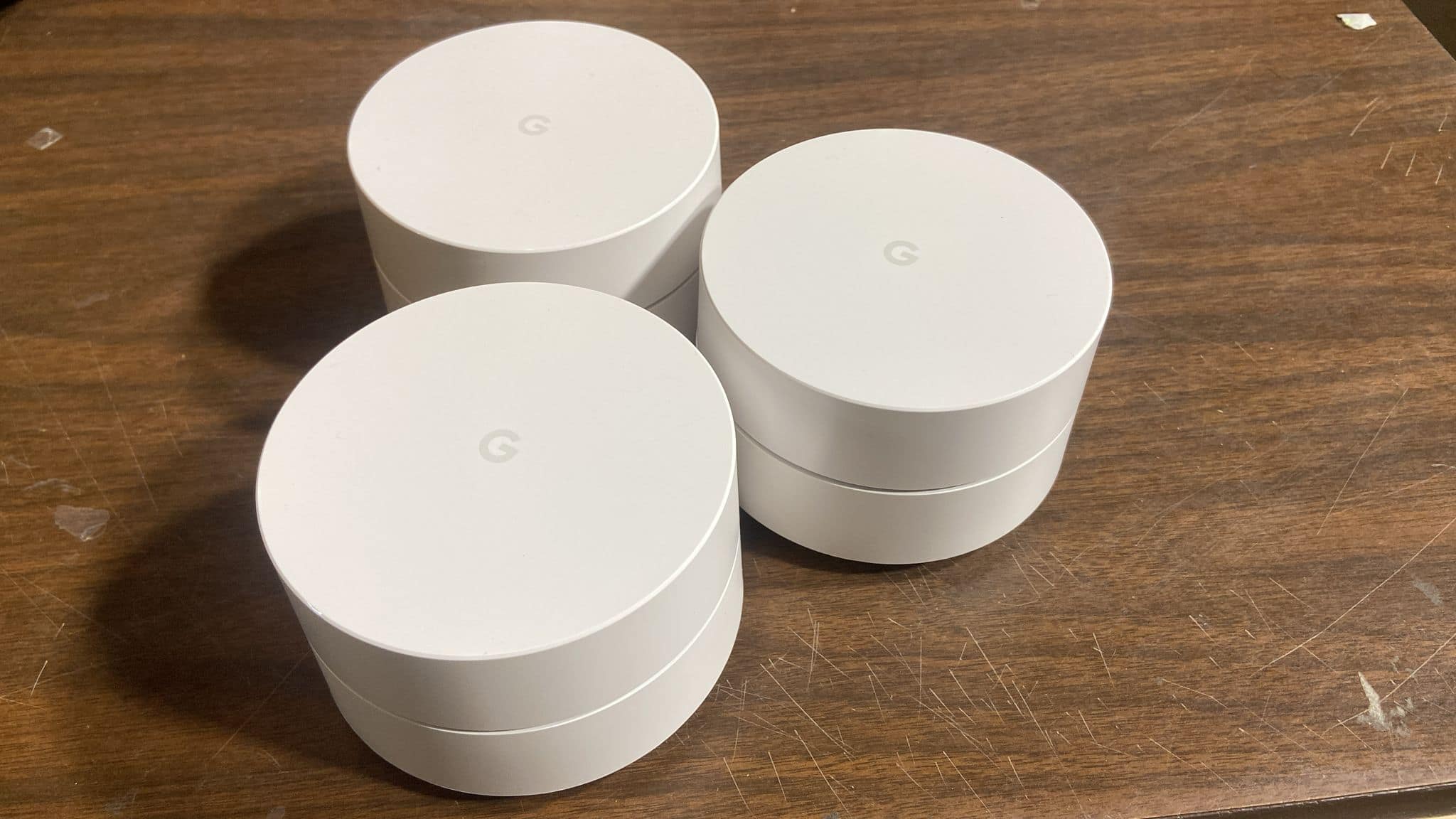






- Model:
- NLS-1304-25 3-PACK
- |
- SKU:
- 5706130
Customer reviews
Rating 4.8 out of 5 stars with 12885 reviews
(12,885 customer reviews)Rating by feature
- Setup4.8
Rating 4.8 out of 5 stars
- Range4.5
Rating 4.5 out of 5 stars
- Signal Strength4.4
Rating 4.4 out of 5 stars
Customers are saying
Customers frequently mention the ease of use, excellent coverage, and straightforward setup of the Google Wifi AC1200 system. Many also praise the improved signal strength and extended range, resulting in better overall performance. While some users experienced connectivity challenges, the positive feedback on performance and ease of use outweighs these concerns. A few customers noted the system's higher price point.
This summary was generated by AI based on customer reviews.
- Pros mentioned:Coverage
Rated 5 out of 5 stars
Quick and easy setup
||Posted .This reviewer received promo considerations or sweepstakes entry for writing a review.Easiest mesh wifi system setup I have done so far. The coverage is great in a 3 story house with one connectivity point on each floor in center of house. Even get great coverage in backyard by the pool!
I would recommend this to a friend - Pros mentioned:Coverage
Rated 5 out of 5 stars
Great coverage
||Posted .This reviewer received promo considerations or sweepstakes entry for writing a review.Best wifi system that I have ever used! My house is 2 story and a little over 3500 sq. ft. This system plus 1 additional node covers the entire house plus my patio! I have never had coverage this good!
I would recommend this to a friend Rated 2 out of 5 stars
Not for advanced users or complicated wifi setups
||Posted .This reviewer received promo considerations or sweepstakes entry for writing a review.This was one of the most frustrating technology purchases I have ever made. Before purchasing the product I called Google to make certain that it would work since I CANNOT turn my current providers router/modem into bridge mode (Verizon Fios) as this will disable MOCA and make a few of my cable boxes paperweights as they rely upon this connection method to get cable and VOD. I was assured that this would not be a problem, though they weren't very familiar with what "MOCA" was. This was disconcerting but I figured that at worst I would simply return the units. To that end I went to my local Best Buy and bought the three pack. Setup was easy and my wireless connections worked far better and my few weak and dead zones were gone. However, oddly the second mesh unit that I had in a wired location in my Family Room was not showing as wired in and was instead working as a mesh unit. Odd, but I thought Google would obviously have a support document to say how to set this up properly. They did...but it was amongst the most vague and poorly worded tech documents I have ever seen, mostly with an intuitive flow chart to make it 'easier' then any real text. I gathered from the information there that I had to have the ethernet cable going from the secondary Google Wifi port on the primary Google Wifi device direct to the second Google Wifi device. Since they're on different floors they were originally going through two unmangaged switches on this journey. This did not work. Thinking that perhaps they meant directly into the Wan port of the device downstairs I switched from my Unmanaged Switch to that port directly from the wall both upstairs and downstairs and it did work and showed up as a wired connection. Sadly, it did not pass a connection from its second port back out to all the other devices plugged into the unmanaged port downstairs. This is when I first called Google Tech Support. They were completely useless. Not only did they have no clue what bridge mode or MOCA was as my fear was that the Google Wifi was trying to provide its own IPs and was messing with my primary router. They did not understand why that was a cause for concern. Nor did they have any idea how to provide assistance. There main mode of support was 'turn/unplug everything and turn it on again.' When, I had of course done this before calling them. That old chestnut of tech support ignorance out of the way the level 1 tech connected me to a level 2 and finally level 3 tech all of which remained utterly clueless and none of which knew at all what bridge mode meant or if my main router was causing a problem like I suspected. Eventually I seemed to come across the solution myself and disconnected the port going into my living room from the primary Google Wifi point and then plugged it back into a unmangaged switch upstairs. Then from the end of that connection downstairs into the secondary Google Wifis WAN port and then from that ones secondary port into the unmanaged switch there. And suddenly everything seemed to work. Getting off the phone with the Google Support tech I tested the connection and everything seemed to be working well. Upon waking up the next morning however I noticed that the Living Room secondary unit was again acting as a mesh unit and was not seeing the wired connection and again all my devices connected to it were offline. Annoyed I just figured the wired connection was not to be and disconnected the secondary units Ethernet ports and went back to my previous connection type happy that at least I had an expensive though working quite well wifi booster. However, upon opening up my Plex server to watch some movies I noticed that it failed to connect. Fearing the worst I attempted to log into it with my NAS's web interface only for the IP to come up as unresolvable. Going upstairs I checked the NAS and found that its IP had been somehow reassigned by the Google WIFI router even though it had never been directly connected to it at any point. Groaning I checked the rest of my devices. All of my port forwarding and permanently assigned local IP addresses had been broken by the Google Wifi. This was infuriating but not entirely unexpected. Throwing up my arms in defeat I went into my Fios modem and put it in bridge mode. I knew if I was going to make this work I'd just have to deal with the Google Wifi as my new main router. And I never watched much TV anyway, so I might as well embrace this as finally cutting that cord. So not a big loss. Sadly, the Google Wifi's port forwarding, MAC address filtering, and IP reservations were completely lacking and in fact worse then a cheap $25 router. So back to the store the Google Wifi units went after another totally unproductive call to Google support whose sole solution seemed to be 'turn it on and off again and wait an indeterminable amount of time for our diagnostics technicians to look over a report.' All of that said I think this is a great product for someone who has absolutely no complexity in their WIFI setup, and doesn't have any sort of MOCA boxes with their own proprietary connections. If you do, or want more advanced control of your network this product is not for you.
No, I would not recommend this to a friendRated 5 out of 5 stars
Best mesh wifi available
||Posted .This reviewer received promo considerations or sweepstakes entry for writing a review.For the price, Google mesh wifi is the best out there
I would recommend this to a friend- Pros mentioned:Setup
Rated 5 out of 5 stars
Love love love it
||Posted .This reviewer received promo considerations or sweepstakes entry for writing a review.This is the best investment ever. I don’t have to unplug the whole system to shut down the WiFi for the kids. I am able to set up a schedule and never have to touch anything. It’s ran from my phone.
I would recommend this to a friend - Pros mentioned:Signal strength
Rated 5 out of 5 stars
Amazing!
||Posted .This reviewer received promo considerations or sweepstakes entry for writing a review.Finally a whole house wifi solution that works! Set up was incredibly easy and quick. We now have excellent signal strength through the entire house. I wouldn't recommend any other product at this point. Buy this one!
I would recommend this to a friend - Pros mentioned:Signal strength
Rated 5 out of 5 stars
Love it
||Posted .This reviewer received promo considerations or sweepstakes entry for writing a review.We replaced an out of date router with Google Wifi AC 1200. Huge improvement. No more lost connection. Music streams beautifully. Very easy to install in a home with a mix of Microsoft and Apple products.
I would recommend this to a friend - Pros mentioned:Coverage
Rated 5 out of 5 stars
Easy Setup
||Posted .This reviewer received promo considerations or sweepstakes entry for writing a review.I wanted to replace a very very old D-link wireless router and improve coverage and throughput. Setup was easy. I could connect a second Google WiFi over a Ethernet cable due to the distance. NICE.
This review is from Google - Wifi AC1200 Dual-Band Mesh Wi-Fi Router
I would recommend this to a friend - Pros mentioned:Signal strength
Rated 5 out of 5 stars
Great Product
||Posted .This reviewer received promo considerations or sweepstakes entry for writing a review.So many features on this product. I have great signal strength on a two story 2100sq ft home. I am able to set time limits to when my kids are online. I can pause internet access to devices on command.
I would recommend this to a friend - Pros mentioned:Coverage
Rated 5 out of 5 stars
Allows for great coverage.
||Posted . Owned for 1 month when reviewed.This reviewer received promo considerations or sweepstakes entry for writing a review.We had spotty internet coverage in our home and since adding google WiFi we have coverage in any area of our home. We do not have cable and this allows our Hulu to work without interruption.
I would recommend this to a friend Rated 5 out of 5 stars
Only needed one ..
||Posted . Owned for 8 months when reviewed.This reviewer received promo considerations or sweepstakes entry for writing a review.We didn't know much about these and had thought we may need all 3 . But as it turned out , only one was needed to boost out whole 2200 sq. ft. House that's Smart with only one w/ router ...
This review is from Google - Wifi AC1200 Dual-Band Mesh Wi-Fi Router
I would recommend this to a friendRated 4 out of 5 stars
So far loving it
||Posted .This reviewer received promo considerations or sweepstakes entry for writing a review.Good penetration in my home and signal strength is decent. Occasionally loses connection but it may be my cable modem and not the mesh. Testing...
This review is from Google - Wifi AC1200 Dual-Band Mesh Wi-Fi Router
I would recommend this to a friendRated 5 out of 5 stars
Works great!
||Posted .This reviewer received promo considerations or sweepstakes entry for writing a review.Great product. Total Wifi coverage in 3000 sf house.
I would recommend this to a friend- Pros mentioned:Speed
Rated 5 out of 5 stars
fast and reliable
||Posted . Owned for 3 months when reviewed.This reviewer received promo considerations or sweepstakes entry for writing a review.Way faster than traditional routers, so don't let the modest AC1200 speed rating fool you. Still prefer a web interface over a phone app to manage it, but the latter is convenient.
This review is from Google - Wifi AC1200 Dual-Band Mesh Wi-Fi Router
I would recommend this to a friend - Pros mentioned:Coverage
Rated 5 out of 5 stars
Great reception
||Posted . Owned for 1 month when reviewed.This reviewer received promo considerations or sweepstakes entry for writing a review.I couldn’t get Internet service in the back of my house. This has been great. I get service in the whole house. Very happy with my google Wifi. I have recommended it to all my friends!
I would recommend this to a friend - Pros mentioned:Speed
Rated 5 out of 5 stars
Great product.
||Posted . Owned for 1 month when reviewed.This reviewer received promo considerations or sweepstakes entry for writing a review.We have had zero issues with this product since we purchased it. Great speed and connectivity and we are using several devices on it...house full of young adults, teens, and pre-teens!
I would recommend this to a friend Rated 5 out of 5 stars
Awesome!
||Posted .This reviewer received promo considerations or sweepstakes entry for writing a review.So easy to set up, WiFi faster than what paying for!
I would recommend this to a friend- Pros mentioned:Signal strength
Rated 5 out of 5 stars
Google WiFi
||Posted . Owned for 1 year when reviewed.This reviewer received promo considerations or sweepstakes entry for writing a review.Great Wi FI reaches entire 3200 Sq. Ft. home and exterior property approximately .33 acre. Very strong signal and recognizes dual band signals.
I would recommend this to a friend - Pros mentioned:Ease of use
Rated 5 out of 5 stars
Google Home wifi
||Posted .This reviewer received promo considerations or sweepstakes entry for writing a review.I was amazed at the ease of installing and setup of each pod. No experience is required very simple to setup. My WiFi with wireless around the house is well over 200mbps. Was closer to 50 before installing
I would recommend this to a friend - Pros mentioned:Signal strength
Rated 5 out of 5 stars
Great mesh wifi with parental controls
||Posted .This reviewer received promo considerations or sweepstakes entry for writing a review.My Linsys wifi parental controls was not turning off my kids wifi at the scheduled time. Bought Google wifi and it does a lot better job. Also having great wifi signal all over the house is very helpful!
I would recommend this to a friend