Customer Ratings & Reviews

- Model:
- 27-XA0014
- SKU:
- 6331730
Rating by feature
- Value
Rating 4.5 out of 5 stars
- Quality
Rating 4.7 out of 5 stars
- Ease of Use
Rating 4.7 out of 5 stars
Customers are saying
Customers admire the Pavilion 27" Touch-Screen All-in-One's large screen size and ease of use, finding it simple to set up and use. The computer's performance and fast SSD are also frequently praised, along with its sleek design and convenient touchscreen. However, some customers express concern regarding the limited storage capacity and price point.
This summary was generated by AI based on customer reviews.
- Pros mentioned:Screen size, Speed, Touchscreen
I love this so much
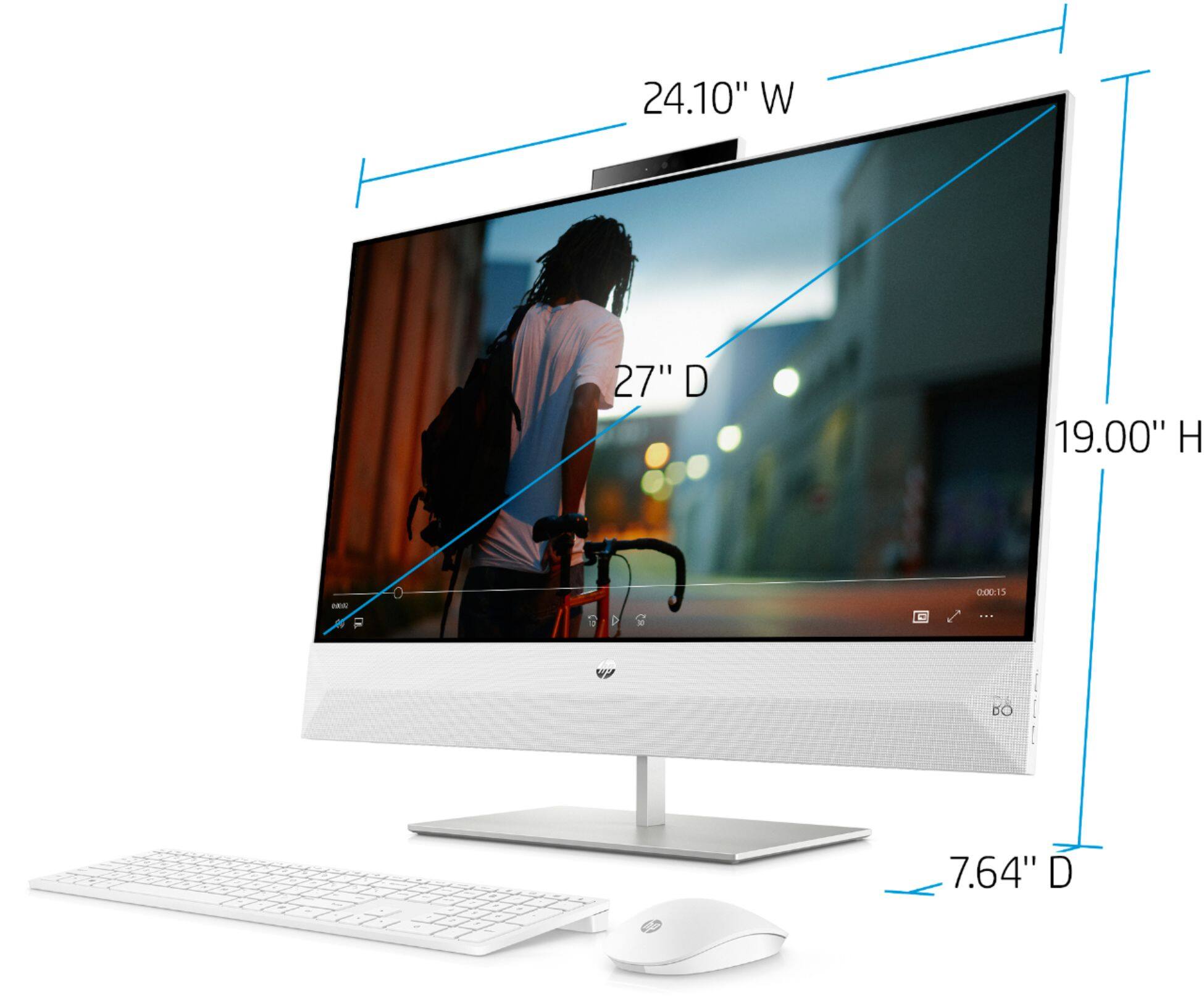
||Posted . Owned for 1 month when reviewed.This reviewer received promo considerations or sweepstakes entry for writing a review.I got this because I am now able to work from home, which normally involves 2 monitors and a lot of windows open, and I will be starting online classes for university soon. I love my 13" laptop but now I don't have to hunch over to see what's on the screen. The monitor is HUGE (24in horizontally), which is what I was looking for; plenty of space to have multiple windows up. The resolution is fantastic! Using my streaming services shows excellent quality! Lagging doesn't exist here! I've been wanting a desktop for a while but didn't want the clunky-ness of a standard desktop and buying all the components separately so the all-in-one is perfect for me. I haven't used the touchscreen function all that much but it works and is super sensitive. Careful in dark rooms cuz this thing is BRIGHT, luckily there is a dim button to save your eyes. It's on the pricey side for me personally but with all that you're getting, I'd say the investment is worth it. I haven't gone a single day without using it. Here's a picture (sorry my desk is messy).
I would recommend this to a friend - Pros mentioned:Ease of use, Screen size, Touchscreen
Awesome Addition to my Electronics Family
||Posted . Owned for 2 weeks when reviewed.This reviewer received promo considerations or sweepstakes entry for writing a review.The HP- Pavilion 27 computer has a flawless camera that shows a vividly clear picture no matter the lighting. It is easy to use and the size of the screen is perfect for graphing, watching videos, playing games, and watching movies that make good for both work and play. Easy to set up and the touch feature provides a convenience that is pure magic. :)
I would recommend this to a friend - Pros mentioned:Speed
Fast computer
||Posted . Owned for 3 weeks when reviewed.This reviewer received promo considerations or sweepstakes entry for writing a review.The computer is very quiet, fast, and with a fast boot-up. All programs are ready to use as soon as I choose them. I love the no wires and no clutter. I thought I would need a DVD drive but no I don’t. All the programs I had before are downloadable, making the DVD drive obsolete. I picked up a USB 3.0 bank of four ports to be able to have front loading ports. It is an awesome, smart-looking computer. I also added an external terabyte hard drive for my back-ups and a printer. There were no driver problems. Everything just worked.
I would recommend this to a friend - Pros mentioned:Ease of use, Screen size
Very pleased with HP All in One Computer
||Posted . Owned for 1 year when reviewed.This reviewer received promo considerations or sweepstakes entry for writing a review.Very pleased I have purchased many computers over the years and this by far is my favorite I am very much a desktop person versus laptop or tablet this all in one is just my speed, large screen easy to use and great quality, highly recommend
I would recommend this to a friend - Pros mentioned:Screen size
Desktop / keyboard and mouse.
||Posted . Owned for 1 month when reviewed.This reviewer received promo considerations or sweepstakes entry for writing a review.What an amazing all in one built in desktop computer I love it. This computer is very smart, an comes with many great features that most desktop do not. I am very happy to be able to navigate either by touch screen or using the mouse while I’m browsing. I had terrible experiences with laptops and am very please to say I will be a desktop customer from here on out. This was by far the best computer I’ve ever owned and I am very please with my investment purchasing the all in one smart computer. The only sad thing i’that im not please with is that I invested a lot of money into this computer and do not have the original keyboard and mouse that should have came with the computer other then that I am very pleased Thank you.
I would recommend this to a friend - Pros mentioned:Performance, Screen size
Excellent starter computer for beginners.
||Posted . Owned for 3 weeks when reviewed.This reviewer received promo considerations or sweepstakes entry for writing a review.This computer pass my expectations on performance,visual and other aspects. Nice size huge touch screen that welcomes you to get started.
I would recommend this to a friend - Pros mentioned:Screen size
Excellent all in one computer
||Posted . Owned for 3 weeks when reviewed.This reviewer received promo considerations or sweepstakes entry for writing a review.this computer packs a punch. Lighting fast with amazing graphics. The touch screen is a welcomed touch and i mean that literally. Does everything as expected and more.
I would recommend this to a friend Great all in one computer
||Posted . Owned for 1 month when reviewed.This reviewer received promo considerations or sweepstakes entry for writing a review.I am really happy with my new computer it does exactly what I need it to do and then some. From Handling my personal budgeting with speed and my buisness life with accurate information. All while multitasking on different sites. Outstanding device.
I would recommend this to a friend- Pros mentioned:Performance, Screen size

Speedy AIO, Huge Screen
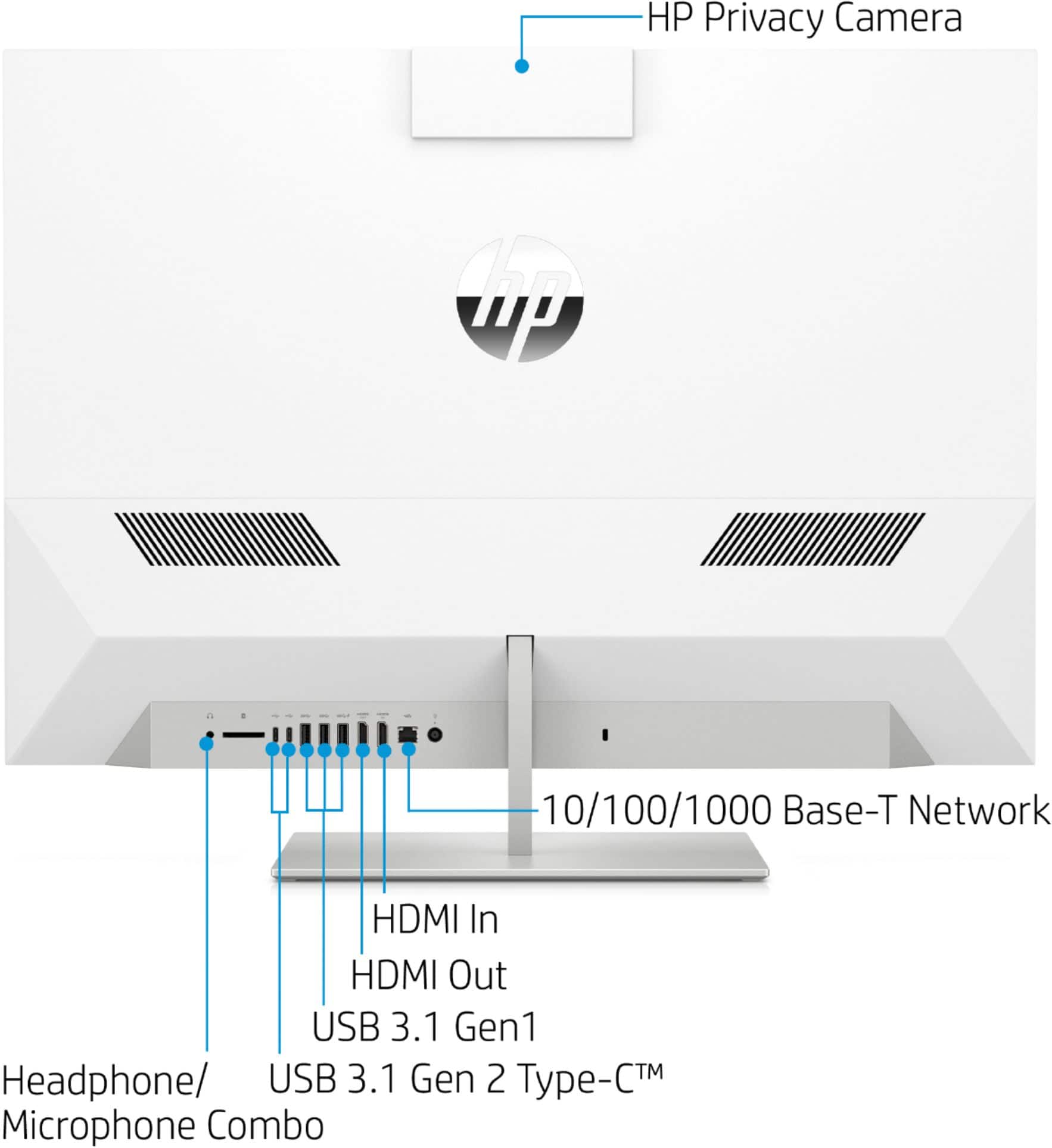
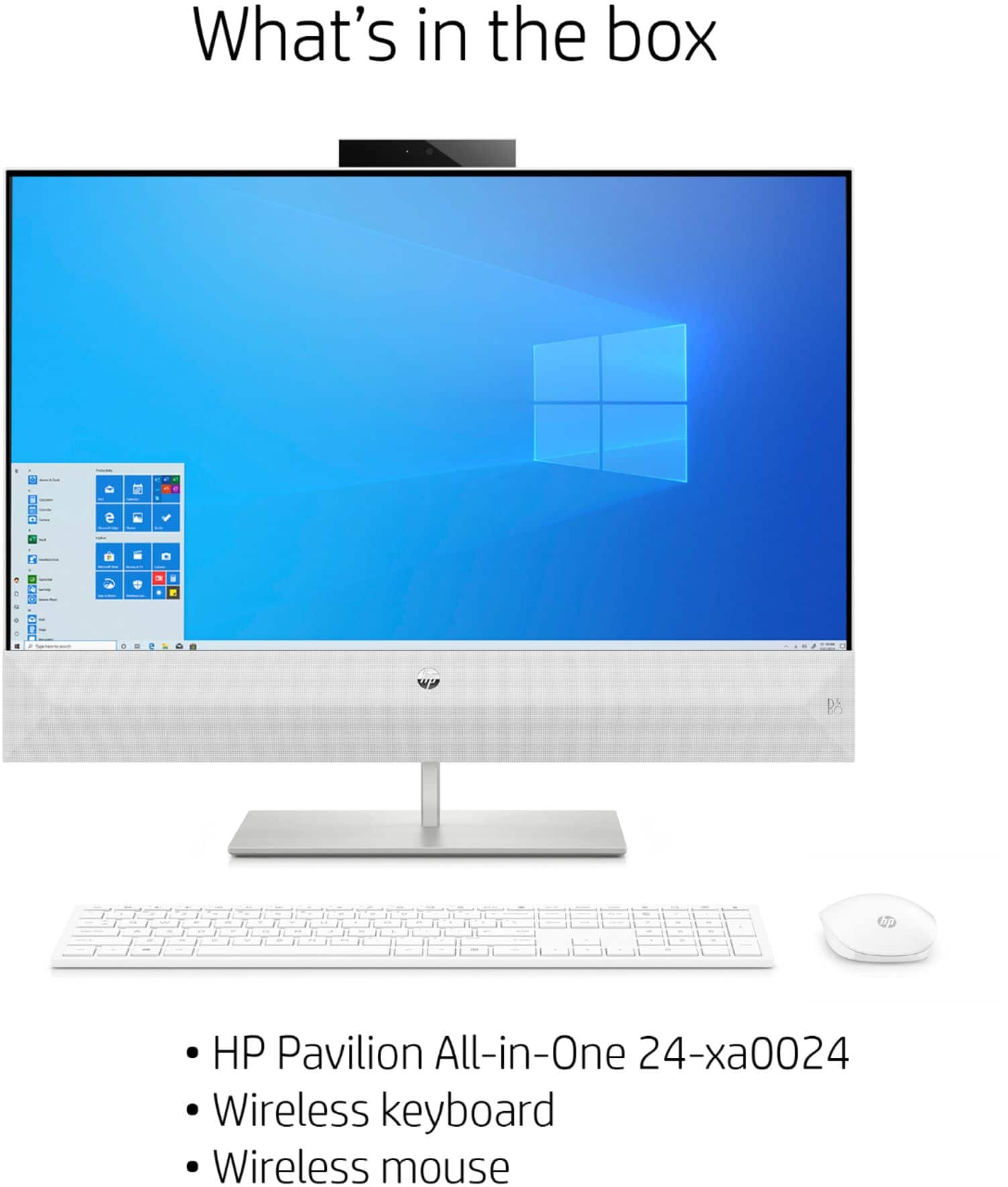
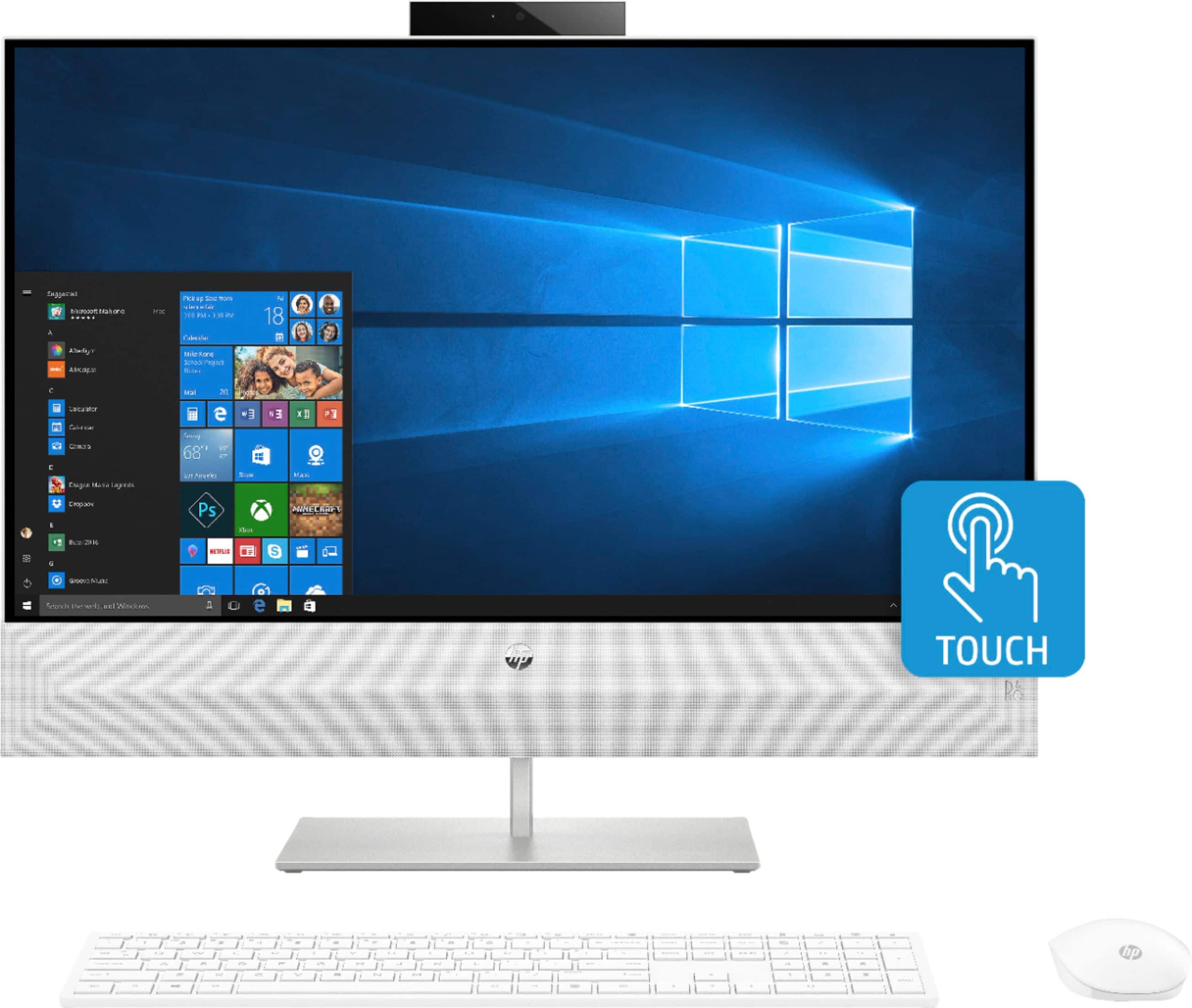
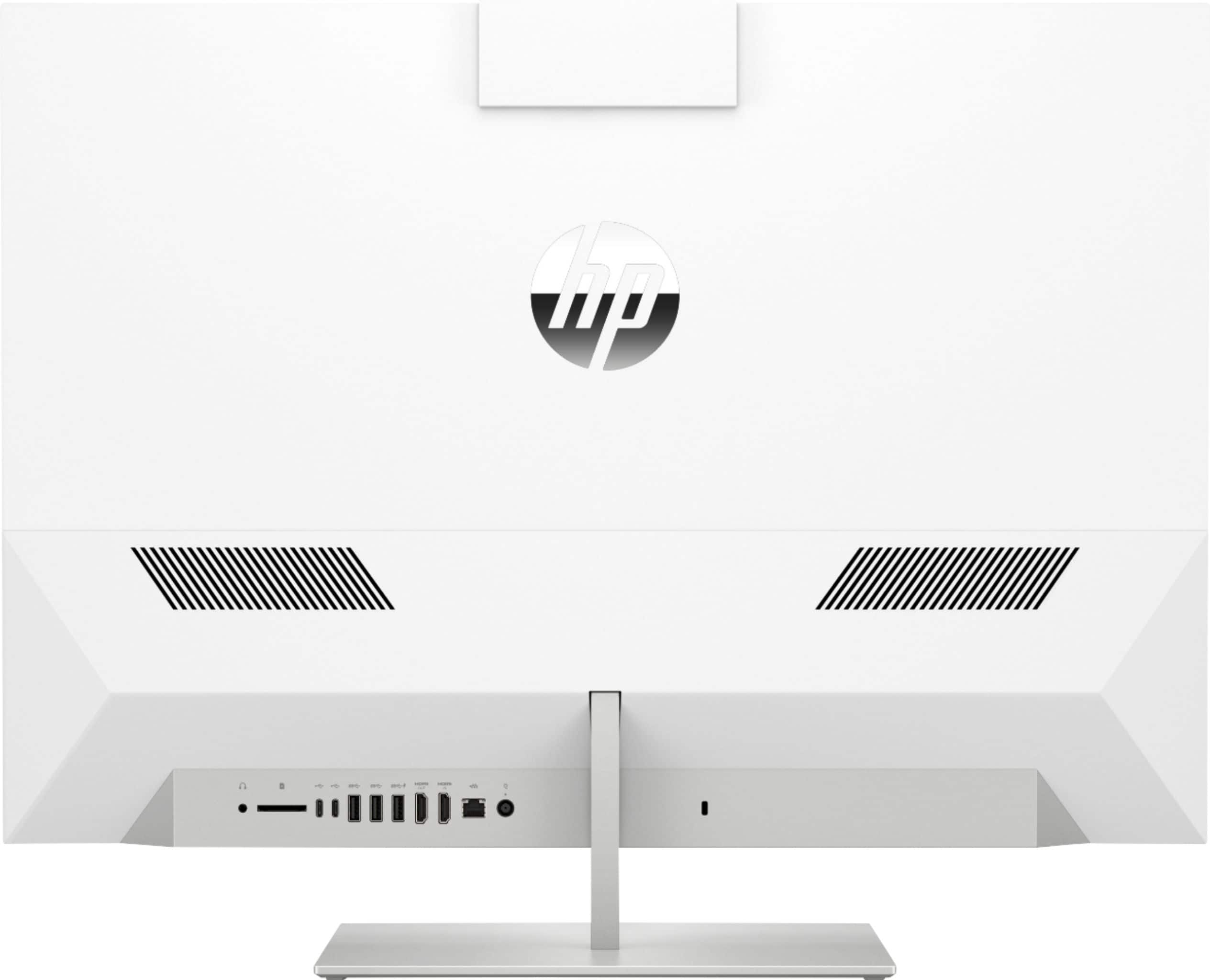
|Posted .This reviewer received promo considerations or sweepstakes entry for writing a review.---SETUP--- The setup of the HP Pavilion has been one of the most pleasant and straightforward PC installations I’ve experienced. Having everything in just one casing (the whole PC is in the monitor itself) makes everything extremely easy. From plugging everything in to opening the first app, it took about 8 minutes. ---FEATURES--- The key feature of this PC is that it is uses less components compared to a tower. It has a good webcam, adequate speakers, and wireless mouse and keyboard. The screen is a 10-point touch 1080P monitor, a 256 SSD drive, and 5 USB ports (2 of which are USB-C). The monitor itself can also be used like a monitor without having to turn on the PC. ---PERFORMANCE--- The performance of this PC will impress you. It turns on fast and opens apps that you need fast. The included retractable webcam works better than most webcams in laptops, but it won’t be better than a dedicated webcam. Still, it’s great for skype conferences or google hangouts. The speakers will be satisfying to listen to based on the distance that you’ll probably be sitting at when using the PC. This PC is not good for gaming, but it isn’t promoting itself as such. Regardless, I was able to run a few games on it with no problems, such as Dark Souls II: Scholars of the First Sin. ---EXPECTATIONS--- The product meets my expectations. I can’t get over the space that the monitor allows you to work with. I can comfortably open one window and use it as a work space while I have a separate window running my favorite TV show or youtube channel. The keyboard if a full-sized keyboard but in a superb smaller frame that doesn’t occupy too much deskspace. All keys are nicely spaced so that you don’t accidentally press buttons. The backspace, return (enter), and shift were all in great locations and I never pressed a key I didn’t intend to press because of the spacing. The mouse is very responsive. You need to plug in the included USB to connect the mouse and keyboard wirelessly. The mouse and the keyboard use 2 AAA batteries each, which are included in the box. One thing that I do miss compared to my HP laptop is the login with face-recognition. Login is with a pin, though, is great too, so it’s just something I thought I’d mention. ---VALUE--- The price for the HP Pavilion in terms of value is a good investment if you plan on keeping this PC for the long run. ---APPROVAL--- I highly recommend this product for college students who have little desk space and may need to have multiple apps open at once. Teachers and other people who rely on a lot of tabs or apps open will appreciate the speediness of this PC, the loudness of the speakers, and the webcam all in one device.
I would recommend this to a friend Better than I expected!
||Posted . Owned for 1 month when reviewed.This reviewer received promo considerations or sweepstakes entry for writing a review.I had hoped to have a reasonable product for the price but I’m so happy with this PC and couldn’t have realized how fast it actually would be. It responds immediately to everything I want from it. It’s really sleek and looks like more expensive computers. My laptop had the same processor and everything but just wasn’t performing well so I opted for an all in one. If you are considering this PC just DO IT!
I would recommend this to a friend- Pros mentioned:Performance
Great computer
||Posted .This reviewer received promo considerations or sweepstakes entry for writing a review.I purchased this for my son, who is now attending school online because of the pandemic. It's functional, stylish and runs smoothly.
I would recommend this to a friend - Pros mentioned:Speed
It has an ideal size
||Posted . Owned for 1 month when reviewed.This reviewer received promo considerations or sweepstakes entry for writing a review.It is very good, fast and also compact since it does not use so much space since it has the integrated cpu ... it has an ideal size
I would recommend this to a friend 1 of the BEST all in one computers!
||Posted . Owned for 9 months when reviewed.This reviewer received promo considerations or sweepstakes entry for writing a review.This computer fits every need and with so much space and ram you really can't go wrong! Received a GREAT deal thanks to Best Buy! All the specs are true! Love this computer and don't know what I would do without it! Also takes up little to no space, so convenient! I highly recommend this computer and thank you again Best Buy
I would recommend this to a friend- Pros mentioned:Screen size
Love the size if the screen
||Posted . Owned for 1 month when reviewed.This reviewer received promo considerations or sweepstakes entry for writing a review.I bought to use with my commercial embroidery machine and the large screen is awesome.
I would recommend this to a friend Great for editing my videos
||Posted . Owned for 1 month when reviewed.This reviewer received promo considerations or sweepstakes entry for writing a review.I love HP brand and the stiles of HP desktop is fast for running my video and photoshop programs easy to downloading and I like the screen resolution much better that other brands
I would recommend this to a friend- Pros mentioned:SpeedCons mentioned:Storage
Full Featured All In One
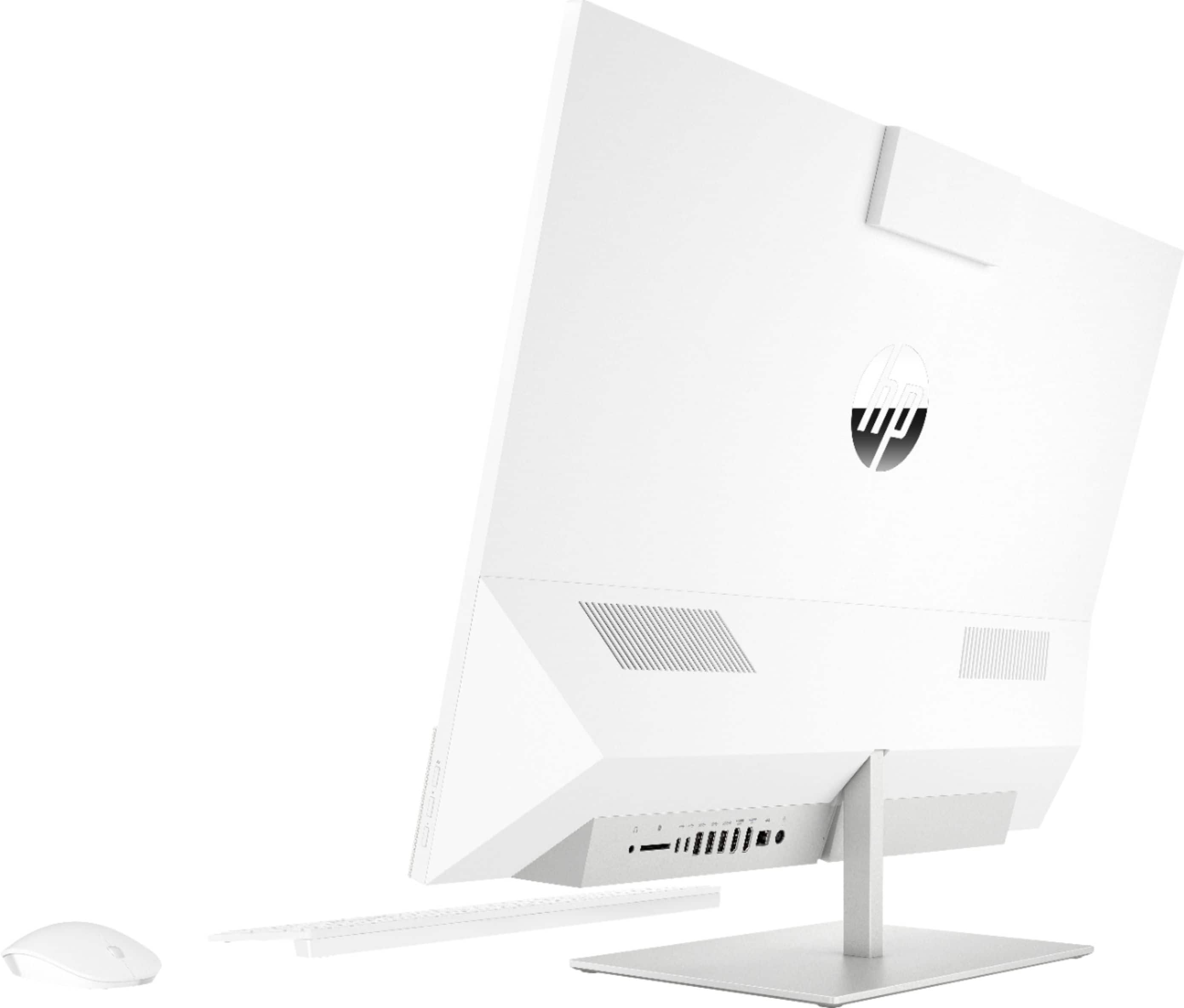
|Posted .This reviewer received promo considerations or sweepstakes entry for writing a review.Dare I say that this is better than my iMac! The PC is packaged well, and requires minimal setup. Remove the plastic, add some batteries to the Mouse and Keyboard, and plug the unit in. You'll notice there is a fairly good size speaker attached (and it's not quiet). Just a quick tip, the mouse battery compartment is under the top cover. Pull the mouse top upward, and you'll notice it's held in place with magnets. It takes minimal effort to remove and you're all set in a matter of seconds. The setup process is just like any other Windows PC, Cortana welcomes you and walks you through the setup process; she can be muted. Sign in to your Microsoft account or setup local sign in, and you're all set. The entire setup took less than 10 minutes (closer to 5). The only real detractor here is the lack of built in storage. With only 256 GB of SSD space, you'll quickly run down if you're a multimedia user who downloads a lot of apps or video. You'll also notice that you'll be required to take up one USB port for the keyboard/mouse wireless combo. However, with two additional USB 3 and 2 USB-C ports you can easily expand with an external drive. There is also a flash card slot for SD cards and other compatible media storage cards; so, plenty of options. The webcam clarity is as expected of any webcam, and the neat feature here, is that when it's not in use, you can simply push it down. This hides the webcam all together. The on-board graphics are also as expected, but surprisingly ran most games at medium spec; with some older games running almost at high settings. The Core i7 processor is plenty fast for most production tasks, and with plenty of RAM I never ran into any slow spots while browsing and watching TV (over an HDHomeRun). The WiFi is FAST! I was connected to my eero network on the 5Ghz band, and noticing near 300 Mbps speeds consistently while online. In network transfers were much faster. The HDMI inputs are where this shines, and makes this an easy buy for someone in a dorm, bedroom, or smaller apartment. It has an HDMI input and one HDMI output. That means you can setup an external monitor with this. When you want to play a game on a console, watch Apple TV, or any other HDMI device, you can simply select the input using the external buttons (on the right side) or right click on your desktop and select "HD Display Control > Switch to HDMI input" and you're now using this as a monitor itself. Plus, the speaker works! This is a GREAT feature, and not one you find on many other all in ones. As an HP device, you'll also notice that it will immediately recognize and want to pair/setup an HP printer. In this case, I have an HP Tango, and was able to log in and view the settings of the printer without needing to download the software. The built in software updater can also be scheduled to receive and install HP related drivers and software updates. I'm now using this as my primary desktop for personal and business use (when I work from home). My iMac might be collecting dust in the near future. I'm really impressed with this desktop, and I'm sure you will be too.
I would recommend this to a friend Looks great and works great
||Posted . Owned for 1 week when reviewed.This reviewer received promo considerations or sweepstakes entry for writing a review.Looks great and works greatThis computer does everything I wanted to do.
I would recommend this to a friendEasy to use
||Posted . Owned for 1 month when reviewed.This reviewer received promo considerations or sweepstakes entry for writing a review.We just love it!!! My wife and me are super happy. We use it all the time.
I would recommend this to a friendSlick looking machine, great performance
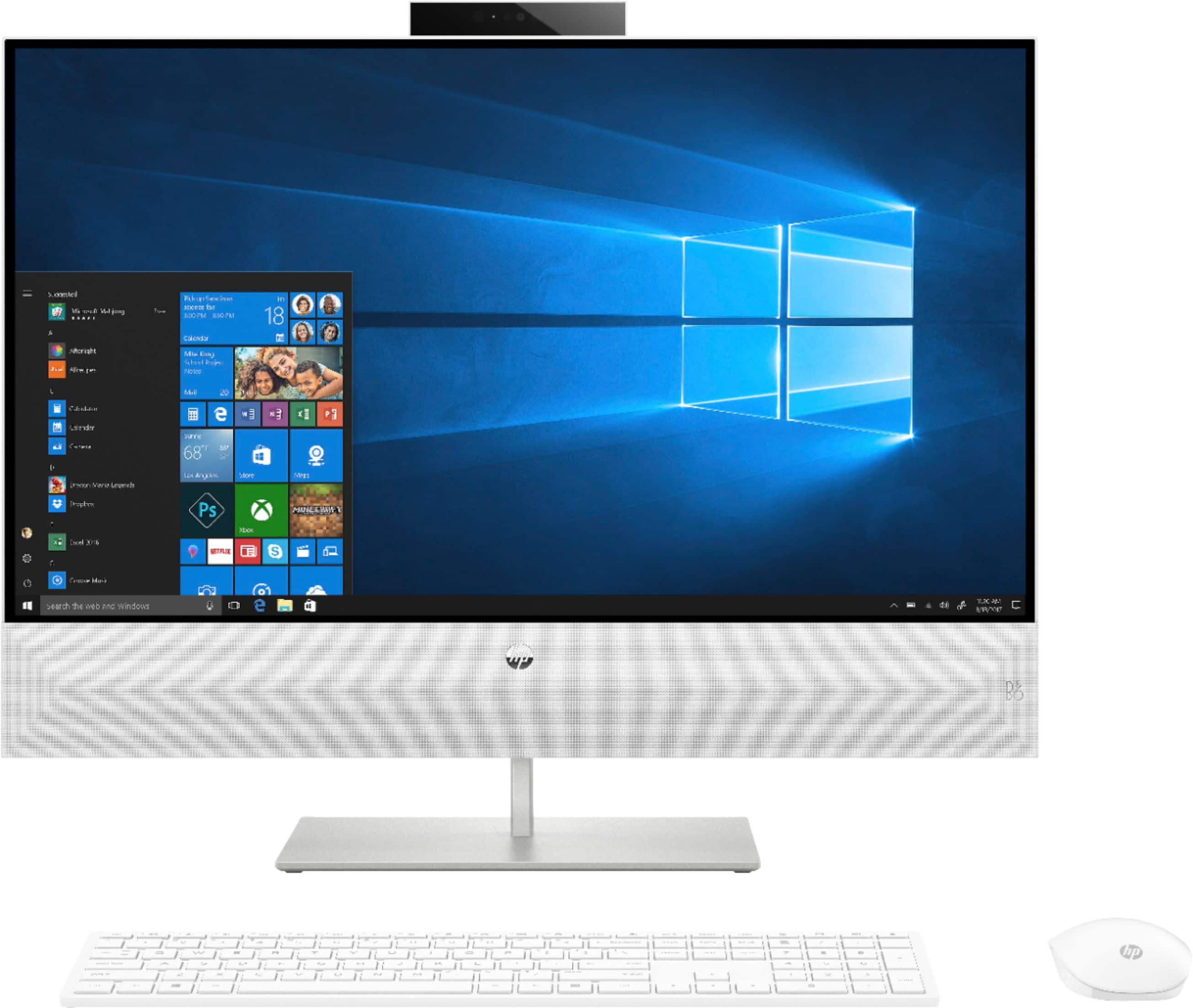
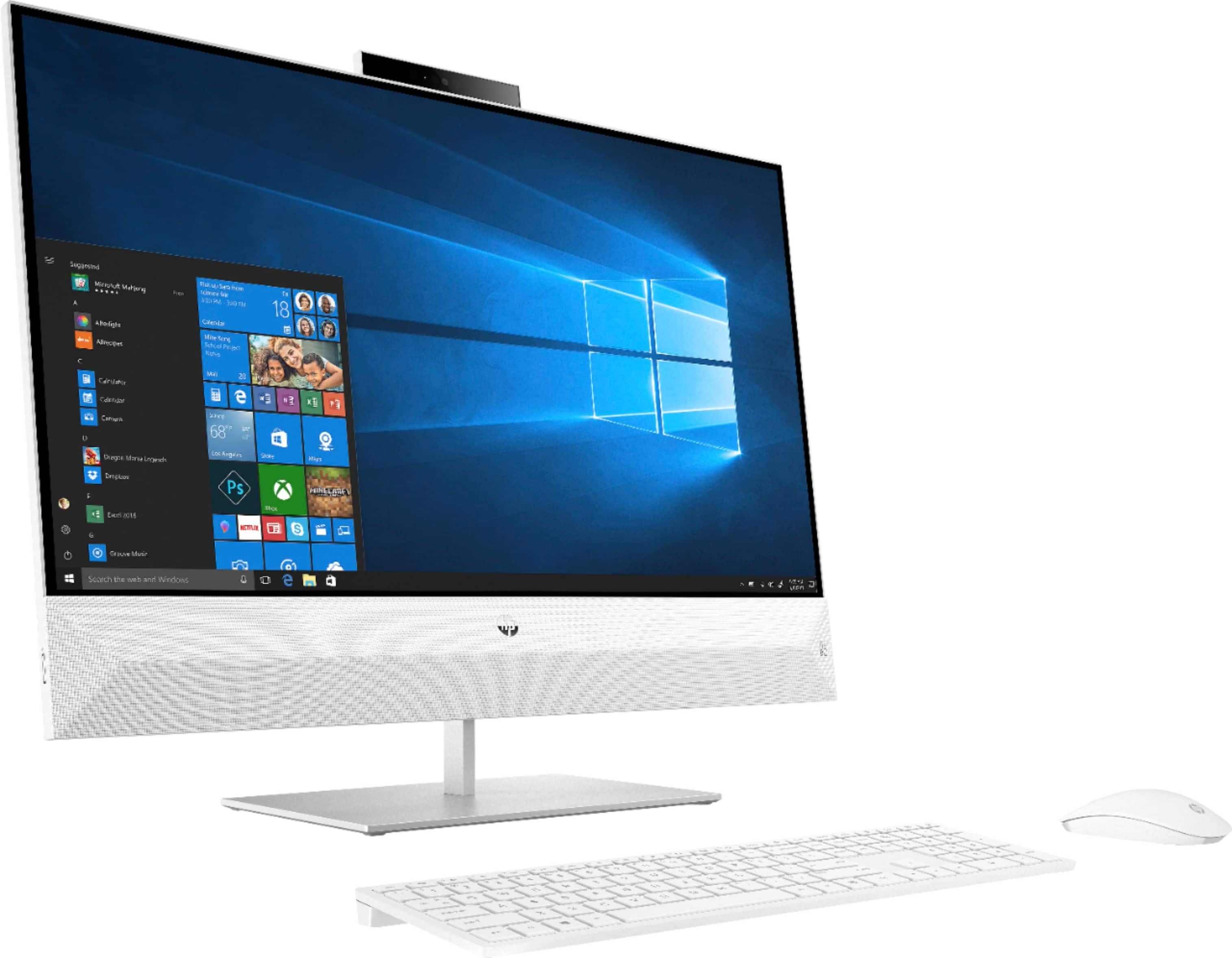
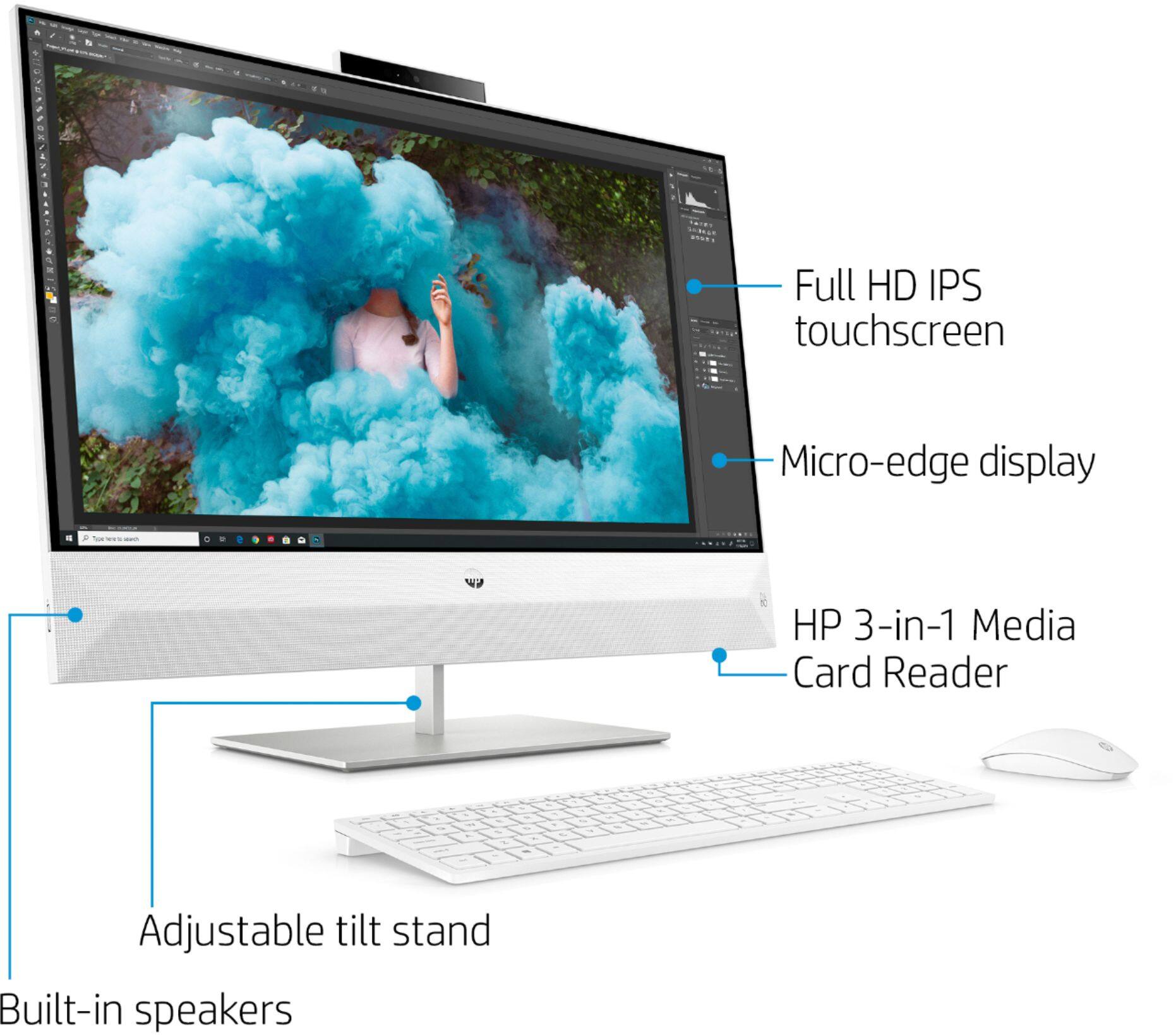
|Posted .This reviewer received promo considerations or sweepstakes entry for writing a review.The HP Pavilion 27” All-In-One is one great looking computer. The white theme really looks classy and the cloth cover on the B&O speakers are a very nice touch. Fit and finish on certain parts leave a little bit to be desired, but most people will not even notice it. For example, on my unit the cloth on the speakers is pulling up a bit at the top and doesn’t seem like it was flush like it should be. The second fit and finish item I noticed was the Intel i7 sticker on the base of the computer is crooked. Not a big deal and doesn’t affect the performance of the computer at all. Over-all I am VERY impressed with the performance of this speedy machine. The 256GB SSD really delivers speed and the 12GB RAM and i7 processor make this thing fast! I do wish for a bigger HD and for the price, I feel they should have included a bigger SSD, but you do have plenty of USB 3.0 ports on the back (3 USB type A and 2 USB type C) which you can easily add an external drive for data storage. My favorite feature is the HDMI In and HDMI out ports. I was able to plug my PS4 into the HDMI in port and use it to play games. The speakers are even functional in this set up. There are plenty of uses that I can think of for functionality like that. Toggling between the inputs is simple, just press the middle button on the right side twice and it will change inputs. There is also a software way to do it, but I found the buttons to be easier and will work even with the computer powered off. The speakers are tuned by Bang & Olufsen and they sound good for an all-in-one type set up. The computer is also on a fairly solid stand and will tilt to accommodate nearly every angle. Its nice that the computer doesn’t wobble that much when you are typing on a semi-sturdy surface. The heavier the desk the less this is noticeable, but I just have it on a flimsy portable desk for now and it the wobble is very minimal. I also wish this would have an optical drive, but those are going away on more and more computers these days, so that really isn’t a big deal. If you get a chance to test out this machine, I highly recommend it and you won’t be disappointed with it if you purchase it.
I would recommend this to a friendVery capable at the moment but no room to grow
|Posted .This reviewer received promo considerations or sweepstakes entry for writing a review.PROs: - Premier (for the moment) i7 CPU, 12 GB of DDR4 RAM, and Windows OS loaded on a very snappy NVMe SSD makes for an incredibly responsive Windows experience...I measured about 12 seconds from power-up to desktop - Initial setup is blissfully effortless and speedy--a graphical start-up pamphlet demonstrates what few steps are necessary to get things going. No assembly required other than putting batteries in the keyboard and mouse and putting the wireless dongle in a rear USB port...it took me less than 8 minutes to unpack and set up the PC before I was into Windows itself - For grins, I did a complete PC reset just to see how long it would take--only 14 unattended minutes to fully restore the PC to factory-fresh condition and get back into the Windows environment - Actually quite striking with smooth, iMac-like appearance...the gemstone cushion-cut angles and shimmery white fabric stretched across the bottom hides the integrated B&O speaker system which produces a very satisfying audio experience for speakers built into the monitor (though don't expect them to fill the room like a dedicated pair of desktop speakers might--power output is a bit limited) - Thankfully, there are actually very limited pre-installed add-ons and bloatware; it's easy to manage and free up space given that the hard drive is somewhat limited to 256GB - User-friendly HP Jumpstart app provides quick access to basic usability tweaks, maintenance tasks, and pointers/exploration into additional apps and programs--a good "starter hub" for someone unfamiliar with the Windows environment and some of its user customizations - The HP Support Assistant is another nice maintenance automation tool to help organize and keep the user on top of various hardware, software, and utilities updates and patches without having to search individually to find them--the app found a BIOS update and two driver updates upon initial startup; Windows own update procedures found the few OS patches that had been released since my Pavilion was assembled...all in all, only three restart procedures after unpacking and I was totally up-to-date! - A quick press of the input switch and you can power on the monitor without using the built-in PC; handy if you want to use the [admittedly pretty nice] screen for a dedicated game console or disc player display without taking up more space with a separate TV - Retractable webcam is perfectly serviceable for HD-quality Skype calls/web-conferencing--the fact that you can leave it holstered behind the screen if you want to is a nice touch (in contrast to a phone, tablet, or laptop's integrated cam) for those of us not interested in giving "someone" an always-on peek into what's happening behind the keyboard! - The standard video settings were actually the most natural out of the box though there are additional color profiles for reading, night viewing, and blue-light reduction...more in the summary review on RGB level observations - The wireless AC adapter means blazing WiFi to the desktop; with ~280Mbps at my router, I measured 273Mbps two rooms away - Hats off to Intel for an integrated video card that actually can do--something; Assassin's Creed Origins was a slideshow (naturally--I installed it for fun just to see what would happen), but I hit 30-35 FPS on medium settings in 2013's Tomb Raider (think PS2-era visuals) while XCOM Enemy Unknown actually rendered beautifully with no slow-downs; tablet-like games such as Cut the Rope will look phenomenal - My wife actually found it nice to be able to reach out and interact with a webpage or desktop object from time to time using the touch-screen instead of having to remind herself constantly "Oh yeah, this is a PC monitor I can't touch" even though her muscle memory was telling her to do so CONs: - Honestly, the value proposition of paying for a touch-screen 1080p monitor of this size is suspect--personally, I think more people would get greater value from higher resolution, especially given that they're likely going to be sitting at slightly more than a hand's reach from a screen this size - The white wireless mouse is stylish and serviceable but still only has two buttons and a scroll wheel; the included chicklet-style keyboard is non-lighted and feels VERY cramped--I get that the wireless functionality is part of the appeal, but the primary input devices feel a bit more like style over function--a more substantial keyboard, at the very least, would make for much easier daily use (if that's your intention) - Internal CPU fan noise was droning and a bit on the loud side...not as loud a high-speed case fan, but the varying speed made for a low-pitched warbling sound that was a little intrusive, especially in a quiet home-office setting - The included McAfee subscription is actually just a 30 day trial--you'll need to consider using Window's own built-in Defender, paying for McAfee, or finding another antivirus alternative relatively soon after unpacking the PC - The initial HP Jumpstart page is a bit misleading--you're asked to "Customize your apps and weblinks" from a full 20 different options...many ARE just Web shortcuts placed on your desktop, but the impression you're given is that the apps are yours when, in fact, downloads for things like WinZip, Cyberlink photo and video products, and Adobe Creative Cloud are simply installers for the trial versions that require a larger license/subscription payments to activate - Only ~210GB of usable space on the SSD after a fresh installation of Windows 10 with all extraneous apps removed--that's probably fine for a tablet or phone, but in today's digital age, it really doesn't leave much room to DO stuff for the long-haul (install programs; store images, videos or music, etc.) without adding external HDDs - Speaking of expansion, that ALL USB ports, HDMI in/out, and even the memory card slot are on the back--it makes for a very uncluttered appearance on your desktop, but frequent use of thumb drives or reading camera cards prove a bit more troublesome hidden at the back--a USB port and/or card reader on the side would have been a user-friendly touch - There is no recovery media in the box (ordering a set from HP will set you back nearly $45)...you can make your own of course, but it seems like a poke in the buyer's eye given that if the SSD goes out, there is no other drive on board to hold a recovery image - HP hasn't posted any instructions for prying open the PC yet, but upgrade possibilities seem slim and not without effort--the Diamaster motherboard only supports two SODIMMs (laptop-sized memory sticks) and will only go to a max of 16GB anyway; there appears to be one open SATA HDD port next to the CPU socket in addition to the already-occupied M.2 SSD socket, but it's not clear whether that port is actually usable or how someone would put a 2.5" SSD inside the case anyway Summary review: Though incredibly capable in its current form given the hardware under the hood, think of this more as a glorified tablet on a pedestal than a desktop PC. In that capacity, however, I'm not sure where the allure of the touch-screen really comes into play. As a desktop, you're probably far more likely to use it from the mouse and keyboard; and with all that screen real estate, probably from a distance that's slightly farther back than you'd naturally be inclined to use your fingers/gestures as the main interface anyway. That being so, I would have found MUCH greater utility in higher screen resolution, especially on a 27-incher, than we will ever get from a seldom-used touch-interface. Like a tablet, the Pavilion will handle app-like entertainment...but you wouldn't want to use it for hardcore gaming (though admittedly it's not designed/marketed as as gaming PC). Like a tablet, there's little room for expansion beyond what you might plug into a port on the back. There's no slot-loading drive to play CDs or DVDs, no easy upgrade path to install more memory (the motherboard will only go 4GB higher than is already installed), and no room whatsoever for another internal SSD. At this time, it's not even clear how easy it would be to swap out a larger NVMe SSD in place of the very, VERY cramped 256GB drive...for a desktop PC clocking in at this price, a 512GB SSD should have been the bare minimum. Like a tablet, I fear that when the demands of my digital life outstrip the current hardware configuration, I'll have no recourse but to replace the unit outright because there's so little room to upgrade any internal components on their own. Still, for near-term, everyday, home-office use, this AIO is very stylish and a very solid performer. The screen provides for very accurate color reproduction out of the box; with minor adjustments to the RGB sliders, I got within 5 degrees of the ideal 6500K color temp using the following: Red - 97, Green - 87, Blue 90 (YMMV). Like most monitors, I found the other presets gimmicky and unusable; the Night mode was totally overblown in red and completely under-saturated in blue--it was a mess. Low Blue Light mode was just a bit higher than ideal on red and green with a less sizeable cut in blue. I could actually see where the Reading mode could be "less eye straining" with reds and greens only slightly above target with a less pronounced cut in blue. Without a colorimeter on hand, "Standard" is probably going to be the most pleasing to the eye, especially if color accuracy is what you're after. For someone looking to simplify their life and desktop with a single unit that's actually pretty to look at while still just as capable as a standard desktop PC, the Pavilion might be your jam--I just wish there was a clear upgrade path to continue wringing value out of this unit for the long haul. Cautiously recommended if you keep the "this might turn out to be as disposable as my tablet" mindset.
I would recommend this to a friend