Customer Ratings & Reviews
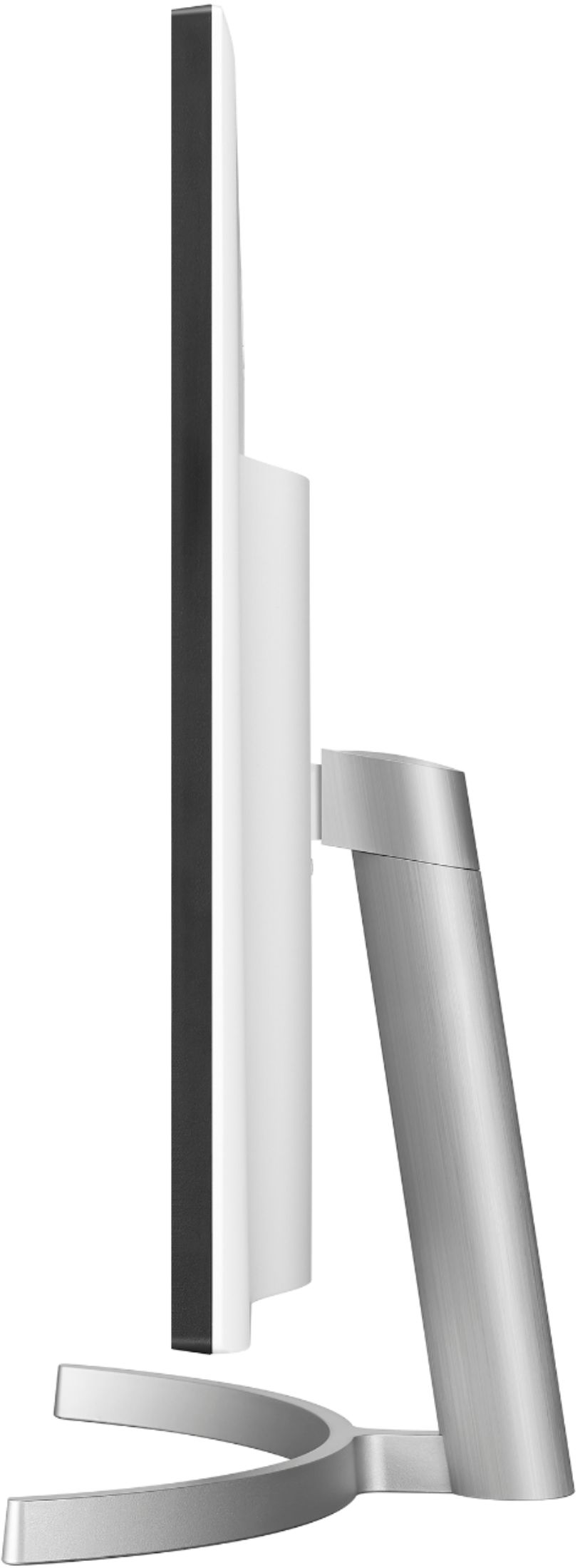
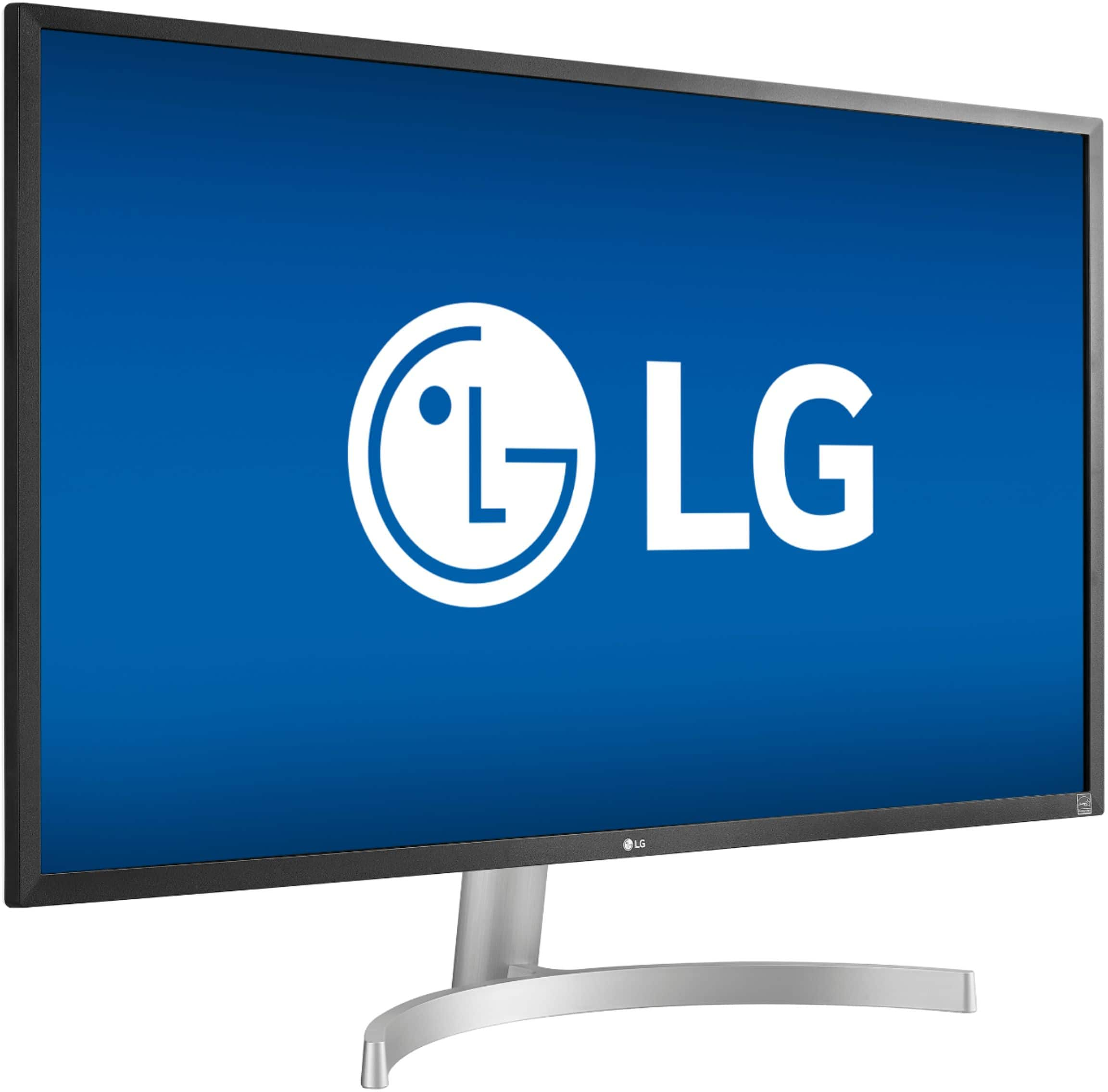
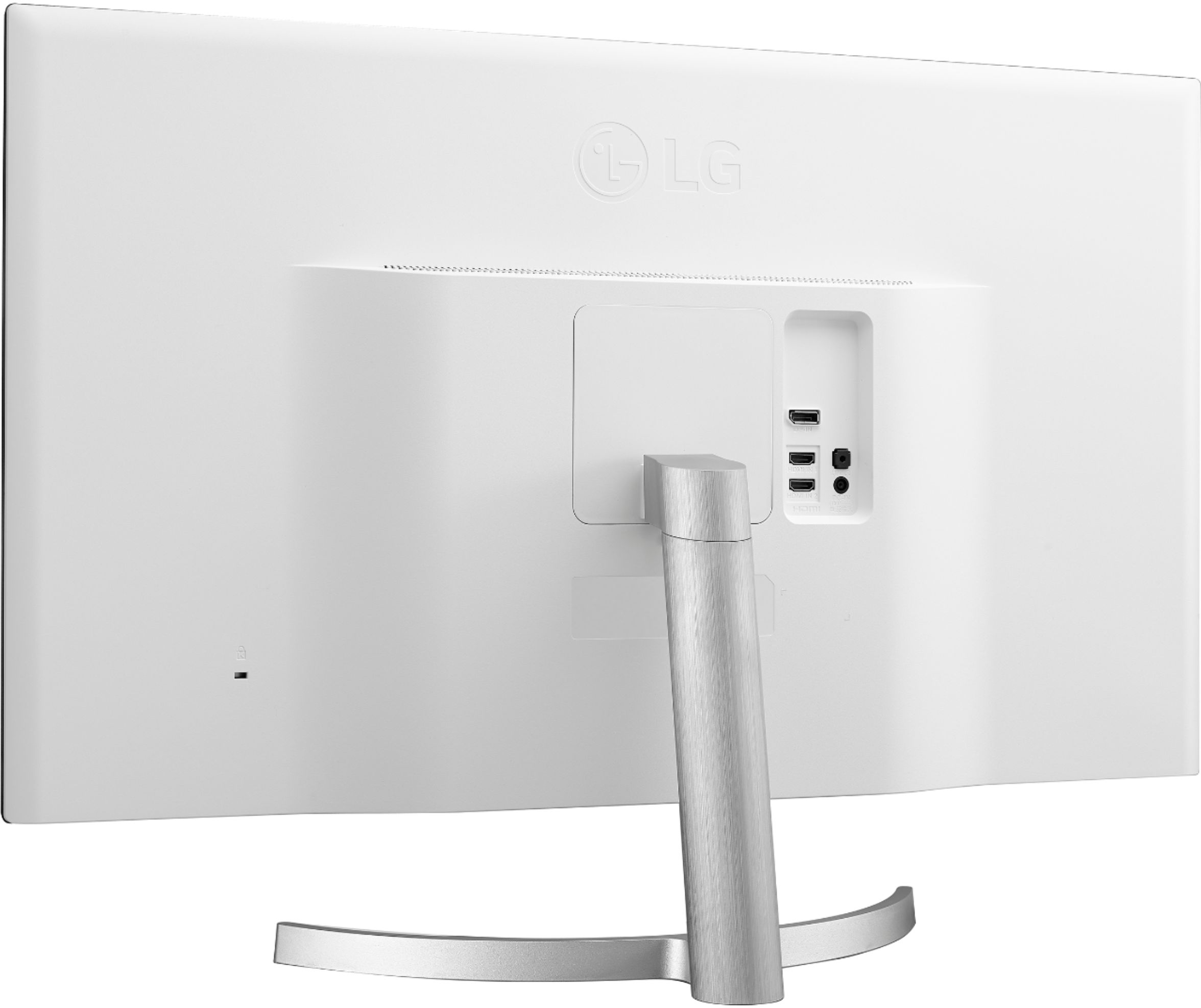
- Model:
- 32UL500-W
- SKU:
- 6419390
Rating by feature
- Ease of Use
Rating 4.6 out of 5 stars
- Value
Rating 4.6 out of 5 stars
- Quality
Rating 4.6 out of 5 stars
Customers are saying
Customers are positive about the picture quality, HDR capabilities, and built-in speakers of this 32” UHD monitor. Many appreciate the vibrant colors and find the monitor to be a good value for its price. However, some customers are negative about the 60Hz refresh rate and the lack of height adjustment on the stand. The stand itself also received some criticism.
This summary was generated by AI based on customer reviews.
- Pros mentioned:HdrCons mentioned:Height adjustment
First upgrade to a 4k monitor from 1080p!
||Posted . Owned for 2 weeks when reviewed.This reviewer received promo considerations or sweepstakes entry for writing a review.Coming from a 27" 1080p monitor, an upgrade to a 4k display 32" still makes a huge difference! It took me some time to get used to the even larger display. Pros: it's got a consistent display, I checked with the DispplayHDR app and the results bode well. Cons: If you like to adjust the height on the monitor, you're out of luck with this model, it only swivels so only angles can be adjusted at one pivot. Build quality is quite good, my previous monitor was very wobbly and felt plastic all round, this LG monitor looks a bit better and while still a bit wobbly is fine if you have a firm desk. I went through all the settings and they are a ton of them! I had to get used to setting them up for different scenarios. The HDR effect is quite good when watching movies and playing games at 4k. Though I mostly play older games they look amazing at 4k and the monitor HDR effect on. It is a chore to switch back and forth but with the joystick control, it makes it quite straight forward to make these adjustments. I personally think it's worth the effort everytime. I had to scale the DPI to 175% rather than the recommended 150% since I sit much farther from the screen (almost 3 feet). Text is sharper at that level and almost all the programs I use scale quite well, there are exceptions but not too bad. I usually put the "Dark Room 2" setting for normal usage and "HDR effect" for 4k movie viewing and 4k gaming. I tried using the windows 10 HDR mode and it's a mixed bag, I think the HDR effect of the monitor is enough For me, the best part of this monitor (apart from size and resolution) is the color depth. The 10-bit color display makes a big difference when you compare it with an 8-bit monitor. I have an older 27" 1080p to the right and can easily make out how much better and natural looking the colors are on the LG 4k monitor. I feel it's not something you can describe easily, I just compared how a red button looks on the 4k monitor vs how it looks on the 1080p one. The 4k one is rich and deep red with great definition while on the 1080p it looks almost orange in comparison, your mind just tells you it's red. I'm excited to jump into the world of 4k and as this monitor is considered a "budget" monitor you really can't go wrong. There are definitely higher specced 4k monitors out there, but I am very happy with mine so far. I like how the HDMI and DP cables are provided. I use DP as it gives me the full 10 bit color depth due to me using an old Radeon RX 580. I can't get the same 10 bit depth with an HDMI cable due to my video card from what I read. My next 4k monitor will probably be something with higher specs like HDMI 2.1 & DP 1.4a, higher refresh rate >120Hz and higher HDR rating. But those usually cost in the thousand range and not worth it unless you need it for professional usage. For everyday usage for work and media usage, and gaming and browsing this monitor has been a treat so far.
I would recommend this to a friend - Cons mentioned:Refresh rate
Very nice monitor!
||Posted . Owned for less than 1 week when reviewed.This reviewer received promo considerations or sweepstakes entry for writing a review.I needed an Ultra wide monitor for some light gaming and for my son's school with Zoom and Google Classroom work. I had bought a Viotek 35 inch Ultra wide screen monitor for $350 at Walmart, specs were 2560x1080p, 144hz. However the colors were a little washed out and resolution didn't seem very good for some text reading, so I looked online to see if I could find a better monitor, so I decided to try a 4k monitor. For the price the LG at $329 sounded pretty reasonable. Once I hooked it up, I was amazed, texts looked way better, colors more natural, youtube videos looked amazing. I realized that since I'm gaming mostly RPG, the 60hz wasn't really that bad. My son even says using this for school work feels better on his eyes. LG 32 inch monitor: Pros: -amazing resolution/colors - nice styling white back plate - DP cable included -toggle settings switch easy to use under monitor Cons- monitor can't move up and down, only tilt
I would recommend this to a friend - Pros mentioned:Picture quality, Speakers
Best monitor I have ever own
||Posted . Owned for 3 months when reviewed.This reviewer received promo considerations or sweepstakes entry for writing a review.OMG playing my Xbox series x with this monitor has changed the game for me.... I created a portable gaming station that I even use bring back and forth between my room and the living room so that my wife does not feel alone while she is watching her shows... Beside the image quality, I love that it comes with speakers so I can watch games and TV using my Xbox anywhere in my house.. The saving energy is the best, I have never turned off or on the monitor, it does it all by itself..... you should getter, the best investment I have made so far
I would recommend this to a friend Not exactly vesa compatible
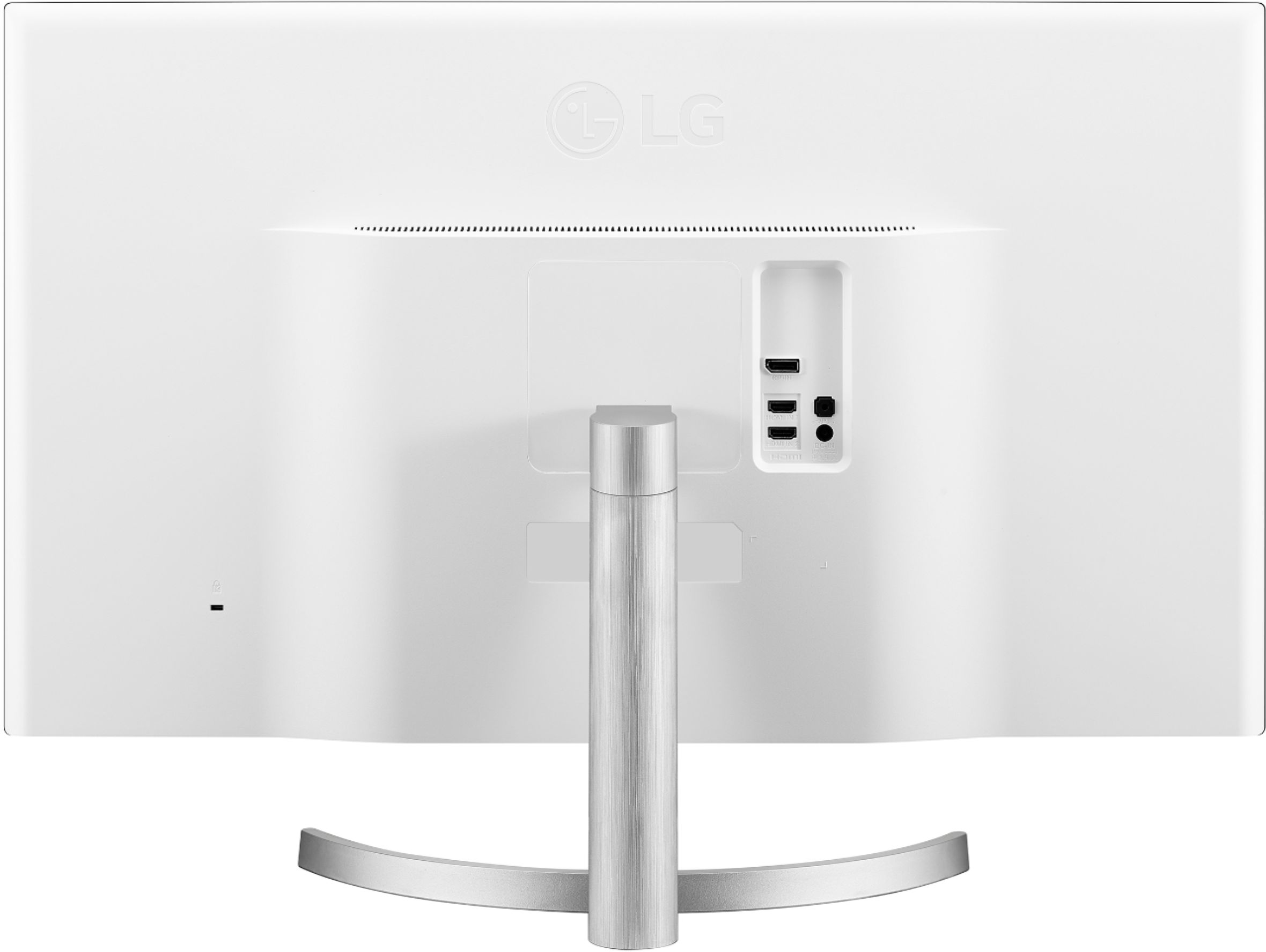
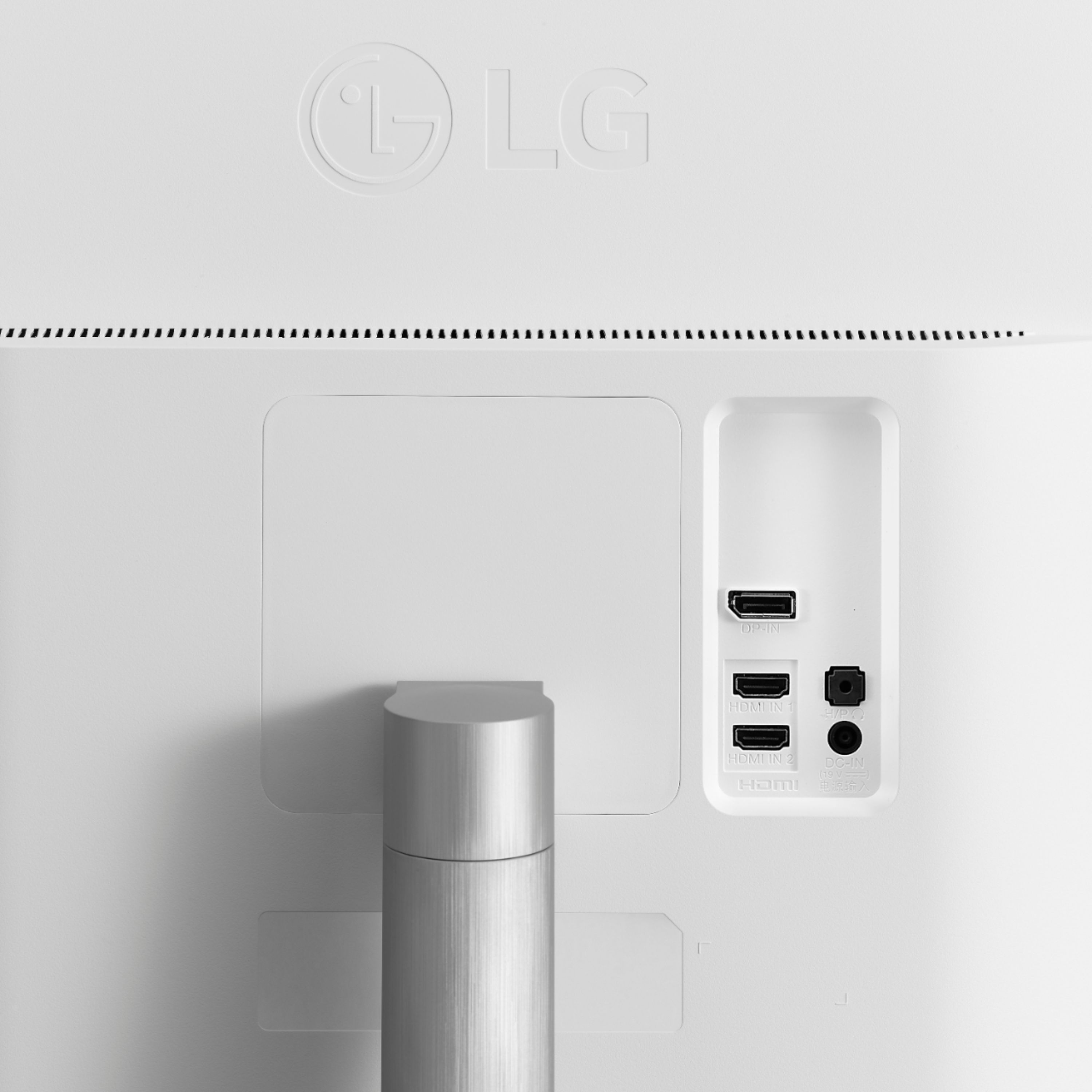
||Posted .This reviewer received promo considerations or sweepstakes entry for writing a review.It’s probably a very good monitor for the money. But I’ve run into a problem immediately with the setup and wanted to share my experience for others’ benefit ASAP. It might technically be vesa mount compatible, but that doesn’t mean you can use just any vesa mount with it. The ports are all located immediately next to the mounting equipment. So if you attach many/most/maybe all mounts to the back, the mount will block most of the ports. The spacers that might come with your mount will likely not be enough to allow you to use the hdmi ports when a mount in attached.
No, I would not recommend this to a friendBrand response from LGAnswers
Posted .Thank you for taking time to review this product. We are continuously working to improve the quality of our products and anticipate market demands that drive customer satisfaction. Your feedback is especially important to us and your concerns will be shared with our product team. We apologize for any inconvenience this caused. ^Venette

- Pros mentioned:Hdr
Love it
||Posted . Owned for 1 month when reviewed.This reviewer received promo considerations or sweepstakes entry for writing a review.Excellent monitor. Thinking of purchasing a second one to replace an older monitor that isn't 4k.
I would recommend this to a friend Perfect For PS5
||Posted . Owned for less than 1 week when reviewed.This reviewer received promo considerations or sweepstakes entry for writing a review.Awesome choice for a budget 4k HDR 32” monitor for a ps5 , im enjoying it so much! i recommend it even tho its 60hz , for the meantime that 4k 120hz become more available; this is your best bet.
I would recommend this to a friendThe best computer monitor
||Posted .This reviewer received promo considerations or sweepstakes entry for writing a review.This monitor has been great. It’s bright and if anyone is out there trying to buy one then this is the monitor to get. I simply love it.
I would recommend this to a friendGood
||Posted . Owned for less than 1 week when reviewed.This reviewer received promo considerations or sweepstakes entry for writing a review.very good monitor, it has very good features, it is really what I expected
I would recommend this to a friend- Pros mentioned:Picture qualityCons mentioned:Height adjustment, Refresh rate
A good budget 4K monitor...
||Posted . Owned for 1 week when reviewed.This reviewer received promo considerations or sweepstakes entry for writing a review.A "budget" 4K monitor that's great if you don't want to do gaming. I use it for photo curating and other desktop business applications. I also watch movies in 4K. The color is pretty accurate, and there numerous modes available depending on your use. The menu system is pretty easy to use, and with 2 HDMI and one DP inputs, it's easy to switch between them - I have a 4K surveillance system on one of the other inputs. It comes with speakers, and they are functional, but I use other dedicated speakers in a 5.1 setup. A 2 meter HDMI and DP cable (each) is included in the package. I did get one that failed within 2 weeks - BB took it back and ordered me a new one w/o having to hit a CC again. Other cons include no height or swivel adjustment with only a tilt up/down adjustment. There are no Windows drivers in included CD-ROM, only a user manual, and I couldn't find any specialized drivers at LG. This is a 30 HZ monitor, so if you need a high frame rate, you should look elsewhere.
I would recommend this to a friend - Pros mentioned:Picture quality, SpeakersCons mentioned:Stand
Great colors, perfect size
||Posted . Owned for 1 month when reviewed.This reviewer received promo considerations or sweepstakes entry for writing a review.I needed a bigger screen. Since I do some graphic design, I needed something with true, deep darks. I don't do any serious PC gaming so the IPS was not necessary, and went for a VA type monitor. The stand is too low for me since I'm tall, so I got a $28 monitor arm for my desk. (I now use the empty monitor stand to prop up my phone during video chats). It opened up a lot more real estate on my desk. I like the subtle matte finish. It really helps with glare, but does not distort color. I use a headset, so I had connect the audio cable to the device directly to my device and not use the (poorly placed) audio port on the monitor. The speakers on the device are better than the ones on my laptop and don't see the need for getting better speakers despite being an audiophile. A true audiophile understands a good pair of earphones/headphones highlight a quality experience. If you are upgrading from a laptop set-up, you might like to use a 4:1 or 3:1 ratio with split windows to avoid having too big of a screen and maintain focus on a specific window. This is why I opted for a 32" monitor and not a dual or triple monitor set-up.
I would recommend this to a friend - Pros mentioned:Hdr, Speakers
perfect for work and play!
||Posted . Owned for 3 weeks when reviewed.This reviewer received promo considerations or sweepstakes entry for writing a review.i've used an old Dynex 1080p HDTV HDMI 1.4 as a monitor for years. i got a new pc with DP and decided i wanted, needed to step up to be able to see true 4K. i saw this as the deal of the day, (i couldn't resist this at the Deal of the Day price) researched it and it got great reviews. i also realized it took care of two things for me. it supports DP 1.2 so my new PC is very happy and it has two HDMI 2.0 ports and i connected a Roku Ultra to that and its very happy! so first the PC connected DP, it looks amazing. this monitor does very well with graphics and text. everything is crystal clear. it's plug and play and was recognized instantly by Windows 10. the desktop auto scaled perfectly to the monitor, all apps look better and for some of my graphics software i get to take advantage of the 4k/HDR10 display by the software when wanting to work at such high resolutions. i can now watch all videos in 4K/HDR10 that support it and my desktop uses 4k background and looks amazing. everything looks 10x better with this monitor. You will need a good powerful graphics card (with good cooling) to support HDR10, cause it's a Killer and needs a lot of horsepower for sure so keep that in mind! second, i had a spare Roku Ultra HDMI laying around and hooked it up to one of the two HDMI ports and all my apps Netflix, Vudu, Prime, Disney+, AppleTV+, MoviesAnywhere, etc. all look amazing, i've had no problems with the Roku or any apps with this monitor. now the unexpected monitor extras, this thing has two things that most 4K "monitors" do not have, HDR10 & built in Speakers! yep, all of my shows on Roku Ultra that support HDR10 look absolutely stunning with beautifully vivid colors thanks to HDR10 support. also, they sound amazing thanks to the monitors built in speakers. they are crystal clear, sound great for almost all viewing. don't expect to get bass or low end beyond what you should expect from monitor speakers, but they still sound very good. the stereo imaging when panning from L to R and the Phantom Center is very well done. it also offers a headphone jack so you could go full tilt and connect this to a 2.1 system to get even better high/mid-range sound as well as the sub to cover the low end. there are an nice range of settings for color, picture, power, etc. now, for some, one thing that might be a slight put off, you can't adjust the height of the monitor. it only tilts back and forth, but, not side to side either. so, i wanted to be upfront with that. also, it includes both DP & HDMI cables so, you don't have to worry about them. i did buy a seperate DP cable 10' because my CPU is about to be moved beyond the length of the supplied cable. just make sure you get a "certified DP 1.2 or greater" cable and you won't have any problems. you just can't go wrong with this monitor. it's my very first LG monitor and i can highly recommend this one. i can't believe a monitor could have made so much difference until i got this one!
I would recommend this to a friend - Pros mentioned:Color, Price
I feel late to the party
||Posted . Owned for 3 weeks when reviewed.This reviewer received promo considerations or sweepstakes entry for writing a review.Seems everyone already said all the good things about this monitor, including the fact that at this price point, it's a steal. I have used a 4k Dell XPS13 at the office for three years, with two 1080 monitors on a docking station. I usually ran the laptop at 1080 when it was at the office to simplify things when moving windows between screens. Then I got a new Lenovo monitor, not quite 4k, and even pricier than this one. Loved it, but suddenly I had a 4k monitor on the laptop, the QHD monitor, and a 1080 monitor. So I figured I'd test the 4k waters with this monitor and dump the 1080 one. I like it so much I will likely replace the Lenovo with a second one. Colors are well done. I don't game on this, as it's for work, and I do a lot of remote desktop work on servers and client networks. And it's just great for that. The Dell monitor this replaced had dull whites, looking almost grey no matter what I did. This looks so much better as long as I don't enable HDR on my laptop, for some reason that really dulls this down so there are no more whites. I may spend some time someday if I get a second one, and play with the setting to see if I can fix that, but since I really don't NEED HDR at the office, I'm satisfied just having it off and letting this look great. Came with two input cables which is a nice touch, most monitors we end up getting for clients don't include any cables, so I was surprised to find these in there. Power brick is a bit large but since it gets buried in a special rack under my desk, out of sight, not a big deal for me. I do wish the bezels were thinner, but that's really my only major complaint. Not worth dinging a star just for that.
I would recommend this to a friend - Pros mentioned:Hdr, Picture quality
Great monitor foe a great price.
||Posted . Owned for 2 months when reviewed.This reviewer received promo considerations or sweepstakes entry for writing a review.Can’t beat it for the price. Only thing I wish was better would be wider viewing angles, but I was expecting it wouldn’t be as good as the IPS monitor I have. Overall, I am very happy with the monitor. I am not someone who needs super accurate colors, so I cannot comment on how good it is for that, but it looks good to me. Viewing 4k hdr videos on YouTube look great.
I would recommend this to a friend - Pros mentioned:Hdr, Picture quality
Great monitor for PS5
||Posted . Owned for less than 1 week when reviewed.This reviewer received promo considerations or sweepstakes entry for writing a review.Caught this on sale, had a bunch of Bestbuy points to use and I pulled the trigger.. I upgraded from a 32 in FULL HD 1080 TLC tv.. I picked up a PS5 and wanted a 4k Monitor with HDR.. after tons of research I decided on this one. Some say it's best to get a monitor that handles at least 120mhz but that wasn't big on my priority list. Most PS5 games are currently running at 60mhz anyway. No need to spend the extra money for that feature now. Very deep colors.. very accurate. Haven't noticed any motion glare playing fast games like Madden 21 and NBA 2k21. The speakers actually impressed me. Very clear..no bass, if u want bass u would need to add exterior speakers. Also works very well with my fire stick although I don't plan on using it much for that purpose.
I would recommend this to a friend - Pros mentioned:Color, Price, Speakers
Great Budget 4K monitor
||Posted . Owned for 2 weeks when reviewed.This reviewer received promo considerations or sweepstakes entry for writing a review.Excellent brightness, color, and contrast for a monitor in this price range. The price was very competitive compared to comparable monitors from other companies. The built-in speakers are good considering they had to squeeze the speakers into such a thin display.
I would recommend this to a friend - Pros mentioned:Hdr, Picture qualityCons mentioned:Refresh rate
LG HDR Monitor
||Posted .This reviewer received promo considerations or sweepstakes entry for writing a review.The perfect choice for a monitor. Looks great and works well with the PS5 and Xbox X. Would have a 5th star if the refresh rate was more than 60Khz. For current program this is perfect and probably good for three years.
I would recommend this to a friend - Pros mentioned:Picture quality, Speakers
Excellent, easy on the eyes, speakers
||Posted . Owned for 3 weeks when reviewed.This reviewer received promo considerations or sweepstakes entry for writing a review.Very pleased. Very easy to assemble, comes with all cables, initially I was a bit hesitant to run it at 3840*2160 but it works out very well. I am not a gamer, for what I do, the colors are very good, viewing angles add well, I love that it has a (by my standards) good quality speakers, although it's not an IPS as my previous 28" Samsung monitor, I really can't tell any difference other than that this one provides me with much more real estate. Chances are that I'll get another one soon.
I would recommend this to a friend - Pros mentioned:Picture quality
Better than a TV for desk setups
||Posted . Owned for 8 months when reviewed.This reviewer received promo considerations or sweepstakes entry for writing a review.The image quality and color for this panel seems very good. Not an expert, but it looks fantastic to me. The big draw for me was the size and resolution. I wanted a large second monitor so I could have multiple programs open at once while I play games. The pixel density is perfect for this use. Only complaint from me is that the vesa mount for a wall mounted setup was difficult to access and I had to use spacers from the hardware store. Not sure if any were meant to be included, but my monitor did not ship with any. Maybe that was the mounting arm’s fault though.
I would recommend this to a friend - Pros mentioned:Picture quality, Speakers
Worth it, especially if on sale!
||Posted . Owned for 3 weeks when reviewed.This reviewer received promo considerations or sweepstakes entry for writing a review.Replaced a 24" 1080p monitor. I was worried it would be too large, but it's perfect. Using it with a Mac and coupling with a window management utility it's become an incredible multi-tasking/multi-window tool to help with productivity. I've watched a few 4K HDR movies with it as well and it looks fantastic. Speakers are great for what they are. Please don't get this just for the speakers, but it's nice to have for zoom meetings or casual listening.
I would recommend this to a friend - Pros mentioned:Picture quality
Great iMac Second Monitor Budget Option
||Posted .This reviewer received promo considerations or sweepstakes entry for writing a review.I bought this 32" 4K screen as a second monitor for a 27" iMac. The iMac is a 5K screen and there are no budget options for 5K screens so this 4K screen was the best compromise. The clarity and resolution are fine but the brightness is significantly lower than the iMac. The iMac is an IPS screen and the LG is a VA screen. I use the second screen for reviewing CAD drawings so the refresh rate is not an issue. For the price of an iMac approved 5k 27" screen (made by LG) I can buy 3 or 4 of these monitors so the price is significantly less. I played around with the dual screen settings so now when I move something from one screen to the next the size doesn't change even though the screens are different resolution and different sizes. A very nice touch in the iMac control panel. There were several settings so it would work with the 27" 4k screen etc. For about $200-250 more you might be able to get a 32" IPS 4K monitor but I would only consider that if the contrast is significantly better than this screen as that is the most significant shortcoming I have noticed. This screen wasn't advertised as being iMac compatible but some users had posted that it will work with the correct cord. The HDMI to thunderbolt cord that I purchased separately has worked fine. The owner's manual for the monitor doesn't have any information about connecting to a iMac but again it has worked fine for me so far. The last issue is the texture of the screen. The iMac screen is shiny and smooth but the LG has a matte finish which isn't great when you are looking from the iMac screen and then look at this screen. In a perfect world there may be a better 32" second screen for an iMac, but for the price of this monitor you will not find one.
I would recommend this to a friend