Customer Ratings & Reviews

- Model:
- RE235BE
- SKU:
- 6623642
Rating by feature
- Value
Rating 4.3 out of 5 stars
- Quality
Rating 4.4 out of 5 stars
- Ease of Use
Rating 4.4 out of 5 stars
Customers are saying
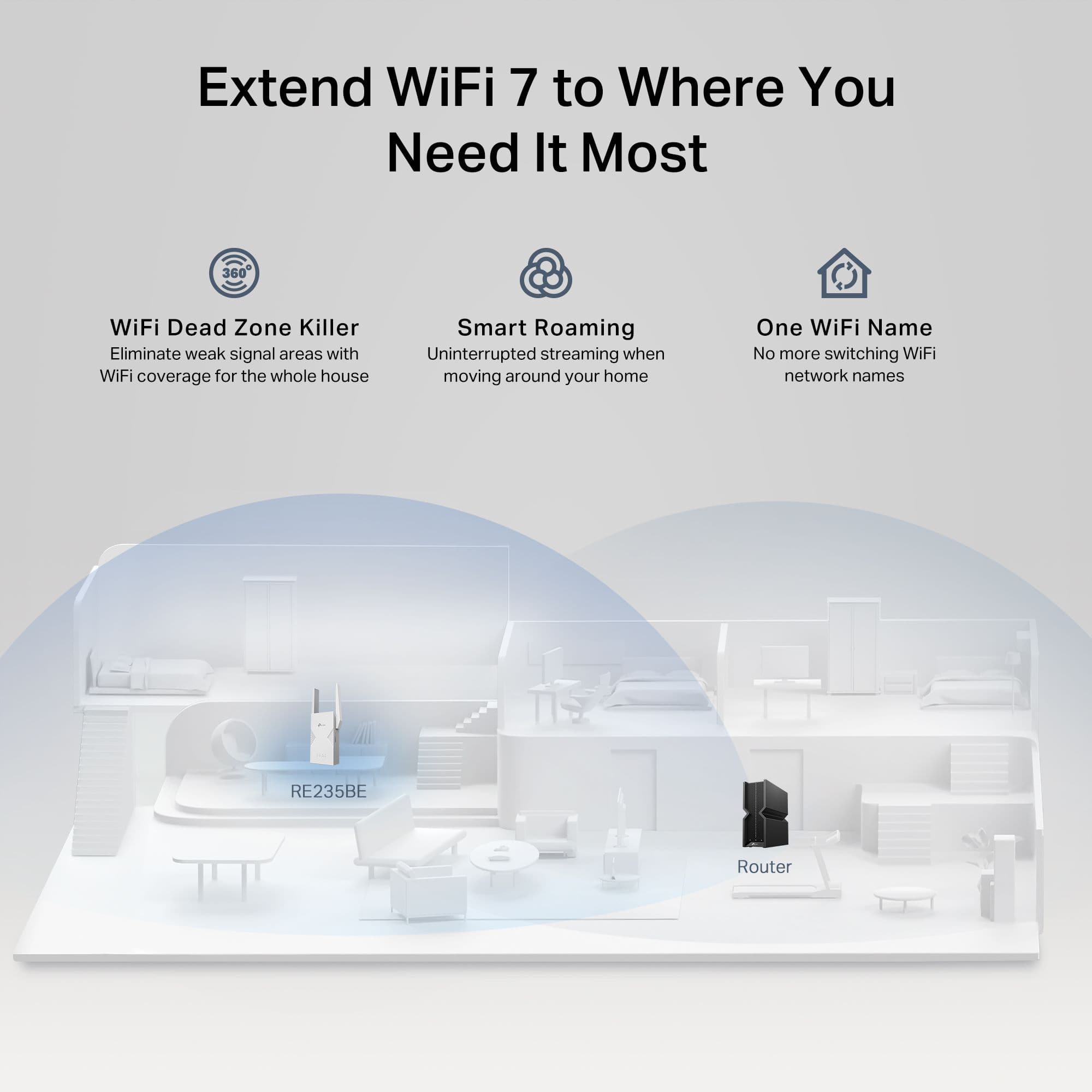
Customers praise the product for its remarkably easy setup and user-friendly interface. Users frequently highlight the significant improvements in connectivity and signal strength, noting that it effectively extends wireless coverage throughout their homes. Overall, the device is highly regarded for its ability to provide reliable and consistent network access in previously hard-to-reach areas.
This summary was generated by AI based on customer reviews.
- Pros mentioned:Connectivity, Ease of setup

Great network extender
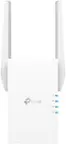
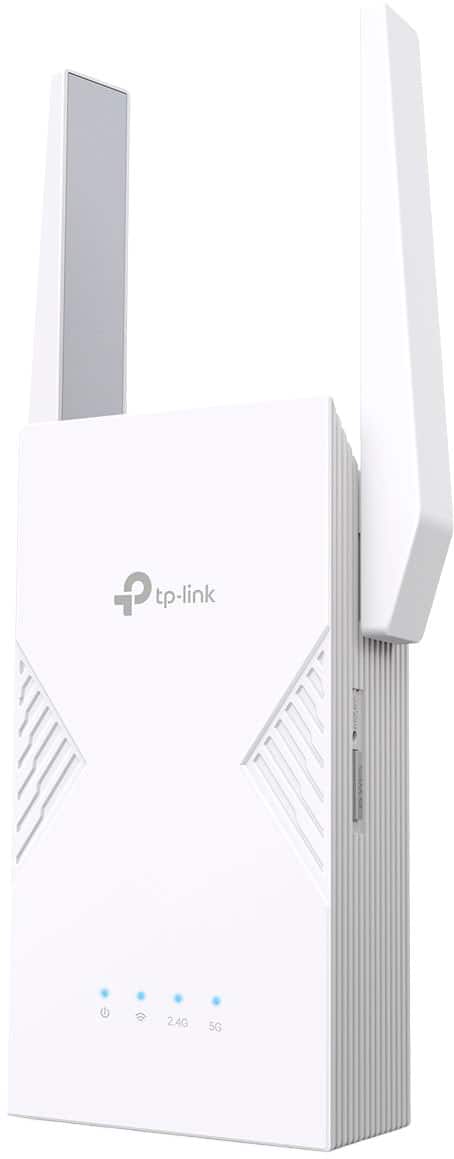
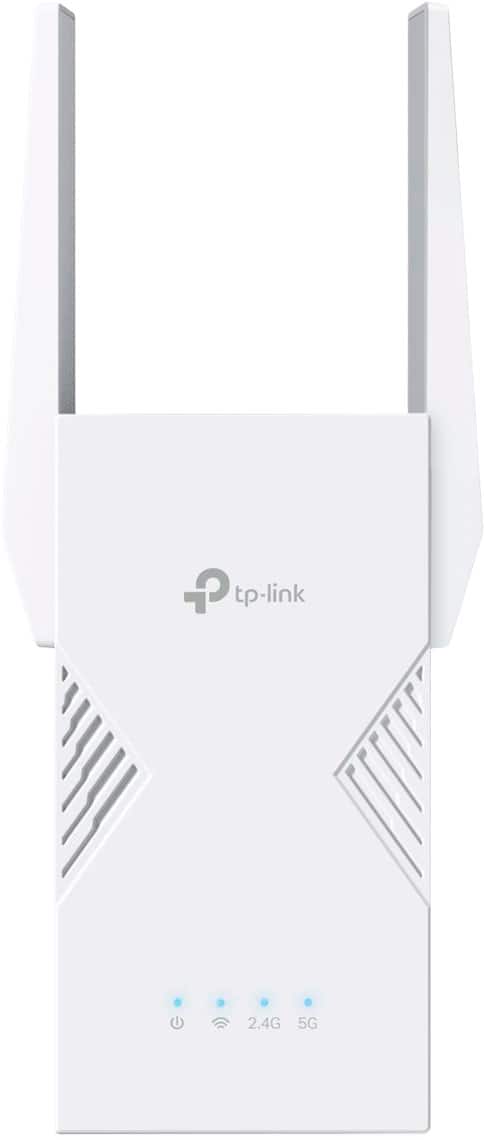
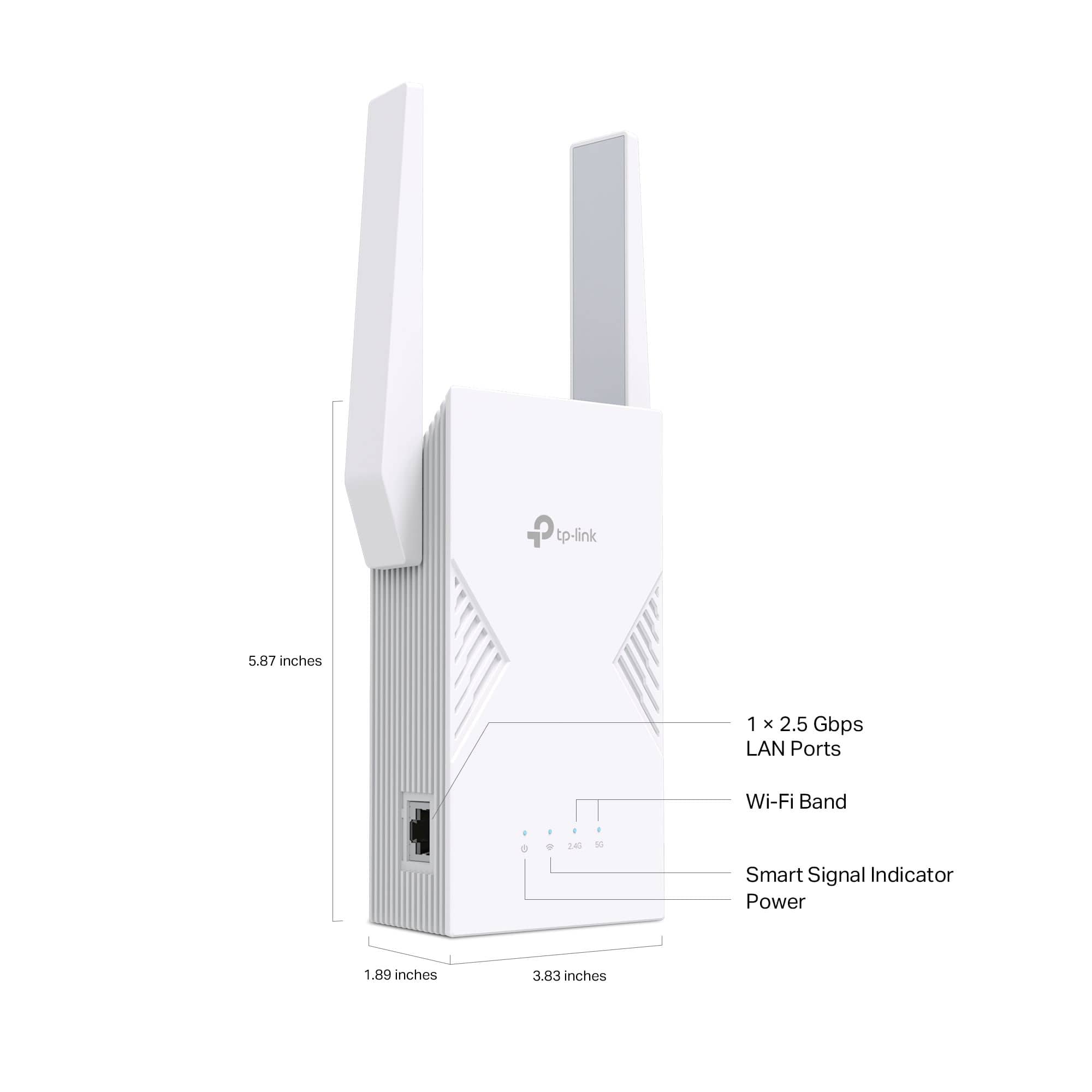
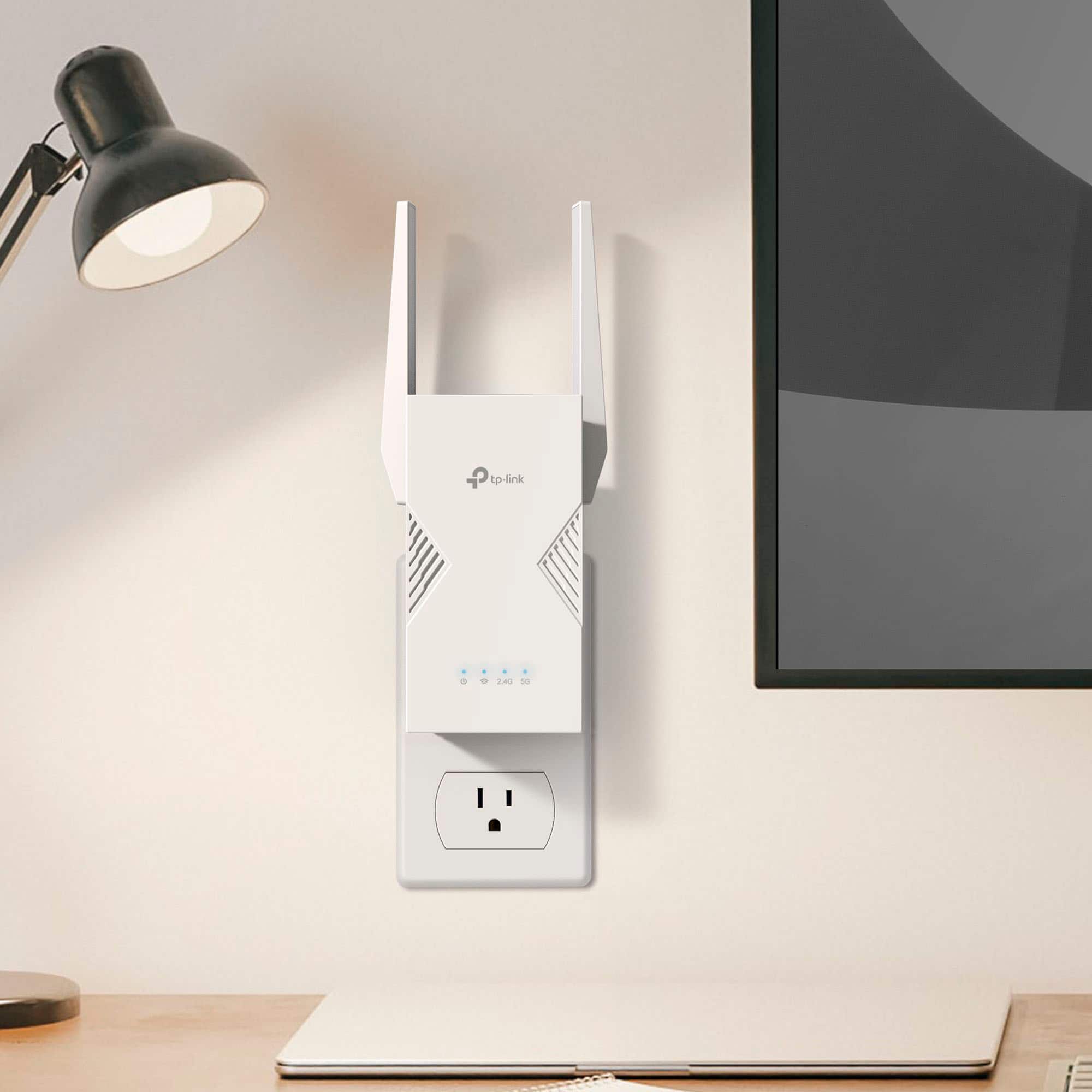
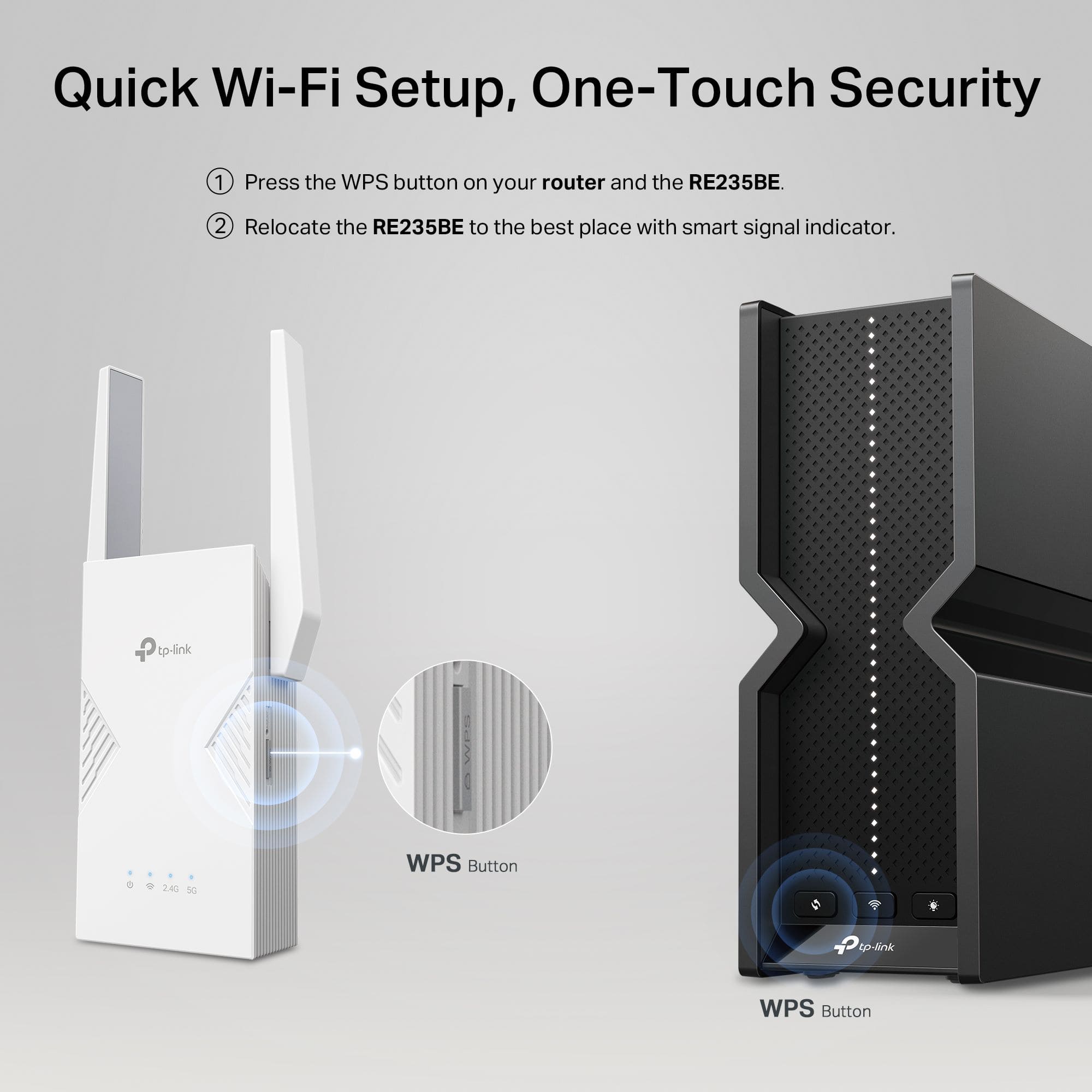
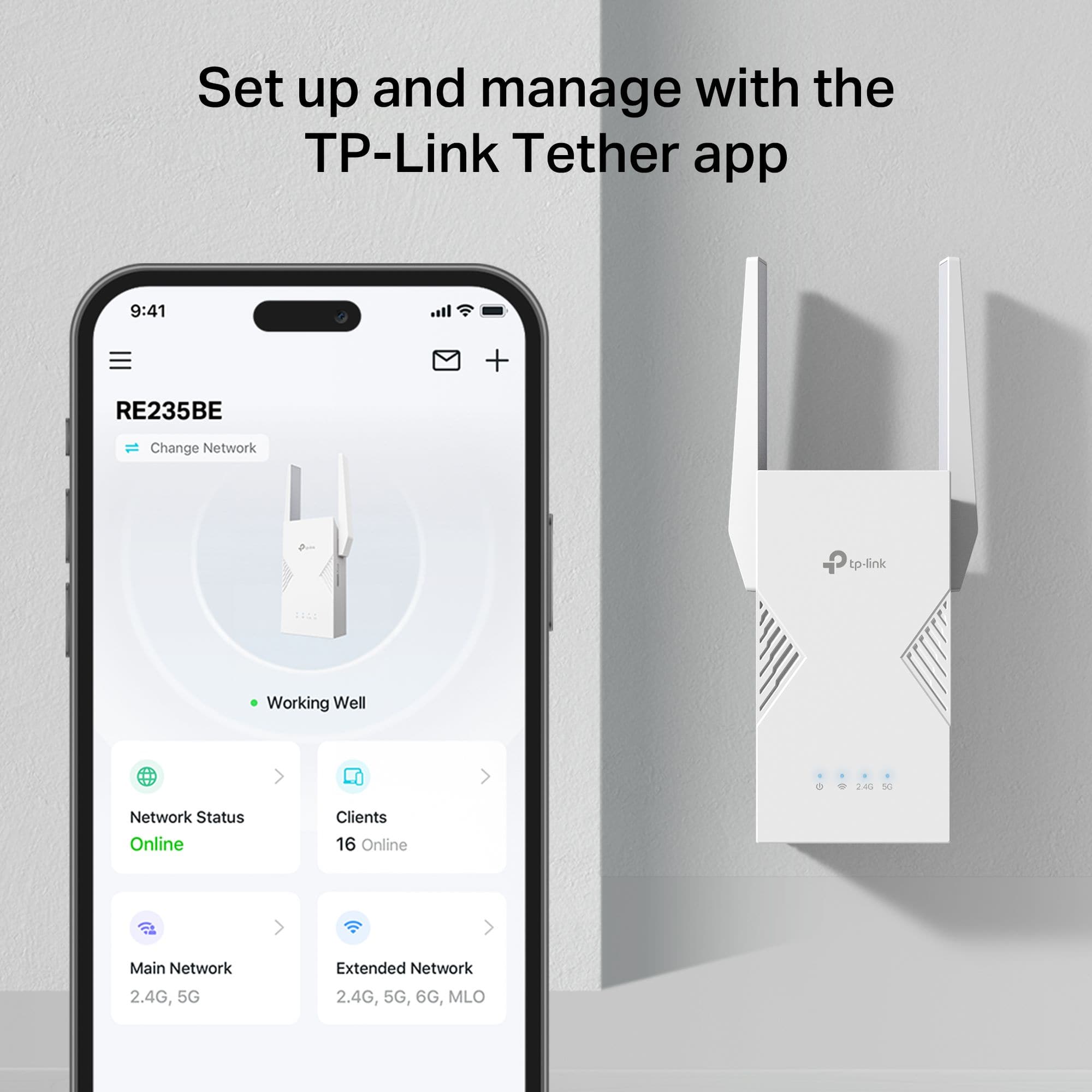
|Posted .This reviewer received promo considerations or sweepstakes entry for writing a review.The TP Link BE3600 can help you get rid of WiFi dead zones. One of the biggest hurdles sometimes with using tech is the setup process especially when using different brands with each other, TP link is one of the best in this area. When setting up the extender you have three options, WPS setup, the TP link Tether app or via the web. I choose the Tether app and it couldn’t have been easier. This didn’t surprise me as I have other Tp Link products from cameras to smart plugs and though it’s a different app, they all were extremely easy to setup. You simply plug the extender in, wait for all the lights to turn solid and then select your network. Once you do that, you can then move the extender to your desired location. The only thing I didn’t know it could do was extend different networks. So I have “two different” networks in my house, one from the fios router and one from a mesh network. I was able to extend the 2.4Ghz from the fios and the 5Ghz from the mesh. This is something I think is really cool and my previous extender couldn’t do. The Tether app makes monitoring the extender extremely easy, it shows you the status of the network and how many devices are connected, even when you’re not connected to it. The front of the extender also shows the status of the connection with four leds. In my experience with TP link products, they’ve been some of the easiest to setup and use and this extender is no different. Highly recommend if you want to get rid of dead zones.
I would recommend this to a friend - Pros mentioned:Connectivity, Ease of setup
Well made, easy to setup and my garage space works
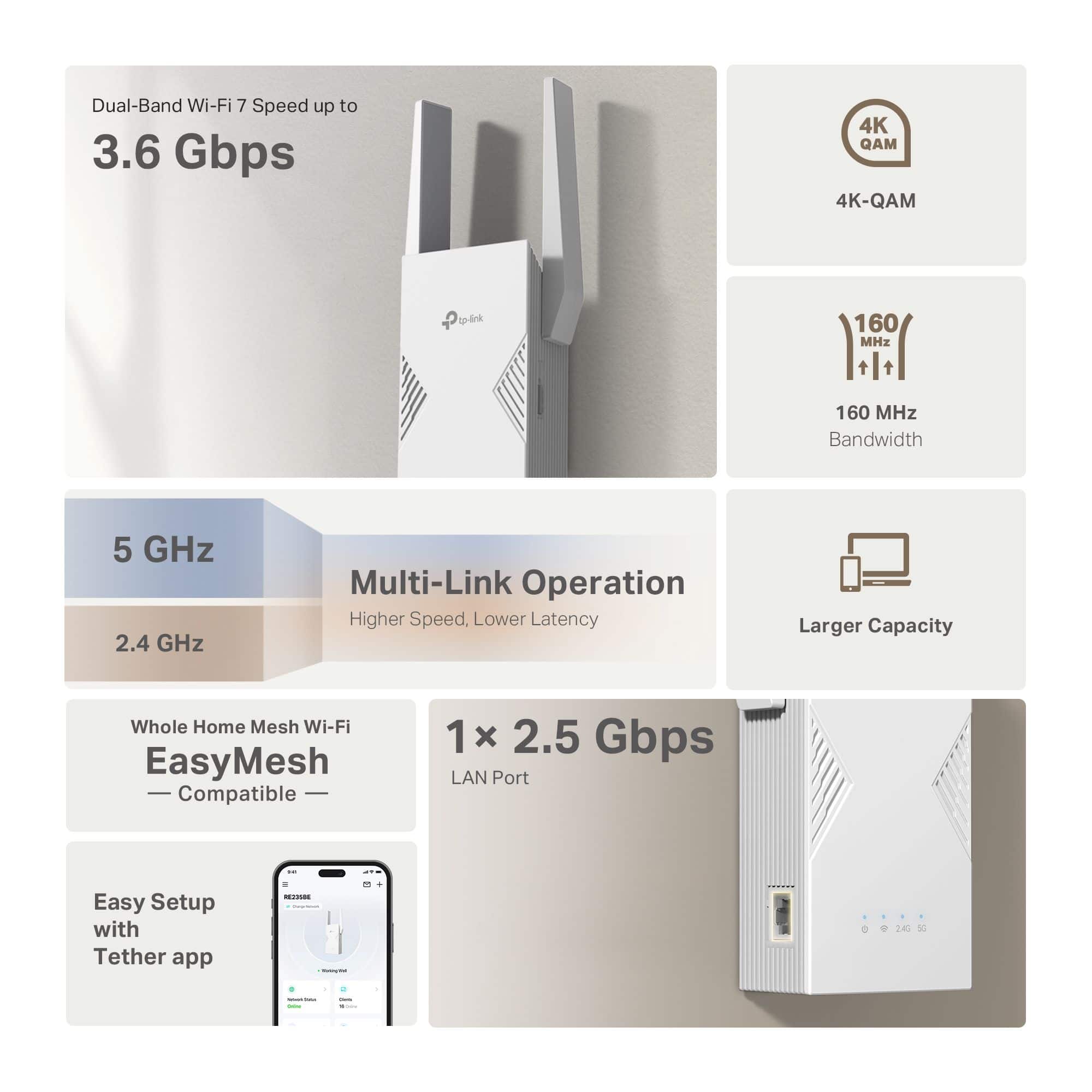
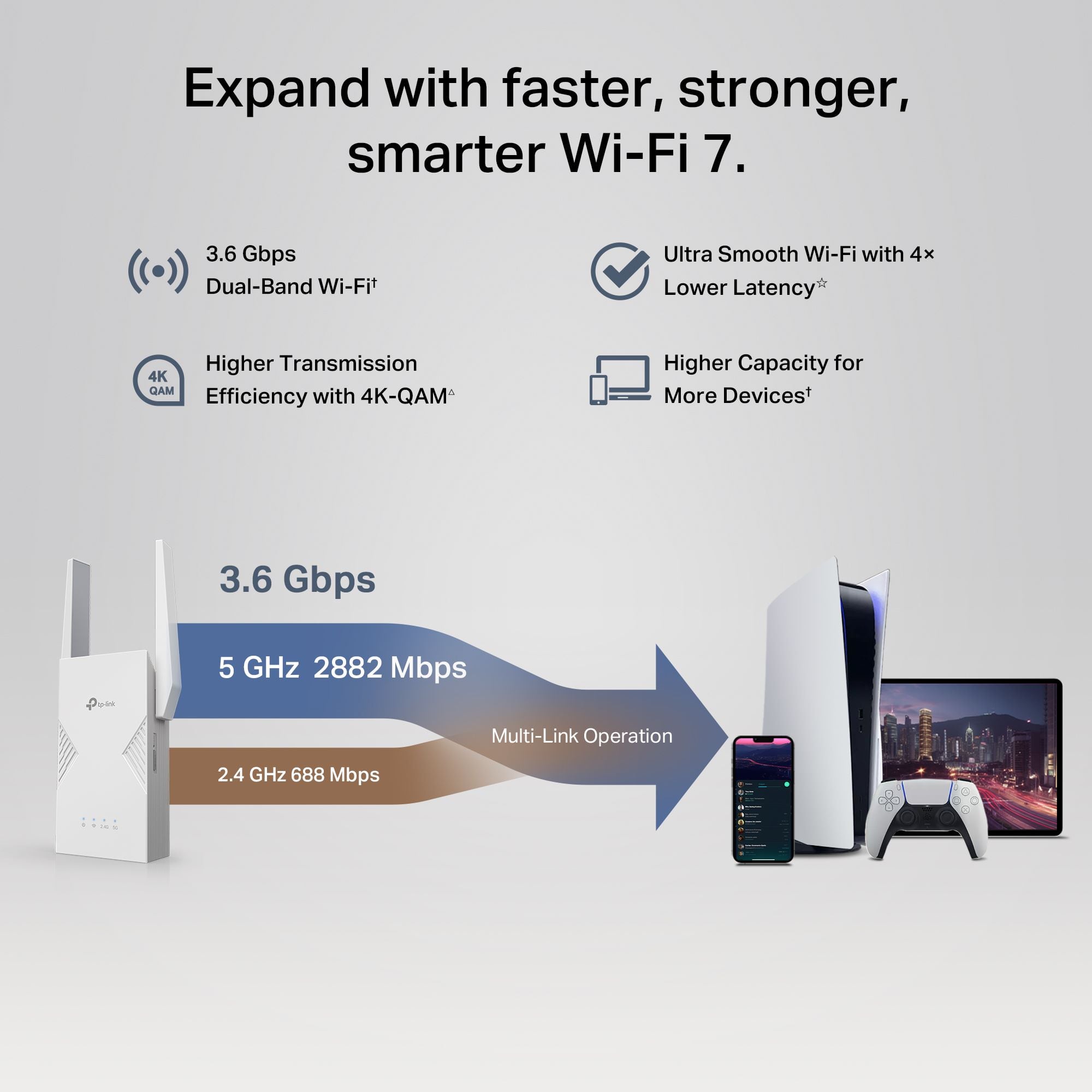
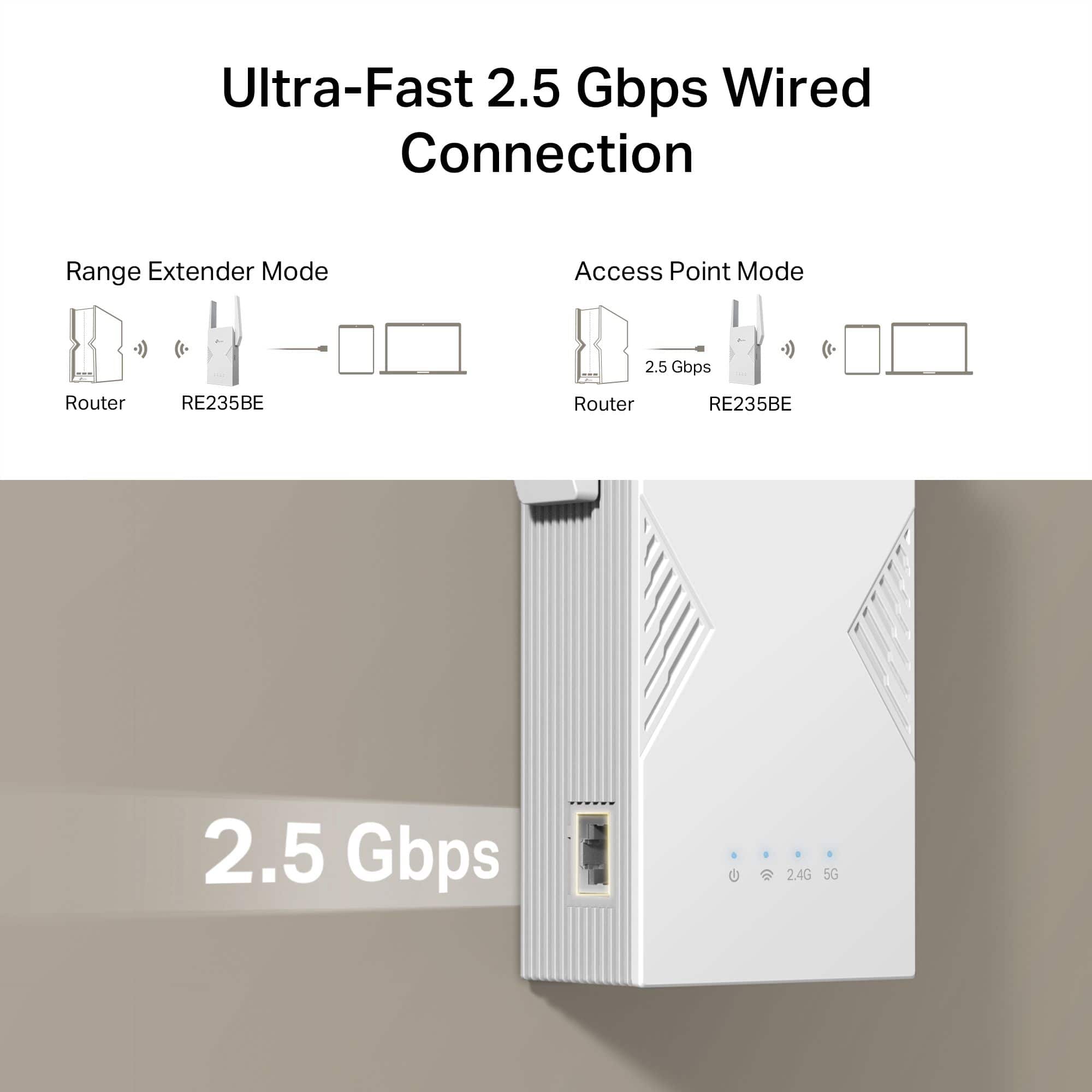
|Posted .This reviewer received promo considerations or sweepstakes entry for writing a review.The BE3600 Dual-Band Wi-Fi 7 Range Extender from TP Link has been a great addition to my TP Link router. The router itself works great for the entire house, on the other hand since my garage is also made out of brick, I sometimes get a slow connection, so the extender has made that connection much better. The setup ie easy, plug the extender to an outlet and then pair it up and it works seamlessly, now I can go from the house to the garage and the backyard, and it is flawless. I like how it looks and how fast it works too, and since it does have both 2.4 and 5Ghz other products can be connected to it. Now I have more smart products in the garage, and they all work well too. The wireless camera for one, that needs a good connection, is fine. And the one port that its side is a plus, just in case it is needed. Overall, the 3.6 Gbps speed is more than enough for us, easy mesh compatible is great in case I do change my router in the future. the lights in the front are easy to read and the TP Link tether app makes everything so much easier, we are happy with the extender.
I would recommend this to a friend - Pros mentioned:Ease of setup
Easy to set up and install but has limitations
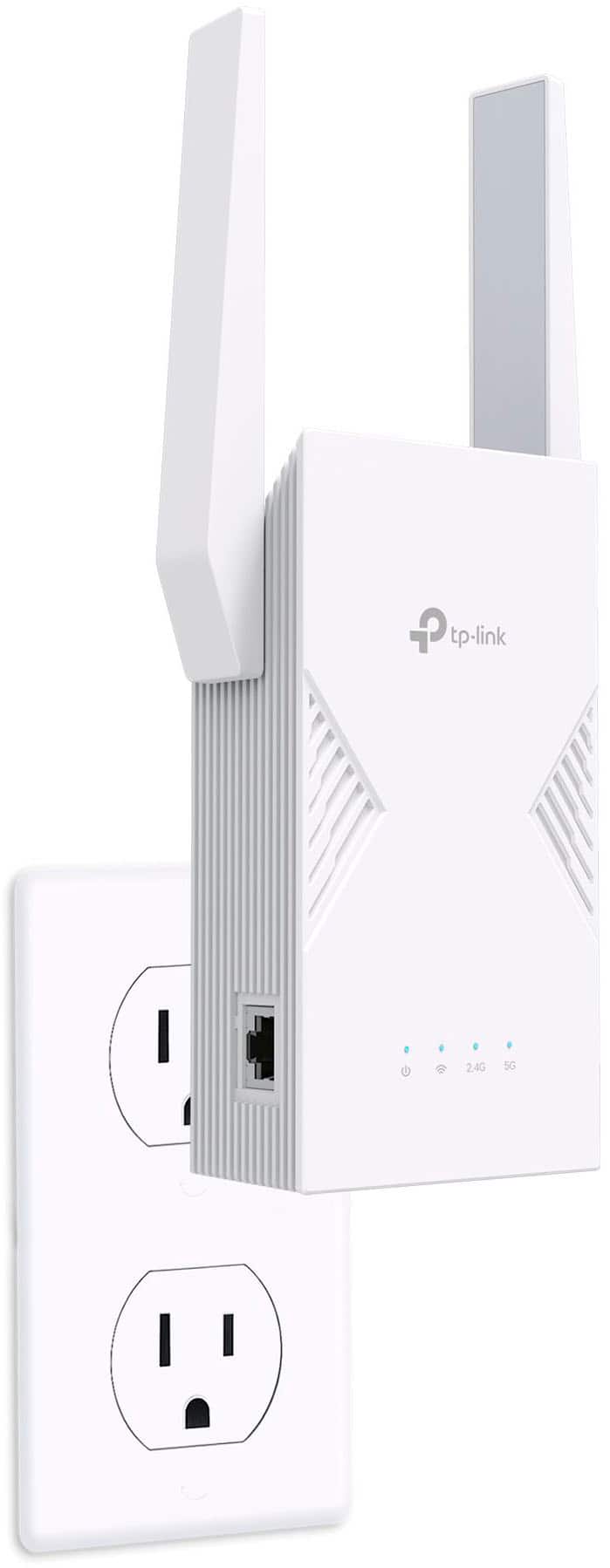
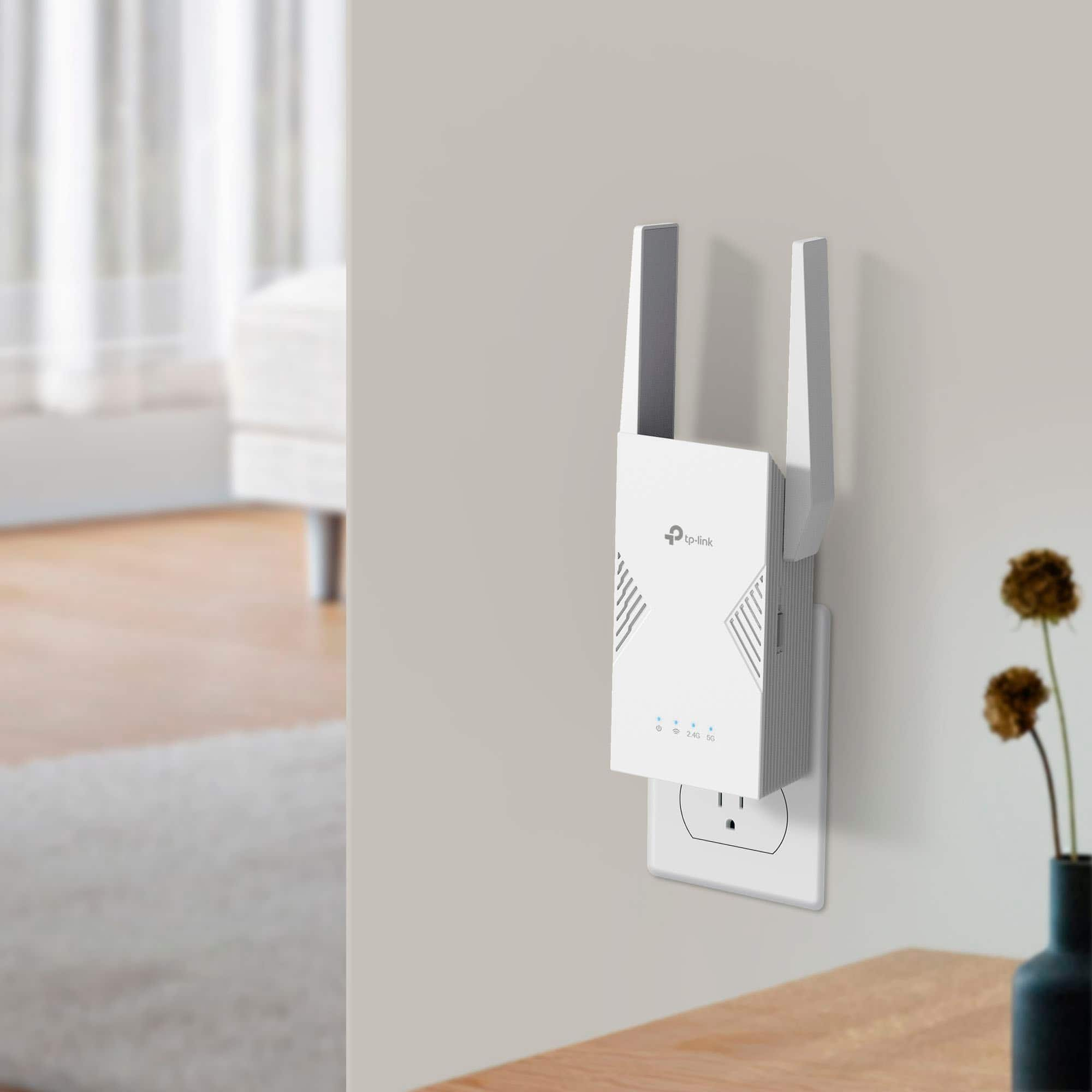
|Posted .This reviewer received promo considerations or sweepstakes entry for writing a review.This Wi-Fi extender is easy to set up and performs acceptably, but it has some definite limitations depending on the type of host network and the location where it can be placed. It is the type of extender that plugs directly into a wall outlet and pretty much requires an outlet that is out in the open and does not have anything else plugged into it. To set it up it’s recommended that you initially plug it in fairly close to the router for the network that you are extending. There are some other connection options whereby you can connect to the router with a cable rather than Wi-Fi, but most people will be using the wireless option. Once the extender powers on, it is necessary to get it connected to the existing network. There are a couple of options for doing this, but in my case the best way was to use the "Tether" TP-Link smartphone app to do it all. The app walks you through the entire procedure as it first temporarily connects directly to the extender and then guides you through identifying the network to be extended and logging into it. Depending on the type of network being extended (explained below), the tether may need to have its own network name (SSID) and password assigned. It might also have separate SSIDs for 2.5GHz and 5GHz connections. Once the connection is established and all the LEDs turn blue, the next step is to determine the ideal location for final placement and move the extender there. Again, the app can help with this as you walk around the house and it checks the router’s signal strength. However, even if you determine the best location for the extender, its requirement for an open and unused wall outlet can be a problem. In my case, most candidate outlets either had lamps plugged into them or were inconveniently located behind furniture. Fortunately there is a lot of leeway in determining where to put it and I managed to find a reasonably good spot (see photo). Right away, I ran into an issue that I encountered years ago on a similar device. Unless you have a mesh network where the router and satellites can all use the same network name, in a more conventional network the extender has to have its own name (SSID), meaning that you can only use it if you specifically connect your device to it. For example, if your main network name is “mynet”, the extender defaults to the name “mynet_EXT” (which can be changed). For stationary devices like Smart TVs and other smart home devices this is not a problem; however, when moving around the house with your smartphone or tablet, you have to go into your Wi-Fi settings to connect to the extender if the main router’s signal is weak (and then switch back when in another location). This can be tedious and I think I’d recommend this extender more highly if using it to extend a mesh network where this is not an issue. Our router is on the top floor of a two-story house and covers the main and top floor pretty well. It is the basement where the signal starts getting weak and that’s the area that I hoped to improve with the extender. The signal in the basement was stronger with the extender than from the router, but when I ran a speed test I was a bit disappointed that the overall data throughput was quite a bit less than I had hoped. It is probably sufficient for most of our relatively modest requirements and might just be the nature of extenders where data has to be relayed from the device to the extender to the router. I would give it a 5 for setup and installation and a 3 due to configuration and performance limitations for an overall rating of 4.
I would recommend this to a friend - Pros mentioned:Ease of setup
Great easy way to extend your network.
|Posted .This reviewer received promo considerations or sweepstakes entry for writing a review.Great way to extend your network dead spots... TP Link has the market with affordability and easy to use routers. Setup was super easy. Download the app. Plug in near your main router and walk through the instructions plus firmware update and you are all set. Firmware took a little time. All together took about 15 mins to setup. One word of advice... Since this is only dual band and it will not transmit guest network simultaneously I decided to put my main network on 2.4 and put my guest on the 5 GHz. The reason I put the 2.4 on my main is because 2.4 is used with a lot of older smart devices and 5 can be used by my guests for their smart phones. So 1 wish is for the extenders to have guest broadcast. 1 other topic is if you are running another TP Link extender you need to unplug the older one first and set this one up or be far away from the older one that is already setup so the setup process does not get confused. Ok. Other than that... I have been running this extender for about a week. No issues. It switches between my BE 16000 and my other extender no issues. Up and down is hitting about 500 gbs. Software use is easy. Also easy to monitor who is on my network etc. Also I ended up using access point instead of range extender due to distance issue from my main network. Worked just fine. Good job TP Link.
I would recommend this to a friend - Pros mentioned:Ease of setup
Modern Versatilty meets ease of use!
|Posted .This reviewer received promo considerations or sweepstakes entry for writing a review.The TP-Link BE3600 Dual Band WI-FI 7 Range Extender is an effective and easy way to get WI-FI in an area around your house where it is weak. For instance, a distant room or garage or even an outside guest quarters in your backyard. This TP-Link range extender was very easy to set up and add to my network. I added it to my existing TP-Link Mesh Network with three nodes and it works flawlessly. I added it in my garage so that I would have a good WI-FI connection or there and the TP-Link BE3600 has not disappointed. I have not any handoff issues between it and the Mesh nodes either. This is not your old type of WI-FI Range Extender it fully integrates into your existing Mesh system and has all of the features you need suit your needs. There is MLO, AP Mode backwards compatibility with all WI-FI types and 2.5Gig Ethernet port so you can wire in the hardware of your choice like a game console or Smart TV. Personally, I have the BE3600 Dual Band Mesh system and this Extender works perfect with it. However, I would not hesitate to use this with just a router or other brands. This is a very versatile Range extender at a fair price.
I would recommend this to a friend Good WiFi Range Extender If You Survive Setup
|Posted .This reviewer received promo considerations or sweepstakes entry for writing a review.One of the biggest problems we face in my household is that our layout (furniture, rooms, and outlet positions) doesn’t make the home wifi very convenient for the back end of the house downstairs. We got a range extender years ago which worked OK for a while then it inexplicably would fail at inconvenient times. I never bothered to replace it and we just kind of make do, working on important projects upstairs and suffering through spotty speeds and connections in the furthest ends of the house. Then I got TP-Link’s BE3600 Dual Band WiFi 7 Range Extender and things got….a little better. My first impression when I opened the box is that its huge. You need to have a three prong outlet to power the extender and the box is already large before you unfold the antennas. The box had the extender and a setup guide (there was one more small piece of paper I can’t find now but I believe was the usual warranty type small print info, don’t quote me on that). Setup can be done in one of three ways. You can download the app and guide the extender to your network through the app by connecting to the TP Link network and pairing it with your home wifi network on the menus. This should have been the easiest option, for me, but despite finding both networks it wouldn’t accept my network password when I tried to pair them. The second way is to plug in the extender next to your router and hit the WPS buttons on each unit and verify the lights are all on when you look at the extender then you can move it to your 2nd location you want to extend from. This worked for me but only the 5ghz light, the 2.4ghz never lit up for me and upon moving the device it didn’t seem to want to connect again, the lights flashed for a long time. Eventually I was able to get it working and there does seem to be a better connection in the basement. Obviously anything that can help your wifi get into all the nooks and crannies of your house is a success but the journey to get there is the turn off for me. Even assuming it was something with my network, router, or just user incompetence and the difficulty getting running was a “ME” problem not a “YOU” problem that will replicate there’s the massive size of this thing to consider. I have no wall outlet I can dedicate to this one single device. Its an absolute unit plus it has huge ears that stick up to, I assume, receive and transmit the wifi signal where it can’t otherwise get to. If space is a concern for you then you’re going to want to skip this and find something more portable. If you aren’t worried about outlet real estate and you have a 2nd floor and lots of concrete then you should take a look at this one, it worked better than my old one.
No, I would not recommend this to a friendBrand response from TPLinkSupport
Posted .Hi,
Thank you for your review. If you haven't noticed a significant improvement in Wi-Fi coverage after installing the extender, we recommend relocating the unit to a position within your home where the router's Wi-Fi signal is sufficiently strong; yet far enough from the router to effectively extend its range. Please verify the RE status LED is indicating a solid connection.
We also recommend ensuring the extender's firmware is fully up to date using the steps outlined in FAQ 1406 on our official website: https://www.tp-link.com/us/support/faq/1406/
If you would like assistance with any of these steps, please reach out to our support team using any of the resources included with the product, or from our official website, and we'll gladly have a Support Agent follow up with you directly.
Thank you,
TP-Link Systems Support
- Pros mentioned:Ease of setup
Great service performance, increased WiFi areas
|Posted .This reviewer received promo considerations or sweepstakes entry for writing a review.This TP-Link wireless extender, repeater is very easy to set up and add to your existing gome network. Comes out of the box ready, just plug it in, download the required app if not already owned while it boots up and awaits setup. The app walks you through the entire process from start to finish. You can setup a number of options on how this will be integrated into your existing gome network while prompting at the finish on where/how to place the unit within your home or office. Initial setup requires you to plug it into an outlet near your existing router to ensure the connection is clear and has no interruptions. Afterwards kust move where you need it. Wothin the app, there is a test option to detwrmine if your placement is accurate and within range. It is very accurate in the distance given and how it shows how well your receiving the network signal. There is an additional port if you need to plug into it directly capable of handling gigher speed rates to support gaming. You must note, PLACEMENT is everything. It is rather large and uses a full 3-prong setup for the plug.
I would recommend this to a friend - Pros mentioned:Range
Go for this extender
||Posted . Owned for 1 month when reviewed.This reviewer received promo considerations or sweepstakes entry for writing a review.Best extender ever. Wi-Fi 7 is a game changer! I’ve been struggling with a frustrating Wi-Fi "dead zone" in my home office for months. My main router is located on the first floor, but because of the layout and a few thick walls, the signal just wasn’t reaching my workspace at the other end of the floor. I was tired of dropped Zoom calls and slow file uploads, so I decided to upgrade to the TP-Link BE3600 Wi-Fi 7 Range Extender. Honestly, it has been a total game-changer for my productivity.
I would recommend this to a friend - Pros mentioned:Connectivity, Coverage, Ease of setup
Seamless Mesh
||Posted .This reviewer received promo considerations or sweepstakes entry for writing a review.Easy Setup & App. Improved Coverage. Seamless Mesh. Good Value. Wi-Fi 7 compatible.
I would recommend this to a friend - Pros mentioned:Ease of setup, Signal strength
Extended range
||Posted . Owned for 2 months when reviewed.This reviewer received promo considerations or sweepstakes entry for writing a review.Easy to set up, easy to move around. Great signal where its needed.
I would recommend this to a friend - Pros mentioned:Ease of setup, Range
Great Extender
||Posted . Owned for 3 months when reviewed.This reviewer received promo considerations or sweepstakes entry for writing a review.This is a great extender. Awesome range and easy to connect to existing network.
I would recommend this to a friend Works Great!
||Posted . Owned for 2 weeks when reviewed.This reviewer received promo considerations or sweepstakes entry for writing a review.Easy to set up and the impact was immediately clear. We have a smaller historical home, about 1400 sq feet, but the wifi + router was in the exact opposite space (first floor back of the home) as my home office (second floor, front). I wasn't getting a strong signal here, or even in the front of the first floor. I placed the extended in the middle-front of the first floor, and it's been working out beautifully. The nature of my job involves downloading and uploading some larger files (graphics, video, etc) and I haven't been bogged down waiting on anything much. Overall very satisfied.
I would recommend this to a friend- Pros mentioned:Range
It was a good recommendation, it those the job
||Posted . Owned for 3 weeks when reviewed.This reviewer received promo considerations or sweepstakes entry for writing a review.I was looking for something to cover the third floor and this does it's perfect for what I need it I have my modem in the basement, and I wanted to use the wifi on the third floor and thanks God . It was a good suggestion it those the job perfectly!!!
I would recommend this to a friend - Pros mentioned:Connectivity, Range
Worth the money
||Posted . Owned for 3 weeks when reviewed.This reviewer received promo considerations or sweepstakes entry for writing a review.Very easy to hook up. Add an extra ethernet port to my system. Expanded my system throughout my house..
I would recommend this to a friend - Pros mentioned:Coverage, Ease of setup
Great Extender with east installation
||Posted . Owned for 1 month when reviewed.This reviewer received promo considerations or sweepstakes entry for writing a review.Great product!!! Super easy installation and setup. Heled me in achieving internet coverage in my entire house.
I would recommend this to a friend - Pros mentioned:Ease of setup
Awesome signal strength
||Posted . Owned for 2 weeks when reviewed.This reviewer received promo considerations or sweepstakes entry for writing a review.Love how easy it was to set up. It boosted my signal up to where the connection was way better than before
I would recommend this to a friend TP-Link - BE3600 Wi-Fi 7 Range Extender - White
||Posted . Owned for 3 weeks when reviewed.This reviewer received promo considerations or sweepstakes entry for writing a review.Does what it is designed to do and significantly improved the wireless signal in the corner and rear spaces of our office. Only criticism is the extended wireless network created was achieving significantly lower upload and download speeds than the wireless signal from the business router. Would recommend based on use case
I would recommend this to a friendTP-Link Range Extender
||Posted . Owned for 2 weeks when reviewed.This reviewer received promo considerations or sweepstakes entry for writing a review.The range extender was relatively easy to set up and seems to work reasonably well, although it does not provide the full boost to my range that I expected based on the claims made in the packaging descriptions.
I would recommend this to a friendThe missing piece we needed
||Posted . Owned for 3 weeks when reviewed.This reviewer received promo considerations or sweepstakes entry for writing a review.For some reason, our wifi doesn't work too well in a couple of rooms. We also need it in the backyard, which it never picks up our phones, etc. This solved our problems and now the two rooms and backyard have amazing service and it's surprisingly fast.
I would recommend this to a friendGood but not for me
||Posted . Owned for 2 weeks when reviewed.This reviewer received promo considerations or sweepstakes entry for writing a review.The product works great, unfortunately the structure of my house has 2 metal beams directly above my router and the signal is poorly received on the other side of it so i could not use for the direct purpose i was looking at.
I would recommend this to a friend