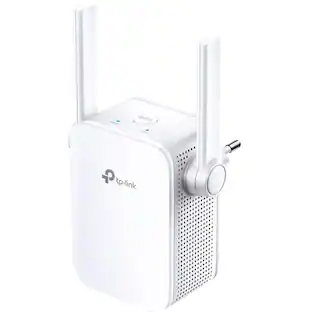
TP-Link - BE3600 Wi-Fi 7 Range Extender - White
Customers are saying
Customers have good things to say about this product, particularly highlighting how simple it is to set up and use. Users frequently report significant improvements in their connectivity, signal strength, and overall range throughout their homes. Many are pleased that the device effectively extends their network, ensuring reliable coverage even in previously difficult areas.
Highlights
3.6 Gbps Dual-Band Wi-Fi Speeds
Experience blazing-fast speeds with enhanced performance and boosted capacity, thanks to the separate 5 GHz band (2882 Mbps) and the 2.4 GHz band (688 Mbps).†
Unrivaled Wi-Fi 7
Features Wi-Fi 7 with the latest 240 MHz bandwidth, 4K-QAM, MLO, and Multi-RU across 6 streams, creating whole home multi-gigabit coverage.
Multi-Link Operation (MLO)
Increases throughput, reduces latency, and improves reliability for emerging applications.△
2.5G Multi-Gigabit Ethernet Port
Connect your smart TVs, computers, and game consoles at blazing speed using the 2.5 Gbps Ethernet Port.
Smart Roaming
Walk from room to room and stay connected at the fastest speeds with no slowdown.§
EasyMesh-Compatible
With EasyMesh compatibility, your entire home stays connected under one Wi-Fi name, allowing you to roam freely without dropouts or manual switching. *
Maximized Coverage
Proprietary Wi-Fi optimization and 4× optimally positioned antennas along with Beamforming deliver more capacity, stronger and more reliable connections, and less interference.
AP Mode
Create a new Wi-Fi access point through the Gigabit Ethernet port to enhance your wired network with Wi-Fi capability.
Ultimate Compatibility
Extends the range of any Wi-Fi router or wireless access point.‡
Ultra-Low Latency
Take advantage of ultra-low latency to enjoy smoother online experience.
Save Clients’ Battery Power
Target Wake Time schedules the connection time of battery-powered devices to reduce their power consumption.◇
Adaptive Path Selection
Keep your network running at top speed by automatically choosing the fastest connection path to the router.
Smart Signal Indicator
Use the signal indicator to discover the ideal spot for extending your Wi-Fi coverage.
Great Compatibility
Works with all Wi-Fi generations and devices and all internet providers.**
- Wi-Fi Speed36 gigabits per secondWireless StandardBE, AX, AC, NWi-Fi Range2700 square feetForm FactorPlug-inBand TechnologyDual
Reviews
Rating 4.3 out of 5 stars with 91 reviews
- Ease of Setup (23)
- Connectivity (20)
- Signal Strength (12)
- Range (5)
- Coverage (3)
Customer Images
The vast majority of our reviews come from verified purchases. Reviews from customers may include My Best Buy members, employees, and Tech Insider Network members (as tagged). Select reviewers may receive discounted products, promotional considerations or entries into drawings for honest, helpful reviews.

Compare similar products
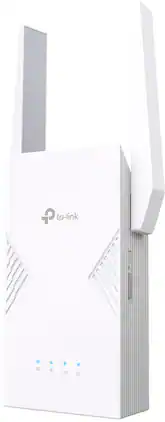
Eliminate dead zones and enjoy faster, stronger, and smarter Wi-Fi with the Wi-Fi 7 Range Extender. Powered by Multi-Link Operation and 4K-QAM, it delivers up to 3.6 Gbps dual-band speeds with ultra-low latency, ensuring seamless streaming, lag-free gaming, and smooth multitasking anywhere in your home. With EasyMesh compatibility, your entire home stays connected under one Wi-Fi name, allowing you to roam freely without dropouts or manual switching. Need ultra-stable wired performance? The 2.5 Gbps Ethernet port has you covered. Setup is quick and effortless with WPS or the Tether app. Upgrade today and experience seamless Wi-Fi 7 coverage.

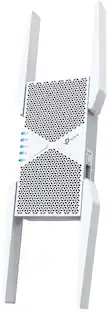
The Nighthawk WiFi 7 Range Extender is a WiFi booster for rooms your router cannot reach, with three high-performance antennas adding up to 1,500 sq ft of coverage. Dual Band WiFi 7 carries speeds up to 5 Gbps with capacity for 45 devices, so streaming and gaming stay smooth. Smart Roaming keeps your existing WiFi name, and a 2.5 Gig Ethernet port wires a PC, console or 4K TV. Works with any router and extends your network rather than replacing it, and sets up quickly in the Nighthawk app.
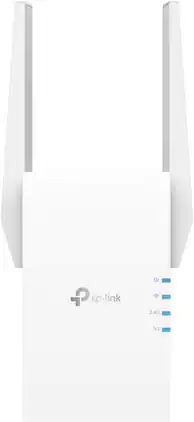
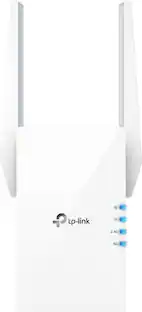
Extend high-performance Wi-Fi across your home to remove dead spots and Wi-Fi drop zones with RE705X Wi-Fi 6 range extender. High-gain antennas extend your routers’ Wi-Fi signal so you can enjoy smoother and more reliable streaming, gaming, downloading, and more with dual-band Wi-Fi speeds up to 3 Gbps (2402 Mbps on 5 GHz band and 574 Mbps on 2.4 GHz band) with the wider 160 MHz channel. Pair RE705X with a TP-Link OneMesh compatible router to create a network that only needs one name and password. Easily set up and manage RE705X with TP-Link Tether app (Android, iOS). Plus, the intelligent signal indicator will help you find the best placement for your range extender.

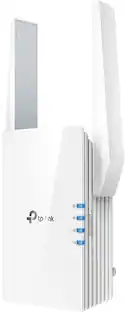
Upgrade your network now and enjoy lightning-fast Wi-Fi speeds with the TP-Link RE405BE, a cutting-edge Wi-Fi 7 device designed to enhance your home network experience. With support for Wi-Fi 7 features like MLO, 4K-QAM, and more, it delivers blistering wireless speeds of up to 6.5 Gbps, ensuring seamless connectivity throughout your entire home. Amplify your signal and eliminate dead zones with this range extender. Plus, it's EasyMesh-compatible for seamless whole-home coverage. Connect your smart TVs, computers, and game consoles at lightning speed using the ultimate 2.5 Gbps Ethernet Port.
| Pros for TP-Link - BE3600 Wi-Fi 7 Range Extender - White | |||
|---|---|---|---|
| Connectivity, Signal Strength, Range, Coverage, Ease of Setup | Overall Performance, Connectivity, Signal Strength, Coverage | Overall Performance, Range, Signal Strength, Ease of use, Setup | Connectivity, Signal Strength, Coverage, Range, Setup Ease |
| Cons for TP-Link - BE3600 Wi-Fi 7 Range Extender - White | |||
| There were no cons for this product— | Setup Process | Compatibility, Heat, Size | There were no cons for this product— |
Specs
Does this also work as a wifi booster?
Answered by TPLinkSupportHi Nancy, Yes, this Wi-Fi 7 Range Extender is designed to increase the Wi-Fi range of your existing router within your home.
specs say a bogus 36 GB per second but Features say 3.6 GB per second... Can you please fix your typo and add the decimal where it belongs? Thanks
Answered by TPLinkSupportHi BDNouz, Our apologies for the confusion. As listed in the device's Features section, 3.6 Gbps is the correct terminology, because it is a BE3600 Wi-Fi 7 Range Extender. Our teams will update the Specification information shortly. We appreciate your feedback.

How tall is it when the antennae is extended?
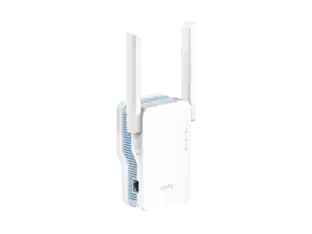
Answered by TPLinkSupportThe main body is about 6 inches tall; with the antennae upright, it is likely to reach about 10 inches in total height.
Is this range extender compatible with EasyMesh?
Yes, this range extender is compatible with EasyMesh for seamless roaming.
This question and answer was generated by AI based on customer and product data.Does this range extender work with all internet providers?
Yes, this range extender works with all internet providers.
This question and answer was generated by AI based on customer and product data.

Customers often buy these together
Ethernet Cables

Network Routers
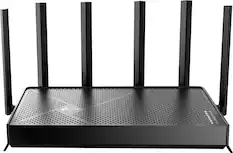
TP-Link - Archer BE9700 Tri-Band Wi-Fi 7 Router - Black
Top Deal$249.99The price was $279.99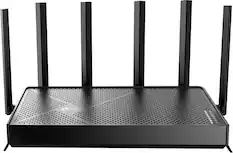
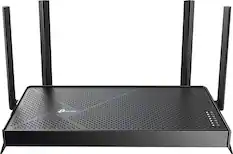
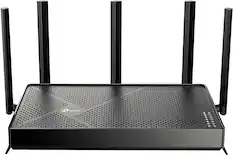
TP-Link - Archer BE6500 Dual-Band Wi-Fi 7 Router - Black
Top Deal$179.99The price was $199.99
More recommended items
 Network Adapters
 Network Switches
More to consider

Explore tech essentials Sponsored

Discover related products
 $12.99The price was $13.99
 $239.00The price was $275.00