Rating 4.1 out of 5 stars with 419 reviews
4.1- Suction Power (98)
- Cleaning Performance (73)
- Battery Life (42)
- Ease of use (32)
- Noise Level (26)
- Navigation (50)
- Dustbin Size (11)
- App (5)
- Price (4)
Customer Images
The vast majority of our reviews come from verified purchases. Reviews from customers may include My Best Buy members, employees, and Tech Insider Network members (as tagged). Select reviewers may receive discounted products, promotional considerations or entries into drawings for honest, helpful reviews.
- Rated 5 out of 5 stars
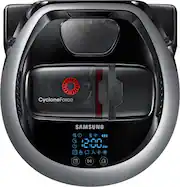
Samsung Powerbot 7070
I researched robot vacs for 5 months before I purchased the Samsung Powerbot 7070. I am very pleased with it in every way! It takes several runs before it completely maps out the house but be patient with it and let do its job. I have wood, tile and carpet floors and it does an amazing job on all 3! It has 3 settings to choose from (quiet, normal, turbo). When it is normal mode it will change according to the floor it is cleaning....example: when it goes from wood floor to carpet it kicks up to turbo and vise versa. I do not have to vacuum with my upright anymore because the Samsung Powerbot 7070 does an excellent job. I highly recommend it to anyone who is looking for a robot vacuum. It does not get stuck under furniture or anywhere else. It’s easy to set up and the app works great. The app has a history and shows you where and when it has cleaned. You can set up a schedule for one time cleaning or a daily cleaning. I can’t express how pleased I am with it. I have Rheumatoid Arthritis so it’s difficult sometimes to push and pull on a vacuum cleaner, now I don’t have to worry because my Samsung 7070 does so well. It goes against the baseboards, stops and it has a rubber bar that comes out and pulls dirt/dust away and sucks it right up. It will not vacuum heavy items such as nails, screws etc. be sure there are no shoes with strings laying on the floor because it will catch the shoe string and hang up but the app alerts your phone if something goes haywire during cleaning. My sister has $1,000 Roomba, I have a $449 Samsung Powerbot 7070 that does just as well if not better. I hope my review helps someone researching the way I did. There are so many options in robot vacuums and it’s hard to choose which one will fit your needs. I also have a short hair dog and I didn’t realize how much he sheds until I ran my Samsung Powerbot 7070. It’s great for pet owners!
Posted by MNash
- Rated 4 out of 5 stars
Great Robot Vacuum, App... Not So Much!
Let's get this out of the way first, the Samsung POWERbot R7070 is not cheap. Not by a long stretch. And to that end, when you open up the box, the POWERbot looks like it was just placed in the box, the accessories strewn about into areas that fit and then some bubble wrap thrown on top. Nothing was damaged when it was opened, but I expected something more substantial to protect such an investment when I first opened it up. I plugged the wall charger in, and when I placed the POWERbot on the power pad, nothing happened. I have a new house, so I know the power outlets are fine. I just expected the POWERbot to start charging right away when I placed it on the power pad, but that is not the case. Upon reading the instructions, you have to press the play button for 3 seconds to wake it up and start charging it. Blue bars scroll on the screen indicating it is charging and then 'FULL' is shown when the battery is fully charged. So, reading other reviews, I saw that others had issues in connecting the POWERbot to their phone, and others had problems connecting with an Amazon Echo or Dot. I did NOT have any issues at all. I would say I am pretty tech savvy, I have a very automated home, from cameras to a door bell, lighting to door locks, many, many things in my home are voice controlled, so setting up the WiFi on the POWERbot was just the same as all of those other devices. Turn on the POWERbot and wait for the WiFi icon to light up. On your phone, in settings, under WiFi, look for the POWERbot. When connected, you are instructed to go back to your WiFi settings, choose your home WiFi and put in the password. This then connects the POWERbot to your WiFi network. Similarly with the Amazon Echo and Alexa voice control, I enabled the 'Smart Home' skill on the Echo, logged in with my Samsung account (which I created when registering this product with Samsung) and everything worked as it should do, right out of the box. No errors, no messing around, it all connected, it all worked just as it should. 'Alexa, turn on the Robot Vacuum'... and beep, the Samsung POWERbot R7070 fired into life. Started to leave the dock and get ready for action. It was later at night, so I chose to select 'Quiet' mode with the included remote control. And it is just that... this vacuum is very, very quiet in that mode. There are three suction modes total, Quiet, Normal and Max. Max sounds about the same as any other vacuum out there, and I would assume, with that, is where the 40X more suction claim comes from. Sounds like it was about to suck the carpet up off the floor! I've previously owned a Roomba 530 which this Robot Vacuum replaces. The Roomba traverses the room in a hap-hazard way, covering some carpet at the beginning of the clean, and not getting to the area next to it, till late in the cleaning cycle. The POWERbot R7070 does no such thing. It vacuums like you would vacuum. In lines, next to each other, as you move across the room. The video camera on top scans the ceiling of the room to determine it's route. And to that point it is very accurate. The vacuum lines it creates overlap each other nicely giving a total clean to the room. The edge to edge cleaning is very nice as well, and it senses and delivers a great clean there too. The storage bin for the vacuum is centrally mounted and translucent, so you can see how full the container is getting and how effective the vacuum is being. The container and the 2 included filters are completely washable, making it a breeze to keep the machine up and running. The front roller has a self cleaning 'blade' on the front of it, intended to remove any hair that might get wrapped around the roller. So far so good, I have a long haired German Shepard and I haven't noticed the roller getting clogged up with her hair, which in itself is some kind of voodoo magic! I am very impressed with the cleaning that the POWERbot R7070 provides, and it's accuracy in covering a whole room. However, when it came to rolling over my rugs, it climbed up on them fine with it's robust big travel wheels but freaked out with the pattern of the rug, and dark areas confused it and sent it round in circles until it stopped, took stock of the situation and left the rug the same way it came in! Another issue is that I'm not sure that the POWERbot has true cliff sensors on it, like the Roomba machines have. The reason I say this, is because included in the box, and mentioned in the instruction manual is a strip of metal, with a sticky back to it, that is recommended to add to the top of stairs or around door entry ways. And there isn't enough provided to cover all the areas in the house you may potentially need this. It is also unsightly, so didn't use it. That solution for making the Robot Vacuum skip areas seemed a little archaic to me, when the Roomba provided 'Virtual Walls' with it when I bought it, self contained battery powered sensors to stop the vacuum entering areas you didn't want vacuumed, but it also had fully functioning cliff sensors on it. And then there is the app. These are the reasons for 4 stars and not 5, the vacuum is actually very, very good. But the app and the metal strips let down the overall experience of the product. The app was flaky, and crashed. A lot. Trying to set up the account, it crashed. When I registered the vacuum, it crashed. When I went to control the vacuum, it crashed. Finally I was able to get it somewhat stable, and was able to adjust the suction power of the vacuum using my phone. You can also do this with the included remote control. You also have the power to manually control the vacuum using your phone or the remote control, but in my experience, it was somewhat gimmicky but also not particularly responsive as a way to control the vacuum. However, overall, I would recommend the vacuum for it's functionality and cleaning ability, it actually does a very good job of cleaning the carpets, the thing it's designed to do. The machine is well made and well put together. The app lets it down, but shouldn't sway you from the convenience of the product.
Posted by Cupra
- Rated 5 out of 5 stars
Works great
This unit cleans both our hardwood floors as well as the throw rugs and carpet. Easy to set up. It is running as I write. Operates for a long time before returning to the docking station, automatically. Easy to clean. Highly recommended.
Posted by Dad1
- Rated 3 out of 5 stars
Excellent cleaning but lacking on everything else
SAMSUNG POWERbot R7070 WiFi Quick Features on the Product Samsung SmartHome (apps are compatible with selected Samsung Galaxy S and Note series devices. Supports Android 4.0 (since Galaxy S2) or higher and iOS 7 or higher. To use the Samsung Smart Home service an Internet connection is required - data charges may apply and it may not operate in the presence of firewalls. 40x More Powerful Suction (powerful suction delivers optimal cleaning results) Wi-Fi Control Creates optimal cleaning path and avoids obstacles Thoroughly cleans corners and edges of the wall Automatically removes hair tangles around the brush What's in the box? Samsung POWERbot R7070 WiFi Remote Controller (batteries included) Spare Washable Filter (one already installed) Boundary Tape Thank you card (registration) Quick Start Guide User Manual Warranty Information Setup/Testing/Conclusion The design of the box is pretty standard; nothing to run to someone to show off. I’m a box guy so when there’s a lot of effort put into it; I’ll make sure I note that and let people know. The packaging inside the box was pretty good though. I must say; Samsung did an excellent job with protecting everything inside to make sure it’s not damaged during transit/shipping. The POWERbot also looks pretty nice and the build quality is great. Setting up the robot with the dock was pretty simple, it’s basically plug and go. You follow the quick start guide and the robot will start charging. The manual states charging initially takes about 160 minutes. So I let the robot charge up while I messed with the Samsung Smart Home app. After downloading the app, I pretty much got stuck trying to pair the robot to the app on my android phone. I followed the directions and the app found the robot but I got stuck on the part about connecting everything via WiFi. It just continues to loop and search for the AP (access point) but never shows anything. I couldn’t type in the AP name but can type in the AP password. If I click AP name in hopes to start typing it searches for the AP again. After several attempts I just gave up; pretty frustrating I must say. I’ve also read from a lot of other people that the app isn’t the greatest. So long story short on the app; I’m just gonna have to skip on it. So after charging (I basically left it charging for the night) I was able to use it the next morning. I threw some trash items on the floor in front of it to see if it was able to pick it up. I have to say, the POWERbot did a fantastic job with cleaning my hardwood floors and my carpeted room. I thoroughly enjoyed the fact that it has a better “cleaning system” than the Roomba. When the Roomba cleans, it kinda goes everywhere. The POWERbot actually cleans as if you were to vacuum the floor (in a specific pattern) so that it doesn’t miss any spots. Samsung advertises that it cleans corners/edges and it seems to do a pretty good job. When the POWERbot gets to an edge/corner the POWERbot actually says edge on the digital display screen on top and does what it does to clean. I really liked the “smartness” of the POWERbot when it reaches carpet; you can hear it “suck” more as it went on the carpet in my bedroom. The POWERbot ran for about an hour on normal cleaning mode and cleaned my living room, one bedroom, the hallway/walkway at the entrance, kitchen and one bathroom. It never made it to the other part of my house on a full charge though. But to be fair, I don’t think my Roomba 770 would’ve made it for the whole place either. I really liked cleaning the POWERbot. It was simple to clean and you can rinse/wash the dustbin and the filter. With my Roomba 770, you have to replace the filters which can cost you some money over time. Now to the cons… As I mentioned above; I did NOT like the app at all. If you have any rugs laying around like in the kitchen or bathroom; the POWERbot is not able to go on top of it to clean. Instead, it basically just bunched it up. The other thing I didn’t like was the scheduling feature. On the Roomba 770 you’re able to set the schedule on let's say; Mondays and Fridays at a specific time. Or, you can set it for 3 days or even 4 days or every day. Basically you can set it to whatever you want for scheduling. On the POWERbot; you’re not able not able to do that. You can either set it for a one time clean at a specific time or a repeating daily set time. Meaning, your POWERbot will literally go off every single day if it's on the daily schedule. Some people like to have it go off only once, twice, or whatever their preference is. The POWERbot doesn’t give you that flexibility. I also did not like the fact that the POWERbot still goes off even if it doesn’t have the dustbin in place. The Roomba 770 will not start if the dustbin is not secured in place. So luckily I heard it go off to stop it but it definitely blew some dust in my room because there was no dustbin! In conclusion, I would not be able to strongly recommend this product to others. I would definitely take a look and do some research prior to purchasing any cleaning robot. The POWERbot did a great job cleaning as far as the way it’s programmed to; but it had way too many cons for me to give it above 3 stars. Overall; I felt like the POWERbot is just mediocre. I wasn’t really wowed by it compared to my Roomba 770 which is about 3 years old.
Posted by MarkusKong
- Rated 5 out of 5 stars
Great Vacuum
I have a rainbow Vacuum it’s awesome, but needed something that can lighten my workload. Powerbot R7070 is great for my hardwood floors and all the dog hair I could do all my other carpets while this one takes care of my hardwood floors it’s perfect. Unlike the iRobot the Samsung gets the Corners. Because the front is straight not round. It’s quite surprising how well this works .
Posted by CRASHnBURNT