How to Build a Gaming PC
Best Selling Products carousel(6 Items)
Your gaming PC build begins here
Building a PC for gaming might sound intimidating at first, but it’s one of the most rewarding upgrades you can make as a gamer. Instead of settling for a pre-built system, assembling your own rig gives you full control over performance, appearance and budget.
From choosing the right gaming PC components to assembling your system and powering it on for the first time, this PC build guide breaks the process down into clear, manageable steps. By the end, you won’t just have a custom-built gaming PC; you’ll also have the confidence and knowledge to upgrade and customize it whenever you want.
Key gaming PC parts and components
Before you start building a gaming PC, it’s important to understand the core components that make up the system and the role each one plays. Choosing the right hardware is key to creating a PC gaming setup that meets your needs.
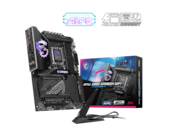
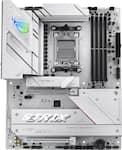
- Motherboard. A gaming PC motherboard is the central hub that connects all other components in your system. Since every part depends on the motherboard, compatibility with your other hardware is essential for a working build.
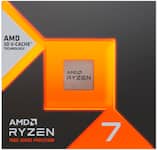
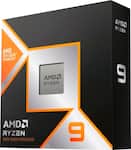
- CPU (central processing unit). Best described as the “brain” of your computer, a gaming PC CPU handles instructions, calculations and overall system logic.
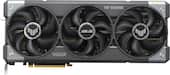
- GPU (graphics processing unit). The most important component for performance is the gaming PC GPU. This graphics card renders images, textures and frames for smoother gameplay.
- RAM (memory). PC gaming RAM is the temporary storage that your system uses to run games and applications efficiently. Most gaming setups use 16GB or more.
- Storage (SSD or HDD). Solid-state drives and hard disk drives are where your operating system, games and files are stored. SSDs typically help your PC boot faster than a traditional HDD.
- Power supply unit (PSU). Providing power to all components, a gaming PC PSU supplies stable and reliable energy to keep your system running.
- PC case. A gaming PC case houses your gaming PC build and affects airflow and aesthetics. It also impacts overall cooling and long-term performance.
- CPU cooling. A gaming PC CPU cooler keeps your processor at safe operating temperatures. Options include air coolers and liquid cooling systems.
It’s also a good idea to have some hand tools ready, such as screwdrivers, cable ties and anti-static protection, to help ensure a successful build process.
How to build a PC gaming rig
Once you’ve selected your components, it’s time to bring your custom gaming PC to life. Follow these step-by-step instructions to assemble your system safely and smoothly:
- Install core components on the motherboard. Start by installing the CPU, CPU cooler and RAM directly onto the gaming motherboard. It’s easier to do this before placing the board in the case.
- Place the motherboard in the case. Secure the motherboard inside your PC case using the correct standoffs and screws. Make sure it aligns properly with the rear I/O shield.
- Add storage and power supply. Install your SSD or HDD and mount the power supply unit. Begin routing power cables to keep things organized.
- Install the GPU. Insert your graphics card into the main PCIe slot on the motherboard and secure it to the case. Connect any required power cables from the power supply.
- Connect cables and turn the power on. Attach all necessary cables, including the motherboard power, storage, GPU and front panel connectors. Then connect your monitor and power on the system to confirm everything works.
- Install software and drivers. Once your gaming PC boots successfully, install your operating system and update all drivers to keep your system running at its best.
Building a gaming PC may seem intimidating at first, but taking it one step at a time makes the process much more manageable. By carefully installing and connecting the components in a gaming PC, you can create a system customized to your gaming preferences.
How much does it cost to build a gaming PC?
When you build a gaming PC, the cost can vary widely depending on your performance goals, preferred games and component choices. One of the biggest advantages of building a PC for gaming is the ability to adjust your budget to match your needs.
For example, if you choose the best motherboard for gaming and best RAM for gaming, you may need to allocate more of your budget to those components and make trade-offs elsewhere. On the other hand, focusing your spending on a powerful GPU while selecting more budget-friendly options for other parts can still deliver excellent gaming performance.
Why build your own gaming PC?
You’ve already decided between a pre-built gaming PC and a custom build gaming PC. You may have also considered a barebone PC, which provides a foundation of core components while still allowing for some customization. While pre-built PCs offer convenience and quick setup, building your own system gives you more control over performance and overall value.
Hopefully, you now have a better idea of how to build a PC for gaming and how a clear, step-by-step PC building guide can turn a complex project into something approachable and rewarding. With the right components, careful planning and a little patience, you'll end up with a custom-built PC that's ready for years of gaming, modification and future upgrades.