What's the Best Kindle E-Reader?
Best Selling Products carousel(6 Items)
Is it better to get a Kindle or a Fire tablet?
We’ve come a long way since the Amazon Kindle debuted as an e-reader. Since then, Amazon has created an entire family of e-readers and tablets that can be used as e-readers, and you might find yourself asking: what’s the best Kindle out of all those versions? To start with, let’s break down the e-readers Amazon currently offers.
The Amazon e-reader lineup now includes the Kindle Paperwhite, Kindle Scribe and Kindle Colorsoft, each built around the same glare-free E Ink display but aimed at slightly different readers. Then there's the Amazon Fire tablet, formerly known as the Kindle Fire, which isn't an e-reader in the traditional sense at all — it's a full-color tablet that happens to run the Kindle app alongside video streaming, web browsing and everything else you'd expect from a tablet. Once you know what separates these devices, narrowing down the best Amazon Kindle device for your reading habits gets a lot easier.
For instance, if you're comparing a Kindle Paperwhite to an Amazon Fire tablet, here's the core difference: the Kindle Paperwhite is a dedicated e-reader built around a glare-free E Ink display designed for reading, while the Fire is a full-color, full-function tablet built for streaming, browsing, gaming and apps. They're both made by Amazon and both can read Kindle books, but they're designed for very different jobs. Add the Kindle Scribe and Kindle Colorsoft into the mix and picking the right Kindle comes down to how you actually plan to use it.
Amazon's lineup of e-readers and tablets has grown well beyond a single device, so it helps to break down what each model does best before you decide where to spend your money.
What is a Kindle Paperwhite?
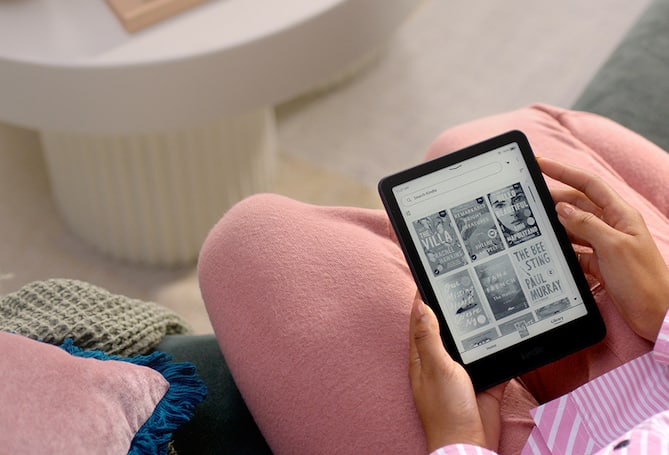
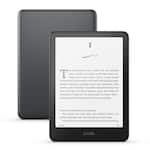
The Kindle Paperwhite is Amazon's most popular dedicated e-reader. It uses E Ink technology, which mimics the look of ink on paper rather than a backlit LCD screen. That makes it easier on the eyes for long reading sessions and much easier to read in direct sunlight than a standard tablet screen. The Paperwhite is lightweight, waterproof and built with a single job in mind: reading e-books, audiobooks (with Bluetooth headphones or speakers) and periodicals for days on a single charge.
If your goal is simply to read more, whether that's fiction, nonfiction or your library's digital lending catalog, the Kindle Paperwhite is generally the better fit over a full tablet. It's compact, distraction-free and doesn't tempt you with notifications, social apps or video streaming while you're trying to finish a chapter.
What is an Amazon Fire tablet?
Previously known as Kindle Fire, Amazon’s original tablet is now called the Amazon Fire tablet. Rather than an E Ink screen, it uses a standard full-color LCD display and runs Amazon's Fire OS, which is built on Android. That means a Fire tablet can do far more than read books. You can stream video, browse the web, play games, video chat and run a wide range of apps from the Amazon Appstore, all in addition to reading Kindle e-books through the Kindle app.
Because it's a multitasking device, Amazon Fire tablets tend to have shorter battery life than a Paperwhite and a screen that's more reflective outdoors, but they're a strong choice if you want one device that reads books and handles everything else too.
What about Kindle Scribe and Kindle Colorsoft?
Amazon's e-reader lineup isn't limited to just Paperwhite. Two other models are worth knowing about:
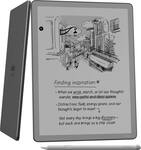
- Kindle Scribe combines an e-reader with a digital notebook. It has a larger E Ink display and comes with a stylus, so you can take handwritten notes, mark up documents and sketch in addition to reading. If note-taking matters as much as reading to you, it's worth comparing other digital notebooks with the Scribe before deciding.
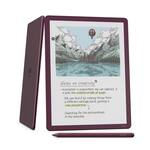
- Kindle Colorsoft brings color to the E Ink experience. It still has the glare-free screen, paper-like display and long battery life of a traditional Kindle, but it can display color covers, illustrations, comics and highlights, which the standard Paperwhite can't do.
Kindle Paperwhite vs. Amazon Fire vs. Kindle Scribe vs. Kindle Colorsoft
Best for | Display | Approximate battery life | |
Kindle Paperwhite | Distraction-free reading | E Ink, black and white | Weeks |
Amazon Fire | Streaming, browsing, apps and games | Full-color LCD | Hours to about a day |
Kindle Scribe | Reading plus handwritten notes | Larger E Ink, black and white | Weeks |
Kindle Colorsoft | Reading with color covers and highlights | E Ink, color | Weeks |
Which Kindle e-reader or tablet is best for you?
- If you're a heavy reader who wants long battery life and no distractions: the Kindle Paperwhite is likely your best option.
- If you want a single device for reading, streaming and browsing: an Amazon Fire tablet gives you more versatility, though at the cost of battery life and screen glare.
- If you take notes, annotate PDFs or sketch: the Kindle Scribe adds a stylus and notebook features to the e-reader experience.
- If you love graphic novels, cookbooks or illustrated titles: the Kindle Colorsoft's color E Ink display is built for that.
- If you're buying for a child: Amazon's Fire Kids editions include parental controls and durable cases, and are worth a look in the Amazon Fire tablets lineup.
Not sure whether you need a dedicated e-reader at all versus a general tablet? Choosing between an e-reader and a tablet can give you even more insight, and if you're curious about how Kindle stacks up against other e-reader brands, this comparison of which e-reader is right for you can help you decide.
Storage and battery life
Storage needs come down to how much you plan to keep on the device at once. A standard Kindle Paperwhite generally comes with enough storage for thousands of e-books, which is more than enough for most readers who primarily read text-based titles. If you plan to store a large audiobook library or a graphic-novel-heavy collection, look for a higher-storage configuration.
Battery life is one of the biggest differences between Kindle and a Fire tablet. Because E Ink displays only draw power when the page changes, Paperwhite, Scribe and Colorsoft Kindle models can typically go weeks between charges with normal use. Fire tablets use an always-on LCD screen, so expect battery life closer to what you'd get from a typical tablet or smartphone, generally lasting through a day of mixed use before needing a charge. This is where a power bank or portable charger is a good accessory to pick up. Make sure you get the right power cord to match—earlier generations of Amazon Fire used a micro-USB, but the 9th Generation Fire HD 10 through present models use USB-C cables.
Accessories to consider
Frequently asked questions
Is the Kindle Paperwhite better than the Fire for reading? For reading specifically, yes. The Paperwhite's E Ink display is easier on the eyes, readable in direct sunlight and offers much longer battery life than a Fire tablet's LCD screen.
Can a Fire read Kindle books? Yes. Amazon Fire tablets run the Kindle app, so you can read the same e-books, audiobooks and periodicals you'd read on a Paperwhite, plus stream video, browse the web and use other apps.
What's the difference between Kindle and Amazon Fire? "Kindle" generally refers to Amazon's E Ink e-readers, including the Paperwhite, Scribe and Colorsoft, which are built specifically for reading. "Kindle Fire," now called the Amazon Fire tablet, is a full-color, multi-purpose tablet that runs apps, video and games in addition to the Kindle reading app.
Which Kindle lasts the longest on a single charge? Any of the Amazon e-reader models, including the Paperwhite, Scribe and Colorsoft, will outlast a Fire tablet on a single charge, often by days or weeks depending on how much you read each day.
Is the Kindle Scribe worth it over the Paperwhite? That depends on whether you want to write and annotate as well as read. The Scribe costs more than a standard Paperwhite but adds a stylus and note-taking tools that the Paperwhite doesn't have.