8BitDo - Retro Joystick and Mechanical Keyboard - C64 Edition
Customers are saying
Customers admire the high-quality build, satisfying key feel, and attractive retro design of this mechanical keyboard. Positive feedback also highlights the versatile connectivity options and generally good battery life. However, some users express frustration with the software's performance and ease of use. The customizable switches are a point of contention for some, with opinions varying on their preferred feel.
Color
C64 EditionUltra-compatibility
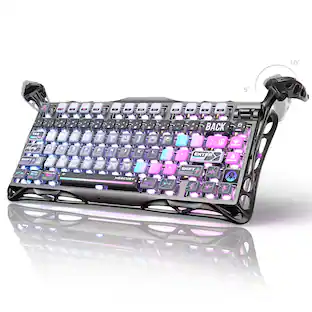
Connect via Bluetooth, 2.4G wireless, or wired. With its double-shot ABS keycaps and a consistent feel from a top-mount structure, it combines durability with a seamless typing experience.
Simplicity at its best, an independent control panel
Like the 8BitDo Arcade Stick, our keyboard features an independent control panel. Say goodbye to complex shortcuts. Enjoy effortless operations with just a turn and a click.
Designed with love
Iconic directional keys and programmable A and B keys.
Game changer: Dual Super Buttons
The specially designed 8BitDo Dual Super Buttons offer large, programmable keys. Set macros to the Super Buttons, or map anything to them instantly without using software. Connect up to 4 sets (1 set included).
8BitDo Ultimate Software V2 on PC
Our Ultimate Software V2 lets you effortlessly configure your programmable keys. Switch key mappings on the fly and take advantage of powerful macro functions for a personalized performance.
- Form FactorTenkeyless (TKL)Keyboard TechnologyMechanicalConnection TypeWired, Wireless
Reviews
Rating 4.3 out of 5 stars with 4 reviews
- Keyboard Quality (80)
- Design (25)
- Key Feel (22)
- Connectivity (20)
- Battery Life (9)
- Software (10)
- Noise Level (3)
The vast majority of our reviews come from verified purchases. Reviews from customers may include My Best Buy members, employees, and Tech Insider Network members (as tagged). Select reviewers may receive discounted products, promotional considerations or entries into drawings for honest, helpful reviews.





Compare similar products
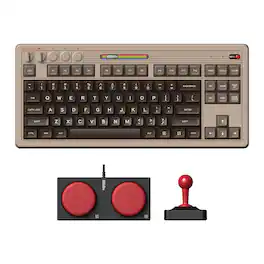
Meet the 8BitDo Mechanical Keyboard. Packed with programmable keys and an intuitive control panel. Meticulously crafted offering the perfect balance of quality and functionality. Compatible with Windows and Android.

Meet the 8BitDo Mechanical Keyboard. Packed with programmable keys and an intuitive control panel. Meticulously crafted offering the perfect balance of quality and functionality. Compatible with Windows and Android.
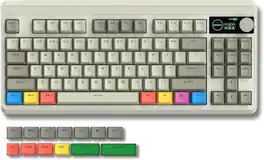
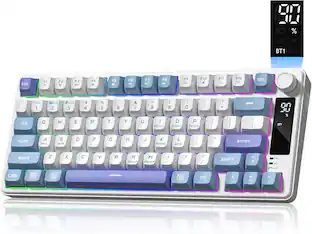
Bluetooth 5.1/2.4GHz /USB-C Wireless Mechanical Keyboard with Hot-Swappable Custom Switch, Compact Gamer RGB Keyboard
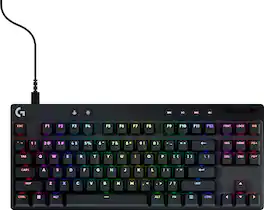
Elevate your gaming with the cutting-edge Logitech G PRO X TKL RAPID Wired Gaming Keyboard featuring magnetic-analog key switches. Enjoy responsiveness with Rapid Trigger and configure the switch travel on the fly without software, or use Logitech G HUB for precise key control. Game and glow as your RGB gaming keyboard dynamically syncs to the on-screen action. LIGHTSYNC RGB lighting enables color customization of any key to your liking. KEYCONTROL allows you to set specific commands or build multi-action combos across multiple layers on every single key. The durable dual-shot PBT keycaps and tenkeyless layout give this PC gaming keyboard a premium feel and provide undistracted play. The Logitech G PRO X TKL RAPID Tenkeyless Gaming Keyboard comes with dedicated media controls and a detachable USB-C cable.
| Pros for 8BitDo - Retro Joystick and Mechanical Keyboard - C64 Edition | |||
|---|---|---|---|
| Keyboard Quality, Design, Key Feel, Connectivity, Battery Life | Keyboard Quality, Design | There were no pros for this product— | Build Quality, Responsiveness, Typing Experience, RGB Lighting, Response Time |
| Cons for 8BitDo - Retro Joystick and Mechanical Keyboard - C64 Edition | |||
| Software, Noise Level | There were no cons for this product— | There were no cons for this product— | There were no cons for this product— |
Specs
Customers often buy these together
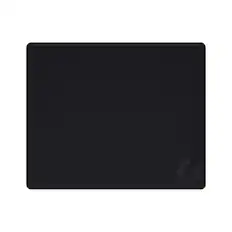
Logitech - G440 Cloth Gaming Mouse Pad with Rubber Base - Black
$15.99The price was $19.99
Explore tech essentials Sponsored
 $99.99The price was $139.99
 $164.99The price was $199.99
 $99.99The price was $119.99
Discover related products
 $12.99The price was $13.99
 $249.00The price was $275.00










Keep exploring
 $199.95The price was $209.95
 $69.99The price was $99.99