8BitDo - Retro Wireless Gaming Mechanical Keyboard with Number Pad for Windows and Android - N Edition - Gray
Reviews coming soon
About this product
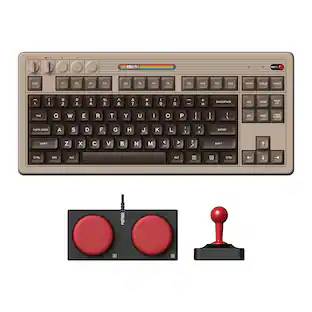
Ultra Compatibility Connect via Bluetooth, 2.4G wireless, or wired. With PBT dye-sublimation keycaps and a consistent feel from the top-mount structure, it combines durability with a seamless typing experience. Simplicity at its best: Independent Control Panel Connections, volume adjustment, button mapping... Say goodbye to complex shortcuts. Enjoy effortless operation with just a turn and a click. Integrated Number Pad and Function Key Shortcuts Enhance your gaming and productivity with added Windows shortcuts, Calculator, Function Lock, and Screen Lock. Game Changer: Dual Super Buttons The specially designed 8BitDo Dual Super Buttons offer large, programmable keys. Set macros to the Super Buttons, or map anything to them instantly without using software. Connect up to 4 sets (1 set included). Compatible with all 8BitDo Keyboard Extensions Create your own keyboard setup with the 8BitDo Super Stick, Super Button, and Super ABXY — sold separately.
Feature 1
Inspired by the classics. Compatible with Windows 10(1903) or above, and Android 9.0 or above.
Feature 2
108-key full layout. Integrated numpad and function key shortcuts.
Feature 3
Kailh Box White Switches V2. Dye-sub PBT keycaps. Top mount style. Hot-swappable PCB. Support n-key rollover.
Feature 4
Dye-sublimation PBT keycaps with MDA-like height.
Feature 5
Fast-mapping on programmable buttons (no software needed).
- Form FactorFull-sizeKeyboard TechnologyMechanicalConnection TypeWireless
Reviews
This product doesn't have any reviews yet.

Compare similar products

Ultra Compatibility Connect via Bluetooth, 2.4G wireless, or wired. With PBT dye-sublimation keycaps and a consistent feel from the top-mount structure, it combines durability with a seamless typing experience. Simplicity at its best: Independent Control Panel Connections, volume adjustment, button mapping... Say goodbye to complex shortcuts. Enjoy effortless operation with just a turn and a click. Integrated Number Pad and Function Key Shortcuts Enhance your gaming and productivity with added Windows shortcuts, Calculator, Function Lock, and Screen Lock. Game Changer: Dual Super Buttons The specially designed 8BitDo Dual Super Buttons offer large, programmable keys. Set macros to the Super Buttons, or map anything to them instantly without using software. Connect up to 4 sets (1 set included). Compatible with all 8BitDo Keyboard Extensions Create your own keyboard setup with the 8BitDo Super Stick, Super Button, and Super ABXY — sold separately.
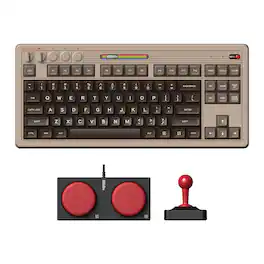
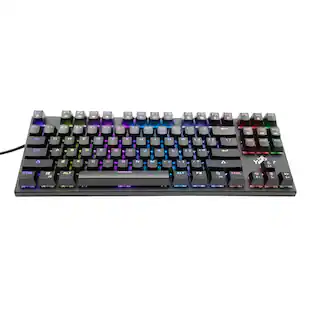
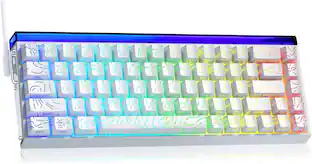
Meet the 8BitDo Mechanical Keyboard. Packed with programmable keys and an intuitive control panel. Meticulously crafted offering the perfect balance of quality and functionality. Compatible with Windows and Android.

Meet the 8BitDo Mechanical Keyboard. Packed with programmable keys and an intuitive control panel. Meticulously crafted offering the perfect balance of quality and functionality. Compatible with Windows and Android.

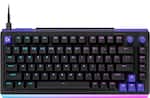
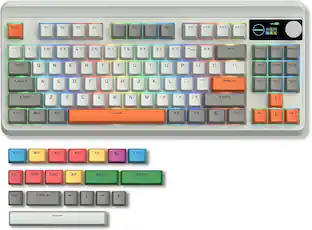
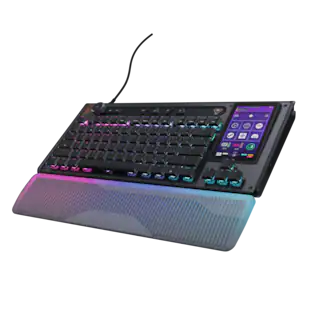
CORSAIR’s VANGUARD 96 pulls off the astonishing feat of shrinking a full keyboard with arrow keys, a tenkey pad, an LCD screen, rotary dial, and 6 programmable G-keys into a super-compact frame. Featuring wobble-free pre-lubricated CORSAIR MLX switches, it’s also hotswappable, supporting compatible 3-pin and 5-pin switches. The stunning LCD screen takes keyboard personalization to the next level with animations, stats, and game integration support. Quadlayer sound dampening provides satisfying keypress acoustics, and 8,000Hz hyper-polling delivers lightning-fast inputs. VANGUARD 96 also features Elgato Virtual Stream Deck integration, FlashTap SOCD handling, and easy customization via our web-based utility, CORSAIR Web Hub.
| Pros for 8BitDo - Retro Wireless Gaming Mechanical Keyboard with Number Pad for Windows and Android - N Edition - Gray | |||
|---|---|---|---|
| There were no pros for this product— | Keyboard Quality, Design, Key Feel, Connectivity, Battery Life | Keyboard Quality, Design | Build Quality, Feel, Noise Level, RGB Lighting, Size |
| Cons for 8BitDo - Retro Wireless Gaming Mechanical Keyboard with Number Pad for Windows and Android - N Edition - Gray | |||
| There were no cons for this product— | Software, Noise Level | There were no cons for this product— | Software, Key Sensitivity, Port Placement |
Specs
Be the first to ask a question.
We’ll try to get your question answered within 24 hours by a Best Buy customer or brand representative.
Customers often buy these together
More to consider
 Top Deal$109.99The price was $119.99
 $131.99The price was $179.99
 $299.99The price was $349.99



Explore tech essentials Sponsored
 $138.99The price was $199.99
 $38.99The price was $54.99

Keep exploring
 $69.99The price was $99.99
 $81.99The price was $89.99
 $55.99The price was $62.99
 $49.99The price was $59.99