Rating 4.7 out of 5 stars with 694 reviews
4.7- Overall Performance (320)
- Refresh Rate (52)
- Size (38)
- Resolution (26)
- Connectivity (16)
- Speakers (15)
- Stand Quality (10)
- Button Layout (9)
- Brightness (6)
Customer Images
The vast majority of our reviews come from verified purchases. Reviews from customers may include My Best Buy members, employees, and Tech Insider Network members (as tagged). Select reviewers may receive discounted products, promotional considerations or entries into drawings for honest, helpful reviews.
- Rated 4 out of 5 stars
Monitor Stand Problem, Manual
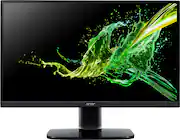
Review for: Acer - KA272 Ebi 27” Full HD IPS Monitor. Ordered online and picked it up late in evening. When I tried to attach the stand’s vertical arm to the stand base I couldn’t get the 3 studs on the bottom of the arm to align with the holes in the steel plate on the bottom of the stand base. Because they fit together so tightly, you can’t change the alignment between the arm and base. I went ahead and screwed the arm to the base, but the stand would wobble badly. The next day I was going to take it apart to put it back in the box so I could return it, but I took another look at the base and thought maybe if I loosened the 2 screws that attached the steel plate to the base there might be some play there. With those 2 screws loose, there was enough play to twist the steel plate to get the 3 studs aligned with the holes. I could now attach the arm to the base properly. There is a photo attached that shows the base bottom with a depressed area of the steel pate where you can see the 3 small holes with studs protruding through them surrounding the large head screw used to attach the arm to the base. On the outer edges of the steel plate are the 2 small screws attaching the steel plate to the base. Was glad I didn’t have to waste a return trip. The HDMI chord is 5 feet long. The monitor does tilt -5 to +15 degrees. According to the serial number, the model is KA272E to use to find the User Manual on the Acer support page. The manual does help with using the OSD (onscreen display) for changing a ton settings to get the view just like you want (or maybe just screwing it up totally). By way of a typo, I first got the manual for model KB272E, and it actually had a little bit better instructions to assemble the stand, though nothing about a misalignment problem. Picture was fine out of the box, except for my setting the brightness was a bit much so I did reduce it a bit.
Posted by RobertC
- Rated 5 out of 5 stars
Perfect picture, performance,price
So I needed a new monitor to replace an old 25-in one that was on its last legs. It was for a machine that I was building to run a copy of the zorin OS 16 linux distro. This monitor looks great and the footprint is nice and compact for a display of this size. Nice brightness and contrast. I can't comment on how the gaming performance would be running any heavy games, but the games that are on there now (Minecraft, Terraria, and a couple other similar games) that my daughter plays , she says she doesn't have any problem playing them. The price is right on this display and if You need a reasonably priced monitor and you don't want to have to shell out a ton of money this will definitely work.
Posted by CwMont
- Rated 5 out of 5 stars
Great Starter Monitors
I bought two because they were on sale and the picture quality is great. The monitors being 27’ is nice because sometimes I like to recline in my chair, which is great because it isn’t necessary for me to be so close to be able to see my games clearly. I use one monitor for my PC and the other for my PS5/Xbox. There is 1 HDMI port and 1 VGA, whichever you prefer. There isn’t any way to plug speakers into the monitor and it doesn’t have any sound capabilities. This is only an issue when I want to watch TV on my console and would prefer to take my headphones off. If you are looking for a monitor to get the job done this will exceed expectations.
Posted by XavierW
- Rated 5 out of 5 stars
Great price with one downside
The picture is good quality and the price let me go for a dual monitor setup. The downsides are the no display port and only one hdmi. The easy fix is buying adapters for a couple bucks but a little annoying. The base also shows dust being glossy black. With these points made the price is still super good.
Posted by Dalton
- Rated 5 out of 5 stars
A quality product at an excellent price
I bought two of these to use my with my ancient Mac Mini (2012). They were easy to set up and start using: just plug in and turn on. Each came with an HDMI cable. I plugged one monitor into the HDMI port and the other into the Thunderbolt port using an adapter, and turned one screen to portrait to best suit what I need to do. (I didn't use the stand they came with but rather one that allows me to rotate the screen from horizontal to vertical.) They were on sale so were an excellent value for the price. The monitor is an excellent value for the price.
Posted by MarkW