Skip to contentGo to Product Search
Main Content

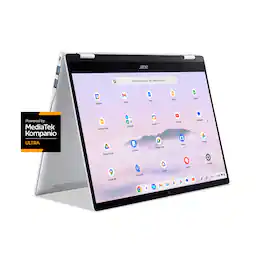
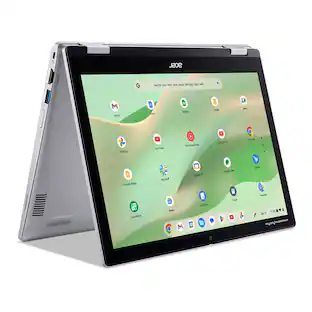
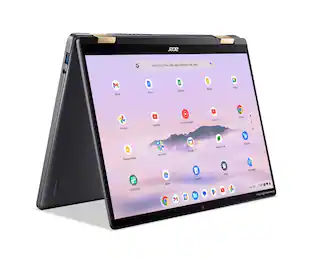
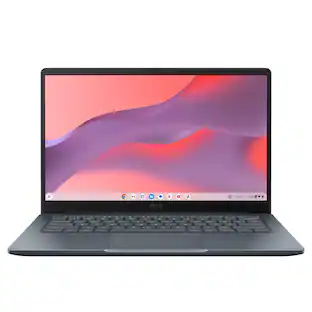
Acer - Chromebook Plus Spin 514 -14" WUXGA Touch Laptop MediaTek Kompanio Ultra -12GB Memory 256GB Storage - Wi-Fi 7 Google AI - Platinum Silver

Model: CP514-5HN-K6DY
SKU: 6639090
Sold byBest Buy

Customers are saying

Customers consistently note that the device delivers impressive overall performance, highlighted by its fast processor speed and efficient battery life. Users also appreciate the laptop's lightweight design and portability, which is further enhanced by the included soft cover case. While the machine operates quietly and features capable RAM, some users have expressed dissatisfaction with the quality of the keyboard backlighting.

Generated by AI based on customer reviews.
See it in-store: Roseville has a demo model on display.

Highlights

Features

  • The Best of Google, in a Laptop

    Chromebooks run ChromeOS, the fast, secure operating system from Google, with built-in Google apps like Gmail, Gemini, Docs, Photos, YouTube, and more.

  • Try Google AI Pro, with 5TB of Storage, and more for 12 Months at No Cost

    Boost your productivity and creativity with higher access to the best of Gemini including Nano Banana, Veo, Gemini in Gmail, Docs, and more. Plus get 5TB of storage - all in one plan.

  • The Power To Do More

    A MediaTek Kompanio Ultra 910 Octa-Core CPU and up to double the memory and storage, so you can edit files while watching your favorite shows in WUXGA (1920 x 1200)* with up to 17hours of battery life**. (*When compared to top selling Chromebooks in 2024 | **Actual battery life may be lower and will vary significantly based on factors like network conditions, location, settings, and usage.)

  • Advanced Apps for Work and Play

    Stay productive with Microsoft 365(2), create with Adobe Photoshop(3), edit videos with LumaFusion, and get your game on with GeForce NOW. All your favorite apps and more are just a click away.

  • Never Had a Virus - No Need To Worry(4)

    Breathe easy knowing your security and privacy are covered with built-in protection and the Titan C2 security chip.

  • 14” WUXGA Touch Display

    Enjoy a 14” WUXGA (1920 x 1200) 16:10 touch IPS display with 300-nit brightness and anti-fingerprint coating—ensuring clear, smudge-free visuals even in bright settings. The Corning® Gorilla® Glass touchscreen offers a smooth, rugged and scratch resitant surface with effortless navigation to enhance your experience.

  • MediaTek Kompanio Ultra

    The MediaTek Kompanio Ultra redefines Chromebook Plus laptops with groundbreaking computing performance, while also delivering all‑day battery life. The MediaTek Kompanio Ultra processor integrates 50 TOPS of AI processing power to enable on device generative AI experiences. With Generative AI inside, it delivers a new standard in on‑device intelligence — automating tasks, optimizing workflows, and enabling personalized, secure and efficient computing.

  • Fast. Efficient. Built on Arm.

    Get all-day speed and smooth performance with Arm architecture. Our superfast chip and graphics processor powers the Acer Chromebook Plus, keeping it fast and cool, so you can create, multitask, or just catch up on life.

  • 12GB LPDDR5X Memory

    Smoothly run numerous programs and browser tabs at the same time.

  • 256GB Universal Flash Onboard Storage

    Load faster and play sooner! You can start fast, stay fast and quickly load apps with ease.

  • On-Device AI: All Your Tabs and Apps, All in One Place

    Smart grouping lets you organize your tabs, documents, and apps by category. Say you’re planning a trip. You can collect your itinerary, budget worksheet, and hotel options in one easy-to-find group. That way, you’re not searching between all your open files and websites.

  • On-Device AI: Image Generation

    Unleash your creativity in the Gallery app on Chromebook. Cut out the clutter from your images so your subject can be the focus of the photo with the background removal tool. You can even use it to make personalized stickers of your pets or faces.

  • Crystal-Clear Calls and Audio

    DTS Audio with dual speakers delivers immersive sound, while 5MP webcam with a privacy shutter minimizes background noise for crystal-clear calls, ensuring you’re heard loud and clear every time

  • Quick Insert Key

    Designed for productivity, this Chromebook Plus offers a Quick Insert Key. With the Quick Insert Key. you can now easily generate AI images or insert photos and emojis right where you need them to enhance documents and presentations, without interrupting your flow.

  • Ready to Withstand the Journey

    Engineered with military-grade MIL-STD-810H durability and aluminum top and rear covers, the Acer Chromebook Plus Spin 514 is stylish, tough, and ready to withstand the demands of daily life, so you can take it wherever you go with confidence.

Specifications

  • Screen Type
    IPS
    Screen Size
    14 inches
    Screen Resolution
    1920 x 1200 (WUXGA)
    Touch Screen
    Yes
    Brightness
    300 nits
Sponsored

Reviews

Customers are sayingCustomers consistently note that the device delivers impressive overall performance, highlighted by its fast processor speed and efficient battery life. Users also appreciate the laptop's lightweight design and portability, which is further enhanced by the included soft cover case. While the machine operates quietly and features capable RAM, some users have expressed dissatisfaction with the quality of the keyboard backlighting.
This summary was generated by AI based on customer reviews.
  • Overall Performance (45)
  • Battery Life (33)
  • Processor Speed (29)
  • Portability (28)
  • Noise Level (5)
  • Keyboard Illumination (10)

Customer Images

The vast majority of our reviews come from verified purchases. Reviews from customers may include My Best Buy members, employees, and Tech Insider Network members (as tagged). Select reviewers may receive discounted products, promotional considerations or entries into drawings for honest, helpful reviews.

  • Rated 5 out of 5 stars

    A beast of a Chromebook

    This machine has a convertible form factor and has the very latest fanless MediaTek Kompanio 910 Ultra processor, which provides great performance along with great battery life and powerful AI support (50TOPS). Specs are excellent; 12GB LPDDR5X RAM, 256GB UFS SSD, 14"WUXGA touch display, WiFi7, etc. and it feels great to carry or use. Highly recommended.

    Posted by Ellett

  • Rated 5 out of 5 stars

    Really great so far

    I've had the Acer Spin 514 for about a week now. It's running the apps perfectly and browses multiple windows and browser tabs with ease. Track pad feels super nice and is very responsive. Love the built-in key in commands as well.

    Posted by BRANDON

  • Rated 5 out of 5 stars

    Slim, Fast, Cool, Powerful

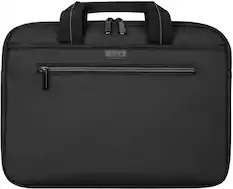
    TLDR: This Chromebook is a Plus series model. That defines computers that use the Chrome OS Operating System with higher specifications as defined by Google. A Chromebook Plus must have at least a 12th-gen Intel i3 or 7000-series Ryzen 3 processor or identical processor power, 8 GB RAM, a minimum of 128 GB of storage, an LED illuminated full HD 1920 X 1080 IPS screen, and a full HD webcam with noise reduction. Some Plus models also have touchscreens, illuminated keyboards, 256GB of SSD storage, and USB-C ports that contain both High Speed and Display Port protocols for video output to large monitors. In addition, many Plus models also are “2 in 1” in that their display screens will rotate completely backward to form a large tablet configuration for convenience. This ACER Spin 514 model Chromebook has all of the above higher specs, with 12 GB of RAM, and the 256GB of internal UFS storage. It has standard Google AI Artificial Intelligence features. This model uses a fast and efficient Media-Tek Kompanio Ultra 910 processor and a 14” 1920 x 1200 (known as WUXGA) High Definition) IPS Gorilla Glass touchscreen LED display. The CPU is an 8 core and runs at 3.62 Ghz speed with 12 Megabytes of Level 3 cache. Onboard RAM is 12GB and is LPDDR5X. It supports 2 external 4K monitors from the USB-C with Display Port output. Being a 14” model, it does not have a dedicated number keypad; the keyboard is illuminated. The weight is 3 pounds; dimensions are 12.3 inches left to right, 9.1 inches front to back and about .6 inch high when closed. Battery life is touted at 17 hours.. It is supplied with 2 USB-C ports, 2 USB-A ports, volume controls, a headphone/microphone jack and a 65 watt AC power adapter/charger. There is a gray, padded, protective sleeve/carry case supplied in the box with a separate compartment for the AC charger and a mouse. The WiFi is 7 protocol for fast speeds. Bluetooth is 6.0 I used a USB-C multi-port docking station and the USB-C ports wonderfully put out video allowing me to use 2 large 23” monitors and also charge the Chromebook when I plugged the included Acer AC adapter into the PD Power Delivery port of the docking station. Google provides 15 Gigaytes of free online storage room for all apps combined per Gmail account. (Create more Gmail accounts to get more storage for free). Sign into a Chromebook with your gmail account and you are ready to utilize everything Chromebooks offer. All Chromebooks power up fast, are virus protected because everything goes through Google servers where viruses and hacks are screened out, and run cool and last long on a battery charge. All also have free access to Google Docs word processing, Google Sheets for spreadsheets, Google Photos to store and edit images, a free Google Voice telephone number for making calls from Android devices, Windows devices, and Chromebooks, YouTube, and other applications available free of charge. All documents created save automatically into your Google Drive offline “cloud” storage and are accessible from any computer once signed into a user's Gmail account. Google AI is built in and it is called Gemini. There is a Gemini icon on the Chromebook shelf to activate Gemini and use it verbally or by typing commands to enable services such as summarizing articles, searching anything, collect data from internet searches, generate images based on descriptions, and other functions that are yet to be created. With Gemini, a “Magic Editor” is available in Google Photos to change, edit, or manipulate photos. This is started by circling a photo section and performing changes, movements, deletions or copying to that section. Gemini is also a writing machine in that the user may type in a writing task and Gemini searches, summarizes and writes what is requested. Gemini is also a chat engine in that it will reply to questions and rebuttals to what it produces. It is able to summarize web pages quickly. Gemini Live Translate, enables Google AI translated captions for audio and video. Chromebooks also have the ability to use Microsoft apps such as Word, Excel and others with Chrome OS versions. I use the Google Docs, Sheets, Voice, Drive and YouTube on all my computers be they Chrome OS or Windows. Sign in with a Gmail account and all the files are there. Start creating on one computer, pick up on another to add or edit, sign in to another to print or continue working on documents. I also open Microsoft files into Google Docs or Sheets and then revise and update them. Anyone who has a Microsoft OneDrive for file storage can easily use the Chromebook Settings menu, download the OneDrive app, go to the Files section and integrate Microsoft OneDrive files into a Chromebook by signing into the Microsoft account. Re the Acer Spin 514: I experienced long battery life, fast WiFi response using my WiFi 6 router in my home, decent sound via BlueTooth to some JVC, Sony, and Philips headphones and quite respectable sound using the built-in speakers which fire up on both sides of the keyboard. It is very slim and lightweight; it is fast; it runs silently and cool. Battery life is very long. This Acer CB+ Spin 514 is very fast indeed, it runs cool, and allows using web browsing, word processing and playing music simultaneously with no hiccups. The video camera is 5 MegaPixels with a privacy shutter with good images when I tested it with another user using Google Meet. The single slight negative is that the keyboard keys are a light silvery white color and the white LED illumination is not very contrasty with that key color. But an illuminated keyboard is always a plus. It runs cool but has cooling slots on the bottom panel so be careful and don't place it onto sheets, blankets or a sofa while in use since a fabric surface will block the upward flow of cooling air into the bottom which is exited from the back edge below the display screen. Dust is the nemesis of good performance on any computer. Highly recommended.

    Posted by AtrixNY

  • Rated 4 out of 5 stars

    Impressive, but with a couple of caveats

    This is a really good Chromebook with impressive specs, but I had a couple of reservations about it. Performance overall is excellent -- MediaTek has really upped their game and is no longer just a budget chip manufacturer. The MedaTek Kompanio Ultra 910 is very powerful, and along with the 12 GB of RAM, makes for quick opening of my huge Google Docs/Sheets (within a second, compared to 4-5 seconds on other Chromebooks). Gemini AI features are also quick -- it was able to generate a requested image in about a second. Media streaming was smooth and flawless, with 2K60 videos on YouTube looking dazzling on the touchscreen WUXGA (1900x1200) display. Android gaming is also impressive, which is somewhat unusual on Chromebooks in my experience. Asphalt Legends Unite (which is still a good benchmark for performance) works very smoothly, and the accelerometer is flawless for steering. It’s actually smoother than on my Pixel Tablet or Samsung Galaxy Tab S9 FE+. Build quality is fantastic. The body is all aluminum, with two linear feet (that I hope won’t start to peel off with age, as I’ve experienced with other devices). The hinge that allows for the screen to fold all the way back to become a tablet is very smooth, but a little too tight to allow for one-finger opening. There are 2 USB-C ports on the left and 2 USB-A ports on the right (all USB 3.2), which is an interesting placement choice -- I would’ve preferred one of each on each side. There’s also a standard headphone jack, but no microSD card reader. Stereo speakers are present on either side of the keyboard, which is much better than down-firing speakers; however, despite the DTS sound, sound quality is still what you would expect from laptop speakers. It’s all midrange, and although it can get pretty loud, it also gets fairly muddy at peak volume. The webcam works fine, and there’s a manual privacy shutter switch. The keyboard is a mixed bag, and one of my main reservations. The full-sized backlit layout and spacing is good, and key travel and tactile feel is decent. However, I’ve found that the Shift keys are not that responsive -- the main typing error I’ve noticed is missed capitalizations, which can be very frustrating when typing something formal. The touchpad is huge and works very well, but since it’s so big, I found that my palms occasionally brushed against it and caused the cursor to move. A feature that’s missing from a device of this caliber is a fingerprint sensor. I have a couple of Chromebooks with a sensor, and I’ve really come to appreciate the convenience and security, especially when logging into accounts or apps that can use a passkey. Another concern is that after only one week of testing, I’ve had an episode where the screen is black and the device seemingly unresponsive upon opening the lid (usually while charging). I can tell the Chromebook is on because of the keyboard backlight, but I had to force a shutdown by pressing and holding the Power key for 10 seconds, then reboot. I’m not sure if this is a hardware issue, or possibly a ChromeOS bug (I’ve seen this happen on one of my other Chromebooks as well, which is also a Chromebook Plus). My unit came with a basic but nice fabric carrying case, with a zippered exterior pocket. Overall, this is an impressive Chromebook, but if possible, you may want to test the keyboard yourself at a physical Best Buy store to see if you run into the same problem that I encountered.

    Posted by William C

  • Rated 5 out of 5 stars

    The Best Chromebook I've Used So Far

    I wanted to give a Chromebook another try. I had one a few years ago and it was my daily driver for a while, but then I picked up a Macbook, then a Windows 11 laptop, so I sold the Chromebook since these others met my needs. The Acer Chromebook Plus Spin 514 grabbed my interest because of the integration with Android. I have an Android tablet that I use everyday, mainly to play games. Could this laptop, with its touchscreen, 360 degree hinge, and Android integration might be able to replace both laptops and my Samsung tab?? Design and Build Quality: The Spin 514 boasts a relatively sleek aluminum chassis, giving it a premium feel that is much nicer than most Chromebooks. The convertible design allows it to be used in various modes: laptop, tablet, tent, and stand, making it versatile for different tasks, from typing documents, browsing the web, watching TV & movies, and playing games. The hinges feel sturdy, and stay in place in whatever position you leave it. The premium feel continues with the backlit keyboard and a great looking screen. I am also usually able to open the lid with one hand without the bottom lifting up from the desk, a feature I love in Apple laptops. It’s not 100% but I don’t find myself using both hands and prying it open. Performance: A Chromebook finally gets a great processor! So many Chromebooks have old, power hungry processors like the older Pentium chips. Even the more recent ones with newer i3 and i7 Intel chips have terrible battery life because of the high draw these chips require. The new MediaTek Kompanio 910 is a game changer. It is fast, snappy, and I don’t think I’ve heard the fans turn on yet. It also comes with 12GB of RAM, which is nice. I would live to have 16GB in it but at the same time I haven’t had any issues. As far as my games go, and the potential of replacing my Tab for the casual games I play, I am undecided at this point. Both of the games I play work fine on here. They are not quite as snappy as they are on the Tab S10+ though. Gaming is not a primary function of this Chromebook but it is possible. It links up with Google Play Games and all my game progress loads. I think if I was traveling I could bring this laptop instead of one of my others plus my tab. Display and Audio: The 14-inch (1920 x 1200) touchscreen display is perfectly fine for most any occasion. The display's brightness is sufficient for most indoor environments, and the touch response is accurate and fluid. It’s certainly not a “retina” display but those displays are not touchscreen either, eh-hem… Apple. For audio, the upward-firing speakers deliver clear sound, although certainly not as punchy or loud as my other laptops, but it’s good. Keyboard and Touchpad: The backlit keyboard is a nice addition. I have some mixed feelings about the keyboard and trackpad though. The keyboard is fine. Just okay. The keys are a little mushy feeling, good travel but not premium. They don’t really bother me as I type this review on the 514, but it doesn’t wow me at all either. The touchpad is not my favorite. You need to press in the center to get the right feel. The top left and right does not click down at all. The entire touchpad is functional for tapping or scrolling but not clicking down. It just feels a bit cheap at times. It’s also not a deal breaker. Battery Life: The battery life on the 514 has been great so far. I am easily getting over 10 hours with mixed usage - gaming, web browsing, and video consumption. The Acer Chromebook Plus Spin 514 has the best battery life of any Chromebook I’ve used. The ultra efficient MediaTek chip has everything to do with that. Connectivity and Ports: The Spin 514 has a good selection of ports, including two USB-C ports, two USB-A ports, an HDMI port, and a headphone jack. I use the USB-C ports to connect to my external monitor, which is where I have an issue. I have a 49” OLED ultrawide monitor with a 5120x1440 resolution. The best resolution I could get with this Chromebook was 3440x1440. This is very disappointing to me because it leaves ⅓ of my monitor black and unused. I know this is a Chromebook and not some Windows or Apple powerhouse, but even a lot of Windows laptops that are under $500 can handle the full resolution. Conclusion: Overall I would say that I really like this laptop. Can it replace my Mac or Windows laptop, probably not, but it is a great option to grab and go. I can save space on a trip by bringing this instead of my Tab and other laptop. I’ve also been keeping it on the table where I usually sit in the evenings and it has become my go-to for simple tasks or watching a video, that sort of thing. I love the versatility. It can do things Mac and Windows can’t (or don’t do well) which is play Google Play Store games. This is a great option for casual gaming, web browsing, watching videos, movies, and tv shows. It’s a multimedia center that is a highly compatible laptop. I’d recommend it to anyone who is not a “power user” or needs a specific OS for a specific application. It is a quality laptop.

    Posted by RunJK

Compare similar products

Acer - Chromebook Plus Spin 514 -14" WUXGA Touch Laptop MediaTek Kompanio Ultra -12GB Memory 256GB Storage - Wi-Fi 7 Google AI - Platinum Silver
4.7(99)

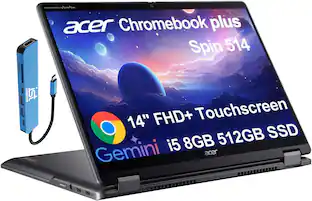
Effortless multitasking meets AI-powered productivity with the Acer Chromebook Plus Spin 514. Built on the superfast Arm architecture, it delivers speed, smooth graphics, and all-day power. This Chromebook Plus laptop with Google AI is a 2-in-1 convertible laptop, powered by a MediaTek Kompanio Ultra processor with a built-in NPU. Its lightweight design, at 3.0 pounds, features a 14” WUXGA 1920 x 1200 touchscreen, fast Wi-Fi 7 connectivity and long battery life with fast charging, ensuring all-day productivity on the move. Runs ChromeOS, with Google AI, the fast, secure operating system built by Google. Write like a pro, design unique backgrounds, and reimagine photos with generative AI.
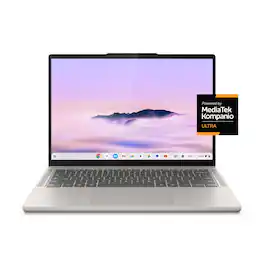
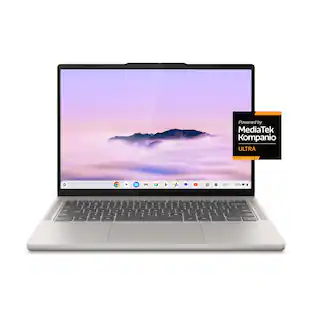
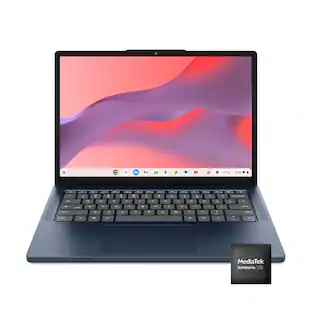
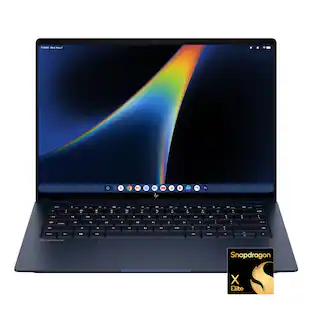
Lenovo - Chromebook Plus 14" OLED 2K Touchscreen Laptop with Gemini - MediaTek Kompanio Ultra 910 - 16GB Memory 256GB Storage - Seashell

Big AI power. Simple to use. The MediaTek Kompanio Ultra’s 50 TOPS NPU boosts productivity and creativity with Smart Grouping, on-device image generation in the Gallery app, and more. The OLED display delivers crisp, vibrant visuals-perfect for photo editing and streaming-while quad Dolby Atmos speakers bring immersive audio. Thin, light, and built for self-starters, it lasts up to 17 hours.
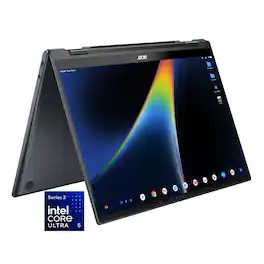
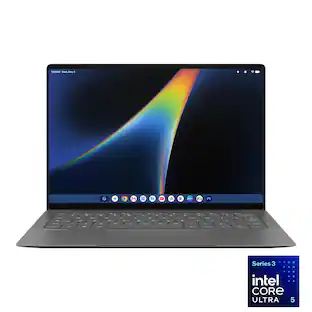
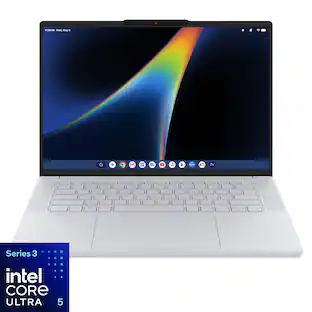
Acer - Googlebook 14 Laptop - 14" 3K OLED 120Hz Touchscreen - Intel Core Ultra 5 Series 3 2026 - 16GB Memory – 512GB Storage - Elemental Blue
4.5(2)

Acer Googlebook 14 – The Industry’s First Convertible Googlebook: Experience the new Acer Googlebook 14, where a brilliant 3K OLED touchscreen, refined convertible design, and long-lasting battery life come together in one beautifully crafted device. Designed for Gemini Intelligence, it provides personalized AI assistance that helps you create, organize, and accomplish more with ease. Point to anything on screen for contextual guidance or simply describe what you want to create and watch your ideas take shape in seconds, all while staying firmly in control of the experience.
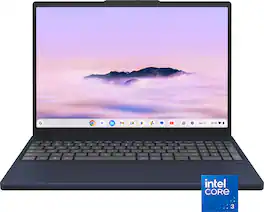
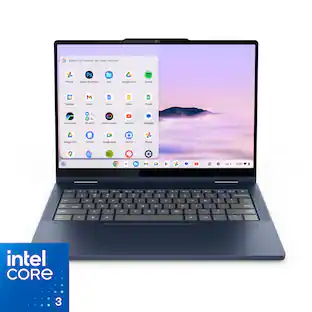
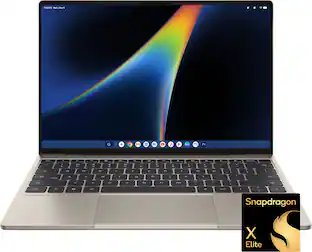
Lenovo - Chromebook Plus 15.3" 2K Touchscreen Laptop - Intel Core 3 Processor N355 2025 - 8GB Memory 128GB Storage - Cosmic Blue
4.8(22)

Smarter work. Lighter load. More done. The Lenovo Chromebook Plus gives you big-screen advantage without bulk on a 15.3" 16:10 display. With Intel® Core™ performance and Gemini built in, you can multitask, create, stream, and game in the cloud seamlessly anywhere.

Pros for Acer - Chromebook Plus Spin 514 -14" WUXGA Touch Laptop MediaTek Kompanio Ultra -12GB Memory 256GB Storage - Wi-Fi 7 Google AI - Platinum Silver
Overall Performance, Battery Life, Processor Speed, Portability, Noise LevelBattery Life, Processor Speed, Portability, Build Quality, OLED QualityThere were no pros for this product—Overall Performance, Portability, Battery Life, Touchscreen Responsiveness
Cons for Acer - Chromebook Plus Spin 514 -14" WUXGA Touch Laptop MediaTek Kompanio Ultra -12GB Memory 256GB Storage - Wi-Fi 7 Google AI - Platinum Silver
Keyboard IlluminationPerformance, Port CountThere were no cons for this product—There were no cons for this product—

Specs

Questions & Answers

  • Does it have any sort of biometrics?

    No, this Chromebook does not have a fingerprint reader.

    Answered by TeamAcer
    TeamAcer response
  • Can I use a pen or stylus with it?

    Yes, this Chromebook Plus Spin 514 is compatible with an active stylus that supports the Universal Stylus Initiative (USI) standard.

    Answered by TeamAcer
    TeamAcer response
  • How long can the battery last?

    The battery can last up to 17 hours.

    This question and answer was generated by AI based on customer and product data.
  • Does this laptop have a camera?

    Yes, this laptop has a front-facing camera.

    This question and answer was generated by AI based on customer and product data.
  • Is the laptop screen a touch screen?

    Yes, this laptop has a touch screen.

    This question and answer was generated by AI based on customer and product data.

Ask a question
No content

Customers often buy these together

Sponsored