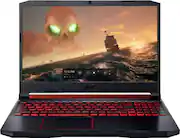
Rating 4.6 out of 5 stars with 298 reviews
4.6- Performance (64)
- Speed (40)
- Ease of use (21)
- Gaming (20)
- Price (15)
- Heat (5)
- Fan Noise (3)
Customer Images
The vast majority of our reviews come from verified purchases. Reviews from customers may include My Best Buy members, employees, and Tech Insider Network members (as tagged). Select reviewers may receive discounted products, promotional considerations or entries into drawings for honest, helpful reviews.
- Rated 5 out of 5 stars
Back to College
This is exactly everything I was looking for!! Light up keyboard, fast speeds 2.4ghz, and a 10 keypad. I can have at least 6-7 different pages open and it works great!! I bought this for my online college courses I am taking. I will have 4 pages from my online school and pandora playing on another page. I do not use this for gaming, strictly for office work and school. I do have slot of video tutorials I have to watch. It is perfect for what I use it for. I needed a faster and lighter laptop computer. Absolutely Love it!!
Posted by Shellbell
- Rated 5 out of 5 stars
Gaming laptop
Love it for the price processor graphics card everything this laptop has you cannot beat it id like to see it with 16 in ram ,no biggie has extension slot and just got a 8 gig ram stick. even without the extra ram this pc ran games like it was nothing.
Posted by ZIPPY82
- Rated 5 out of 5 stars
So far, my choice for a first gaming laptop
Bought this for 12 yr old gamer. His first true gaming device. He is in love! I researched a lot, got a bunch of advice from other gamer friends, and took a leap of faith that he’d like it. I like the separate GPU and the extra fans to keep it cool. I chose the 4 cell battery to give him extra time in a vehicle with a movie or game. And, very sturdy case for a not quite adult with young siblings.
Posted by Dynamicmama
- Rated 4 out of 5 stars
Very fast and holds up to its name.
Very fast , holds a lot of storage and plays all of my games pretty well with no lags. Sims 4 - 3 and others. I would recommend a sound bar to go with it because most gaming computers audio isn't loud because its made to have a headset in.
Posted by Avvi
- Rated 5 out of 5 stars
For the price, this is a great gaming laptop.
It is a great entry level gaming laptop. Has Ryzen 5 processor which is a good mid tier CPU. 8 gb of ram which is upgradable. 256 GB SSD isn't very big , but it has the space to add another one. Screen is descent. For what I want to use it for it works well. Works great on Scrap Mechanic if you add a gaming mouse, and Skyrym. Works great for doing school work also.
Posted by ScrappyLongberad