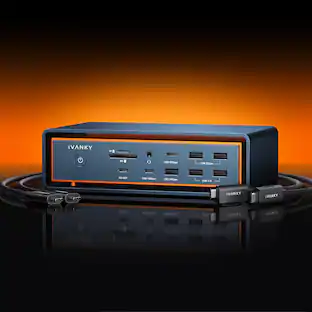
Acer - USB-C Dock D501 | 2x HDMI, 2x DP, USB-C, 6x USB 3.1, Ethernet | Works with Chromebook | USB-A/C Required
About this product
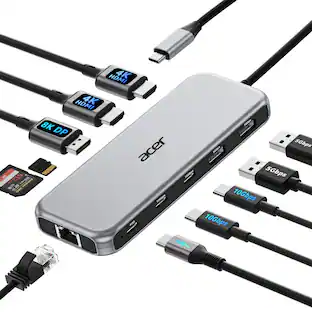
The USB-C Dock D501 is a versatile and powerful docking solution designed to expand your workspace with seamless connectivity. Featuring dual HDMI 2.0 and DisplayPort outputs, it supports multiple high-resolution displays for enhanced productivity. With a total of seven USB ports—including USB Type-C, USB 3.1 Gen2, and Gen1—it offers fast data transfer and flexible peripheral support. The integrated Gigabit Ethernet port ensures reliable wired networking, while compatibility with Chromebook and USB-A or USB-C host devices makes it ideal for modern setups. Compact and efficient, the Dock D501 is perfect for professionals seeking streamlined performance.
Multi-Display Support
Connect up to four external monitors via 2x HDMI 2.0 and 2x DisplayPort for a seamless multi-screen setup.
High-Speed Connectivity
Includes 1x USB Type-C, 2x USB 3.1 Gen2, and 4x USB 3.1 Gen1 ports for fast data transfer and device charging.
Reliable Networking
Built-in Gigabit Ethernet port ensures stable and secure wired internet access for professional environments.
Broad Compatibility
Certified to work with Chromebook and supports both USB 3.1 Type-A and USB Type-C host connections.
Compact & Efficient Design
Sleek form factor fits neatly on any desk, making it ideal for home offices, classrooms, and business setups
- Maximum Number of Displays Supported3Number of DisplayPort Outputs (Total)2
Reviews
This product doesn't have any reviews yet.
Compare similar products

The USB-C Dock D501 is a versatile and powerful docking solution designed to expand your workspace with seamless connectivity. Featuring dual HDMI 2.0 and DisplayPort outputs, it supports multiple high-resolution displays for enhanced productivity. With a total of seven USB ports—including USB Type-C, USB 3.1 Gen2, and Gen1—it offers fast data transfer and flexible peripheral support. The integrated Gigabit Ethernet port ensures reliable wired networking, while compatibility with Chromebook and USB-A or USB-C host devices makes it ideal for modern setups. Compact and efficient, the Dock D501 is perfect for professionals seeking streamlined performance.

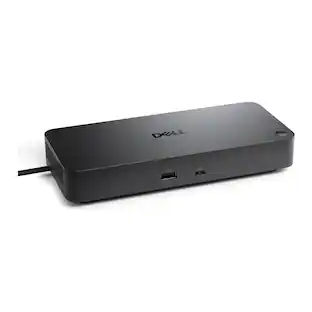
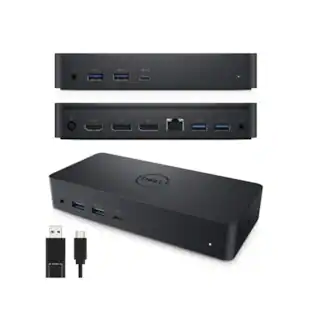
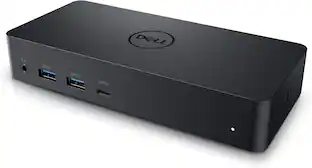
The Dell Universal Dock D6000 connects your laptop to multiple devices through a single USB-C or USB-A cable. Powered by DisplayLink technology, it supports up to three 4K displays simultaneously. Ports include 2 DisplayPort, 1 HDMI, 4 USB-A (one with PowerShare), 1 USB-C with PowerShare, Gigabit Ethernet, 3.5mm combo audio, and audio line-out. The dock delivers up to 65W power to your laptop while keeping peripherals connected, and the integrated USB-C cable includes a built-in USB-A adapter for wide compatibility.

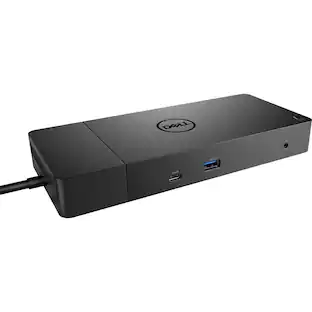
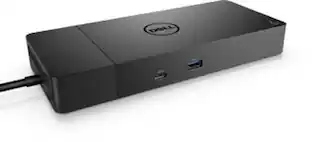
Expand the connectivity options for your USB Type-C system with the modular WD19 USB Type-C Docking Station from Dell. Compatible with Dell and non-Dell systems running Windows 10, Ubuntu 18.04, and Redhat Enterprise Linux, the WD19 connects to your host system using a 3.3' integrated USB Type-C cable and has two USB 3.1 Gen 2 Type-C ports, one of which doubles as a DisplayPort, plus three USB 3.1 Gen 1 Type-A ports, two DisplayPort 1.4 ports, one HDMI 2.0b port, one Gigabit Ethernet port, one 3.5mm headphone/mic combo jack, and one 3.5mm audio output. The WD19 will support one 3840 x 2160 / 30 Hz display, one 2560 x 1440 / 60 Hz display, or two 1920 x 1080 / 60 Hz displays and also features both Kensington and Noble Wedge lock slots. When powered using the included 180W AC adapter, this dock provides up to 130W of power delivery to your host system.
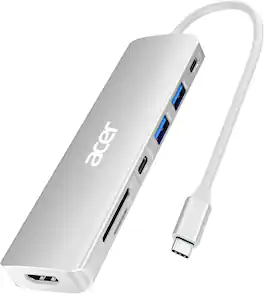
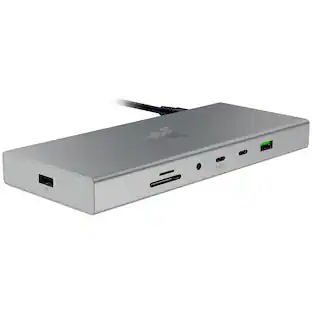
Acer USBC adapter macbook is made of Aluminum material, expands a USB-C port to 7 ports (1*HDMI 4K@30HZ, 2*USB 3.1, 1*USB-C, 1*Type-C PD charging, 1*MicroSD card slot, 1*SD card slot). The USB hub expands your work from home, office, or on the go.
| Pros for Acer - USB-C Dock D501 | 2x HDMI, 2x DP, USB-C, 6x USB 3.1, Ethernet | Works with Chromebook | USB-A/C Required | |||
|---|---|---|---|
| There were no pros for this product— | There were no pros for this product— | There were no pros for this product— | Build Quality, Port Performance, HDMI Quality, Portability |
Specs
Be the first to ask a question.
We’ll try to get your question answered within 24 hours by a Best Buy customer or brand representative.
Customers often buy these together
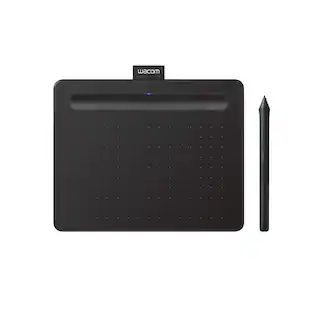 Top Deal$69.95The price was $79.95
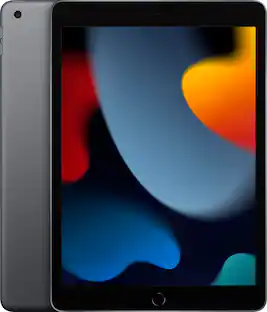 $399.99The price was $479.99
 Clearance$142.99The price was $149.95
 Clearance$31.99The price was $51.99



More to consider
 Clearance$48.99The price was $69.99
 $199.99The price was $259.99



Explore tech essentials Sponsored



Discover related products
 $12.99The price was $13.99
 $249.00The price was $275.00
 $189.99The price was $197.23










Keep exploring
 $38.99The price was $45.99
 $17.99The price was $21.99