Rating 4.7 out of 5 stars with 379 reviews
4.7- Screen Size (65)
- Ease of use (62)
- Warm Light (54)
- Weight (39)
- Battery Life (35)
- Price (16)
- Ergonomics (5)
- Eye Strain (3)
- Hold (3)
Customer Images
The vast majority of our reviews come from verified purchases. Reviews from customers may include My Best Buy members, employees, and Tech Insider Network members (as tagged). Select reviewers may receive discounted products, promotional considerations or entries into drawings for honest, helpful reviews.
- Rated 5 out of 5 stars
Bookworm’s Delight
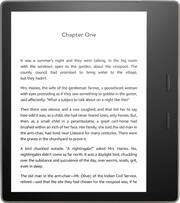
I’ve owned Kindles before, many years ago. Ultimately gave them away to friends and family as I got out of the habit of reading as much. Wow the technology has improved! If you’re reading this review you clearly understand any e-ink reader a tablet is not. I am blown away by the Oasis 3 (2019). For someone who reads and really, really loves reading, if you’re okay with the price tag this device occupies a space someplace between superb and sublime. I probably spent four weeks researching this device, trying to justify buying another device just for reading. Then I read a recent NYT article “Yes, I’m telling you to buy another device to help cut down on your screen time and focus on reading.” Guess what? Totally true for me. If I read on my iPhone (and it would be the same if I had an iPad—or sub Android equivalents if that’s your jam), I would invariably be as distracted as I am trying to write this review—multiple text messages, emails, and OMG a weather alert because it’s starting to rain outside. Stop the presses! Stop enjoying the wonder that is a great book! Stop and attend to anything other than being present in this moment of being a bookworm! And the screen. I had forgotten what an absolute pleasure it is to read e-ink. And WOW the sharpness and PPI has improved and with the warm light settings it is like reading an actual text book visually. The ambient light sensors are great. And not having to use an external light source to read? Magical. Immersive. Physical buttons for page turns? Love. Little bulk on the one side housing the battery and CPU to make it easy to hold? Love. Auto-rotation when I switch hands? Love. Size? Love (they say size doesn’t matter... the extra inch matters). The weight in the hand? Beyond love. It’s not only lighter than my iPhone, the weight balance is like something Elves crafted in Middle Earth that was then forged by Dwarfs. Pure perfection. Complaints? Okay, I do get that as some have observed, the wonderfully soft to hold aluminum body can get warm if sitting outside in the summer in direct sunlight for an hour. Don’t tell my dermatologist. Shhh. But as soon as it’s in the shade for 5 minutes, you’re back to normal. Same goes for colder weather. It can get a little cool to the touch. Not like an icicle, but you’ll notice it for a few minutes until it’s absorbed a little body heat from your hand. Battery life? Well, it’s like 10,000,000x longer than an iPhone or iPad. Do you have to charge it? Yeah. Is it more than once a week under HEAVY use (3-4 hours per day), NO! And it takes very little time to charge. Are we talking about truly ridiculous “problems” at this point? YES. I ultimately got an Amazon fabric case which eliminates all of those issues. Though I will confess the case is more for protecting the Oasis when I’m traveling with it in a bag or backpack. While the case is light and sturdy, it adds just enough heft that I tend to pop it out of the case when I’m really tucking in to a book for a good long read. Again. It feels like I’m holding AIR. I am not about to diss those Elves and Dwarfs from Middle Earth on their craftsmanship. Is it expensive? Yeah. It is. Is it worth it? Yeah. It is. If you’re still reading this review, you are probably more than a casual reader. Think about all of the hours you’ll spend savoring reading and then divide those hours spent in a year into the cost of this device. I’m now reading about two books per week. Actual books. Not short news articles on my iPhone. 400 page books. About things I enjoy. I feel like I’m reclaimed my right to read. In large part, a direct function of how easy it is to read content on the Oasis (the antithesis of eye strain on an OLED or LED panel) coupled with NO DISTRACTIONS from the device. No notifications. No random thoughts driving me to check the internet. No temptation to endlessly scroll... whatever. Wait? What was I looking at? Why? And books. Yeah. That means even more $ for Amazon since those books ain’t free. Y’know what? If you love to read and are even looking at an Oasis, you already know that. Simply put, it’s a wonder and a joy and the current pinnacle of the true, pure reading experience. p.s. 8 GB is more than adequate—save yourself a little cash. Then you can spend it on a case, or removing special offers (though if you ask Amazon *ahem* “nicely” *ahem* they will do this for free).
Posted by Cymruvida
- Rated 5 out of 5 stars
Kindle oasis review
I was so excited to get the black Friday deal on my new Kindle oasis!! (Almost $I00 off!!) I first thought about the regular Kindle but quickly chose the oasis over the paperwhite or others because of its cool layout, super light, waterproof was also a super great feature to have, and it has audible included. are use the Kindle unlimited for now, and so far it has been wonderful with countless enjoyable books to choose from! Very much recommended to fellow bookworms!
Posted by Macbook
- Rated 5 out of 5 stars
Happy With Kindle!
I’ve been happy with this purchase! The kindle oasis is convenient for me, and has nice features! I like that if I want to read multiple books I only have to bring my Kindle instead of carrying around multiple books. I also love the goodreads feature it has. It’s also nice that I can get free and discounted prices on books with the subscription! It’s easy on my eyes as well. It was pretty expensive but worth it!
Posted by Jasmin
- Rated 5 out of 5 stars
Updrade
Easier to hold and use than my old kindle. Easier to navigate.
Posted by BBBB
- Rated 5 out of 5 stars
Kindle
I absolutely love my kindle i think its a perfect gift fir a booklover bookworm as well
Posted by Lowrideroldirs0