Anker - HDMI Switch - Gray
About this product
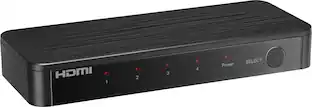
Anker HDMI Switch, 4K@60Hz HDMI Switcher, 4 in 1 Out with Smooth Finish, Supports HDR, 3D, Dolby, DTS, Compatible with Laptops, PC, Xbox, Projector (Charger and Remote Control Batteries Not Included)
Color
GrayFeatures
4-in-1 HDMI️ Switch
Expand one HDMI output into four inputs, offering you the freedom to connect more devices and switch between them without hassle. (This product does not support the HDMI CEC feature.)
Effortless Switching
Equipped with an intuitive remote control and one-click functionality, enjoy seamless transitions between devices, for stress-free entertainment and work.
4K Clarity Switch
Don't just watch; immerse yourself with ultra-high-definition quality for crystal-clear, vibrant visuals every time.
Power-Packed Performance
Delivering ample power for stable signals, this HDMI ensures a smooth, uninterrupted streaming experience—ideal for both work and play.
What You Get
Anker HDMI Switch (4 in 1 Out, 4K HDMI), 5 ft (1.5 m) USB-A to USB-C charging cable (HDMI Cables not included), remote control, safety guide with user manual, 18-month warranty, and our friendly customer service.
Specifications
- BrandAnkerModel NumberA83H2Product NameAnker HDMI SwitchColorGraySelector Switch Box TypeHDMI SwitchInput(s)4 x HDMI
Reviews
Rating 4.8 out of 5 stars with 9 reviews
Customer Images
The vast majority of our reviews come from verified purchases. Reviews from customers may include My Best Buy members, employees, and Tech Insider Network members (as tagged). Select reviewers may receive discounted products, promotional considerations or entries into drawings for honest, helpful reviews.
Compare similar products
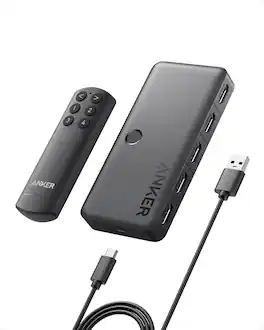
Anker HDMI Switch, 4K@60Hz HDMI Switcher, 4 in 1 Out with Smooth Finish, Supports HDR, 3D, Dolby, DTS, Compatible with Laptops, PC, Xbox, Projector (Charger and Remote Control Batteries Not Included)
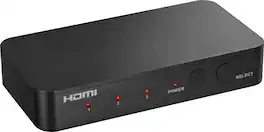
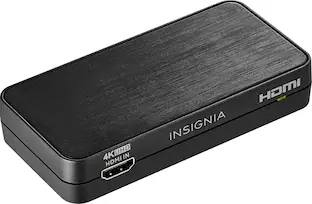
Complete your home theater setup with the Insignia HDMI 3-Port Switch with 4K HDR Inputs. The switch connects three HDMI devices, such as streaming sticks, gaming devices, computers, or Blu-ray players, to a TV screen or projector. A simple press of a button switches between the inputs to send on-screen. The switch features 4K HDR at 60Hz to support high-definition signals up to 18 Gbps, providing a crisp picture on the screen.
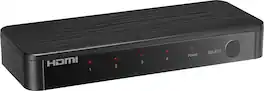
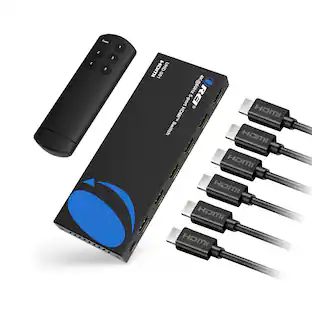
Future-proof your home theater setup with the Rocketfish 4-Input Ultra HD HDMI Switch. Designed to connect four media devices to a single display, effortlessly switching between them with the press of a button on the included remote. The switch supports 8K at 60Hz and is compatible with both HDR10 and Dolby Vision HDR for superior on-screen visuals.
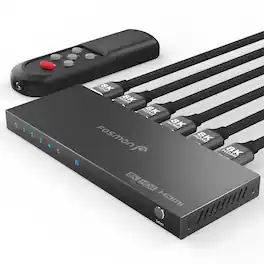
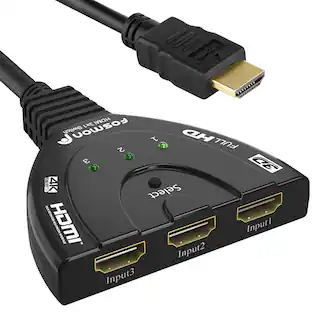
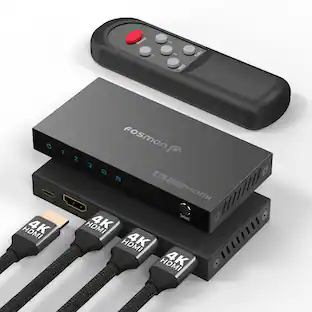
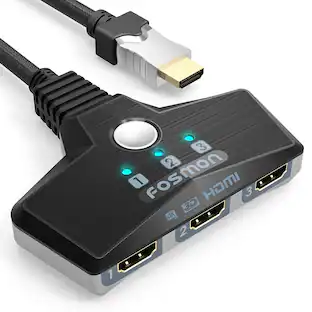
8K HDMI 2.1 Switch 5 In 1 Out Introducing our Fosmon HDMI 8K 5 in 1 out switch. Effortlessly switch with a simple press of a button on the switcher or the IR remote and control between 5 HDMI video sources on 1 HD display, reducing cable hassle and extending gear lifespan. Experience no delays or signal loss, thanks to the 48Gbps data transmission (Note: Requires HDMI 2.1 cable for 8K@60Hz resolution.) It is recommended to use 6.5ft or less HDMI cables for 8K resolutions, and 13ft or less HDMI cables for 4K resolutions. Plug & Play with One Key Switch Enjoy seamless work, gaming, video streaming and audio between five HDMI sources with one-button switching. The included USB-C charging cable ensures stable and quick transmissions. Use a 5V USB power adapter (not included) with the USB-C cable for best results. Keep your HDMI cables connected to the switch less than 2 meters each for optimal 8K resolution. Ultra-Fast and Stable Data Transmission Our 8K HDMI switch 2x1 delivers breathtaking visuals. Supports 8K@60Hz, 4K@120Hz, 1080P@240Hz with a 48Gbps transfer rate for a sharper, more realistic picture and enhanced gaming experience. Backwards compatible with all previous HDMI standards. Maximize your experience with seamless compatibility and enjoy the pinnacle of video and audio luxury. Ultimate 8K Gaming Elevate your entertainment with stunning 8K ultra-high-definition quality. Supports VRR, ALLM, QFT, QMS, Dynamic HDR Chroma 4:2:0/4:2:2/4:4:4, Dolby Vision, HDR10+ and HDCP 2.3 ensures seamless compatibility with various devices and latest consoles, enhancing your viewing and gaming experience with lifelike visuals and clarity. Sleek & Durable Design, Board Compatibility This HDMI switcher works seamlessly with devices featuring HDMI 2.1 ports or lower. Inputs: computers, XBox 360, XBox One, PS5/PS4/PS3, Xbox One Series X/S, Nintendo Switch, Apple TV, Fire Stick, Roku, Blu-Ray player and so on. Outputs: FHD TVs, monitors and projectors. The premium aluminum alloy housing guarantees durability, signal stability, heat dissipation and smudge resistance. Specifications • Input Ports HDMI x5 • Output Ports HDMI x1 • Video Amplifier 12Gbps/1200MHz per channel • Bandwidth (48Gbps all channels) • Interlaced (50&60Hz) 480i, 576i, 1080i • Progressive (50&60Hz) 480p, 576p, 720p, 1080p, 2K@144Hz, 4K@24/30/50/60/120Hz • 8K@24/30/50/60Hz • HDCP 2.3 • Power Consumption 5W (Max) • Dimensions (LxWxH) 160.3mm x 61.5mm x 14.5mm • Weight 200g Package Includes • 1x 5x1 HDMI Switch • 1x USB Type-C Power Cable (power supply/brick not included) • 1x IR Remote Control • 2x AAA Battery • 1x User Manual NOTE: Keep your input and output HDMI cables connected to the switch less than 6.5ft / 2m each for optimal 8K resolution, and less than 13ft / 4m each for optimal 4K resolution.
| Pros for Anker - HDMI Switch - Gray | |||
|---|---|---|---|
| There were no pros for this product— | Overall Performance, Ease of Use, Connectivity, Remote Control, Size | Overall Performance, Ease of Use, Connectivity, Audio Quality, Resolution | There were no pros for this product— |
| Cons for Anker - HDMI Switch - Gray | |||
| There were no cons for this product— | There were no cons for this product— | Remote Size | There were no cons for this product— |
Specs
Questions & Answers
Is but button the only way to switch the outputs?
Answered by Anker TeamFor most Anker HDMI switches (like the PowerExpand series), a physical button on the device is the most direct way to switch inputs, but it’s not the only way. Depending on the exact model, you may also have: Remote control – Many models (e.g., Anker PowerExpand 3‑in‑1 or 4‑in‑1 with IR) include a wireless remote. Auto‑switching – The switch can automatically detect which input is receiving a signal and switch to it (useful when you turn on a new device). Front‑panel button – The same button you mentioned, sometimes with LED indicators. If your specific Anker model doesn’t come with a remote or support auto‑switching, then yes, the button would be your only manual option. But you can check the product’s manual or specifications (e.g., on the Anker website or Amazon listing) to confirm.
Will it support 120hz @ 1440p?
Answered by Anker TeamThe Anker HDMI Switch supports a maximum resolution of 4K@60Hz for both input and output. Unfortunately, it does not support 120Hz at 1440p resolution. For a 120Hz refresh rate, you may want to explore Anker's HDMI to HDMI cables designed for higher bandwidth (48 Gbps) compatibility, which support 4K@120Hz.
I am using this to connect both my PS5 and laptop to one monitor. Sometimes while using it with my laptop my monitor will stop receiving a signal and go black for a couple seconds then return to showing the screen. Is there something I am doing wrong?
Answered by Anker TeamThis is a common issue with HDMI switches, and it’s usually not something you’re doing “wrong”, but there are a few things that can cause the screen to go black briefly when using a laptop + PS5 on one monitor. Here are the most likely reasons and fixes, explained simply. Why the screen goes black for a few seconds 1️⃣ Resolution / refresh rate changes (most common) When you’re using a laptop, it may: Change resolution Change refresh rate (60Hz ↔ 120Hz / 144Hz) Switch HDR on or off Wake from sleep or dim the screen When this happens, the HDMI switch and monitor re‑handshake the signal, which causes: 👉 a black screen for 1–3 seconds, then it comes back. ✅ This is normal behavior for HDMI switching. 2️⃣ Laptop output is higher than the switch or cable likes PS5 and laptops often output: 4K High refresh rates HDR If your laptop is set to: 4K @ 120Hz Or HDR + high refresh The switch may momentarily lose sync. ✅ Fix to try: Set your laptop to 4K @ 60Hz (or 1080p @ 60Hz) Turn HDR off on the laptop This often stops the flicker completely 3️⃣ HDMI cable quality Even if the switch is fine, a cable can cause brief signal drops. ✅ Make sure: You are using High Speed or Ultra High Speed HDMI cables Cables are not very long Try swapping the cable used with the laptop 4️⃣ Power-saving features on the laptop Some laptops briefly cut or reset the video signal when: Power settings change The system adjusts performance The GPU switches modes ✅ Fix to try: Plug the laptop into power Disable aggressive power‑saving modes Avoid closing the laptop lid if it triggers display changes 5️⃣ HDMI switch limitations Most HDMI switches: Do not buffer video Simply pass the signal through So any small signal change causes a short blackout. ✅ This does not mean the switch is defective.
Does not work. Removed switch, added straight line HDMI, same sorce settings and the signal works. Hooked switch back up... no signal. What am I doing wrong
Answered by Anker TeamIt seems the issue you're encountering with your HDMI Switch could be due to a cable or device compatibility problem. Below are potential solutions to troubleshoot this issue: Check HDMI Cable Specifications: Ensure the HDMI cable connecting the switch is less than 3.3 feet in length and meets the 30AWG specification. Longer cables or cables with other specifications might cause signal issues or reduce the video resolution. Test with a Different HDMI Cable: Try using a different HDMI cable to check if the current cable might be causing the issue. Resolution Settings: Confirm that the input resolution and refresh rate of the connected device align with the HDMI Switch's supported resolution (up to 4K@60Hz). If there's a mismatch, adjust the device's output settings accordingly. Device Compatibility: Verify that the connected input and output devices (e.g., TV, gaming console, etc.) are compatible with the Anker HDMI Switch. Input Selection: Ensure you're manually selecting the appropriate input source on the switch after reconnecting devices to match the signal. Direct Device Test: Test the source device by connecting it directly to your TV or monitor (without the switch) to ensure the device itself is functioning properly. By following these steps, the issue should be resolved. If you need additional assistance, feel free to reach out again!
Does this run on 4K @ 60 hz ?
Answered by Anker TeamYes, the Anker HDMI Switch supports 4K resolution at 60Hz for both input and output. Just ensure that your HDMI cables are suitable, adhering to a length of less than 3.3 ft and a 30AWG specification, for optimal performance without resolution issues.

Customers often buy these together
More to consider



Elevate your entertainment Sponsored
Keep exploring
Aten Technology 2-Port 4K DisplayPort USB-C KVM Dock Switch with Power Pass-through (US3311)
$199.45The price was $216.99