Rating 4.8 out of 5 stars with 79 reviews
4.8- Overall Performance (29)
- Data Transfer Speed (23)
- Compatibility (7)
- Cable Length (4)
Customer Images
The vast majority of our reviews come from verified purchases. Reviews from customers may include My Best Buy members, employees, and Tech Insider Network members (as tagged). Select reviewers may receive discounted products, promotional considerations or entries into drawings for honest, helpful reviews.
- Rated 5 out of 5 stars
Thunderbolt 4
I don’t usually get open-box items but this was at such a discount I thought “why not.” The Thunderbolt 4 cable has worked perfect and has never given me issues. Thank you so much
Posted by AjK24
- Rated 5 out of 5 stars
Worth it to discover
Such a good buy! Made my ssd T7 shield super fast for my MAC M3. I’m happy I did my research before I bought, and stumbled upon this product along the way (save me much needed cash on ext. ssds).
- Rated 5 out of 5 stars
Fast. And stable connection
Best. Fast. Stable connecting tool for Apple devices need thunderbolt 4. Especially good for connecting thunderbolt docking system.
- Rated 5 out of 5 stars
Thunderbolt 4 Pro Cable for 240Hz
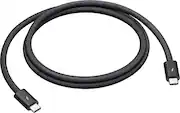
After some trial and error, I decided to go with the Apple Thunderbolt 4 Pro Cable, and it’s been a fantastic solution for getting the most out of my LG UltraGear 45” Ultrawide OLED, especially at the 240Hz refresh rate. I’m running this setup with my M1 Mac, and here’s what I’ve experienced: Why the Thunderbolt 4 Cable? When I first got the LG Ultrawide, I wasn’t sure if I’d be able to fully utilize the 240Hz refresh rate with the M1 Mac. I knew Thunderbolt would be key since USB-C just wasn’t cutting it for maintaining high refresh rates at this resolution. That’s when I tried the Apple Thunderbolt 4 Pro Cable, and it made all the difference. Getting 240Hz Smoothness With the Thunderbolt 4 Pro, I’m able to hit 240Hz on the LG Ultrawide with no hiccups. It really brings out the smoothness in fast-moving content, whether I’m gaming or editing videos. Everything is incredibly fluid, and the difference compared to using a regular USB-C cable is very noticeable. Perfect for My M1 Mac I was a bit skeptical about how well the M1 would handle the Ultrawide’s full capabilities, but this cable unlocked its full potential. Whether I’m working across multiple apps or playing around with graphics-heavy content, it’s able to sustain the high refresh rate without breaking a sweat. No stuttering or refresh issues at all. Reliable Build Quality Apple’s Thunderbolt 4 Pro cable isn’t cheap, but the build quality is top-notch. It feels sturdy, and I can tell it’s going to last for a long time. I also appreciate that the cable length (I got the 1.8-meter version) gives me flexibility without cluttering my workspace. Plus, the braided design keeps it tangle-free. Final Thoughts The Apple Thunderbolt 4 Pro Cable is an investment, but it’s worth it if you’re trying to get the most out of a high-performance monitor like the LG Ultrawide. It’s been perfect for maintaining 240Hz with my M1 Mac, and the reliability and build quality mean I won’t have to worry about replacing it anytime soon. If you’re looking to push your display to its full potential, this cable is a no-brainer.
Posted by Isoldmycarorthistv
- Rated 5 out of 5 stars
Expensive - Excellent - ProLevel Gear
At first thought, this has to be a scam. After doing much research, I have learned that there is a microprocessor in this cable. It is a key ingredient that allows the increased bandwidth and performance of Thunderbolt 4. It is INDEED very expensive. However, I have seen first hand its' performance upgrade. Key items in my system function much better with this cable. To add, be cautious not to purchase a fake Thunderbolt 4 cable. There are quite a few available online at much lower cost.
Posted by KirkAndresWilson