Apple - USB-C to USB Adapter - White
Reviews coming soon
About this product
Plug the USB-C end of the adapter into a USB-C or Thunderbolt 3 (USB-C) port on your Mac, iPad, or iPhone, and then connect your flash drive, camera, or other standard USB device. You can also connect a Lightning to USB cable to sync and charge your iPhone, iPad, or iPod.
Overview
The USB-C to USB Adapter lets you connect iOS devices and many of your standard USB accessories to a USB-C or Thunderbolt 3 (USB-C) enabled Mac, iPad, or iPhone.
- Connector Type (End 1)USB-CConnector Type (End 2)USB-C
Reviews
This product doesn't have any reviews yet.
Compare similar products
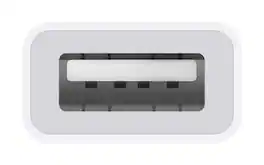
Plug the USB-C end of the adapter into a USB-C or Thunderbolt 3 (USB-C) port on your Mac, iPad, or iPhone, and then connect your flash drive, camera, or other standard USB device. You can also connect a Lightning to USB cable to sync and charge your iPhone, iPad, or iPod.

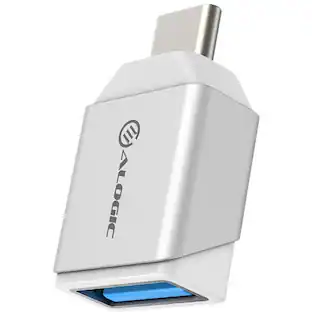
The Apple USB-C-to-USB Adapter lets you connect iOS devices and many of your USB accessories to a MacBook with a USB-C port. Plug the USB-C end of the adapter into the USB-C port on your MacBook, and then connect your flash drive, camera or other standard USB device.

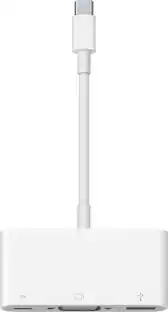
The USB Type-C digital AV multiport adapter lets you connect your USB Type-C enabled Mac or iPad Pro to an HDMI display, while also connecting a standard USB device and a USB Type-C charging cable.
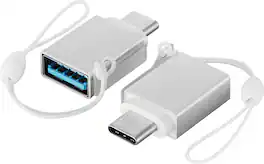
The Best Buy Essentials Female USB to Male USB-C Adapter (2-Pack) ensures you can use your USB devices with the USB-C ports on your new laptop. The compact adapters fits side-by-side on your device to be used simultaneously, or you can keep one from the 2-pack tucked away as a backup. Designed for both charging and data transfer, the adapter handles up to 15W of power when charging and syncs data at transfer speeds up to 5 Gbps. These adapters are backed by Best Buy to guarantee that they are just what you need.
| Pros for Apple - USB-C to USB Adapter - White | |||
|---|---|---|---|
| There were no pros for this product— | Compatibility, Ease of use, Size, USB, Quality | Compatibility, Overall Performance, Ease of use, HDMI, Connectivity | Overall Performance, Compatibility, Size, Portability, USB-C |
| Cons for Apple - USB-C to USB Adapter - White | |||
| There were no cons for this product— | Cord Length | Price, Ports, Size, Heat | There were no cons for this product— |
Specs
Be the first to ask a question.
We’ll try to get your question answered within 24 hours by a Best Buy customer or brand representative.
Customers often buy these together
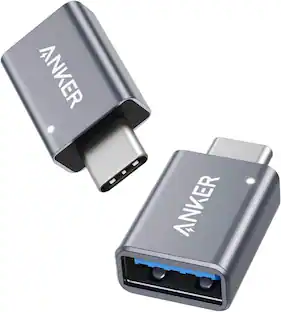 $8.98The price was $12.99
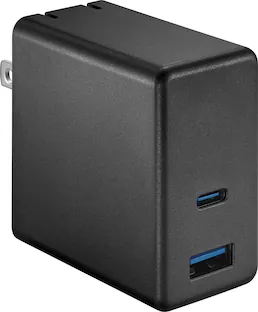 Clearance$15.99The price was $19.99
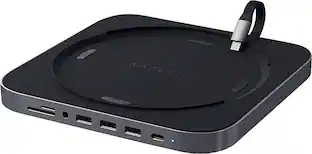




More to consider





Explore tech essentials Sponsored

Keep exploring
 $24.87The price was $28.02
 $10.99The price was $12.99
Lian Li - PCIe 5.0 Riser Cable 16X 200mm, Double Bandwidth, PCIe 4.0 Compatible, Black (PW-PCI-520X)
$64.99The price was $88.99