Rating 3.3 out of 5 stars with 4 reviews
3.3Customer Images
The vast majority of our reviews come from verified purchases. Reviews from customers may include My Best Buy members, employees, and Tech Insider Network members (as tagged). Select reviewers may receive discounted products, promotional considerations or entries into drawings for honest, helpful reviews.
- Rated 4 out of 5 stars
Robust Hub
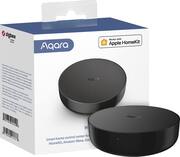
[Employee of bestbuy] This Aqara Hub is pretty cool because it’s also an IR Blaster. I checked out the instructions & the options within the app, but couldn’t get any further than that. According to their website, the range is different in different environments. I attempted to attach my Sony Party Speaker, but it’s either out of range or incompatible. That wasn’t the reason I bought it though. It enables my Aqara T1 Window & Door Sensors to trigger Routines on Alexa & hopefully automations on HomeKit once I launch Home Assistant. At the time of purchasing, the main feedback I found on the upgraded P1 sensors that are Thread & Matter compatible, were less than ideal. Since I want to replace the Ring doorbell with Aqara’s doorbell when they fix the video orientation, I decided this Hub would still add value to future devices & features of my home. So far, I have limited experience & functionality with it, but that might be due to my limited technological expertise with it’s advanced use cases.
Posted by TechnicallyClumsy
- Rated 1 out of 5 stars
Customer service not existant
Device broke after 3 weeks of use. Contacted support as the device is outside of return policy, they insist i return to bestbuy (who insists i contact the manufacturer). After a LOT of back and forst with Aqara, they say to give them my address and they will send a replacement. Once i did that, 2 weeks ago, they never sent replament or replied to me again. Shame on what seems to be a decent product, as i have their lock and camera.
Posted by Legocollector
- Rated 4 out of 5 stars
Aqara M2 hub
[Employee of bestbuy] i would give 5 stars its just i was thinking this was a matter hub its not its just matter ready. it is still very nice but the m3 hub is what i needed and best buy does not sell it i will be returning it but if you have everything set up in apple home then this would work for you controls tvs and other things with remotes great for smart homes
Posted by Mikey
- Rated 4 out of 5 stars
Close, but no cigar.
It has many compatible names on box, but it is only compatible with other Aqara products, so DO NOT try this product unless you are only using it with other Aqara products. FYI, may brand names are this with with this technology, so buyer beware. Otherwise the device and app took some tries to pair, could have been more intuitive, and of course would have been great if they played wll with other products. I am buying a Hubitat instead this time for my Sinope controller for my current purposes this time. It would be great if when something says Zigbee or Matter, it actually meant something, but it means absolutely nothing if each brand has it's own protocol that won't talk to other brands.
Posted by ThomasG
Customer reviews from Aqara
See all Aqara reviewsSyndicated rating, 4.3703704 out of 5 stars with 27 reviews on Aqara.
4.4(27 reviews)