60th Anniversary SaleEnds Sunday. Exclusions, terms and conditions apply.Shop now

Skip to contentGo to Product Search
Main Content

ASUS - CM32 12.1" 2.5K 2-in-1 Touchscreen Chromebook - MediaTek Kompanio 540 (2025) - 8GB Memory - 128GB Storage - Fog Silver

Model: CM3206DM4A-M8189
SKU: 6672665
Sold byBest Buy

Customers are saying

Customers enjoy the impressive build quality and excellent portability of this device, which make it a convenient choice for users on the go. Many also appreciate the responsive and accurate stylus performance alongside the reliable battery life. While the product is highly regarded for these features, some users have noted that the limited port selection is a drawback.

Generated by AI based on customer reviews.

Highlights

Features
  • The best of Google, in a laptop

    Chromebooks run ChromeOS, the fast, secure operating system from Google, with built-in Google apps like Gmail, Gemini, Docs, Photos, YouTube, and more.

  • Seamless Productivity

    Powered by an ARM-based MediaTek Kompanio 540 processor, 8GB RAM, and 128GB eMMC storage for fast day-to-day entertainment and productivity.

  • 2-in-1 Detachable Design

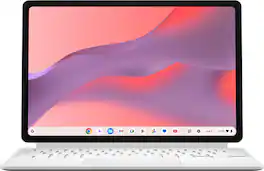
    Flexible magnetic stand cover and full-size detachable keyboard allow seamless transition between tablet and laptop mode. ASUS Chromebook CM32 Detachable includes a magnetic stylus that charges wirelessly, minimizing clutter, eliminating the need for choke-hazard batteries and reducing environmental impact.

  • Compact Touch Display

    12.1-inch WQXGA (1600X2560) touch display with Corning Gorilla Glass for smooth navigating experience.

  • Built to Last

    Built to withstand daily wear and tear with military-grade durability (MIL-STD 810H), tough Corning Gorilla Glass, and an anti-fingerprint coating—ensuring it’s ready for the rigors of portable productivity anywhere.

  • Dual Camera

    5M front-facing camera and 5M rear-facing camera for video calls and image capturing.

  • Stable Connectivity

    Equipped with Wi-Fi 6 (802.11ax) and Bluetooth 5.4.

  • Long Battery Life

    Offering up to 12 hours* of battery life and weighing just 1.41 lbs, ASUS Chromebook CM32 Detachable is built for modern, busy, mobile lifestyles.

  • Comprehensive I/O Ports

    1x USB Type-C; 1x audio jack.

  • Boost Your Productivity and Creativity

    With the Google One AI Premium plan, you get Gemini Advanced, 5TB of cloud storage, and Gemini in Gmail, Docs, and more — all on us when you purchase a Chromebook Plus**

See all features
Specifications
  • Screen Size
    12.1 inches
    Screen Resolution
    2560 x 1600
    Touch Screen
    Yes
    Brightness
    600 nits
    Processor Model
    MediaTek Kompanio 500 Series
Sponsored

Reviews

Rating 4.6 out of 5 stars with 23 reviews

100% would recommend to a friend
Customers are sayingCustomers enjoy the impressive build quality and excellent portability of this device, which make it a convenient choice for users on the go. Many also appreciate the responsive and accurate stylus performance alongside the reliable battery life. While the product is highly regarded for these features, some users have noted that the limited port selection is a drawback.
This summary was generated by AI based on customer reviews.
  • Build Quality (10)
  • Portability (7)
  • Stylus Performance (6)
  • Battery Life (4)
  • Connectivity (3)

Customer Images

The vast majority of our reviews come from verified purchases. Reviews from customers may include My Best Buy members, employees, and Tech Insider Network members (as tagged). Select reviewers may receive discounted products, promotional considerations or entries into drawings for honest, helpful reviews.

  • Rated 5 out of 5 stars

    Impressive Portable Chromebook - Great Screen

    The Asus CM32 121” Chromebook detachable has quickly become one of my favorite new devices, and for several reasons. I’ll start by saying that I have never been a real fan of Chromebooks. I found them to be slow, with very limited use--nothing more than a bulky tablet. However, over time, they have improved significantly, and the Asus CM32 running ChromeOS (not Android) has some great features that make it a great travel companion. Asus is known for their innovation and focus on value–this device lives up to the reputation. When travelling, I want a device that can browse the web, play simple games, and play / stream movies. I check my e-mail and may tackle / print a simple document or two. I also want it to be lightweight, so I can carry it on my back when bikepacking or motorcycling. I think the best feature of the Asus CM32 is the screen. It is gorgeous and bright. At 600 nits and 2.5K resolution with a touchscreen, it is great, even in brighter rooms. It also boasts a 120Hz refresh rate, which augments the performance of the stylus and assists with smoother scrolling. The screen is Gorilla Glass, which at this price point is a great add. Another great feature is the detachable keyboard and stylus combination. I love that the keyboard is magnetically attached to the device and it comes off and attaches really easily. Without the keyboard, the device functions as a tablet; with the keyboard, it functions as a laptop. With the system running ChromeOS (currently supported through 2036), it is different from other Android tablets because of the added functionality of ChromeOS. (As an aside, I have found ChromeOS to be similar enough to Windows that I can get around the operating system similarly.) The keyboard is lightweight, and while not backlit, the keys have good travel and the spacing is nice. The trackpad is also responsive with good haptic feedback. I would be remiss if I did not mention the pen-like stylus. It magnetically attaches–and charges–right on the back of the device in a designated cubby that is built into the magnetic cover on the back of the device. The stylus works fantastically, recognizing both my block printing and cursive. The integration into ChromeOS is super. What a huge improvement over previous styluses I have used. I was really impressed!! The overall speed and performance of the device is similar to that of a budget priced laptop. As long as you don’t overload it with a lot of simultaneous tasks, it is fine. Really complex websites will scroll with slight stutter, but most websites are perfectly fine. I read some e-magazines on the Libby app and they looked great and flipped from page to page quickly and smoothly. Videos played flawlessy (and the sound was also decent, plus I could pair bluetooth earbuds). I was able to use Office 365, Minitab statistical software online, and several of my Google Play Store games without issue. However, once I had more than seven or eight web browser tabs open, or if I was copying files from a thumb drive and web browsing simultaneously, the stutter started to increase. I’ve had good luck with the battery life. I can get at least 6 hours with web browsing, light gaming, e-mail and document creation. Charging from 25% to full took just under an hour. Weight is amazing. As a tablet, the device weighs a stunning 1 pound, 11 ounces. Add the keyboard and you’re up to 2 pounds, 6 ounces. Add the power supply and the final weight is 2 pounds, 12 ounces. I can carry that on my bikes all day. There are a few things I wish were a little better. I do like the case, and I also like that the angle of the stand is adjustable. However, more than once I had the case come off when trying to adjust the angle of the stand. I found it best to grasp it at the bottom and also just above the hinge line to brace it while adjusting. I’ll just have to get used to it. The camera is not the best. Images are a little grainy, especially if the room is not well lit. However, the image is good enough for Teams or WebEx meetings. I don’t use the device to take pictures or video. The single USB-C port on the right side of the device is used by the power supply. If you don’t have a hub that supports power delivery pass-through, the one port might be limiting to you. Lastly, remember that the CPU is an ARM processor, not an x86 processor. Therefore, there may be some limitations. For example, my Brother printer could not be configured on ARM, but my Canon printer could. In addition, some apps are not yet designed to function on ARM processors, but that list is getting shorter (or you can use the Linux equivalent). If your application is web-based, there is no issue at all. The Asus CM32 is a really nice device for those looking for the flexibility of having a system that functions as both a tablet and a portable Chromebook laptop. It’s lightweight, has a great screen, features a usable keyboard and trackpad, and has rather decent productivity performance because it runs ChromeOS and not just Android. I can confidently say it will be the device that will go with me whenever I travel for personal reasons, and will also be the first device I grab if I just need to do some quick web browsing, a check of e-mail, light gaming or e-book reading around the house.

    Posted by stirfry

  • Rated 4 out of 5 stars

    Extremely versatile little device

    I really like this Chromebook. It's small, light-weight, and highly portable. The screen size is large enough to be comfortable while small enough to easily carry. The screen quality is terrific. I was very impressed by the brightness and contrast of this screen. It's great for watching videos on. The keyboard is adequate to type on. I'll confess, it's not the greatest experience, and the keys feel quite "plasticky," but it's perfectly fine for use. I do wish that the keyboard was back-lit. I mostly type by feel, but I still struggled typing in low light environments. The ergonomics also aren't great as the keyboard sits perfectly flat against the table top. The speakers are good. They won't fill a room, but they're fine for watching videos and listening to music. The port selection isn't great. There is only one USB-C port for charging and data transfer and one headphone jack. There are no USB-A ports for legacy devices, there are no SD card slots for expanding the local storage, and you're going to need a hub if you need to both charge the Chromebook and use a USB device at the same time. The magnet on the keyboard is extremely strong. Unfortunately, the same can't be said for the magnet on the kickstand. The kickstand is just rubberized panel affixed to the back with magnets. Unfortunately, they are comparatively weak, and I kept pulling the kickstand off while trying to open the Chromebook. Conversely, the magnets on the keyboard maintain an overpowered grip with the screen making it somewhat difficult to open up. I love the fact this Chromebook includes a stylus, and I love that the kickstand has a little "bubble" to ensure it remains safely stowed away. The stylus input was responsive and accurate. I didn't notice any pressure sensitivity, but that could have just been the apps I was working in. To be blunt, this Chromebook makes several compromises in order to squeeze as many features as possible into an economical package. These compromises are noticeable, but they in no way negatively impact the overall user experience. I wouldn't recommend having this Chromebook as your sole device. This is not a desktop replacement by any means. But as a secondary device or student laptop, this Chromebook is terrific. I think this Chromebook is an absolute delight to use.

    Posted by TechEnthusiast

  • Rated 4 out of 5 stars

    Versatile but mediocre performance

    This is a versatile Chromebook tablet with a detachable keyboard that has excellent hardware, but is hampered by somewhat mediocre performance. It’s the followup to the previous ASUS CM30, and is also very similar in form to the Lenovo Duet line of Chromebooks (I used to have the 2nd gen Lenovo Duet 3) and to a lesser extent Microsoft’s Surface Pro line, so it can act as both a full laptop (with the keyboard attached) and a standalone ChromeOS tablet. The hardware and build quality are generally impressive. The screen can go up to 2560x1600, and is crisp and bright with vibrant colors. I tested this using Jacob & Katie Schwarz’s 4K Costa Rica video on YouTube, and it looked great. Stereo speakers provide a good amount of volume, but mostly in the mid and high frequency range. The detachable keyboard has a very good feel, with keys that have adequate travel (despite the very low profile) and a good tactile response -- they’re not clicky, but you can still feel every keypress as they hit the bottom of their travel. The keys also don’t feel cramped at all. The magnetic keyboard attachment is strong and secure, but not to the point that it’s difficult to detach. The included USI 2.0 stylus attaches magnetically to the back of the Chromebook, where it wirelessly charges. The stylus is responsive, with no lag. It’s also pressure sensitive, which is good for artists (assuming the app that’s being used supports pressure sensitivity). The rear part of the Chromebook’s case attaches magnetically to the back of the Chromebook, and there’s a flap on top that protects the stylus. (This rear part of the case also has the integrated fold-out stand that can accommodate an almost flat position.) There’s only one USB-C port (for both charging and accessories), which is disappointing, especially if you want to charge while using some other USB accessory, so a USB-C hub might be a good idea. There is a headphone jack, though, which is a nice addition for headphone purists. (The Lenovo Duet 3 has 2 USB-C ports but no headphone jack.) Performance is where things aren’t quite so impressive. The MediaTek Kompanio 540 CPU is adequate for basic functions like browsing, streaming video, and productivity with Google Docs/Sheets (although I can still see some sluggishness in tab switching and page loading sometimes when compared to my other more powerful Chromebooks). And to its credit, it could play 4K videos on YouTube without any lag or choppiness. But the Android racing game Asphalt Legends (which I find to be a good benchmark to see how powerful a device is) is basically unplayable, even with graphics options set to Performance (vs. High Quality). I have the 8 GB RAM version of this device, so I would expect the 4 GB version to be even pokier. I realize that this Chromebook is intended to be a budget/midrange device, probably aimed at the student demographic, so I shouldn’t expect high-powered gaming ability. But considering the rising popularity of gaming tablets like the Lenovo Legion Tab, it would’ve been nice to have an option for more powerful internals. As it stands, though, this Chromebook is a very good device for general usage. The quality of the hardware, the versatility of using it as a tablet or a laptop, and the portability are all big positives to consider.

    Posted by William C

  • Rated 5 out of 5 stars

    The Chromebook is back!

    The Asus Chromebook CM32 12.1' 2.5K 2-in1 is everything that I was looking for in home and away 2- in- 1 device. It will be a great travel Chromebook. I love the color and sleek build. Unboxing was a streamline in setting up a new device. I just love the Google Chrome interface with everything transferring over from all my devices in no time. The Chrome Operating System comes with 10 years of operation support making it a very secure operating system. The Asus Chromebook is a sturdy and well built Chromebook that is very responsive and fast operating system. The Asus Chromebook automatically attaches to the detachable keyboard with a secure click. The Chromebook stand pulls out in the back of the Chromebook easily with the wireless rechargeable stylus located at the top of the Chromebook back cover. The stylus is able to charge also while being stored. I charged the Asus Chromebook right out of the box and let updates install while charging. Beautiful touchscreen screen resolution of 2560x 1600 pixels at 2.5K. The screen is an amazing 12Ohz display. The Asus Chromebook has speakers on each side that support Dolby Atmos. The battery life is very good and steady for basics things I need with convenient type C charging at 45W. Wi-Fi is showing status as strong. The Asus Chromebook 12.1 2-in1 Touchscreen comes with front and rear cameras with tap switching photo, video and scan right at your finger tips. I added Google Messages to be able to text and see messages from my Contacts. There is so much to explore with Gemini, Apps and Games on this new Asus-CM32 12'1 2.5K 2-IN-1 Chromebook.

    Posted by Mookie

  • Rated 5 out of 5 stars

    ASUS - CM32 12.1" 2.5K Touchscreen Chromebook

    I kind of surprised myself by getting this as I truly don't with all honesty like Chromebook's that much but being an ASUS fan I thought what the heck try it and see what Chromebook is all about and that was said because I have heard a lot of good and a lot of bad about them. Now with that said lets move forward. I was totally surprised with this when it got here as I was excepting to see a big box like you would with a brand new laptop but no this one came in a small box which on the inside had an even smaller box that is maybe 3 inches thick and about two foot in length which held a very well packed Chromebook and to my surprise it's very light wise for weigh. once I went through the paperwork to see what I needed to do for setup which was easy and fast (took me a total of 30 mins to an hour) everything loaded up, installed, downloaded fast, It even picked up my WiFi setting fast which made the whole set up easy. This comes with a very strong magnetic case, rechargeable stylus type pen which is held in place by putting it on the flat side of the pen onto the back side of the tablet I used the word tablet due to it being both just that and a book or laptop type item as it comes with a detachable keyboard which makes it like a small and yes I mean small laptop. It is also a touch screen which is nice as well, it has 8GB Memory - 128GB Storage which did kind of shock me as for someone that has built my own PC's I tend to think 8 GB of ram being slow or not enough but this thing is fast on loading up for as small as it is and the 128gb of storage will last for a while so long as you don't go overboard when installing apps onto it. Those are in fact the things that really impressed me with this and the fact it comes from a name brand company that I have personally had no issues with. the only honest to God things I found wrong which are minor things are that it does put out a little bit of heat when using but that is a given with just about any laptop/tablet the other is the fact that it turns on by itself when you open it up which is both a nice thing but a bad thing because it tends to run your battery down fast. Other than those two things I will say it's a get it item.

    Posted by Charles Buck

From the Manufacturer

Compare similar products

ASUS - CM32 12.1" 2.5K 2-in-1 Touchscreen Chromebook - MediaTek Kompanio 540 (2025) - 8GB Memory - 128GB Storage - Fog Silver
4.6(23)

The ASUS Chromebook CM32 delivers true flexibility, switching between laptop mode and tablet mode to support how you work, study, or create. With its detachable keyboard and adjustable stand cover, its smart design lets you switch effortlessly between a laptop and a tablet, giving you the flexibility to tackle anything, anywhere. Powered by an ARM-based MediaTek Kompanio 540 processor, ASUS Chromebook CM32 Detachable delivers efficient, reliable performance, so there’s plenty of speed and space for your files, folders and fun — and everything in between. ASUS Chromebook CM32 Detachable’s 12-inch 2.5K display makes everything look sharper and smoother, with 600-nit brightness for clear viewing even in bright light, and a fast 120 Hz refresh rate for fluid visuals. With its tough Corning Gorilla Glass covering and anti-fingerprint coating, the responsive touchscreen is ready for the rigors of use. Paired with popular apps for streaming, gaming, creating, and staying organized from Google Play, ASUS Chromebook CM32 Detachable delivers an all-around entertainment experience.
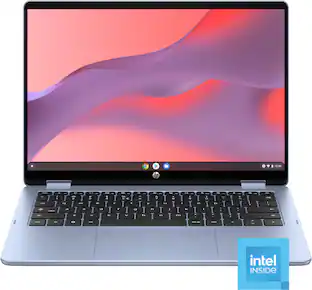
HP - 14" 2K Touchscreen 2-in-1 Chromebook - Intel Core N150 - 8GB Memory - 64GB eMMC - Sky Blue
4.8(53)

All Day. All Ways. Your Chromebook. Designed for on-the-go multitaskers who need flexibility, speed, and reliability in a single device. With its 360-degree hinge, you can switch from laptop to tablet mode in seconds—perfect for typing, sketching, or streaming on the go. With the simplicity of ChromeOS, everything feels smooth, secure, and connected.

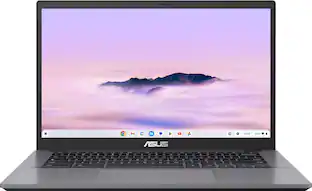
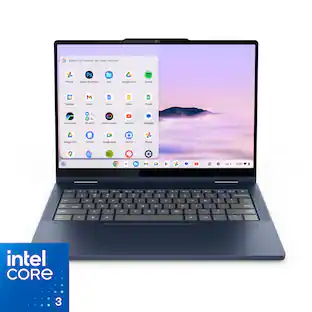
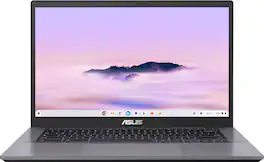
ASUS - CX34 14" FHD Chromebook Plus Laptop with Google AI - Intel Core i5 - 8GB Memory - 128GB Storage - Rock Grey

ASUS Chromebook Plus CX34 is powerful, portable, and built to boost productivity — with advanced speed, memory, and storage. Its lightweight, durable design makes it ideal for work or study on the go. The anti-glare touchscreen delivers clear, comfortable viewing in any light, while the 180° lay-flat hinge and fast, stable WiFi support seamless collaboration. Powered by ChromeOS with built-in Google AI, it helps you work smarter with enhanced writing, editing, and organization tools. With ASUS Chromebook Plus CX34, you’re ready to do more, wherever you are.
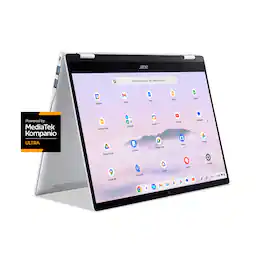
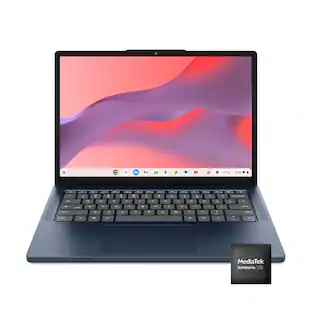
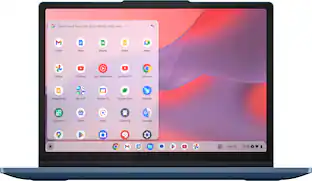
Lenovo - IdeaPad Slim 3 Chromebook - 14" 2K Touchscreen Laptop - MediaTek Kompanio 540 2025 - 4GB Memory - 64GB eMMC - Cosmic Blue
4.6(51)

Live animated, live lively, live balanced. When you’re packing the thin and light IdeaPad Slim 3 Chromebook laptop, featuring WiFi 6E and 18 hours of battery life, balancing work and play all day becomes effortless. The 14" 2K IPS touchscreen display and MediaTek Kompanio 500 Series processors are a significant upgrade to your work and entertainment, with front-facing Waves-tuned speakers.

Pros for ASUS - CM32 12.1" 2.5K 2-in-1 Touchscreen Chromebook - MediaTek Kompanio 540 (2025) - 8GB Memory - 128GB Storage - Fog Silver
Build Quality, Portability, Battery Life, Stylus PerformanceOverall Performance, Processor Speed, Touchscreen Functionality, Audio QualityBuild Quality, Processor Speed, Battery Life, Portability, Port CountOverall Performance, Battery Life, Portability, Touchscreen Responsiveness
Cons for ASUS - CM32 12.1" 2.5K 2-in-1 Touchscreen Chromebook - MediaTek Kompanio 540 (2025) - 8GB Memory - 128GB Storage - Fog Silver
ConnectivityThere were no cons for this productThere were no cons for this productThere were no cons for this product

Specs

Questions & Answers
  • Is this Chrome os plus ?

    No, the ASUS Chromebook CM3206DM4A is not a ChromeOS Plus device.

    Answered by ASUS Answers
    ASUS Answers response
  • What is the ChromeOS end of support or end of automatic updates date for this Chromebook?

    According to ChromeOS site is 2036 https://support.google.com/chrome/a/answer/6220366?hl=en#zippy=%2Casus

    Answered by logi
Ask a question
No content

Customers often buy these together

Sponsored

Finance Options

My Best Buy® Credit Card
Choose a benefit:Or
Buy Now, Pay Later
Lease to own

Special Offers

Top Offers
Included with Purchase

Finance Options

My Best Buy® Credit Card
Choose a benefit:Or
Buy Now, Pay Later
Lease to own

Special Offers

Top Offers
Included with Purchase