Everything for Back to School — and then someShop now

Skip to contentGo to Product Search
Main Content

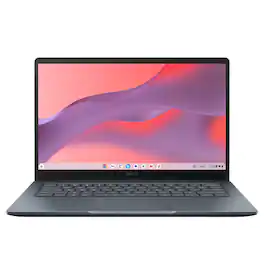
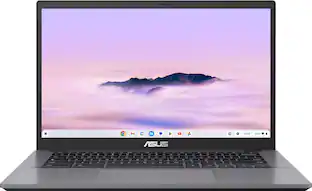
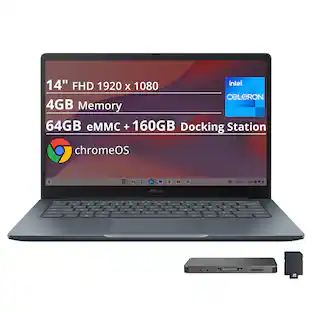
ASUS - CX14 14" FHD Chromebook Laptop - Intel Celeron N50 (2023) - 4GB Memory - 64GB Storage - Dusk Gray

Model: CX1405CTA-CL464
SKU: 12786217
Sold & shipped by

About this product

The ASUS Chromebook CX14 makes everyday computing effortless, combining fast ChromeOS performance with the seamless power of built-in Google apps for work and play. Driven by an Intel Processor N50 with 4GB memory, it starts quickly and stays responsive. Its lightweight design, built to meet the US MIL-STD 810H military-grade standard, plus a 14-inch Full HD display, Wi‑Fi 6, and a versatile 180 degrees hinge make it ideal for casual productivity and entertainment on the go.

Highlights

Features
  • The best of Google, in a laptop

    Chromebooks run ChromeOS, the fast, secure operating system from Google, with built-in Google apps like Gmail, Gemini, Docs, Photos, YouTube, and more.

  • Starts Fast and Last Long

    Powered by the Intel Processor N50, 4GB memory, and 64GB eMMC storage.

  • Lightweight Yet Durable

    Built to meet the US MIL-STD 810H military-grade standard and weighs just 3.06 lbs.

  • Full HD Display

    Enjoy your favorite entertainment with the 14-inch Full HD (1920 x 1080) display.

  • Versatility for Work and Play

    With features including a 720p HD camera with a privacy shutter, Wi‑Fi 6, and a 180-degree lay-flat hinge.

  • Comprehensive Connectivity

    1x USB 3.2 Gen 1 Type-A, 2x USB 3.2 Gen 1 Type-C (supports display/power delivery), 1x HDMI 1.4, 1x 3.5mm combo audio jack.

  • Never had a Virus

    *Breathe easy knowing your security and privacy are covered with built-in protection and the Titan C security chip.

  • Boost Your Productivity and Creativity

    With the Google One AI Premium plan, you get Gemini Advanced, 5TB of cloud storage, and Gemini in Gmail, Docs, and more — all on us when you purchase a Chromebook Plus**

See all features
Specifications
  • Screen Type
    IPS
    Screen Size
    14 inches
    Screen Resolution
    1920 x 1080 (Full HD)
    Touch Screen
    No
    Refresh Rate
    60Hz
Sponsored

Reviews

Rating 4.3 out of 5 stars with 26 reviews

88% would recommend to a friend

Customer Images

The vast majority of our reviews come from verified purchases. Reviews from customers may include My Best Buy members, employees, and Tech Insider Network members (as tagged). Select reviewers may receive discounted products, promotional considerations or entries into drawings for honest, helpful reviews.

  • Rated 4 out of 5 stars

    Chromebook 2

    Works great. Easy setup. Easy to keep updated. Linux functions fairly easy to setup and to use (note: I am not new to Linux). Word processing software on Linux is better than the Chrome option. This is a lightweight easy to use on the go computer with great battery life. Best of all a great buy.

    This review is from ASUS - CX14 14" FHD Chromebook Laptop - Intel Celeron N50 (2023) - 4GB Memory - 64GB Storage - Dusk Gray

    Posted by BOBBYH

  • Rated 4 out of 5 stars

    Lots of potential & great for use cases

    Verdict: This is a tricky one… The ASUS CX14 is a great value on sale; it’s a chrome book that works and can generally do everything you want to do online and in the Google ecosystem. However, at full price, it becomes harder to recommend, and I would stay away if you are looking for a traditional computer (install programs, have lots of files on your hard drive, have many programs and tabs open, etc.). I think that this is a great starter laptop for students, and for people who fully live online AND in the google ecosystem. First impressions. It’s small and portable. Military specs. It has HDMI, and enough ports actually. It can fully lay flat when you open it all the way. I love that the charger is USB-C. Setup. I love the google login experience of Chromebooks. It’s seamless and all your google stuff is immediately accessible. Performance. Specs are barebones basic, but the computer functions thanks to the lightweight Chrome OS. It works well with just one or two tabs open, or one or two programs open, but it starts to struggle quickly as you add more load to the computer. Use cases. It’s important to note that there is something to the google ecosystem… I currently work in a company that does 80% of its work in Google (email, sheets, docs, appsheet, scripts, drive, etc.). If we didn’t need Office and Acrobat, I could see everyone having nice Chromebooks for a fraction of the cost of traditional nice laptops. I also have one more idea with these… I am going to try to use it in a business where we do everything online: google apps and a calling app; this could actually work well. Features. I like the hot keys on the top row; very convenient, especially the refresh, screen capture, and the back button. Things I like: - Solid frame; seems to be built well; actually military-grade standards - Super portable: small and lightweight - Runs fairly smoothly considering the basic specs - Full HD Display - Fast startup - Great battery life - Physical privacy shutter - Built-in antivirus? I don’t think I even knew that about Chromebooks - Full HD webcam Things I don’t like: - Very basic specs, expected at this price range, but manage expectations - The speakers are not loud and average quality – expected at this price range - The hard drive is very small, but with google drive, perhaps that will never be a factor Overall, this is a good laptop for specific use cases… I think this is maybe 4 stars in terms of Chromebooks and price/value. If compared to a normal laptop, then this is 2 stars. Before buying, you need to consider your requirements and your daily use. If you manage expectations and know what you are buying, you will be happy with this Chromebook.

    This review is from ASUS - CX14 14" FHD Chromebook Laptop - Intel Celeron N50 (2023) - 4GB Memory - 64GB Storage - Dusk Gray

    Posted by AllAboutTech

  • Rated 4 out of 5 stars

    Very good for the basics

    I was a little skeptical of this ASUS CX14 Chromebook at first, mostly due to the budget Intel Celeron N4500 chip from three years back. Despite being a bit older, it still runs remarkably smooth. It also has 4GB of RAM and 64GB of storage, but I just needed a simple, compact device for my kid's schoolwork so he wouldn't have to bring his expensive laptop to class. Right out of the box, I was impressed by the durable build. The product page claims it meets "military-grade" standards, which always makes me laugh as those of us in the military know "military-grade" usually just means contracted to the lowest bidder to keep costs down. Yet, holding the CX14 actually feels solid in the hand. It is a little over 3lbs so there is some weight to it, and you feel it if you carry it around a lot. The keyboard is on the firmer side, reminding me of those sturdy third-party tablet keyboards where you feel a distinct physical press with each stroke. I actually prefer this feel, as the key travel is surprisingly good, making long typing sessions comfortable whether I'm writing this review on the Chromebook which feels really good, so I am not worried if I (or my son) are working on heavy papers and projects. The touchpad, however, is where this device really struggles. Clicking it is genuinely frustrating because you have to push down so hard just to get it to register, which is easily the biggest drawback here. Otherwise, operating it has been a pleasant surprise. Thanks to ChromeOS, I barely notice the 4GB RAM or the older Celeron processor. Navigating Chrome, using Google Workspace apps, and general web browsing show zero stutter or lag. Even loading image-heavy sites like Best Buy was fast and effortless. While I strongly believe all entry-level laptops should start at 128GB of storage and 8GB RAM, 64GB is manageable here since Chromebooks rely heavily on cloud storage for Docs, Slides, and Drive files. The Full HD (1920x1080) display looks great for the price point, and watching videos on YouTube is crisp and clear enough for everyday use. The 720p HD webcam is decent, but it gets the job done for Google Meet calls, and the physical privacy shutter is a welcome touch. When it comes to connectivity, the port selection is nearly perfect: you get one USB 3.2 Gen 1 Type-A port, two USB 3.2 Gen 1 Type-C ports (both supporting display out and power delivery), an HDMI port, and a 3.5mm audio jack. Overall, if you are looking for an affordable, reliable budget Chromebook for basic school needs, this is an ideal choice. Just keep your expectations down and know that this is a basic Chromebook, not a device from the fruit company or gaming laptop.

    This review is from ASUS - CX14 14" FHD Chromebook Laptop - Intel Celeron N50 (2023) - 4GB Memory - 64GB Storage - Dusk Gray

    Posted by APFLORES413

  • Rated 5 out of 5 stars

    Very impressive for the price!

    I selected this Chromebook for two main reasons: it is among the most affordable Chromebooks, and it promised MIL-STD-810 durability. For my needs, I don’t require a lot of speed or high specs, but if I am going to get something, I want something that will last a long time. But this is a budget Chromebook, so you have to expect some compromises to be made. If you want better specs, you will pay more. The first impression is positive. The screen can flex a bit, but the bottom of the chassis feels solid, and has very little flex at all. The machine feels very sturdy, despite being plastic. Overall, I am impressed so far. Turning it on yields a screen that is bright and vivid. But, being a budget machine, the display is a TN panel so the colors shift if you move your head too far left or right. This is not ideal, but expected for this price point. It is full HD, so you get actual 1920 x 1080 resolution, and it really does look very nice as long as you are directly in front of it. While this isn’t a touchscreen, at least that means that you don’t have to get greasy fingerprints on it. The keyboard is also more than adequate. The typing feel is about what I would expect from a low or mid-range laptop. It is not exceptional, but it is certainly functional. The one feature that would have been great to have is a backlight for the keyboard. It is unfortunate that this feature is lacking, but understandable. Finally, the speakers are actually quite good. They are not spectacular, but much better than what I was expecting given the size and price The camera is functional, but a little bit disappointing. The image is good enough for web meetings, but not exceptional. My face almost looked like a good watercolor instead of an actual picture. Still, it should do the job if you aren’t too picky. The IO is also notable here too. You get TWO USB-C ports, both capable of handling charging as well as DisplayPort alt mode for driving a monitor, and 5 Gbps data transfer. With one single cable I was able to charge this, connect it to my 3440 x 1440 monitor, and have a wired keyboard and mouse. There is also a USB-A connector that also boasts 5 Gbps, as well as a full-sized HDMI jack. Even the MacBook Neo doesn't give you anywhere near this much connectivity. Aside from a headphone jack, you also get an actual locking slot for attaching a cable lock. I have a laptop that is four times the price that doesn’t have this feature and Asus deserves credit for including this. Inside is an Intel N50 processor. You won’t be surprised to hear that this is essentially half of an N100 processor. It has two very good efficiency cores that can boost up to around 3.5 GHz. While the cores actually are very good, there are only two of them, which is the biggest compromise in this system. It is generally pretty snappy, but I have had occasions where a YouTube video was playing, and typing into the YouTube app search bar was very sluggish. But the upside of having only two cores is that the CPU runs very cool. The entire system is passively cooled without a single fan in sight. There is a heat pipe that goes from the CPU to the other side of the chassis, which is essentially just a metal plate. There are no fans to wear out, ingest dust, or suck battery. One advantage of a Chromebook is that it also features the ability to easily run Linux. I got that set up easily, and installed EMACS and LibreOffice easily. LibreOffice is far better than any native Android office application, and I can highly recommend it. Since this runs an x64 CPU instead of the more common ARM processor, it should be easy to find binaries for any Linux app that you want. You are still limited to 4 GB and two cores, so you need to keep your expectations realistic. The memory is limited to 4 GB of RAM, and the storage is 64 GB. Both of these specs are adequate. Wireless is WiFi 6 which is more than fast enough for this class of machine. Now onto the other big reason that I chose this machine: the ruggedness. MIL-STD-810 is a very large spec, with a lot of parts, including such things as vibration and shock, humidity, temperature extremes, dust, and blowing rain. Nowhere could I find anything that lists which parts of the standard this Chromebook is tested to. I just feel like if you claim that you meet parts of the spec, you should advertise WHICH parts you meet. I can tell you that it is not in any way water resistant, especially since the back has some wide-open vents that can catch water. The pdf manual for this machine even says that you don’t want to use it near liquids, rain, moisture, or dusty environments. I can only assume that the testing is more for vibration and durability, but it would have been nice to know for sure. Still, as mentioned before, the chassis is rigid and if you treat it well, it seems like it will last for a long time. So, my final summary is that this is an extremely well-built machine. It is, however, a budget device, so some specifications were sacrificed in order to meet the price point. But I admit that this exceeded my expectations given the price, so I call it a win.

    This review is from ASUS - CX14 14" FHD Chromebook Laptop - Intel Celeron N50 (2023) - 4GB Memory - 64GB Storage - Dusk Gray

    Posted by Harrkev

  • Rated 5 out of 5 stars

    Asus CX14 is a Silent, Tough, Efficient Performer

    The ASUS CX14 14" FHD Chromebook features an Intel Celeron N50 processor, 4GB of memory, and 64GB of storage in a Dusk Gray chassis. I use it for productivity, personal budgeting, schedules, and family, and a little bit of entertainment. Here is my experience so far. - Design/Build/Unboxing - This was incredibly simple. Inside the box, you have the laptop, USB-C power adapter/cable, and eco-friendly packaging. It's lightweight at a little less than 3 pounds, and less than 1" thick, making it portable and easy to carry/travel with. Even though it's lightweight I was surprised at how sturdy the chassis was, so the military grade durability is apparent. There's a textured finish that helps with fingerprints and grip. The screen hinge feels durable and it can lay flat 180 degrees. There are enough ports so that you don't have to carry around any adapters. All of the main ports are on the left side of the laptop. Starting near the back, there is a battery charging indicator light next to the first USB-C port, which supports 5Gbps data speeds, DisplayPort, and power delivery for charging. Next to that is a full size HDMI port, which is great for hooking up an external monitor. There is also a standard USB-A port (5Gbps) that's very convenient for a wired mouse. Then there's a second USB-C port at 5Gbps that supports displayport and charging, and last a headphone/mic jack. On the right side of the unit is a Kensington security lock slot. - Specs & Features - It runs ChromeOS which is built around the Chrome browser and Google apps. The processor is a dual-core Intel Celeron N50 with 4GB of RAM and 64GB of internal storage. The screen is a 14-inch Full HD (1920x1080) display. It has an anti-glare coating which is great when you're sitting in a bright area. It's not a touchscreen. It has a standard size trackpad and keyboard, and clicks/keyboard feel satisfying and well designed. There's adequate travel which makes typing easy. The keyboard is not backlit so take this into consideration if you are in a dark room. - Battery Life - Battery life is great on the laptop. I was getting 8 to 15 hours based on my usage. Keep in mind it will take up one of the USB-C ports when plugged in. - Performance - Even though the specs are on the budget side, I had absolutely no problems with multiple tabs or apps open. You will notice a very slight pause periodically when opening a lot of windows, but it actually handled moderate multi-tasking well. The Asus CX14 is completely silent due to a fanless cooling system. The battery life is also fantastic. It has easily lasted me a full day of typing and browsing without needing a charge, although when you need to charge, it's a compact 45W charger, so it's easy to carry.. The keys have a comfortable travel distance and I haven't noticed any excessive fatigue during long typing sessions. The 64GB of local storage is small, but ChromeOS will default to save files directly to Google Drive. I haven't run into any capacity issues but I would recommend using Google Drive, or a USB stick/external drive if you need more space. The colors on screen are vibrant, the keyboard stays cool, and volume gets loud enough to watch a movie, video, or music but there's not much bass. The app store is also loaded with apps for all walks of life whether you need productivity or entertainment. The only game I tested in the app store was Minecraft and it ran very smooth. If you're on the fence and still trying to decide, this is great for work professionals, students, entertainment, or all-around use. I would recommend it to anyone looking for an affordable computer for work, school, or play. I’m giving it 5 stars because I love the tough design and it’s powerful enough that I don’t get any noticeable lag - Pros/Cons - *Pros* * Quiet and cool * Durable * Long battery life * Privacy Shutter * Comfortable keyboard * Great port selection *Cons* * No backlit keyboard * Limited viewing angles

    This review is from ASUS - CX14 14" FHD Chromebook Laptop - Intel Celeron N50 (2023) - 4GB Memory - 64GB Storage - Dusk Gray

    Posted by NanoEthan

From the Manufacturer

Compare similar products

ASUS - CX14 14" FHD Chromebook Laptop - Intel Celeron N50 (2023) - 4GB Memory - 64GB Storage - Dusk Gray
4.3(26)

The ASUS Chromebook CX14 makes everyday computing effortless, combining fast ChromeOS performance with the seamless power of built-in Google apps for work and play. Driven by an Intel Processor N50 with 4GB memory, it starts quickly and stays responsive. Its lightweight design, built to meet the US MIL-STD 810H military-grade standard, plus a 14-inch Full HD display, Wi‑Fi 6, and a versatile 180 degrees hinge make it ideal for casual productivity and entertainment on the go.
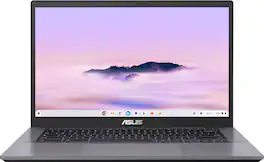
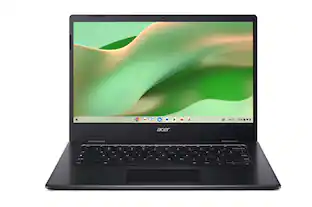
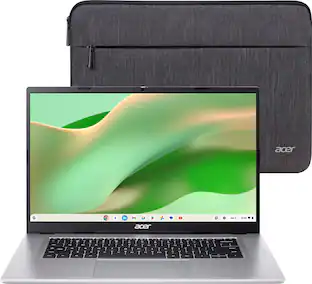
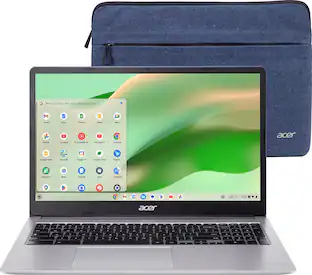
Acer - Chromebook 315 – 15.6" FHD Laptop with Google AI - MediaTek Kompanio 540 – 4GB Memory – 64GB Storage – Wi-Fi 6E - Silver
4.6(41)

The Acer Chromebook 315 features a 15.6" Full HD screen designed to let you get more done, no matter where you are. Built on the superfast Arm architecture, it delivers speed, smooth graphics, and all-day power. You'll stay focused in either the classroom or the office with a fast processor, and an eco-friendly OceanGlass™ touchpad. Recognized as the perfect multi-media companion, this Chromebook is super thin, extra light and features an impressive FHD Webcam, fast wireless connectivity and long-lasting battery life, so you can run your favorite Google apps or access your photos, videos, music and documents—all day long.

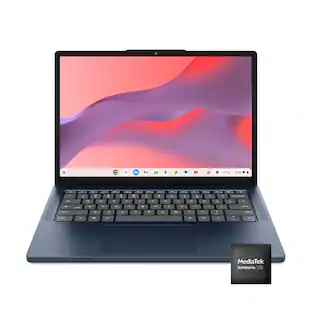
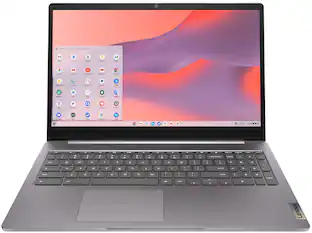
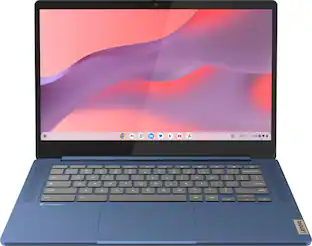
Lenovo - IdeaPad Slim 3 Chromebook 14" Full HD Laptop - MediaTek Kompanio 520 2022 - 4GB Memory - 64GB eMMC - Abyss Blue

Live animated, live lively, live balanced. When you’re packing the thin and light IdeaPad Slim 3 Chromebook, featuring WiFi 6 and 13.5 hours of battery life*, balancing work and play all day becomes effortless. The 14" Full HD display and MediaTek Kompanio 500 Series processors are a significant upgrade to your work and entertainment, with front-facing Waves-tuned speakers.

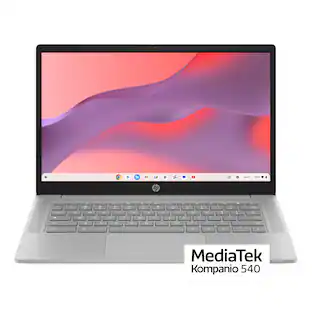
Lenovo - IdeaPad Slim 3 Chromebook - 14" 2K Touchscreen Laptop - MediaTek Kompanio 540 2025 - 4GB Memory - 64GB eMMC - Cosmic Blue
4.6(35)

Live animated, live lively, live balanced. When you’re packing the thin and light IdeaPad Slim 3 Chromebook laptop, featuring WiFi 6E and 18 hours of battery life, balancing work and play all day becomes effortless. The 14" 2K IPS touchscreen display and MediaTek Kompanio 500 Series processors are a significant upgrade to your work and entertainment, with front-facing Waves-tuned speakers.

Pros for ASUS - CX14 14" FHD Chromebook Laptop - Intel Celeron N50 (2023) - 4GB Memory - 64GB Storage - Dusk Gray
There were no pros for this productOverall Performance, Portability, Battery Life, Display Size, Audio QualityOverall Performance, Portability, Battery Life, Speed, Screen SizeOverall Performance, Battery Life, Touchscreen
Cons for ASUS - CX14 14" FHD Chromebook Laptop - Intel Celeron N50 (2023) - 4GB Memory - 64GB Storage - Dusk Gray
There were no cons for this productThere were no cons for this productTouchscreen, Storage CapacityThere were no cons for this product

Specs

Questions & Answers
  • Does this Chromebook have ports for external storage?

    Yes, this Chromebook Plus CX14 (CX1405CTA) has standard USB ports that you can use to connect external storage devices like flash drives and external hard drives. It does not, however, feature a built-in SD card reader.

    Answered by ASUS Answers
    ASUS Answers response
  • Can Microsoft word be added to a chromebook

    Yes, Microsoft Word can be added to this (CX1405CTA) Chromebook using the Microsoft 365 website, or through the Google Play Store. Also, MS Word can be run via the Chrome browser without installing it.

    Answered by ASUS Answers
    ASUS Answers response
  • can a chrome book be used as a reader like a kindle

    The ASUS ExpertBook CX1405CTA Chromebook can function as a reader like a Kindle by installing apps such as Kindle or Google Play Books. However, unlike a Kindle’s e‑ink display, the Chromebook uses a standard LCD screen, so battery life and eye comfort will differ.

    Answered by ASUS Answers
    ASUS Answers response
  • Can you add storage capacity?

    The ASUS Chromebook CX1405CTA does not allow internal storage upgrades because it uses soldered eMMC storage.

    Answered by ASUS Answers
    ASUS Answers response
  • How long with battery last on a full charge?

    The battery on the CX1405CTA (ASUS Chromebook Plus CX14) is rated to last up to 10 to 12 hours on a single full charge. However, depending on your usage, real-world battery life typically averages about 10.5 hours for typical daily workflows.

    Answered by ASUS Answers
    ASUS Answers response
Ask a question
No content

Customers often buy these together

Sponsored

Finance Options

My Best Buy® Credit Card
Choose a benefit:Or
Buy Now, Pay Later
Lease to own

Finance Options

My Best Buy® Credit Card
Choose a benefit:Or
Buy Now, Pay Later
Lease to own