Black Friday Deals start nowEnds Nov. 28.Shop now

Skip to contentGo to Product Search
Main Content

ASUS - ProArt P14 14" 3K OLED Touchscreen Laptop - NVIDIA RTX Spark N1X 18-Core (2026) - 24GB Memory - 512GB Storage - Nano Black

Model: H7407BA-PA/P14_1X0_24_512
SKU: 6686255

Highlights

Features

  • Create Faster on a Windows 11 Home Copilot+ PC

    Create faster on a Windows 11 Home Copilot+ PC, powered by on‑device AI that helps turn ideas into results with smarter performance, intuitive assistance, and seamless multitasking, so you can focus on bringing your creativity to life.

  • Brilliant 3K OLED Lumina Touch Display

    ASUS ProArt P14 features a 14-inch 3K ASUS Lumina Pro OLED touchscreen with a 2880 × 1800 resolution, 16:10 aspect ratio, 100% DCI-P3 color gamut, and ultra-slim bezels for an immersive viewing experience. With up to 1,100 nits HDR peak brightness and a 120Hz OLED panel, it delivers exceptional color accuracy, vibrant visuals, deep contrast, and smooth responsiveness for professional creative work.

  • Unleash Creativity with NVIDIA RTX Spark

    ASUS ProArt P14 is the ultimate on-the-go creative studio. Powered by NVIDIA RTX Spark N1X with a 5,120-core Blackwell RTX GPU, an 18-core Grace CPU, and unified memory, it delivers exceptional AI performance for modern creators. Designed to accelerate AI-powered creative workflows, speed up demanding tasks, and enable seamless multitasking, ASUS ProArt P14 provides a smooth, responsive experience wherever inspiration strikes.

  • NVIDIA Blackwell RTX GPU

    Built for advanced creative and AI workflows. Unlock AI-powered creativity with NVIDIA Blackwell RTX graphics, delivering hardware-accelerated 4:2:2 video processing, 3D rendering, AI video generation, and RTX-accelerated applications.

  • Unified Memory for AI Performance

    With 24GB LPDDR5X unified memory and exceptional AI performance, ASUS ProArt P14 delivers seamless multitasking and accelerated AI-powered workflows.

  • Fast Storage for Creative Workflows

    The 512GB PCIe Gen4 SSD provides creators with the speed and storage they need to keep projects moving, offering quick access to assets, seamless editing, and fast file transfers.

  • Crafted for Creative Mobility

    Weighing just 3.26 lbs and only 0.63" thin, ASUS ProArt P14 combines creative power with effortless mobility. Finished in Nano Black, its fingerprint-resistant dark surface is shaped by a specialized sandblasting process that creates a refined, premium look and feel. The sleek, minimalist design resists smudges while projecting a bold, modern aesthetic, making ProArt P14 as striking in the studio as it is on the move.

  • Power That Keeps You Creating

    Long‑lasting power for creative freedom. When power outlets aren’t always within reach, ProArt P14’s 90Wh high‑capacity battery keeps you creating, working, and exploring for longer, so inspiration never has to wait.

  • Backlit Chiclet Keyboard & Haptic Touchpad

    Work comfortably day or night with the backlit Chiclet keyboard, designed for a smooth, responsive typing experience. Paired with a large haptic touchpad, ProArt P14 delivers precise navigation and tactile feedback, offering intuitive control and enhanced productivity for creative workflows.

  • Secure Sign‑In, Built‑In Protection

    Protect your work with advanced security features, including BIOS boot password protection and the Microsoft Pluton security processor for enhanced device and data security. An IR webcam with Windows Hello support enables fast, secure, password-free sign-in with facial recognition, helping keep your content protected while streamlining access.

  • Immersive Audio with Dolby Atmos

    Experience rich, immersive sound with Dolby Atmos, Smart Amp Technology, and built-in speakers. A built-in array microphone ensures clear voice capture for calls, meetings, and collaboration, delivering an enhanced audio experience wherever you create.

  • Military-Grade Durability

    Meeting the MIL‑STD‑810H military-grade standard, ASUS ProArt P14 is designed with durability in mind to support everyday productivity and creative work. Whether you're working at home, in the studio, or on the go, ProArt P14 provides a dependable experience across a variety of environments.

  • Comprehensive Connectivity for Creative Workflows

    Stay connected and productive with a versatile range of high-speed I/O, including three USB4 Type-C ports, USB 3.2 Gen 2 Type-A, HDMI 2.1, a 3.5mm audio combo jack, and an SD 4.0 card reader for fast media transfers. Combined with WiFi 7 connectivity, ASUS ProArt P14 delivers ultra-fast data speeds, seamless device connections, and reliable performance for creators working anywhere.

  • AI-Optimized Creator Ecosystem

    Unlock next-generation creative workflows with ASUS-exclusive creative apps and RTX-accelerated AI tools and tech. RTX-accelerated apps empower faster content creation, AI-enhanced productivity, and seamless creative experiences across diverse workflows.

Specifications

  • Screen Size
    14 inches
    Screen Resolution
    2880 x 1800
    Touch Screen
    Yes
    Refresh Rate
    120Hz
    Brightness
    500 nits
Sponsored

Reviews

Rating 4.8 out of 5 stars with 23 reviews

5 star rating. 19 reviews4 star rating. 4 reviews
96% would recommend to a friend

Customer Images

The vast majority of our reviews come from verified purchases. Reviews from customers may include My Best Buy members, employees, and Tech Insider Network members (as tagged). Select reviewers may receive discounted products, promotional considerations or entries into drawings for honest, helpful reviews.

  • Rated 5 out of 5 stars

    Great for creative work and local Ai agent capable

    It’s not often that I come around a laptop that’s not powered by the usual Intel, AMD, or Apple chip. The Asus ProArt P14’s engine is NVIDIA’s RTX Spark N1X chip featuring 18 cores, 24GB of integrated memory, incredible speakers, and an absolutely gorgeous Pantone color calibrated Dolby Vision 3K 120hz OLED display. It’s marketed as both a creative and gaming powerhouse, but I honestly find it stronger on the creative end of things. However, what really sets the ProArt P14 apart is how the RTX Spark chip enables running local AI agents and the overall focus on AI usage and integration. You can certainly use it as a plain jack of all trades laptop, but it’s capable of so much more. There’s a lot to remark about here, but let me try to break it down in a digestable way. DAY TO DAY The ProArt P14 has taken over as my new favorite daily use laptop. Physically, it’s what I think every portable laptop should be. The 14” screen and body size is the perfect balance between being compact and not needing to squint at the screen. And at just over 0.5” thick and 3.26lbs, it’s a delight to carry around and near “AIR” territory with the build quality to match. In fact, the body is mil-spec 810H rated against sand, dust, heat, drops, and even temperature extremes. I haven’t tried testing it against those conditions, but I’ll take their word for it. Besides, the build quality is top notch with superb fit and finish, high end materials, and excellent tactile feedback. Even just lifting the display open has a solid and smooth feel to it. Speaking of which, the ASUS Lumina Pro display is a joy to look at and it’s paired to one of the best speakers I’ve heard from a laptop. It’s not only loud and clear, but I was surprised by how good the imaging is while playing games and watching movies. I actually had to mute it a few times while playing Gears of War: E-Day because I thought there was some kind of animal making a grumbling noise outside of my window. But no, it was just the Horde. From movies and music to office work and streaming, this laptop shines in all facets and is even a joy to carry around. And the battery lasts 8+ hours too! CREATIVE WORK Yeah, yeah, Pantone color calibrated touch screen, up to 1,100 nits brightness, 24GB unified memory, SD card slot, and outstanding speakers. This laptop checks all the boxes when looking for a high performance machine for creative media work, but this is where the RTX Spark chip and integrated programs like Story Cube and MuseTree separate it from the pack. This is creative work with AI tool integration and it’s an odd feeling being able to create so much while also feeling like I don’t know what I’m doing. And this is coming from someone that’s worked with Illustrator and Photoshop for over a decade. It’s kind of like finding a cheat code for creative work, but having to relearn and reorganize how I go about my creative process. The built-in GoPro Cloud and Adobe Creative Cloud integrations are pretty neat, and MuseTree is a fun AI concepting tool that runs locally and thus is totally token free. And to be clear, “local” meaning that the AI agent is stored on the laptop itself and can run without an internet connection. Great for privacy and security, while never having to worry about running out of tokens. There’s also a whole RTX Spark website that I highly recommend visiting as it’s both super informative and simplifies how to do all the things you didn’t know you could do. GAMING I was honestly a bit disappointed here. It’s marketed as both a gaming and creative powerhouse and it’s an NVIDIA chipset so I guess I was expecting too much. I’m also spoiled by another laptop with an RTX 5080 which is an absolute beast for gaming and this doesn’t come close. It struggled to play Cyberpunk on low graphic settings on the integrated display and trying it on an external 4k ultrawide was almost unplayable. Gears of War: E-Day didn’t fare much better on the external monitor, but wasn’t bad on the integrated display. It actually looks fantastic, but there’s little hiccups in the movement sometimes. I did just find out how to adjust the unified memory to allocate more GB to GPU usage, but haven’t checked to see how much of a difference it makes yet. It also takes quite a while to load shaders. And to be fair, these are both pretty graphic intensive games, so I’m sure it’ll do better with games that have a lighter load. But if gaming is your #1 priority, there’s better options for the price point. AI This is the first time I’ve used a laptop that’s so extensively designed with AI integration and workflows in mind. The RTX Spark chip empowers much of this and integrated creative apps like StoryCube, MuseTree, and ProArt Creative Hub are good places to start in discovering how AI can help with your creative and organizational processes. Being able to run an AI agent locally is the big bright spot for me as it allows me to use AI assistance for classified information without the fear of the info going into the cloud. It also means you can run an AI agent without needing an internet connection. How capable that agent is depends a lot on what version you use and how you set it up, but the capability is there. Again, I highly suggest checking out the RTX Spark website as a place to start. OVERALL The ASUS ProArt P14 is an outstanding day-to-day portable laptop in nearly every facet, except for high end gaming. The display, speakers, and build quality are all top notch and I’d consider it an “all day” laptop with 8+ hours of battery life. I especially like that I can use any of the 3 USB-C ports to charge it and the fact that it has an SD 4.0 card slot and headphone jack. The AI tools are an asset for creative work and the RTX Spark chip with 24GB of unified memory is a boon for building your own AI models, especially local AI agents. On top of all of that, it’s so compact and light that it’s almost a joy to carry around. If you do any kind of creative work or are interested in working with AI apps and even creating your own, I highly suggest checking the ASUS ProArt P14 out. This baby is a beast. PROS - Ability to run local AI agents - Designed for deep AI workflow integration - Excellent for media editing and creative work - Outstanding build quality - Touchscreen - Gorgeous anti-glare 3K HDR anti-glare OLED display - Pantone color validated display - 120hz refresh rate - Dolby Vision - Loud and clear speakers with excellent imaging - Matt “fingerprint free” finish - Perfect portable laptop body and screen size - 24GB unified memory - NVIDIA RTX Spark Chip - 8+ hours battery life - Can charge through any of the 3 USB-C ports - Integrated SD 4.0 card slot - Military spec MIL-STD810H ruggedness CONS - 512GB SSD fills up fast - Only ok for gaming - Struggles to run Cyberpunk on low preset

    Posted by BIGASN

  • Rated 5 out of 5 stars

    Compact Powerhouse in the P14 ProArt

    The Asus ProArt P14 is a compact and portable creator-supportive workstation that is a powerhouse under the hood with an absolutely gorgeous display. My daughter is in her second year of college and taking electrical engineering, and she is just starting to integrate AI solutions into her personal and professional development. The ProArt is an impressive companion to test out the demands of her studies, hobbies and everyday multi-tasking digital needs. Out of the box it has a subtle and refined appearance, the ProArt uses a machined aluminum chassis in a matte finish with smoothed edges and rounded polished corners, making for a really premium feel. It is advertised as having an AFM coated surface to resist fingerprint, smudges and scratches, in the short time that we’ve had it it does indeed appear to work well in that regard. The sides contain the normal array of ports to accommodate most all of your connection needs, sporting (3) USB 4 Type-C connects, (1) USB 3.2 Gen 2 Type-A connect, an HDMI 2.1 output, an SD card reader 4.0 and an audio combo jack as well as Wi-Fi 7 and Bluetooth 5.4. The laptop comes with a 140w charging block and cord. The laptop opens with a very fluid motion and little resistance, my only concern with that is that the touchscreen capabilities may challenge that lack of resistance a bit, a little more rigidity could go a long way to supporting that. The keyboard is a very nice aesthetic of backlit super-low-profile keycaps that have a buttery-smooth feel to them in both in texture and action, I presume these are linear switches and love the soft and relatively silent performance. The keyboard has a pretty nice sized haptic mousepad that appears sturdy in construction, with click action that also feels equally soft and satisfying. The whole bundle comes in at just .63” thick and weighs just 3.26 lbs, which is a really light proposition for a high-performance take-along workstation. The screen is a real showstopper here. The laptop boasts an ASUS Lumina Pro OLED 3K display at 120hz variable refresh rate and .2 ms response time. The display provides up to 1100 nits of HDR brightness delivering vivid and vibrant accurate color (over a billion colors, actually) paired with deep inky black tones that are all Pantone validated. The high brightness paired with such a deep contrast renders a super high level of clarity and detail. These types of graphic specifications can pack a huge punch on a larger screen like a TV, it looks insanely tight and precise on a 14-inch laptop screen. The screen has an anti-glare coating that handles reflections or glare from behind reasonably well. Rounding off the general use experience with audio thoughts, the ProArt has a 6-speaker setup with Dolby Atmos that provides a much more immersive level of sound than I’m used to experiencing in a laptop. It is really rich balance of mids, highs and bass, strong volume range and a high level of clarity. Music or movies render really articulated sound. The onboard mic array also sounds clear, and the webcam delivers a relatively decent picture on the receiving end. From a performance perspective, the ProArt offers a new platform in their RTX Spark which combines an 18 core Nvidia Grace CPU and a Blackwell GPU sporting 5120 GPU CUDA cores into one superchip. This new architecture, which removes a discrete graphic card from the equation, leans heavily into the 24 GB LPDDR5X unified memory and away from VRAM model. The concept is built around being able to select how the unified memory is accessed bason on the AI workflows being assigned to certain portions of it at a given time. This is also a local ecosystem designed to cater to private and personal agents you develop, rather than sourcing from the cloud. It is a workhorse for most all graphics-related workstreams, and a beast of a multitasking multimedia platform. My daughter had it running AutoCAD Fusion first off, and the application flies compared to her MacBook, from launch speed to actual modeling and running along with streaming in the background. My only critique on the memory here is that even an entry-level workstation should come with a higher level of onboard memory with this new platform architecture, this will be used quickly with more than a few agents or tasks in action. With a nod towards portable power, her bench-testing had her running it on the 90wh battery, and the actual battery drain was really impressive under a balanced load. If you intend to game on it, it is definitely respectable in that regard, but do not hold expectations that it will perform equal to a gaming laptop build with a dedicated graphics card. You can run newer titles at lowered (but respectable) graphic settings to deliver immensely playable framerates, but there will be some visual sacrifices made to achieve that. The amount of genuinely good gaming you can do on a laptop build like the ProArt is actually a really cool and surprising bonus feature. In consideration of the opportunity to game along with the resources needed to develop your AI agents and outcomes, the 500gb SSD could be a limiting factor long-term. You may consider upgrading, and it appears that it is relatively easy to get in through a backplate and upgrade that or add additional SSDs. Gaming and some higher-end AI workflows will generate some decent heat, and while the ProArt contains an updated cooling design with bigger internal fans and better airflow providing quieter operation, it will get hot under load. Your fan/heat settings can be set or adjusted in the ProArt Creator Hub software included. The backplate can get very warm, and it may not be suitable for your actual lap when it is under a demanding load. All in all, the Asus ProArt delivers a very premium creator-supportive workstation that can handle and manage a variety of use applications from AI workflows to gaming along with high-end media consumption and extreme multi-tasking. It is a well-rounded and capable machine with a strong hardware foundation. This will be my daughter’s daily driver, she replaced an MacBook that wasn’t as well equipped for all of her college needs both cloud-based and most importantly, local. The 14” size is a perfect fit for portability, and it’s a really nice presentation packed with power and performance providing good value for the spend. Would recommend as a premium over a normal laptop, and as a media/gaming upgrade bridge from a normal laptop to a gaming unit.

    Posted by jestro88

  • Rated 5 out of 5 stars

    Incredible laptop for gamers and creators!

    I will start off by stating that this is absolutely the best Windows laptop from a hardware standpoint I have ever used. The haptic trackpad, premium screen, excellent keyboard, resonate speakers, and more propel this keyboard into the best of the best for me for Windows laptops with over 10+ years of reviewing experience and many dozens of laptops between then and now. The formula that Asus has followed here is perfect. Instead of picking and choosing from nice hardware features for high-end laptops and making users compromise, Asus decided to provide ALL THE FEATURES. An OLED touchscreen, face ID, haptic trackpad, nice speakers, long battery life, quiet fans, backlit keyboard, I/O that includes a full-sized HDMI port, full sized SD card slot, and a high-end USB-A port; all the features I have ever wanted on a very on the go friendly Windows laptop are here!!! Now, where this review for this laptop gets tricky is two items of discussion, the price and the brand-new Accelerating Processing Unit (or APU which combines the CPU and GPU more or less) that is entirely Nvidia. I won’t spend too long belaboring the point about the cost of this laptop, but the price for this family of new premium RTX Spark laptops, including this one, is certainly high and will be one of the more polarizing issues of the laptop. Dedicated PC gamers will probably (and perhaps, rightfully) turn their noses up at this laptop in lieu of alternative offerings that provide a laptop more directly designed for gamers. Creatives or power users who aren’t gaming as their only task on this device are who will benefit from this laptop this most as it is truly built from the top of its lid to the base of its feet to be equipped for the dawn of the new age of computing that looks to be far more AI intensive. Which brings in that second tricky item, the RTX Spark APU itself. As with any new innovation, there can be teething issues and early adopters will often bear the brunt of the headaches associated with these. While I personally have not run into any catastrophic or even noticeable issues at all with being on a RTX Spark based system, I have read and heard of reviewers who have. With these two sticky points, out of the way just so they are acknowledged, I will launch into the remainder of this review and why I think it is a 5-star laptop. I will say this: I am a gamer, but I am not a persnickety gamer. What matters to me most when I play games is smooth performance and generally decent if not remarkable visual quality. I concentrate heavily on fast-paced shooters like Doom: The Dark Ages and various games in the Halo franchise. I also enjoy playing games like Arc Raiders and Subnautica 2. I played Arc Raiders at 1920x1200 resolution, which I highly recommend with this size screen, and I was able to go for high settings with DLSS Dynamic on as well as some other quality of life settings turned on, and I got a beautiful and playable 60-78FPS. I was impressed also that the fans kept the laptop nice and cool with no hotspots on the keyboard and no obnoxious fan outlets blowing hot air directly onto my mouse hand like some gaming laptops. The only thing that I wish was present was a hot button for locking the windows key as I definitely hit that more than once when I was doing dive rolls in some combat situations. Subnautica 2, despite being in early release phase, is perhaps the best example of where the hardware and APU of this laptop shines. I got beautiful graphical performance with very high frame rates at high settings a 1920x1200p with DLSS on Balance and x6 frame generation. In fact, the Steam FPS marker indicated I was pegged well above the refresh rate of the 120hz of this monitor almost the whole time with DLSS frame rates reported in the 200s! It was incredibly smooth and I could legitimately enjoy playing the whole game on this laptop. Playing Doom: The Dark Ages is where I saw some of the pitfalls of leaning too heavily on DLSS and AI upscaling for performance and playability. The only way I managed to have an enjoyable experience on this fast-paced FPS game was to use DLSS Ultra Performance on high graphic settings at 1920x1200p. It was incredibly smooth and playable even in the most action-packed combat scenarios and arenas I fought in (I went through different scenarios in the Ripatorium for testing), but the sacrifice came at the loss of graphic fidelity. The models for the enemies and scenery became non-distinct and blurry looking, almost like I was playing through severely smudged eyeglasses. Again, this was playable, but having to lean so hard on the upscaling and RTX card features for gameplay, even with ensuring the latest gaming drivers were installed, was lackluster compared to experiences I have had, for example, with the Asus Zephyrus G14 and G16 platforms I have tested in the past. What those Asus gaming laptops lack in the polish of the hardware experience that this P14 has, they make up in for being much more capable gaming machines. The extent of the AI features and development this is capable of are far beyond the scope of what I and many other users are going to ever need, but it is so cool that they are all here and built into the RTX Spark so you can run your AI experiences off native hardware rather than having to use cloud or API modalities to do it. I played around with Asus AI MuseTree application built into this PC and was so impressed. I played around with some concept mapping for images and loved how smooth it was with the obvious power and optimization this system has for the AI tools involved. Again, I am a mere dabbler, but I enjoyed the potential this had and I imagine an investment in a laptop like this for someone more familiar with AI or using it in their workflow would pay off overtime! Altogether, I think that this laptop deserves a 5/5 stars for certain. I am completely sincere when I say it is the best Windows laptop from a hardware perspective I have ever tested. If I could take some of the refinements of this laptop like the haptic trackpad and have them on a truly gamer-oriented laptop like the Zephyrus G14 from Asus, I would be a happy camper. Thanks for reading this review and I hope it has been helpful!

    Posted by Bren

  • Rated 5 out of 5 stars

    Finally a Windows Laptop that can Beat Apple

    The ASUS ProArt P14 is my new daily driver. I have used dozens of Windows laptops, and a few Macs over the years and this laptop is the best I’ve used. From efficiency gains to top end specs to amazing hardware this is a great laptop and finally a worthy opponent to Apple. The NVIDIA Difference: The biggest difference between this and other ProArt and most other Windows laptops is the NVIDIA Superchip as they call it. Like some other brands NVIDIA has moved to ARM architecture so the CPU, GPU, and RAM are all unified and the 24GB of RAM is used wherever it is needed. This makes the P14 much more efficient and powerful. The GPU performance on this laptop has been compared to the RTX5070 but the battery life is likely more than double what it would be on a laptop with an actual RTX5070. The Hardware: This is where the ProArt shines! Premium hardware makes this laptop feel worth the money. ASUS has used OLED in the past and it has always looked really good and the P14 carries on that tradition. The clarity on the OLED panel is incredible. The colors are very vibrant and make my external monitors look lifeless. The chassis is machined aluminum with a unibody design that feels amazing in hand. It is lightweight for what it is - essentially a video editing/professional grade/gaming laptop. The finish feels smooth and matte and really does a good job resisting fingerprints. You may see scuffs from other items rubbing against the fins but they easily wipe away with your hand or a cloth. It has a haptic trackpad! This is one of my favorite features. If you are someone who clicks more than taps, this is the trackpad (ASUS calls it HapticPad) for you! It feels very premium and natural. The keyboard gets an 8/10 for me. It feels pretty good and is backlit. It feels about as good as any other premium laptop, not too special though. The special characters on the number row are really small though if you need to look at them for the key you want. Software: I tried StoryCube - it works well enough. It’s basically a media sorter from ASUS that is similar to what Google Photos does (though I could not connect Google Photos, only iCloud and OneDrive) so I am not sure I will use it too much but I will keep trying. MuseTree is a handy on-device AI program that gives you unlimited generation without any tokens or limits. It is all on the laptop - no cloud or web usage. It keeps what you do private. I am not really big on AI generation but I found it handy a couple of times. GlideX is an app that connects your phone to the laptop. I found it a bit clunky for my iPhone but it worked really well with my Samsung. With Samsung I was able to see my photo library and move photos and docs between the two devices wirelessly. It is nice to have though Windows’ integrated phone connection app works just as well, better for iPhone in my experience. Battery: Battery life out of the box without any modifications to starting apps or any other settings is decent. Considering the power the laptop packs, it was good. Once I changed startup apps and deleted some bloat, adjusted video settings, and set all my standard preferences it was much better. Misc: Video and photo editing was very easy to do on the ProArt as you might expect. The hardware is really made for these tasks. It’s not my primary purpose for the ProArt but it worked really well. The speakers sound really good for a laptop. They are on par with the MBP I own (M3Pro) and others I have used in the past. Three USB-C ports, one USB-A, an HDMI, headphone jack, and SD slot are plenty of ports and all I need. I never hear the fan cooling among the ambient noises in my home office in a downtown apartment. I know it has to pop on from time-to-time but I never notice. It still stays nice and cool to the touch. The ASUS ProArt P14 is the complete, premium package. It does everything I need and then some. I wish I had the 32GB RAM at this price but we all know what is going on in the RAM world these days. This ProArt would really work for anyone and any purpose though it could be more than needed for some. It would be great for a professional who edits videos, also for anyone who is a gamer. It is capable of AAA games like Cyberpunk 2077. I would (and will) absolutely recommend this laptop to others!

    Posted by RunJK

  • Rated 5 out of 5 stars

    A contentent creator and AI powerhouse.

    I am loving the sleek design overall. The matte black finish looks highly professional. Having said that, it is quite the fingerprint magnet, so one must be carrying a cloth at all times. It feels nice and light in the hands while carrying it around. The edges do not dig into the palms. The keyboard is very smooth and feels very tactile with decent travel. The 3K OLED display panel, as expected, is gorgeous. The colors just pop with deep blacks and true whites, making you want to watch any HDR content for hours. The trackpad is large and being haptic, very responsive, and all gestures are done easily, and that also applies to the touch screen. There is plenty of connectivity. We have an HDMI, 3 Thunderbolt USB-C, Legacy USB-A, a 3.5 mm headphone jack, and a full-size card reader. That means no dongles are needed. There is also WiFi7 for fast internet connections and reliability. The camera is very good for conferencing and the AI adds more to the experience. For security, we have an IR cam for face ID (no touch ID) and proximity sensors. The laptop’s mics pick up minimal noise, just in case you’re in a crowded space. The battery is exceptional as it can last a whole workday and then some. Of course, how long it lasts depends on the workflow or gaming being done at the time. I think this laptop may be overkill for regular productivity, web browsing, and consuming content. Let’s be honest, you probably would consider this device for more complicated workflows, specifically running AI models and content creation. For AI, I am very impressed as I tested several models such as Story Cube for filing and Muse Tree for image generation. For an agent, I used ASUS’. They all work rather well and fast enough. If you are learning how to build your own MLL models, the agent can help further. The most important part of this, is that this is all done internally by the Spark chip. There is no need to be connected at all times to the internet. This also makes for a much more secure process, so that your information, queries, and ideas are not being sent to the cloud, where it can become compromised (or stolen). And lastly, internal AI computing keeps tokens usage to a minimum (or none at all) This laptop is also very well equipped for content creators. The device covers the entire color gamut and, together with the beautiful screen, makes editing accurate. Using typical programs such as ProCreate is smooth and video rendering is fairly fast and smooth. It also helps to have that full-size card reader for transferring data from your camera or recorder. Although gaming is not this laptop main focus, I was still satisfied with the performance. Having Blackwell GPU, on most AAA fames, I was able to achieve about 40-60fps at full settings without ray-tracing. Of course, with DLSS and AI frame-gen, this is a non-issue as these technologies have come a long way. Also, it goes without saying that HDR games look amazing. I will say that some games haven’t been optimized for ARM chips (yet). If there is a factor that holds it back, it is that this laptop only has 24GB of unified memory, which limits the complexity and multi-project capabilities of this device. There is a 128GB version, but brings up the already-high price of this laptop quite a lot. In the end, this laptop is portable, has great performance, and brings AI internally all in one sleek, beautiful package. Because of the premium price, I would recommend ensuring the benefits and value fit your expectations and needs.

    Posted by insomniak1

Compare similar products

ASUS - ProArt P14 14" 3K OLED Touchscreen Laptop - NVIDIA RTX Spark N1X 18-Core (2026) - 24GB Memory - 512GB Storage - Nano Black
4.8(23)

ASUS ProArt P14 empowers creators with next-generation AI performance in an ultra-portable design. Powered by NVIDIA RTX Spark with a 5,120-core Blackwell RTX GPU, an 18-core Grace CPU, unified memory, and 512GB storage, it delivers seamless multitasking and accelerated AI workflows. The 14-inch 3K ASUS Lumina Pro OLED touchscreen provides exceptional color accuracy and up to 1,100 nits of peak brightness, while ASUS-exclusive creative apps and RTX-accelerated AI tools and tech unlock new levels of productivity and creativity.
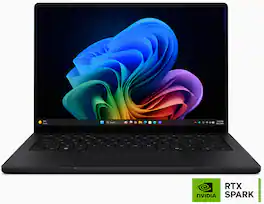
ASUS - ProArt P14 14" 3K OLED Touchscreen Laptop - NVIDIA RTX Spark N1X 20-Core (2026) - 32GB Memory - 512GB Storage - Nano Black

ASUS ProArt P14 empowers creators with next-generation AI performance in an ultra-portable design. Powered by NVIDIA RTX Spark with a 6,144-core Blackwell RTX GPU, a 20-core Grace CPU, unified memory, and 512GB storage, it delivers seamless multitasking and accelerated AI workflows. The 14-inch 3K ASUS Lumina Pro OLED touchscreen provides exceptional color accuracy and up to 1,100 nits of peak brightness, while ASUS-exclusive creative apps and RTX-accelerated AI tools and tech unlock new levels of productivity and creativity.
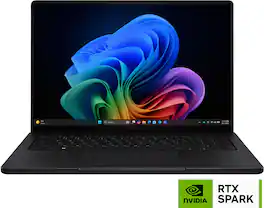
ASUS - ProArt P16 16" 4K OLED Touchscreen Laptop - NVIDIA RTX Spark N1X 18-Core (2026) - 24GB Memory - 512GB Storage - Nano Black
4.7(17)

ASUS ProArt P16 empowers creators with next-generation AI performance in an ultra-portable design. Powered by NVIDIA RTX Spark with a 5,120-core Blackwell RTX GPU, an 18-core Grace CPU, unified memory, and 512GB storage, it delivers seamless multitasking and accelerated AI workflows. The 16-inch 4K ASUS Lumina Pro OLED touchscreen provides exceptional color accuracy and up to 1,600 nits of peak brightness, while ASUS-exclusive creative apps and RTX-accelerated AI tools and tech unlock new levels of productivity and creativity.
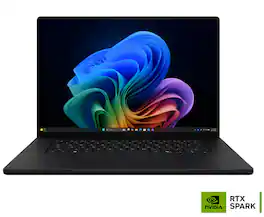
ASUS - ProArt P16 16" 4K OLED Touchscreen Laptop - NVIDIA RTX Spark N1X 20-Core (2026) - 32GB Memory - 1TB Storage - Nano Black

ASUS ProArt P16 empowers creators with next-generation AI performance in an ultra-portable design. Powered by NVIDIA RTX Spark with a 6,144-core Blackwell RTX GPU, a 20-core Grace CPU, unified memory, and 1TB storage, it delivers seamless multitasking and accelerated AI workflows. The 16-inch 4K ASUS Lumina Pro OLED touchscreen provides exceptional color accuracy and up to 1,600 nits of peak brightness, while ASUS-exclusive creative apps and RTX-accelerated AI tools and tech unlock new levels of productivity and creativity.

Specs

Questions & Answers

  • Is there an additional M.2 slot for more storage?

    The ASUS H7407BA (ProArt P14) has only one M.2 2280 PCIe 4.0 x4 SSD slot, which supports a maximum storage capacity of up to 2TB. The system comes with a 512GB SSD pre-installed. Therefore, if you wish to increase storage capacity, the existing SSD would need to be replaced, as there is no additional M.2 slot available.

    Answered by ASUS Answers
    ASUS Answers response
  • Why is it soooooooo expensive?

    times zones

    Answered by Anonymous
Ask a question
No content
Sponsored