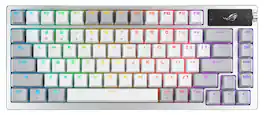
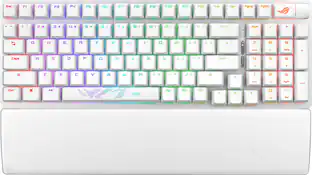
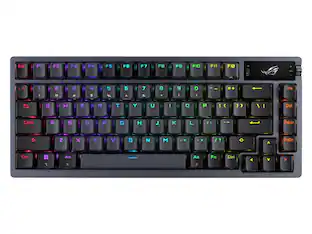
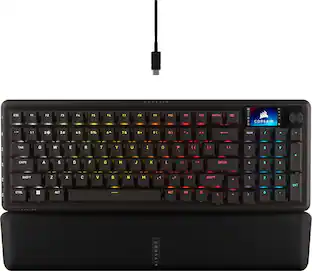
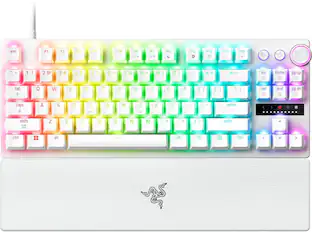
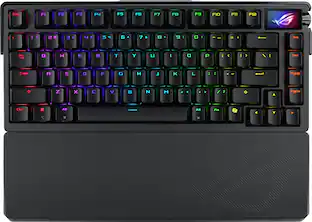
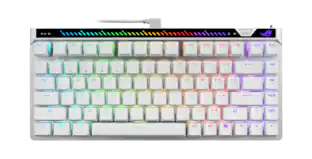
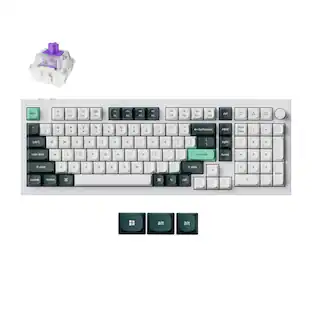
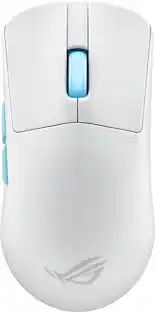
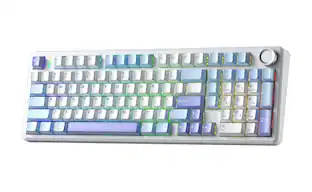
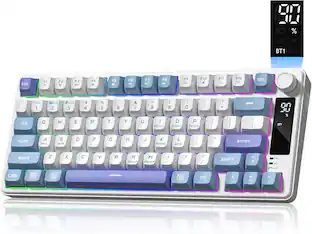
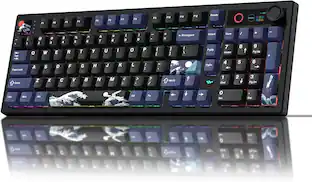
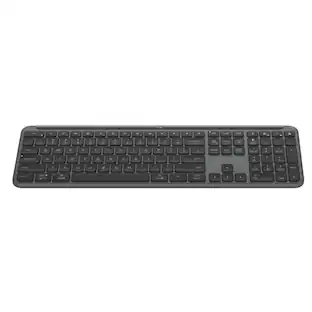
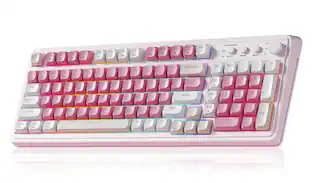
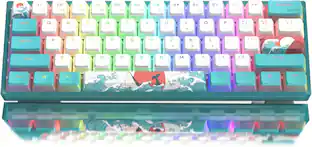
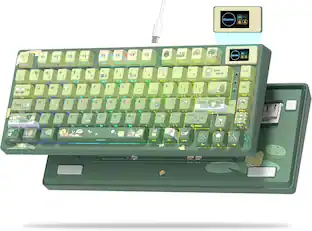
The ROG Azoth 96 HE is a wireless analog gaming keyboard with hot-swappable ROG HFX V2 magnetic switches, adjustable actuation, and tri-mode connectivity for up to five devices. It features up to 8000 Hz polling, an OLED touchscreen, intuitive control knob, six-layer dampening, and a premium metal frame.

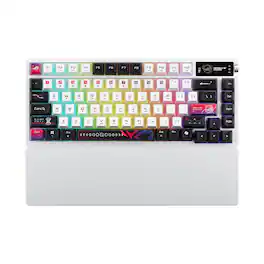
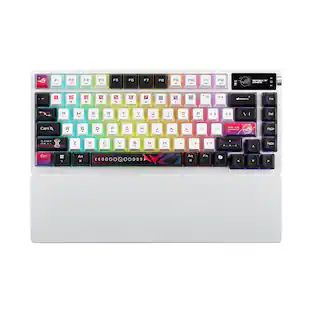
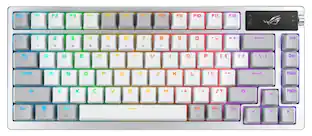
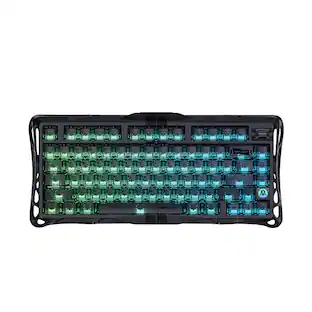
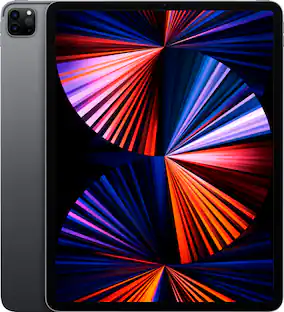
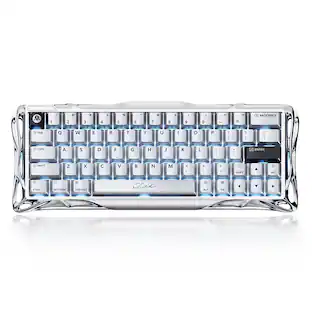
ROG Azoth X is a 75% wireless gaming keyboard with DIY-level customization and premium features keyboard. It features a metal top cover, south-facing PCB, silicone gasket mount, FR4 positioning plate, and five-layer dampening for a smooth, cushioned keystroke feel. Hot-swappable, pre-lubed ROG NX switches V2 ensure consistent, responsive typing, while three-sided translucent keycaps enhance aesthetics.

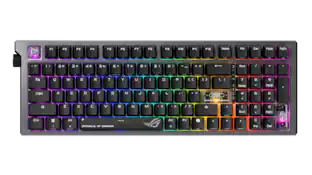
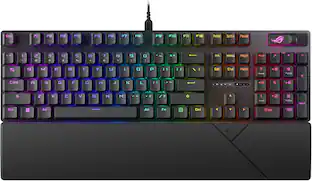
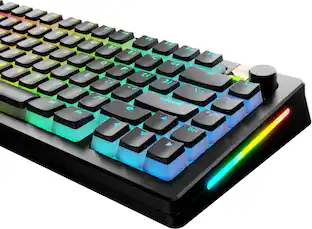
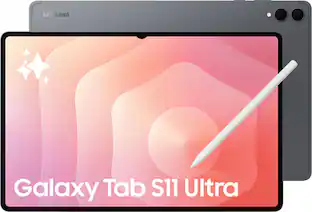
The ROG Azoth Extreme is a customizable 75% gaming keyboard with a premium aluminum-alloy chassis and metal frame. It features an 8000 Hz report rate with the ROG Polling Rate Booster and over 1600 hours of battery life in ROG SpeedNova 2.4 GHz wireless mode. The upgraded OLED touchscreen and three-way knob enable system monitoring and quick adjustments. The carbon-fiber positioning plate ensures a crisp typing sound, while three dampening layers absorb vibrations. An adjustable gasket mount with a paddle switch offers two typing preferences.

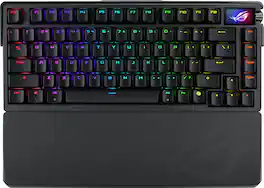
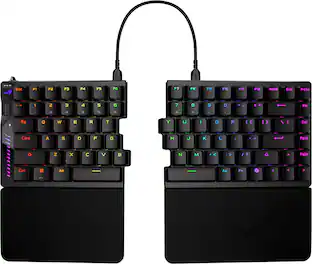
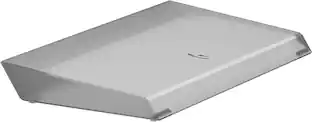
ROG Falcata 75% split gaming keyboard with hot-swappable ROG HFX V2 Magnetic Switches and ROG Hall Sensor; featuring Rapid Trigger toggle, intuitive control and multi-function wheel, tri-mode connectivity with ROG SpeedNova 8K wireless technology, Zone Mode, four-layer dampening and detachable silicone wrist rests.
| Pros for ASUS - ROG Azoth 96% Wireless Magnetic Hall Effect RGB Gaming Keyboard with Hot-Swappable ROG HFX V2 Switches - White | |||
|---|---|---|---|
| Build Quality, Connectivity, Battery Life, Switch Performance, Typing Feel | Build Quality, Battery Life, Connectivity, RGB Lighting, Switch Performance | Build Quality, Typing Experience | Build Quality, Switch Performance, Connectivity, RGB Lighting, Ergonomics |
| Cons for ASUS - ROG Azoth 96% Wireless Magnetic Hall Effect RGB Gaming Keyboard with Hot-Swappable ROG HFX V2 Switches - White | |||
| Key Layout | Wrist Rest Comfort, Key Illumination | There were no cons for this product— | There were no cons for this product— |
Customers appreciate the ROG Azoth 96% Wireless Gaming Keyboard for its solid build quality, reliable connectivity, and comfortable typing feel. Many users also praise its impressive battery life, smooth switch performance, and high polling rate for gaming. The OLED screen and quiet acoustics are well-received, along with the customization options and user-friendly software. However, some find the key layout, specifically the placement of the Del key, to be less than ideal.
The vast majority of our reviews come from verified purchases. Reviews from customers may include My Best Buy members, employees, and Tech Insider Network members (as tagged). Select reviewers may receive discounted products, promotional considerations or entries into drawings for honest, helpful reviews.

I really wanted to love this but it's just not quite good enough to justify the MSRP cost. I'm leaving this at 4/5 stars because it is pretty high quality overall if you can get it at a good price, I just can't seem to give this a full recommend. And I'm also assuming they will fix the bluetooth issue I mention below. Otherwise it's unusable completely. Overall, it's pretty difficult to find a full-size keyboard with the Hall effect technology. I also like the screen and dial, which I really have become used to because of the ease of use to turn the volume up and down primarily during games. The biggest issue I've had is actually connectivity via bluetooth. Perhaps this will be fixed with further firmware updates. But I use my MacBook Pro for work during the day via bluetooth and then have the dongle connected to my PC for gaming. But every time I turn off my MacBook Pro, the connection is lost. This is frustrating because when starting up MacOS you have to type in your password. I had to get another keyboard out each time to type in the password. I have done full resets/firmware updates/etc. It does the same thing with Windows -- but I have the camera vision that unlocks the computer so I can at least re-connect the bluetooth via mouse. There are a variety of premium features included on this board that are with every premium board these days - swappable switches, etc. But I just can't find anything that makes this unique or premium enough for $359. The Rog Extreme is more well-built and I felt like that board- - even without the Hall effect -- was more responsive. And the Rog Falcata has Hall effect and is now around $250. And I think the last version (non Hall effect) of this keyboard is around $125 now, which is what I would recommend if you need the 96% layout.
This review is from ASUS - ROG Azoth 96% Wireless Magnetic Hall Effect RGB Gaming Keyboard with Hot-Swappable ROG HFX V2 Switches - Black
MeloZone Posted
_____ *Pros: -Premium look and feel. -Excellent build quality. -Highly fine-tuned adjustable actuation (0.1mm to 3.5mm) for each key. -Offers high-tech options to give competitive edge in games (Rapid Trigger, Speed Tap, 8000Hz polling rate). -Has full number pad. -Excellent sound dampening and pleasant marbly sound. -Excellent battery life. -Three connection modes (wired/USB-C, Bluetooth, and 2.4GHz wireless/dongle) -OLED touchscreen is cool. -The Gear Link web app is responsive and easy to use. _____ *Neutral: -It’s pretty heavy and thick. Not very portable. -The Gear Link web app is not 100% stable. -The 96% condensed form-factor takes some time to get used to. -No dedicated Macro keys. -Awkward location for the Del key. _____ *Cons: -Gear Link could not set my custom GIFs – not even the included presets === Build Quality and Design === Upon unboxing, I couldn’t help but be very impressed by the presentation, the feel, the heft, and the sound of the Asus ROG Azoth keyboard. I have gone through many gaming keyboards before, premium or not, but none were as nice and full featured as the Azoth. The first thing that got my attention was the solid metal feel and heft of the device. The top frame is made of machined aluminum, and it provides the Azoth with a solid and durable feel and structural rigidity. The bottom panel is made of plastic but it’s a nice and dense plastic that doesn’t feel cheap, which is fine because the plastic will lead to stronger signal transmission for the 2.4GHz SpeedNova wireless dongle. The quality feel continues as you move on to the keys – they’re made from PBT doubleshot plastic which resists wear and “shining” over time better than standard/regular ABS. The Azoth sounds great, too. Thanks to its six-layer dampening system, use of PORON foam, and a bottom layer silicone pad, the keystrokes don’t make the annoying metallic ping sounds and instead produce non-echoey and marble-like “thocky” sound which I found to be very soothing and pleasant. With metal being used exactly where it counts and the inclusion of high-tech materials, the ROG Azoth is on the heavy side, weighing 3.07 lbs (~1.4 kg). This weight will make the keyboard less portable and convenient to lug around, but I think the trade-off is totally worth it as you get 96% the layout of a standard keyboard and you get a full-size number pad which is necessary for productivity tasks. \ The ROG Azoth is 96% the size of a standard keyboard and I highly appreciated the full-size number pad that comes with it since that means I can use the keyboard not only for games but productivity as well. Due to its condensed form factor, it took me a while to get used to the awkward placement of the Del key and the location of the zero (0) on the number pad. Out of the box, the keyboard was too sensitive for regular productivity activities, so I had to access the Gear Link web app and adjust the actuation level higher to prevent accidental keystrokes. All in all, the ROG Azoth exudes quality and high premium-ness, justifying its high cost. === How is the customization? === I eschewed the resource-heavy Armoury Crate app and relied heavily on the Gear Link web companion app for customization. Gear Link was reliable, responsive, and worked well except for one thing – every single time I tried to load a custom animation onto the OLED display – preset or custom – Gear Link would get stuck in the loading setting phase, and my changes were not loaded nor saved. I waited up to 30 minutes but nothing happened so I was forced to close the browser tab and initiate a new Gear Link session. Besides the above issue, Gear Link worked just fine for the other options such as setting actuation point and dead zone levels and Rapid Trigger and Speed Tap customizations, which admittedly, are far more important and crucial than a somewhat gimmicky OLED animation screen. The actuation points can be changed in increments of 0.01mm increments, and they can be individually applied to every single key, which is awesome. Befitting a keyboard at this price level, the ROG Azoth offers a healthy and high level of customization that offers gamers a real competitive edge. === How does it perform in games? === The ROG Azoth did not disappoint or cause me any grief during both my short and long gaming sessions. Once I discovered and dialed in the most comfortable and balanced actuation level settings for my hands and body, it was supremely comfortable and responsive. The 8000 Hz polling rate is a nice option to have for twitchy and fast-paced FPS titles, but I’m not sure it’s worth the extra battery life hit. Thanks to the Rapid Trigger and Speed Tap functions, movement-heavy action games will see the most benefit, such as Split Fiction, Cyberpunk 2077, and fast-paced FPS games. By adjusting the Rapid Trigger setting, you can make your game character feel more responsive and less sluggish and improve movement precision. And Speed Tap, which controls how the keyboard handles simultaneous pressing of opposing directional inputs (e.g. A & D), results in smoother and continuous character movement that can mean the difference between life or death in a competitive match. === Is it worth the coin? === Yes. The ROG Azoth is an excellent keyboard for gamers who is willing and wanting for finely tuned customization options, premium feel and build quality, and pleasant sound acoustics. It’s a 5-Star Win!
This review is from ASUS - ROG Azoth 96% Wireless Magnetic Hall Effect RGB Gaming Keyboard with Hot-Swappable ROG HFX V2 Switches - Black
optimummind Posted
----- SUMMARY ----- Verdict: Since unboxing the ASUS ROG Azoth 96 HE, it has completely monopolized my desk space, and for good reason. Finding hardware that can keep up with a chaotic schedule is rare. Between building data pipelines during the day, sinking into a heavy RPG session at night, and navigating life with a toddler and a six-month-old, my equipment needs to be incredibly adaptable. The Azoth 96 HE is a triumph of modern peripheral engineering that manages to bridge the gap between an enthusiast-grade typing board and an ultra-competitive gaming peripheral without breaking a sweat. It justifies its premium price tag by effectively being two world-class keyboards in one: a heavily dampened, highly efficient productivity tool by day, and an uncompromising, lightning-fast gaming board by night. If you can stomach the cost, it is a flawless addition to the desk. Pros: - Ideal 96% layout with full numpad - Durable metal frame and PBT keycaps - Quiet acoustics with six-layer dampening - Adjustable magnetic switches for work and play - Reliable tri-mode connectivity with 8K polling - Integrated OLED screen and control knob - Lightweight web-based software utility Cons: - High premium price point ----- DETAILS ----- Design & Build Quality: The 96% layout is, in my opinion, the absolute sweet spot for a desk peripheral. Ultra-compact 60% boards look great until you actually need to input numerical data and realize you've handicapped your workflow. This layout retains the full numpad, which is strictly non-negotiable for writing complex SQL queries and wrangling a data warehouse all day, while only taking up marginally more space than a Tenkeyless board. The physical construction is absolute tank-tier. It features a premium metal top frame and robust doubleshot PBT keycaps that won't shine or wear down over time. More importantly, ASUS implemented a walled-stem switch design. If you live anywhere prone to dry, pervasive dust (like the Phoenix desert), this physical barrier keeps grit out of the delicate switch housings, extending the board's lifespan. But the real star of the build is the acoustic engineering. It uses a specialized silicone gasket mount paired with six distinct layers of internal dampening, including PORON foam and an IXPE pad. The result is a deeply satisfying, cushioned typing feel that absorbs high-pitched switch ping. It's so well-dampened that I can hammer away at my keys late at night without waking the girls or disturbing the cat's fourteenth nap of the day. Switches & Performance: The defining technical achievement of the Azoth 96 HE is the hot-swappable ROG HFX V2 Magnetic Switches. Instead of traditional metal contacts, these utilize Hall Effect sensors to measure magnetic flux, providing a fluid, analog input. Practically, this gives you total mechanical control. You can dial in the actuation point anywhere from a deliberate 3.5mm down to a hair-trigger 0.1mm. During working hours, I keep the actuation deep to prevent accidental typos in my data models. When the workday ends and I boot up Cyberpunk 2077 or Fallout, I drop it to 0.1mm, making the keys feel telepathically responsive. On the competitive side, the board supports an 8000Hz polling rate, dropping input delay to a microscopic 0.125ms, alongside Rapid Trigger and Speed Tap functionality. Speed Tap automatically prioritizes your latest keystroke when two opposing directional keys are pressed, completely eliminating the sluggish deceleration gap in fast-paced shooters. Features & Connectivity: Wireless gaming peripherals used to be notoriously unreliable, but ASUS’s Tri-Mode connectivity is rock solid. You can swap seamlessly between standard Bluetooth (perfect for juggling a work laptop and personal rig), wired USB-C, and the ultra-fast 2.4GHz SpeedNova wireless protocol. The biggest quality-of-life feature, however, is the 1.47-inch full-color OLED touchscreen paired with a tactile three-way control knob. You can view real-time system metrics or battery life, but more importantly, you can use the knob to adjust your magnetic actuation points and media controls on the fly without ever alt-tabbing out of your current window. If you do want to dive into complex macros, ASUS implemented "Gear Link." This is a lightweight, web-based settings utility that entirely circumvents the need to install bloated background software on your machine. I especially appreciate this being browser-based because it means I don’t have to plead with our work IT and security team to download a non-essential app that would almost certainly get denied. Battery Life: Powering an 8000Hz polling rate alongside an OLED screen and per-key RGB lighting is a heavy lift, but the battery endurance here is highly respectable. Under absolute maximum load (8K wireless polling, screen on, and RGB blazing), you can expect roughly 36 to 40 hours of continuous use. In real-world terms, this usually gets me through a full week of use and sometimes two. The actual longevity depends on how many days I work from home and how much time I actually have to game in the evenings. While there are more efficient modes that can extend this further, the 40-hour mark is a fair expectation for anyone wanting to use the high-performance features. ----- WHAT'S IN THE BOX ----- 1 x M901 ROG AZOTH 96 HE 1 x Wrist Rest 1 x USB-C to USB-C Cable 1 x USB-C to USB-A Adapter 1 x USB Dongle Extender 1 x ROG Keycap & Switch Puller 3 x ROG-themed Keycaps 1 x Ctrl Keycap 1 x ROG Sticker Set 1 x Quick Start Guide 1 x Warranty Card
This review is from ASUS - ROG Azoth 96% Wireless Magnetic Hall Effect RGB Gaming Keyboard with Hot-Swappable ROG HFX V2 Switches - Black
Kelby Posted