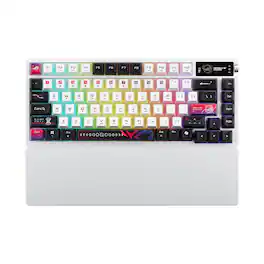
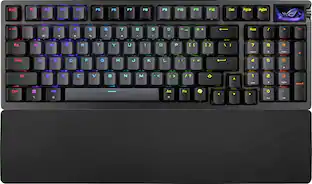
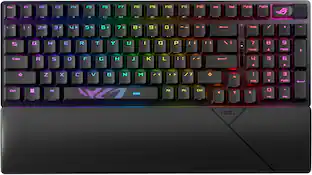
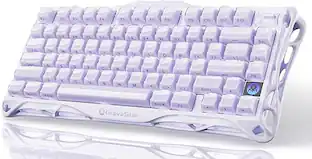
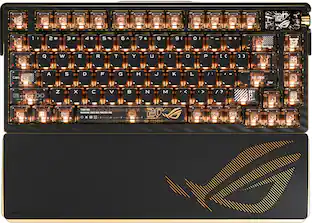
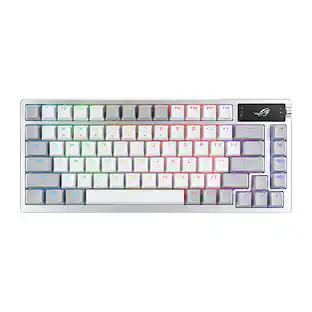
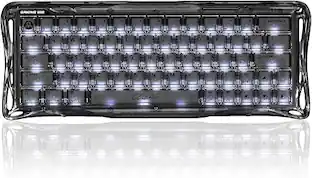
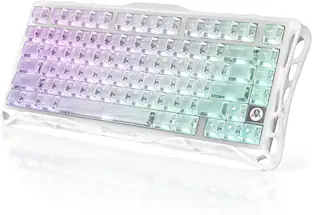
ROG Azoth X is a 75% wireless gaming keyboard with DIY-level customization and premium features keyboard. It features a metal top cover, south-facing PCB, silicone gasket mount, FR4 positioning plate, and five-layer dampening for a smooth, cushioned keystroke feel. Hot-swappable, pre-lubed ROG NX switches V2 ensure consistent, responsive typing, while three-sided translucent keycaps enhance aesthetics.
Q: What is the length of the cable included with the keyboard?
A: The cable length included with the keyboard is 6 feet.
Q: Does this gaming keyboard have adjustable tilt function?
A: Yes, this gaming keyboard features an adjustable tilt function.
Q: Can I detach the cable from this keyboard?
A: Yes, the keyboard has a detachable cable.
Q: Does this keyboard have a silicon wrist rest?
A: Yes, this keyboard comes with a silicon wrist rest.
Q: Is there a warranty for parts included with this keyboard?
A: Yes, there is a 1 year warranty for parts.
Q: Does this keyboard have multimedia keys?
A: Yes, this keyboard has multimedia keys.
Q: What type of key switch does this keyboard use?
A: This keyboard uses ROG NX Snow key switches.

ROG Azoth X is a 75% wireless gaming keyboard with DIY-level customization and premium features keyboard. It features a metal top cover, south-facing PCB, silicone gasket mount, FR4 positioning plate, and five-layer dampening for a smooth, cushioned keystroke feel. Hot-swappable, pre-lubed ROG NX switches V2 ensure consistent, responsive typing, while three-sided translucent keycaps enhance aesthetics.

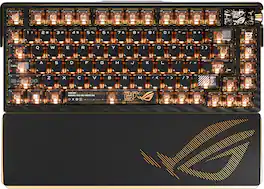
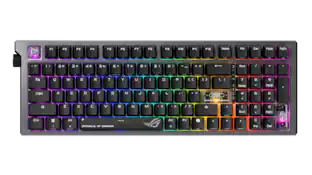
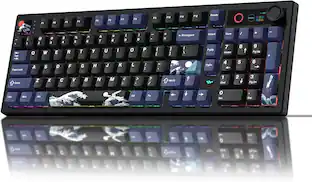
CORSAIR’s VANGUARD 96 pulls off the astonishing feat of shrinking a full keyboard with arrow keys, a tenkey pad, an LCD screen, rotary dial, and 6 programmable G-keys into a super-compact frame. Featuring wobble-free pre-lubricated CORSAIR MLX switches, it’s also hotswappable, supporting compatible 3-pin and 5-pin switches. The stunning LCD screen takes keyboard personalization to the next level with animations, stats, and game integration support. Quadlayer sound dampening provides satisfying keypress acoustics, and 8,000Hz hyper-polling delivers lightning-fast inputs. VANGUARD 96 also features Elgato Virtual Stream Deck integration, FlashTap SOCD handling, and easy customization via our web-based utility, CORSAIR Web Hub.

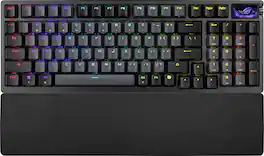
ROG Strix Scope II 96 Wireless gaming keyboard with tri-mode connection, streamer hotkeys, multifunction controls, hot-swappable pre-lubed ROG NX Snow mechanical switches, ROG keyboard stabilizers, PBT doubleshot keycaps and silicone dampening foam, three tilt angles, and wrist rest.

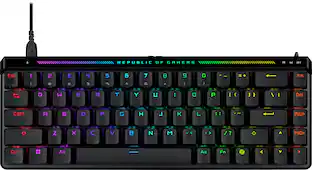
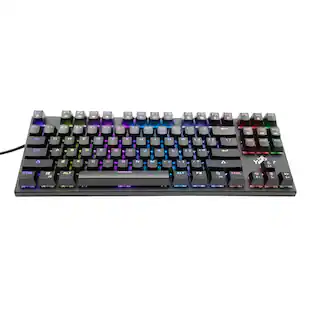
Embrace a new standard of speed with the Razer Huntsman V3 Pro Tenkeyless. Supercharged by Razer Snap Tap and Rapid Trigger Mode, execute more responsive inputs at unfair speeds. Customize further with adjustable actuation to optimize your competitive advantage.
| Pros for ASUS - ROG Azoth X 75% Wireless Mechanical RGB Gaming Keyboard with Hot-Swappable ROG NX Snow Switches - White | |||
|---|---|---|---|
| Cons for ASUS - ROG Azoth X 75% Wireless Mechanical RGB Gaming Keyboard with Hot-Swappable ROG NX Snow Switches - White | |||
Customers are delighted by the ROG Azoth X keyboard's solid build quality, vibrant RGB lighting, and responsive switch performance. The keyboard also boasts strong battery life and versatile connectivity options. Users appreciate the top-tier typing experience and the added functionality of the OLED display, while the only concern mentioned is the wrist rest's comfort due to its stiffness.
The vast majority of our reviews come from verified purchases. Reviews from customers may include My Best Buy members, employees, and Tech Insider Network members (as tagged). Select reviewers may receive discounted products, promotional considerations or entries into drawings for honest, helpful reviews.

I did research on a lot of keyboards. I bought and traded over 5 just in the last 10 years. I like high end with a smaller profile, fast latency is a must. This keyboard was my final pick because of the battery life. With 50% keyboard and 50% OLED enabled I only need to charge this once a month with daily 6 hours of use. I combined this with the hyper x alpha wireless headphones, which can be on 300 hours total, and super light 2 for 90 hours. The less attention we have to spend on charging maintenance, the more attention we can devote to creating something awesome or having fun.
Posted by JonathanH
Gaming Keyboards have become their own galaxy of tech and with all new rabbit holes, there is rapidly developing tech and competition from multiple vendors and enthusiasts demanding the latest and greatest. Asus, especially their ROG Republic of Gamers line-up, is eager to meet this demand. But you're reading a review for a $300 keyboard so you already know all of this. The Azoth X might be 75% keyboard, but it is almost 100% perfect for me. I say almost because there are a few very MINOR things I might change and some I do have the option of changing due to the modularity and freedom to change the switches and key caps. Also, there's an Extreme version of this keyboard that takes care of my of complaints but the price is as its name implies, Extreme. Here's what I loved about this keyboard: 1. 75% TKL is my absolute favorite keyboard configuration. If you need a Num pad, go and buy a BT numpad for the 10% of time you need it, otherwise save yourself the shoulder strain of having to hold your arms out wider between keyboard and mouse the other 90% of the time. I also like how Asus put some spacing between the arrow keys and the abbreviated ins/del/pgup/pgdn cluster while other keyboards in this range don't. I do wish they put a space between ESC and the F keys however, even if that meant taking away some of the OLED panel. 2. The ROG NX Snow v2 switches are amazing for anyone who likes fast, smooth, unobstructed action until your key bottoms out. Asus describes them as refined linear and I must agree I really enjoy them. They don't give you fatigue while typing and the key caps themselves feel extremely solid. There is virtually no wiggle or play on the switches or key caps themselves, which is a sign of cheaper caps and switches. The PCB is in an indented well and not flush to the face of the keyboard so keep that in mind if you eat near your keyboard. Gross imo but I know people do it and can't help themselves. Luckily you can remove the keycaps and switches for a deep cleaning, but somehow I don't think people who eat at their desks will do this much haha. 3. Amazing Battery Life. This Azoth X is an absolute revelation coming from my previous GMMK Pro 3 HE, which BARELY gets a full day of battery life working and playing. I am now going on a week with the Azoth X and honestly, I feel like it is still at 80%. It did take quite a while, 5-6 hours probably charging from 50% to 100% so this keyboard either has great battery capacity, or very low power draw combined with very slow charging. I'm betting its the former, because I am also using full backlighting at 75% brightness and the display is constantly running and cannot be dimmed. All in all, the battery life is VERY impressive for a keyboard that has so much lighting and a display, it slays the previous high price tag keyboard as I mentioned and it rivals some of the lower tech ones I've used in the past as I'll likely get a week of heavy use both working and playing BF6 on this keyboard with no sign of slowing down or running out of battery. Plugging in the USB-C cable overnight once a week should be enough to keep it topped off. 4. Awesome connectivity. This is mostly expected at this point, but you can switch between wireless RF via dongle, wired using usb-c and wireless with BT. This is incredibly useful for people who work from home like I do and want to connect to a different PC, like a work laptop, without swapping cables or without the need of a KVM. 5. OLED Display. I haven't had one of these since my original G15. Yeap IYKYK, but that OG of gaming keyboards cost me $80 back in the day and I thought that was a crazy high price. I haven't tried customizing this via software as I rarely do, but the side button changes modes between Volume, Multimedia, Lighting Brightness, OLED Brightness, and Lighting Effect. You can toggle up and down to cycle through the preset rough increments, or press the button to toggle 0% or 100% quickly. This works fine, but I kind of like the dedicated roller for volume, but this does work well for some of the advanced features like Lighting Brightness and Effect. 6. Attention to detail and extras. The USB dongle can hideaway right near the mode switcher into a little magnetized slot which is pretty slick if you travel or don't need to use RF, but don't want to lose the dongle). The silicone wrist rest is actually a super nice touch and very useful as well. Maybe a memory foam would've been even nicer but I do love this little detail without having to spend more money, and the fit and aesthetic perfectly match the keyboard of course so it looks super clean and refined. The keyboard also has compound risers on the back so you can change the tilt and height of the keyboard, there's a big riser and a half-step riser which is a great touch as I like an elevated keyboard but not the full height of the big legs. 7. The RGB and lighting through the translucent keycaps is beautiful. Again, I'm amazed at how they are able to be so bright and maintain wireless functionality over longer periods of time. If you want a keyboard that looks and performs awesome on battery, I don't think you will find a better keyboard other than its Extreme brother. 8. Uniform Swappable keys and caps. The uniformity of the keys and how they press, especially for the big keys like spacebar, enter, caps, shift, tab etc are something I always look to check out to show the quality of the switches but also the caps. The Azoth X passes in flying colors. I'll be honest and say I typically do not swap out switches and key caps, I just pick the ones I prefer, but you do have the option with the Azoth X. As great as this keyboard is, there's some minor things I would point out that make it not quite perfect, if I was rating it, this would bring it down to maybe a 94/100 instead of a 100/100, but still amazing overall. - Not Hall Effect switches. This was all the rage last year, and I probably don't really need or care for it as it can make key presses overly sensitive by changing actuation/registration point that needs to be calibrated via software. Overkill for most people and maybe why my last keyboard drained battery so fast? - The key caps as amazing as they feel....are NOT illuminated on the top of the key. This is a REALLY odd choice to me but maybe something key cap enthusiasts understand or prefer. So when I see RGB lighting on a keyboard, I expect the letters on top to be etched and lit. I'm not a finger typer or a looker for the most part, but on occasion I do look for lesser used keys like ins/printscrn/del or the sub fn keys because mfgs all have their own take on what does what and where they put it. Also, these are "south facing" key caps which are solid on top and front, with the back 3 facets being translucent. Would it have been so hard to just make them fully translucent and maybe just paint the letters, or etch the letters through the white? bummer anyways, this is probably my biggest gripe but still a minor one that might be fixed with a set of replacement keys. - The OLED display is black and white, so prominently claiming it is OLED is kind of odd. Very small and low-res graphics that are somewhat hard to make out especially on the left cluster, but still a neat feature, just executed not so well. I wasn't able to adjust the brightness but since it is B&W it likely doesn't use much power anyways, just wondering if burn-in will happen eventually. - The finish is mostly plastic. It does not feel cheap in any way, but even the top plate is just painted steel and the rest is just really high quality plastic. Many enthusiasts have likely have had cheaper keyboards made of aluminum or similar. I think Asus spent most of their resources on the tech of this unit, if you want the premium materials for the body, you'll have to go Extreme. - The keys are linear and have some dampening technology like Poron (they use this in shoes too!) and silicone pads but if you are a loud and forceful typer like me, you will still hear these. Not as loud as blues or even red/blacks of old, but they are louder than a lot of keyboards I have. So there it is. Lots to read but there is a lot to like and some minor observations. This is probably my favorite keyboard now since it checks so many boxes for me. I am not sure which I will use for my daily driver anymore. I think my wife is eyeing this one since she is into the white aesthetic for her PC and she really loves the wrist rest and how clean it looks overall. I'm not sure if I'll be able to keep her away from my Azoth X. $200 used to be a lot of money for a keyboard and now this is $300 which is definitely still a lot of money. Given the price of everything has gone up this shouldn't be a surprise, but then again, many of us remember a time we spent this much on a GPU or CPU, and certainly an entire gaming system. If you're serious about gaming and typing, you likely won't care, and if you don't care, the Azoth X will have you happily ripping away.
Posted by TechBuyer
i’ve been really happy with my Asus Azoth keyboard. It feels great to use, has a lot of handy features, and the battery lasts a long time. Solid all around.
Posted by AndrewL