60th Anniversary SaleEnds Sunday. Exclusions, terms and conditions apply.Shop now

Skip to contentGo to Product Search
Main Content

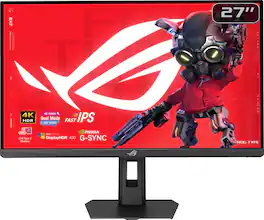
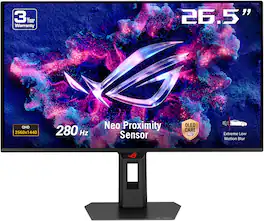
ASUS - ROG Strix 27" Dual Mode (4K 160Hz, FHD 324Hz) IPS 1ms Gaming Monitor with FreeSync Premium and HDR (DisplayPort, HDMI) - Black

Model: XG27UCSR
SKU: 6668646
Sold byBest Buy

Customers are saying

Customers commend the monitor for its impressive 160 Hz refresh rate and high-quality build, which are frequently highlighted as standout features. Users also appreciate the vibrant brightness, versatile connectivity options, and the crisp 4K resolution that enhances their viewing experience. While the overall performance is described as flawless, some users noted that the black levels could be deeper to avoid a slightly gray appearance.

Generated by AI based on customer reviews.

Highlights

Features
  • 27-inch 4K (3840 x 2160) Gaming Monitor

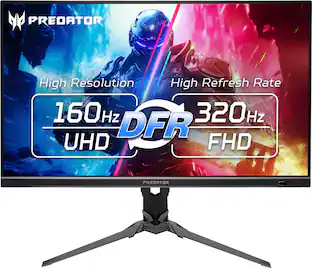
    Versatile dual mode (4K at 160 Hz or FHD at 324 Hz)

  • ASUS Fast IPS Technology

    Enables a 0.3ms response time (min.) for sharp gaming visuals with high frame rates

  • ASUS Smart Pixel Technology

    Enhances every detail, delivering sharper, more vibrant visuals, even at lower resolutions

  • ASUS Extreme Low Motion Blur Sync (ELMB SYNC) Technology

    Enables ELMB together with variable refresh rate, eliminating ghosting and tearing for sharp gaming visuals with high frame rates

  • 95% DCI-P3 Color Gamut

    ASUS advanced gray-scale tracking technology ensures smoother color gradation delivered and uniformity

  • DisplayWidget Center

    Enables easy monitor settings adjustments with a mouse

  • USB Type-C with DP Alt Mode

    Connect your device with clutter-free set-up

  • What’s in the Box

    DisplayPort cable, HDMI cable, USB Type-B to A cable, Power cord, Microfiber cloth, ROG sticker, ROG pouch, VESA mount kit, Quick start guide, Warranty Card

  • ASUS Rapid Replacement (ARR)

    3 year warranty with cross shipping service included

See all features
Specifications
  • Refresh Rate
    160Hz
    Maximum Resolution
    3840 x 2160
    Response Time
    1 milliseconds
    Panel Type
    IPS
    Synchronization Technology
    FreeSync Premium (AMD Adaptive Sync), G-SYNC Compatible (NVIDIA Adaptive Sync)
Sponsored

Reviews

Rating 4.8 out of 5 stars with 32 reviews

94% would recommend to a friend
Customers are sayingCustomers commend the monitor for its impressive 160 Hz refresh rate and high-quality build, which are frequently highlighted as standout features. Users also appreciate the vibrant brightness, versatile connectivity options, and the crisp 4K resolution that enhances their viewing experience. While the overall performance is described as flawless, some users noted that the black levels could be deeper to avoid a slightly gray appearance.
This summary was generated by AI based on customer reviews.
  • Refresh Rate (19)
  • Build Quality (17)
  • Brightness (9)
  • Connectivity (8)
  • Performance (5)
  • Black Levels (4)

Customer Images

The vast majority of our reviews come from verified purchases. Reviews from customers may include My Best Buy members, employees, and Tech Insider Network members (as tagged). Select reviewers may receive discounted products, promotional considerations or entries into drawings for honest, helpful reviews.

  • Rated 3 out of 5 stars

    Price is good for 4k, but drawbacks

    Gonna talk about a major drawback for me. It has very bad IPS glow/backlight leak at the corners. Basically if you plan to use your monitor in a dark room and if you are looking at a dark image/room on your monitor, the corners are washed out from the brightness. You literally cannot see any details on the corners (or about 25% of you screen). So let's say you turn off all your lights in your room and then you boot up a game like Phasmaphobia and you go into a part of the map where its super dark, the glow obscures all of your corners. I posted an image, but keep in mind taking the image at night makes the glow be worse than it is, but its still pretty bad. The glow is not as bright, but it covers the same amount. The only way to mitigate this a little is to turn down brightness and position yourself or your monitor so you are looking right at it without any angle. But you SHOULDN't need to do this. I compared it to my older IPS monitor and the glow is very prominent on this monitor when set to similar brightness. I owned it for 3 weeks so far, might return or exchange it at the 5 week mark since I have Best Buy Plus. But.. Best Buy doesn't exactly have a great selection of 4k or even 1080p IPS monitors so I might just return it. Not sure I want to do an exchange and the same model monitor exhibits the same issue or additional different issues. One last negative is the black colors, as some has said, is very weak. It is not true black. But dark dark gray. If those 2 negatives don't bother you, then its a good buy since the rest of the features are great for its price. Quickly on the positives.. Bought it for like $320 so its a good deal, now its like $400, probably not so great. Refresh rates is as advertised. Colors are fine, especially out of the box. Easy to install. The stand has lots of adjustments (although, not sure how to take it apart if i do return it since the stand and monitor was snapped into a socket). All the pixels are fine, no noise or coil whine. I havn't noticed much ghosting at 60fps or 120fps. Bought it mostly for productivity purpose (3d modeling) and some gaming.

    Posted by MarvinC

  • Rated 5 out of 5 stars

    Superb gaming monitor

    I needed a high-quality 4k monitor for my Series X and future gaming PC. I currently prefer an IPS monitor over OLED due to longevity. Satisfied with my purchase and have no complaints.

    Posted by Rmw2hot

  • Rated 4 out of 5 stars

    Solid monitor for the price

    Bought this as a second monitor to run alongside my ASUS ROG Strix OLED. It’s great for productivity use, and has good color. Have not really used any of the gaming features as I do all that on the OLED. I run it vertically which is solid for work and productivity usage. Would definitely purchase again.

    Posted by Joey

  • Rated 5 out of 5 stars

    ASUS - ROG Strix XG27UCSR 27" Dual Mode 4K/UHD

    As both an IT professional and avid PC gamer, I was very excited to experience the new ASUS - ROG Strix 27" Dual Mode (4K 160Hz, FHD 324Hz) XG27UCSR monitor! The promise here is a monitor that can serve as both a high image quality 4k 160Hz display, or a super fast 324Hz low res 1080p display for esports or competitive gaming. Simply put, ASUS delivers on both of these very well. Overall, the construction of this monitor falls in like with other ASUS ROG displays. It has standard bezel thickness, plastic body with typical ROG gaming style. The display itself is IPS and rocks typical matte finish. Very sturdy metal base with extremely low rocking. Adjustable height. x1 DisplayPort 1.4, x1 HDMI 2.1, x1 USB-C that supports Alt DP mode and 15w of power delivery and headphone jack. It covers all of the basics, it well made and meets expectations for anyone familiar with this product line. This is built and marketed toward gamers, not professional business environments or those looking for sleek or overly modern hardware. The display itself is successful on multiple fronts. The color accuracy out of the box is stellar. It defaults to "racing mode" which essentially boils down to the most accurate preset out of the box and the one most people should stick with. It's set to the proper white point of 6500k and covers 95% of the DCI-P3 color gamut with ASUS advanced gray-scale tracking technology ensuring smoother color gradation delivery and uniformity. There is no tweaking needed here. The display is sharp and vivid in it's 4k 160Hz mode. My PC easily picked up the G-Sync, VRR, HDR, and 160Hz capabilities. Gaming in this mode was excellent. In addition to it's 160Hz mode, which is already impressive, the XG27UCSR rocks the best ELBM (Extremely Low Motion Blur) I've ever seen to date on a monitor. There is literally, no motion blur, stutter, or any undesired motion issues of any kind. This is not the case for all high framerate monitors, especially using IPS panels. Most people who has PCs that can support 4k at 160Hz will be happy with this setup and won't ever look to change it. There is however, a secret gaming weapon this monitor holds that makes it even more unique, well beyond the best in class ELMB, which by itself, it enough to justify the purchase of this monitor. For those extreme gamers looking for maximum FPS over image quality, you can toggle an "FPS Mode" which sends a native 1080P signal to your graphic card, instantly changing the resolution from native 4k to 1080p. Doing this results in a super fast 324Hz/FPS capability! In this mode and playing games that you can run at the full FPS, coupled with the amazing ELMB precision is at an all time high. Games like Counter-Strike 2 now present a competitive advantage by allowing pint point smooth accuracy. I want to be clear with folks tho. This is still a 4k 1920 x 2160 display, even in 1080p mode. That means you are not getting a true, 1080p native display. While ASUS has done an excellent job incorporating technology to upscale this image to nearly native 1080p sharpness, it still offers a slight blurriness compared to it's 4k mode. You may also notice the different due to the fact you're switching from super sharp 4k down to 1/4th the resolution, and that in itself is very noticeable as well. Turning on either FPS mode or any of the other various gaming features, such as FPS counter, static crosshairs, sniper (which zooms the display) or stopwatch and timer, those are all triggered by the OSD menu (on screen display) by clicking the rear navigation button at the top of the button menu, which are on the right side of the display. Toggling FPS mode has it's own dedicated button making switching between 4k and 1080p extremely easy. Some systems may react differently to sudden display change so ensure your OS is configured correctly for each mode initially before relying on switching, as Hz may not be set correctly instantly. ASUS also has a method to control settings via a desktop app called "ASUS Display Widget Center. This offers the same controls in the OSD but much easier to navigate. I found most of my tweaking was nicer to perform using this companion app vs the OSD menu. The only real flaw this monitor has is the typical limitations of IPS panels. Blacks are not pure black and more of an 80% grey or even bluish at times. It does have some clouding, but halo effect is minimal to non existent. For most use cases, esp gaming, this doesn't matter so much and I found all the other benefits outweighed this one limitation, which I also had full expectation of. Overall, this is a very unique monitor offering abilities not many other offerings provide. ASUS has really considered the hardcore gamer's needs with the XG27UCSR and I truly believe this is "one to beat" for everyone else. I highly recommend this to any gamer and especially to any gamer who also doubles their monitor as a workstation display. It's the best of both worlds approach and should be on everyone's consideration list.

    Posted by elitegangsta

  • Rated 5 out of 5 stars

    Smooth Gaming in Vibrant Colors

    This 4K monitor from Asus is solidly built and very easy to assemble. It features a 27-inch display with a 160Hz refresh rate, capable of boosting up to 324Hz. On the back, you’ll find one DisplayPort, one HDMI, and one USB-C port. It also supports VRR, G-Sync, Freesync, and ELMB-Sync. The panel is flat, slim, and lightweight, and the rear design has a nice touch that reminds me of my older TUF gaming monitor. Setup is essentially plug-and-play. You can navigate the monitor settings using the buttons on the back right side, or through the Asus Display Widget Center. I especially liked how simple it was to attach the stand, no tools required. It just locks into place, and removing it is as easy as pressing the latch release button behind the panel. As for image quality, the colors are bright and vibrant. After exploring the different settings, I did notice that some color profiles appeared slightly oversaturated, but that’s easy to adjust with a bit of tweaking. By default, the monitor runs at 60Hz in 4K resolution, you need to adjust the refresh rate to 160 manually at least I had to. To reach 324Hz, you also have to enable the Frame Rate Boost setting, and it only works for 1080p. During gaming, the monitor performed exceptionally well at its highest refresh rates. Gameplay was smooth, with no noticeable ghosting or lag. I paired it with a gaming laptop running an older Nvidia graphics card, and it still handled everything impressively. I was able to play in both 1080p at 319hz and 4k at160hz. The monitor also includes hotkey features. While it’s a nice addition, the one I was most interested in, switching refresh rates. To do that you have to press the middle button behind the monitor. The screen will go black for a second but then switch the resolution between 4K to 1080p 324hz. That was pretty cool. Make sure to enable Frame Rate Boost before launching the game, as turning it on during gameplay may cause the game to crash. Overall, I’m loving this monitor, it looks and performs great. It’s well-built, delivers vivid and bright beautiful colors, and is an ideal size for gaming. It is easy to set up and also includes useful gaming features like a crosshair overlay and others. In the box, you get the monitor, stand, power cable, DisplayPort cable, cable carrying case, and manuals.

    Posted by Wishkid

From the Manufacturer

Compare similar products

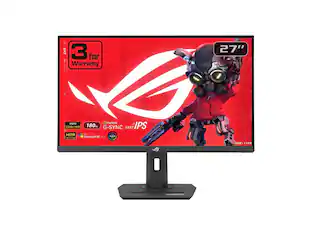
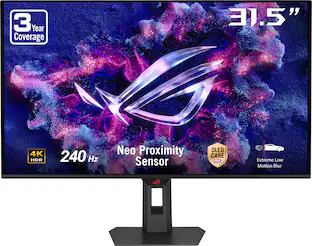
ASUS - ROG Strix 27" Dual Mode (4K 160Hz, FHD 324Hz) IPS 1ms Gaming Monitor with FreeSync Premium and HDR (DisplayPort, HDMI) - Black
4.8(32)

Elevate your gaming with the ROG Strix XG27UCSR. Switch instantly to 1080p 324Hz via hotkey for esports-ready speed and 0.3ms (min) response. AI-powered features and versatile USB‑C connectivity deliver precision, performance, and modern convenience.
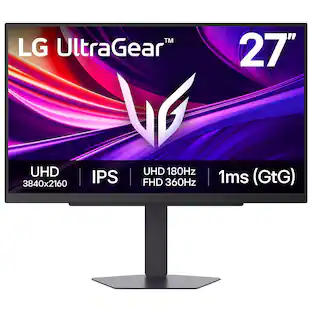
LG - UltraGear 27" IPS Dual Mode (4K UHD 180Hz, FHD 360Hz), 1ms, NVIDIA G-SYNC, AMD Freesync Gaming Monitor (HDMI, DP, USB-C) - Black

It's time to upgrade your setup with the 27 Inch 4K UHD IPS UltraGear gaming monitor, delivering crisp ultra high (3840 x 2160) resolution, vibrant color with up to 95% DCI-P3 coverage, and striking contrast through VESA DisplayHDR 400. Every detail is vivid, sharp, and designed to elevate your gaming and streaming experience. Stay ahead with a 144Hz refresh rate and lightning-fast 1ms (GtG) response time, ensuring smooth, responsive gameplay. Adaptive sync technologies—NVIDIA G-SYNC compatibility and AMD FreeSync Premium—keep every frame fluid and tear-free. Dual Mode lets you take control of your gaming experience. Enjoy graphically stunning story-driven adventures in 4K UHD at up to180Hz immersing yourself in epic visuals and rich detail. Or game in Full HD at an electrifying 360Hz for ultra-responsive gameplay¹. Stay battle-ready with dual HDMI, DisplayPort 1.4, USB upstream and two downstream ports, plus a 4-pole headphone jack. A slim bezel, fully adjustable stand bring both performance and style to your ultimate gaming setup.

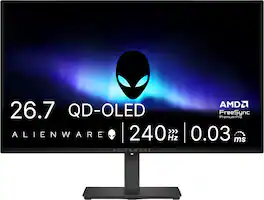
Alienware - AW2726DM 27" QD-OLED QHD 240Hz 0.03ms FreeSync Premium Pro Gaming Monitor with HDR (HDMI, DisplayPort) - Black

Alienware 27 240Hz QD-OLED Gaming Monitor. Take in superb QD-OLED visuals and fluid gameplay on the 27" flat panel monitor featuring a fast 240Hz refresh rate.
Dell - S2725QC 27" IPS LED 4K UHD 120Hz 8ms FreeSync Premium Monitor with HDR (HDMI, DisplayPort, USB) - Ash White

Dell 27 Plus 4K USB-C Monitor - S2725QC. Whether you're watching movies or playing games, enjoy an immersive viewing experience with improved eye comfort on a 4-star certified monitor*.

Pros for ASUS - ROG Strix 27" Dual Mode (4K 160Hz, FHD 324Hz) IPS 1ms Gaming Monitor with FreeSync Premium and HDR (DisplayPort, HDMI) - Black
Refresh Rate, Connectivity, Build Quality, Brightness, PerformanceRefresh Rate, Color Quality, Resolution, Setup Ease, HDR PerformanceRefresh Rate, OLED Quality, Overall Performance, Stand AdjustabilityConnectivity, Refresh Rate, Image Quality, Port Count, Adjustability
Cons for ASUS - ROG Strix 27" Dual Mode (4K 160Hz, FHD 324Hz) IPS 1ms Gaming Monitor with FreeSync Premium and HDR (DisplayPort, HDMI) - Black
Black LevelsThere were no cons for this productBrightness, USB Ports, Built-in SpeakersVolume Control

Specs

Questions & Answers
  • whats the highest frefresh rate when you turn 4k on and when u turn it off and use 1080p

    On the ROG Strix XG27UCS, the highest refresh rate is 160Hz when running at 4K resolution. If you turn 4K off and drop to 1080p, you can utilize the monitor's dual-mode feature to reach up to 320Hz.

    Answered by ASUS Answers
    ASUS Answers response
  • Does this gaming monitor have an adjustable stand?

    Yes, this gaming monitor has an adjustable stand height.

    This question and answer was generated by AI based on customer and product data.
  • What cables are included in the box?

    The box includes a DisplayPort cable, HDMI cable, and USB Type-B to A cable.

    This question and answer was generated by AI based on customer and product data.
  • Can I mount this monitor to a wall?

    Yes, this monitor is wall mountable with VESA Wall Mount Standard 100mm x 100mm.

    This question and answer was generated by AI based on customer and product data.
  • Does this monitor have a headphone jack?

    Yes, this monitor has a headphone jack.

    This question and answer was generated by AI based on customer and product data.
Ask a question
No content

Customers often buy these together

Sponsored

Finance Options

My Best Buy® Credit Card
Choose a benefit:Or
Buy Now, Pay Later
Lease to own

Finance Options

My Best Buy® Credit Card
Choose a benefit:Or
Buy Now, Pay Later
Lease to own

Special Offers

Top Offers
Included with Purchase

Special Offers

Top Offers
Included with Purchase