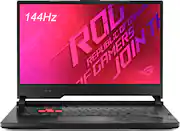
Rating 4.6 out of 5 stars with 172 reviews
4.6- Performance (35)
- Speed (13)
- Graphics (7)
- Price (7)
- Ease of use (6)
- Battery Life (8)
- RAM (7)
- Keyboard (6)
- Webcam (5)
Customer Images
The vast majority of our reviews come from verified purchases. Reviews from customers may include My Best Buy members, employees, and Tech Insider Network members (as tagged). Select reviewers may receive discounted products, promotional considerations or entries into drawings for honest, helpful reviews.
- Rated 5 out of 5 stars
Great Gaming Laptop
Works very well for the price. I can stream games well with it on my HD60 S right from my PS4 through OBS. I haven’t played any games directly from the Laptop but I recommend upgrading the ram if you plan on streaming and playing on the laptop it’s self. Also get a cooling fan to help keep your device from putting off to much heat when playing at high frame rates (helps your computer last longer). Laptop only comes with 3 USB ports. If want more USB ports to plug up devices find a Type-C Hub. I found a 4 port Type-C HUB 2.0 usb at “5 Below” to plug up my low power cooling fan and mouse. Computer can not take CDs or Micro SDs. You have to plug your device in to transfer files or use cloud software. Overall a great computer for all your content creation needs!
Posted by TwitchSwiftStreamsPS4
- Rated 5 out of 5 stars
Awesome Laptop
This is an awesome laptop! Great for future upgrades too, you can upgrade the RAM to 32GB and there is 3 m.2 SSD slots. Kinda crazy! The display is great, bright, typing is pretty awesome with the keyboard. Performance wise, I don't game too much, and this laptop hasn't stuttered at all. My one complaint is the speaker - just wish it was louder. Other than that, it doesn't have a webcam (not a big deal for me, since laptop ones suck anyways).
Posted by AsianGeekSquad
- Rated 5 out of 5 stars
Love it!
Very fast shipping! The laptop came well packaged and protected. Pretty quick battery charge(took about an hour for full charge). The track pad and keys are both very smooth and easy to type with. Over all very please with the purchase
Posted by Spinkyy1988
- Rated 5 out of 5 stars
Asus lover
Brought this laptop cause I only use asus and i love it
Posted by Asus
- Rated 3 out of 5 stars
Reliable After a Few Years, But Needs Better Speed
I’ve been using the ASUS ROG Strix laptop for a few years now, and overall, it's been a solid experience, but there are a few things I wish were better. First, the performance is good for gaming and heavy tasks, but it can feel a bit slow at times. I’ve noticed some glitches, especially when running multiple applications or when the system is under load. It’s not a deal-breaker, but I was hoping for smoother performance given the specs. The display is another area that could be improved. The screen is matte, which helps reduce glare, but the color accuracy isn’t great. It’s definitely not as vibrant or accurate as the displays on a MacBook or other high-end laptops. I find that the colors look a bit washed out, which is a bit disappointing when editing photos or watching media. That said, the build quality is excellent. The laptop feels sturdy and premium, and the keyboard and trackpad are comfortable to use. The RGB lighting is a nice touch, adding a bit of flair to the design. Overall, it’s a good laptop, but it’s not perfect. I’d love to see improved speed and better color accuracy in future models.
Posted by MichelleN