Skip to contentGo to Product Search
Main Content

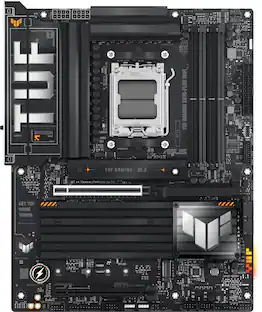
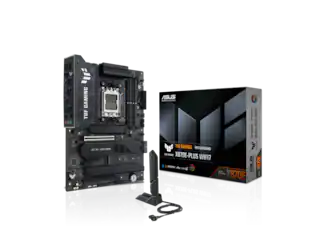
ASUS - TUF GAMING X870-PRO WIFI7 W NEO (Socket AM5) AMD X870 ATX DDR5 Wi-Fi 7 Motherboard - White

Model: TUF GAMING X870-PRO WIFI7 NEO
SKU: 6677872
Sold byBest Buy

Customers are saying

Customers love the exceptional build quality and improved stability of this product, which users find to be well-engineered and reliable. Many also appreciate the efficient heat dissipation and the intuitive BIOS interface that makes navigation a breeze. Additionally, the board’s sharp aesthetics are frequently highlighted as a standout feature.

Generated by AI based on customer reviews.

Features

  • Ready for advanced AI PCs

    Designed for the future of AI computing, with the power and connectivity needed for demanding AI applications

  • AMD AM5 Socket

    Ready for AMD Ryzen 9000, 8000 and 7000 series desktop processors

  • Exclusive AI Technologies

    AI Cache Boost, ASUS AI Advisor, AI Overclocking, AI Cooling II and AI Networking II for intelligent control

  • Exclusive Memory Technologies

    NitroPath DRAM Technology, DIMM Fit Pro/DIMM Fit and AEMP to simplify setup and improve performance

  • Robust Power Solution

    16(80A)+2(80A)+1(80A) SPS power stage, 8-layer PCB, 8+8 pin ProCool power connectors for stable power delivery

  • Asynchronous Clock

    Greater CPU potential and stability for overclocking

  • PCIe Lane Optimization

    The full bandwidth of the PCIe 5.0 x16 slot and two PCIe 5.0 M.2 slots while the USB4 (40Gbps) ports are not used

  • Latest M.2 Support

    Two onboard PCIe 5.0 M.2 slots, and two PCIe 4.0 M.2 slots

  • Abundant Connectivity

    USB4 (40Gbps) ports, USB 20Gbps Type-C connector with up to 30W PD Fast-charge, three USB 2.0 headers

  • Ultrafast Networking

    Wi-Fi 7 with pre-installed Wi-Fi driver and 5Gb Ethernet

  • DIY Friendly Design

    M.2 Q-Release, M.2 Q-Latch, PCIe Slot Q-Release, Q-Antenna, Q-Dashboard, Clear CMOS button, BIOS FlashBack button

  • Renowned Software

    64MB BIOS and intuitive UEFI BIOS dashboard, ASUS MB Manager, ASUS DriverHub, TurboV Core, ASUS GlideX

Specifications

  • Chipset
    AMD X870
    Form Factor
    ATX
    Processor Socket
    Socket AM5 (LGA 1718)
    Number of PCI-E Slots
    2
    Wireless Networking Standard
    Wi-Fi 7
    Number Of Memory Slots
    4
Sponsored

Reviews

Rating 5 out of 5 stars with 27 reviews

5 star rating. 26 reviews4 star rating. 1 review
96% would recommend to a friend
Customers are sayingCustomers love the exceptional build quality and improved stability of this product, which users find to be well-engineered and reliable. Many also appreciate the efficient heat dissipation and the intuitive BIOS interface that makes navigation a breeze. Additionally, the board’s sharp aesthetics are frequently highlighted as a standout feature.
This summary was generated by AI based on customer reviews.
  • Build Quality (15)
  • Stability (11)
  • Heat Dissipation (5)
  • BIOS Interface (4)
  • Aesthetics (3)

Customer Images

The vast majority of our reviews come from verified purchases. Reviews from customers may include My Best Buy members, employees, and Tech Insider Network members (as tagged). Select reviewers may receive discounted products, promotional considerations or entries into drawings for honest, helpful reviews.

  • Rated 5 out of 5 stars

    Clean All-White Theme, M.2/USB4 Share Bandwidth

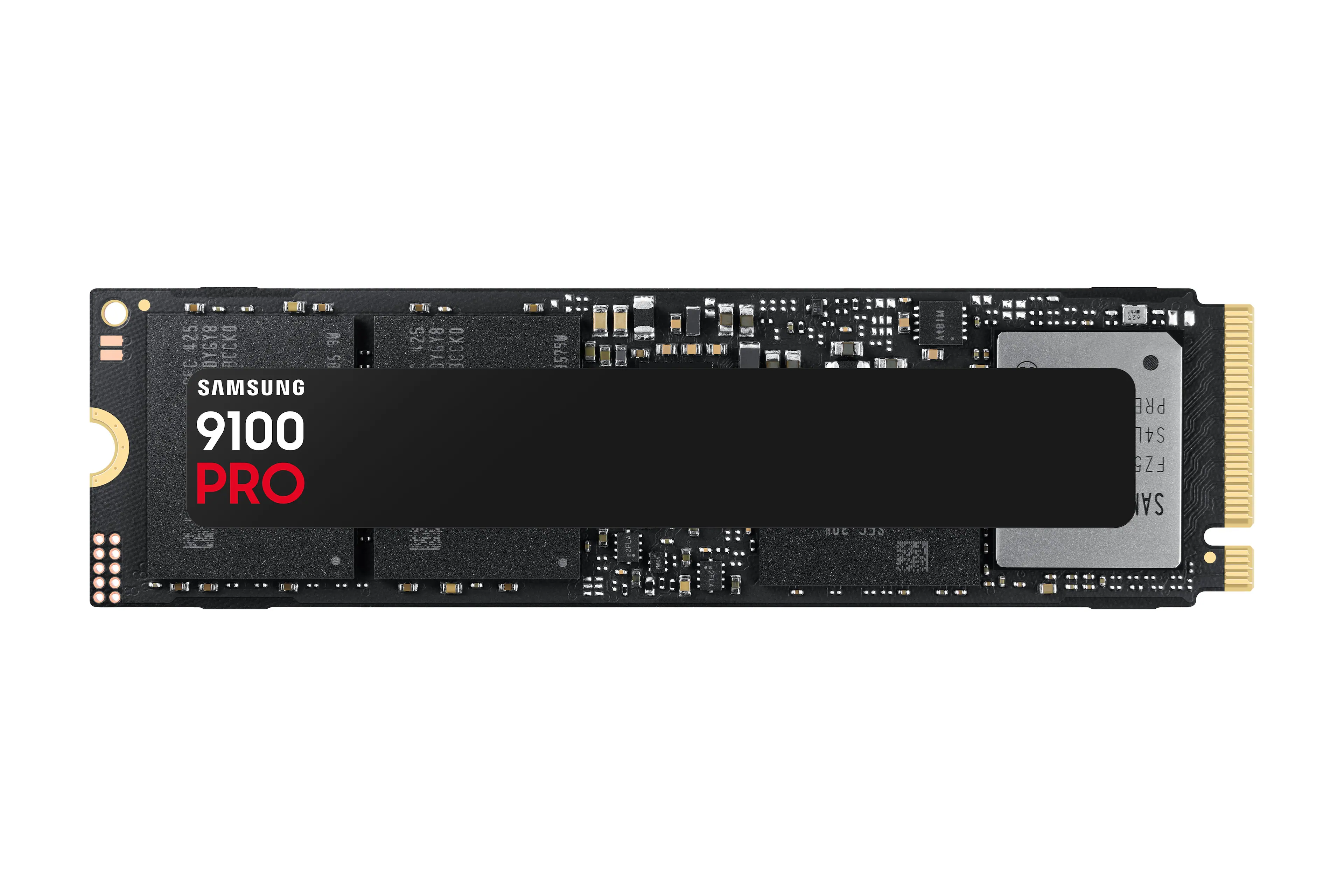
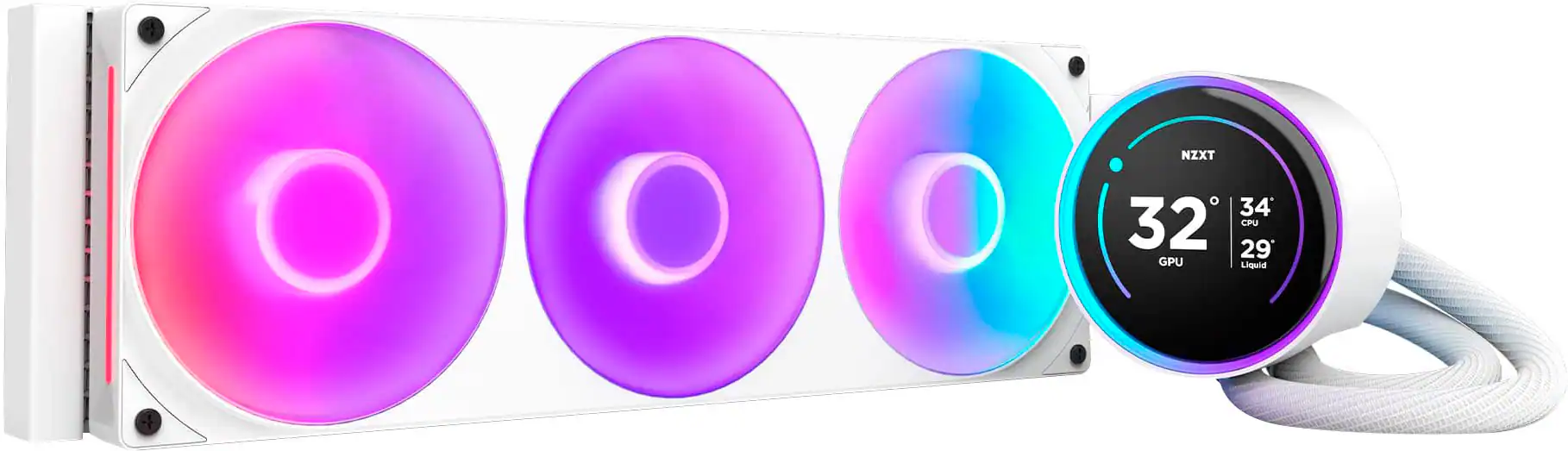
    I previously made an all-white themed PC build for myself, which turned out amazing and clean. Of course, my girlfriend kept looking at my build and now wants one for herself. So, I decided to surprise her with an upgrade from her aging Intel 11th Gen to a shiny new AM5 build in pure white. I decided to go with an ASUS motherboard this time, opting for the TUF Gaming x870-Pro WiFi 7 W Neo to complement the other white components. Pros: - Clean all-white Aesthetic. - Tool-free M.2 access for the PCIe 5.0 slot. - Easy GPU Release. Cons: - Price of the White version of the same board is more expensive. - 2x USB4 (USB-C 40Gbps) slots share bandwidth with M.2_2 slot. - 2nd PCIE slot shares bandwidth with M.2_4 slot. - Only 2 SATA ports for SSD/HDD. Out of the Box: The ASUS TUF Gaming x870-Pro WiFi 7 W NEO has a clean all-white aesthetic, with all the heatsinks, headers and even the PCB being all white. This really makes the all-white theme look amazing when matching an all-white CPU Cooler, RAM, and GPU with it. Unfortunately, ASUS does tend to charge a higher premium on their white versions of the same board, usually about 30% more than the non-white versions. But sometimes it is worth paying for the look. Included in the box is the Motherboard, 2x SATA cables, Antenna, 2x M.2 Rubber Spacers, Screw for M.2, and of course some bonus stickers! Setup: I’ve got a lot of experience with building and servicing PC’s, from past lessons, I always start my builds with a bench build outside of the case to ensure everything works before spending all the time putting the parts into the case to find out something doesn’t work. This build was no different, and again I had zero problems during the build and install of windows. My build consisted of the ASUS ASUS - TUF Gaming X870-PRO motherboard, AMD Ryzen 9 9900x for CPU, Crucial 64GB (2x32GB) DDR5 6400MT/S for RAM, XFX AMD Radeon RX 9070 XT Swift White for GPU (AMD is reasonably priced compared to Nvidia right now), and a Samsung 9100 Pro 2TB for the primary drive. I’ve previously tested all the parts for this build, so I knew going into it that none of these would be an issue. After getting everything installed (CPU, RAM, CPU Cooler, SSD), I booted up the PC on my desk using a screwdriver to jump the pins for the front panel. I would love to see ASUS add power and reset buttons to the motherboard, as this would be more convenient for setup and troubleshooting but the power pin jumping always works as well. I entered BIOS to check that EXPO (what overclocks the RAM to advertised speeds) and enable Resizable Bar. After ensuring those settings, I saved and exited to begin the windows setup. Windows installed without issue, restoring the settings from my girlfriend’s current PC to this one in the process. We did have to reinstall the apps and games, but all the files and Windows settings came over without issue. Specs: The ASUS TUF Gaming X870-Pro WiFi 7 W Neo supports the AMD AM5 socket, with support out of the box for the 9000, 8000, and 7000 series desktop processors. Ideally, for an X870 chipset, you’d want to pair a Ryzen 7 or 9 to take full advantage of the available features. A Ryzen 5 could be a good option if you’re on a budget and want to upgrade in the future but check whether your chosen CPU supports PCIe 5.0 or not, before buying your SSD to avoid overpaying for performance you cannot use. For RAM, ASUS provides sky high levels of overclocking if you want to manually adjust the timings. But for the average gamer, pretty much any DDR5 kit you pick up will be compatible with this board. The board supports XMP/EXPO/AEMP overclocking profiles, which is what most of you will use. The only time this might not work is if you try to mix and match RAM kits, keep in mind that a KIT is only what you get in a single pack off the shelf. Just because the RAM is the same make and model, there is a high chance the chips or controller on the RAM is different which will make hitting those advertised speeds with 2 kits of 2xRAM a bit of a challenge. Luckily, ASUS does provide enhanced RAM optimizing features in the BIOS such as ASUS AEMP, NitroPath, and DIMM Fit / DIMM Fit Pro that can help you stabilize your RAM to their highest stable speeds. One of the bigger downsides is that there are only 2 PCIe ports; 1x PCIe 5.0 and 1x PCIe 4.0. This shouldn’t be a massive downside for most users as the primary use for a PCIe slot is the graphics card, and you only need 1 these days. The PCIe 5.0 slot has an easy release lever, that makes removing the GPU much easier than the standard push tab, which can be a challenge to reach between a large CPU Cooler and GPU. For wireless, ASUS included WiFi 7 which is the newest available WiFi Standard that supports 160MHz bandwidth. Though this will require your router to also support the WiFi 7 standard, otherwise it will default to the lower standard. Additionally built into the WiFi card is Bluetooth 5.4. Software: ASUS always has had several applications to support their hardware. The primary one used to monitor, configure, and update the motherboard is Armoury Crate. For what it’s worth, it is easy to use and manages all the drivers and BIOS updates for the motherboard. I always install it initially, to update all the drivers and BIOS, then uninstall it afterwards and manage the updates manually from ASUS website. ASUS also provides a host of AI tools, that are supposed to help you work with AI along with optimizing your system. The AI Cache Boost would be something good to try out if you’re using local LLM’s, as it is supposed to deliver faster access to the CPU memory Cache. Additionally, there are multiple “AI” tools available that help optimize your Overclocking, Cooling, and Networking if you have issues managing those. Though, I tend to find setting these on simple curves/limits works the best as then you’re not letting someone or something else run your setup. Ports & Connections: For ports, the ASUS TUF Gaming X870-Pro WiFi 7 W Neo has on the back I/O Panel: - 2x USB4 (40Gbps) USB-C (shares bandwidth with the M.2_2 slot) - 3x USB-A 10Gbps - 4x USB-A 5Gbps - USB-A 2.0 - HDMI 2.0 - 5Gb Ethernet - 3x Audio Jacks (Mic In, Line Out, Line In) - WiFi Antenna Plugs - BIOS FlashBack Button - CMOS Clear Button (clears the BIOS settings) There are plenty of ports on the back panel for most gamers, though if you stream often and use an external capture card or multiple additional devices, you might want to consider the scenarios where the ports have to share bandwidth with the M.2 Ports (more details below in Storage Options). I always appreciate having a BIOS FlashBack and Clear button on the back of the I/O panel, as it has become more common to have to deal with BIOS version issues or rollbacks to address ongoing stability issues. Anything that makes that process easier to do is a huge plus to me. Additionally, ASUS has included the following internal port headers: - 3x CPU Cooler 4-pin (CPU Fan-Required, CPU Opt Fan, AIO Pump) - 4x Chassis Fan 4-Pin - 1x Water Pump - 4x M.2 Slots - 2x SATA 6Gb/s - USB 20Gbps (Typically for front panel) - USB 5Gbps supporting 2 additional USB-A ports - 3x USB 2.0 (1 more than commonly included) - 3x RGB Gen 2 Storage Options: For storage options, the TUF Gaming X870-Pro has 4x M.2 Slots and 2x SATA 6Gb/s ports. The M.2 slots are split in performance between M.2_1 & M.2_2 supporting PCIe 5.0x4 and M.2_3 & M.2_4 supporting PCIe 4.0x4 when using a Ryzen 9000 or 7000 series CPU. But there is a big caveat, that 2 of the M.2 slots share bandwidth with other ports on the Motherboard. M.2_2 shares bandwidth with the 2x USB4 (USB-C 40Gbps) ports on the back panel, which reduces the effective speed of both the USB and M.2 slot to PCIe 4.0 x2 when the M.2 slot is populated. You can switch the M.2 slot back to x4 mode in BIOS but that will disable the 2 USB4 ports. Additionally, the M.2_4 slot shares bandwidth with the 2nd PCIEx16 (G4), splitting the bandwidth similarly between the two ports. Again, this can be adjusted in BIOS but can be a hassle for future upgrades to storage. With only 2 SATA ports, additional SATA storage is limited to two additional drives. Luckily, the SATA ports are not disabled when all the M.2 ports are populated, as is a common design for other motherboards. This shouldn’t be much of a concern for most users, as most likely they will be looking to upgrade by the time they reach a point where two additional SSD/HDD of 4TB+ are filled up. Plus, with options for external device storage available, it’s become less common to have multiple HDD for backups. Conclusion: If you’re looking for an All-White Motherboard that has a clean and fresh look, with plenty of features including RAM Overclocking and PCIe 5.0, then the ASUS TUF Gaming X870-Pro WiFi 7 W Neo is worth looking at. The biggest downside is the MSRP being above that of the non-white version but grabbing it on a sale can solve that come the holiday season. Overall, I really like the look and features ASUS included and will be adding it to my recommend list of boards for All-White builds.

    Posted by BradfordBT

  • Rated 5 out of 5 stars

    A Mature X870 Design, Refined in White

    I came to the ASUS TUF Gaming X870-Pro WiFi7 W Neo with an unusually close point of comparison: I already use the black X870-Plus WiFi in another system. That board has served as a strong foundation, and the new Pro version follows much of the same formula rather than attempting to replace it with something radically different. That is not a criticism of how this board is equipped. ASUS started with an already mature X870 design and refined it with faster wired networking, updated memory support, more thoughtful PCIe lane allocation, several welcome maintenance features, and a dramatically different appearance. For someone building a new AM5 system today, those changes make this the more polished of the two boards. The white design is naturally the first thing that stands out. This is not a black motherboard with a couple of silver covers added as an afterthought. The light PCB, substantial silver and white heatsinks, matching I/O shroud, and restrained TUF graphics give it a cohesive appearance. White components often vary enough in tone to look mismatched when assembled, but this board provides a strong visual anchor around which the rest of a build can be coordinated. Appearance alone may not justify rebuilding an existing computer, but it can absolutely influence which motherboard someone chooses when starting from scratch. Underneath that finish is a thoroughly equipped AM5 platform. ASUS lists support for Ryzen 7000, 8000, and 9000-series processors, backed by a 16+2+1 arrangement of 80-amp power stages. Four DDR5 slots support up to 256GB, while NitroPath memory technology, DIMM Fit, and ASUS’s memory-profile tools provide additional flexibility for builders interested in faster memory configurations. As always, achievable memory speeds will depend heavily on the processor, memory kit, and number of modules installed. Storage remains centered on M.2 drives. There are four M.2 slots in total, including two PCIe 5.0 slots and two PCIe 4.0 slots, with heatsink coverage for three of them. Only two SATA ports are provided. That would have felt restrictive to me several years ago, but it now seems more like a compatibility consideration than a major design flaw. A new system can easily be built entirely around M.2 storage, although anyone transferring several older SATA drives should plan accordingly. One of the quieter improvements is the way the board distributes its PCIe lanes. On the earlier X870-Plus, using the second CPU-connected M.2 slot reduced the primary graphics slot from x16 to x8. The Pro shifts that tradeoff away from the graphics slot: the second PCIe 5.0 M.2 slot instead shares bandwidth with the USB4 controller. It operates at x2 while USB4 remains available or can be changed to x4 in the BIOS at the cost of disabling the USB4 ports. There is still a compromise, but I prefer having that choice without automatically reducing the primary GPU connection. Anyone planning to populate every expansion and M.2 slot should still study the lane-sharing table in the manual. Connectivity is another strong point. The wired network connection has been upgraded from 2.5Gb to 5Gb Ethernet, while Wi-Fi 7 and Bluetooth 5.4 cover wireless duties. The rear panel provides ten USB ports, including two 40Gbps USB4 Type-C connections. Internally, there is a 20Gbps front Type-C connector with up to 30-watt Power Delivery and three USB 2.0 headers. That third internal USB header is easy to overlook, but it can be genuinely useful once an AIO controller, lighting hub, and other internal accessories begin competing for connections. ASUS also continues to do a good job with the physical details that make building and maintaining a system less aggravating. The primary M.2 heatsink can be released without fighting a tiny screw, the SSDs use Q-Latches, and the primary PCIe slot has a release mechanism that is much easier to reach around a large graphics card. Diagnostic Q-LEDs help narrow down startup problems, while BIOS FlashBack and a dedicated Clear CMOS button are both accessible from the rear panel. These are not glamorous specifications, but they are often the features a builder appreciates most when something needs to be installed, changed, or troubleshot later. The honest limitation is that this is a refinement of an existing platform, not a compelling reason for most current X870 owners to tear apart a working computer. Much of its underlying capability will feel familiar to anyone who already has a well-equipped AM5 motherboard. Its case is considerably stronger for someone assembling a new system, especially a white one, or someone who can directly benefit from 5Gb Ethernet, the revised lane arrangement, and the additional serviceability features. ASUS has not reinvented X870 here. It has taken an already capable design and finished the idea more cleanly. The result may not be an essential upgrade from the X870-Plus, but between the two, this is the board I would choose for a new build.

    Posted by Caladbolg

  • Rated 5 out of 5 stars

    Greta upgrade, solid board

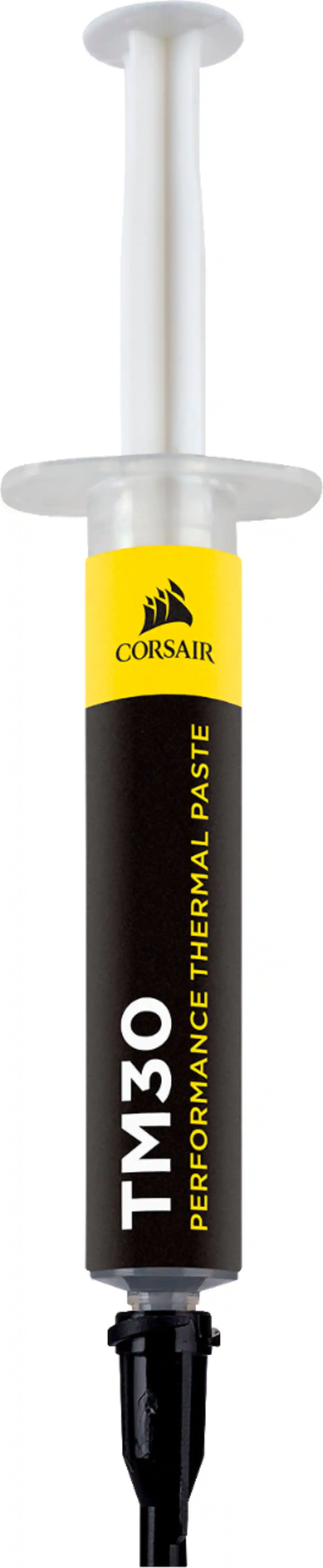
    I’ve been using an ASUS motherboard in my primary desktop for about three and a half years, so moving to another ASUS board was a pretty easy decision for me. My previous board is an ASUS PRIME Z790-P WIFI paired with an Intel Core i9-14900KF, and aside from the occasional annoyance with Armoury Crate wanting to install itself and failing on each reboot (which can be disabled in the BIOS), that board has been rock solid. I decided to use the TUF GAMING X870-PRO WIFI7 W NEO as an opportunity to make the jump from Intel to AMD and do a completely fresh Windows installation at the same time. I temporarily swapped it into my existing chassis and paired it with 64GB of T-Force DDR5 memory, an RTX 4090, a Crucial PCIe 5.0 NVMe SSD, and my existing 1000-watt power supply. The resulting system is an absolute beast and, admittedly, probably complete overkill for most of what I actually do with it. Everything was incredibly fast and the system was completely stable during the time I had it assembled. It’s difficult for me to push the performance increase specifically to the motherboard because I changed the processor and moved to a much faster PCIe 5.0 SSD at the same time, but the entire platform upgrade has been substantial. What surprised me most is just how much motherboard technology has moved forward in only about three and a half years. My previous ASUS board certainly isn’t ancient, and it was a very capable board when I built that system, but there are some significant differences between the two generations. My previous board has three M.2 slots that top out at PCIe 4.0, while this one gives me four M.2 slots, including two that support PCIe 5.0. That was particularly useful for this build because I was actually able to take advantage of PCIe 5.0 with the new Crucial NVMe drive. Connectivity has taken a pretty substantial step forward as well. I’m going from 2.5Gb Ethernet to 5Gb Ethernet and Wi-Fi 6 to Wi-Fi 7, plus this board has two 40Gbps USB4 Type-C ports, which I’ve been desperately missing. Memory support has gotten a little crazy too. This board supports up to 256GB of DDR5, along with some extremely high memory speeds depending on the processor and configuration. I’m currently using 64GB, which in today’s world cost more than the motherboard, and handles almost everything I throw at my computer. I don’t see myself approaching that 256GB maximum anytime soon, but it’s nice to have the option. There are also a number of smaller quality-of-life improvements that don’t necessarily jump out at you on a specification sheet but are really nice when you’re actually building the computer. Things like the tool-free M.2 installation, easier PCIe release, rear Clear CMOS button, and BIOS FlashBack. I love the flashback, it can be a lifesaver in a pinch if you are having processor issues, which I did on my original Asus, as I was lucky enough to get one of the infamous i9 13 gen processors that degraded. Installation itself went smoothly, and moving over to AMD has been a very positive experience so far. I also really like the white design of this particular board. My case has a clear side panel, and this is one of those motherboards that actually looks good enough that I want to be able to see it. My only real limitation with using this was that I currently only have one chassis available. After getting the new system up and running and spending some time with it, I needed to pull everything back out and return to my existing Intel setup and Windows installation so I could get into my old hard drive and run some some do my local scheduled APIs and scripts. I have another case on the way, and once it arrives this motherboard and AMD processor will become their own permanent system. Overall, I’ve been extremely happy with the TUF GAMING X870-PRO WIFI7 W NEO. Installation was straightforward, stability was excellent, and the jump from my previous platform was considerably more substantial than I expected. I went with the Corsair extreme performance thermal paste as well. The new board plus the move to AMD, gives me a platform with plenty of room to grow for years to come.

    Posted by CatCity

  • Rated 5 out of 5 stars

    this is all you need for a great build

    If youre planning on being a high end gaming PC this I think you should deffinetly check out ASUS TUF Gaming X870 Pro. Supports PCle 5.0, Four M.2 slots, Wifi7, 5Gb enternet, USB4 and the look that you love coming from TUF gaming, with great connectivity and easy installion I would say this motherboard is perfect for your high end build. DEVICE & FEATURES: What I have here is X870 Pro with AM5 socket that support AMD Ryzen 7000 all the way to current 9000 series. 16+2+1 power design VRM with 80A stages. ASUS also gives the VRMs large heatsinks that’s perfect for crazy temperatures to keep them under control during demanding gaming or work sessions. I just love how it has four M.2 slots, wit two of them supporting PCle 5.0 x4 and two PCle 4.0, that’s a lot of head room for multiple NVME drives, I had 3 so now I have another slot to fill up for more space and I love it. ASUS TUF also equipped this with WIFI 7 and 5Gb ethernet, it’s a modern MOBO so it requires Modern features. Theres multiple USB plug in a the rear ranging from USB4 40Gps Type C ports and USB with 10Gbps and 5Gbps ports. This comes with ASUS Q design including M.2 Q release, Q latch, PCle Slot Q release, Q antenna, BIOS Flashback and Clear CMOS button, which make installing and upgrading hardware easier. EXPERIENCE: So far I just feel like this board is deffinetly design with long gaming sessions in mind. The Board feels balance, the power delivery is more than capable for you build. My favorite thing about this board is having more access for M.2 slots which I think it’s a major advantage. Its future proof with having two PCle 5.0. the bad thing the second PCle 5.0 M.2 slot is a shared bandwidth with the rear USB4, so this really going to depends the way you configure the BIOS, so if you use the full x4 bandwith it can disable the rear USB4 ports. Honestly is not a huge issue if youre not planning on plugging tons of things at back but this issue does not effect my experience. Performance wise X870 Pro has no problem pairing with my 9800X3D CPU, also they have redesign the BIOS experience for user it was needed a refresh and thank god that ASUS made it cleaner and just easier to navigate to. Audio is also better than what youd normaly expect from a basic motherboard. What we have here is ASUS decided to use Realtek ALC1220P codec. With 120 dB stereo line-out SNR and impedance sensing for headphones. This hands down the best high end motherboard I have ever owned. CONCLUSION: ASUS TUF GAMING X870 PRO is one excellent Motherboard to consider, its high end it has the power you will need to handle demanding Ryzen CPU, plenty of M.2 storage and ports, Wifi 7, 5Gb ethernet, good onboard audio and just a solid feature that someone with high end PC build is looking for. Not much negative thing I could say about this motherboard, it supports AM5 in long term everything im looking is here plus more. I just feel like it’s a well balance motherboard to own.

    Posted by Naztynestor

  • Rated 5 out of 5 stars

    Great, just be aware of features

    I've been building gaming PCs for 32 years and have a significant amount of experience with different boards, manufacturers and capabilities. Asus has always been on the top of that stack and this board is no different. Packaging: To start, it comes with the board, some documentation, a couple SATA cables, some screws, the antennas for WIFI and some sticker, nothing particularly standout-ish here, although the significant portion of the manual is online, which I always find challenging since if you're building a PC you dont always have access to the internet (why else are you building the PC?). The ability to have a quick-reference manual for header information and PCIE shared port information is always nice... but I digress, all the companies are doing it and this is just my opinion. Use: Some quick notes here. The board only has 2x SATA ports and since this is an X870 and not an X870E chipset, it has fewer PCIE lanes so if you use your USB 40GB port you lose some of your connectivity (unlike other X870 boards this one only gives up lanes if you use your USB4 (thunderbolt) port ) The BIOS has extensive customization options across all settings which is great if you need them, overlock, and/or know what you're doing. I appreciate that the board is white, it's rare to see a solid high-end white board. As far as use once booted, it's been solid, I upgraded the BIOS to the latest and I've had zero issues, in fact I had upgraded a previous machine to this board and the stability issues I had previously experienced have all gone away. Overall: If you're in the market for a high end board, dont need the extra connectivity of the X870E but want all of the latest tech then this is the ticket, it has a unique white look, Aura sync for LED and PCIE5/USB4thunderbolt connectivity. It's well worth it.

    Posted by Beradon

Compare similar products

ASUS - TUF GAMING X870-PRO WIFI7 W NEO (Socket AM5) AMD X870 ATX DDR5 Wi-Fi 7 Motherboard - White
5.0(27)

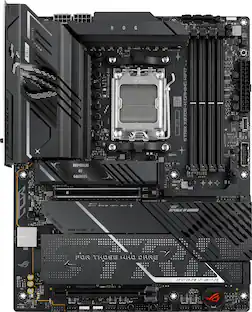
ASUS TUF GAMING X870-PRO WIFI7 W NEO AMD ATX motherboard delivers 16+2+1 power stages, DDR5 with NitroPath DRAM Technology and AEMP, PCIe 5.0 support for next-gen GPUs, four M.2 slots, advanced AI tuning technologies, Wi-Fi 7, 5Gb Ethernet, and a 64MB BIOS for stability and performance.
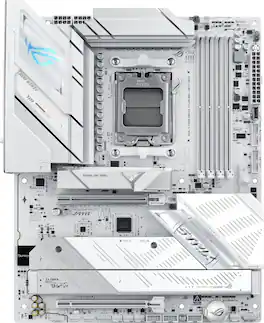
ASUS - ROG STRIX B850-A GAMING WIFI7 NEO (Socket AM5) AMD B850 ATX DDR5 Wi-Fi 7 Motherboard - White
4.9(32)

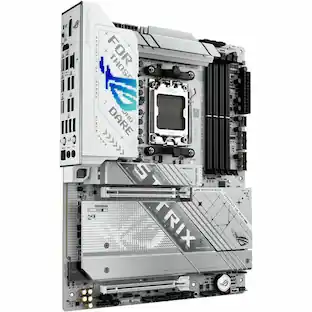
ASUS ROG STRIX B850-A GAMING WIFI7 NEO AM5 ATX motherboard with 14+2+2 power stages, DDR5 slots, PCIe 5.0 Ready, 4x M.2 slots, Wi-Fi 7, 3x USB 2.0 headers, USB-C 20Gbps, upgraded gaming audio solution, advanced AI tuning with AI Cache Boost and DIY-friendly Q-design with robust thermals.
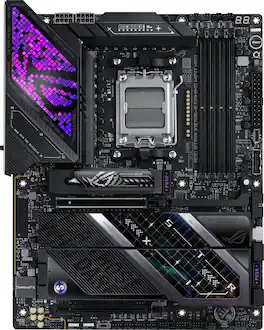
ASUS - ROG STRIX X870E-E GAMING Wi-FI 7 NEO (Socket AM5) AMD X870E ATX DDR5 Wi-Fi 7 Motherboard - Black
4.8(33)

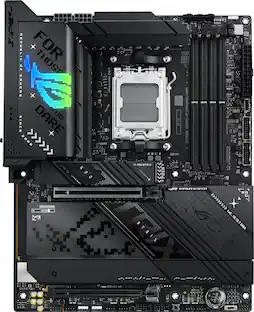
ASUS ROG STRIX X870E-E GAMING WIFI7 NEO AMD ATX motherboard with 18+2+2 power stages, DDR5 with NitroPath DRAM Technology and AEMP, PCIe 5.0 Ready, four M.2 slots, Wi-Fi 7, Dual USB4, Dynamic OC Switcher, advanced AI tuning with AI Cache Boost and DIY-friendly Q-design with robust thermals.

ASUS - ROG STRIX X870E-H (Socket AM5) AMD X870 ATX DDR5 Wi-Fi 7 BE Motherboard - Black
4.8(32)

The ASUS ROG STRIX X870E-H GAMING WIFI7 delivers a robust power solution with 16+2+1 power stages, DDR5 support with AEMP, Dynamic OC Switcher, Core Flex, Wi-Fi 7 with ASUS Q-Antenna, four M.2 slots with Q-Release, PCIe 5.0 x16 SafeSlots, dual USB4 ports, and a USB-C 10Gbps port with up to 30W fast charging.

Pros for ASUS - TUF GAMING X870-PRO WIFI7 W NEO (Socket AM5) AMD X870 ATX DDR5 Wi-Fi 7 Motherboard - White
Build Quality, Heat Dissipation, BIOS Interface, Aesthetics, StabilityConnectivity, Aesthetics, Heat Dissipation, Ease of Installation, Storage CapacityBuild Quality, BIOS Interface, Aesthetics, Connectivity, RGB LightingConnectivity, Heat Dissipation, Overall Performance, Installation Ease
Cons for ASUS - TUF GAMING X870-PRO WIFI7 W NEO (Socket AM5) AMD X870 ATX DDR5 Wi-Fi 7 Motherboard - White
There were no cons for this product—There were no cons for this product—Fan Header PowerThere were no cons for this product—

Specs

Be the first to ask a question.

We’ll try to get your question answered within 24 hours by a Best Buy customer or brand representative.

No content

Customers often buy these together

Sponsored