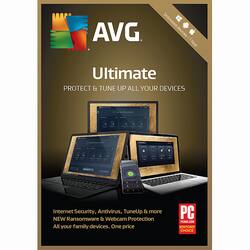
I have been using AVG software since its creation back in the 90's. It was a little known free program that detected majority of virus and ran at half the resources that name brand Anti-Virus software ran. It is now 2018 and I remain as impressed as I was back then. This software is a must buy for anyone who wish to ensure they do not receive any viruses on their computer and looking for an easy way to keep computer tuned.
Pros::
Clean / Easy To Use Layout
Protection Features
PC Tune Up Features
Secure Delete / File Restoration Ability
Very Low Resource Usage on Computers
Price Per Feature
Real time Performance, Reporting and Logs
Online Support Reference Material
Customer Service
Cons::
None
Software::
The software itself comes in a small package or can be downloaded off their website. My situation, I went to their website, downloaded the free version and bought a key from BestBuy. The download and install occurred very quickly and step by step instruction was very helpful for those who are not technical in nature. Once installed the software comes configured with recommended settings which I would strongly suggest not to modify unless you know what you are doing. The software takes up to 1.13GB in size however has very low resource utilization. In fact, the resource demands are so low you can run this on low end computers with ease. You will need to create a "My AVG" account however this will help keep track of license expiration, purchase history, promotional material and online support. The software also auto updates your virus definitions to ensure you are always up to date. The software provides a "Zen Dashboard" that make it easy to navigate between the Anti-Virus software and PC Tune up.
:::PC Tune Up Software:::
-Maintenance Function
This functions as a one click does all option for ease of use to allow the software to scan the most common trouble areas. It will scan Registry Issues, Broken Shortcuts, System Cache/Logs, Browser Data, Startup & Shutdown, and Disk Fragmentation. Once done you can choose to "Fix & Clean" or click on each item to additional options. I really enjoy the added ability to go into each section and specify additional items I feel comfortable in cleaning. To test the clean up performance I used two computers, installed/uninstalled (multiple times) massive programs, restarted the computer and ran the PC TuneUp software on only one machine. Using CPU-Z, I was able to see the difference in utilization compared on both machines. The end result was the machine with PCTuneUp had large noticeable performance increase on bootload and program load times.
-Speed Up Function / Sleep Programs / Turbo Mode
This will allow you in addition of optimizing by using maintenance function to place Background/Start Up programs to sleep, creating an performance profile under "recommendations" and AVG Turbo Mode. I mostly use the background and startup programs function to place all non-used applications to sleep until needed. I have not created a performance profile or used Turbo Mode so will be unable to speak to those features. I have not experienced any issues placing applications to "sleep" then having them wake up when I launch them. Each application launched without any errors or slowness. A nice addition is along the bottom it provides some reporting tools and logs for those who enjoy numbers and stats. I really am impressed at the amount of details you can pull from this information and works great when needing to review pc performance over a 6 month span.
-Free Up Space / Duplicate File Finder / System Cache & Logs / Browser Data
This tool is very powerful and I strongly recommend proceeding with caution if you wish to use these options. Make sure before you delete anything you are absolute positive the duplicate file was not on purpose. The Free Up Space goes back to the System Cache & Logs, browser data and functions as the maintenance function. However the next step is the duplicate file scan. You can specify what hard drive you wish to scan and it will categorize it by Pictures, Folders, Others, Documents. On the right side it will show the actual file and indicate a number of times its a duplicate. Again I would strongly recommend to review and backup before deleting anything as this software sometimes detects duplicate items that were duplicated on purpose. The System Cache & Logs provided a detailed window of items you wish to clean. Note you can also access this window if you go into the maintenance function advance settings. I use this feature alot as alot of items within the window I feel safe to delete/clear for space. The Clean Up Browser function is my favorite as it will provide options to clean all browsers currently installed onto the computer. This helps centralize clean up in one easy window without having to go into each browser. Just like the addition of the row at the bottom of speed up section, the Clean Up section has 4 additional options on the bottom of the screen for those looking for specific ways to clean up the harddrive. My favorite function is the Secure Delete Files option. You can also "right-click" on any file to use AVG shredder but this feature allows for secure way of permanently deleting a file when needed.
-Fix Problems
This function allows you to remain up to date on all programs with the latest patches. I enjoy this feature as it helps organize all applications in one simple window to update instead of having to go into each application individually to update. This is especially important to me as I have over 10 applications running at a time and patches are critical for my line of work.
The "update all" works about 90% percent of the time with the other 10% requiring a manual update on a few applications. Just like the other sections, the Fix Problems window has four additional options on the bottom to get more specific on problem areas. However the two that I use the most are the Restoration of deleted files and Rescue Center. The file restoration works great at restoring deleted files and the rescue center allows for undoing any pc tune ups AVG performed
-All Functions
This is pretty much an "Advance Section" that allows for easy access to every feature that AVG Ultimate can perform. I do not normally use this however works great for anyone who is looking for 1 specific thing.
:::Anti-Virus Software :::
-Computer Protection
The computer protection allows AVG to scan any files added or opened on the computer and watches applications running the in background for malicious behavior. Testing the active scan on my spare computer, it was able to quickly detect traditional rootkits / Trojans and malware. I was very impressed at the method of how it stopped and quarantined the item but wont get that technical for this article.
-Web / Email Protection
The web and email function works wonderfully as well especially since I have family members that occasionally still quickly open attachments from emails without looking first. The web shield works great for those who use browser add-ons or surf the net as it quickly detects and prevents from backdoor downloads/installs. The email shield works great of all online email accounts as well as outlook on the desktop.
-Hacker Attacks and Ransomware Protection
The Hacker Attacks function is pretty much just the firewall feature however do not let that distract from how well this firewall protects. It provided the normal functions that Windows defender has with the added bonus of easy customization, easy log access and advance settings. The Ransomware Protection is a unique feature added to AVG that will provide additional security to personal files. It automatically selects the user profiles and most commonly used folders. You can also manually add folders you wish to protect with this software. I have not experienced any issue or slowdowns when adding these folders and recommend to include folders with sensitive data.
-Privacy, Webcam and Data Safe Protection
The Privacy Protection is very impressive as it is not a common feature you see with other anti virus software. It has two functions, one is to protect the webcam and the other is to create a Data safe.
The webcam portion protects from software trying to use the computers Webcam to spy on you. The standard setting is "Smart Mode" however you also have "Strict Mode" and "No Mercy". As you can imagine it goes from trusted applications to always having to ask your permission first to a completely block on using camera. The Data safe is creating an encrypted 256-bit AES folder only you can access which is great when it comes to protecting financial data!
-Payments, Anti-Spam and Fake Website Shield
This helps protects from fake websites and fake phishing/spam emails asking for your financial information. The Fake Website Shield works by ensure the financial site is truly the financial site and you were not re-routed without your knowledge to a hacked site. It is a great feature to have to help ensure you are not being duped when going to a purchasing site or bank.
- Other Scans (Advance Settings)
I have been really impressed at all the additional scanning features AVG provides. You can not only scan your whole computer, you have the option to scan USB/ DVD, focus on a particular folder, run a "Deep Scan" and run a Boot-Time Scan. I typically like to run a Deep Scan every other month just to make sure no malware snuck by and the Boot-Time Scan once a quarter. Both are more on the extreme side of scanning however feel its better to be safe then sorry.